Dmitry Fedoseev / News feed
- Information
|
16+ years
experience
|
60
products
|
59
demo versions
|
|
126
jobs
|
0
signals
|
0
subscribers
|
Учебник MQL5 (электронная версия): https://play.google.com/store/books/details?id=M0oREAAAQBAJ
Учебник MQL5 (электронная и бумажная версии): https://ridero.ru/books/programmirovanie_na_yazyke_mql5_ot_osnov_do_indikatorov_i_ekspertov
For added protection, the EA includes advanced account safeguarding mechanisms. When a specified equity take profit or stop loss level or a maximum drawdown from the account's balance high is reached, the EA can automatically close all open trades, delete any pending orders, and shut down all charts, removing any Expert Advisors running on them. This feature helps protect your capital during unexpected market movements or when reaching your predefined account targets.
✔️ Does not use Martingale, Grid, Averaging, or other high-risk techniques
✔️ Allows exclusion of specific Magic Numbers, trade comments, or symbol trades from management
✔️ Basket Take Profit in % for all managed trades combined
✔️ Basket Stop Loss in % for all managed trades combined
✔️ Basket Break Even in % for all managed trades combined
✔️ Basket Trailing Stop Loss in % for all managed trades combined
✔️ Basket Take Profit in money for all managed trades combined
✔️ Basket Stop Loss in money for all managed trades combined
✔️ Basket Break Even in money for all managed trades combined
✔️ Basket Trailing Stop Loss in money for all managed trades combined
✔️ Basket Take Profit in average points for all managed trades combined
✔️ Basket Stop Loss in average points for all managed trades combined
✔️ Basket Break Even in average points for all managed trades combined
✔️ Basket Trailing Stop Loss in average points for all managed trades combined
✔️ Option to reset all Basket settings after each account balance update or after a Basket target is hit
✔️ Option to close all managed trades at break even after recovering from a drawdown
✔️ Option to close all managed trades at a specific time on a chosen day or daily
✔️ Account protection feature that closes all trades and charts when equity-based TP or SL is reached
✔️ Maximum drawdown % from balance high that closes all trades and charts/EAs if triggered
✔️ Optional on-chart panel to monitor profit/loss and close trades by type or all at once
✔️ Terminal, push notification, and email alerts when any Basket or protection condition is triggered
✔️ 100% automated Expert Advisor
✔️ Fully compatible with MQL5 VPS
⭐️⭐️⭐️⭐️⭐️ Basket EA EA MT4©: https://www.mql5.com/en/market/product/45192
⭐️⭐️⭐️⭐️⭐️ Basket EA EA MT5©: https://www.mql5.com/en/market/product/72782
📥 Download the Basket EA MT4© demo version in your demo account now: https://c.mql5.com/6/988/Basket_EA_MT4_2_20_Demo.ex4
📥 Download the Basket EA MT5© demo version in your demo account now: https://c.mql5.com/6/988/Basket_EA_MT5_2_00_Demo.ex5
✅ Basket EA MT4/5© detailed Settings/Inputs guide: https://www.mql5.com/en/blogs/post/746117
💎💎💎💎💎 Check out all my Expert Advisors and Utilities: https://www.mql5.com/en/users/eleanna74/seller
2 August 2026
✔️ Martingale, Grid, Averaging or other dangerous techniques are not used
✔️ 8 built in Strategies, based on the extremely reliable Japanese Candlestick Patterns
✔️ Specially optimized set files for many symbols/instruments
✔️ Hard and Virtual Take Profit and Stop Loss levels at various timings
✔️ SL, TP, BE and Trailing SL levels in Percentage of the Average Daily Range
✔️ Time and Price Level settings for maximum flexibility
✔️ 100% automated Expert Advisor
✔️ MQL5 VPS compatible
🔥🔥🔥🔥🔥 Japanese Candlestick Patterns EA MT4/5© Backtests & Set Files: https://www.mql5.com/en/blogs/post/745873
⭐️⭐️⭐️⭐️⭐️ Japanese Candlestick Patterns EA MT4©: https://www.mql5.com/en/market/product/45732
⭐️⭐️⭐️⭐️⭐️ Japanese Candlestick Patterns EA MT5©: https://www.mql5.com/en/market/product/45800
💎💎💎💎💎 Check out all my Expert Advisors, Indicators and Utilities: https://www.mql5.com/en/users/eleanna74/seller
2 August 2026
✔️ High-Speed Copying: Achieve transfers under 0.5 seconds between local MT4 and MT5 terminals*.
✔️ Versatile Support: Supports MT4>MT4, MT4>MT5, MT5>MT4, MT5>MT5 copying*.
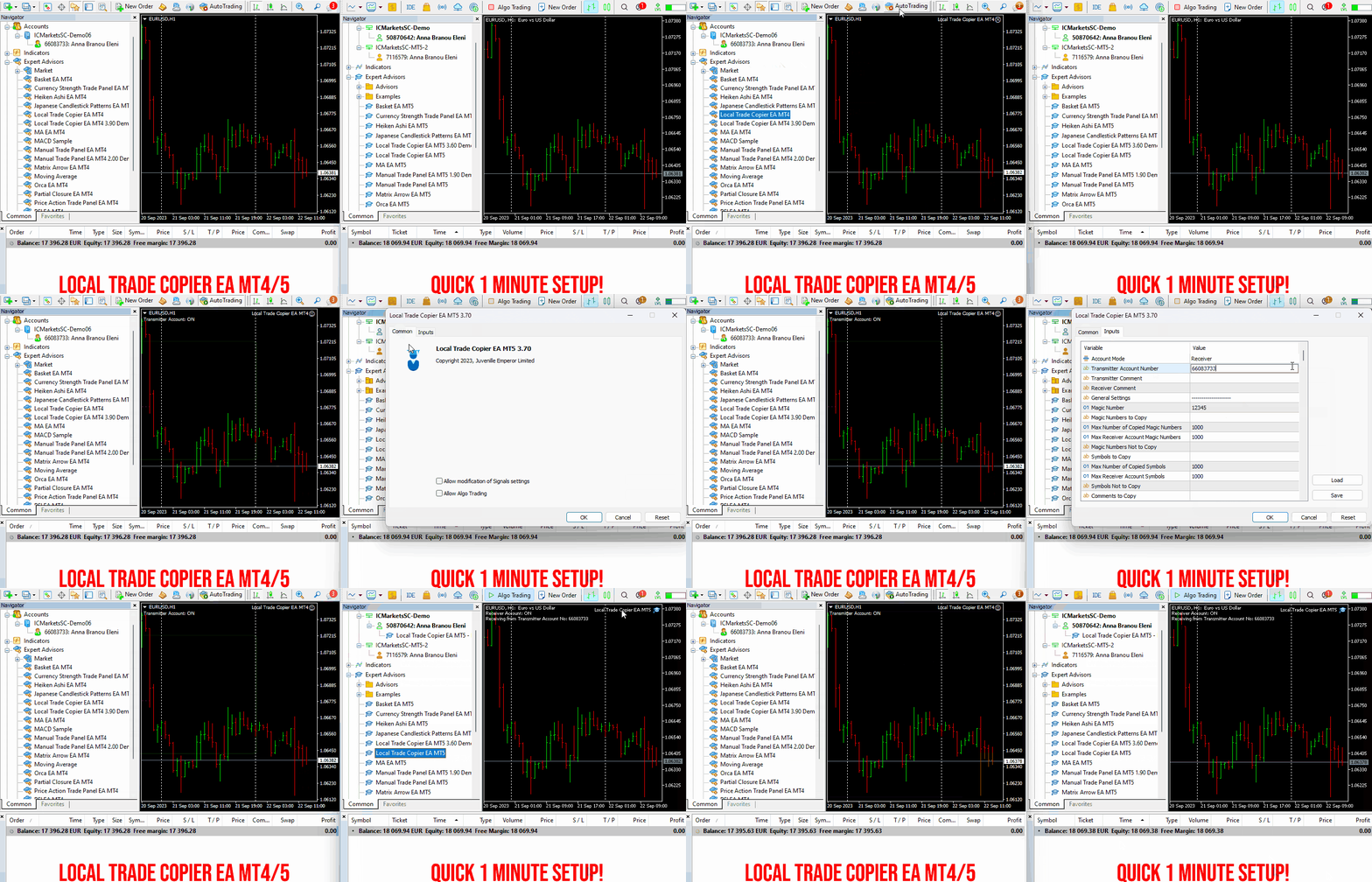
✔️ User-Friendly Interface: Simple 1-minute setup for straightforward usage.
✔️ Compatibility: Works on Windows computers and Windows VPSs.
✔️ Flexible Copying: Copies between real>real, real>demo, demo>real, and demo>demo accounts, across all brokers.
✔️ Multi-Account Transfers: Allows one or more transmitter accounts to copy to one or more receiver accounts.
✔️ Customizable Lot Sizes and Risk: Offers a diverse range of 18 options for lot size and risk management per trade.
✔️ Read-Only Account Copying: Can copy from a read-only investor password transmitter account.
✔️ Comprehensive Trade Multiplication: Copies and multiplies trades from any source, including manual trades.
✔️ No Conflicts: Enables manual trading or expert advisor use without conflicts.
✔️ Stable Settings: Does not lose settings if connection is lost or terminals are restarted.
✔️ High Accuracy, Low Computing: Ensures high accuracy copying with minimal computing power.
✔️ Comment Options: Provides transmitter and receiver comment options.
✔️ Trade Filtering: Filters copied trades by magic number, symbol, comment, number, or volume.
✔️ Day and Time Control: Allows day and time control settings for copying.
✔️ Flexible Trade Copying: Copies long/short, old/new trades, market trades, or pending orders.
✔️ Take Profit and Stop Loss Handling: Copies or not take profit and stop loss levels from original transmitter trades.
✔️ Customized TP/SL Management: Offers various options for take profit and stop loss management.
✔️ Trade Closure Options: Provides options for synchronized trade closure and correct partial closure on receiver copied trades.
✔️ Trade Reopening: Allows reopening of closed receiver trades if original transmitter trades are still open.
✔️ Advanced Price Management: Offers better price options, reverse copying, and original TP/SL levels.
✔️ Trade Splitting: Splits copied trades automatically or at set smaller parts.
✔️ Risk Control: Implements maximum risk % control per symbol, currency, or account level.
✔️ Lot Size Management: Provides minimum/maximum lot size options for receiver copied trades.
✔️ Flexible Lot Size Ignoring: Can ignore minimum/maximum transmitter or receiver lot size options.
✔️ Account Protection: Offers emergency account protection measures.
✔️ Drawdown Management: Implements maximum daily drawdown and profit settings, with pause options.
✔️ Drawdown Control: No copying if transmitter or receiver drawdown exceeds a certain percentage level.
✔️ Notification Options: Provides email and push notifications for copied trades or receiver balance, equity, and margin levels.
✔️ Broker Compatibility Features: Includes prefix and suffix auto-detection and setup, and mapping of special symbols.
✔️ Activations: Offers 20 activations for installation across multiple terminals, computers, and VPSs.
✔️ Self-Copier Mode: Compatible with MQL5 VPS in self-copier mode.
✔️ Fully Automated: Operates as a 100% automated expert advisor.
* you must purchase both MT4 & MT5 versions of Local Trade Copier EA for copying between MT4<>MT5 terminals
🔥🔥🔥🔥🔥 Watch the Local Trade Copier EA MT4/5© Quick Setup Video: https://vimeo.com/1158003543?fl=tl&fe=ec
⭐️⭐️⭐️⭐️⭐️ Local Trade Copier EA MT4©: https://www.mql5.com/en/market/product/68950
⭐️⭐️⭐️⭐️⭐️ Local Trade Copier EA MT5©: https://www.mql5.com/en/market/product/68951
📥 Download the Local Trade Copier EA MT4© demo version in your demo account now: https://c.mql5.com/6/987/Local_Trade_Copier_EA_MT4_4_50_Demo.ex4
📥 Download the Local Trade Copier EA MT5© demo version in your demo account now: https://c.mql5.com/6/985/Local_Trade_Copier_EA_MT5_4_30_Demo.ex5
✅ Local Trade Copier EA MT4/5© installation guide: https://www.mql5.com/en/blogs/post/745683
✅ Local Trade Copier EA MT4/5© detailed inputs/settings guide: https://www.mql5.com/en/blogs/post/745681
💎💎💎💎💎 Check out all my Expert Advisors, Indicators and Utilities: https://www.mql5.com/en/users/eleanna74/seller
2 August 2026
.
✔️ Martingale, Grid, Averaging or other dangerous techniques are not used
✔️ RSI Level Live Bar (once per candle) trade opening
✔️ RSI Level Closed Candle trade opening
✔️ RSI Level Crossing trade opening
✔️ Single or multiple orders per trading session
✔️ Net Asset Risk option, ideal for night scalping
✔️ Moving Average Trend Filter
✔️ SL, TP, BE and Trailing SL levels in Points and in Percentage of the Average Daily Range
✔️ Hard and Virtual Take Profit and Stop Loss levels
✔️ Basket TP, SL, BE and Trailing SL in % for all open positions combined
✔️ Optimized set files for many symbols
✔️ 100% automated Expert Advisor
✔️ MQL5 VPS compatible
🔥🔥🔥🔥🔥 RSI EA MT4/5© Backtests & New Set Files: https://www.mql5.com/en/blogs/post/745685
⭐️⭐️⭐️⭐️⭐️ RSI EA MT4©: https://www.mql5.com/en/market/product/45228
⭐️⭐️⭐️⭐️⭐️ RSI EA MT5©: https://www.mql5.com/en/market/product/67625
💎💎💎💎💎 Check out all my Expert Advisors, Indicators and Utilities: https://www.mql5.com/en/users/eleanna74/seller
2 August 2026
KS Auto Trade Close Manager Time Base is a MetaTrader 5 Expert Advisor (EA) that automatically closes open trades at a user-defined local computer time, with a simple on-chart control panel. Main features Scheduled auto-close (optional) Closes trades at a specific local time (HH:MM, e.g. 23:55). Uses the terminal/computer’s local time ( TimeLocal() ), not server time. Three close modes (selectable from inputs or the panel) ALL – close every matching position PROFIT ONLY – close only
KS Candle Box Bull Bear Pro is a custom MetaTrader 5 (MQL5) chart-window indicator that combines higher-timeframe period boxes with previous-candle high/low lines. Main Features Period Boxes (core feature) Draws semi-transparent rectangular boxes for the selected higher timeframe ( InpPeriod , default H4; also supports D1, W1, MN1). Boxes cover the high-to-low range of each period. Color is determined by candle direction: Bullish (close ≥ open) → light green fill ( C'240, 255, 240' ) Bearish →
KS Hotkey Trading Panel Pro is a MetaTrader 5 Expert Advisor that provides fast keyboard-driven trading plus a clickable on-chart dashboard. Main Features Hotkey trading — Single-key actions for: Market Buy / Sell Buy Limit / Sell Limit Buy Stop / Sell Stop Close All positions Close Buys only / Close Sells only Delete all pending orders Lot size up / down (Arrow Up / Arrow Down) Show / Hide the panel On-chart dashboard — Displays every hotkey, current lot size, live account info (Balance
Obs. quem se candidatar vai ganhar uma licença vitalícia.
-----
I am developing a cleaner for macOS — similar to CleanMyMac, but more powerful. If any Mac users would like to beta test my tool, please send me a private message.
Note: Anyone who signs up will receive a lifetime license.
✔️ Martingale, Grid, Averaging or other dangerous techniques are not used
✔️ New trade on every change of the Moving Average slope direction
✔️ Option for a new same direction trade on each new candle
✔️ Offset setting for a better trade placement after a price retracement
✔️ Hard and Virtual Take Profit and Stop Loss levels
✔️ SL, TP, BE and Trailing SL levels in Percentage of the Average Daily Range
✔️ Basket TP, SL, BE and Trailing SL in % for all open positions combined
✔️ Optimized set files for many symbols/instruments
✔️ 100% automated Expert Advisor
✔️ MQL5 VPS compatible
🔥🔥🔥🔥🔥 Moving Average EA MT4/5© Backtests & New Set Files: https://www.mql5.com/en/blogs/post/745753
⭐️⭐️⭐️⭐️⭐️ Moving Average EA ΜΤ4©: https://www.mql5.com/en/market/product/45633
⭐️⭐️⭐️⭐️⭐️ Moving Average EA ΜΤ5©: https://www.mql5.com/en/market/product/47673
💎💎💎💎💎 Check out all my Expert Advisors, Indicators and Utilities: https://www.mql5.com/en/users/eleanna74/seller
31 July 2026
KS Trading View Style PC Sync Time is a MetaTrader 5 (MQL5) chart indicator that displays a local-time tag at the bottom of the chart. The tag follows the crosshair/mouse position, similar to TradingView-style time labels. Main features Bottom-axis local time tag Shows the local PC time corresponding to the bar under the mouse/crosshair. Format example: Thu 30 Jul '26 06:30 PM (12-hour) or 24-hour equivalent. The tag sits on the time scale (configurable bottom margin) and stays centered