OBSIDIAN RIBBON MT5
FREE DOWNLOAD (MT5):
https://www.mql5.com/en/market/product/208523
Every trader knows the feeling. You spot a strong trend, but price is already far away. Jump in now and you’re buying the top of the move. Wait, and the train leaves without you.
The answer is old and simple: don’t chase the trend, wait for the pullback. Price breathes. Even the strongest trend steps back now and then before the next push. Doing that well means answering three questions on every chart, every time:
- Is there really a trend, on the bigger timeframes too?
- Is price pulling back right now?
- When is the pullback over?
Obsidian Ribbon answers all three on one screen.
The ribbon
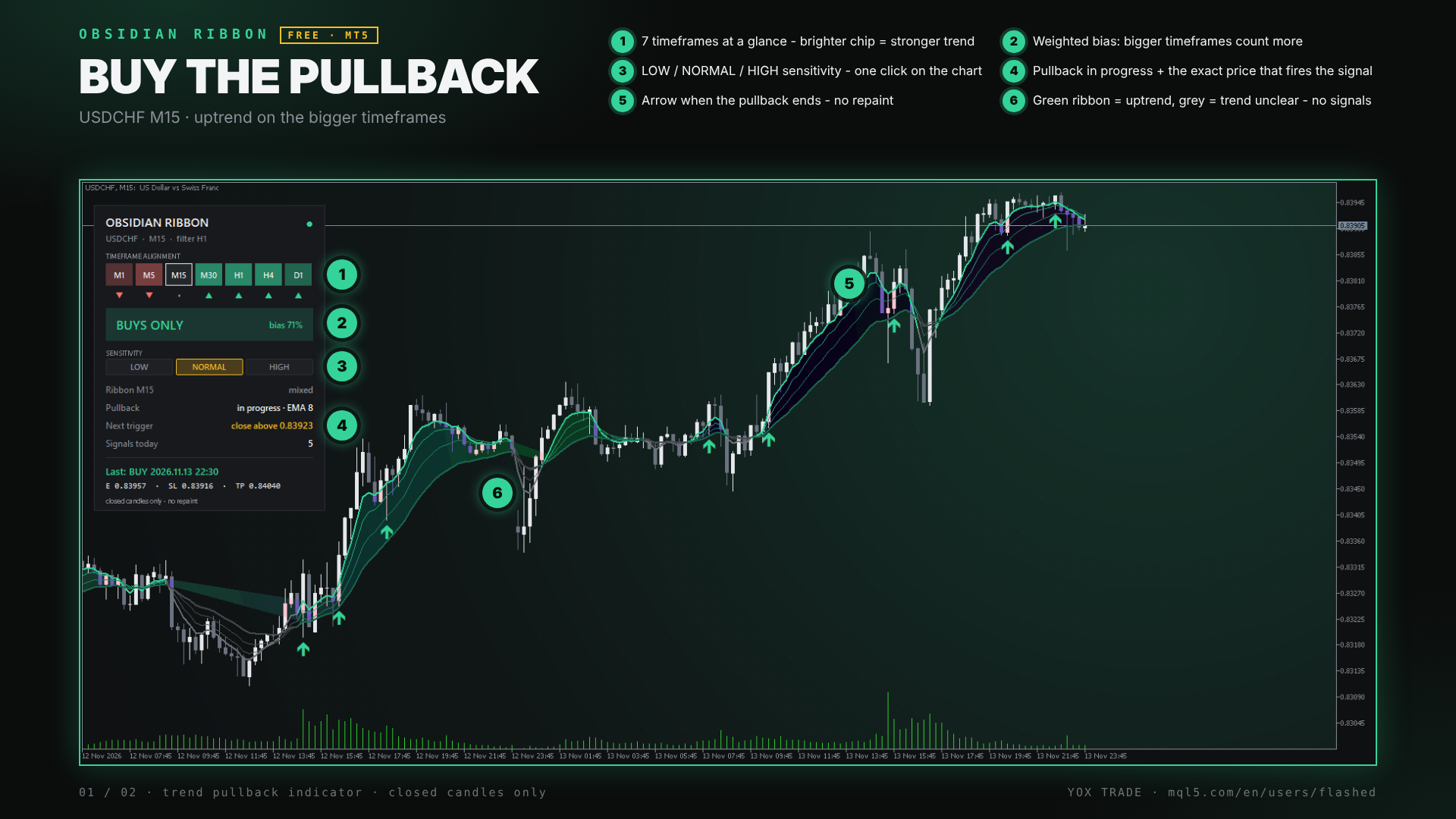
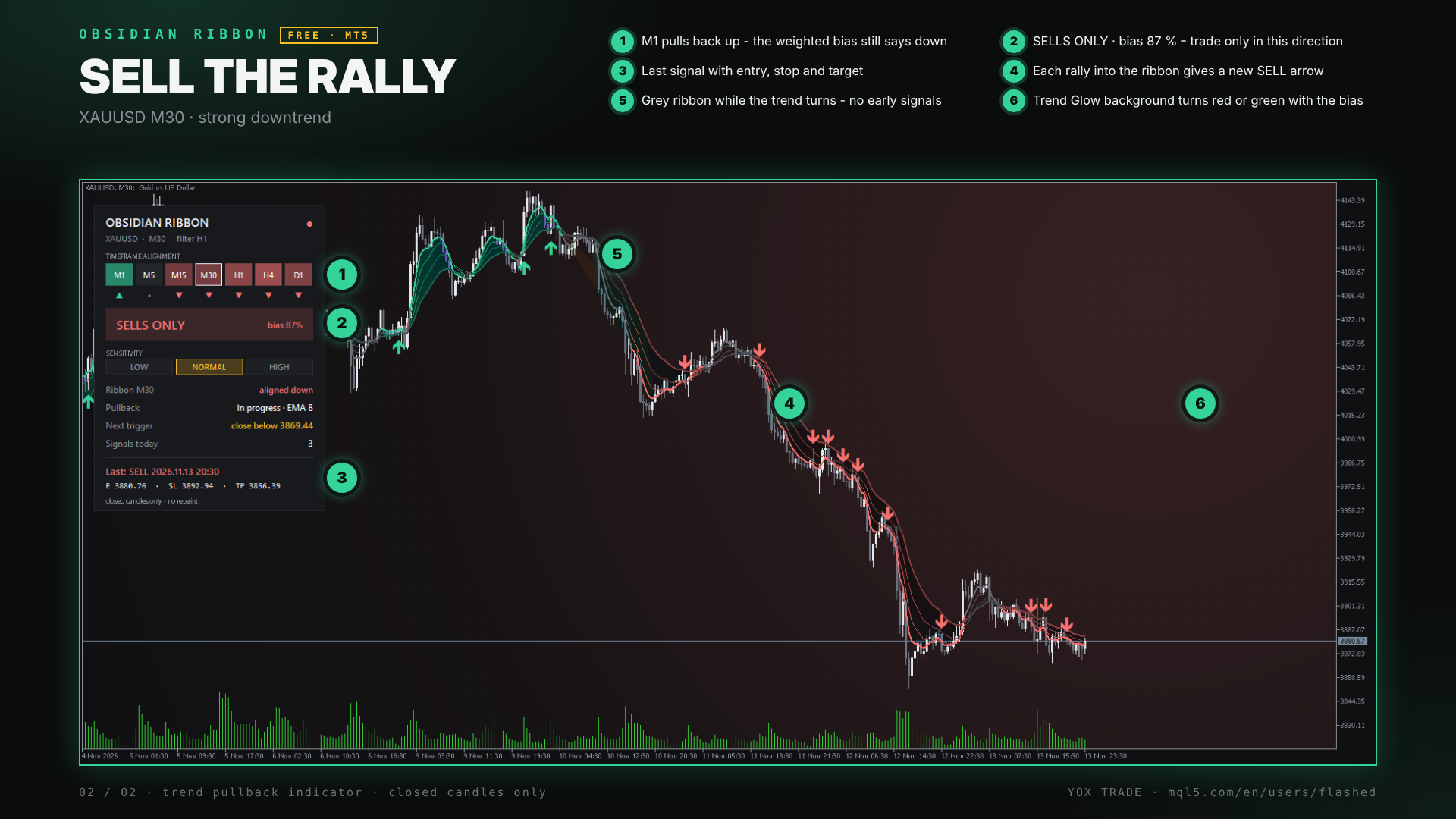
The core is a ribbon of four EMAs with a shaded band between them. It’s green in an uptrend and red in a downtrend. It turns grey when the trend isn’t clear or the higher timeframe disagrees, and grey means no signals. That rule alone keeps you out of a lot of messy, sideways markets.
When price dips back into the ribbon and then turns back with the trend, an arrow appears. Signals are calculated on closed candles only, so an arrow that shows up stays there. No repainting.
The dashboard
The panel on the left is where Obsidian Ribbon goes beyond a basic ribbon:
- 7 timeframe chips from M1 to D1. Green or red shows the direction, and a brighter chip means a stronger trend.
- A weighted verdict: BUYS ONLY, SELLS ONLY, LEAN BUY / LEAN SELL, or MIXED – STAND ASIDE, with a bias percentage.
- Pullback status: “waiting” or “in progress”.
- Next trigger: the exact price where the next signal would fire. You can set an alert or just glance at it instead of staring at every candle.
- Signals today and the last signal, with entry, stop and target.
Your speed, one click
Not everyone trades the same way, so there are three sensitivity buttons right on the chart:
- LOW: waits for confirmation. Fewer, cleaner signals.
- NORMAL: enters when a candle breaks the previous high or low.
- HIGH: the earliest entry, on the first reversal candle at the bottom (or top) of the pullback. Made for scalpers.
Switching recalculates the whole chart straight away, so you can see what each level would have shown on that chart.
It looks good, too
Obsidian Ribbon gives your chart a calm carbon look, with a Trend Glow background: a fine dot grid with a soft glow that turns green, red or grey with the market bias. You can tell the mood of the chart from across the room. Remove the indicator and your own chart colours come back.