
What exactly happens when you approach a limit? This post goes stage by stage. Thresholds are percentages of each limit (default 60 / 80 / 95), see P3.
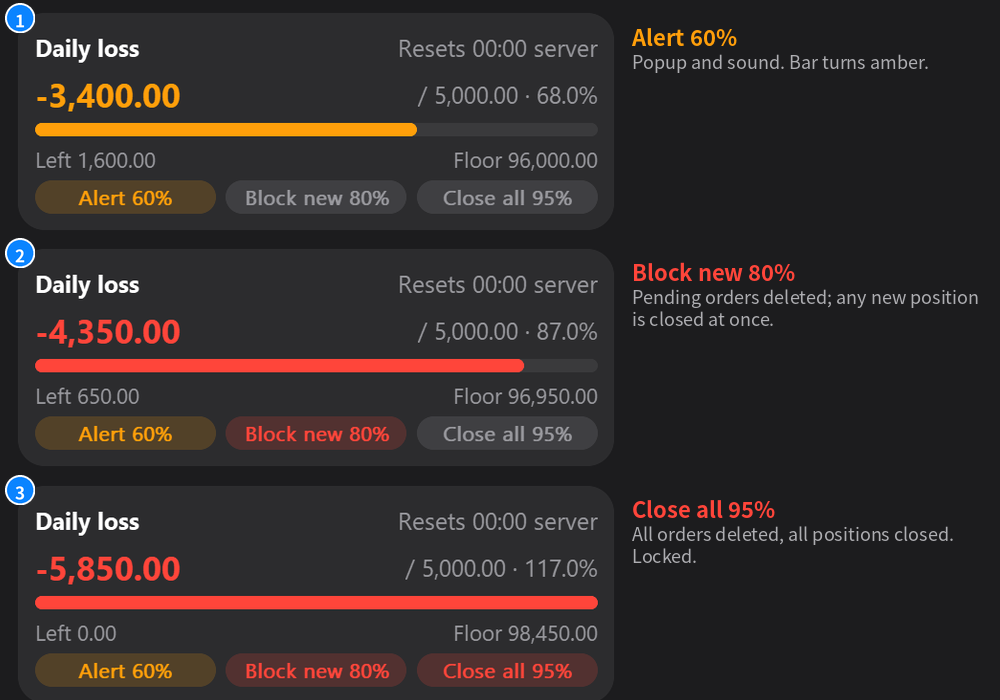
Stage 1: alert
At the first threshold you get a popup and a sound, and the bar turns amber. 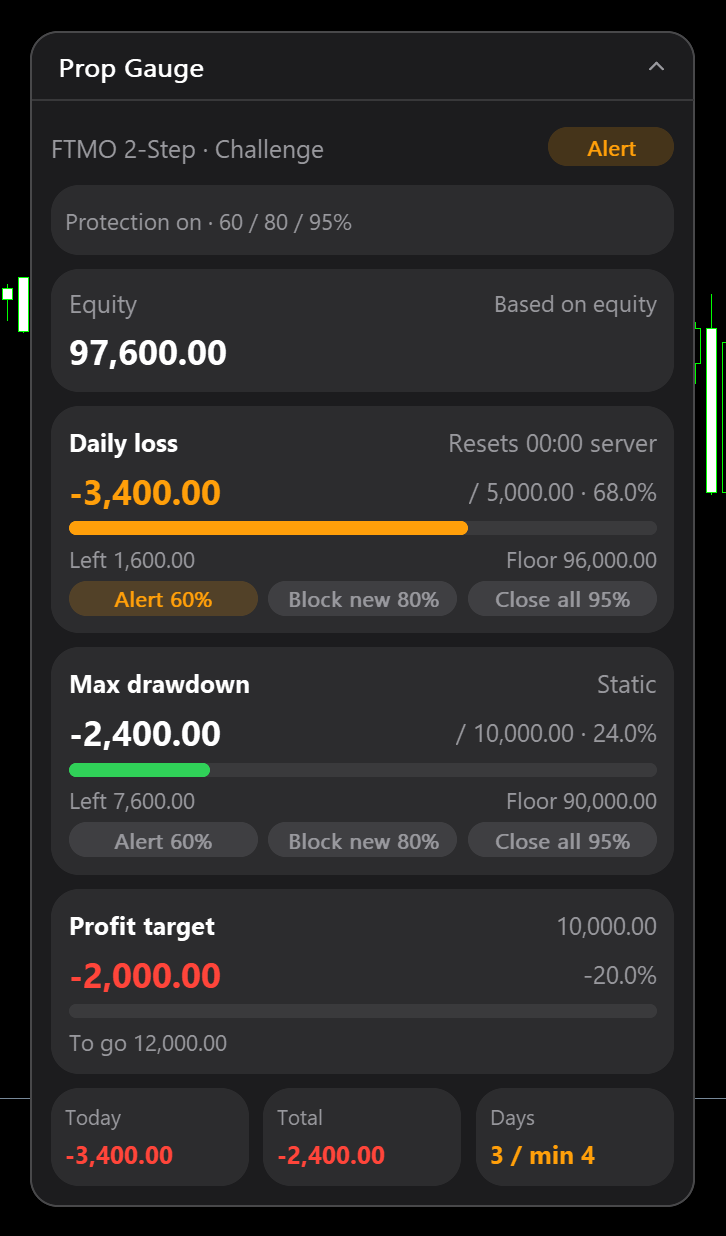
- Nothing is closed or deleted.
- If the account jumps over several thresholds at once, you get one alert, for the highest.
- Popup and sound can be switched off per input. The popup uses the terminal's Alert window, which plays its own beep, so turning Sound alert off still gives one beep while the popup is on.
Stage 2: block new orders
At the second threshold all pending orders are deleted and a red banner shows "New orders blocked". 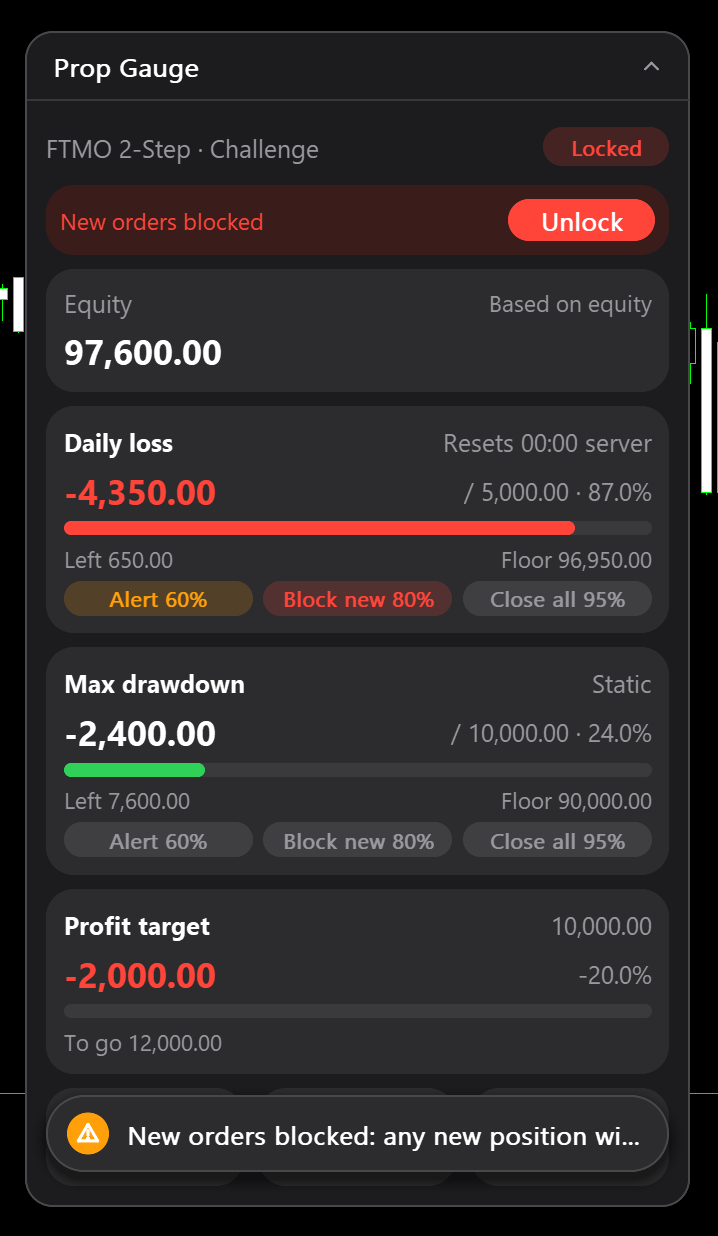
- Positions that were already open stay open.
- Any position opened after the lock is closed immediately.
- On netting accounts, adding to an existing position is not seen as a new trade, so stage 2 cannot stop it. Stage 3 is not affected. Hedging accounts do not have this issue.
Stage 3: close all
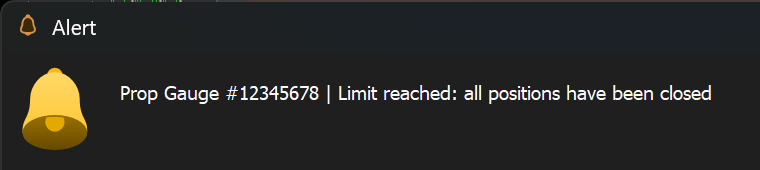
At the third threshold all pending orders are deleted and all positions are closed. Banner: "All positions closed · locked until reset". 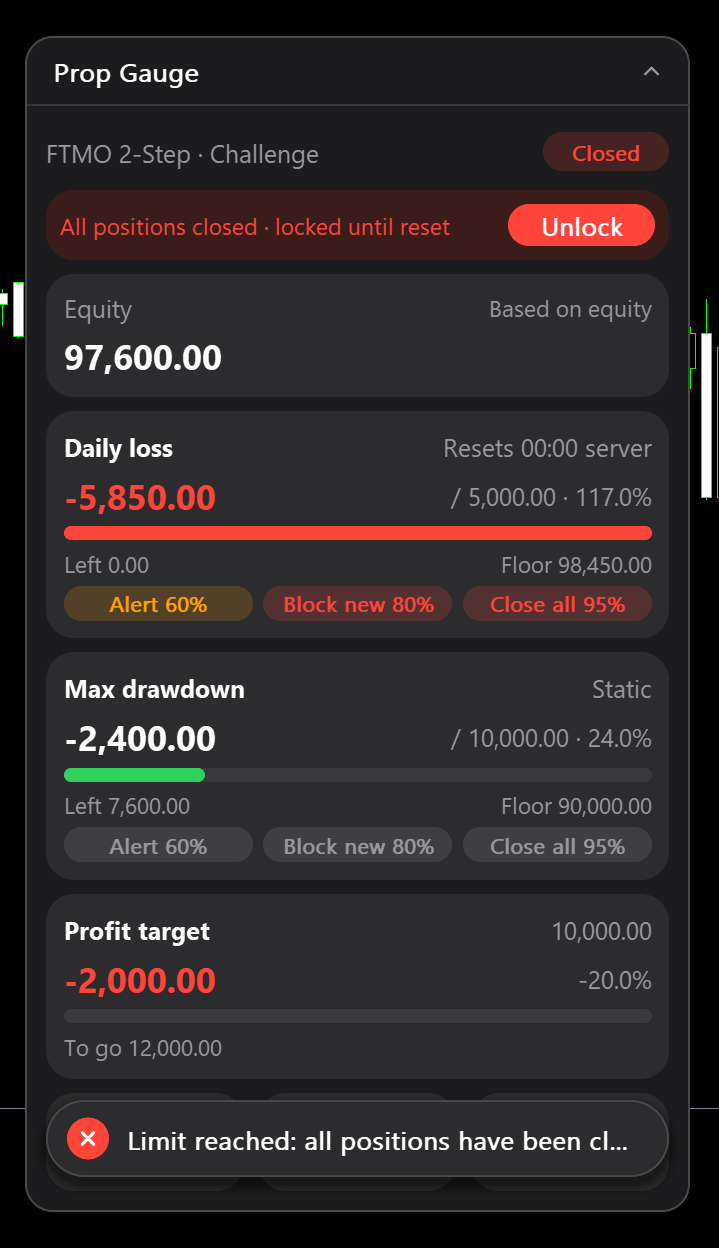 If closing or deleting fails (market closed, Algo Trading off), the EA warns about once a minute and retries until it succeeds.
Locks
Locks survive an EA restart, a timeframe change and a terminal restart. Raising a limit afterwards does not release one.
Unlock
- Daily loss lock: released automatically at the next daily reset.
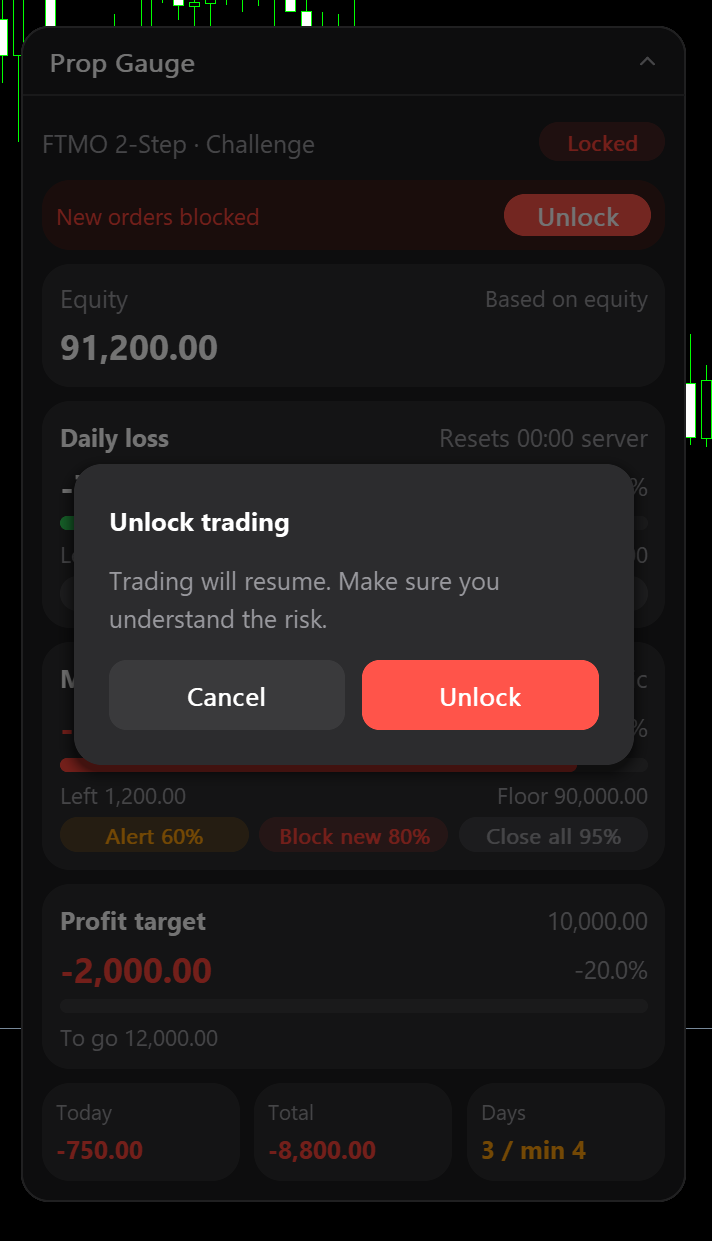
- Drawdown lock: stays until you press Unlock in the red banner and confirm: "Trading will resume. Make sure you understand the risk."
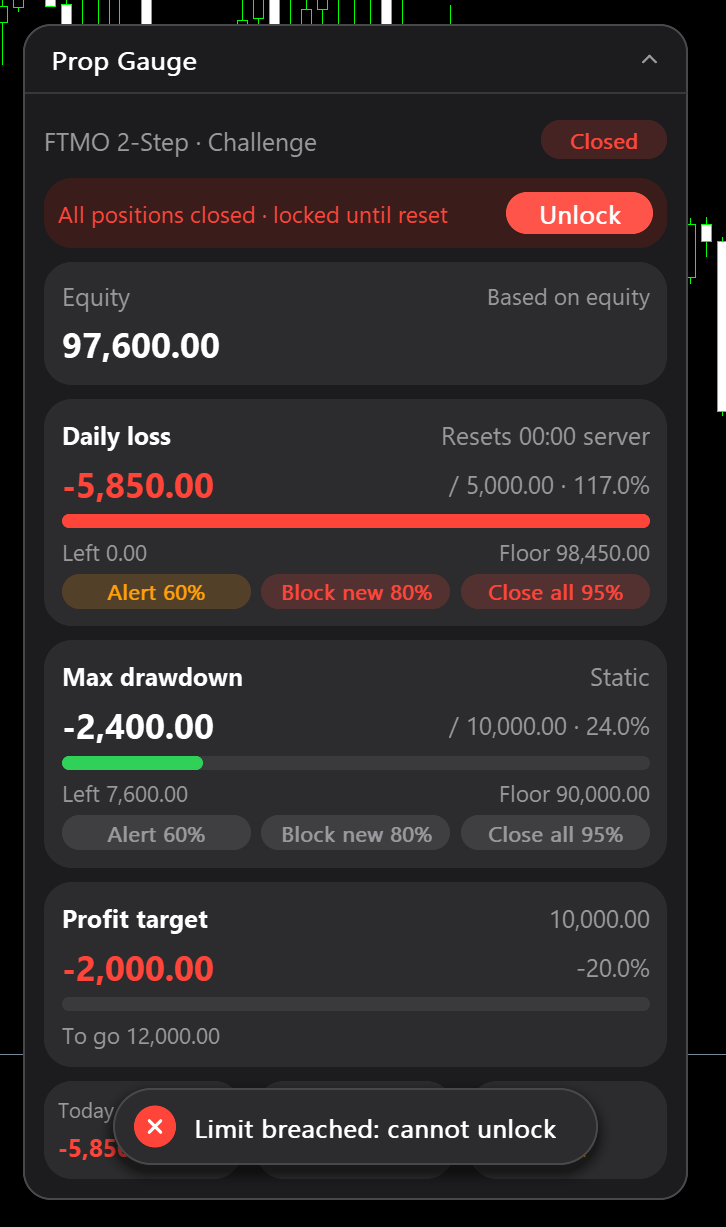
- Limit already breached: the panel refuses, "Limit breached: cannot unlock".
 Unlocking removes the protection on that limit, so use it deliberately.
What it cannot do
Protection runs only while the EA is attached and the terminal is connected with Algo Trading on. Remove the EA, close the terminal, lose the VPS connection or let the computer sleep, and nothing is protected. Slippage, gaps and delays can carry the account past a limit before an order is closed. Monitoring aid only, not investment advice.
Previous: choosing a preset and limits (P3). Product page: https://www.mql5.com/en/market/product/203058




