How to Read OMG Market Heat — A Practical Guide
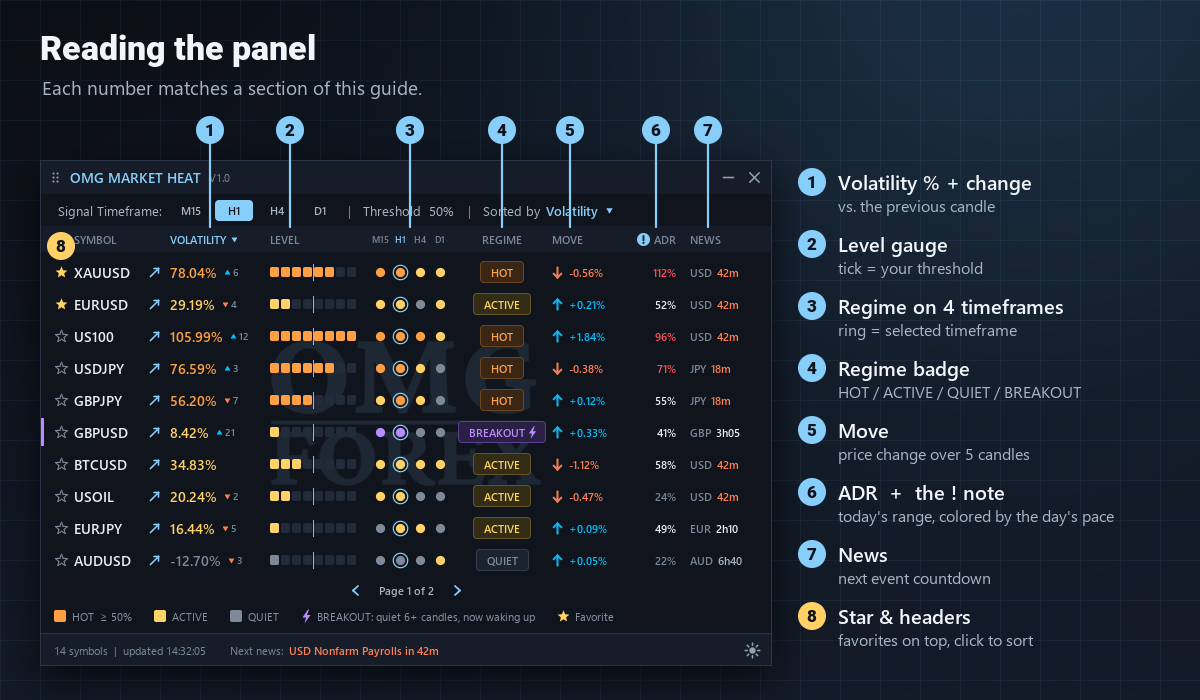
OMG Market Heat is a multi-symbol volatility dashboard for MetaTrader 5. One panel shows which symbols are waking up right now, how far each one has already travelled today and when the next important news is due. This guide walks through every column, explains what to look at and shows how the pieces fit together.
1. Volatility % and its change arrow
The main number compares the size of the last 5 candles with the average candle of the last 100 candles on the selected timeframe. +78% means the recent candles are 78% bigger than usual; a negative value means the market is quieter than its own normal. Because every symbol is measured against itself, Gold, indices and FX pairs can be compared on one list.
The small number with a triangle next to it is the change against the previous candle:
- Up triangle — volatility is still building, the move is gaining energy
- Down triangle — volatility is cooling down, the move is losing momentum
2. Level gauge
The eight segments draw the same value as a bar, so hot symbols stand out at a glance. The thin tick marks your Volatility Highlight Threshold (20, 30 or 50%). Once the bar passes the tick, the symbol is HOT.
3. Regime on four timeframes
The dots show the regime on M15, H1, H4 and D1 with the same colors as the badge; the ringed dot is the timeframe selected with the buttons at the top. Use them to judge how broad a move is:
- M15 and H1 hot, H4 and D1 calm — a short-term burst that may fade quickly
- H1, H4 and D1 aligned — a broad, established move
- All gray — the symbol is asleep on every timeframe
4. Regime badge
- HOT — volatility at or above your threshold: the symbol is moving well above its normal pace
- ACTIVE — above normal (0% or more) but below the threshold
- QUIET — below normal: small candles, usually a range-bound market
- BREAKOUT — the symbol stayed QUIET for at least 6 closed candles (Quiet Candles Before a Breakout input), dipped to −15% or lower, and now its volatility is back above normal. The badge and the purple stripe stay on for the breakout candle and the next one; an optional alert fires once per breakout.
5. MOVE
The price change over the last 5 candles of the selected timeframe, with an arrow for the direction. Volatility tells you how much the market is moving; MOVE tells you which way. High volatility with a tiny MOVE usually means a choppy, two-way market.
6. ADR — how much of the day is used
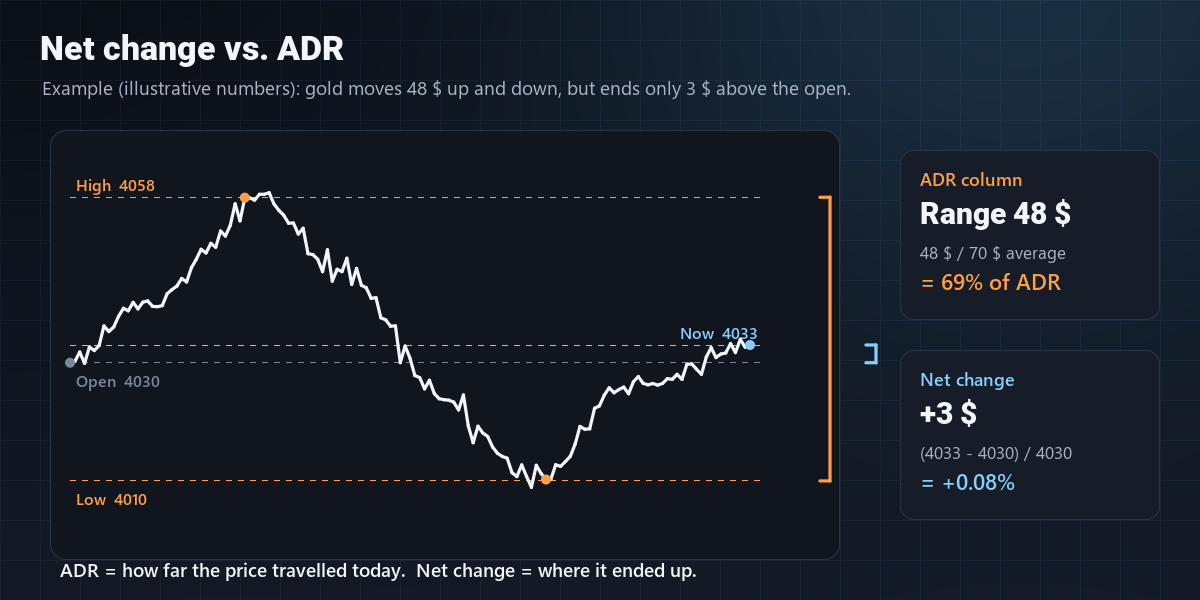
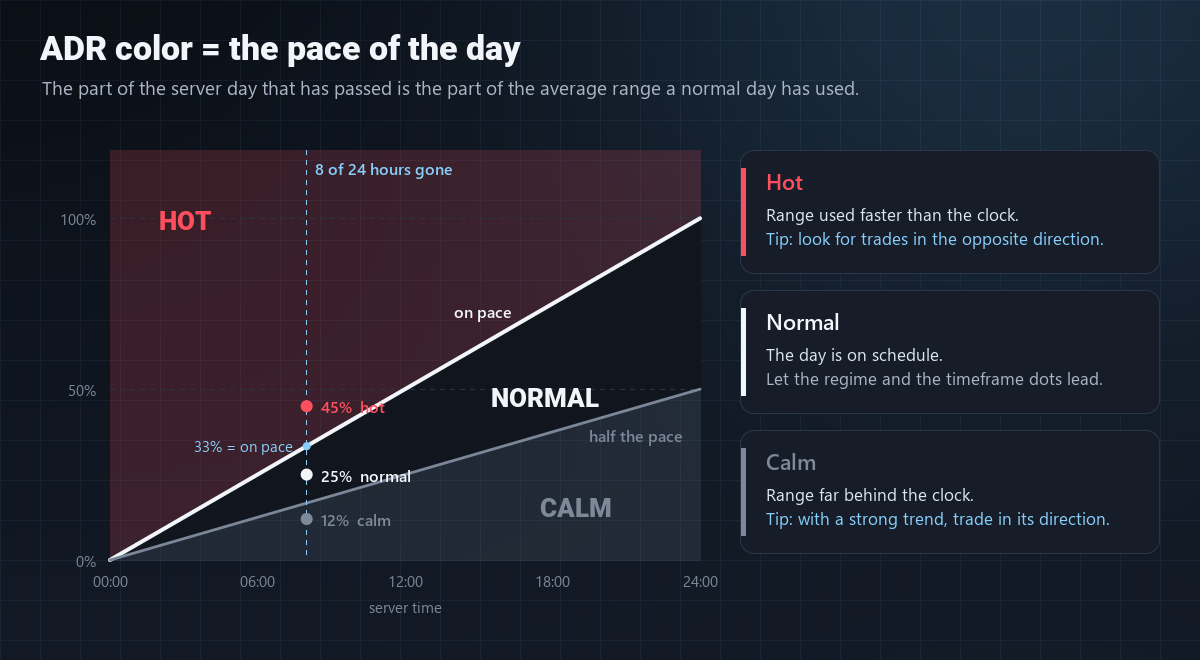
ADR is today's high–low range as a percentage of the average daily range of the last 14 days. It answers "how far has this symbol already travelled today?", not "where did it end up?". That is why a symbol can show a tiny daily change and a large ADR at the same time:
The color follows the pace of the day. The day starts at your broker's server midnight. A day running at its average pace has used the same share of its range as the share of the day that has passed: after 8 of 24 hours, 33% is on pace.
- Hot (red) — ADR is at 1.5x the pace or more: the range is being used far faster than the clock
- Warm (orange) — ADR is a little ahead of the pace: the day is busier than usual
- Normal — on pace or a little behind
- Calm (gray) — less than half of the pace: a quiet day so far
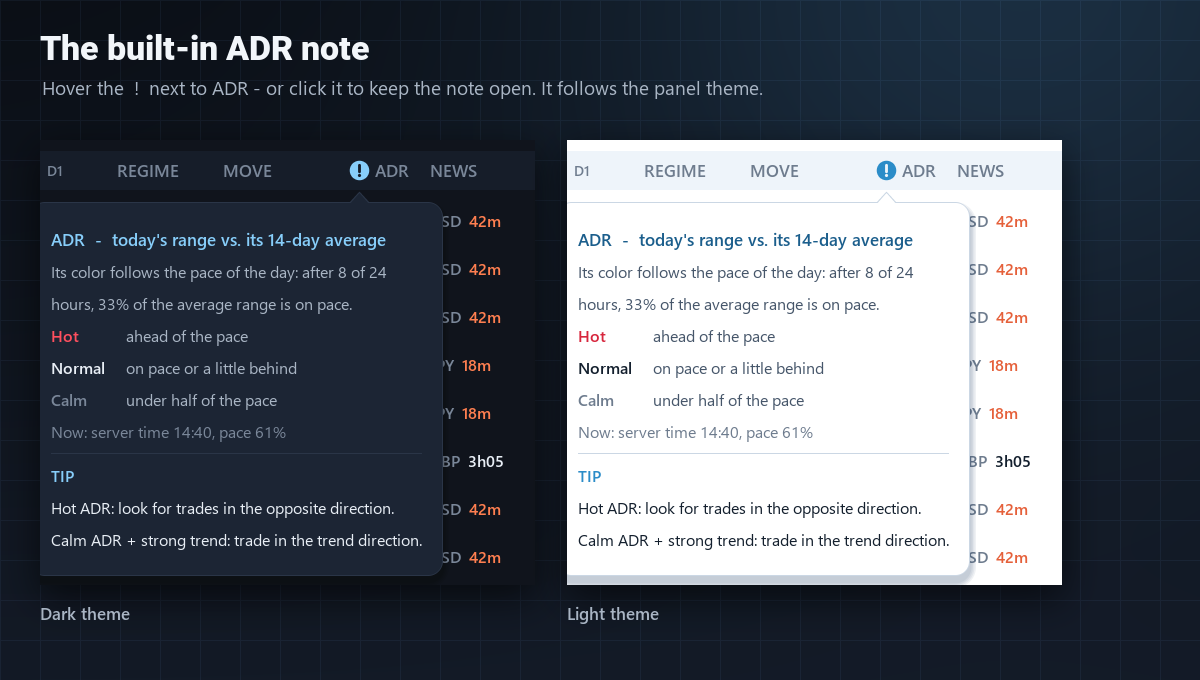
Hover the ! next to the ADR header to open a short note with these rules, the current server time and today's pace. Click it to keep the note open; the next click on the panel closes it. The note follows the dark and light themes.
7. NEWS
The next economic event for the symbol's base or quote currency, taken live from the MQL5 economic calendar (next 7 days), with a countdown:
- Coral countdown — the event is less than 30 minutes away
- "now" — the event was released within the last 15 minutes
- The footer shows the next event for all currencies on the list
- News Column: Minimum Importance — High (default), Medium (medium and high) or Low (all events)
The calendar needs Tools → Options → Server → "Enable news". News is not available in the Strategy Tester.
8. Favorites, sorting and the panel
- Click the star to pin a symbol to the top of the list (kept on every chart)
- Click SYMBOL, VOLATILITY or MOVE to sort; click again to reverse the order
- The M15 / H1 / H4 / D1 buttons switch the signal timeframe
- The arrow next to a symbol opens it on the current chart
- Drag the title bar to move the panel; the sun / moon icon switches the theme
Putting it together
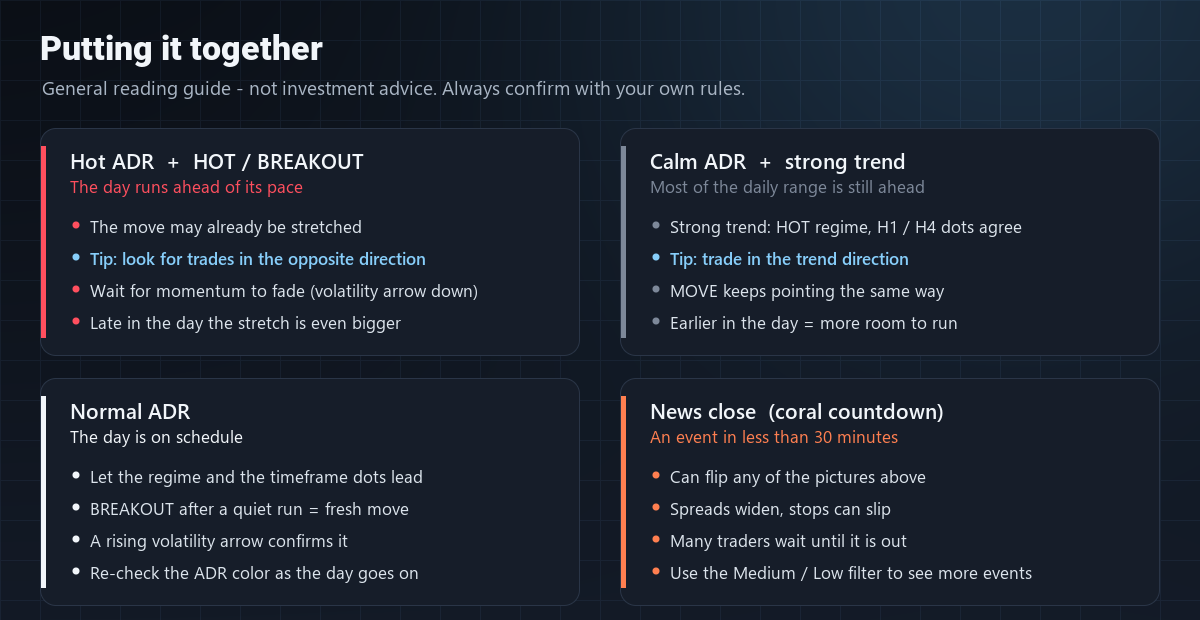
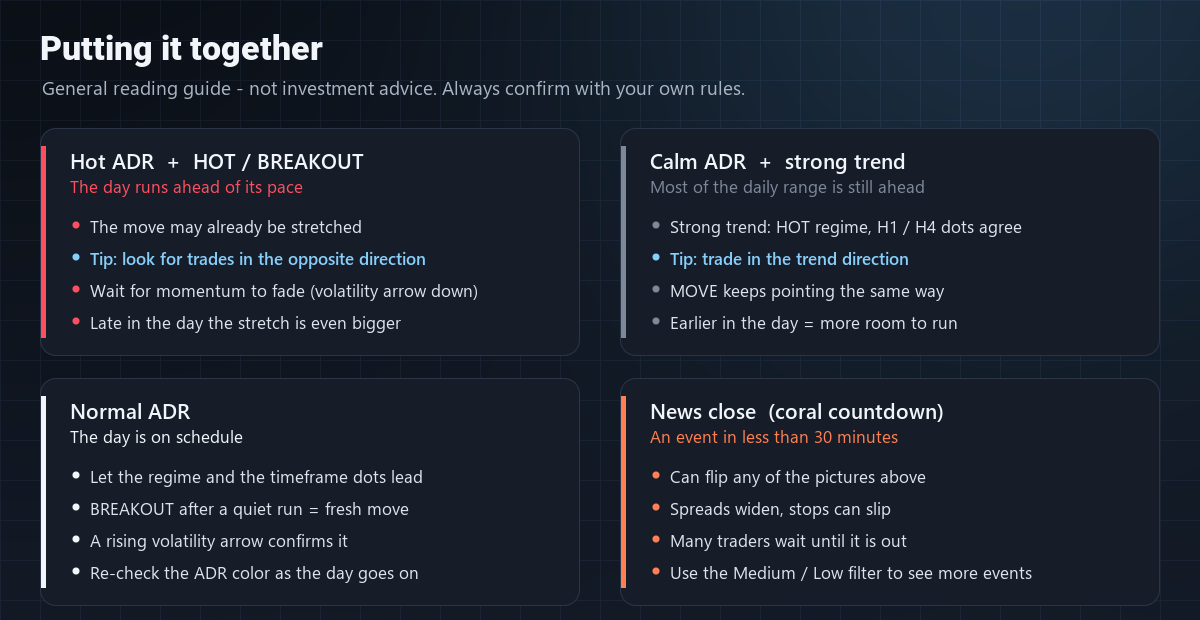
- Hot ADR + HOT or BREAKOUT — the day is running ahead of its pace and the move may already be stretched. Tip: look for trades in the opposite direction, ideally once the volatility arrow turns down.
- Calm ADR + strong trend — HOT regime, the H1 / H4 dots agree and MOVE points one way, yet most of the daily range is still ahead. Tip: trade in the trend direction.
- Normal ADR — the day is on schedule; let the regime, the dots and BREAKOUT signals lead, and re-check the ADR color as the day goes on.
- News close — a coral countdown can flip any of these pictures; spreads widen and stops can slip.
Quick checklist
- Is it moving? — the regime badge and the level gauge
- Is it building or fading? — the change arrow
- Which way? — MOVE
- How broad? — the four timeframe dots
- How much of the day is used? — the ADR color
- What is coming? — NEWS
Note: OMG Market Heat is an analysis tool and does not constitute investment advice on its own. The tips above are general reading guidelines, not trading signals. Past behavior is not indicative of future results; it is recommended to evaluate your trading decisions together with your own risk management.