A simple, basic guide to backtest an EA on MT5.
1. Download History Data
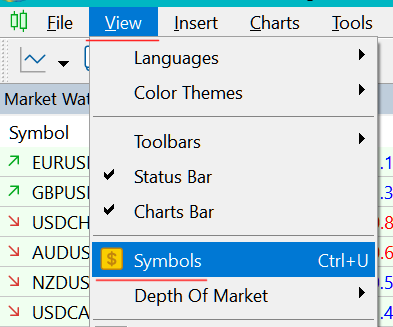
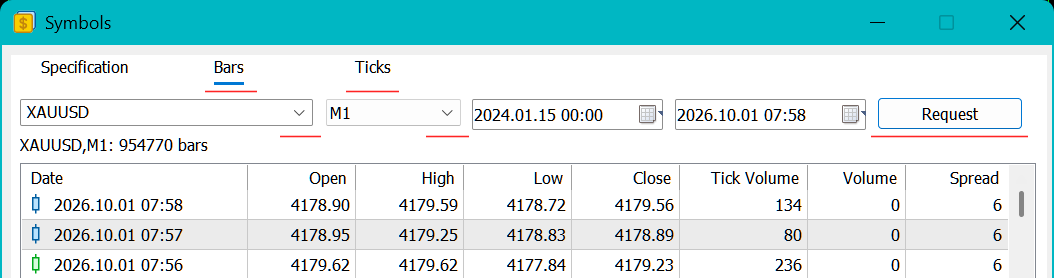
Press Ctrl + U to open the Symbols window, go to the Bars or Ticks tab, select your asset (e.g., XAUUSD), timeframe, and date range, then click Request to download.
Alternatively, right-click any pair in the Market Watch panel and select Symbols.
2. Open the Strategy Tester
Press Ctrl + R or navigate to the top menu and select View > Strategy Tester.
3. Configure Settings
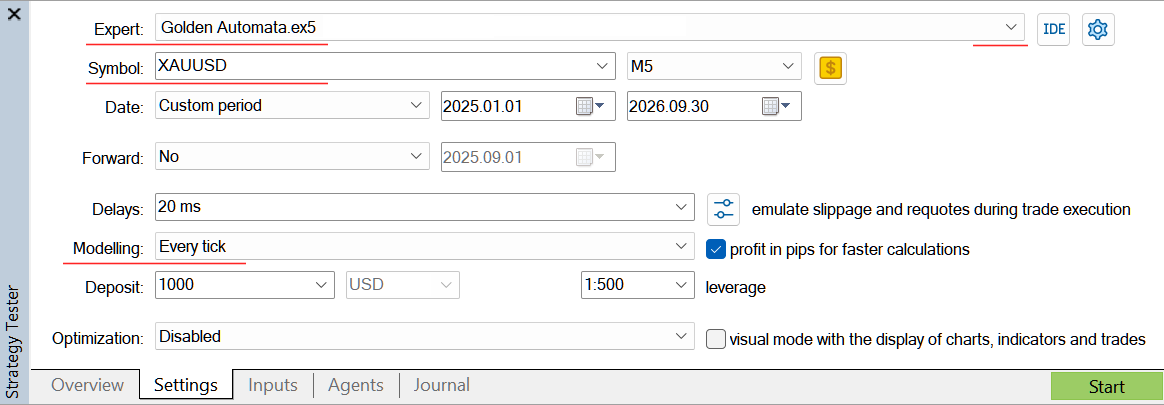
Go to the Settings tab of the Strategy Tester.
Choose your EA from the Experts dropdown, select the target pair and timeframe.
Set Modelling to Every tick.
4. Set Input Parameters
Navigate to the Inputs tab to review or modify the EA's parameters, or leave them at their default values.
5. Start the Backtest
Click the Start button located at the bottom right corner to begin the test.