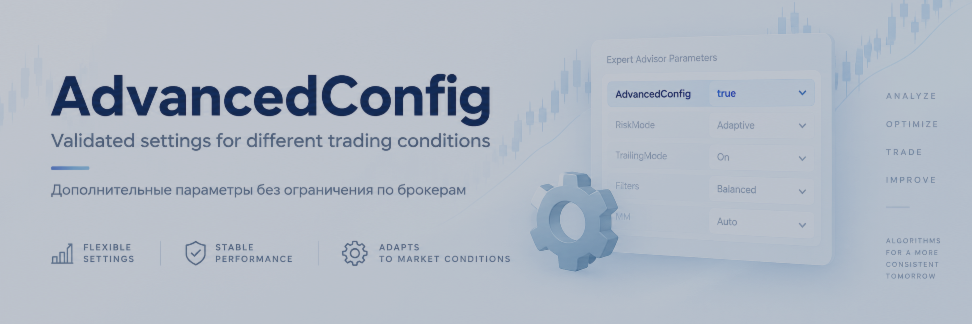
AdvancedConfig: Additional Configurations for Different Trading Conditions

AdvancedConfig: Additional Configurations for Different Trading Conditions
Note: User Manual \ Guide - Product Page
AdvancedConfig is an optional Expert Advisor input that allows an additional set of internal trading-algorithm parameters to be applied without replacing the rest of the EA settings selected by the user.
The main purpose of AdvancedConfig is to adapt certain internal algorithm parameters to different trading environments while keeping the user's general EA configuration unchanged.
Important: AdvancedConfig is not a broker authorization or broker-locking mechanism.
The Expert Advisor does not require a specific broker name, trading server or account number in order to operate. The parameter does not unlock the EA for a particular broker and does not restrict trading to any predefined list of brokerage companies.
If the AdvancedConfig field is left empty, the EA simply continues to use its standard internal configuration.
The configurations published below are additional parameter sets that I have personally tested, validated and optimized using trading conditions observed with the corresponding brokers.
They should not be interpreted as a recommendation or endorsement of any broker, and they do not guarantee any particular trading result.
Why Can Configurations Differ Between Brokers?
The same trading algorithm can behave differently under different execution environments. Even when the same symbol and timeframe are used, actual trading conditions can vary considerably between brokers, account types and trading servers.
Factors that may influence algorithmic trading behavior include:
- spread level and spread dynamics;
- trading commission;
- positive and negative slippage;
- order execution model and filling policy;
- execution latency;
- available liquidity and liquidity providers;
- price-feed and tick-stream characteristics;
- symbol digits, tick size and tick value;
- minimum Stop Level and Freeze Level;
- minimum lot, maximum lot and volume step;
- leverage and margin requirements;
- swap rates and rollover conditions;
- broker server time;
- daylight-saving-time rules;
- trading-session schedules;
- frequency of incoming ticks;
- short-term quote gaps;
- symbol contract specifications;
- other instrument-specific trading conditions.
Because of these differences, one universal parameter combination cannot be expected to produce identical algorithm behavior in every trading environment.
AdvancedConfig was introduced to make this adaptation easier.
Why Use AdvancedConfig Instead of a Complete SET File?
A complete .set preset can contain many parameters that are unrelated to the internal trading algorithm.
For example, a user may already have configured:
- graphical panel settings;
- trading modes;
- trade-management options;
- risk-management mode;
- fixed lot size or other volume settings;
- NFP filters;
- news filters;
- prop-firm options;
- Magic Number;
- order comments;
- interface settings;
- other general EA parameters.
Loading another complete .set file may overwrite these user-selected values together with the parameters related to the trading algorithm.
AdvancedConfig solves this differently.
The configuration string contains only the additional internal settings required by the algorithm. This means that switching AdvancedConfig does not require the user to replace the rest of the EA configuration.
The user's lot settings, risk configuration, filters, interface preferences, Magic Number, order comments and other general inputs can therefore remain unchanged.
This makes it possible to update or switch the internal algorithm configuration independently from the user's personal EA setup.
Available AdvancedConfig Values
// for ICM + Tickmill// I4GYBWnKNf1ePgM0t2tE3WV8F4/S+tWRXFLfIkIiMXHMBvtexko2i7On2xvkNYXclCjXDHfdqoWdJP2ajz8Jew==
// for PUPrime
// Qf2Rnxdi8PJBgtxG/e2xn493tFsbO2+2PnApg8Z8l+ziwPmOd6H2Dx1DceByOCYLJIva/1D0NcjhjDqIuWB0PA==
// for VTMarkets
// I4GYBWnKNf1ePgM0t2tE3WV8F4/S+tWRXFLflkliMXHMBvtexko2i7On2xvkNYXclCjXDHfdqoWdJP2ajz8Jew==
// for Vantage
// Jen4KJetwqImnAJLzR4eZvfqG5J+NReP3t7oakC5bxnjp9HLG4e8ZW0czMpFmaj+32YZ8wBeo9mijvRx04Slow==
// for TitanFX
// ZbI6SgmJiRsbaDLxHTSSxV5ZjSqxChXHbjYzJlrkqv6D6BkvKot9augEGsxtHIRA58d9mKvGEpQQCbKkPmnPUQ==
// for TMGM (TradeMaxGlobal)
// 20ddP9CQM9UrYP6u2lA9f]JrADxrOl+1VRjrcy5ZTybjl5sNqsfk+AgTiNMS4nBr0+VwpinIFAhW9XgAn3aJjg==
(I will provide you with a full report upon request for any)
How to Enter AdvancedConfig Correctly
Copy the complete configuration value and paste it directly into the AdvancedConfig input field of the Expert Advisor.
Please follow these rules:
- do not add quotation marks;
- do not add spaces before the string;
- do not add spaces after the string;
- do not insert spaces or line breaks inside the string;
- do not modify any characters;
- do not remove the final = or == characters.
The final = characters are part of the configuration value. They are not a typo.
For example, if the configuration ends with:
...Jew==
both = characters must remain.
The safest method is to copy the entire value exactly as published and paste it into the AdvancedConfig field without editing it.
Testing and Optimization
The additional configurations published here were selected after my own testing, validation and optimization process using the corresponding trading conditions.
However, optimization should not be interpreted as a guarantee that identical results will be reproduced in the future, on another account or on another trading server.
Real trading conditions are dynamic. Spreads, commissions, liquidity, latency, execution quality, price feeds and other parameters may change over time. Conditions may also differ between account types or servers operated by the same broker.
For this reason, the purpose of AdvancedConfig is to provide an additional tested starting configuration for a particular trading environment, while keeping the Expert Advisor itself independent of any specific broker.
Future AdvancedConfig Configurations
I plan to expand the list of available AdvancedConfig configurations based on user requests and additional testing.
Requests from existing EA users will receive priority in the testing queue.
When a requested trading environment has completed my optimization and validation process, the corresponding AdvancedConfig value will be published through the available MQL5 communication channels.
This approach makes it possible to support additional trading environments with separately tested algorithm parameters without forcing users to replace their existing lot settings, risk settings, filters, interface configuration or other EA inputs.
In other words, AdvancedConfig changes the internal algorithm configuration where necessary while allowing the rest of the user's Expert Advisor setup to remain exactly as configured.
Important Note: Comparing Backtests with Live Trading
For the closest possible comparison between Strategy Tester and live trading, use:
VIRA_GraphSpeed = 0
VIRA_Randomization = 0
Modeling = Every tick based on real ticks
VIRA_GraphSpeed is designed to accelerate historical testing. Values above 0 may reduce how frequently some trade-management logic is processed in the Strategy Tester and therefore can produce differences in SL, Break Even, Trailing Stop or exit timing compared with live trading.
For this reason, VIRA_GraphSpeed = 0 must be used when investigating or comparing individual backtest trades against live trades.
Randomization should also be disabled so that it does not introduce intentional differences between runs.
For trade-by-trade comparison, always use Every tick based on real ticks. Faster modeling modes should be used for general research or faster historical testing, not for precise live-vs-backtest analysis.
Even with these settings, backtest and live results are not guaranteed to be identical because live trading is also affected by spread, slippage, execution, latency, broker data and actual tick flow.




