How COPYLATOR Combines Balance Ratio and Lot Multiplier for Smarter Position Sizing | MT5 Trade Copier

PRODUCT ACCESS LINK ON MQL5 MARKET:
- Copier MT5 To MT5
https://www.mql5.com/en/ market/product/191385
Introduction
Managing multiple MT5 trading accounts with different balances is one of the most important challenges in professional trade replication.
When a Master account opens a trade, simply copying the exact same lot size to every Slave account does not always produce the same level of exposure. Slave accounts may have different balances, different risk preferences, or different portfolio requirements.
This is why flexible lot management is an important component of a professional MT5 Trade Copier.
COPYLATOR provides several position-sizing options that allow traders to control how copied trade volumes are calculated for each Slave account.
The system supports:
- Fixed Lot Size
- Lot Multiplier
- Balance-Ratio Scaling
- Maximum Lot Size Protection
These methods can be used independently or, depending on the configuration, combined to create a more flexible position-sizing system.
The result is a trade-copying environment where the same Master signal can be replicated across multiple Slave accounts while allowing each account to use an appropriate trading volume.
Understanding the COPYLATOR Lot Calculation SystemCOPYLATOR does not simply copy the Master lot size blindly.
Instead, the EA follows a defined calculation process to determine the final volume that will be sent to the Slave account.
The basic logic is:
FixedLotSize → Lot Multiplier → Balance Ratio → MaxLotSize → Broker Limits
This order is important because it determines which setting has priority.
If FixedLotSize is greater than zero, the fixed lot value takes priority.
If FixedLotSize is set to zero, COPYLATOR starts with the Master trade volume.
If the Lot Multiplier is enabled, the Master volume is multiplied by the configured multiplier.
If Balance Ratio is enabled, the resulting volume is then adjusted according to the balance relationship between the Master and Slave accounts.
Finally, the resulting volume is limited by MaxLotSize and the broker's own minimum, maximum, and volume-step restrictions.
This layered approach provides significantly more flexibility than using a single lot-sizing method.
Method 1: Fixed Lot Size
The simplest configuration is Fixed Lot Size.
When:
FixedLotSize > 0
COPYLATOR uses the specified value as the copied trade volume.
For example:
Master opens:
2.00 Lots
Slave configuration:
FixedLotSize = 0.10
The Slave receives:
0.10 Lot
The original Master volume does not determine the final Slave volume in this configuration.
This method is useful when the trader wants complete control over the position size regardless of Master volume or account balance.
Typical Use Cases
Fixed Lot Size can be useful for:
- Demo testing
- Strategy verification
- Small-account environments
- Controlled exposure
- Signal testing
- Standardized position sizing
For example, a trader may want every copied trade to use exactly 0.01 lots while testing a strategy across several MT5 terminals.
Method 2: Lot Multiplier
When Fixed Lot Size is not being used, COPYLATOR can start with the Master trade volume and apply a Lot Multiplier.
The multiplier allows traders to increase or decrease the copied exposure.
For example:
Master:
1.00 Lot
Lot Multiplier:
0.50
Result:
0.50 Lot
Another example:
Master:
1.00 Lot
Lot Multiplier:
2.00
Result:
2.00 Lots
The multiplier therefore provides a simple way to control the relative exposure of a Slave account.
Why Use a Lot Multiplier?
Different accounts may intentionally require different risk levels.
For example, imagine three Slave accounts:
| Account | Multiplier |
|---|---|
| Conservative | 0.50 |
| Standard | 1.00 |
| Aggressive | 2.00 |
The same Master trade can therefore produce different position sizes across the Slave accounts.
This is particularly useful when a trader manages several accounts with different risk profiles.
A multiplier can also be used when the Master strategy's original lot size is not appropriate for the Slave account.
Instead of modifying every Master trade manually, the Slave can automatically adjust the copied volume.
Method 3: Balance-Ratio Scaling
Balance Ratio is particularly useful when Master and Slave accounts have different account sizes.
Instead of simply copying the Master volume, COPYLATOR can adjust the position size according to the relationship between the Master and Slave account balances.
For example:
Master Balance:
$10,000
Slave Balance:
$20,000
The Slave has twice the balance of the Master.
If the Master opens:
1.00 Lot
Balance-Ratio scaling can adjust the Slave volume according to the account-size relationship.
Conceptually:
Balance Ratio = Slave Balance ÷ Master Balance
In this example:
$20,000 ÷ $10,000 = 2.0
Therefore, the balance-based component of the calculation can produce approximately:
1.00 × 2.0 = 2.00 Lots
This allows the larger account to maintain proportional exposure rather than simply copying the same absolute lot size.
Why Balance Ratio Is Important
Consider two accounts:
Master:
$5,000
Slave:
$50,000
If both accounts always trade:
1.00 Lot
the absolute position size is identical, but the relative exposure is not.
The $5,000 account is using a much larger portion of its available capital relative to the $50,000 account.
Balance-ratio scaling provides a way to adapt copied volume to account size.
This is especially useful when managing:
- Multiple personal accounts
- Different portfolio sizes
- Prop firm accounts
- Investor accounts
- Accounts with different starting balances
Instead of forcing every account to use the same lot size, the copier can adapt the volume according to the configured balance relationship.
Combining Lot Multiplier and Balance Ratio
One of the most powerful aspects of COPYLATOR's lot management system is that the Lot Multiplier and Balance Ratio can work together.
This provides two separate levels of control.
The Balance Ratio can determine the position size according to account size.
The Lot Multiplier can then modify the resulting exposure according to the trader's desired risk level.
For example:
Master Balance:
$10,000
Slave Balance:
$20,000
Master Trade:
1.00 Lot
Balance Ratio:
2.0
Lot Multiplier:
0.50
Conceptually:
1.00 × 2.0 × 0.50 = 1.00 Lot
The account-size relationship increases the volume, while the multiplier reduces it.
The final result is therefore:
1.00 Lot
This combination provides much greater flexibility than either method alone.
Another Example: Increasing Exposure
Consider:
Master Balance:
$10,000
Slave Balance:
$30,000
Master Trade:
1.00 Lot
Balance Ratio:
3.0
Lot Multiplier:
1.50
The resulting calculation can be represented conceptually as:
1.00 × 3.0 × 1.50 = 4.50 Lots
In this configuration, the Slave account is intentionally receiving significantly greater exposure because it has a larger balance and the trader has also selected an increased multiplier.
However, the final volume is still subject to MaxLotSize and broker volume restrictions.
Maximum Lot Size Protection
Increasing position size automatically introduces another important consideration: maximum exposure.
A calculation may produce a volume that is technically valid mathematically but larger than the trader actually wants to trade.
COPYLATOR therefore provides:
MaxLotSize
This parameter acts as an absolute upper limit.
For example:
Calculated volume:
8.00 Lots
MaxLotSize:
5.00 Lots
Final volume:
5.00 Lots
This provides an additional safety layer against unexpectedly large positions.
Maximum lot protection is especially important when Balance Ratio and Lot Multiplier are both enabled because both settings can influence the final volume.
Broker Volume Restrictions
MaxLotSize is not the only limitation.
The broker also defines trading-volume rules for each symbol.
These can include:
- Minimum volume
- Maximum volume
- Volume step
- Symbol-specific trading restrictions
For example, a broker may allow:
0.01 → 0.02 → 0.03 → 0.04
but not:
0.015
Therefore, even if the COPYLATOR calculation produces a particular value, the final order must comply with the trading specifications of the Slave broker.
This is why professional position-sizing systems must consider both user-defined limits and broker-defined limits.
Complete Lot Calculation Logic
COPYLATOR's lot calculation can be summarized as follows.
Step 1 — Check Fixed Lot
If:
FixedLotSize > 0
the specified fixed lot size takes priority.
The other lot-sizing calculations are not used to determine the base volume.
Step 2 — Start With Master Volume
If Fixed Lot is disabled:
Base Volume = Master Volume
Step 3 — Apply Lot Multiplier
If:
EnableLotMultiplier = true
then:
Volume = Master Volume × LotMultiplierValue
Step 4 — Apply Balance Ratio
If:
UseBalanceRatio = true
the resulting volume is scaled according to the Master/Slave balance relationship.
Step 5 — Apply Maximum Lot
The resulting volume is capped by:
MaxLotSize
Step 6 — Apply Broker Limits
Finally, the volume must comply with the Slave broker's trading specifications.
This layered structure allows traders to build a position-sizing model that matches their account-management strategy.
Fixed Lot vs Multiplier vs Balance Ratio
Each method has a different purpose.
| Method | Main Purpose |
|---|---|
| Fixed Lot | Exact predefined volume |
| Lot Multiplier | Increase or decrease Master exposure |
| Balance Ratio | Adapt volume to account size |
| MaxLotSize | Prevent excessive volume |
There is no single configuration that is ideal for every trader.
A trader testing a strategy may prefer Fixed Lot.
A trader managing accounts with different risk profiles may prefer a Multiplier.
A trader managing significantly different account balances may prefer Balance Ratio.
A professional multi-account setup may combine Balance Ratio with a Lot Multiplier and a Maximum Lot limit.
Practical Configuration Examples
Example 1 — Fixed Lot
FixedLotSize = 0.01 EnableLotMultiplier = false UseBalanceRatio = false
Every copied trade uses:
0.01 Lot
regardless of the Master trade volume.
Example 2 — Master Volume With Multiplier
FixedLotSize = 0 EnableLotMultiplier = true LotMultiplierValue = 0.50 UseBalanceRatio = false
Master opens:
2.00 Lots
Slave receives:
1.00 Lot
Example 3 — Balance Ratio Only
FixedLotSize = 0 EnableLotMultiplier = false UseBalanceRatio = true
The copied volume is adjusted according to the relationship between the Master and Slave balances.
Example 4 — Balance Ratio + Multiplier
FixedLotSize = 0 EnableLotMultiplier = true LotMultiplierValue = 0.50 UseBalanceRatio = true
The Master volume is first used as the starting point, the multiplier is applied, and then the balance ratio is applied.
This allows the trader to combine account-size scaling with an additional risk adjustment.
Example 5 — Maximum Lot Protection
MaxLotSize = 5.00
If the calculation produces:
7.50 Lots
the maximum allowed by the COPYLATOR configuration is:
5.00 Lots
before the broker's own restrictions are considered.
Why This Is Useful for Prop Firm Accounts
Prop firm accounts often have strict drawdown and risk-management requirements.
Two accounts may follow exactly the same strategy while having different balances or account conditions.
If the same absolute lot size is copied to both accounts, their relative exposure can be significantly different.
Balance-ratio scaling can help maintain proportional position sizing.
The Lot Multiplier then allows the trader to make an additional adjustment according to the desired risk profile.
COPYLATOR also includes Advanced Drawdown Protection, which can monitor daily and total drawdown and, depending on configuration, close positions, block new trades, delete pending orders, and enforce a cooldown period.
This means lot management and drawdown protection can work as complementary layers of risk control.
Lot Management and Drawdown Protection
Lot sizing determines how much exposure is created.
Drawdown protection determines what happens when account losses reach predefined limits.
These are two different but complementary functions.
For example, a trader may configure:
Balance Ratio = Enabled Lot Multiplier = 0.50 MaxLotSize = 2.00 Max Daily Drawdown = 5% Max Total Drawdown = 10%
The lot-management system controls the position size before execution.
The drawdown-protection system monitors the account after trades are active.
If the configured drawdown threshold is reached, COPYLATOR can be configured to:
- Close all trades
- Block new trades
- Delete pending orders when closing is enabled
- Start a cooldown period
This creates multiple layers of protection rather than relying on position sizing alone.
Balance-Based Scaling and Equity-Based Drawdown
It is important not to confuse Balance Ratio lot scaling with the drawdown calculation basis.
Balance Ratio uses the configured relationship between Master and Slave balances to determine copied volume.
Drawdown Protection, on the other hand, can be configured to calculate drawdown based on:
EQUITY
or:
BALANCE
Equity includes floating profit and loss, while Balance reflects closed profit and loss.
This distinction is important because the two systems solve different problems.
Lot scaling controls position sizing.
Drawdown protection controls account-loss limits.
Lot Management Across Hedging and Netting Accounts
COPYLATOR automatically detects whether the trading account uses Hedging or Netting mode.
This detection requires no manual configuration.
In Hedging mode, positions can be managed individually using ticket-based mapping.
In Netting mode, COPYLATOR manages the net position for each symbol.
The lot-management system therefore operates within the account's supported trading model rather than requiring the trader to manually select an account type.
This is particularly important when deploying a copier across different brokers or account environments.
Real-Time Trade Synchronization
Lot management is only one component of a professional trade copier.
COPYLATOR also synchronizes:
- Market orders
- Pending orders
- Stop Loss
- Take Profit
- SL/TP modifications
- SL/TP added after trade entry
- Reversed trades
For example, if a Master trade is opened without a Stop Loss and the trader later adds one, COPYLATOR can detect the modification and apply the Stop Loss to the corresponding Slave trade.
This synchronization works across:
- Hedging accounts
- Netting accounts
- Pending orders
Therefore, the system does not simply determine the initial lot size. It continues to synchronize important trade changes after execution.
Symbol Mapping and Lot Management
Multi-broker environments often introduce another challenge.
The same instrument may have different names at different brokers.
For example:
Master: EURUSD Slave: EURUSD.m
or:
Master: XAUUSD Slave: XAUUSDm
COPYLATOR includes Advanced Symbol Mapping that can automatically search for the correct symbol.
If an appropriate symbol cannot be found, the system provides a clear warning so that the trader knows which symbol requires attention.
Manual mappings can also be defined through:
SymbolMappings
This is particularly useful when operating multiple Slave accounts with different brokers.
Correct symbol mapping ensures that lot-management calculations are applied to the intended trading instrument.
Why the Combination Is More Flexible Than Fixed Lots
A fixed lot approach treats every trade equally from a volume perspective.
However, professional multi-account trading environments are rarely identical.
Accounts may differ in:
- Balance
- Risk tolerance
- Broker
- Trading conditions
- Maximum volume
- Account type
- Portfolio objectives
COPYLATOR allows traders to account for these differences without changing the Master strategy itself.
The Master can continue generating its normal trading volume while each Slave applies the configured position-sizing rules.
This separates trade generation from account-specific exposure management.
Monitoring the Result
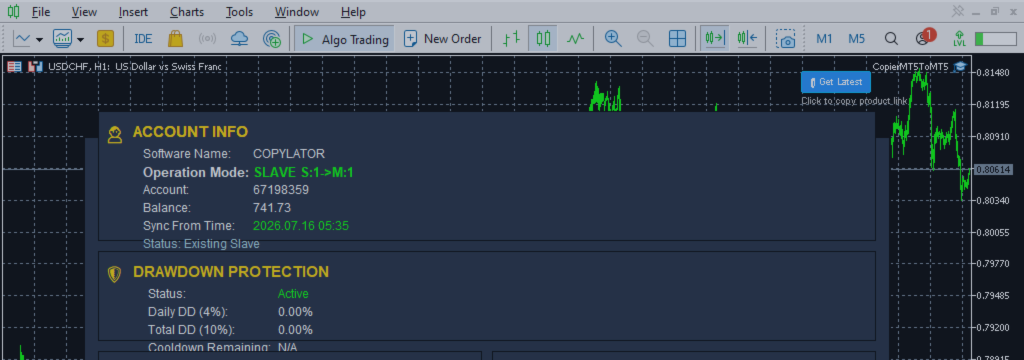
COPYLATOR includes a graphical on-chart dashboard that provides visibility into copier activity.
Depending on the operating mode, the dashboard can display information such as:
- Account information
- Terminal information
- Synchronization status
- Operation mode
- Latency
- Slave monitoring
- Drawdown protection status
In Master mode, the Slave monitoring system can show connection status, offline duration, synchronization status, and latency.
This is particularly valuable when multiple Slave accounts are being managed simultaneously.
A trader should not only configure lot sizing but also monitor whether all connected terminals remain online and synchronized.
Best Practices for Lot Management
1. Understand the calculation order
Before enabling multiple lot-sizing options, understand how Fixed Lot, Multiplier, Balance Ratio, and MaxLotSize interact.
2. Use Fixed Lot for controlled testing
Fixed Lot is useful when you want predictable and standardized volumes during testing.
3. Use Balance Ratio for different account sizes
When Master and Slave balances differ significantly, balance-based scaling can provide more proportional exposure.
4. Use Multipliers carefully
A multiplier directly changes exposure. Increasing the multiplier increases both potential profit and potential loss.
5. Always configure a reasonable MaxLotSize
A maximum lot limit provides an additional safety layer against unexpectedly large calculated volumes.
6. Test on demo first
Before deploying a complex combination of settings on a live account, test the configuration on demo accounts.
7. Monitor drawdown
Lot sizing should always be considered together with drawdown. A larger position size can increase drawdown considerably.
8. Keep all terminals running
COPYLATOR is a local MT5 trade copier. The Master and Slave terminals must remain operational for synchronization.