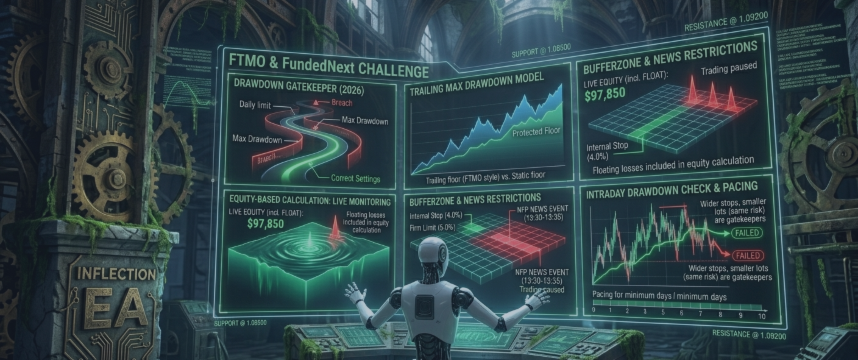

A step-by-step guide to configuring Inflection's protection layer to FTMO, FundedNext and similar prop-firm drawdown limits.
The hardest part of a prop firm challenge isn't finding trades — it's not breaching a drawdown rule. Here's how I'd configure Inflection for a typical evaluation.
Step 1 — Set the drawdown limits to your firm's, with a buffer. If your firm allows 5% daily and 10% maximum, don't set Inflection to 5% and 10%. Set the internal stops below them — say 4% and 8% — so slippage or a gap can't push you over the real line.
Step 2 — Match the drawdown type. If your firm uses trailing maximum drawdown (FTMO does), enable trailing so the floor rises with your equity. Using a static setting against a trailing firm is how traders give back protected gains.
Step 3 — Use equity-based calculation. Prop firms measure equity, including floating losses, so set the protection to do the same. Balance-only monitoring can miss an open basket sliding toward the limit.
Step 4 — Start conservative. Lower lot sizing, the Standard detection mode, and a single pair (NZDCAD is a sensible starting point) keep the equity curve smooth while you learn how it behaves on your account.
Step 5 — Demo first. Run the exact challenge rules on a demo for a couple of weeks before risking the evaluation fee. The protection layer should stop trading before any limit — confirm it does on your broker.
Configured this way, the protection does the watching so you don't have to stare at the equity line all day.
👉 Get Inflection and the prop-firm setfile: Inflection on the MQL5 Market. Message me on MQL5 for the FTMO-ready settings for your account size.


