News Filter and Calendar Panel MT5 for EA and Prop

  • 实用工具
  • Nikolai Konovalov
    Nikolai Konovalov
    В алгоритмической торговле с 2015 года. За это время разработал десятки частных торговых алгоритмов для валютного, криптовалютного и биржевого рынков. Их устройство не раскрываю, так как работаю под NDA.
    Что делаю:
    - советники и индикаторы для MetaTrader 4 и 5 (MQL4, MQL5) по вашей стратегии;
  • 版本: 1.2
  • 激活: 5

News Filter and Calendar Panel reads the MetaTrader 5 built-in economic calendar (no external website, no WebRequest) and turns scheduled events into clear trading windows.

Filtering and windows:

  • Currencies: AUTO (from open charts and positions) or an explicit list such as USD,EUR.
  • Minimum importance, include/exclude keywords, optional speeches.
  • Separate before/after minutes for high- and medium-impact events; inclusive boundaries; overlapping windows merge until the latest end.
  • All times are broker server time.

Panel and chart: paged list of upcoming events with countdown or actual/forecast/previous, full names in tooltips, event lines on the chart, Refresh and Pause 1h / Resume buttons, movable English/Russian panel. The calendar refreshes every 15 minutes, retries sooner when unavailable and clearly labels cached or unavailable data.

For your other EAs: terminal global variables NEWS_BLOCK, NEWS_BLOCK_<CCY> and NEWS_NEXT. A cooperating EA checks the flag before entry (example code in the guide). Several instances cannot clear each other's block.

Optional protective actions (all OFF by default), filtered by magic number and symbol currency:

  • Close positions N minutes before an event; delete pending orders; move to breakeven when price is favourable; tighten TP.
  • Block New Trades: reactively closes matching entries opened inside a window (the order executes first, so spread/slippage are incurred; not a broker-side prohibition).
  • Pause other EA charts: saves template, closes selected EA charts and restores them after the window, with recovery state after restart.

Strategy Tester: an embedded snapshot of 4,482 genuine high-impact USD/EUR events (2020–2026) so the filter works in backtests; other currencies/levels are not in the snapshot.

Presets included: Default EN/RU, USD_High, Prop_Conservative, Position_Close_Example. EN/RU PDF guides.

Testing: compiled with 0 errors/0 warnings; calendar cache suite 1,365 assertions and window suite 8 checks with 0 failures; protection suites passed on netting and hedging accounts; 54 successful tester runs on two brokers. Please verify the chosen actions on a demo account with your own EAs before live use.

推荐产品
MyFxDesk
Truong Nguyen
MyFxDesk 是一款强大的反转与延续分析指标,旨在帮助交易者在市场方向变化变得明显之前识别正在形成的趋势转变。 MyFxDesk 融合了新一代 AI 驱动的量化研究、市场情报分析,以及多年真实交易经验所形成的分析方法。 图表结构。多时间周期。入场时机。风险。作为主观交易者,我们已经需要投入大量精力来规划交易。阅读货币强弱仪表盘不应该再成为另一项复杂的分析任务。 MyFxDesk 将八种主要货币及其 28 种 Forex 货币对组合整合到一个工作界面中。您可以快速查看哪些货币强势或弱势、这种强弱关系是在增强还是减弱、哪些货币对值得进一步观察,以及哪些行情可能正在失去支撑。 不仅仅了解当前强弱。更清楚地了解强弱正在如何变化。 为十秒快速浏览而设计 设计目标非常简单: 在最初十秒内了解市场的主要格局 ,然后把时间用于真正值得纳入交易计划的图表。 关于工作记忆限制和认知负荷的研究表明,减少不必要的信息处理,比要求交易者同时记住并整合更多数据更加有效。My FX Desk 通过分组信息、清晰的强弱条、直观的 Outlook 标签,以及分别展示延续机会和潜在反转机会的列表来应用这一原则。这是
Scan a fixed list of assets (Ibovespa) in the chosen timeframe (TimeFrame). For each pair and for various periods. Calculate a regression model between the two assets (and, if desired, using the bova11 index as a normalizer). Generate the spread of this relationship, its mean, standard deviation, speculative deviation, and betas (B1 and B2). Apply an ADF test without exclusion (cointegration/stationarity). Calculate the Z-score of the current exclusion (how many standard deviations are away from
FREE
GOM Trade Manager
Wannapach Chinnaprapa
GOM Trade Manager helps you execute trades the way you want it. Works on all instruments Forex, Commodities, & Crypto. It helps you with lot calculations, spread addition and balance calculations so you can just focus on actual trading. For full automatic planned management, stackable triggers and spread widening protection >> check out GOM Trade Manager Pro . ------------------------------------------NOTABLE FEATURES------------------------------------------ You set everything based on bid
FREE
ConsistencyGuard
Vanessa Cristina Ribeiro Dos Anjos
版本 7.04 重大更新,重点加强日内交易纪律和账户保护。 • Post-Session Review(交易后复盘)模式,复盘时间可设置为 0 至 60 分钟。 • 完成当天允许的交易次数后,交易者可以保持 MetaTrader 5 开启,用于查看图表、截图以及填写交易日志。 • 达到每日交易次数限制后,如果尝试进行新的交易,将触发 Emergency Close(紧急平仓)保护。 • Emergency Close 会关闭未平仓头寸并取消挂单,然后锁定交易时段并关闭 MetaTrader 5。 • 持久化每日锁定机制可防止交易者在严重违规后重新打开 MetaTrader 5 继续交易。 • 最大授权交易手数保护。 • 最大交易手数提高后将锁定 7 天。在此期间仍允许使用更小的交易手数。 • 改进交易次数统计。 • 部分平仓不会被计算为新的交易。 • 面板实时显示 Realized P/L(已实现盈亏)和 Floating P/L(浮动盈亏)。 • 改进连续止损统计。 • 图表面板更加紧凑、简洁。 • 每日交易次数直接显示在图表上。 • 改进 MetaTrader 5 重启后的交易规则
FREE
Advanced Risk Return Tool
Felipe Monteiro Rodrigues
Advanced Risk Return Tool 是一款适用于 MetaTrader 5 的可视化风险/回报规划和管理工具。 该工具允许用户直接在图表上创建和管理 买入和卖出 结构,以可视化方式设置 入场、目标和止损 水平,并显示风险/回报比、点数距离、交易量以及相关的财务数值。 所有结构均可通过鼠标直接在图表上进行交互式调整。 主要功能 可视化风险/回报结构 通过工具面板直接创建 Buy 和 Sell 结构。 每个结构可显示: 入场水平 目标水平 止损水平 风险/回报比 点数距离 交易量 预计盈利 预计亏损 信息会根据图表上设置的水平自动更新。 图表交互式编辑 使用鼠标可以: 移动整个结构 调整入场水平 调整目标水平 调整止损水平 调整结构的水平长度 单独选择结构 在同一图表上使用多个结构 这样可以在无需频繁修改工具参数的情况下分析不同场景。 交易量控制 计算中使用的交易量可以通过结构上的控制功能直接调整。 显示的财务数值会根据所选交易量以及入场、目标和止损之间的距离重新计算。 订单和持仓集成 Advanced Risk Return Tool 可以跟踪当前交易品种相关的交易状态。
FREE
RiskMaster EA Pro – Next-Gen Trading Assistant & Risk Management System Absolute Capital Protection • Precision Money Management • Smart Automation Major Feature: Universal and simultaneous support for both CFD and FUTURES  markets,   Hedging or Netting  automatically identified  (with automatic detection and real-time calculation of contract expirations). ️ Built-in Safety Layer (Unique per user)  :  To maximize your account protection and prevent any conflicts with automatic trading
Phantom Edge SMC
Nattapon Chuekamhod
Phantom Edge SMC — The Ultimate Smart Money Indicator for MT5 Tired of manually drawing structures while trading SMC or ICT concepts? Let Phantom Edge SMC do the heavy lifting for you. Key Features Internal & Swing Structure: Automatically detects BOS and CHoCH across two structural levels. Order Blocks (OB): Identifies Internal and Swing OBs with automated mitigation tracking. Equal Highs / Lows: Highlights EQH / EQL to pinpoint Liquidity pools. Fair Value Gaps (FVG): Displays FVGs with
Donchian Breakout And Rsi
Mattia Impicciatore
4.5 (2)
概述 本指标是经典 Donchian 通道 的增强版,增加了多种实用的交易功能。 除了标准的三条线(最高、最低和中线),系统能够检测 突破 ,并在图表上用箭头进行可视化标记,同时只显示 与当前趋势方向相反的那条线 ,让图表更加简洁。 功能包括: 可视化信号 :突破时在图表上绘制彩色箭头 自动通知 :弹窗、Push 推送和 Email 邮件 RSI 过滤 :根据市场相对强弱验证信号 个性化设置 :颜色、线条粗细、箭头符号、RSI 阈值等 工作原理 Donchian 通道计算: 上轨线 :最近 N 根已收盘 K 线的最高价 下轨线 :最近 N 根已收盘 K 线的最低价 中线 :最高价和最低价的平均值 看涨突破 :收盘价高于上轨线 看跌突破 :收盘价低于下轨线 指标会: 绘制三条 Donchian 通道线 仅在 方向变化后的首次突破 绘制箭头 隐藏顺应趋势方向的那条线(上涨趋势: 只显示红色下轨线;下跌趋势: 只显示绿色上轨线) 可选用 RSI 过滤突破信号,减少虚假突破 支持实时发送通知 参数说明 Donchian 通道设置 indPeriod :计算通道高低点的已收盘 K 线数量 Lin
FREE
Trendline Rebounce M5
Abd Rahman Bin Muhammad
Trendline Rebounce M5 是 一 款 MetaTrader 5 智能 交易 系统( EA), 用于 在 M5 时间 周期 寻找 趋势 线 回 踩 和 拒绝 形态 蜡烛。 在 开 立 首 个 仓 位 前, 它 会 检查 更高 时间 周期 的 市场 方向 和 结构。 入 场 评估 结合 五项 条件: EMA 趋势、 已 确认 的 摆动 结构、 趋势 线 回 踩、 拒绝 形态 蜡烛 以及 RSI 动能。 默认 最低 入 场 评 分为 四分。 在 默认 设置 下, EMA 趋势 和 拒绝 形态 蜡烛 是 必需 条件。 对于 首次 入 场, EA 可 检查 H1 趋势 方向、 H1 趋势 运行 情况、 H1 潜在 或 已 确认 的 双 顶 和 双 底 形态, 以及 H1 和 H4 上 与 交易 方向 相反 的 趋势 线。 如果 更高 时间 周期 的 市场 环境 不 支持 M5 信号, 这些 过滤 条件 可能 阻止 入 场。 可 选 的 加 仓 功能 会 在 价格 朝 不利 于 现有 持 仓 组合 的 方向 移动 后, 寻找 支撑 位 或 阻力 位。 加 仓 必须 触 及 相应
FREE
Overview Mirror Signals Service EA (Text only)   is a powerful monitoring Expert Advisor that automatically sends   real-time Telegram notifications   for all important trade events on your MetaTrader 5 account. It is engineered specifically for   signal providers ,   trade-copier operators ,   auditors ,   educators , and   professional trading services   that require immediate, detailed, and reliable reporting. Everything from   entries, exits, SL/TP changes, comment changes, trailing sto
Copy Trade PRO - Slave EA (FREE with Master EA) Receive Trades Automatically from Your Master Account Copy Trade PRO - Slave EA is a professional trade receiver designed for MetaTrader 5. It automatically mirrors trades from the Copy Trade PRO Master EA with fast execution, intelligent symbol matching, and flexible risk management.    Telegram Support Link :   @GoldBotXSupport Need help or have questions? Contact me on WhatsApp:      https://wa.me/447378910922 This Slave EA is complete
FREE
PowerTech Prop Trading System PRO 盘中日内映射、多来源宏观经济过滤、高时间框架结构流动性以及账户风险控制架构,专为 MetaTrader 5(MT5)原生设计。 专为 Prop Firm 交易者、资金账户挑战者和日内交易者打造,PowerTech Prop Trading System PRO 直接在图表上组织您的盘中工作流程:亚洲/东京吸筹区间、多层突破目标扩展、实时 prop-firm 风险敞口跟踪、自动交易/新闻冷却过滤器、多经济日历资讯源以及成交量分布图(POC 和多周期 High/Low 区间)。 非滞后结构工具,信号不重绘。纯会话流动性水平映射、自动化风险参数以及宏观经济事件屏蔽。 系统整合 & 首发定价 当前售价为面向早期用户的首发阶段价格,直至达到最终定价 $899。 最新功能:指标与EA无缝桥接。 直接根据该交易系统指标的信号执行交易,并根据指标设定的止损位动态计算手数。一键实现全自动风险控制与订单执行。 此分析系统可独立运行,也可与我们的官方执行工具 PowerTech Fast Open Close 配合使用. 开发者说明
How it works –   Base-departure detection — algorithmically finds consolidation bases (overlapping range with compressed volatility) followed by displacement departures. Patterns: Drop-Base-Rally, Rally-Base-Drop, Rally-Base-Rally, Drop-Base-Drop — detected structurally, not by candle names. –   Strength score (0–100) — from departure velocity, time-at-base, freshness (each revisit decays the score), higher-timeframe confluence and origin volume. –   Lifecycle — Fresh, Tested (decaying), Broken
FREE
TradeManager Control Suite Manual trading with structured planning and controlled risk TradeManager Control Suite is a comprehensive trading panel for MetaTrader 5. It helps you prepare trades directly on the chart, calculate position size, place orders and manage open positions according to a plan defined in advance. You remain responsible for every entry. The application does not trade independently and does not use an automated trading strategy. It performs the calculations, sends the orde
VTB High Watermark Drawdown Lock EA for MT5 Advanced Equity Protection & Drawdown Management System VTB High Watermark Drawdown Lock is a professional risk management Expert Advisor designed to protect trading accounts, funded accounts, and proprietary trading challenges from excessive drawdown. Unlike traditional drawdown protection systems that calculate risk from the initial account balance, this EA uses a dynamic High Watermark (HWM) model that continuously protects both your original capita
MQL5 博客: https://www.mql5.com/en/blogs/post/761446 MT4 版本: https://www.mql5.com/en/market/product/136790 MT5 版本: https://www.mql5.com/en/market/product/136791 Time Wizard 是一款专业的交易助手,专为需要在简洁的控制面板上实现速度、时机和执行控制的交易者而设计。 这款智能交易系统 (EA) 专为事件驱动交易、定时执行和快速半自动订单管理而设计。它允许您提前准备订单、定义精确的执行时间、设置分层挂单、通过止损和止盈管理风险,并通过图表上的简洁界面监控所有信息。 无论您是围绕经济事件、开盘、突破点还是您自己的自定义计划进行交易,Time Wizard 都能帮助您以结构化和纪律性的方式执行交易。 主要功能 1. 基于时间的订单执行 设置具体的执行日期和时间,EA 即可在需要时精准下单。 此功能非常适合: 新闻交易 突破交易设置 预先计划的市场执行 定时下单 2. 挂单阶梯 创建多层挂单,层间距和
ForexcopyLocalMT5
Wei Ming Ding
3 (1)
使用说明: https://www.mql5.com/zh/blogs/post/754946 MT4版本: https://www.mql5.com/zh/market/product/88205 MT5 版本: https://www.mql5.com/zh/market/product/88204 ---------------------------------------------- 1.复制订单,从12个主帐号到100个从帐号.从帐号数量可以自定,从12个到100个。 2.支持MT4到MT4, MT4到MT5, MT5到MT4,MT5 到MT5. 3.识别不同平台的交易品种后缀,如EURUSD,EURUSDm,EURUSDk. 4.自定义货币匹配,如XAUUSD=GOLD. 5.可复制所有交易,或只复制BUY,SELL,CLOSE指令 6.可选择是否复制止盈止损 7.可反向复制,如主帐号是BUY,从帐户就是SELL,反之也是。当主帐号平仓时,从帐户不管是同向复制还是反向复制,都会同时平仓 8.发生意外如从帐号关闭时,主帐号有平仓信号而从帐号没有及时复制,当从帐号再次启
SFG Grid Manager MT5 – 智能网格与镜像系统 SFG Grid Manager MT5 是一款专业的自动网格管理器,它会跟随现有的仓位(手动或来自其他EA),并在每个设定的步长(GridPips)处自动开立一笔平均化订单。 当主仓位关闭或消失时,管理器所开的所有网格订单会自动关闭。 该系统兼容任何支持 Netting 或 Hedging 类型账户的经纪商,同时完全支持手动交易和外部EA协同工作。 ️ 主要功能 跟随主仓位(手动或来自其他EA) 每个网格步长只开一单——无马丁、无爆单 自动调整 Forex 与黄金的 GridPips 数值 具备点差与滑点保护机制 当主仓位关闭时,自动关闭所有网格单 兼容 Netting 与 Hedging 账户 日志清晰,参数设置简单 适用于任何经纪商与任何周期 推荐设置 • 外汇货币对(Forex): GridPips 20 – 30 • 黄金(XAUUSD): GridPips 200 – 500 提示:当 AutoAdjustGridPips = true 时,系统会自动设置安
This robot sends Telegram notifications based on the coloring rules of PLATINUM Candle indicator. Example message for selling assets: [SPX][M15] PLATINUM TO SELL 11:45. Example message for buying assets : [EURUSD][M15] PLATINUM TO BUY 11:45 AM. Before enable Telegram notifications  you need to create a Telegram bot, get the bot API Key and also get your personal Telegram chatId. It's not possible to send messages to groups or channels. You can only send messages to your user chatId. You should
FREE
Smart Trendline Detector
Ramandeep Singh
5 (1)
Smart Trendline Detector Smart Trendline Detector is an automatic multi-timeframe trendline analysis indicator for MetaTrader 5 that detects and ranks rising support and falling resistance structures using market swing points. Instead of filling the chart with every possible trendline, the indicator evaluates qualifying structures and displays only a controlled number of the strongest candidates according to configurable ranking criteria. The result is a cleaner chart with relevant trendline str
FREE
Magic EA MT5
Kyra Nickaline Watson-gordon
Magic EA is an Expert Advisor based on Scalping, Elliot Waves and with filters such as RSI, Stochastic and 3 other strategies managed and decided with the robot smartly. Large number of inputs and settings are tested and optimized and embedded in the program thus inputs are limited and very simple. Using EA doesn't need any professional information or Forex Trading Knowledge. EA can trade on all symbols and all time frames, using special and unique strategies developed by the author. The EA w
VWAP Mean Reversion
Avinash Pagadala
XAU VWAP Mean Reversion H4 Expert Advisor for MetaTrader 5 — Gold / XAUUSD focus Version: 1.00 What it is XAU VWAP Mean Reversion H4 is an Expert Advisor for gold on the H4 chart. Intraday VWAP mean-reversion style participation on gold H4. Built for structured automated participation — not grid , not martingale . Evaluate on your broker and risk profile before any live use. This product is a technical system . Exact thresholds and entry equations remain internal product design and are not publ
FREE
TradeVision Pro
Ian Nganga Comba
TradeVisonPro Forex Analyzer Pro MT5 交易账户分析与监控仪表板 TradeVisonPro Forex Analyzer Pro 是一款专为 MetaTrader 5 用户设计的交易分析和账户监控解决方案。 本产品将 MT5 交易数据整理到结构化的网页仪表板中,使交易者能够查看账户信息、监控未平仓头寸、分析交易历史、跟踪策略、记录交易日志以及查看绩效统计数据。 TradeVisonPro Forex Analyzer Pro 旨在帮助交易者整理交易信息,并通过受支持的桌面和移动网页浏览器访问这些数据。 主要功能 • MT5 账户仪表板 • 未平仓头寸监控 • 交易历史分析 • 交易日历 • 策略跟踪 • 交易日志 • 账户绩效统计 • 绩效报告 • 交易通知 • 多账户支持 • 可分享的只读报告 MT5 账户仪表板 在一个结构化的仪表板中查看 MetaTrader 5 交易账户的重要信息。 可显示的信息包括: • 账户余额 • 净值 • 可用保证金 • 保证金水平 • 未平仓头寸 • 浮动盈亏 • 交易量 • 经纪商信息 • 账户信息 仪表板集中显示
FREE
Automated Timeframe cycling with Symbols centered.  Force every timeframe onto one clock window, so the story you see on Daily is the same story you are slicing on H4, H1, and M1.  Traders usually flip timeframes and lose the span. A Daily chart shows a few weeks, then M15 shows a few hours, and the eye treats them as different markets. TASSERACT locks the window to N bars of the highest enabled timeframe — default 10 Daily — and maps every lower timeframe to that same stretch. You stay inside o
FREE
Pulsar Panel MT5 是一款用于 MetaTrader 5 的图表内交易管理器:通过可拖动的入场线、止损(Stop Loss,SL)线和获利(Take Profit,TP)线规划订单,以最多四个 TP 级别并附带保本和追踪止损发送订单,管理持仓,控制每日亏损,并查看您的统计数据。 Pulsar Panel 是一款智能交易系统(Expert Advisor,EA),直接在图表上绘制其面板。无需安装任何外部应用程序,也不使用动态链接库(DLL)。 重要事项 - 运行条件。 Pulsar Panel 可在真实账户和模拟账户的图表上运行。它在策略测试器中不执行任何操作,因此市场中的演示版无法展示它:请参阅截图。必须在终端中以及 EA 设置的 "Common"(常用)选项卡中启用算法交易(Algo Trading),并且账户必须允许自动交易。中间 TP、保本和追踪止损由 EA 执行,因此终端必须保持运行;对于需要持续持有的持仓,建议使用虚拟专用服务器(VPS)。 仅通过本产品页面的评论和 MQL5 私信提供支持。 概览 导航栏可打开交易面板(含图表规划器)、持仓、Risk Guard
使用 FRATO Smart GEX,将您的交易提升至机构级别。它并非仅仅是基于移动平均线或滞后震荡指标的又一技术指标,而是一款量化智能工具,通过实时 GEX(Gamma 敞口)和未平仓合约 (OI) 分析,解读主要做市商的仓位。 了解大玩家如何推动价格走势,并识别普通 K 线图无法显示的支撑位和阻力位! 主要功能: 实时 GEX 分析:可视化看涨期权墙、看跌期权墙和 Gamma 翻转位,这些水平线如同磁石或障碍,有效吸引或阻碍价格上涨。 专属 0DTE 模块:专注于当日到期期权 (0DTE),完美适用于日内波动性较高的日内交易者。 交易商情绪:了解做市商的多空关系,并预测加速行情(Gamma 挤压)。 高级极简仪表盘:优雅的悬浮式仪表盘,可根据您的屏幕分辨率自动调整,并提供浅色和深色主题。 高级量化指标:可访问最大痛点、净 GEX 和成交量集中度数据。 原生多语言:全面支持英语、俄语、西班牙语和中文。 为什么选择 GEX 进行交易?在现代市场中,期权市场决定着现货市场(股票和指数)的走势。通过监控 Gamma 敞口 (GEX),您无需根据过去的图表模式
Introduction Welcome to the world of Forex trading, where every tick of the market can be influenced by news events. Introducing our expert advisor for MetaTrader, your ultimate tool for navigating the complexities of news trading. This innovative advisor is specifically designed to automate your trading strategy during key macroeconomic releases, ensuring you never miss an opportunity.  When important indicators are announced, volatility often spikes, creating potential for profit. Our expert
FREE
Painel Nelogica ChartTrading
Tiago Silvano Souza Felipe
Painel Profit is an operational trading panel for MetaTrader 5 created to make manual execution and visual order management easier directly on the chart. The operating principle is simple: the trader selects the symbol, timeframe, volume, entry type, and exit strategy. Based on these commands, the panel sends or organizes the trade through the interface, displaying the entry, take profit, and stop loss levels on the chart for visual monitoring. This product is not a signal robot and does not mak
Orvanta Bitcoin Session
Carlos Eduardo Penteriche
Orvanta Bitcoin Session Version 3.03 candidate for MetaTrader 5 Configurable intraday components with an optional incorporated ONNX entry filter. Inference runs locally, without an external Python service, news feed or API subscription. It does not retrain online. Revised execution Position sizing uses broker monetary profit calculations, volume-step precision, directional volume limits and a final entry-to-stop risk check. New entries are checked against broker trading sessions. Default p
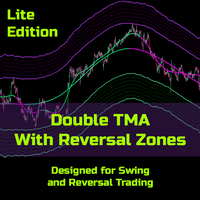
Double TMA with Reversal Zones
Clayton Prickett
4.45 (11)
Note from Developer: This is the lite version of the Double TMA with Bands Indicator. You can find the paid version that comes with alerts and on screen signal arrows built in here . I will also be selling an EA based on this trading system soon once all backtesting and optimization have been completed. Unlock your trading potential with the Double TMA Indicator with Reversal Detection! Designed for swing and reversal trading, this versatile tool integrates two Triangular Moving Averages (
FREE
该产品的买家也购买
Trade Assistant MT5
Evgeniy Kravchenko
4.43 (216)
它有助于计算每笔交易的风险,容易安装新的订单,具有部分关闭功能的订单管理, 7 种类型的追踪止损和其他有用的功能。   附加材料和说明 安装说明   -   应用程序说明   -   模拟账户应用程序的试用版 线条功能  - 在图表上显示开仓线、止损线、止盈线。 有了这个功能,就可以很容易地设置一个新的订单,并在开仓前看到它的附加特性。   风险管理  - 风险计算功能在考虑到设定的风险和止损单的大小的情况下,计算新订单的成交量。它允许你设置任何大小的止损,同时观察设定的风险。 批量计算按钮 - 启用 / 禁用风险计算。 在 " 风险 " 一栏中设置必要的风险值,从 0 到 100 的百分比或存款的货币。 在 " 设置 " 选项卡上选择风险计算的变量: $ 货币, % 余额, % 资产, % 自由保证金, % 自定义, %AB 前一天, %AB 前一周, %AB 前一个月。   R/TP 和 R/SL - 设置止盈和止损的关系。 这允许你设置相对于损失的利润大小。 例如, 1 : 1 - 这决定了 TP = SL 的大小。 2 : 1 - 这意味着 TP 是 SL 的两倍。 RR -
欢迎来到 Trade Manager EA——这是一个终极风险管理工具,旨在使交易变得更直观、精准和高效。它不仅仅是一个下单工具,而是一个用于无缝交易计划、仓位管理和风险控制的全面解决方案。不论您是新手交易员、资深交易员,还是需要快速执行的剥头皮交易员,Trade Manager EA 都可以满足您的需求,适用于外汇、指数、大宗商品、加密货币等各种市场。 借助 Trade Manager EA,复杂的计算已成过去。只需分析市场,在图表上用水平线标记入场、止损和止盈,设置您的风险水平,Trade Manager 就会立即计算出理想的头寸规模,并实时显示以点、账户货币计价的止损和止盈。每笔交易都得以轻松管理。 主要功能: 头寸规模计算器 :根据定义的风险瞬间确定交易规模。 简单的交易计划 :在图表上用可拖动的水平线直接计划交易,设置入场、止损和止盈。 实时显示 SL 和 TP :以账户货币、点或分显示止损和止盈,便于分析。 高级保护工具 盈亏平衡选项 : 基本盈亏平衡 :当您的交易达到设定水平时自动保护利润。 多级盈亏平衡 :设置多达 4 个级别以逐步保护利润。 尾随止损选项 : 基本尾随
Local Trade Copier EA MT5
Juvenille Emperor Limited
4.94 (149)
Local Trade Copier EA MT5 是一款快速、灵活的交易复制工具,用于在同一台 Windows 电脑或 Windows VPS 上的多个 MetaTrader 5 账户之间复制和管理交易。 它将本地交易同步与 Receiver 端的手数管理、风险管理、交易过滤、品种映射、交易管理和账户保护功能结合在一起。 只需约 1 分钟 即可完成 Transmitter 和 Receiver 终端的设置,并可在同一经纪商或不同经纪商的账户之间复制手动交易或 EA 交易。在合适的条件下,本地 MetaTrader 终端之间的交易信息可以在 0.5 秒以内 完成同步。实际交易执行速度取决于经纪商延迟、网络状况、电脑/VPS 性能以及终端负载。 购买前先试用免费演示版 您可以在 MT5 模拟账户上测试 功能完整的 Local Trade Copier EA MT5 免费演示版 ,每次可使用 4 小时 : 下载 Local Trade Copier EA MT5 免费演示版 将下载的文件放入: MT5 → 文件 → 打开数据文件夹 → MQL5 → Experts 然后重新启动 MT
================================================================================ POC BREAKOUT - V20.72. Full Professional Grade Toolkit ================================================================================ POC Breakout is a full MetaTrader 5 trading dashboard for discretionary traders who want breakout signals, Point of Control (POC) context, volume profiles, order flow, market structure, news, alerts, and advanced trade planning in one professional workspace. Attached directly to you
Telegram to MT5 Multi-Channel Copier   可将您 Telegram 和 Discord 频道中的交易信号自动复制到 MetaTrader 5。无需机器人、无需浏览器扩展、无需手动复制。信号一到 Telegram 或 Discord,EA 几秒内就在您的终端开仓。 在复制某个频道之前,内置回测器还能告诉您该频道在您的账户上会有怎样的表现。 产品包含两个组件:一个监听您 Telegram 频道的 Windows 应用程序,以及在 MT5 终端执行信号的本 EA。同时提供 MT4 版本   点此 . 设置指南与应用下载:   https://www.mql5.com/en/blogs/post/768988 了解如何 回测任何 Telegram 信号频道 。 当前价格将来会上调。 工作原理 应用通过您自己的 Telegram 账号连接,因此能看到您关注的所有频道、群组、话题和机器人,包括私密和 VIP 频道。信号到达时,应用读取它,EA 按您的手数和设置在终端中开仓。 整个过程全自动,无需守在电脑前。专为 24/7 无人值守运行设计:Telegram 连接
TradePanel MT5
Alfiya Fazylova
4.88 (170)
交易面板是一款多功能交易助手。该应用包含超过50种手动交易功能,并允许您自动执行大多数交易任务。 应用程序说明 : https://www.mql5.com/zh/blogs/post/761102 用于模拟账户的应用程序试用版: https://www.mql5.com/zh/blogs/post/762579 如何安装应用程序: https://www.mql5.com/zh/blogs/post/762580 如何在可视化模式下测试应用程序: https://www.mql5.com/zh/blogs/post/770278 如何在VPS MetaTrader上安装应用程序: https://www.mql5.com/zh/blogs/post/770196 贸易. 只需单击一下即可执行交易操作: 打開掛單和頭寸,並自動計算風險。 一鍵打開多個訂單和頭寸。 打開訂單網格。 按組別關閉掛單和頭寸。 反轉頭寸方向(關閉買入>打開賣出,關閉賣出>打開買入)。 鎖定頭寸(通過開啟缺少的頭寸,使買入和賣出頭寸的數量相等)。 一鍵部分關閉所有頭寸。 將所有頭寸的止盈和止損設置在同一價格水平。
按照自己的交易规则复制 Telegram 信号 Telegram to MT5 Signal Trader 可将 Telegram 公开及私密频道和群组中的文字交易信号自动复制到 MetaTrader 5。通过一个桌面应用管理多个信号提供者和 MT5 账户,并为 每个提供者单独设置风险和交易参数 。 复制信号无需 Telegram 机器人,也无需配置 API。 只需通过手机号或二维码登录您自己的 Telegram 账户,然后选择您已加入的频道或群组。您无需创建机器人,也无需提供 Telegram API 令牌、API ID 或 API hash。 自行选择仓位大小,将平仓分配到多个止盈价位,并自动执行保本止损和移动止损。在跟随信号提供者的同时,掌握信号的实际交易方式。 本产品由这款 MT5 EA 和必须配合使用的 Windows 桌面应用组成。请参阅 安装指南及应用下载 。 管理多个信号提供者和账户 为每个提供者单独设置: 为每个频道设置专属的仓位计算方式、入场规则、止损、止盈和交易管理参数。 灵活分配至不同账户: 将同一提供者的信号复制到多个已连接的 MT5 账户,并为每个账户使用不
Farmed Hedge Yield Farming | All Markets (Manual - Hybrid - Semi/Automated EA) VERIFIED TRADING RESULTS - Farmed Hedge Yield Axi Copy:  https://www.mql5.com/en/signals/2356376 - Farmed Hedge Yield Exn Copy:   https://www.mql5.com/en/signals/2356404 - Farmed Hedge Yield V Copy:  https://www.mql5.com/en/signals/2357156 IMPORTANT NOTICE: FarmedHedge is a MANUAL-FOCUSED TRADING UTILITY ,not a fully automated EA. Results shown on this Signal include manual trades and overall strategic management.
The product will copy all telegram signal to MT5 ( which you are member) , also it can work as remote copier.  Easy to set up, copy order instant, can work with almost signal formats, image signal,  s upport to translate other language to English Work with all type of channel or group, even channel have "Restrict Saving Content", work with  multi channel, multi MT5 Work as remote copier: with signal have ticket number, it will copy exactly via ticket number. Support to backtest signal. How to s
Power Candles 策略扫描器——自优化多符号设置查找器 Power Candles策略扫描器 采用与Power Candles指标相同的自优化引擎,可同时扫描您“市场观察”中的所有交易品种。一个面板即可显示当前哪些品种在统计上具备交易价值、每种策略的最佳应用方向、最优止损/止盈组合,并在新信号触发时立即向您发送提醒。 本工具是 Stein Investments 生态系统的一部分 - 18+ 款工具,加上 Max,您的一对一 AI 交易导师。  随时在线,深入了解每一款指标,在您需要梳理思路的那一刻就在那里。  立即认识他: https://stein.investments 您的全面市场监控。每个交易品种超过3,000次自动优化。2种警报类型。一键切换图表并采取行动。 为何您需要此工具 大多数多标的扫描器仅展示价格 波动 。每只股票的波动率、百分比变化、RSI。您仍需自行摸索正确的策略、合适的止损位以及理想的入场阈值。Power Candles策略扫描器针对每只股票自动解答这些问题,仅在数学验证过的交易设置中触发实际入场信号时才会向您发出提示。这就是全部卖点。 自动
Entry In The Zone with SMC Multi Timeframe is a real-time market analysis tool based on Smart Money Concepts (SMC), designed to analyze market structure, price direction, and key trading zones. It supports both Single-Timeframe and Multi-Timeframe Analysis, providing a clearer view of overall market structure across multiple timeframes, with real-time BUY / SELL signals designed with a strict focus on No-Repaint principles.   The signals are designed to help filter unclear setups and evaluate tr
Quant AI Agents
Ho Tuan Thang
5 (1)
Quant AI Agents are independent trading Expert Advisors. Instead of trading using a fixed strategy like other conventional EAs, Quant AI Agents   is a   multi-agent AI trading framework   that turns natural-language strategy prompts into live.  WANT THE SAME RESULTS AS MY LIVE SIGNAL?   Use the exact same brokers I do:   IC MARKETS , IC TRADING   .  Unlike the centralized stock market, Forex has no single, unified price feed.  Every broker sources liquidity from different providers, creating un
Exp COPYLOT CLIENT for MT5
Vladislav Andruschenko
3.97 (35)
适用于 MetaTrader 5 的专业交易复制器 快速、专业、稳定可靠的 交易复制器 ,适用于 MetaTrader 。 COPYLOT 可在 MT4 和 MT5 终端之间复制 Forex 交易,并支持 Hedge 和 Netting 账户。 COPYLOT 的 MT5 版本支持: - MT5 Hedge → MT5 Hedge - MT5 Hedge → MT5 Netting - MT5 Netting → MT5 Hedge - MT5 Netting → MT5 Netting - MT4 → MT5 Hedge - MT4 → MT5 Netting MT4 版本 完整说明 + DEMO + PDF 如何购买 如何安装 如何获取日志文件 如何测试和优化 Expforex 的所有产品 您也可以将交易复制到 MT4 终端(MT4 → MT4,MT5 → MT4): COPYLOT CLIENT for MT4 COPYLOT 是一款专业的交易和持仓复制器,可同时与 2、3 甚至 10 个终端协同工作。 支持从 模拟账户和投资者账户 复制,也支持同时在多个终端上运行。 您可以使
Grid Manual MT5
Alfiya Fazylova
4.73 (22)
Grid Manual是一个交易面板,用于处理订单网格。 该实用程序是通用的,具有灵活的设置和直观的界面。 它不仅可以在亏损方向上设置订单网格,还可以在盈利方向上设置订单网格。 交易者不需要创建和维护订单网格,实用程序会这样做。 打开一个订单就足够了,Grid manual会自动为它创建一个订单网格,并伴随它直到非常关闭。 完整说明和演示版 此處 。 该实用程序的主要特性和功能: 伴隨以任何方式打開的訂單,包括從移動終端打開的訂單。 適用於兩種類型的網格:“限制”和“停止”。 使用兩種方法計算網格間距:固定和動態(基於 ATR 指標)。 允許您更改未結訂單網格的設置。 顯示圖表上每個網格的盈虧平衡水平。 顯示每個網格的利潤率。 允許您一鍵關閉網格中的盈利訂單。 讓您一鍵關閉每個訂單網格。 允許您對訂單網格應用追踪止損功能。 允許您在訂單網格上應用將訂單網格的止損轉移到盈虧平衡水平的功能。 相對於訂單網格的盈虧平衡水平自動重新排列止盈(僅在限價網格模式下,距離取決於所選的計算類型:“保守”或“激進”)。 最多可管理 20 個訂單網格,每個網格最多可包含 100 個訂單。 計算初始手數時,
Trade Indicator Assistant   is a powerful MT5 utility designed to turn indicators into automated trading systems. Its main feature is the ability to automatically detect an indicator’s   BUY and SELL signal buffers , without requiring you to know the buffer numbers, search through indicator settings, or modify the indicator source code. Bonus Indicator:   After purchasing Trade Indicator Assistant, contact me to receive   Trade Signal Pro   completely free as a bonus indicator. [Download Demo V
RETAILBERG FOOTPRINT CHART PRO — Order-Flow Workspace for MetaTrader 5 Version 7.00  |  Professional System  |  31 tools  |  One chart A full 150-page illustrated User Manual is included. Please read the full manual to understand this feature packed footprint chart elements and ui. DEMO / STRATEGY TESTER — PLEASE READ FIRST • Use the Visual m
Signal TradingView to MT5 Pro Automator TradingView 与 MetaTrader 5 之间的即时专业执行 使用最强大的桥梁,将 TradingView 警报与 MT5 中的实际执行连接起来,实现交易策略的自动化。这款 Expert Advisor 专为要求速度、灵活性和完美风险管理的交易者设计,可将任何警报消息转化为精确的市价或限价订单。 优势与特点 通用解析引擎(专有): 先进技术,能够自动识别并提取任何警报格式中的数据。您不再受限于单一的死板格式;系统会自动理解交易品种(Symbol)、操作(Action)、价格(Price)、止损(SL)和止盈(TP)。 实时执行: 极速轮询技术(低于 1 秒),经过优化可将延迟降至最低。接收到信号后,订单将在毫秒内执行。 机构级风险管理: 基于以下方式自动精确计算手数: 净值/余额百分比(% of Equity/Balance): 每笔交易承担固定账户百分比的风险。 风险金额(Risk Amount): 设定在触发止损时损失的固定货币金额(例如:100 美元)。 固定手数(Static Lots)
Telegram To MT5 Ultra
Mirel Daniel Gheonu
5 (5)
Telegram To MT5 — 信号复制器 将您的 Telegram 频道中的交易信号变成真实的 MT5 订单 — 自动执行,可用于任意数量的账户,风险与规则完全由您掌控。 Telegram To MT5 将您已在 Telegram 关注的 VIP / 信号频道连接到您的 MetaTrader 5 终端。一个免费的配套桌面应用读取消息(即使是禁止机器人的频道),而本 EA 在您的账户上执行这些信号 — 应用您自己的风险设置、品种映射、止盈处理、交易时段与新闻过滤。 它是一个信号复制器,而非黑箱策略:由您决定信任哪些频道,以及每笔交易如何计算手数和管理。 分步设置与配套应用安装指南 工作原理 [您的 Telegram 频道] -> [配套桌面应用] -> [MT5 + 本 EA] -> 订单 配套桌面应用(免费,已包含)使用您的 Telegram 账户登录并监视您所选择的频道。即使是禁止机器人的 VIP 频道也能正常工作,它通过一个私有、加密的本地桥接转发每条消息。 本 EA 挂在一个图表上,在 MT5 接收这些信号,并按照您的规则开仓 / 管理交易。 应用与 EA 之间的连接是位于
Trade Dashboard MT5
Fatemeh Ameri
4.94 (135)
疲于复杂的订单下达和手动计算?Trade Dashboard 是您的解决方案。凭借其用户友好的界面,订单下达变得轻而易举,只需点击一下,您就可以开设交易、设置止损和止盈水平、管理交易手数,并计算风险回报比,让您只需专注于您的策略。告别手动计算,使用 Trade Dashboard 简化您的交易体验。 立即下载演示版本 。 您可以在这里找到仪表盘功能和特性的详细信息 。 加入 Telegram 频道 。 购买后请给我发消息以获取支持。如果您需要添加更多功能,可以在产品的评论区留下您的想法,我愿意听取任何建议,希望您能在使用我的产品时获得最佳体验 。 这是 MT4 版本。 风险管理:使用 Trade Dashboard,可以将您的风险设置为账户余额或权益的百分比,或将风险设置为总金额。在图表上直观地定义您的止损,让工具准确计算每个货币对的适当手数。该工具还可以根据您期望的风险回报比自动设置止盈水平。它甚至可以在手数计算中涵盖佣金和点差费用。此外,您的止损和止盈可以转变为虚拟水平,隐藏于经纪商。通过 Trade Dashboard 的高级风险管理功能,掌控风险,保护您的资本。 交易线
The Patch
Mian Rameez Ali
The Patch It never opens a trade. It walks behind the ones that did. Every open position, every pending order — checked twice a second for the one thing that's easy to forget: a stop, a target. Found bare, it doesn't ask. It writes the missing number in, measured in points from wherever the position began, and moves on to the next. No strategy, no opinion on direction. Just the quiet assumption that nothing should ever sit on the market unprotected — not because someone decided it shouldn't,
FUTURES ORDERFLOW FOOTPRINT CHART Professional OrderFlow EA for MetaTrader 5 Version 1.01| Professional tool for real traders | Institutional-Grade Visualization STRATEGY TESTER USERS - PLEASE SELECT EVERY REAL TICK WHEN TESTING AND YOU HAVE DOWNLOADED HISTORICAL DATA. IF YOU SEE A WAITING SCREEN AND IT IS NOT DOWNLOADING, IT MEANS YOU HAVE LOW HISTORICAL DATA. TRY 1 MIN AND 5 MIN FIRST ON 1 DAY DATA. ONE DAY DATA SHOULD BE THE NEWEST AND MOST CURRENT DATE. PLEASE WAIT UNTIL THE MARKET HAS ROL
Seconds Chart MT5
Boris Sedov
4.61 (18)
秒级图表 (Seconds Chart) - 一款专为 MetaTrader 5 设计的独特工具,用于创建秒级时间框架的图表。 通过 秒级图表 ,您可以构建以秒为单位的时间框架图表,获得标准分钟或小时图表无法提供的极致灵活性和分析精度。例如,时间框架 S15 表示每根蜡烛图持续15秒。您可以使用任何支持自定义交易品种的指标和EA交易系统。操作它们就像在标准图表上交易一样方便。 与标准工具不同, 秒级图表 让您能够在超短时间框架下进行高精度交易,无延迟干扰。 免费演示版: Seconds Chart v2.29 Demo.ex5 下载免费演示版,亲自体验: 功能齐全 - 所有功能均可使用 24小时测试 - 足够评估准确性和便利性 仅限模拟账户 - 大多数经纪商均可轻松开立 仅限GBPCAD图表 - 大多数终端均可使用 这些限制仅适用于演示版。完整版适用于任何账户类型(真实、演示、竞赛)和任何图表(XAUUSD、EURUSD 等),无任何限制。 如何安装演示版 通过上方链接下载演示文件 打开MetaTrader -> 文件 -> 打开数据文件夹 -> MQL5 -> Experts 将下
Anchor Trade Manager
Kalinskie Gilliam
5 (9)
Your EAs cannot see each other, but Anchor can. Anchor gives you one place to coordinate your EAs, manage risk, and decide when trading is allowed. It works alongside the trading bots you already use without any changes to them. The Problem One EA opens a trade. Then another starts trading. The next thing you know, you wake up to multiple grids built across your account. Each EA may be doing exactly what it was designed to do, but together they can place far more risk on your account than you in
The News Filter MT5
Leolouiski Gan
4.79 (24)
这个产品在新闻时间过滤所有的专家顾问和手动图表,因此您不必担心突然的价格波动会破坏您的手动交易设置或其他专家顾问输入的交易。此产品还带有完整的订单管理系统,可在任何新闻发布前处理您的持仓和挂单。一旦您购买了   The News Filter ,您将不再需要依赖以后的专家顾问内置的新闻过滤器,因为这个产品可以从此过滤它们所有。 新闻选择 新闻来源于Forex Factory的经济日历。 选择可以基于任何一种货币,如USD,EUR,GBP,JPY,AUD,CAD,CHF,NZD和CNY等。 选择也可以基于关键识别,例如Non-Farm (NFP),FOMC,CPI等。 能够选择新闻影响级别的筛选,从低、中、到高影响。 自动模式只选择与图表相关的新闻。 新闻来源每小时自动刷新,以确保最新的新闻数据。 为每个新闻影响级别提供单独的输入,以确定您要过滤掉的新闻发布前后的分钟数。 订单管理选项 在新闻发布前关闭未平仓头寸的选项,并在新闻发布后恢复它们。 在新闻发布前删除挂单的选项,并在新闻发布后恢复它们。 在新闻发布前移除止损和止盈水平的选项,并在新闻发布后恢复它们。 在新闻发布前移动止损和
Floor Watch
Syed Tauqeer Hussain Shah
Floor Watch One number, watched every thirty seconds: how far equity has fallen since the day began — or since its highest point, if it's told to trail the peak instead of the open. Cross the line and it doesn't argue. Every open position closes, every pending order vanishes, and anything that slips through afterward gets shut the moment it appears. Not asked. Removed. The floor holds until the clock turns 5 AM Pakistan time — then, and only then, does the day start over. One rule. No except
MetaTrader 5 专业交易面板 —— 图表与键盘一键交易的高效控制中心 一款面向主动交易者的专业 Trading Panel,可让您比标准 MetaTrader 操作方式更快、更直观地完成开仓、平仓、修改、管理与控制。 这不是一个普通的小工具,而是一个为高频手动操作、仓位管理、挂单控制与利润管理而设计的完整交易工作台。 通过这套面板,您可以直接在图表上一键执行交易,通过键盘快速触发核心操作,并借助自动参数计算、图形提示、信息标签以及可视化管理功能,大幅减少重复性操作,让整个交易流程更加流畅、高效且专业。 使用我们的交易面板,您可以直接从图表上一键下单,执行交易操作的速度可比标准 MetaTrader 控件快约 30 倍。 全新高级版本现已推出: 使用 VirtualTradePad PRO SE 升级您的交易流程 — 适用于 MetaTrader 5 和 MetaTrader 4 的新一代专业交易面板。 MT4 版本 | 完整说明 + DEMO + PDF | 如何购买 | 如何安装 | 如何获取日志文件 | 如何测试与优化 | Expforex 的所有产品 为什么交易者会
MT4 to Discord Signal Provider 是一款用户友好、完全可定制的工具,专为直接向 Discord 发送交易信号而设计。这个工具将您的交易账户转变为一个高效的信号提供者。 自定义消息格式以适应您的风格!为了方便使用,您可以从预先设计的模板中选择,并决定包括或排除哪些消息元素。 [ 演示 ] [ 手册 ] [ MT4 版本 ] [ Telegram 版本 ]  New: [ Telegram To MT5 ] 设置 遵循我们详细的 用户指南 进行简单设置。 不需要预先了解 Discord API;我们提供所有必要工具。 主要特性 为订阅者更新自定义订单详情。 实施分层订阅模型,如铜牌、银牌、金牌,每一层都提供不同级别的信号访问。 附加执行订单的图表截图。 在这些截图上显示已关闭的订单,以增加清晰度。 提供延迟发送新订单消息的选项,以便在发送前进行最后调整。 透明和详细的订单信息: 带截图的新市场订单。 订单修改(止损、获利)。 已关闭和部分关闭的订单。 新的和修改的挂起订单。 挂起订单的激活和删除。 关于历史订单的详细报告。 每个订单的可定制评论。 注意: *
MT5 to Telegram Signal Provider 是一个易于使用且完全可自定义的工具,它允许向 Telegram 的聊天室、频道或群组发送 指定 的信号,将您的账户变为一个 信号提供商 。 与大多数竞争产品不同,它不使用 DLL 导入。 [ 演示 ] [ 手册 ] [ MT4 版本 ] [ Discord 版本 ] [ Telegram 频道 ]  New: [ Telegram To MT5 ] 设置 提供了逐步的 用户指南 。 不需要了解 Telegram API;开发者提供了您所需的一切。 关键特性 能够自定义发送给订阅者的订单详情 您可以创建分层的订阅模型,例如铜、银、金。其中金订阅获得所有信号等。 通过 id、符号或评论过滤订单 包括执行订单的图表截图 在发送的截图上绘制已关闭的订单,以便额外核实 延迟发送新订单消息的可能性,以便在发送前对位置进行调整 订单详情完全透明: 新的市场订单*带截图 订单修改(止损、获利) 已关闭的订单*带截图 部分关闭的订单** 新的挂单 修改的挂单(进场价格) 挂单激活(作为新的市场订单附加) 已删除的挂单 历史订单报告
Ultimate Extractor
Clifton Creath
5 (7)
Ultimate Extractor - Professional Trading Analytics for MT5 *****this is the local HTML version of Ultimate Extractor. !!!!!it is not compatible with Cloud!!!! For the online version please reach out to me directly****** Ultimate EA manager also now available when you use cloud pro and above for free!! Ultimate Extractor transforms your MetaTrader 5 trading history into actionable insights with comprehensive analytics, interactive charts, and real-time performance tracking. What It Does Automa
Telegram to MT5 Coppy
Sergey Batudayev
5 (10)
Telegram 到 MT5: 终极信号复制解决方案 使用 Telegram 到 MT5 简化您的交易,这款现代化工具可直接从 Telegram 频道和聊天室复制交易信号到您的 MetaTrader 5 平台,无需 DLL 文件。这款强大的解决方案可确保精准的信号执行、丰富的自定义选项,节省时间并提高您的效率。 [ Instructions and DEMO ] 主要特点 直接 Telegram API 集成 通过电话号码和安全码进行身份验证。 通过用户友好的 EXE 桥轻松管理聊天 ID。 添加、删除和刷新多个频道/聊天以同时复制信号。 使用高级过滤器进行信号解析 跳过包含异常词(例如“报告”、“结果”)的不需要的信号。 支持灵活的 SL 和 TP 格式:价格、点数或点数。 自动计算指定点而不是价格的信号的切入点。 订单定制和灵活性 使用多种模式配置订单大小:固定手数、动态手数(% 风险)或特定符号手数。 使用信号数据或自定义参数调整 SL/TP。 设置滑点限制、挂单到期时间和重试参数,以实现无缝执行。 综合符号管理 排除特定符号或映射到特定经纪人的符号。 自定义信号和经纪商符号之间
作者的更多信息
Trading Sessions Kill Zones Regional sessions, New York kill zones, Silver Bullet windows, Asian range, day opens, previous day/week/month levels and ADR on one MT5 chart. See the structure of the trading day on your MT5 chart: regional sessions, intraday windows, the Asian range and reference levels in one indicator. Sydney, Tokyo, London and New York session boxes show each high, low and range in points. Regional daylight saving is handled separately. Choose soft translucent fills or clear out
FREE
Risk Calculator and Order Lines calculates position size from your chosen risk and places orders from the chart. Set the entry, stop loss and take profit using draggable lines, then review the volume and estimated outcome before confirming the order. Risk can be entered as a percentage of balance, a percentage of equity or a fixed amount in account currency. The panel displays estimated risk and reward in money and percent, the reward to risk ratio, required margin and spread cost. A separate in
FREE
Gold Pullback Entry Signals is an MT5 indicator for closed-candle pullbacks within a higher-timeframe direction. Defaults are prepared for XAUUSD, and the same indicator works on other symbols. Daily bar-based VWAP, EMA slope and confirmed swing structure define the bias. Setups use EMA, VWAP, Fibonacci impulse zones and the Asian range with a rejection candle. Grade A marks two or more overlapping level families; grade B marks one. Each confirmed signal exposes an entry reference, stop and thre
Prop Firm Guardian keeps your account limits, drawdown and target visible in one MetaTrader 5 panel and acts when a configured limit is reached. It monitors positions and pending orders on all account symbols, including trades opened manually or by other Expert Advisors. Key features - Daily loss limit based on start-of-day balance, equity or the higher of the two. - Maximum drawdown: static, equity trailing, balance trailing, or trailing with the floor capped at the initial balance. - Account
Trade Manager Panel plans, places and manages trades directly from the chart. Set the risk, drag the entry, stop and three target lines, confirm the order, and the panel handles partial closes, break-even and trailing. Key features Position size from balance/equity risk, money risk or a fixed lot; volume rounded down to the contract step and checked against margin. Market, Limit, Stop and Stop-Limit orders (Stop-Limit has its own execution-price line). Draggable entry, stop-loss and three take-p
Indicator to EA Builder turns indicator signals into an automated Expert Advisor without programming. Combine up to three sources, define the rule for each, and the EA handles entries, stops, targets and trade management. Key features Up to three sources: built-in MA, RSI, MACD, Stochastic, Bands, CCI, ADX, or any custom .ex5 indicator in MQL5/Indicators that exposes numeric buffers. Custom inputs passed as a comma-separated list (numbers, true/false, quoted strings). Buffer scanner: pages throu
Local Trade Copier copies positions and orders from one MetaTrader 5 terminal (master) to one or more MetaTrader 5 terminals (receivers) on the same computer. It works locally and does not send data over the internet. Key features - One master, multiple receivers, separated by channel name. - Volume modes: multiplier, fixed lot, balance ratio, equity ratio or risk-based (requires a stop loss). - Symbol mapping between brokers (InpSymbolMap, prefix and suffix); ambiguous or unavailable symbols a
Trade Journal and Mistake Analyzer turns your MT5 account history into a structured journal and highlights trades that broke your own rules. On a live chart it only reads account data — it never sends trading requests. Key features Summary: net P/L (including commission, swap and fees), win rate, profit factor, expectancy, streaks and closed-result drawdown. Trades grouped by position cycle, including partial exits; netting reversals start a new cycle. Breakdown by available groups (symbol, dire
Equity Target and Basket Closer closes a group of positions and pending orders when a profit target or a loss limit is reached. Choose what to watch — the whole account, the chart symbol or selected magic numbers — and set the target in money or percent. Key features Scope: whole account, chart symbol, or a comma-separated list of magic numbers. Metrics: floating profit, realized daily profit, equity change, or absolute account equity. Targets in deposit currency or percent of the selected start
Trend Signal System MTF turns a disciplined trend routine into clear chart signals: confirm that the higher timeframes agree, wait for the pullback, then act on the closed-candle breakout. Every signal shows: Reference entry, stop (swing or ATR) and three targets in risk multiples (TP1/TP2/TP3). Trend defined by an EMA/ADX filter, plus an ATR channel for visual context. Two higher timeframes, selected automatically or manually. Also included: optional trend candle colouring; M5–D1 dashboard; sta
Scalping Signals with TP Levels gives fast-chart traders a consistent, rule-based way to spot and frame short-term setups instead of improvising. How it works: Adaptive ATR channel with RSI and MACD momentum confirmation, a volatility filter and an optional EMA filter from a timeframe you choose. Signals are evaluated on completed candles only. Each setup gets a tick-aligned entry reference, a channel or ATR stop and three targets in ATR distances or initial-risk multiples, with reference breake

Alert Wrapper for Any Indicator monitors up to five indicator configurations, each across its own list of symbols and timeframes, and notifies you when a rule fires. It never places, modifies or closes orders. Indicators: Built-in MA, RSI, MACD, Stochastic, Bollinger Bands, CCI and ADX with parameters in standard MQL5 order. Any custom indicator from MQL5/Indicators that exposes readable buffers (inputs in declaration order). The Buffers button scans and exports available buffers. Symbols: chart
Gold Volatility Levels answers the questions every gold trader asks before an entry: how far can price realistically move today, where is a sensible stop, and is the current spread worth it? What you get on the chart: ATR risk ruler. Choose the ATR timeframe and period; stop-distance multipliers and reward multiples (R) are drawn for both directions, updating with the current market. Average Daily Range. Mean or median of completed days, with projected upper/lower ADR levels and how much of toda
筛选:
无评论
回复评论