 MetaTrader 5
 专家
专家
 指标
指标
 程序库
程序库
 实用工具
实用工具
 窗口小部件
窗口小部件
 规则
规则
MetaTrader 5 交易实用工具 - 22
 以下是可在MetaTrader 5中简化交易的交易程序。将鼠标悬停在一个工具上,阅读它的描述和用途。
Utility MTI (Main Trading Info) - 顯示交易者的基本交易信息,即:
點差的平均和當前大小 空頭和多頭頭寸的掉期大小 1 個交易手的 1 個點的成本 止損位大小(放置掛單的最小距離) 當前(紅色)結束前的時間和下一個(灰色)交易時段開始前的時間 距離當前交易時段結束的時間顯示為紅色,距離下一個交易時段開始的時間顯示為灰色。顏色可以在指標屬性中獨立調整。 Recommended Robot Scalper - https://www.mql5.com/en/market/product/77108
顯示通過以下方式執行:
歐洲交易時段(歐盟旗幟) 美國交易時段(美國國旗) Pacific Trading(澳大利亞國旗) 亞洲交易時段(日本國旗) 了解交易時段的結束時間和變化很重要,因為在交易時段結束時,許多交易者固定他們的頭寸,這可能導致趨勢變化,從而導致頭寸逆轉。
變量
Time On - 當前交易時段的顏色選擇
休息時間 - 選擇下一個會話開始前的時間顏色
平均點差 - 計算平均點差所涉及的最後一次報價的數量。
Swap Di
FREE

Broker Preflight 是一款免费的 MetaTrader 5 实用工具,用于在运行 Expert Advisor 之前快速检查当前交易环境。 它会分析可能影响自动交易的关键账户、终端和交易品种条件,并以清晰的 PASS / WARNING / FAIL 状态显示结果。 Broker Preflight 不会开仓、修改或关闭任何交易。它仅作为诊断工具运行。 主要功能 检测账户模式:Hedging、Netting 或 Exchange 检查交易权限和 Expert Advisor 权限 检查终端连接和报价可用性 显示交易品种的执行模式和交易限制 显示最小手数、最大手数、手数步进和交易量限制 检查 Stops Level 和 Freeze Level 显示当前点差和交易品种规格 检查测试交易量是否符合经纪商的交易量规则 检查测试止损距离是否符合经纪商限制 在不执行交易的情况下检查保证金可用性 检测缺失或不可用的交易品种数据 提供 EA Readiness 汇总结果 将详细技术报告导出为本地 TXT 文件 EA Readiness Broker Preflight 使用以下状态总结
FREE

Propfirm Buddy - Your Ultimate Equity Protector [ TG group Propfirm experience sharing]
Are you tired of losing funded accounts or failing evaluations due to sudden market spikes or emotional revenge trading? Propfirm Buddy is an advanced, lightweight utility Expert Advisor designed to be your personal risk manager. Whether you are trading a prop firm challenge or protecting a live funded account, Propfirm Buddy runs quietly in the background, monitoring your equity 24/5. The moment a critica
FREE

中文(简体)
说明 该风险管理工具仅适用于账户余额百分比(%)以及市价订单(buy market 和 sell market)。它不适用于限价订单。 您可以使用账户余额的任意百分比,只需点击设置图标并输入您的百分比值。 使用方法 在您希望设置止损的价格处用鼠标左键点击。将会出现一条黄色线。这条黄色线就是您的止损。然后点击 ''BUY MARKET'' 或 ''SELL MARKET'' 按钮。 如果您不想在图表上创建黄色线,请点击 ''DELETE STOP'' 按钮,然后点击 ''LOCK STOP'' 按钮。要撤销此操作,只需点击 ''UNLOCK STOP'' 按钮(该按钮仅在点击 ''LOCK STOP'' 后才会出现)。 非常重要的说明(必须阅读) 您的订单很可能会因“保证金不足”而被拒绝。这是因为您的风险百分比设置过高,或止损过于接近(离入场价格太近)。因此,该工具会计算出一个较大的手数,从而超过账户可用保证金。 这不是工具错误。这是该工具为您自动计算的风险管理公式的结果: 手数 =(账户余额 × 账户风险百分比)/(止损距离 × 点值) 如何解决: 降低风险百
FREE

SmartRescuer 是一款机构级的先进交易辅助工具,旨在自动解套手动仓位、管理浮动回撤并锁定组合利润。 核心功能 防虚假突破引擎: 利用唐奇安通道 (Donchian Channels) 与 ATR 回调测试,有效避免假突破。 智能恢复策略: 支持区域对冲、回调加仓及智能混合执行模式。 分批损耗剥离: 利用浮动恢复利润,逐步平掉表现最差的亏损订单。 全自动利润管理: 内置自动止盈 (Auto-TP)、保本保护 (Break-Even) 及美元追踪止损。 一键 SOS 大师模式: 瞬间接管并解救图表上的所有仓位。 多资产通用: 完美适配黄金 (XAUUSD)、外汇、加密货币及股指,适用于任何时间周期。 高级黑曜石黄金仪表盘: 提供实时视觉指标、点差监控及交互式控制按钮。 风险提示 外汇、黄金及差价合约 (CFD) 交易具有高风险,可能并不适合所有投资者。SmartRescuer 是一款旨在协助仓位管理与风险控制的辅助工具,无法保证盈利。在实盘使用前,请务必在模拟账户中进行充分测试,并确保根据账户余额设置合理的仓位大小。
FREE
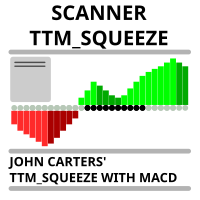
Market scanner based on the indicator published here Download the 'John Carters TTM Squeeze with MACD' Technical Indicator for MetaTrader 5 in MetaTrader Market (mql5.com) . Only the instruments that are in the Market Watch window are scanned. Maximum number of scanning tools up to 5000. The scan timeframe is selected from the timeframe panel of the terminal. To use it, open any chart and attach the Expert Advisor to the chart, the 'Search' button will appear in the upper left corner. When you
FREE

QuickExecEA – The Manual Trading Panel by ML Trading QuickExecEA is a professional, freely draggable trading panel for MetaTrader 5, designed to execute manual trades quickly, precisely and with minimal effort directly from the chart.
Features:
Entry, Stop Loss and Take Profit are placed as interactive lines directly on the chart and can be repositioned via drag & drop.
All values synchronize automatically with the panel in real time. The EA automatically detects the order type: Market Order, B
FREE

Relentless Prop Firm Risk Guardian — Free Risk Dashboard for Prop-Firm and Funded Traders
Most funded challenges are not lost to bad trades. They are lost to a limit the trader did not see coming. One oversized position, one rough day, and the account is gone.
Relentless Prop Firm Risk Guardian keeps your limits in front of you, in real time, on your chart, so you always know how much room you have left.
It is free. If it saves you from one avoidable breach, an honest review helps the next tr
FREE

This is a utility panel to assist closing of open Deals. The panel has input filters to assist one select the right trades. The tool displays the number of trades to be closed as well as profits to be realized. One click close, Filter trades to be closed by: symbol, (Filter by a particular symbol in the trade terminal). magic number (If your orders are from particular EA with unique magic numbers). whether in profit, loss or All. (P/L=all trades, profiting = trades in profit, loosing = trades
FREE

Real-time profit monitor that projects your results directly onto the current price. Designed for traders who need total focus on the chart without distractions. Dynamic Visualization: Follow the price movement (Bid) for an immediate reading. Privacy Control: Activate or deactivate visibility instantly by pressing the "P" key. Precise Calculation: Includes net profit and swap of all open positions. Clean Interface: Automatic colors (green/red) to identify the status of your account at a glance.
FREE

Overview
This Expert Advisor (EA) for MetaTrader 5 is a robust tool designed to optimize money and risk management. It allows users to calculate position sizes based on account balance, desired risk percentage, and trade parameters like stop loss and entry points. Additionally, it offers a clear view of reward-to-risk ratios and allows for the inclusion of broker commission, recalculating data accordingly.
Key Features
1. Risk-Based Position Sizing
The EA calculates position sizes by taking
FREE
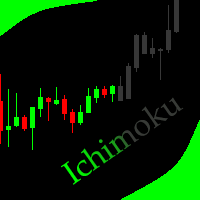
This indicator allows to hide Ichimoku Kinko Hyo (on all MT5 timeframes) from a date define by the user, with a vertical line (Alone) or a panel (with "Hidden Candles"). Indicator Inputs: Tenkan-sen Kijun-sen Senkou Span B Information on "Ichimoku Kinko Hyo" indicator is available here: https://www.metatrader4.com/en/trading-platform/help/analytics/tech_indicators/ichimoku ************************************************************* Hey traders!! Give me your feeds! We are a community here
FREE

AutoClose MT5 - Your 24/7 Automatic Capital Guardian Stop the bleeding. Lock in profits. Trade with peace of mind.
️ Why Your Trading Account Is Incomplete Without AutoClose MT5 You have your strategy, your EA, your analysis. But what's your automatic fail-safe ? One emotional decision, one missed market gap, one bad day can undo months of work. AutoClose MT5 is that non-negotiable layer of protection. It's not just a tool; it's your trading insurance policy that works 24/7. The Profession
FREE

What It Does Scans Multiple Symbols Simultaneously From all pairs for the signal in real time. Detects Overbought/Oversold Conditions Using customizable RSI thresholds (e.g., 80 for overbought, 20 for oversold) and Alerts You Instantly . Send you Notifications to MT5 in your PHONE Using MetaQuotes ID Pop-up Alerts Telegram Push Messages Whether you're at your desk or on the move, you’ll know the moment a signal hits.
FREE
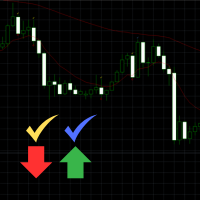
Engulfing Signal Indicator with EMA Confirmation This indicator is made to identify engulfing candlestick patterns in real-time using a mathematical approach and a constant bar-checking loop. It highlights these patterns as they occur, offering visual cues and confirmation when aligned with specific market conditions. How it works: Engulfing Pattern Detection : The indicator identifies engulfing candles using a division factor. A candle is considered engulfing if the entire range (body + wicks)
FREE

當蠟燭觸及手動放置的趨勢線時,該實用程式會打開訂單,就好像它是一個更明確的掛單一樣。 它可以用於任何資產,當它打開訂單時,它會消除它所觸及的線並創建箭頭。在這種情況下,它用於價格反轉操作,當看漲蠟燭觸及自下而上的線時,它打開賣單,當看跌蠟燭觸及自上而下的線時,打開買單。
您可以調整停損和止盈,該實用程式非常有用,因為您可以對要打開的訂單進行編程並退出螢幕,對於圖表模式非常有用,當價格達到上升和下降的支撐線和阻力線時,例如水平線和垂直的。
使用最新更新,您可以放置多行。
非常重要:Meta trader 5 有交易歷史記錄,當訂單關閉並繪製一條線時,該線可能會與機器人的邏輯混淆並打開不需要的訂單,要解決此問題,請禁用交易歷史記錄,使其不顯示,請參閱列印輸出,如果它已顯示在圖表上,請以滑鼠右鍵按一下「交易記錄」將其隱藏。
注意:無法測試策略測試器。
FREE

它是用于处理实时 Binance Futures Ticks Data 和 Real Time Binance Spot Ticks Data 的实用程序。 它旨在更快地提取数据并保持在 Binance Future 的范围内。
工作逻辑:全局变量记录它从币安检查服务器时间接收的时间信息。
在其他程序中,他们通过使用此时间信息更快、更有效地完成工作。
您应该允许来自工具菜单 >> 选项 >> 智能交易系统的 WebRequest 并添加 URL: https://api.binance.com 如果在安装过程中或售后出现任何问题,请随时与我们联系。 如果在安装过程中或售后出现任何问题,请随时与我们联系。 如果在安装过程中或售后出现任何问题,请随时与我们联系。
FREE

JVH Protection – Universal Prop Firm Risk Manager (MT5) Broker-Time Reset | Daily Max Loss | Overall Drawdown | Trailing Lock | Full Account Guard JVH Protection is a professional-grade equity protection tool for MetaTrader 5, built for prop firm traders, EA users, and anyone who wants strict automated risk control. This EA acts as a real-time risk firewall for your entire MT5 trading account. Key Features Full Account Protection Monitors all symbols Covers all magic numbers Works with m
FREE
What the Tool Does SignalAlerts Max watches several indicators:
RSI MACD Stochastic CCI DeMarker RVI EMA Trend Filter (optional)
Whenever any enabled indicator crosses above or crosses below a level, the tool sends alerts:
Terminal Pop-up
Push Notifications Sends alerts to phone via MT5 app.
How To Set Up Push Notifications On Metatrader 4 & 5 - YouTube Important Notes Your PC must be connected to the internet MT5 desktop must be running (or in VPS) You do NOT need to keep the mobile
FREE

Brekaut, a powerful and intuitive trading indicator designed to take your trading experience to the next level. Built to simplify market analysis and provide timely insights, Brekaut offers traders a reliable way to identify key breakout opportunities across various asset classes, including stocks, forex, and cryptocurrencies.
Brekaut cuts through the noise by highlighting potential breakout points where the market is poised for strong movement. This allows traders to make informed decisions a
FREE

The Tick Data Record is a multi-symbol multi-timeframe Expert Advisor that records tick data for later graphical representation and analysis. General Description The Tick Data Record offers a(n) alternative/complement to the online/offline price charts displayed through the MT4/MT5 platform. The Expert Advisor permits to write and save the current/history values of Time, Bid, Ask, Spread, Last and Volume to a text file (“.txt”). The idea is to copy/open the obtained register to/in a spreadshe
FREE
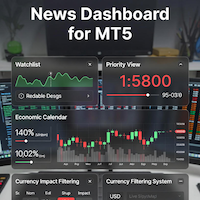
### MQL5 Marketplace Product Description News Dashboard for MT5 – with Live Sessions Map
#### Professional Real-Time Economic News Dashboard + Live Trading Sessions Map
Never get caught off-guard by high-impact news again. The ultimate all-in-one news tool trusted by thousands of professional traders – now with a beautiful embedded Live Sessions Map.
#### Core Features - Uses MT5’s built-in Economic Calendar (zero WebRequest, 100% compliant) - Real-time countdown timer to the
FREE

MT5 to MT4 Trade Copier (Master)
SHORT DESCRIPTION Copies trades from MetaTrader 5 to MetaTrader 4 on the same PC/VPS. You also need the EA "MT5 to MT4 Trade Copier I Slave" from the Market. If you have any questions, problems, or suggestions for improvement, feel free to send me a message or leave a comment.
KEY FEATURES Market execution copying (fast, stable) Multi-symbol filter (copy only selected symbols) Symbol mapping (master symbol -> receiver symbol) Lot multiplier (scale lots on rec
FREE

PropGuard Pro is a professional-grade risk management Expert Advisor built specifically for prop firm traders . It monitors your account in real time, enforces drawdown limits, time-based rules, and position constraints — then auto-closes trades the instant a rule is breached. Never fail a funded challenge because of a preventable mistake again.
KEY FEATURES
Real-Time Drawdown Enforcement
• Daily and total drawdown tracking based on your funded account size (not the live balance)
FREE

History Pre-loader — MT5 History Pre-loader is a utility script for traders who want to prepare and inspect MetaTrader price history before running a Strategy Tester, reviewing an older market period or using tools that depend on a deeper historical range. The script works from the symbol of the chart where it is attached . Open a chart for the exact broker symbol you want to prepare, attach the script, select the target oldest date and let the terminal request the available history. What the sc
FREE

(加密货币图表)
将 Binance Spot 中的所有符号保存到自定义符号中。
为 Binance Spot 中的符号添加“S”前缀。
它创建了可以跟踪 Binance Spot 中的符号的基础设施。
您应该允许来自工具菜单 >> 选项 >> 智能交易系统的 WebRequest 并添加 URL: https://api.binance.com
只需双击脚本。
您可以在几秒钟内获得整个列表。
在链接中查看产品 https://www.mql5.com/en/market/product/69001 如果在安装过程中或售后出现任何问题,请随时与我们联系。 如果在安装过程中或售后出现任何问题,请随时与我们联系。 如果在安装过程中或售后出现任何问题,请随时与我们联系。
FREE
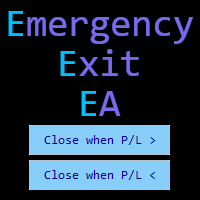
Emergency Exit is an MT5 expert advisor I developed to solve a specific problem: monitoring and managing overall account risk across multiple positions. Unlike traditional EAs that focus on entry signals or complex trading algorithms, Emergency Exit has one job - to watch your total floating P/L and take action when your predefined thresholds are hit.
The main functionality revolves around two simple conditions:
Close when P/L >: Triggers when profit exceeds a value (take profit) OR when loss
FREE
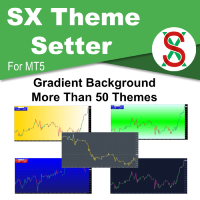
SX Theme Setter is intended for changing chart appearance in 2 modes: - Gradient background mode:
In this mode, the indicator creates a gradient background for your chart. Colors, steps and gradient type can be selected by user. - Color theme:
Color theme mode provides more than 50 built-in different color themes which can be selected from a list. Most of these themes are converted from official color themes of real trading platforms of the past and present. Try them out and see if they suit
FREE

专家顾问允许您模拟由另一位专家执行并保存在csv文件中的事务的执行。 这对于在另一台服务器上检查交易策略的结果很有用。
使用另一个程序,例如,帐户历史导出器将帐户上的交易历史导出为所需格式的csv文件,或将程序代码从专家历史导出器连接到您的专家以导出历史。
在文件的开头应该有这样一行:
DATE,TICKET,TYPE,SYMBOL,VOLUME,ENTRY,PRICE,STOPLOSS,TAKEPROFIT,PROFIT,COMMISSION,FEE,SWAP,MAGIC, COMMENT
它可能不是从文件的一开始就找到的,也就是说,任何其他信息都可能在它之前。
在它们之后和文件的末尾,有一行以逗号分隔的字段值用于一个事务。 行中字段的值:
DATE - date in the format YYYY.MM .DD HH:MM:SS TICKET - transaction ticket (integer) TYPE - transaction type from ENUM_DEAL_TYPE (integer) SYMBOL - trading instrumen
FREE

Trade Launch 是一款直观的交易面板,专为重视手动开仓速度和掌控力的交易者设计。它直接显示在图表上,让您能够在一个窗口内管理所有主要订单参数。 主要特点: 即时下单: 一键开启买入和卖出仓位。按钮名称动态显示当前的卖价和买价。 内置风险管理: 便捷的输入框,用于设置手数、以及以点数为单位的止损和止盈值。面板会自动将其重新计算为价格水平。 交易前检查: 开仓前会显示一个信息窗口,包含详细信息:交易量、入场价、止损/止盈水平,以及以存款货币计算的潜在风险和利润。 可定制的确认: 可以禁用确认窗口,以实现更快速的交易。 自适应界面: 面板会自动更新价格,并能与任何交易品种和时间框架正常配合使用。 工作原理: 在"手数"字段中指定所需的手数大小。 以点数设置止损和止盈水平("止损"和"止盈"字段)。如果不需要止损或止盈,请保留值"0"。 点击绿色的"买入"按钮或红色的"卖出"按钮。 在信息窗口中确认交易,您将在其中看到计算出的风险和利润。 输入参数: Magic Number - 面板所开订单的唯一标识符(使面板不与手动或其他EA开的订单交互)。 Allow
FREE
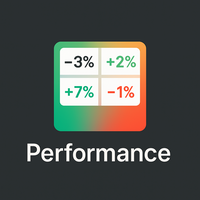
概览
Performance Indicator 显示一个 热力图 ,展示一组符号在可配置时间区间内的百分比收益。用于直观比较相对的 强弱 ,不对结果作任何保证。 配置
SymbolsList: 用逗号分隔的符号,必须与终端中的名称精确匹配。
BaseTF: 用于计算的基础时间框架。
UpdateSeconds: 自动刷新间隔(秒)。
CapPercent: 颜色强度的归一化值。
PeriodsList: 定义周期的字符串(例如 D1, W1, M1, M3, M6, Y1, YTD);接受诸如 1M 、 2W 、 YTD 之类格式。 收益计算
Standard periods: 比较当前收盘价与 N 个周期前的收盘价。
YTD: 使用最接近当前年初的收盘价以获得一致的比较。 视觉编码
背景: 非负收益为绿色,负收益为红色;强度根据 CapPercent 缩放。
文本: 若收益 ≥ 0 则为绿色,负值为红色,数据不可用时为灰色。双重编码确保可读性。 更新机制
计时器检查 UpdateSeconds 所定义的时间间隔,仅在允许的情况下重建热力图,并有内部保护机制防止过于频繁的
FREE

AJUSTAR TP SEGÚN LÍNEA DE TENDENCIA — Modificación Dinámica de Take Profit en MT5 Este script para MetaTrader 5 permite proyectar el precio actual de cualquier línea de tendencia presente en el gráfico y asignarlo automáticamente como Take Profit (TP) a las posiciones abiertas que cumplan con los criterios de filtrado seleccionados. Es una herramienta imprescindible para traders que proyectan sus objetivos de salida basándose en estructuras diagonales, canales de precio, directrices de tendencia
FREE

### FTBP Telegram Panel - Your On-Chart Notification Center
**FTBP Telegram Panel** is not just an Expert Advisor, but a full-featured tool for traders who want to receive instant notifications about their trades in Telegram and manage the visual style of their terminal. The product is completely free!
### Key Features
* **Instant Telegram Notifications:** Get alerts for every opened and closed trade, including the ticker, volume, and financial result. * **Interactive Control Panel:** Forget
FREE

Know the broker symbol before you evaluate the EA. D7 Symbol Inspector is a free, read-only MetaTrader 5 chart utility. It brings the symbol fields that often decide whether an EA can size, place or protect an order into one panel — without sending or modifying a trade. Who it is for Use it before testing an Expert Advisor on a broker symbol, especially when the symbol has a suffix, unusual contract size, nonstandard volume steps or a spread that changes through the session. What it reads Last a
FREE

一款小巧的只读工具,每次 CC Cent 篮子平仓时都会向你的手机发送一条 Telegram 消息,还可选每日和每周利润汇总。无需打开 MT5,就能看到结果、净利润和今日合计。 CC Cent(Cash Cow Cent)的免费配套工具。 只读。它从不开仓、平仓或修改交易。 需要 CC Cent EA: 在市场获取 CC Cent
Notifier for CC Cent:第一时间知道奶牛挤好了奶。 Notifier 只读取账户历史。它不能下单、平仓或修改订单,因此可以放心地与真实账户一起运行。
消息内容 Result : WIN Net : +8.56 USC Basket : BUY 1 pos, 0.08 lot Close : 4,123.45 Duration : 1m Max DD : -12.40 USC (0.1%) Today : +42.15 USC Balance : 12,345.67 USC Account : #12345678 Result: WIN 或 LOSS。如果篮子在 Notifier 未运行时平仓,会标注 "while offline"。
FREE

visual trade planner for MetaTrader 5. It draws multi-timeframe ATR reward and stop zones on the chart so you can judge distance and payoff before you place the trade yourself. It does not send, modify, or close orders. Motive A single ATR on the chart timeframe often hides the larger and smaller ranges a trade is actually working against. This EA stacks three take-profit slices, each from its own timeframe, period, and multiplier, then places an ATR stop and an optional fixed stop beside them.
FREE

TradeMasterPanel — One-Click Manual Trading Panel for MT5 TradeMasterPanel is a professional one-click trading assistant for MetaTrader 5, designed to help traders execute, manage, and protect positions directly from the chart. All settings can be adjusted on-chart and are automatically saved for each trading symbol, eliminating the need to reopen the Inputs dialog or reattach the EA. The interface is fully scalable and DPI-aware for modern high-resolution displays. 1. Market Order Entry Open B
FREE

Mattrix Basket Viewer
Mattrix Basket Viewer creates 8 synthetic currency index charts directly in MetaTrader 5 using geometric mean calculation. It analyzes all 28 major forex pairs and groups them into 8 currency baskets, one for each major currency. Instead of watching 28 individual pairs, you see 8 basket charts that show the strength of each currency. A compact dashboard ranks the baskets by pip sum and coherence - per day, week, month, year or trading session. Click any basket name to open
FREE

Arixis Grid Risk Calculator — Understand Grid Exposure Before Trading
Arixis Grid Risk Calculator is a professional mathematical analysis tool for traders who use grid, recovery or progressive position-sizing systems. Configure the initial lot size, distance between entries, maximum number of levels and position-sizing progression to visualize how exposure evolves as additional positions are added. The calculator generates a detailed level-by-level representation including individual lot size,
FREE

Record your MetaTrader 5 trading to your SureInsight journal automatically, including the stop loss you actually set.
SureInsight Journal Sync is the official MetaTrader 5 companion for SureInsight. It watches your account and sends each closed trade to your journal, so your record is built from platform data rather than from memory.
Important
This is not a trading robot, signal provider, copy-trading service or automated strategy.
It does not open, close, modify or manage trades.
Its onl
FREE

Slave Link >> https://www.mql5.com/en/market/product/160092
CopyTrade Server is a lightweight, reliable local trade copier for MetaTrader 5 that mirrors positions from a Master account to one or more Slave accounts using a fast shared-file mechanism. It is designed for signal providers, account managers, and traders who need precise synchronization of trades with flexible delay and lot control.
Main concept Role: Works as the Slave side of a local copy trading setup and receives trades fro
FREE

Position Guard automatically manages your open positions on MetaTrader 5. It does not open trades and makes no market prediction - it is a money- and risk-management layer on top of manual trades or trades opened by another EA. Features: - Breakeven: move the stop to entry (with a spread-safe offset) after a set profit in pips. - Staged partial close: take partial profit at up to three configurable profit levels. - Trailing stop: starts after a set distance, then trails with a configurable step.
FREE

## Version 2.50
I created this EA with the intention of making it free for everyone to use. It serves as a tool to assist in trading with money management, entering order lots according to a percentage of the account balance, and automatically setting TP/SL based on high/low prices.
In Version 2.50, The Auto TP/SL feature adjusts from the Line In (entry point), and Auto price in this version only shifts the entry line to the current price. Input settings: Ato update SL/TP Line >>> In version
FREE

Product Name: Anchor auto TP and SL Trade Manager MT5 Your manual trade will be managed automatically. Turns single trades into smart grids with auto-sync TP/SL.
Anchor Auto TP and SL Trade Manager is a powerful trade assistant designed for manual traders who use averaging or recovery strategies. Stop calculating grid levels manually! This EA turns your manual trade into an automated "Anchor." If the market moves against you, the EA automatically builds a recovery grid based on your specific S
FREE

Automatically synchronise your MetaTrader 5 trading activity with your HybridTrader journal. HybridTrader AI Journal Sync is the official MetaTrader 5 companion utility for HybridTrader. It securely synchronises your trading activity with your HybridTrader journal, removing the need to enter every position manually. To use this utility, you must have an active HybridTrader.ai subscription or free trial. Your personal API key is generated from within your HybridTrader account and is required to c
FREE

BlueEdge Trading Manager (MT5) BlueEdge Trading Manager is a clean, fast manual trade manager panel for MetaTrader 5. It helps you open trades quickly (BUY/SELL), manage up to 5 take-profits , and automatically handle partial closes while drawing clear SL/TP lines directly on the chart. This product is NOT a trading strategy and does not generate entry signals. It is a trade execution + position management tool for scalpers and manual traders. Main Features One-click BUY / SELL from a compact pa
FREE

K线终结者 - 精准把握每一秒的倒计时工具 核心摘要: 还在为不确定当前K线何时结束而焦虑吗?‘K线终结者’是您交易工具箱中不可或缺的利器!它通过一个清晰、直观的倒计时器,实时显示当前活跃K线剩余的精确时间,帮助您避免在K线转换的混乱时刻做出仓促决定,从而更从容地入场、离场或管理订单。 1. 产品概述 “K线终结者”是一款轻量级、高效率辅助指标。它的核心功能是 实时计算并显示当前周期下最后一根K线的剩余时间 。无论您是短线交易者、剥头皮高手还是波段操作者,这款工具都能为您提供至关重要的时间维度信息,让您的交易决策更加精准和自信。 它不仅是一个简单的倒计时器,它是一位无声的交易助手,是您提升交易精准度和专业度的秘密武器。在瞬息万变的市场中,每一秒都至关重要。 2. 主要功能与特点 实时精准倒计时: 在主图表上以清晰的大字体动态显示当前K线剩余的分钟和秒数,让您对时间流逝一目了然。 可定制化显示 :您可以随意将倒计时放到图表上任何不碍眼的位置。自定义字体尺寸、颜色,确保其与您的交易界面风格一致。 广泛兼容性: 支持所有时间周期,从1分钟图到月线图,适用于平台上的任何交易品种包括外汇、股票
FREE

NewsAlert是一个多功能的警报系统,旨在让交易员了解即将发生的重要市场新闻事件。当有新闻事件发生在指定的事件时间内时,EA将向您发送推送通知和电子邮件警报。 在我的YouTube(个人资料中的linktree中的链接)上有关于设置NewsAlert EA和配置推送通知&SMTP以进行电子邮件通知的详细教程。这些教程涵盖了从初始设置到高级功能的所有内容,以帮助您充分利用该产品。 购买NewsAlert后,您有机会成为一个活跃的Discord社区的一员(个人资料中的linktree中的链接)。参与热烈的讨论,从同行交易员的经验中学习,并获得您需要的支持,以充分利用NewsAlert。 我们还在MQL5市场上提供TradePadLite和TradePadPro产品。这些交易工具与NewsAlert集成,以提供更全面的交易解决方案。 免责声明 Trading Toolkit仅提供用于教育和信息目的的工具和资源。提供的工具和信息不应被解释为投资建议或对任何特定交易策略的背书。投资决策和投资方法完全由您自己决定。因此,Trading Toolkit对由于使用我们的工具或依赖任何提供的信息而产
FREE

First 10 Copies is Free
BuntuFx Copier Pro is a fast and reliable trade copier for synchronizing orders between Master and Slave accounts on MetaTrader 4 and MetaTrader 5. Main Features MT4 and MT5 cross-platform copying Market and pending order synchronization Automatic SL, TP, partial close, and order close copying Multiple lot modes: multiplier, fixed lot, risk percentage, and lot sequence Symbol mapping and suffix support Magic number, symbol, direction, and comment filters Reverse trading
FREE
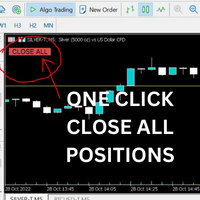
Just Attach to the Chart to be able to Click Button to Close all Open Positions in your Trading Account. Change Horizontal And Vertical Pixel based positioning for Button placement on chart. Appreciate your feedback and reviews. Note: All open positions on your trading account will be closed when button pressed.
If you need help with any simple utility happy to help.
FREE

Ghost Trail Pro is an intelligent Expert Advisor for MetaTrader 5 that manages the complete lifecycle of a gold (XAUUSD) trade. From detecting the setup and alerting your phone, to opening the trade, protecting profits and closing positions in stages, Ghost Trail Pro does the heavy lifting so you don't have to.
Built for gold traders and scalpers who want disciplined trade management, partial closes and profit protection, whether you are at your screen or away from it. Let it enter automaticall
FREE

Overview Copy Trades Master is a high-performance local signal broadcaster for MetaTrader 5. It tracks active positions on your master account in real time and streams execution data directly to one or multiple SlaveCopier terminals running on the same PC or local network via ultra-fast local file IPC ( FILE_COMMON ). https://www.mql5.com/en/market/product/189485 Key Features Local Common-File IPC: Uses local file streaming ( MQL5\Files ) for near-zero latency execution without requiring externa
FREE

批量止損止盈同步管理器 這是一款專為 MT5 多持倉交易者 設計的持倉管理工具。 當同一個商品、同一個方向同時有多張持倉時,只需要手動修改其中一張持倉的 Stop Loss(SL)或 Take Profit(TP) ,工具就會自動把該持倉目前完整的 SL / TP,同步到其他相同商品、相同方向的持倉。 例如: XAUUSD BUY #1 XAUUSD BUY #2 XAUUSD BUY #3 如果將 #1 修改為: SL = 3300 TP = 3500 其他 XAUUSD BUY 持倉會自動同步成相同設定。 主要功能 批量同步 Stop Loss 批量同步 Take Profit 可同時同步 SL + TP 支援將 SL 或 TP 設為 0,批量移除 BUY 與 SELL 分開管理 不同商品分開管理 新開持倉不會立即觸發整批同步 啟動時只記錄現有持倉,不會自動修改 平倉後自動移除內部紀錄 一個圖表即可管理帳戶中的多個商品 分組方式 工具以: 商品 + 交易方向 作為同步群組。 例如: XAUUSD BUY XAUUSD SELL EURUSD BUY EURUSD SELL 全部視
FREE

One-click breakeven management tool for manual traders.
FEATURES - Move all open positions to breakeven with one click - Close all positions instantly - Cancel all pending orders - Draggable dark-theme panel with collapse toggle - Configurable buffer in pips - Visual feedback on every action - Works with all symbols and account types
HOW TO USE 1. Attach to any chart 2. Panel appears with position count and buffer display 3. Click BREAKEVEN ALL to move SL to entry price plus buffer 4. Click C
FREE

在同一个账户上运行多个EA,会让人难以一眼分辨出究竟是哪种策略在实际提升或拖累您的权益。
Phoenix Magic Number Dashboard 会自动按魔术号码对您的持仓和平仓交易进行分组,因此您可以并排查看每个EA的实时和已平仓表现,并查看整个账户的总计数据。
它如何让多EA账户一目了然
- 自动检测活跃的魔术号码,或手动追踪列表
- 按EA显示持仓头寸、未平仓盈利、已平仓交易及已平仓盈利
- 可选的“交易品种数”列,显示每个EA正在交易的品种数量
- 包含汇总数据和最后更新时间的账户总览行
- 采用颜色编码的盈亏阈值
警报
当EA的业绩超过您设定的盈亏阈值时,系统将发出声音和推送通知。
使用Phoenix Magic Number Dashboard可:
- 查看当前究竟是哪只EA在推动账户业绩
- 在表现不佳的策略侵蚀其他EA的收益之前及时发现
- 通过单一视图全面掌握多EA账户状况,无需逐一检查持仓
使用方法
1. 附加到任意图表;系统将自动检测魔术号码。
2. 查看汇总行,了解您正在运行的所有EA的账户
FREE
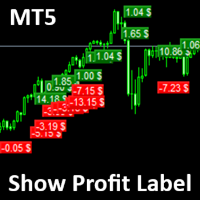
Show Label
Show your profit or loss next to the candle. This is a helpful tool if an EA don't have this feature build in. Support and questions via MQL5 product comments. For questions, updates, and to connect with other traders, join my official MQL5 group ForexEAandMore
Settings: Font color Background color for profits Background color for losses Font size Horizontal shift from candle (pixels) Vertical shift from candle high/low (pixels) Magic number filter (0 = all trades) Comment filter
FREE

SmartT AI Levels (MT5) is a professional utility that displays trading levels generated by SmartT’s autonomous AI Traders - fully independent algorithmic models, each with its own unique trading behavior, logic, and risk pattern.
Every AI Trader evaluates the market separately and produces its own Entry, SL, and TP levels.
This tool does not merge or combine models. It simply retrieves the selected AI Trader’s output and displays its exact levels on your MT5 chart.
This tool is not free and re
FREE

测试您的交易思路并查看它们在市场中的表现从未如此简单。只需在图表上点击4次,选择过去的任何"密码"模式,将其添加到回测列表中,完成!您将获得每个交易品种和时间框架的完整数据分析。
密码策略教程
请注意,机器人在策略测试器中不起作用 四次点击即可选择密码 自动调整止损和盈利目标水平 多种资金管理策略:每笔交易的风险百分比,固定金额交易,固定手数交易 验证密码策略以避免无效模式 通过选择过去的密码进行简单回测,并生成交易品种和时间框架的数据分析 分析包括交易数量,胜率,利润,目标命中率,平均收益与风险比率 适用于运行缓慢的计算机或虚拟专用服务器的特殊模式 未来更新将包括策略优化,更多统计数据(如最大回撤)和分析选项 。
FREE

Goal Tracker & Risk Guard Goal Tracker & Risk Guard is a professional on-chart dashboard and psychological assistant designed for every trader. It helps you maintain strict trading discipline, hit your profit targets, and protect your account from severe drawdowns and overtrading. Stop relying on emotions and let this indicator keep your risk in check! Key Features: Profit Targets: Set your custom Daily, Weekly, and Monthly profit targets (in %). The panel tracks your closed trades and fills a g
FREE

Axilgo Pip Piper CoPilot Elevate your trading game with the Axilgo Pip Piper CoPilot, the first in our revolutionary Pip Piper Series. This all-inclusive toolset is meticulously crafted for serious traders, focusing on key areas such as Risk Management, Trade Management, Prop Firm Rule Compliance, and Advanced Account Management . With CoPilot, you’re not just investing in a tool—you’re gaining a strategic partner in the intricate world of trading. Important Notice: To ensure you receive the fu
FREE

轻量级、实时的交易时段可视化工具,具备 Tick 级价格跟踪与零图表延迟。 Session Overlays Mastery Core 为您提供清晰、机构级的亚盘、伦盘和美盘交易时段视图,既不会打乱图表布局,也不会拖慢终端运行速度。 与在每个 K 线结束时不断删除、重绘和闪烁的传统时段指标不同,Session Overlays Mastery Core 对历史时段仅处理一次,并在每个 Tick 实时跟踪当前活跃的时段。即便在极端的市场波动或重磅新闻引发剧烈行情时,价格也绝不会突破活跃覆盖区的边界。 核心特性 实时 Tick 级价格包含: 动态活跃时段框能实时随价格波幅瞬间拉伸。K 线绝不会溢出当前覆盖区边界。 零闪烁架构: 历史时段框在加载时一次性生成并锁定。彻底消除终端延迟、CPU 占有率飙升以及令人烦躁的图表图元刷新。 高/低价开盘分段可视化: 在开盘价上方和下方显示不同的视觉区域,轻松识别开盘推动行情、价格拓展及关键价格水平。 自动识别市场引擎: 开箱即用,支持外汇开盘配对、黄金 (XAUUSD) 以及主要股指 (US30, NAS100, SPX500, DAX)。 内置时段警
FREE

A2 Trade Manager Finale EA is an EA that made for you that like SCALPING, HEDGING, or LONG TIME TRADING. FREE FOR DEMO ACCOUNT ONLY!!!!
Features : TRADING INFORMATION Total Equity information Running Total Profit / Loss information Margin Level information Running Profit / Loss each trade BUY and SELL (if Hedging) Total Lots information Current timeframe remaining Daily Profit / Loss information All time Profit / Loss information Local Currency conversion
TRADE MANAGER BUTTON Order Sell / Buy
FREE

GRInvest Breakeven Manager is an MT5 trade-management Expert Advisor designed to manage existing open positions after entry. Its purpose is to automate breakeven protection, staged partial closes, trailing stops and position management while still giving the trader full manual control over individual trades. The EA does not need to open trades itself . It can manage manual trades and trades opened by other Expert Advisors according to the selected symbol, direction and magic-number filters. The
FREE

QuantumFX Trade Manager Advanced Order & Risk Control Utility for MT5 QuantumFX Trade Manager is a powerful, professional-grade trade management utility designed for traders who want absolute control over execution, risk, and position handling — directly from an intuitive on-chart panel. Built for manual, semi-automated, and discretionary traders , QuantumFX transforms MetaTrader 5 into a precision trading workstation , allowing you to manage trades faster, safer, and smarter. What
FREE

Middle Line —— 管理交易的必备工具! 这款 MetaTrader 5 脚本可以帮助交易者计算两个平均价格水平: 总平均价格 :计算所有未平仓订单的平均入场点。 去掉最优订单后的平均价格 :帮助交易者判断如何调整仓位,降低风险。 功能展示 Middle Line 会直接在图表上显示计算结果: 实线 —— 显示所有订单的总平均价格。 虚线 —— 显示去掉最佳订单后的平均价格。 通过这些数据,您可以快速判断如何调整仓位,优化交易决策。 为什么选择 Middle Line? 省时高效 :自动计算结果,立即显示在图表上。 精确分析 :基于每笔订单的交易量,提供更精确的数据。 通用性强 :适用于各种交易工具和交易策略。 易用性高 :结果不仅显示在图表上,还会在终端窗口显示。 适合谁使用 Middle Line? 适合进行网格交易、加仓或对冲的交易者。 想快速看到关键入场点的交易者。 想省去繁琐计算时间,专注做出决策的交易者。 使用 Middle Line,帮助您更好地管理交易! Middle Line 的最新升级 Middle Line 是脚本 Seredina 的增强版 ( 链
FREE

Optimize your trading management with Breakeven Bot, the essential tool for active traders managing multiple positions at once. No more wasting time manually adjusting your stops—one click is all it takes to secure your profits! Main Feature:
️ "BREAKEVEN" Button – Instantly set all profitable positions to breakeven and protect your gains quickly. ️ Customization Options:
Set breakeven in pips or currency, depending on your preference.
Choose whether breakeven should be at the entr
FREE

Z TradeInfo — торговая панель с виртуальными TP/SL и линией безубытка Z TradeInfo — удобная торговая панель, которая совмещает контроль позиций, быструю торговлю одной кнопкой и наглядное управление рисками прямо на графике. Информационная панель Баланс и прибыль дня (рассчитывается по истории сделок за текущий день, включая комиссию и своп); Текущий спред и цена символа (цена окрашивается в зелёный/красный в зависимости от направления движения); Настраиваемые цвета, шрифт и прозрачность; Панель
FREE

历史订单统计 (Advanced History Collector Panel) MT5 版本 历史订单统计 是一款专为 MetaTrader 5 (MT5) 设计的高级账户分析与可视化工具。它能够深度复盘您的交易历史,将枯燥的成交数据转化为直观的图表与详细的统计报表。 核心功能: 多维度数据统计 :精准计算每日/周/月的盈亏、订单总量、多空对比及手数分布。 可视化图表系统 :内置盈亏折线图、净值曲线、持仓品种分布柱状图等多种统计视图,支持实时动态绘制。 深度风险分析 :自动统计最大浮盈、最大浮亏及账户余额变动,助您洞察资金管理中的薄弱环节。 高度自定义 UI :支持字体、颜色、面板尺寸及统计时间范围的完全自定义,适配各种分辨率屏幕。 数据自动化 :支持历史数据导出与自动加载,确保统计结果的连续性与实时更新。 无论是复盘交易策略还是日常资金监控,本指标都是您提升交易纪律、优化风控的得力助手。
FREE

The utility is a checklist where you can write all the rules of your trading system and keep it on the chart in front of your eyes. As a rule is executed, mark it with a tick. To the right of each rule, you can write the "strength" (percentage) of the rule. And if there is a tick next to the rule, then all "forces" are summed up in the "Total" line.
For the convenience of visual perception, you can set the color for displaying the “Total” value.
Panel options: Title - The title of the panel N
FREE

Free Slave Version – Remote Trade Receiver MT5.
This is the FREE Slave version of our professional Remote Trade Copier system. It allows you to receive trades from a Master account running our full Copy Trade solution. Designed for simplicity and reliability, this version is read-only and cannot send trades or operate independently.
Key Features: One-click setup – simply connect to the Master. Fast and accurate order copying. Supports all symbols, order types, and brokers. Minimal resource us
FREE
您知道为什么MetaTrader市场是出售交易策略和技术指标的最佳场所吗?不需要广告或软件保护,没有支付的麻烦。一切都在MetaTrader市场提供。
