 MetaTrader 5
 专家
专家
 指标
指标
 程序库
程序库
 实用工具
实用工具
 窗口小部件
窗口小部件
 规则
规则
MetaTrader 5 交易实用工具 - 44
 以下是可在MetaTrader 5中简化交易的交易程序。将鼠标悬停在一个工具上,阅读它的描述和用途。
- Go up one more level with the most important Tools to Analyze the Market, such as drawing Horizontal and Dynamic Lines, Zones, Ratios, Trap Level Strategy, Impulse Projection, Bar Information with precision, automatic drawing of the most important Opening Levels (Open Day , Open Week, Open Month, Open Year), floating boxes on the chart where we can see the Countdown of each bar, the Spread and ATR indicator, an independent Panel with buttons for all options and shows the symbol, Time Frames,

一个强大的工具,用于分析币安交易所上的任何加密货币并监控主要关键信号(在币安上,还有任何 MT5 经纪商的任何符号)。
好处:
一体!!!您不再需要不同的产品来下载历史记录和获取在线币安数据。 通过电报、移动终端和邮件发送信号,您可以随时掌握市场信息。 灵活的信号设置以及在图表上绘制水平、区域和模式以监控突破和反弹的能力。 要工作,您需要设置允许的网址:
服务 - >> 设置 - >> EA 交易 - >> 允许以下 URL 的 WebRequest - >> 添加到列表中:
https://api.binance.com https://api.telegram.org 促销:
该产品每购买五次后,将根据购买者的意愿在产品中添加两个新信号。新版本将免费提供给所有买家。购买 - 发表评论 - 写下您对信号的期望,您的投票将被考虑在内。 如果您购买了该开发商的两个或多个产品(例如,这个和一个交易面板),那么将为您添加一个信号,您个人想要的那个! 所有问题都可以在一个小组中提问
设置:
负载图表的符号列表 - 将从币安服务器下载的符号列表,它们可以使用任何 MT 工具/指

The trend in the market can be predicted using trend lines but the problem is you don’t know where exactly the price is going to touch the trend line where you can put your pending orders on. Smart Channel Expert Advisor makes it possible to put an advanced channel around the price data, which can be configured to handle placing orders, opening and closing positions, managing risk per trade, spread, slippage, and trailing stop-loss and take-profit automatically. Features Money Management (Calcul

I know, you have an idea for an EA and would like to develop your own without the need of a programmer? Then LT Sandbox EA will help you with that! As the name says (sandbox), you can configure it the way you want (within your limitations, of course). With it you can use up to 13 indicators, including an external indicator (from a third party), being able to make dozens of combinations! Available indicators: Moving Average (two of them) RSI Stochastic Oscillator MACD Bollinger Bands Parabolic S

EA Functionality -------------------------------------------------------------------------------------------------------------------------------- - The EA automatically sets SL (Stop Loss) of the specified size in points for each position immediately after opening position; - EA will close all open positions if their losses exceed the set amount; - Close all positions biggest then set limit; Position automatically closed if it bigger than set limit; - New function how much you can loss per day.
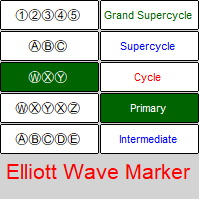
艾略特波浪标记 - 用于标记 Elliott 波形图的面板 。 该实用程序允许您快速标记图表(应用标记、更改和删除)。 输入参数: 字体:EwaPro、Arial、EliotWaveMine。 (下载字体: https ://disk.yandex.ru/d/Pxwg7cI_cYh6_Q) 三重组合中的第二个“X”(“X”或“XX”) 波浪级别的颜色(Grand Supercycle、Supercycle、Cycle、Primary、Intermediate、Minor、Minute、Minuette、Subminuette)
为方便起见,实现: 快速选择(从面板)波浪水平、修正和脉冲组合、字体大小、时间范围 - 用于绘制新字母和数字并进行更改。 更改对象的属性(立即针对一组字符)-颜色,字体大小,时间范围-从对象的属性(对于他们更改的一个图形对象-整个组发生的更改) 一次删除整个组 带时间表的折叠桌 将面板移动到图表上的任何位置 隐藏和显示面板

Trade Copier Agent 旨在复制多个 MetaTrader(4/5) 账户/终端之间的交易。 使用此工具,您可以充当提供者(源)或接收者(目的地)。所有交易行为都将立即从提供者复制到接收者。 该工具允许您在同一台计算机上的多个 MetaTrader 终端之间复制交易,复制速度快如闪电,不到 0.5 秒。 贸易复印机代理安装和输入指南 请在开始复制之前或没有订单时在提供商帐户上应用设置!
有订单时的任何更改都会影响收款人帐户。 例如:如果提供者账户应用买单然后禁用接收者账户上的所有买单将被关闭。
如果您想获得有关 EA 添加 URL ( http://autofxhub.com ) MT4 终端的通知(请参阅屏幕截图)。 MT5版本 https://www.mql5.com/en/market/product/77134 以下是亮点功能: 在 MT4 和 MT5 账户之间复制。 在一个工具内切换提供者或接收者。 每个账户既可以作为Provider又可以作为Receiver,因此账户之间可以通过2种传输方式相互复制。这就像一个贸易共享网络。 一个提供者可以将交易复
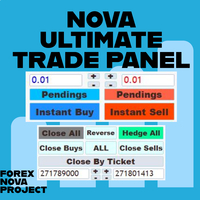
我认为您想在一个地方使用 Metatrader 平台的许多漂亮功能而不会错过。
我们专门为您设计了一个交易面板。满足您错过的所有神奇功能。
Nova Ultimate Trade Panel 为您提供最佳便捷的交易体验!
它是一个辅助面板,运行速度非常快,并且经过编码可以满足您的所有要求。
您可以在所有贸易交易中轻松使用它,并在最高级别利用其所有功能。
Nova Ultimate Trade Panel 设计为动态面板,可以拖动、移动和最小化尺寸。
先说一下它的内置功能;
您可以使用箭头键和带有数据输入的框来快速交易并根据需要更改交易(手)的大小。 您可以进行待处理交易并更改您的交易设置。 您可以使用箭头键、切换框和动态手动拖动水平移动线设置所有交易和挂单交易的获利和止损水平。在图表上绘制动态线,当水平发生变化时,Nova 交易面板上的 TP 和 SL 水平也会发生变化。 借助群组开仓区域,您可以一次对包含货币的所有对符号进行买入或卖出交易。例如,如果选择 EUR 组,组开仓选项设置为 ON 并按下 Instant Buy 按钮,则为所有含欧元的货币对打开 Bu

Instead of sticking to the Charts,let's use ALL IN ONE KEYLEVEL Announcement: We are pleased to announce the latest version 14.02 of the One In One Keylevel product. This is a reliable product that has been upgraded with many new features and improvements to make your work easier and more efficient. Currently, we have a special promotion for this new version. The current discounted price is $500, and there are only 32 units left. After that, the price will increase to $1000, and will continue to

MetaTrader 新闻面板是一款在 MetaTrader 交易平台内显示经济日历数据的工具。该工具从外部来源(例如财经新闻网站或数据提供商)获取经济新闻和数据发布,并以易于阅读的格式显示它们。 该工具允许交易者按来源、时区、影响级别、货币和通知方式过滤新闻发布。它还包括一个刷新按钮,使用户能够手动更新数据并确保他们拥有最新的可用信息。 新闻面板安装和输入指南 您必须将数据源的 URL 添加到选项 -> Expert Advisors ->“允许对列出的 URL 进行 WebRequest”,以便让新闻面板从源加载新闻数据 (参见屏幕截图)。 MT4版本 https://www.mql5.com/en/market/product/77300 MT5版本 https://www.mql5.com/en/market/product/77301 主要特点:
新闻载有完整的详细信息(解释、效果、频率等)。 随时手动刷新数据。 过滤要显示的新闻类型(影响、货币等)。 在即将发布的新闻发布之前发出警报。 在即将发布的新闻发布之前向您的手机和/或电子邮件发送通知。 该工具的

Tool that gives the possibility to test your strategy manually on historical data in the Metatrader 5 Strategy Tester application.
It is based on an EA that can only be used in the strategy tester and in visual mode.
The EA provides the possibility to configure, through input parameters, the display of different indicators: 3 Moving Average RSI Stochastic MACD Alligator Bollinger Bands Parabolic SAR Envelopes Fractals Ichimoku CCI
Due to the limitations of the Mt5 strategy tester, such as th

Trade Informer HVZ is a utility that allows you to display trading results (open and closed positions) using filters for trading instruments and Magic Numbers of Expert Advisors. The results are displayed as a horizontal or vertical table or as separate blocks. Full list of displayed parameters:
List of analyzed instruments List of Magic Balance of open positions Result of closed positions for today The result of closed positions for the previous day
The result of closed positions for the c
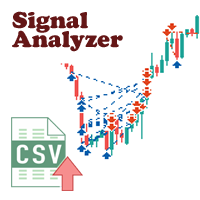
MQL5网站上有大量高质量的信号,学习他们是拓宽思路和提高自己很好的途径。 信号的交易记录可以下载,以csv文件格式保存 下来,但观看这些文本信息是很困难的。 Signal Analyzer有2种使用模式: 1. 可以导入下载下来的csv文件,并将他们在 MT5的图表窗口中显示出每条交易记录。 2. 设置好参数后,使用策略测试器进行历史文件回测。 *** SignalAnalyzer 使用方法如下: *** 1. 从MQL5网站下载csv格式的交易记录。 *** 2. 将下载的csv文件放入MT5终端公共文件夹的Files文件夹中。 *** 3. 启动MetaTrader 5 终端,打开需要分析货币对的图表。 *** 4. 将 'SignalAnalyzer' 附加的图表上,设置如下参数: *** 1) file name: csv 文件名称,如12345.positions.csv。 *** 2) symbol filter: 需要分析的货币对名称,如EURUSD(留空表示当前货币对)。 *** 3) hour offset: 时间偏移量。当时区不一致时使用。

Easy Copier Limited is utility tool to copy trade / trade copier form one account (master) to other account (slave) . It works only with a single forex ( EURUSD ) . You can use this tool as local copier ( Terminals have to be in same PC / VPS ) as well as Remote Copier ( Terminals can be in different PC / VPS ). For remote copy you can use my server or it can be configured to your server . Trades are possible to copy from MT4 => MT4 MT4 => MT5 MT5 => MT5 MT5 => M

Candlestick Pattern Scanner is a multi-timeframe and multi-symbol dashboard and alert system that checks all timeframes and currency pairs for different candlestick patterns that are formed in them. Scanner is integrated with support and resistance zones so you can check the candlestick patterns in most important areas of the chart to find breakout and reversal patterns in the price chart. Download demo version (works on M4,M6,M12,H3,H8 timeframes and 20 symbols of Market Watch window) Read

Ichimoku Assistant is a multi-timeframe panel and alert system that scans all timeframes for multiple rules related to different ichimoku strategies. The Ichimoku indicator has 5 different lines, including Tenkan-sen, Kijun-sen, Senku Span A, Senku Span B and Chikou Span. This scanner checks the status of these lines compared to each other and gives alerts based on your selected rules. If you are using ichimoku kinko hyo in your trading strategy, this scanner and its alert and filtering system i

Hello, Every one
Close All Button
A script to close all market positions and/or pending orders.
----------------------------------------------------------------------------------- This is Close All market positions and/or pending orders button
You can close all orders in 1 second by one click
Download for Demo Account:
Download on Demo Account: Close All in 1s v1.4 Only Demo.ex5 - Google Drive Free version: https://www.mql5.com/en/market/product/74159 For send Trade notification to Your

信息 - NETTING 帐户的面板 主(顶部)行显示当前交易的当前利润(亏损) - 通过 计算 确定。 图上。第 1 位:在顶部,自交易开始以来的盈亏。在示例中:5,536.97。该金额按照计算工具抵押品金额(保证金要求金额)的方法计算。在示例中: FORTS 期货模式 - 在 FORTS 上交易期货合约的保证金和利润计算。 底线显示有关整个交易的信息。这些信息是从历史中收集的。在示例中买入 1/- = 买入 1 份合约。例如,如果 买入 2/1 = 输入两个,则部分关闭(一个)。 按钮“所有订单”和“Fin.res”。 :显示当前持仓数据和历史中的所有订单(针对当前交易)。该示例包含一个变化边距(清算):var.marg。价格(保证金收盘)固定利润 5722.57。此外,从清算价格 153270 开始计算。 在图的最上面一行。 #1 入场价格不取决于清算。因此,符合当前仓位利润-185.59 和计算利润+ 5536.97。在这种情况下,第二行总结了当前仓位的利润和清算利润。
设置选项: 英语、俄语 背景颜色、文本、利润、损失 图表显示开盘价线 可自定义的工具信息列表:(面板

所有活跃和待定交易的潜在损失: 如果达到止损水平(或如果未设置止损水平,则为当前浮动亏损) 我的 #1多功能工具: 66+个功能,包括此指标 | 联系我 任何问题 | MT4版本 在输入设置中 您可以调整: 计算方法 : 账户货币 / 点数 / 余额百分比 图表上的位置: 左下 / 右下 / 左上 / 右上角
字体: 颜色、大小和样式 您可以选择将 掉期和佣金成本 包含在计算中 使用“% / 余额”方法时的计算基础:账户余额 / 可用保证金 / 当前净值 我的 #1多功能工具: 66+个功能,包括此指标 | 联系我 任何问题 | MT4版本 //----------------------------------- 我的 #1多功能工具: 66+个功能,包括此指标 | 联系我 任何问题 | MT4版本

用户手册:智能交易系统“通用指标连接器”
本系统是一个高性能自动化桥接器,无需重新编程即可执行任何自定义指标(.ex5)的信号。该智能交易系统充当智能订单管理器,允许您将退出规则、资金风险管理和时间控制应用于原本仅用于视觉控制的策略。
1. 指标链接配置
要使智能交易系统正常工作,您必须正确“映射”外部指标:
指标名称:指标文件夹中的指标文件的确切名称。
信号类型:
K线内:信号出现后立即执行订单。
K线收盘后:等待K线收盘以确认信号,避免“重绘”。
买入/卖出缓冲区大小:指定指标生成箭头的通道数(0、1等)。
操作类型:筛选条件,仅允许买入、仅允许卖出或两者兼有。
添加到图表:启用后,指标将自动绘制在图表上。
2. 风险与资金管理(资金管理)
系统提供三种计算仓位大小的方法:
FIX_LOT:用户自定义的固定手数。
LOT_RISK_MONEY:根据止损位计算承担固定金额风险所需的手数。
LOT_RISK_PERCENT_BALANCE:承担总余额的百分比风险(例如,1%)。
SL/TP 点数:以点数表示的保护和目标价位。注意:使用 0 表示不设固定

MASS DESTROYER-MANUAL Most scalping robot open several positions in a matter of time.
In emergency situations where say over 30 positions are running at the same time and all these trades are going negative,
manually closing all of these positions can make your losses even bigger because of spreads and other market conditions This is where DEST001 comes in.. This robot has been designed such that positions are closed in a matter of microseconds.
The trader can chose some parameters as filt
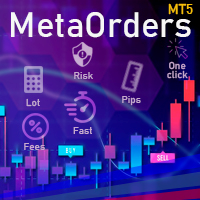
This trading tool will help You to place your orders faster , specify its parameters easier and control your risks more clearly. It allows You to use lines on a chart to set the entry price, stop loss, take profit for any order, considering the specified percentage of risk from the deposit or a fixed lot, and place it in one click. It automatically detects a broker’s commission and takes it into account during calculations. It also calculates available for new order funds based on already opene

NEW : integration with Ofir Signals to send personalized alerts Ofir Notify is a tool which send alerts on trades to Telegram Alert on any event concerning a position : Opening, Closing, modification (SL, TP) Send alerts to Chats, Groups and Channel Alert on Equity change Display Risk, Reward and progress of profit/lost for each position Customization of alerts Sending charts screenshots with alerts Send signals from your indicators or experts Multi-lingual NEW : version 2 brings integrati

The EA Protection Filter ( MT4 version here ) provides a news filter as well as a stock market crash filter, which can be used in combination with other EAs. Therefore, it serves as an additional protective layer for other EAs that do provide such filters. During backtest analysis of my own night scalpers, which already use a stock market crash filter, I noticed that the historic drawdown, especially during stock market crash phases like 2007-2008, was reduced significantly by using such a fil

請務必在 www.Robertsfx.com 加入我們的 Discord 社區,您也可以在 robertsfx.com 購買 EA 無論價格向哪個方向移動,都能贏得勝利 無論價格向哪個方向移動,該機器人都會根據價格的移動方向改變方向,從而獲勝。這是迄今為止最自由的交易方式。
因此,無論它向哪個方向移動,您都會贏(當價格移動到屏幕截圖中的任何一條紅線時,它會以您設置的利潤目標獲勝)。
您面臨的唯一風險是價格是否正在整合(停留在一個地方)。
對沖忍者是一種半自動交易工具,您可以使用下面的對沖設置進行設置。當您告訴它進行交易時,購買或出售它,然後為您處理一切。
每次機器人改變方向時,它都會彌補你之前的損失,所以當你到達任何一條紅線時,你的利潤將是你決定的。
一個好的經驗法則是使用相當高的風險來獲得回報,但是你在這個鏈接上知道如何交易這個機器人的交易秘密。你想要的是價格移動,一旦它開始移動,你就直接走向你的利潤資金:)
設置
ADR / 平均點差 ADR 是平均每日範圍,顯示該工具在一天內通常平均移動多少點。很高興知道這一點,因為您不希望該機器人在點差變得更高的市場展期中運行

EquityProtect provides hidden StopLoss, TakeProfit or TrailingStop based on the account equity. All orders of all symbols can be closed or just the chosen currency and/or just buys or sells or pending orders deleted. EquityProtect closes all or just defined orders when the account equity falls under or rises over a certain level. Besides EquityProtect can use the account equity as trailing stop. A comment in the chart shows the equity where the robot will react. An Alert can be activated and ope
This is Boleta Long & Short NT-HDG, an Expert Advisor created with the function that will make operations carried out in Long & Short much easier.
> With just one click it is possible to mount a position in two assets simultaneously, further accelerating your actions right after the decision has been made.
> With it, it is also possible to operate in Hedge accounts, being able to set up positions in the same asset, for those who have strategies for this purpose.
> Can be used in multiple mar

1. 这是什么 这是一个用于实时显示资金曲线的工具。MT5软件的历史订单只有表格的,当你的订单很多时,它看起来很麻烦。这个程序可以把你的历史交易订单以资金曲线图的形式画出来。这样你可以一目了然自己的交易水平怎么样,以及在哪里地方出的问题。 同时,MT5的策略回测虽然有资金曲线图,但是它并没有与价格一一匹配。所以使用起来非常麻烦。这个程序让价格曲线与资金曲线一一匹配,使用非常方便。 2. 特色 可以 把你的历史交易订单以资金曲线图的形式画出来,它可以根据不同的时间框画出不同的资金曲线。 它可以用于策略回测,用于实时显示你的EA策略怎么样。 它分为 三条资金曲线 。一条为仅显示做多,一条为仅显示做空,一条为包括所有。 以指标形式编程,不影响叠加其他的EA或指标。 3. 参数说明 InitDeposit = 5000; // Initial Deposit Inp_StartTime = 0; // History start time, 0 - all time Inp_ProfitNorm = false; // Is corrected position to 1.0 lots, de

Todo comerciante sabe que él o ella nunca deben arriesgar más del 5% (o 7%) por operación. Esta es una ley de administración de dinero y se debe calcular un tamaño de lote utilizable cada vez porque un comerciante debe usar un valor StopLoss diferente para diferentes niveles de negociación. Este indicador calculará un tamaño de lote apropiado para el momento en que lo colocará en el gráfico y cada vez arrastrará la "Línea de stop loss" en cualquier dirección.
OFERTA POR TIEMPO LIMITADO: Todos

The utility is designed to save funds on your trading account. There is support for three levels of minimum equity and free margin. For each level, you can set partial (by a certain percentage) or complete closing of all market orders. The partial close percentage is applied for each order separately based on its current size (i.e. the size at the time the equity or free margin reaches the appropriate level). Upon reaching the last third level, the utility can close all charts, which will make i

Painel informativo para day trade. Funciona em conta NETTING ou conta HEDGE. Tem a possibilidade de separar as infomrações dos trades conforme o número mágico de cada EA. Foi desenhado para melhor funcionamento no mercado futuro da B3. Durante as operações, o painel faz a plotagem das linhas de preço, stoploss e takeprofit (gain). Possui informações de volume, preço médio, lucro e stops. Mostra o histórico de ganhos diário, semanal, mensal e anual.
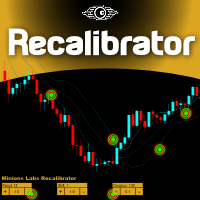
Once again, We Nailed It! Imagine a faster and smoother way to recalibrate ANY Indicator using just obvious and intuitive mouse clicks, realtime, real fast, real results on your chart just right after the Click... Instead of the boring "Open Settings dialog / Change one setting / Click OK / See what happens on Chart...", then repeat this process endlessly until you kill yourself!
Well... No More... Welcome to the Minions Labs Recalibrator tool!
Now you can Study, Trial, Experiment and Play with

MQLplus Charting
Inspired by good charting solutions available on the web, this utility finally brings some neat features to MT5 to make charting fun again. Current version supports following features: Free floating charts , similar to Tradingview A sophisticated Cross-Hair , with detailed data display Multi-Chart Cross-Hair sync function Measurement tool , showing account currency, points and period count as results Speed-Scrolling to move fast through markets history Snail-Scrolling to p

This trade copy utility allows you to instantly and seamlessly replicate and synchronize unlimited orders from multiple master accounts to multiple slave accounts on your local machine. You can create custom channels (or portfolios) with advanced filtering capabilities to copy from multiple master accounts to multiple slave accounts. Moreover, you can tailor these channels with a range of lot sizing and trade condition options to ensure that copied trades outperform the original source. You can

This EA is there to take your trade closing stress away. Quickly close as many trades as you have opened at the click of a button, INCLUDING PENDING ORDERS. This works on the MT5 platform whether it be currencies, Indices, stocks or Deriv synthetic indices. I have saved it under utilities as it is a utility, however, to install this, you have to save the file in you "EA" folder. That is; Go to "File", then "Open Data Folder", "MQL5" and then "Experts". Paste this file there. Restart MT5 and you'

Traders Toolbox Overwatch - 是所有 Traders Toolbox 运行实例的监控实用程序。
它是一个简单的图表切换实用程序和所有 Traders Toolbox Running 图表的市场观察。
特征:
1. 可定制的按钮颜色、行和列。
2. 三种信号类型(持有 - 黄色 / 卖出 - 红色 / 买入 - 绿色)
3. 根据 Traders Toolbox 的新实例或已关闭实例动态更新按钮列表
4.单击按钮将相关图表带到前台。
5. 买入和卖出信号以与您的 Traders Toolbox 图表信号匹配的百分比显示其信号强度。
请注意:该实用程序只能与 Traders Toolbox / Traders Toolbox Lite 结合使用,不能独立运行。
单击此处加入我们自己的社交网络,通过 Traders Toolbox 交换有关交易的想法
我们还有一个推荐经纪人列表,可以在我们的链接树上找到。 Linktree here.

This EA allows you to manage support and resistance zones on MetaTrader 5…but not only: To your buying and selling zones (you can configure 2 sellings zones and 2 buyings zones),
you can add 3 options (2 with multiframes) to enter a position:
Option 1: this is the option that enters a position without a signal: as soon as the price reaches the zone, the robot sends a trade.
Option 2: here the robot will wait for a break in the selected timeframe. Example: you put your zones on an H4 graph (fo

在此向大家介绍一款我本人使用多年的机器人。该产品支持半自动和全自动交易模式。 >>> Chat <<< 本程序包含基于经济日历新闻的灵活交易设置功能。不支持策略测试器检验。仅可进行实际操作。需在终端设置允许URL 列表中添加新闻网站。点击服务 > 设置 > 智能交易系统。选中“允许WebRequest对下列URL发出请求:”。添加下列(删除空格):https:// nfs.faireconomy.media 下載最新的設定檔: https://www.mql5.com/en/blogs/post/747929 訊號監控: https://www.mql5.com/en/signals/author/test-standart 请参考博客中各类参数说明自行实现个性化设置 : https://www.mql5.com/en/blogs/post/748545 。
主要默认设置说明 单一图表英镑/GBP(英镑美元/GBPUSD、欧元英镑/EURGBP、英镑日元/GBPJPY、英镑加拿大元/GBPCAD、英镑澳大利亚元/GBPAUD、英镑瑞士法郎/GBPCHF)货币对操作。英镑/

show live chart spot All symbol binance If you want to get this product with a 99% discount, send a message to my Telegram admin and rent this product for 1 $ per month or 10 $ per year. Even if you do not like the way the chart is displayed, you can tell the admin in Telegram how to display it so that your own expert is ready. https://t.me/Bella_ciao1997 https://t.me/Binance_to_mql5
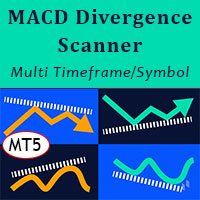
MACD Divergence Scanner is a multi-timeframe and multi-symbol dashboard and alert that checks all timeframes and symbols to find regular and hidden divergences between price chart and MACD indicator. This divergence scanner is integrated with support and resistance zones so you can check the MACD divergences in the most important areas of the chart to find trend reversals in the price chart. Download demo version (works on M4,M6,M12,M20,H3,H8 timeframes of 20 symbols of Market Watch window)
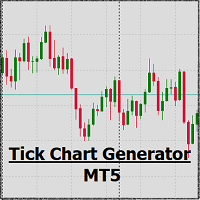
EA create custom Tick bar charts and provide real-time updates for MT5. This is an MT4 "offline" chart equivalent which is very simple to use. Generated Tick bar Chart compatible to MT5 indicator or template and perform your technical analysis with Multi timeframe analysis. The generator uses tick data to plot the historical tick chart for a particular setting and live ticks for plotting live charts. This method of calculation gives very accurate charts as no approximation is used. This EA creat

Trade on crypto exchanges in MT5! GRat_Crypto is a tool for manual and automated trading , including ANY available EA, ANY cryptocurrency on most popular crypto exchanges in the familiar MT5 environment 24/7. Features 1. ALL instruments of the 9 most popular crypto exchanges are available: Binance, BingX, Bybit, Coinbase, CoinEx, Kraken, KuCoin, MEXC and OKX . 2. The ability to place ANY type of order available in MT5, both market and pending, to modify orders and positions, to delete order

Утилита TemplateSwitcher позволяет автоматически переключать набор используемых на графике индикаторов и объектов в зависимости от текущего таймфрейма графика и/или символа. Часто бывает так, что на графике старшего таймфрейма используется индикатор с одним периодом расчета, а для младшего таймфрейма этот же индикатор необходим с увеличенным периодом расчета. Можно, конечно же, открыть два графика разных таймфреймов с нужными периодами индикатора. Но что, если мы не можем позволить себе дублиров
外汇计算器是每个交易者必备的程序。
此脚本允许您根据设置的止损点计算存款的百分比风险。
脚本的优点:
在每笔交易中,您始终清楚地知道自己在冒什么风险。 计算器考虑了合同的规格 数据输入风险和止损大小(以点为单位)只有 2 列 Robot Scalper - https://www.mql5.com/en/market/product/77108
选项
Risk_in_% - 您希望在交易中使用的风险百分比。
Stop_Loss_in_Pips - 以点为单位的估计止损大小。 使用外汇计算器,您可以在开仓前轻松计算风险,信息将显示为一个弹出窗口,指示开仓所需的手数。 这使您可以节省计算时间,并在打开最终交易时确保其打开结果。 您可以将热键附加到脚本,通过按下键盘上的按钮帮助您快速运行脚本。 如果您对脚本有任何疑问,请写在评论或个人消息中。 祝您交易成功且有利可图。

With this tool, you can easily and quickly close part of the trade. Click near the trade to display the closing panel. There are ten preset values for partial closing, but you can set your own values. You can also resize the panel according to Windows settings (125%, 150% ...) See the animation below for how it works. **********************************************************
Note: This tool does not work in the tester.

With this indicator you have displayed on the chart the optimal lot size for the forex pair. No need for manual calculations or losing time on websites where you have to input the values to get the optimal lot size. When adding the indicator to your chart change the values for maximum risk percentage (lossPrc) and for maximum loss in pips (lossInPips). If you like to try first the indicator you can download by clicking on this LINK . ATTENTION: This only works with forex pairs and it doesn't wor

Fibo + Elliott + CME
The Expert Adviso r is designed as an assistant for manual trading. Ready-made trading system based on Elliott waves and Fibonacci retracement levels . It is simple and affordable. Display of the marking of Elliott waves (main or alternative option) on the chart. Construction of horizontal levels, support and resistance lines, a channel. Superposition of Fibonacci levels on waves 1, 3, 5, A Display data from CME (CME - Chicago Mercantile Exchange Chicago Mercantile Excha

用于控制移动平均线指标的按钮允许您使用鼠标滚轮直接在图表上轻松更改指标周期。 无需多次将屏幕从图表切换到指标设置。 现在,您可以用鼠标控制指标周期。 只需点击按钮并滚动鼠标滚轮即可增加或减少移动平均线周期。 按钮可以放在任何方便的地方,一键固定使用。 您可以在一个图表上设置多个指标,并同时单独或全部管理它们。 界面尽可能方便,实际上不需要手动干预。 这个组件非常适合那些经常在交易策略中使用移动平均线指标的人。
可以在图表上不断工作!
安装工程:
-将"Button_MA"设置为图表。 将出现一个按钮来控制指示器和线本身. 您可以在一个窗口中设置多个指标,将为每个指标创建一个按钮。
-按钮出现在一排,一个接一个,但你可以将它们移动到主图表上的任何方便的地方。 一旦按钮固定到位,它们就不能移动。
-当按下按钮时,相应指示器的控制模式被激活。 与此同时,图形滚动模式被禁用。 当鼠标向前滚动时,MA周期增加,向后减少. 如果按下多个按钮,则多个指示器一次更改。 当按钮关闭时,指标停止变化,图表滚动模式恢复。
-当改变图表的周期时,按钮再次被放置在一行中,在初始位置。 与此同
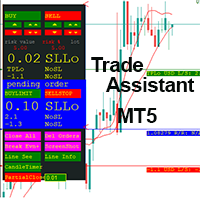
This EA is a trade management tool for Mt5 and Mt4. Mt4 version will find the Mt4 section here: https://www.mql5.com/en/market/product/80214?source=Site +Market+MT4+Utility+New+Rating006. It was to make a way for the trader to make the initial decision of when and which direction to enter. The trader decides in advance whether he wants the robot to take or stop an order. He also decides what new lot size, percent size or money size to use on each trade. On a live chart you can place

Fast, Efficient and Precise. With the Calculator from PhipsProduction you have your risk under control with just a few clicks. Thanks to the easy handling and the visual risk area, the calculator is not only perfect for experienced traders, its also a must for new market participants. The program is suitable for all Account Currencys and common MetaTrader markets. (except bonds of all kinds)
To the Deluxe Edition: https://www.mql5.com/en/market/product/81428?source=Site+Profile
Application:

This tool will assist all those who trade the forex market manually. It will help them in a sense that it will calculate the required margin in order to initiate a trade. This calculator is so simple to use that a that the user only inputs only 2 pieces of information. which are Price and Lot size the trader wishes to take. All other information needed to calculate the calculator will work it out by itself. It will run or calculate on the current opened chart. As the name suggest it's

AUTOMATIC TRADE COPIER for local * use . (copy trades between several metatrader terminals on the local computer/ *or GLOBALLY after setting your network /server !)
Can copy trades from one or several main MT5 accounts to several MT5 and MT4 accounts (no limit). For MT5 to MT4 copy you have to also get version for Metatrader 4 here : https://www.mql5.com/en/market/product/80842 - very fast execution (theoretically up to 5ms delay, depends on computer speed)
- user can set speed of copy

Welcome to TradeX Chart Trading Netting and Hedge accounts. Functionalities SHIFT to buy; CTRL to sell; Breakeven; Visual flag of pending orders on the chart; Blocking the BUY/EJECT/SELL buttons to prevent accidental sending of orders; Spread visualization when clicking on the asset being traded; Candlestick countdown; List of open positions; Percentage balance of all transactions for the current day. Warning It does not work in Strategy Tester. Updates and improvements coming soon!
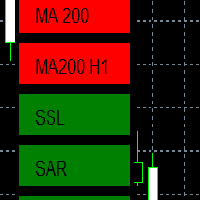
EMA - The exponential moving average (EMA) is one of the most commonly utilized forex trading tools. Traders use the EMA overlay on their trading charts to determine entry and exit points of a trade based on where the price action sits on the EMA. If it is high, the trader may consider a sale or short sale, and conversely if it is low, a buy.
SSL - Known as the SSL, the S emaphore S ignal L evel channel chart alert is an indicator that combines moving averages to provide you with a cle

Evening Scalper Pro is the state-of-the-art mean-reversion trading system that operates during all trading session. It's very different from most other scalping systems, since it uses a unique trading logic on cross pairs that have a strong mean-reverting tendency with high profit targets. EA not enters the market with market orders, it does not open trades. In terms of a trade duration, it's classical scalping: in and out of the trade within a few hours at the most. The EA uses a number of adv
Best for Technical Analysis
You can set from one key shortcut for graphical tool or chart control for technical analysis. Graphic design software / CAD-like smooth drawing experience. Best for price action traders.
Sync Drawing Objects
You don’t need to repeat drawing the same trend line on the other charts. Shortcuts do that for you automatically. Of course, any additional modifications of the object immediately apply to the other charts too.
Colors depend on Timeframe
Organize drawings with
Trade script for placing pending orders Buy Stop, buy limit, sell stop and sell limit. In addition, by marking the level of stop orders, the script calculates the size of the open position on the basis of 1% of the risk per trade. A trade consists of two deals opened in one and the same point. This is achieved by splitting the obtained value into two trades. And the position size (two deals) is calculated due to the three known (the level of opening a deal, stop order and deposit size) and the

Fast, Efficient, Precise, simply DELUXE. With the Calculator from PhipsProduction you have your risk under control with just a few clicks. Thanks to the easy handling and the visual risk area, the calculator is not only perfect for experienced traders, but also a must for new market participants. The program is suitable for all MetaTrader account currencies and common markets. (except bonds of all kinds)
Many new functions await you with the Deluxe Calculator. -Thanks to the new pre-calculatio

Live Forex Signals 专为现场信号交易而设计 https://live-forex-signals.com/en 和 https://foresignal.com/en . Live Forex Signal for MetaTrader 4 https://www.mql5.com/en/market/product/81445
参数 如果您已订阅网站,则用户名和密码live-forex-signals.com/foresignal.com ,然后您应该使用您的凭据填写这些参数;如果没有订阅,则将字段留空; 评论对正在开启的交易的评论 风险风险作为交易存款的百分比,如果风险=0,则使用价值地段 固定交易量 使用获利使用从网站获利 UseStopLoss从网站使用止损 FrequencySignalUpdateInMinute顾问访问网站的频率 交易的最大点差交易的最大允许点差,如果点差较高,则设置的挂单被取消 使用追踪止损 TrailingStop跟踪止损的值以点为单位
为了使实时外汇信号正常工作,您需要放置网站地址 https://live-forex

Gold instrument scanner is the chart pattern scanner to detect the triangle pattern, falling wedge pattern, rising wedge pattern, channel pattern and so on. Gold instrument scanner uses highly sophisticated pattern detection algorithm. However, we have designed it in the easy to use and intuitive manner. Advanced Price Pattern Scanner will show all the patterns in your chart in the most efficient format for your trading. You do not have to do tedious manual pattern detection any more. Plus you

Gold Wire Trader MT5 trades using the RSI Indicator. It offers many customizable RSI trading scenarios and flexible position management settings, plus many useful features like customizable trading sessions, a martingale and inverse martingale mode.
The EA implements the following entry strategies, that can be enabled or disabled at will:
Trade when the RSI Indicator is oversold or overbought Trade when the RSI comes back from an oversold or overbought condition Four different trading behavio

Gold trend scanner MT5 a multi symbol multi timeframe dashboard that monitors and analyzes Average True Range indicator value in up to 28 symbols and 9 timeframes in 3 modes :
It shows the ATR indicator value in all pairs and timeframes and signals when the ATR value reaches a maximum or minimum in a given duration. Short term ATR/Long term ATR ratio: It shows ratio of 2 ATRs with different periods. It's useful in detecting short term volatility and explosive moves. ATR Value/Spread ratio: S

Attention: this is a multicurrency EA, which trades by several pairs from one chart! Therefore, in order to avoid duplicate trades, it is necessary to attach EA only to one chart, ---> all trading in all pairs is conducted only from one chart! we can trade simultaneously in three different pairs, as by default (EURUSD + GBPUSD + AUDUSD), which take into account the correlation when entering the market for all three; we can trade only EURUSD (or any currency pair) and at the same time take into

A triangular arbitrage strategy exploits inefficiencies between three related currency pairs, placing offsetting transactions which cancel each other for a net profit when the inefficiency is resolved. A deal involves three trades, exchanging the initial currency for a second, the second currency for a third, and the third currency for the initial. With the third trade, the arbitrageur locks in a zero-risk profit from the discrepancy that exists when the market cross exchange rate is not aligned

Gold index expert MT5 Wizard uses Multi-timeframe analysis. In simpler terms, the indicator monitors 2 timeframes. A higher timeframe and a lower timeframe. The indicator determines the trend by analyzing order flow and structure on the higher timeframe(4 hour for instance). Once the trend and order flow have been determined the indicator then uses previous market structure and price action to accurately determine high probability reversal zones.
Once the high probability reversal zone has bee

Golden Route home MT5 calculates the average prices of BUY (LONG) and SELL (SHORT) open positions, taking into account the size of open positions, commissions and swaps.
The indicator builds the average line of LONG open positions, after crossing which, from the bottom up, the total profit for all LONG positions for the current instrument becomes greater than 0.
The indicator builds the average line of SHORT open positions, after crossing which, from top to bottom, the total profit for all SH

Do you want an EA with small stoploss? Do you want an EA that is just in and out of market?
Gold looks at several MT5 It is ONLY buying when the market opens and with a window of 10 minutes or less.
It uses pre-market price so be sure your broker has that.
This strategies (yes, it is 2 different strategies that can be used with 3 different charts) have tight stoplosses and a takeprofit that often will be reached within seconds!
The strategies are well proven. I have used them manually for
Скальпирующий алгоритм полностью автоматической торговли на FORTS для фьючерсов Сбербанка и Газпрома Московской биржи. Рабочий таймфрейм 5 минут. Алгоритм анализирует:
1) Импульсное изменение цены в моменте и на истории сопряженных активов. 2) Глубину рынка на наличие повышенных объемов в стакане. 3) Роботизированные и айсберг заявки в стакане. 4) Потенциальные ценовые и фрактальные уровни. 5) Историю на хорошо отработавшие паттерны прайс экшен. В случае когда алгоритму удалось выбрать подходящ

Definition : Market View is a dashboard (scanner) to view price graphs of all symbols and all timeframes at a glance. The utility is designed user friendly and added a wide range of customization options.
Main features of Market View : Visual settings window on the chart Customizable list of symbols and timeframes Different shapes : Real Candles, Schematic Candles, Arrows Customizable number of candles Changeable size of dashboard (scanner)
Highlight timeframes with gaps on candles Open approp

This EA takes trades based on a configured RSI level. At each candle close, it will resume a position if the one closes above the previous one.... The SL and TP are positioned and it is the sum of all the trades initiated that will close the positions: Either in % of capital, or in pips. IMPORTANT :
it is the magic number that allows the EA to properly close positions. so be sure to put different magic numbers on each graph. Important : have a good money management with this type of EA (little
您知道为什么MetaTrader市场是出售交易策略和技术指标的最佳场所吗?不需要广告或软件保护,没有支付的麻烦。一切都在MetaTrader市场提供。
