 MetaTrader 5
 专家
专家
 指标
指标
 程序库
程序库
 实用工具
实用工具
 窗口小部件
窗口小部件
 规则
规则
MetaTrader 5 交易实用工具 - 47
 以下是可在MetaTrader 5中简化交易的交易程序。将鼠标悬停在一个工具上,阅读它的描述和用途。
Special offer for the next 10 copies
Are you tired of manually navigating through menus and inputting data every time you want to execute a trade or open an order on Meta Trader? Our hotkey tool is here to make your life easier and boost your trading efficiency. Our tool is natively coded for lightning-fast performance and comes loaded with all the features you could possibly want. From pending orders and OCO orders to trailing and multiple buckets, it has everything a scalper could need. And

Bionic Forex - Humans and Robots for profit.
Patience is the key.
The strategies are based on:
- Tendency
- Momentum + High Volatility
- Dawn Scalper + Support Resistence.
Again, patience is the key.
No bot is flawless, sometimes it will work seamlessly, sometimes it simply won't. it's up to you manage its risk and make it a great friend to trade automatically with fantastic strategies.
Best regards,
Good luck.,
Pablo Maruk.

Reward Multiplier is a semi-automatic trade manager based on pyramid trading that opens additional orders with the running profit of your trades to maximize return exponentially without increasing the risk. Unlike other similar EAs, this tool shows potential profit/loss and reward to risk ratio before even entering the first trade! Download Demo here (starting lot is fixed at 0.01) Contact me to get a 7 days trial version of the product with full functionality.
Guide + tips here MT4 version

The AlgoKing Squawk Trendlines script will auto draw trendlines on your chart to use with trendline break and retest strategies. Simply drag the script onto your chart.
Recommendation: Be sure all candle bars that you want to include in the trendline calculation are visible. Draw trend lines using multiple timeframes. Delete all lines that you do not want to use in your strategy. Benefits: Join the AlgoKing Lightning Bolt Expert Advisor support group: https://www.mql5.com/en/messages/02E3BDCF

This Service, export the account Orders/History Orders/Deals/Position on each new change. It save at a common folder with path = <DATE>\\<Server Name>.<Login>.<DATE>.<filetype>.csv Each file type have an header You can use it to receive OMS changes and source SQL Servers outside metatrader with bash scripts or others tools, each time the file change you can read it and get new updates, it works using SharedRead option when opening/flock the file.

用户手册:MICROLOTS DERIV(交易量管理面板) MICROLOTS DERIV 系统是一款先进的执行工具,旨在克服某些经纪商施加的交易量限制,特别是在合成指数或衍生品市场中。其主要目的是允许交易者以低于资产合约允许的最小交易量开设仓位,前提是经纪商允许较小的交易量步长。
1. 简介与目的 在许多市场中,经纪商会设置最小手数(例如 0.20)。如果交易者想以 0.05 进行交易,标准平台会阻止该操作。此面板使用即时部分平仓逻辑:系统以允许的最小值开仓,并在几毫秒内平掉多余部分,使最终仓位正是用户想要的“微型手数”。
2. 参数指南(输入菜单) 加载可执行文件时,您将在“输入”选项卡中找到以下选项:
MagicNumber:此面板开启的交易的唯一数字标识符。有助于防止其他系统干扰这些订单。
Desviation:您允许的请求价格与执行价格之间的最大点数差异(滑点)。
InitialVolume:在图表上打开面板时默认显示的手数值。
3. 视觉解读 安装后,您将在图表的左上角看到一个交互式面板:
播放按钮 (">"):允许展开或隐藏控制面板以保持图表整洁。
交易

Данный советник - это аналог TakeProfit и StopLoss, только невидимый брокеру и остальным участникам рынка. Удобная вещь для скальпирующих стратегий, использующих одинаковый StopLoss и TakeProfit - один раз установил размер предполагаемых убытка и прибыли и далее остается только при соответствующем сигнале открыть позицию, а советник закроет ее сам при достижении установленных уровней.
This EA trails your stops based on percentage of current TP, for both manually and auto-opened trades. You can edit the percentage value in the inputs. Trailing stop is a more flexible variation of a normal exit order. T railing stop is the practice of moving the stop-loss level closer to the current price when the price moves in your favor. Trailing the stop-loss allows traders to limit their losses and safeguard their positive trades. It is a very popular practice. This EA will manage you

TRAILINATOR is a unique Solution to use different Trailing-Stop Variants and change your Tradesetup via Remotecontrol. You configure your Tradesetup for a specified Symbol only once. This setting will be used for all your Positions of the same Symbol. Currently we support these Features: different Trailing-Stops: Standard: works like you use in Metatrader Terminal, starts trailing if your profit is greater than trailing stop Start after points: trailing stop will start after your defined poin
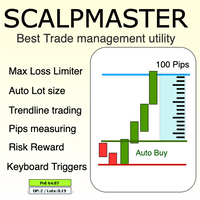
The Scalp Master tool not only provides proper trade management but also helps a trader to build a proper psychology and discipline to gain consistent results in his trading. It offers Max loss Limiter ( Risk per position ) and RPT limiter (Risk per trade), Auto calculates Lot size, CLOSE multiple trades with single click. Buy, Sell, Close with default Trend line and Horizontal line , Pips measuring tool, risk reward measuring tool and many other features. This tool offers to place quick

Description :
A utility to create and save screenshots automatically and send to a chat/group/channel on telegram.
The saved/sent image file will include all objects that exist on the chart and also all indicators are displayed on the chart.
Features: Save screenshot of chart including all objects, indicators, ... Send screenshots to a telegram chat/group/channel
Wide range options to select when create screenshots
Logo and text adding feature
Inputs and How to setup the EA :
Various option

Hello friends. I wrote this utility specifically for use in my profile with a large number of Expert Advisors and sets ("Joint_profiles_from_grid_sets" https://www.mql5.com/en/blogs/post/747929 ). Now, in order to limit losses on the account, there is no need to change the "Close_positions_at_percentage_of_loss" parameter on each chart. Just open one additional chart, attach this utility and set the desired percentage for closing all trades on the account. The utility has the following fu

Drawdown Limit EA Prop Firm trading MT5
If you found this EA, it's probably because you want to get a funded account with a prop firm, but you see a rule that most of traders fear : Maximum Daily Drawdown. I've been through this problem myself as I'm a prop firm trader and I've made a bot to solve this rule, and you can get it to solve this problem too.
How does it work ?
When you first setup this EA, you need to input the initial deposit which corresponds to the size of your funded account.

This utility tool shows the ticker symbol, timeframe, and description information as a watermark on the chart. Text resizes automatically according to chart size. It is useful to identify the correct chart when multiple charts are shown on the screen. Premium version supports changing font name and color independently for symbol name and description, and defining screen location for symbol placement. See the demonstration video below!
Symbol Name Inputs: Font Name: Specifies font used. Needs

Close All and Change Take Profit and Stop Loss All Orders. Main Features
Ability to Close All Orders the Symbol you put this EA. Ability to Change Take Profit to All Order. Ability to Change Stop Loss to All Order. Show Order count. Show Average price with info and Horizontal Line. Show lot open.
Show Price diff from average to price now Show broken price with info and Horizontal Line. Easy to use . How to use
Close All (Symbol) PC : you can click on CloseAl
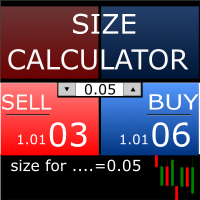
Size Calculator allow you to calculate the size you need for your position giving two parametres: the number of pips risked and the money risked, for example if you want to risk 20 USD on 200 pips, then you will need to input 200 in the case reserved for pips and 20 in the case reserved for risk, the size will appear in left top carner of the chart in your metatrader 4 platform, Size Calculator support the following symbols : EURUSD GBPUSD AUDUSD NZDUSD GOLD WTI EURJPY GBPJPY USDJPY AUDJP

Telegram Utility EA 链接到任何私人/公共机器人,可以帮助您: 通过命令立即关闭所有订单。 该命令使用您的自定义密码进行编码,只有您知道。 Telegram 机器人会告诉您所有订单何时关闭,甚至暂停您的 MT5 终端中所有其他正在运行的 EA。 只需单击一下即可暂停/恢复在终端中运行的任何其他 EA! 以点数形式或货币形式出口贸易报告。 向机器人或您的社区(电报聊天组、电报频道)发送买入/卖出信号。 您可以手动选择要发送的交易类型。 通过屏幕截图发送信号。 图表屏幕截图也可以手动选择。 在您发出命令时在您选择的任何图表上发送屏幕截图。 所有参数都易于理解和修改。
您可以留言寻求进一步支持 如何将买入卖出信号 mt5 发送到您的电报 如何在 mt5 上暂停停止其他 EA
With this script you can open or close multiple charts with just one click. Please follow the instructions below; Set your desired symbols in the market watch window. Open one chart. Attach the script to the chart In the input values just select the time frame of your chart. Set open chart value to true. Click ok. To close the charts follow step 3 and 7. In input values set open chart value to false and close chart value to true

自动获取Yahoo Finance数据并在MetaTrader 5上创建自定义符号。与指标或专家顾问不同,此服务无需在图表上运行,它会在后台运行,持续更新您经纪商无法提供的市场历史数据。 主要特点: 独家市场数据 :访问VIX、DOLLARINDEX、T-Bond、SP500、NASDAQ100等关键工具,以及Vanguard Total Stock Market (VTI)、SPDR S&P 500(SPY)、iShares MSCI Emerging Markets(EEM)、Invesco QQQ Trust(QQQ)等多种ETF。 完全自动化 :通过自动数据更新节省时间,无需手动下载和导入。 适用于ETF和长期策略 :使用高质量数据优化累积计划、生成交易信号,并模拟投资组合。 如何运作: 快速设置 :在MetaTrader的选项中插入以下URL: https://query1.finance.yahoo.com https://query2.finance.yahoo.com https://fc.yahoo.com 预设符号 :最常见的符号已经预配置,可以立即使用。 最佳性能

Do not buy before seeing the Danko Trend Color product, as this panel is a way to view a summary of this indicator on various timeframes.
The Danko DTC Panel utility allows you to look at the trend in up to 5 timeframes. When clicking on the timeframe texts, a new window will open with the indicator plotted on the screen so you can see the complete chart. The width of the panel, with the amount of candles you want to see, is customizable, see the images below.
Ao clicar nos textos dos timeframe
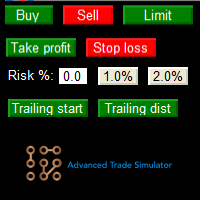
Advanced Trade Simulator for MT5
It is an indicator you can attach to any chart and then buy and sell the given symbol virtually. No actual trading takes place. You can attach it to multiple charts. Then you can buy multiple symbols.
A more detailed description here: https://www.mql5.com/en/blogs/post/750336 Features:
- buy and sell immediately on the given time frame - market , limit and stop orders - generalized OCO, more than 2 orders can cancel each other. - OSO, one sends another.. - bu

Whosa TradePad for MetaTrader 5 Do you trade in MetaTrader 5? Calculating Pips yourself and calculating your risk yourself is a thing of the past with our Tradepad. With this Tradepad you can place your trade in MetaTrader in no time. This Tradepad is fully equipped. Automatically calculates your risk which you can enter in percentages and amount of dollars. Check the video to see all the features! (The video is in Dutch, but you can see the features) This TradePad only works with a new password
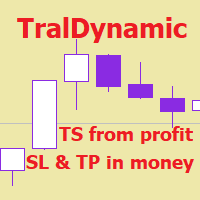
The utility for managing open positions can work with stops (take profit and stop loss) in money, percentages or points. The built-in trailing stop starts working from profit, the size of which can be set in currency or as a percentage. With the help of the built-in trading simulator, you can check how the utility works in the strategy tester. Benefits setting stop loss and take profit in the deposit currency, as a percentage of the account balance or by points; adding stop loss and take profit

交易printscreen是一个脚本,旨在自动保存图像与帐户交易进一步分析。 该面板允许您显着减少与历史记录中搜索交易相关的技术工作的时间,并通过显示和绘制所有操作参数以图像格式保存文件。
这个脚本解决了哪些任务?:
您不需要在交易历史记录中搜索所需的交易:您只需选择一个周期,脚本就可以找到指定周期的所有交易交易,并为每个交易保存一个图像,显示价格水平和一个带有交易参数的面板。 如果您只想保存一个交易的信息,请在输入参数中选择适当的选项,并输入所需交易的票证(ID)。 您不需要浪费时间组织文件,搜索并将它们保存在文件夹中:脚本将根据以下原则将每个文件分解到自己的目录中:/"终端目录"/MQL5/文件/"经纪人名称"/"帐户号码"/"位置票"/"以下是所选文件的数量" 该脚本将为您收集有关交易的必要信息,并将其记录在打印屏幕上的单独面板上
使用脚本的顺序
运行脚本
确保终端已连接到交易账户。 检查账户上是否有交易记录。 输入参数
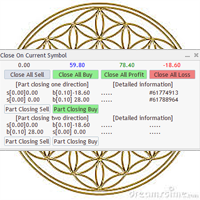
Utility / EA to simplify the exit from the drawdown. Allows you to gradually exit the drawdown correctly, reducing the volume of losing trades. At the same time, profitable trades opened on the same symbol cover losing trades in whole or in part. The volume of partial closing of a losing trade is calculated automatically. Trades opened both in one direction and in the opposite direction are supported. Position Management Closing positions only for purchase, only for sale, only profitable, only

Katana Trading Panel is a tool with many features that help you open and manage your trades more easily. Note: - Click here for Tutorial and Download demo .
- Click here for Katana Trading Panel MT4
- G o to my profile to message me .
- This EA will not work in Tester
The Features: - Line Preview: Show preview on the chart for opening price, take profit and stop loss. It's draggable and contains some valuable information. For market trade and pending trade. - Opening Trade Setting :

Spread Control 是一款适用于 MetaTrader 5 的紧凑型指标,可直接在交易品种图表上显示当前点差及其变化情况。 功能 实时显示当前点差 点差变化图表 ,显示最近的历史数据 计算显示周期内的 LOW / AVG / HIGH 点差状态颜色提示: 正常水平; 警告水平; 临界水平 当前点差的可视化刻度 显示当前 Bid 和 Ask 市场活跃状态指示: LIVE — 报价正在变化; OFFLINE — Bid 和 Ask 在设定时间内没有变化 显示当前交易品种和时间周期 Full 和 Compact 两种模式 设置 Position X — 面板初始水平位置。
Position Y — 面板初始垂直位置。
Refresh Interval — 界面刷新频率。
Spread Sampling Interval — 将点差值记录到历史数据中的时间间隔。
Spread History Size — 点差历史记录中的数据数量。
Warning Spread — 点差达到该值后被视为偏高。
Critical Spread — 临界点差水平。
Market Inactivity T

The utility for manual trading to manage open positions.The built-in trailing stop has three modes and seven instruments: by pips, by bar extremes, by fractals, by volumes, by MA, by Parabolic SAR and by ATR. With the help of the built-in trading simulator, you can check how the EA works in the strategy tester. Guide to UTrailingMiniMT5 can be found in the "Comments" section. Benefits 3 trailing stop modes: normal, total and mobile stop loss; 7 options: by points, by bar extremes, by fractals, b
5 EMA Scalping Strategy Multi Symbol Scanner
This EA utility will scan all symbols which are selected in marketwatch and alert when such condition is formed in chart when Candle low is above EMA 5 for Sell alert and Candle high is lower from EMA5 so you can be ready before selling or buying for scalping purpose on 5min chart For more details watch attached video Logic : When a candle closes above 5 EMA in 5 mins chart, Wait for its low to break and Sell when low is broken by wick, Your SL shou
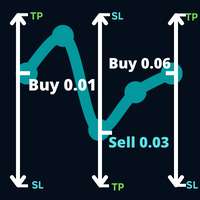
Open a direction on the trade that the market intends to follow and a trade that occurred on your trade trade following a trade that was pending on your trade trade a trade order that was pending on your trade trade operation.
Example: a buy operation with a lot of 0.01 at a price of 0.03 points, buy with a lot of 0.01 at a price of 0.01.0930, then a sell stop order of 0.03 will be decided. a new buy stop order is placed with a lot of 0.06 at a price of 1.0930.
Parameters: Volume -> Volum
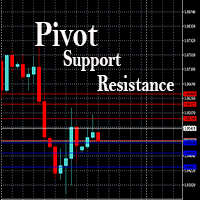
This EA is designed to calculate and draw Pivot Point, Support and Resistance for your selected time frame on the chart.
Works on all currency pair and on any time frames available on MT5.
To make sure the EA works, you need to select the pivot time frame as well as the candle shift that you want to calculate the pivot.
0 = Current candle on chart
1 = Previous 1 candle on the chart

Stack Manager is a MT5 utility that is built to help traders: manage existing stacked trades (multiple trades opened on the same symbol) copy SL / TP levels to newly opened trades update SL / TP levels for all stacked trades, if one SL or TP level is modified calculate and show global SL / TP in currency and points (for all open trades in a stack) SL / TP autocomplete from phone (if left on a VPS, traders can place orders on a phone and SL / TP levels will be copied from the existing trades)
Id

Trailing Stop toolbox MQL5, better and friendly. Trailing Stop tool box using Moving Average, Parabolic SAR, Ichimoku Kijun-sen, trailing stop normal, trailing stop by candle, trailing stop by targets and trailing stop by lowest, highest candle numbers. Manage orders by currency pairs and comments, trailing one or many orders at same time. Mql4 versition: https://www.mql5.com/en/market/product/68181
Workflow: Set your comment, profit, stoploss, lotsize, t imeframes and chose indicator for begi

监控您喜欢的符号 多功能工具: 66+个功能,包括此工具 | 如有疑问,请联系我 | MT4版本 此工具在单独窗口中打开:可移动(任意拖动),并可最小化 [v]。 您可以在面板上调整观察列表: 点击 [edit list] 添加/删除观察列表中的符号。 计算值:可以是最后一个 [closed bar] 或当前 [floating bar]。 选择 [timeframe] 进行计算。 有2种值排序类型:按 [Symbol] 名称或按 [price] 变化。 值可以按升序 [^] 或降序 [v] 排序。 有4种计算方法,点击 [v] 更改:
[bar size, pips]: 柱大小,以点计;
[bar size, points]: 柱大小,以市场点计;
[bar size, % price]: 柱大小,作为价格变化的百分比;
[bar, price value]: 柱最高/最低价格之间的差值;
[% / prev bar size]: 计算柱的大小与前一柱大小的比较; 提示:当工具激活时: 使用左/右键盘键切换符号列表。 您也可以点击符号名称以打开其图表。 在输入设置

Good money/risk management is more than just position sizing, it's much more. Successful traders analyze your trading activities and keep an eye on your key figures. With the help of AccountMan you can also do this very conveniently, analyze your trading activities for the purpose of professional money / risk management. Evaluate your trades by trade symbol to see if trading is profitable overall with these. Would you like to keep an eye on your individual strategies? e.g. which strategy works b
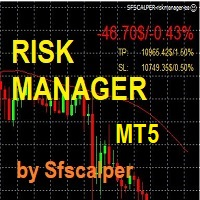
RISK CONTROL MANAGER
Now You can have the same control over risk management as big trading rooms, institutional investors and hedge funds. Managing risk is a fundamental operation for your brokerage. Choose your maximum desired risk exposure in percentage to Your account, set it on the RISK CONTROL MANAGER, the EA will check and make sure that You'll never exceed that. When You ignore the trading risk, and you leave your operations open, that potentially could lead to catastrophic trade expos

Boleta de Operação que funciona para o Mercado B3 feita para Mini Indice e Mini Dollar com Cálculo de Risco e Retorno da Operação. Características e informações: Ao colocar o EA no gráfico inicialmente serão apresentados 1 painel e 3 linhas todos com informações a respeito de operações, saldo e cálculo que facilitam o Trader a ter um operacional mais seguro e menos arriscado. O intuito desta ferramenta é fornecer dados em tempo real para que o Trader (ANTES MESMO DE ABRIR A ORDEM) consiga obter

Trade management is a system that helps you manage your operations, that is, you perform the analysis, and we manage the operations as follows: Automatic Stop Loss once the trade is opened is a short or long with a maximum risk of 1% of the account. Trailing Stop as the price moves in your favor. Risk management is handled in a 2:1 , once the operation reaches a 1:1 move Stop Loss to break even . Once the trade reaches a 2:1 closes half the lot, securing the profit and allowing the operation

Expert Advisor for Automatic Stop Loss and Take profit , calculated by Pips and cover all major pairs . you can activated the EA in your chart then place orders manually and the EA will be place TP and SL automatically for all opened orders , covered Buy market , Sell Market , Buy stop , Sell Stop , Buy limit , Sell limit . it is an easier tool that help you manage your order without effort . 10 Pips = 100 Points Pending orders SL and TP will be placed once order is activated . MT4 Version : ht
这是一个使你的交易更容易的工具,它将耗时的任务如订单管理和风险管理放在一个或几个点击上。
功能介绍
风险管理
根据风险字段中指定的%或$的风险自动计算手数,并让您通过放置SL TP等线来输入,并显示实时风险回报。 TrueRisk,所以在计算外汇对的手数时,它包括了佣金,所以当你指定1%时,你的风险是1%,所有的交易费用是1%,或者不是,你自己选择。 大宗交易处理程序,让你在一次点击中输入超过一个符号每个头寸最大交易量的10倍,而不是自己慢慢打开每个头寸。(必须不超过符号规格中提到的交易量限制或超过显示的每个头寸最大交易量的10倍)。 输入指数或其他资产,即使自动计算的手数不尊重四舍五入的手数。(1, 0.1 和 0.01 手的步数处理)
交易管理
只需点击一下 ,你就可以。
设置收支平衡的开仓,包括佣金和点差或不包括,由您选择。 通过在文本字段中指定SL或TP的新价格来批量改变已建仓位的SL或TP,并根据输入的新SL和TP价格来设置买入或卖出。 批量关闭头寸,而不是单独缓慢地关闭它们。 批量删除限价单。 AUTO BE功能,让您设置AUTO BREAKEV

This EA helps chart pattern traders to automate thier task of placing trades. All you need to do is to draw your trend lines and name your trendlines to match the object name input in the EA.
The EA is safe to turn off anytime.
The input parameters are as follows: UpperBorderline : Upper border line of chart UpperEnteryLine: For entering trades UpperTPLine: Trendline for Take profit LowerBorder: Lower border line of chart LowerTPLine: Take profit line for lower trend line BorderChannel: F
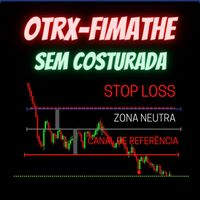
Fimathe Tool for Semi-Automatic Trading.
This tool serves as a support for trading using the Fimathe strategy, the same one used by Trader Marcelo Ferreira in his negotiations.
Features:
Button to set/change Trend chosen by Trader. Adjustment of Buy Zone and Neutral Zone Level Lines. Adjustment of Sell Zone and Neutral Zone Level Lines Subcycle Levels, R1, R2, R3, R4 and S1, S2, S3, S4.
Automatic Trailling Stop for previous level with each new (Subcycle) level reached.
Trading stop at the
Basic Trade Buttons is a tool to help you to quickly open and close trades, place take profit and stop loss points by clicking on the button of each job that you preferred. Once you attached this tool to mt5 chart, the program will calculate a trade volume(Lots size) automatically to prepare to send to the trade server when you click on 'Buy' or 'Sell' button. Click on 'TP', 'SL' or 'Close' button to place take profit, stop loss based on the predefined levels or to close all open positions respe
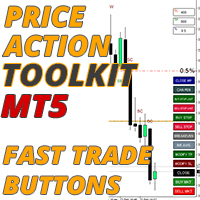
價格行為工具包 EA 主要為剝頭皮而設計,但可用於所有時間框架,以根據您的止損水平正確計算手數大小來快速進入市場,它允許您快速進入交易(即時或在蠟燭高點和低點掛起訂單),然後隨著市場的變化調整止損並獲利了結。
如需使用的所有功能、設置和最佳實踐策略的完整列表,請單擊此處: https://www.mql5.com/en/blogs/post/748072
基於風險的進入 快速下單按鈕可根據您賬戶的風險百分比讓您進入頭寸。它會根據您選擇的風險和止損距離自動計算您的手數。因此,您需要確保您的經紀商允許您使用 0.01 手大小,如果您被迫使用 0.10 或 1.00 手增量,它將不起作用。
快速交易執行按鈕 它在您的圖表上放置了快速交易執行按鈕,這些按鈕會立即自動打開、關閉或調整交易。除了正常的進場按鈕外,您還有一個快速關閉按鈕來退出所有頭寸,將您的止損移動到盈虧平衡(或您的平均盈虧平衡,如果您有多個交易未平倉),將買入和賣出止損設置在當前或最後一根蠟燭高點之上並且能夠僅平倉您最有利可圖的頭寸,這樣您就可以在多筆交易開始為您工作時從您擴大的頭寸中獲得部分利潤。 止損模式按鈕可讓您快速

使用说明: https://www.mql5.com/zh/blogs/post/754946 MT4版本: https://www.mql5.com/zh/market/product/88205 MT5 版本: https://www.mql5.com/zh/market/product/88204 ----------------------------------------------
1.复制订单,从12个主帐号到100个从帐号.从帐号数量可以自定,从12个到100个。 2.支持MT4到MT4, MT4到MT5, MT5到MT4,MT5 到MT5. 3.识别不同平台的交易品种后缀,如EURUSD,EURUSDm,EURUSDk. 4.自定义货币匹配,如XAUUSD=GOLD. 5.可复制所有交易,或只复制BUY,SELL,CLOSE指令 6.可选择是否复制止盈止损 7.可反向复制,如主帐号是BUY,从帐户就是SELL,反之也是。当主帐号平仓时,从帐户不管是同向复制还是反向复制,都会同时平仓 8.发生意外如从帐号关闭时,主帐号有平仓信号而从帐号没有及时复制,当从帐号再次启

This EA helps to Close all Positions opened. It saves you the time of closing multiple positions manually.
Parameters: Buy: Close Buy Positions Only Sell: Close Sell Positions Only Buy & Sell: Close Buy & Sell Positions Pending: Close Pending Orders
More Advanced MT5 version available at: https://www.mql5.com/en/market/product/93301?source=Unknown%3Ahttps%3A%2F%2Fwww.mql5.com%2Fen%2Fmarket%2Fmy More Advanced MT4 version available at: https://www.mql5.com/en/market/product/93468?source=Unk

This EA is used to close all your open market positions and/or pending orders with a click of a button. The EA is ultra fast and your positions will close within a blink of an eye. It also allows you to close profit trades only or losing trades. You can also choose to close sell/short trades only or buy/long trades only. If your strategy include having many open and pending orders positions, this is a good EA to help you close your positions all at once with one click.

BETA product Recurring updates, and real-time assistance. Ea Auto is a specialist in inserting TakeProfit and StopLoss of positions, and moving them in favor of operations in an automated way, the user only needs to enter the initial TakeProfit and StopLoss value.
Recommendations on use in any asset In any period Chart So far, this utility only supports Forex
Description of input parameters Theme: set between Light (a lighter theme) and Night (a darker one) Take Profit(points): field where t

Smart Stop Manager EA – Maximize Profits, Minimize Risk!
This Expert Advisor (EA) is designed to automatically adjust your stop loss when your trades move into profit. It works on all open trades for the symbol it is attached to, ensuring maximum profit protection while letting your trades run.
How It Works
The EA uses two key inputs to manage your trades efficiently:
Stop Loss Points – The distance from the current price where the stop loss is placed. Stop Loss Trigger Points – The pro
Multi Symbol ZigZag Breakout Scanner 扫描在 marketwatch 中选择的所有符号。
当价格即将达到这些水平时,它将有助于轻松找到双顶、双底或任何斐波那契扩展水平。
您可以选择时间范围,以及 Zigzag 的多个 Extdepths(最多 3 个)。 推荐的 ZigZag 为 21,34 和 55,涵盖所有类型的 Zigzag 和过滤噪声
您可以设置接收终端警报或推送通知或两者
Multi Symbol ZigZag Breakout Scanner 扫描在 marketwatch 中选择的所有符号。
当价格即将达到这些水平时,它将有助于轻松找到双顶、双底或任何斐波那契扩展水平。
您可以选择时间范围,以及 Zigzag 的多个 Extdepths(最多 3 个)。 推荐的 ZigZag 为 21,34 和 55,涵盖所有类型的 Zigzag 和过滤噪声
您可以设置接收终端警报或推送通知或两者

这是一个通过发送邮件警报,让您能够及时了解到交易账号的实时动态的工具,同时支持Nedge 和Netting 模式。 警报功能如下: 1.浮动盈亏警报,一旦达到您所设置的盈利和亏损金额条件,EA会自动发送详细警报内容邮件给您; 2.订单开仓和平仓警报,一旦您的账号有开仓和平仓, EA会自动发送详细警报内容邮件给您; 3.多个商品报价涨跌警报,一旦达到您所设置的价格涨跌条件, EA会自动发送详细警报内容邮件给您; 以上都可以自定义警报次数。 使用方法: 1.在MT5客户端--工具--选项--电邮 中 完成电邮设置并启用; 2. 在MT5客户端 加载EA 并启用自动交易即可。 EA 参数设置说明 : 盈亏警报参数介绍: 1.参数TP 设置盈利金额,SL 设置亏损金额,这里的金额指的是所有在仓单的盈亏总额。若不启用,设置TP、SL为-1即可。 2.参数 INMintes 设置警报间隔时间,时间单位为分钟,这里的时间是指在 到达设置的盈亏值发送邮件后,再次检查并发送警报邮件的间隔时间。 若间隔时间后条件成立就再次发送警报邮件,否则就不再发送。 TPSLComment=Send

The utility displays in a convenient form the historical trades made on the account. You can filter trades by magic or comcent, display only profitable or losing trades, and only buy or sell trades. Using this utility, you can see trade entry and exit points, stop loss and take profit levels, trade profit, magic number and comment, order ticket and order size - you only need to run the utility on the chart of the currency pair you want information on get and customize the input parameters. MT4
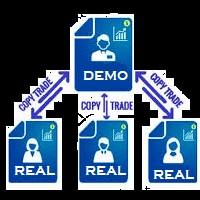
You Can Copy All the Trades from one MT5 terminal to another MT5 terminal hosting two different accounts in the same computer or VPS. It will work with same broker as well as different broker. You can also use it to copy from MT5 to MT4, then you also need to download the MT4 version and set the SEND and RECEIVE accordingly. MT4 version download- https://www.mql5.com/en/market/product/83400 Note: While Testing with demo version, do not use real account, as it will not copy. If your trades are
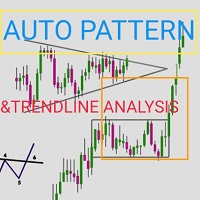
Automatic pattern recognition software for MT5
Trend lines Common chart patterns eg triangles, flags, pennants etc range detection with latest support and resistance levels. object updates to avoid lagging signals. Telegram updates just place your chart ID in the inputs section and it will send you screenshots at a given interval of what is happening in the market so you do not miss out on any opportunity) free updates. all timeframes, all symbols, all brokers
copyright @ GABRIEL MATOVU, BSc.

On the price chart, the market session indicator shows the trading hours in New York, London, Tokyo, and Sydney. The beginning and ending times of each trading session can be manually set.
Features:
Show main sessions: Sydney, Tokyo, London and New York. Highlight with colored lines and draw objects. You can identify graphically sessions volatility for overlapping sessions. It includes eighteen movable parameters, includingParameters:
Sidney session begin - Sydney trading session start hour

Assistant for all those who forget to set StopLoss, TakeProfit and Trailing Stop in deal parameters, or trade on a very fast market and fail to place them in time. This tool automatically tracks trades without StopLoss, TakeProfit, Trailing Stop and checks what level should be set in accordance with the settings. The tool works both with market and pending orders. The type of orders to work with can be set in the parameters. It can track either trades for the instrument it runs on, or all

!! BLACK FRIDAY !! FOR LIFETIME !! ================== == 35$ ONLY !! == ==================
BOOK YOURS NOW !!
The Position Manager Contains A Lot of Functions such as; (How to Operate) 1. Adjustable Volume per Trade (You could change the volume as you wish per trade). 2. Adjustable Risk : Reward Ratio (1RR means sacrifice 1 Risk : 1 Reward, 1.5RR, 2RR etc. as you wish) 3. Adjustable Stop Loss Points (Calculated Points as Stop Loss and Automatically adjusted the Risk Reward Ratio) 4. Buy Button
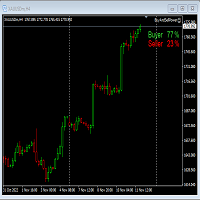
This Expert Advisor will not place any trade.
This Expert Advisor will only show the buyer and the seller power in percentage on the upper right corner of the selected chart. The percentage of the Buyer and Seller is calculated based on the Open, Close, High and Low price of the selected candle.
Candle can be selected using the shift on the Input Tab where 0 means the current candle, 1 means previous 1 candle before the current candle.
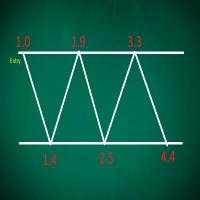
This EA performs with a Hedging strategy by which Buy and Sell signals are from the MACD indicator.... The lot sizes in the input are Custome for you to adjust as you pleased, so you are able to improve your hedging style. Inputs. Close Money- this option is basically the take profit in ($), for example if you set the close money at $20 the EA will automatically close all trades when your overall profit is $20. Nearby Hedge Pips- this basically determine the distance of pips between yo

Big News Promo 40%! From today we have added the possibility to take partials! Purchase or upgrade your autolot to use this new feature immediately. Introducing Autolot 2.0 Trade Management : The Revolutionary Trading Utility is Now Even MORE POWERFUL and EFFICIENT! We're proud to announce the launch of Autolot 2.0, the upgrade that takes your trading to a whole new level! We've listened to your feedback and improved the utility to make it even more versatile and user-friendly. Here are the key
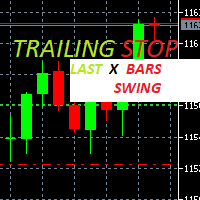
Trailing Stop loss last X candles swing high and low.
X is a value of candles you can set as an input parameter.
This Trailing stop loss moves the SL below the last X candles low(if BUY positions) or high(for SELL positions)
If we are in a trend and we open a position following the trend, the SL will be automatically placed at the low or high of the last X bars.
contact me if you need further assistence

Hello, Every one
This is "Close All Button" future 2
A script to manage order and close all market positions and/or pending orders.
----------------------------------------------------------------------------------- This is Close All Market positions and/or pending orders button
You can close all or manage orders in 1 second by one click
------------------------------------------------------------------------------------
Download for Demo Account: Demo version: Close 1s manage v1.7 DEMO
F
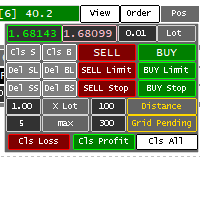
Panel for help Manual Trade if trader take order in multi Symbol/pair this will help more. this is look like hybrid dashboard in multi pair with small display
Panel have function : TP/SL, that also have funtion in Average TP/SL from BreakEvent (this will have for trader with multi trader in singgle pair) in Point can response multi Symbol
Trailing and Average Trailing from BreakEvent in Point can response multi pair. breakEvent in point Take Profit/Stop Loss in $ will detect in multi pair, an

Forget about coding! You no longer need EAs! Any indicators (and not only) can now trade themselves anything anywhere!
GRat_IndiTrade is a unique strategy builder for automatic trading by the signals of ANY indicators available on the chart without limits (both standard and custom), ANY candlestick patterns , as well as ANY of their combinations, without the need to write, generate or compile any code . You no longer need to be or hire a programmer to test and automate ALL your trading id

Do You Like Catching 100+, 500+ Pips In Seconds, Trading During High Impact News Like NFP, and CPI..?
I have been trading news for 2 year with my mentor Raja Banks, playing the Buy Stop, Sell Stop pending orders.
In normal news events price shots straight-down or straight-up based on the data of the event, and sometimes it whipsaws up and down.
As a manual trader, somedays I would miss out on securing big profits because price moved too quick, and retraced back to hit my Stop Loss, or even B

回撤保护器是一个实用工具,用于管理您所需的最大每日回撤。
在自营公司充满挑战的时代, 了解每日提款限额 非常重要 。它是一款有效的 EA,易于用于股本回撤管理和防止报复性交易。 输入参数:
阻止交易多少小时? - 在这里,您可以设置 EA 在违反每日回撤百分比后阻止新交易的小时数。 值必须 >0。 大宗交易直到下一个日历日? - 是/否(双击进行更改)。在这里,您可以设置是否希望在新日历日 (服务器时区的午夜) 之前阻止新交易 ,无论上面的输入如何(阻止交易的时间)。
如果此输入设置为“是”,并且您还使用上述输入设置了“阻止交易的时间”,则将 在两个参数中 最早的时间再次允许交易。 每日回撤百分比 - 您可以在此处以 0.0% 格式(即 1.5%)设置您希望作为限制的最大每日回撤。 发送移动通知: 如果“true”,EA 将通过您的移动 MT5 应用程序向您发送通知。确保您已将其与计算机的终端连接。 (为了说明目的,我附上了测试通知的屏幕截图) 终端警报: 如果为“true”,则当新模式形成或交易订单出现错误时,EA 将在新窗口中发送警报。 在日志上打印: 如果

Binance Grid Pro offers an alternative to the built in Grid systems Binance Platform offers.
This utility let you define a grid parameters for interact with your Binance account using an Isolated Margin account. This is, similar to Spot Grid in Binance. This is not for handle with derivatives contracts, is for handle with Spot through Isolated Margin Account. But obviosly this utility offers a different approach than built in Binance Grid to handle the Grid, which I have found useful based on
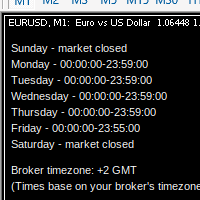
MarketSchedule displays market sessions' open/close time for each day through out the week, also broker's timezone.
It also supports instruments that have more than 1 session per day (maximum of 2 as most instruments don't have more than this)
e.g. crypto market such as BTCUSD which usually has a few hours break mid-day thus it spans into 2 market sessions. You don't have to spend time looking for such information on broker's website. It's an on-demand script that you can drop onto the chart to

This is a standalone dashboard that let the user save their entry strategies for an unlimited number of currency pairs/indexes/commodities. Strategies remain saved after closing the meta trader or removing the EA. It saves your favourite assets to trade and places your trades in an instant. You can save, your lot size, risk percentage, stop loss and take profit points and trailing stop points. You can double-entry positions or reverse trades at the click of a button. After the purchase, you

Утилита Trade By Time предназначена для автоматизации торговли для списка валютных пар в определённое время, например, во время выхода новостей. Принцип работы будет описан немного ниже. Сама утилита работает только с заранее подготовленным файлом с таймингом и списком инструментов. Сам файл нужно положить в каталоге данных в папку Files , указать название этого файла в настройках утилиты и перезапустить её. Файл должен содержать строки с данными следующей структуры: yyyy.mm.dd hh:mm; <EURUSD|
您知道为什么MetaTrader市场是出售交易策略和技术指标的最佳场所吗?不需要广告或软件保护,没有支付的麻烦。一切都在MetaTrader市场提供。
