 MetaTrader 5
 专家
专家
 指标
指标
 程序库
程序库
 实用工具
实用工具
 窗口小部件
窗口小部件
 规则
规则
MetaTrader 4 交易实用工具 - 16
 以下是可在MetaTrader 4中简化外汇交易的交易程序。将鼠标悬停在下面列表中的工具上,阅读它的描述和用途。
Price Aler t can help you send notifications to your personal Telegram when the price crosses a preset value. Additionally, you can check your MT4/5 account info anytime from your Telegram by simple command: /check . Get more free useful EAs here !
HOW TO SET UP? * Get inputs for EA: - Telegram Bot Token: Create a Telegram bot by @BotFather , and save your Bot Token. Find your bot by username & press "start". - Telegram User ID: Use your User ID by chatting with @ userinfobot *
FREE

Who needs this tool? 1-If you are a Martingale Trader, You need to look at this tool
2-If you are a Trend price channel Trader, you need to look at this tool Smarty Semi Automated EA This tool is a great help for scalpers who use grid or martingale. It is a next-generation smart trading tool. You adjust its trading parameter then you push a button to do all trading for you. However, it is a semi-automated EA so It does not start orders by its own. How it is working? The tool was designed to
FREE

1. 產品概述 (Product Description) AlphaLogic PropProtector is an institutional-grade utility designed specifically for Prop Firm traders (FTMO, FundedNext, etc.). It acts as your final line of defense, ensuring your account equity never breaches the strict daily or total loss limits of your challenge. 2. 詳細參數設定 (Input Parameters) 參數分組 & 變數名 預設值 說明與建議設定 === AQ MONITORING === InpAllSymbols true 建議開啟 。監控帳戶內所有品種的持倉與訂單。 InpUseComm true 極其重要 。開啟後會精確計算每一筆成交的佣金與手續費,確保淨值與券商後台 100% 同步。 === PROP COMPLIANCE =
FREE

This Expert Advisor captures and sends information about all open positions to a REST API server in real-time using HTTP POST requests. It is ideal for building synchronization tools, external monitoring systems, or custom trade copier solutions. What does this EA do? Iterates through all active orders in the account. Compares current positions with the previously sent ones. If any change is detected (SL, TP, price, symbol, volume, type, etc.), it sends updated information to the defined endpoi
FREE

这是一个交易辅助工具箱,并不是全自动交易的机器人 W10 系统请保持 100%的缩放比,如果超过这个值。按钮内的字体将超出按钮边框 常规: 一键下单、一键挂单、一键反手,自动设置止盈止损。 一键平仓、一键平多单(空单)、一键删除挂单。 一键反手、一键锁单、设置自动追踪止损。 根据画线追踪止损 非农: 消息突破单,可在非农或者其他重大消息时使用,在消息行情爆发前在当前价格上方 挂BUYSTOP,下方挂SELLSTOP。订单自动设置止盈止损。 划线下单: 支持最多四根做多趋势线或者做空趋势线并存。价格到达趋势线自动开单。 支持每根下单趋势线设置不同的仓位。 每根下单趋势线可以设置不同的止损趋势线、止盈趋势线。 支持止损止盈趋势线进行止损止盈追踪移动。 支持趋势线的“时效性”,如果价格运行到开单(止损、止盈)趋势线的右方仍未订单成交,则价格将永远不会接触到趋势线,策略失效。如需要请延长趋势线 杂项: 支持历史订单轨迹显示,可在图表显示历史记录中所有订单的下单轨迹,显示开仓价、平仓价、单量。 支持实时点差显示 支持平台信息显示,杠杆,一个点的价值,一手保证金,仓息,是否支持EA等等
FREE

DD Stopper for MT4 | Protect Your Account from Excess Drawdown DD Stopper is a lightweight and powerful risk management utility for MetaTrader 4 that automatically closes all trades when your account drawdown reaches a defined amount in USD. Protect your capital. Trade with discipline. Eliminate emotional decisions. What This Tool Does DD Stopper continuously monitors your account and: Tracks real-time drawdown (Balance vs Equity or floating loss) Closes all open trades instantly when the
FREE

The Rapid Tester indicator is a very simple tester for the Rapid binary options trading system and Rapid Expert . Its objective is constructing a balance line on history data and calculation of statistics during CALL and PUT deals performed by the Rapid trading system for any of the six financial instruments: EURUSD, EURCHF, GBPUSD, GBPJPY, USDJPY or XAGUSD. The tester requires at least 100 5-minute bars in the history of a trading instrument. However, in order to obtain reliable statistics, you
FREE

Trades Viewer Free supports EURUSD only. Trades Viewer is a trading helper app for a serious trader. It offers several important data like day range, 22 days average range and predefined PL. It draws trades history and current open positions on a chart. It has a detail panel for viewing a particular trade with just a click on that trade. All these make it very convenient and straightforward to view your entry/exit positions and thus improve your trading system. Features Profit/loss of the curren
FREE

The utility is designed to detect positive swaps. Description If you are Swing Trader and your positions are open a few days to a few weeks, would be very helpful to know which Currency Swaps are positive. Even if you are a Scalping strategy supporter, would be very helpful to know a day of the week to charge 3 days swap rollover. The SwapDetector will help you to decide to hold or close a position to earn some extra income.
SwapDetector performs the draw objects function, please do not use it i
FREE

Trade Terminator — Instant One-Click Trade Closer for MT4
Struggling to exit trades quickly during market spikes?
Trade Terminator gives you the power to close all open positions instantly with a single click — saving your profits and protecting your account in fast-moving conditions! Built for speed , security , and simplicity , Trade Terminator ensures you're always in control. Features : One-Click Termination: Instantly close all open BUY and SELL trades on the active chart symbol.
FREE

RSI Signalz BASIC ---------------------------------------------------------------------------------------------------------------------------------------------------------------------------------------------------------------------------------------------------------------------------------------------------------------------- (IT DOES NOT TRADE FOR YOU. THIS IS TOO JUST HELP WITH MANUAL TRADING)
Fully Automated EA for marking good entry points for Longs and Shorts.
Default settings are to...
FREE

Spread Data tool will display current spread and average spread. It will record spread for every hour (from 0 to 23) and can give better data about your broker spread. Run it for 2 days or more to get better spread data . Every spread smaller than MinSpread will be recorded as MinSpread Every spread larger than MaxSpread will be recorded as MaxSpread It help to decide what spread to be used when do backtest, EA spread settings, EA that trade in specific time interval, especially for scalping EA
FREE

Telegram BrealOut Ichimoku Lite The Expert Advisor will help you forward all alert from MetaTrader 4 to Telegram channel
Parameters Channel Name - Name of your channel Token - create bot on Telegram and get token. AlertonTelegram - true to activate AlertonMobile - true to activate AlertonEmail - true to activate Customize moku Setting (Pro Version) Customize Comment (Pro Version) Add Customizable Signal Name(Pro Version)
Important Note
- You must allow WebRequest and add the https://a
FREE
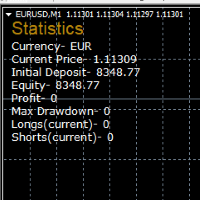
STATISTICS OSD
Statistics OSD (On Screen Display) Is very Helpful and easy to use. Download Today! ENJOY! :) On Screen Display -Currency -Current Price -Initial Deposit -Equity -Profit -Max Drawdown -Longs(Current) -Shorts(Current)
*Very useful in configuring EA's or Strategies, because you can visually see when its having a lot of shorts or longs. Then you can go back and tweak accordingly.
FREE

ImpulseShield EA is here to say NO to trading decisions made on Impulse
Have you ever placed a trade based on an impulsive decision and regretted your action? What if you could have been able to avoid taking the trade? ImpulseShield is here to help you to only when it is right. The Free Version Only Supports EURUSD, GBPUSD and USDJPY, Here is the Full Version, Just $30 https://www.mql5.com/en/market/product/131505 Key Settings and Their Role
The EA uses the inputs defined earlier to determine
FREE

The most different product of the site: This tool is an auxiliary tool aimed at managing your trades and psychological discussions. As you probably know, more than 70% of the reason for the success of big traders is psychological issues. Only 30% is related to your strategy. So it is better to strengthen this big part with a tool. With a free tool, I allow you to become a better trader This tool consists of several rules. In version 1.0, we have 7 rules. In later versions, we will add more ru
FREE

核心定位 MT4 專用高級分析工具,深度解析交易歷史,挖掘數據洞察,優化策略並提升盈利能力。 核心用途 策略性能評估:分析盈利能力、穩定性與風險,給出 A+-D 級客觀評級 交易模式發現:識別優質品種、時段及盈利習慣,匹配不同市場條件 風險管理優化:計算回撤與風險指標,提供風險調整後的表現分析 主要功能 智能策略檢測:按魔術號碼分組,識別 23 種常見策略,分離手動 / EA 交易 多維度分析:覆蓋策略、品種、時間、評論四大維度,支持三維交叉分析 高級評論分析:自動解析評論中的策略信息,實現標準化與跨策略對比 組合表現分析:推薦最佳交易組合,警示低效配置 多類分析指標:包含基礎盈利、風險控制、高級統計三大類核心指標 輸出報告 終端簡明報告:策略排名、最佳組合、評論洞察、智能改進建議 詳細 CSV 報告:完整統計數據、品種 / 評論 / 時間分析、數據質量評估 使用特色 智能數據處理:自動擴展數據範圍,精確匹配持倉,支持靈活過濾 用戶友好設計:可調節詳情等級,自定義時間範圍,選擇是否包含手動交易 專業級分析:機構級績效標準,多層次風險評估,實戰導向建議 適用人群 EA 開發人員(驗證策
FREE

Dexter EA is a 100% automatic robot that executes random orders of simultaneous buys and sells. For each losing operation, a management with an increase in the lot will begin, better known as “martingale” that will cause the price to fall back to the area where it was established. the profit the robot closes in profit or breakeven, depends on its configuration. I catalog it as a utility even though it works totally automatic because EVERY TRADER'S WORK IS NEEDED to be able to make it work corre
FREE

Trade Space PRO Профессиональная торговая панель для MT4. Главное ПРЕИМУЩЕСТВО - все настройки выведены на график символа. Запоминаются автоматически для каждого символа отдельно. Трейдинг/риски/блок контроля новостей и тайминга/панель сигналов . Вся важная информация отображается на панелях. Вам нужно только открыть позицию одним щелчком мыши. Управление открытой позицией так же просто, насколько это возможно: вы можете легко настроить уровни Стоп Лосса (S/L) и Тейк Профита (T/P). В о
FREE

This is a free trial version of ScalTradeAssist Pro ( https://www.mql5.com/en/market/product/25920 ) You can use all functions of the tool without any restriction except the lot size. (fixed as 0.01)
I hope you'd like it and decide to purchase the professional version :)
Below is the explanation of the ScalTradeAssist Pro.
*If you see that the orders are not being placed, please check your spread setting, this tool watches it and never place orders if the spread is not matching.
ScalTradeAssis
FREE

SL Maestro - Forex Expert Advisor SL Maestro - Forex Expert Advisor with Advanced Stop-Loss Features Introducing SL Maestro , the ultimate Forex Expert Advisor (EA) designed to enhance your trading strategy by adding stop-losses to existing trades with precision and flexibility. SL Maestro is not just limited to simple pips-based stop-losses; it incorporates a variety of advanced techniques to ensure optimal protection for your trades. Key Features: Pips-Based Stop-Loss : Easily set a stop-loss
FREE
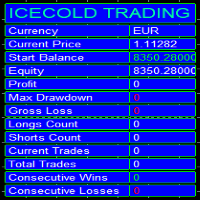
Icecold Trading OSD (On Screen Display) Is very Helpful and easy to use. Try Demo out today!
On Screen Display -Start Balance -Equity -Profit -Max Drawdown -Gross Loss -Longs count -Shorts count -Current Trades -Total Trades
*Know that in the Total Trades, Consecutive Wins & Consecutive Loss columns , those are ALL of the trades your account has done. It does not show 0 when loaded if you have completed trades already in Account History... Just note. To RESET just change Account history perio
FREE

The Order Selective Delete is a multi-symbol multi-timeframe script used to delete simultaneously various pending orders. General Description
The Order Selective Delete possesses three operation modes (Intersection, Union and All) that control the way as three pending order features (symbol, magic number and type) are used. The modes, available through the Selection Mode input parameter, relate to the features, available through the “Select by Feature” and “Feature” input pa
FREE

The Position Selective Close is a multi-symbol multi-timeframe script used to close simultaneously various positions. General Description
The Position Selective Close possesses three operation modes (Intersection, Union and All) that control the way as four position features (symbol, magic number, type and profit) are used. The modes, available through the Selection Mode input parameter, relate to the features, available through the “Select by Feature” and “Feature” input pa
FREE
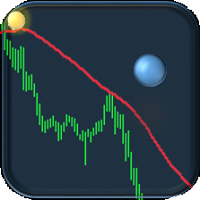
If you are tired of trading, why not have a little fun right in the MT4 terminal? Try this game, the rules are simple - you need to control the ball and take a coin. The ball jumps along the line of the moving average, and it is controlled by arrows or the keys "w a s d". Try to keep the ball from falling out of bounds. There are several levels of difficulty, if at first it’s difficult, you can set a simple level, and when you train, increase difficulty.
When adding a game to a window with a c
FREE

该脚本旨在评估各种窗口函数中的权重。基于这些窗口函数构建的指标可以在 https://www.mql5.com/ru/market/product/72160 下载 输入参数: iPeriod – 指标周期。 iPeriod >= 2 iCenter 是窗口函数中心所在的参考索引。默认情况下,此参数为 0 - 窗口中心与指标中心重合。当 1 <= iCenter <= iPeriod 时,窗口函数的中心将移动,因此指标的某些特征将发生变化。在图 1 中,您可以看到中心的选择如何影响窗口功能和指标的显示。此参数可以以 0.5 为增量进行更改。 Histogram width - 直方图的宽度。 Histogram color - 直方图的颜色。 Show duration - 显示持续时间。 Screenshot - 启用此选项时,图片将保存在 Files 文件夹中。 一些窗口函数使用附加参数 - ParameterA 和 ParameterB。它们会影响窗口权重。正因为如此,指标的特性发生了变化。该表显示了窗口函数和更改参数的限制(如果使用它们)。 Window
Parameter
FREE

您有機會擺脫日常交易,在短時間內投入魔法世界。我向您介紹遊戲 - 紙牌技巧。在 mql 語言中,您不僅可以創建 EA、指標、腳本,還可以創建這樣的小遊戲。 我不僅是交易員和程序員,而且我還喜歡在空閒時間展示紙牌技巧,因為它發生了,我決定將我最喜歡的技巧之一數字化。這並不容易,因為焦點包含很多精神主義。 訣竅是由一副不尋常的紙牌展示的。這些是“俄羅斯風格”的優秀紙卡。這副撲克牌與穿著服裝的人物,重複了 1903 年 2 月在冬宮舉行的宮廷舞會參與者的服裝。 1911 年,德國紙牌遊戲工廠 Dondorf(美因河畔法蘭克福)開發了紙牌草圖。國王、女士和傑克的衣服都是按照 17 世紀的風格製作的; ace - 被古代俄羅斯武器和盔甲包圍的盾牌圖像。這些卡片本身是在聖彼得堡的亞歷山大工廠印刷的,它們的發行時間恰逢慶祝羅曼諾夫王朝 300 週年。
FREE

它在策略测试器中运行良好。用免费的DEMO试试吧。
How to run the FREE DEMO => https://www.mql5.com/en/blogs/post/749299
Msg2Discord将自由文本和从文本框中捕获的信息发布到Discord。
如果你在图表上写上线条、标记或评论,图像将被发送。
一个非常有用和简单的工具。
- 发送自由信息
1. 在EDIT框中输入自由文本。
2. 按 "发送 "按钮。
- 发送自由信息+图像捕捉
1.在EDIT框中输入文字。2.
2. 按w/img按钮。
- 发送一个捕获的图像
1.只需按下w/IMG按钮。
*需要Discord WEBHOOK作为参数。
*本工具使用 "WebRequest",
这是一个简单的功能,但对Discord用户来说将是一个有用的工具。
在策略测试器上工作正常 ! 让我们尝试一下免费的演示。
FREE

分析整個市場所有符號的利潤可能性的簡單腳本。 您可以指定每個期間的最小和最大利潤百分比和步驟數。 腳本會根據您的配置找到最有趣的符號。
您將獲得對整個市場的快速和當前分析,這可以幫助您做出正確的交易選擇,您再也不會錯過機會。
分析整個市場所有符號的利潤可能性的簡單腳本。 您可以指定每個期間的最小和最大利潤百分比和步驟數。 腳本會根據您的配置找到最有趣的符號。
您將獲得對整個市場的快速和當前分析,這可以幫助您做出正確的交易選擇,您再也不會錯過機會。
分析整個市場所有符號的利潤可能性的簡單腳本。 您可以指定每個期間的最小和最大利潤百分比和步驟數。 腳本會根據您的配置找到最有趣的符號。
您將獲得對整個市場的快速和當前分析,這可以幫助您做出正確的交易選擇,您再也不會錯過機會。
FREE

ExportRange 是一款用于导出指定时间周期蜡烛图数据的实用脚本。脚本会获取每根蜡烛的最高价、最低价、价格区间,以及时间和索引,并以 CSV 格式保存。适用于需要进行统计分析或波动率研究的用户。 运行该脚本后,会根据设定的数量提取历史 Bar 数据,并将结果保存到交易终端的 Files 目录下。Bar 数量和时间周期可通过输入参数设置,也可以直接使用当前图表的时间周期。 主要功能 导出指定数量的历史 Bar 数据 保存 High、Low 和 Range(High 减 Low) 支持使用当前图表的时间周期 以 CSV 格式输出,便于在外部工具中分析 输出字段
生成的 CSV 文件包含以下内容: Timeframe Index Datetime High Low Range Range 以价格差形式保存,可根据需要在后续处理时转换为点值。 适用场景
适用于区间统计、波动率研究、策略开发准备,以及回测前的市场特性分析,为进一步的数据处理提供基础信息。 使用方法 从 Market 下载并安装脚本 在导航器的 Scripts 分类中找到该脚本 将脚本应用到任意图表 设置 Bar 数量与时间
FREE

即时 Slack 通知。可直接在图表上设置价格水平,当价格突破该水平时即可收到消息。添加一个水平只需一次点击。你可以用鼠标拖动线条,以精确设置所需的价格水平。 便捷控制面板: 所有活动提醒都会显示在列表中
可以通过拖动线条来编辑价格水平
不需要的提醒可以一键删除,或使用 "Clear All Alerts" 一次性全部清除
提醒在触发后会自动移除
可选择在图表上隐藏提醒线
支持自定义通知文本(例如:crossed、reached、touched)
支持 Dark/Light 模式 工作原理: 点击 Add Alert
图表上会出现一条价格水平线
将其移动到所需的价格水平
当价格突破该水平时 - 你将会在 Slack 收到消息 简单设置: 在 Slack 中创建一个新的 App,配置 Incoming Webhook,选择一个频道并复制其 Webhook URL。
在 MetaTrader 4 → Tools → Options → Expert Advisor 中启用 https://hooks.slack.com/ 的 WebRequest,将该工具附加到任意图表,并在 Input
FREE

InnovaDash Smart Sync 是官方数据连接器,旨在将您的 MetaTrader 终端直接桥接到您的 InnovaDash Analytics 仪表板。
这款轻量级实用程序专为专业交易者打造,在后台静默运行,自动将您的实时净值更新、未平仓头寸和历史交易数据推送到 InnovaDash。
为什么选择 InnovaDash?
InnovaDash 是一款高级且基于云端的量化分析套件,可将您的原始交易数据转化为可操作的见解,从而提高您的交易业绩。
无论您是日内交易者、波段交易者还是基金经理,InnovaDash 都能帮助您止损并改善交易表现。
Innova AI 代理 不要再猜测哪里出了问题。直接与您的交易历史进行对话。问问人工智能:“我通常在一周中的哪一天亏钱?”,“我是在报复性交易吗?”,或者“给我一份完整的绩效报告”。
50+ 高级量化指标 InnovaDash 会自动计算机构风险指标,包括您的夏普比率 (Sharpe Ratio)、索提诺比率 (Sortino Ratio)、卡玛比率 (Calmar Ratio)、风险价值 (VaR)、溃疡指数 (U
FREE

iCUSTOM INDICATOR TESTER是CODERS的工具,但不仅限于此。 即使您没有.mq4文件的源代码,而只有编译后的.ex4文件,即使或特别是它,该程序也设计用于测试和检查自定义指标。
交易者可能会测试指标,并查看其想法是否与指标数据相关联-如果该想法是真的计算出来的,以及是否有可能基于此特定指标创建EA。 它可以节省开发人员和交易者的时间。
请在指标的名称字段中输入指标的名称,然后将.ex4指标文件放入指标文件夹。
程序将显示前64个缓冲器的当前值。
如果BUFFER值始终恒定为零,则该BUFFER可能无效。 //////////////////////////////////////////////////////////////////////////////////////////////////////////
FREE

该脚本基于使用随机数生成器模拟贸易交易。即使使用相同的输入参数,这也可以使您获得完全不同的结果。运行脚本时,将打开一个对话框,您可以在其中设置外部变量的所需值。 在块中,TradingOptions定义了模拟交易所需的基本参数。 StartBalance - 设置交易余额的初始大小。 NumberTrade - 设置脚本运行时将建模的交易事务数。为了获得或多或少的显着结果,该参数必须大于30。 ProbabilityWinning - 获胜交易的概率。表示为百分比,有效值为1到99。 Min.StopLoss - 表示以点为单位的最小StopLoss值,将在建模交易操作时使用。 Max.StopLoss - 以磅为单位设置StopLoss的最大值。 PositiveWin。 - 该变量建立修正,借助于该修正在模拟交易中获得积极的期望。 脚本的工作是执行以下操作。首先,计算获胜交易的预期概率 - PW。之后,随机设置StopLoss的值,该值将在此事务中使用。考虑到预期收益应为正数,计算TakeProfit规模。考虑到点值,TakeProfit和StopLoss水平将转换为
FREE

即时 Discord 通知。可直接在图表上设置价格水平,当价格突破该水平时即可收到消息。添加一个水平只需一次点击。你可以用鼠标拖动线条,以精确设置所需的价格水平。 便捷控制面板: 所有活动提醒都会显示在列表中
可以通过拖动线条来编辑价格水平
不需要的提醒可以一键删除,或使用 "Clear All Alerts" 一次性全部清除
提醒在触发后会自动移除
可选择在图表上隐藏提醒线
支持自定义通知文本(例如:crossed、reached、touched)
支持 Dark/Light 模式 工作原理: 点击 Add Alert
图表上会出现一条价格水平线
将其移动到所需的价格水平
当价格突破该水平时 - 你将会在 Discord 收到消息 简单设置: 在 Discord 中创建一个文本频道并复制其 Webhook URL。
在 MetaTrader 4 → Tools → Options → Expert Advisor 中启用 https://discord.com/ 的 WebRequest,将该工具附加到任意图表,并在 Input Value 中填写 Webhook URL。
详细的分
FREE

Ego Guard is an advanced Expert Advisor designed to safeguard account equity by implementing robust risk management measures. This EA closely monitors account activity and intervenes when necessary to prevent excessive risk exposure. Specifically, Ego Guard automatically disables any other Expert Advisors that attempt to open trades exceeding the predefined risk threshold. By effectively managing trade volume and ensuring adherence to risk management principles, Ego Guard provides traders with p
FREE

Bollinger Bands TP Guardian
这个实用型EA(智能交易系统)使用布林带(Bollinger Bands)来修改未结订单的止盈(TP)水平,改善您的交易管理,并在手动执行交易后实现自动化。
主要功能 自动TP调整: 该EA会自动调整未平仓订单的TP。 布林带集成: 使用布林带的上轨、中轨或下轨来设置TP水平。 可自定义设置: 用户可以指定布林带参数和TP修改的频率。 操作简便: 一旦附加到图表上,该EA就会在后台运行,无需手动干预。 如何使用 将EA附加到图表上。 在EA的设置中,选择所需的布林带线(上轨、中轨或下轨)作为期望的止盈水平。 设置布林带参数。 随后,该EA将开始调整该交易品种上任何未平仓订单的TP。 参数 Bands Period: 布林带计算的周期。 Bands Deviations: 标准偏差数量。 Bands Shift: 水平偏移。 Type line: 选择要使用的线: Upper Band 、 Middle Band 或 Lower Band 。 Use data: 使用最后一个已收盘的K线数据或实时数据。 The frequenc
FREE

Советник риск-менеджер с огромным арсеналом возможностей защиты вашего депозита. Для инвесторов, которые решили передать капитал в доверительное управление. Когда у трейдера нет доступа к настройкам - нивелирует торговые риски. А также для трейдеров, которые осознали необходимость стороннего контроля за их торговлей для улучшения торговых результатов. Для максимальных результатов - должен стоять на отдельном VPS сервере и у трейдера не должно быть возможности менять настройки в торговый период.
FREE

这个小脚本会照亮你的生活。 下面是它的代码,你可以将它插入到任何机器人的 OnInit 中。 或更改颜色和比例以适合您的口味 #property copyright "V.Temchenko Skype:vasily.temchenko" #property link " Mailto:tvp.prog.96 @gmail.com" #property version "1.00" #property strict #property description "Have questions? Skype: vasily.temchenko Viber: +38098 800-6-800" ; #property description "If the voice - only Russian, Ukrainian or Belarusian" ; #property description "And you can write in English, Russian, Ukrainian" ; #property description "
FREE

该脚本的设计使交易者可以确定交易交易的平均持续时间,在此期间可能的利润和损失的比率将是最佳的。 首先,让我们看一下确定贸易交易最佳持续时间的一般方法。我们介绍以下变量: R - 交易的结果; T - 交易开放的时间; W - 上一笔交易结束与下一交易开盘之间的时间。 每个交易者都努力在最短的时间内获得最大的利润。这种愿望可以通过以下简单表达来描述: R/(T+W)→max 。 很明显,变量 T 和 W 取决于交易的总持续时间和交易数量。设 ATD 是交易的平均持续时间, N 是交易总数。然后,交易的平均持续时间应与其总数的平方根成比例增长,即: ATD~√N 。 但是,有一些有根据的问题出现 - 任何交易持续时间等同于其他交易持续时间,交易持续时间如何影响交易操作的结果?为了得到所提问题的答案,我们将对历史数据的价格行为进行一项小型研究。 我们继续如下。我们将历史数据划分为由一定数量的柱组成的系列,对应于交易的平均持续时间。在每个这样的系列中,我们计算最大价格变动,我们将引用更大的偏差 StopLoss ,并且更小 - 到 TakeProfit 。 之后,我们将计算整个历史中价格范围的
FREE

当市场与您的交易相反时,保护您的帐户免受追加保证金的影响。
使用Mar,网格,平均时管理风险。它们不再是危险的,而是可以控制的
使用此EA实用程序伴随每次MT4安装
当交易不利时,此EA可以保护您的资金:
最大的金钱损失, 最大提取/股本损失百分比, 您的最低资产净值达到 那些先到达
交易简单,直接,强大
在货币选项卡之一中安装此EA,它将监视来自交易终端的所有交易。
简单,轻巧且非常有用
Dāng shìchǎng yǔ nín de jiāoyì xiāngfǎn shí, bǎohù nín de zhànghù miǎn shòu zhuījiā bǎozhèngjīn de yǐngxiǎng. Shǐyòng Mar, wǎng gé, píngjūn shí guǎnlǐ fēngxiǎn. Tāmen bù zài shì wéixiǎn de, ér shì kěyǐ kòngzhì de shǐyòng cǐ EA shíyòng chéngxù bànsuí měi cì MT4 ānzhuāng dāng jiāoyì bùlì shí, cǐ
FREE

SA Assistant is an intuitive tool without complicated settings, designed to facilitate the trading operations in the MetaTrader 4 terminal. SA Assistant is not designed for working in the strategy tester. The demo version works only on the USDCAD pair. Please test the EA on a demo account before using it on a live account.
The SA Assistant EA is visually divided into 4 blocks: 1. "Information" - displays in real time: trading account balance leverage spread of the instrument the EA is attached
FREE

TradingPanel X EA is a simple trading panel with some nice addons: Integrated News Feature Dynamic Take Profit Multiple Trade handling The EA has integrated dynamic Take Profit, this means, if you reach your defined TP it gives you the chance to follow on the Trend by dynamic TP & SL and extend your profits. Also a News Filter function is integrated. The EA working with real TP & SL not virtual.
Important:
Get informed about new Products, join our MQL Channel: https://www.mql5.com/en/channel
FREE

CopyStar – File-based Trade Copier (MT5 Master/Slave, MT4-compatible) Short description
CopyStar mirrors changes to your open net positions from the master to any slaves – quickly, robustly, and without network configuration. Communication runs via common files (shared file folder), enabling CopyStar to support MT5↔MT5, MT5→MT4, MT4→MT4, and MT4→MT5. Supports symbol mapping, lot multiplication, optional SL/TP copying, magic/comment filters, and a clear chart status display including heartbeat.
FREE

Hello everyone, this is another utility that I wrote specifically for users using my profile with a large number of experts and sets ( https://www.mql5.com/en/blogs/post/750723 ) . This utility is useful for working with a profile using grid strategies (averaging and martingale). As we know, such strategies periodically fall into a large drawdown and you need to be careful when opening averaging positions (do not open too many). In my profile, I use a limit of 3 positions for each EA, if this w
FREE

This is the Free Version of "Just Copier Pro MT4" (Please check : https://www.mql5.com/en/market/product/34472) This free version is available to be used within 2 hours only, and it has limited features. Please also check this product at fxina.hostingerapp.com.
If you want to share your trading signal, but you dont want to distribute your investor password, this product is fit with you. "Just copier Pro" is designed to copy trading without any complicated settings. The copy can be done in o
FREE

"TradeALot" is a plug-in for the Expert Advisor Control-adora . It allow you to place programmed orders without the need to write the name of the order in the Arrow (like bs, ss, bl, sl, sl1, sl2, etc). Just drag and drop the button for "Programmed Buys" or "Programmed Sells" over the candles-zone at the place where you want to program the order and TradeALot will compare the bid price with the position where you dropped the button and will decide if the order need to be "Stop" or "Limit". With
FREE

This indicator is a plug-in for Controladora Expert Adviser , which allows you to set a specific area, and the Controladora will open a buy or a sell, if the candle closes inside this area. To make it work in a chart with the Controladora installed, add the Act Inside indicator, then add a rectangle shape into the chart and re-size it to cover only the area where the close of a candle should be in order to send the buy or sell order. Rename the rectangle as AI and in it's description write buy,
FREE

This is a script that is made to work in conjunction with the Objects Hide script Re-draw again the objects removed in the chart by the Objects Hide script Just drag and drop over the desired chart when you want to recall the objects deleted by Objects Hide Using this scripts system you can have the option to hide (remove) all graphical objects in the chart and recover them again later. Objects Hide is purchasable here in mql5.com find out more about this on this link. Please watch the demo tuto
FREE

这是一个MT4的脚本,帮助把交易记录按照品种分类统计。 参数 Select Period: 这是7个选项的参数,分别是上个月,本月,上周,本周,今天,指定日期。 Specify Starting Date: 输入一个起始日期,如果上面参数你选择的是指定日期的话。 Specify Ending Date: 输入一个截止日期,如果上面参数你选择的是指定日期的话。 如果参数Select Period 选择的不是 指定日期,那么后面的两个参数就不用填写了。 脚本会有弹窗提示结果,并且有一个文件输出结果,文件保存在MQL4\Files文件夹中。 希望对你有帮助,真心希望对你有帮助,我觉得会有帮助。 必须满足300个字,我必须说些废话,好了,希望对你有帮助。 MT5 Version: https://www.mql5.com/zh/market/product/23949
FREE

所有MQL5 EA产品,付费100RMB加入VIP会员即可全部无限制使用,详情请咨询客服QQ407776353 所有MQL5 EA产品,付费100RMB加入VIP会员即可全部无限制使用,详情请咨询客服QQ407776353 所有MQL5 EA产品,付费100RMB加入VIP会员即可全部无限制使用,详情请咨询客服QQ407776353 所有MQL5 EA产品,付费100RMB加入VIP会员即可全部无限制使用,详情请咨询客服QQ407776353 所有MQL5 EA产品,付费100RMB加入VIP会员即可全部无限制使用,详情请咨询客服QQ407776353 所有MQL5 EA产品,付费100RMB加入VIP会员即可全部无限制使用,详情请咨询客服QQ407776353 所有MQL5 EA产品,付费100RMB加入VIP会员即可全部无限制使用,详情请咨询客服QQ407776353
FREE

This script is to be used with the Market Patroller indicator as a constructor for a specialized list of symbols based in all the available symbols listed in your MT4's Market Watch window. You can reduce the list depending upon several considerations: List only some symbols that have some instrument, for example, if your broker have 5 EUR pairs (EURXXX or XXXEUR). Exclude some symbols, for example, if you do not want to trade today GBP related pairs, this will avoid any GBPXXX or XXXGBP symbol
FREE

点差成本信息 点差产生的交易成本是制定交易盈亏比时的一个重要指标。点差成本信息对短线交易者尤其是超短线交易者尤为重要。本工具可以在不同的账户类型(美元账户、欧元账户等等)下,输出平台报价中所有外汇货币对(包括黄金XAU、白银XAG)的点差成本。
计算方法及原理 见文章: 外汇货币对的交易成本 Part1 外汇货币对的交易成本 Part2 外汇货币对的交易成本 Part3 外汇货币对的交易成本 Part4
参数 Lots - 设置计算点差成本的交易手数,默认为1.0。
如何使用 使用此工具前需将MT4的市场报价设置为“显示全部”,具体操作见下图; 输出的路径为“ MT4路径\MQL4\Files\SpreadCostData ”,文件名称是当前日期,输出成功后会在MT4 - 终端 - EA一栏显示成功输出信息,输出路径及文件名称见下图; 输出内容的第一列是货币对名称,第二列是点差(点数),第三列是交易 Lots 手的点差成本(点差成本以账户货币计价),具体内容见下图。
完全版 所有数据在面板上实时更新,下载地址: https://www.mql5.com/zh/market
FREE

This utility clones the chart it is running on. It opens the same chart with the same graphical objects, set of indicators (saving the parameters) and the rest of the elements. In essence, it performs a deep copying of the original chart, transferring the template to the opened chart. The symbol and the timeframe of the original chart are also saved.
FREE

The ZZ Snake indicator is a small entertainment utility and does not have any benefit for trading. Made on the indicator ZigZag, so the parameters will be easy to figure out. If you set it on a graph, you can see a serpent monster that moves across the screen, changing the dimensions of the head and torso in movement. Just connect it to the schedule and let yourself crawling. Careful, he can bite! )
P.S. For a more dynamic movement of the snake, it is recommended to run it in the strategy teste
FREE
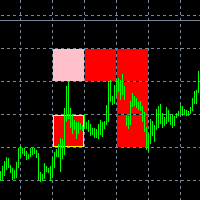
The new version of the game "Snake".
Added setting for the distance of the target (vertical + horizontal), which greatly enlivens the game.
The snake moves in the background, along the grid layout.
Control:
Ctrl - pause, W - up, A - left, S - down, D - right.
In the input parameters, you can set the time in milliseconds between movements.
The snake increases by one division upon reaching the goal, and so on, until it occupies the entire field.
The comment displays the size of the field a
FREE

Information panel displaying traded lots for pairs, as well as the minimum margin level and maximum drawdown. The info panel will be indispensable when calculating the affiliate program and expert advisor tests. In the settings, you can add up to 10 of your favorite pairs, customize the panel display colors and its location. Check out my other products, maybe they will be useful to you.
FREE

Garfield Equity Loss Closer is an expert advisor who will stay in control of the equity / float of the account, when the negative float reaches the amount defined from the inputs, he will close all existing orders.
Only one input, it is the negative amount in the currency of your account that you must reach to start closing all positions.
Its use is recommended for those expert advisors who use a volume increase system, either hedging (recovery zone) or martingale since sometimes without real
FREE

Martingala Assistance, as its name says ... It is an assistant, an expert advisor that monitors all the orders for the asset in which it has been placed, no matter if that order was by some other expert advisor or by the trader placed on the Manually, he will start his work after each order that is negative.
See more products on: https://www.mql5.com/en/users/joaquinmetayer/seller .
FREE

Simply Parabolic SAR EA is an expert advisor that places orders in favor of the trend changes of the "Parabolic Stop And Reverse" indicator, placing its take profit, stop loss and trailing stop. You can see more of my products here: https://www.mql5.com/en/users/joaquinmetayer/seller
Inputs: Lots TakeProfit in points StopLoss in points TrailingStop distance in points Step PSAR Max PSAR
FREE

Good old snake with various options.
You can play directly on the chart. And you can play in a separate window.
You can not play at all, but set her speed of movement and run it on the machine, the snake itself will chase and devour apples.
You can turn on different sounds of eating apples, or you can completely turn off all sounds.
You can set the maximum length of the snake, and you can also set the number of dice on the game board.
In short - a lot of things are possible. Enjoy.. )
FREE

Informing the user about the size of the current spread.
A simple and convenient informant. You can place it anywhere on the chart (configurable in the input parameters).
Input parameters:
- text color
- text size
- text style
- binding to the corner of the graph
- horizontal offset from the anchor point
- vertical offset from the anchor point
- enabling (disabling) the "Show as background" function
Have a good trade to everyone!
FREE
This indicator is to be used in bot connectors for automation of Pct Multi indicator entries.
How to use: Configure the bot connector with the following information: Indicator name: pctmultibot Call buffer: 0 Put buffer: 1
Do not add this indicator to the chart, just configure it in the bot connector!
Pct Multi indicator:
https://www.mql5.com/en/market/product/73054
FREE
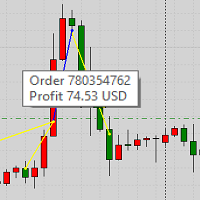
This product displays closed trades from history and current open trades on a chart. The product has many visual settings, as well as filtering settings for displayed transactions, which allows you to analyze the effectiveness of advisors and/or trading strategies. You can filter by comments or by the advisor's magic number. Without using this product, how else will you see your trading and understand its effectiveness?
FREE

### 程序简介
**RemoteBatchClose EA** 是一款针对外汇交易者的自动平仓工具,旨在帮助用户在不在电脑前时管理持仓订单。通过自动监测指定挂单价格和货币对,该程序可以在满足条件时自动平仓,从而减少用户的操作负担,确保交易策略的有效实施。其设计初衷是解决用户在持仓较多时平仓不便的问题,使交易更加高效、便捷。
### 功能介绍
- **自动平仓**:支持在特定价格触发时自动平仓,适用于所有或特定货币对的订单。 - **快捷指令**:通过快捷指令(777和999)快速执行批量平仓操作,便于在紧急情况下迅速反应。 - **灵活设置**:用户可以根据需求自定义挂单价格、货币对及是否开启平仓操作,提供高度灵活性。 - **实时监控**:程序在运行时会持续监控挂单状态,并在条件满足时自动执行相应操作。 - **删除挂单**:在平仓操作后,用户可以选择是否删除其他挂单,以保持账户整洁。
### 使用说明
1. **设置参数**: - 在输入变量中,设置目标挂单价格(`targetPrice`)和货币对(`targetSymbol`)。 - 确定是否启用平仓操
FREE

Good morning, The following indicator is very useful when managing multiple trades on the same instrument. It allows you to see the average entry price for BUY and SELL trades. If there is an imbalance (as shown in the example photo), the indicator will display the averages of the SELL/BUY trades and a GOLD line that marks the breakeven price (excluding swap and commissions).
FREE

The Order Info Box utility is designed to conveniently control the orders placed. If there are orders, the utility builds graphical informers for each order, indicating
- the order type (position direction);
- the order volume;
- the profit (if the order is in the market);
- optionally the order magic;
- optionally the order comment.
In addition, the utility builds informers for TakeProfits and StopLosses of orders, indicating the profit or loss that will occur when this TakeProfit or StopLoss i
FREE

The Expert Advisor closes all open positions and orders after a specified number. If desired, this can be done in conjunction with the magic number. The EA is useful for grid and martingale systems and manual trading.
When the specified number of open positions is reached and the magic number matches, all positions are closed immediately, regardless of other values.
Furthermore, after closing all positions, a push notification can be sent to the mobile version of MT4 on your mobile phone.
FREE

MayaTradeManager is a pure & 100% manual trade orders management. MayaTradeManager doesn't have any indicators or signals to be used together since all trades are done by the user only. MayaTradeManager is an good tool usually for whoever that has a signal at the user disposal but don't have the one-stop-center to manage their trades conveniently. MayaTradeManager brings all of the trades management into one simple panel in a very convenient way.
Just a quick note Lot size box is an editable bo
FREE

StatBar 1.6 Indicator showing balance, earnings for today, yesterday and the day before yesterday. The indicator also shows: - Server; - GMT; - Server time; - Shoulder; - Spread.
Description of variables: extern int Magic = "-1"; // Magic for statistics -1 = all 0 = manual extern string Symboll = "-1"; // Symbol for statistics -1 = all 0 = current EURUSD = for EURUSD
FREE
您知道为什么MetaTrader市场是出售交易策略和技术指标的最佳场所吗?不需要广告或软件保护,没有支付的麻烦。一切都在MetaTrader市场提供。
