 MetaTrader 5
 专家
专家
 指标
指标
 程序库
程序库
 实用工具
实用工具
 窗口小部件
窗口小部件
 规则
规则
MetaTrader 4 交易实用工具 - 14
 以下是可在MetaTrader 4中简化外汇交易的交易程序。将鼠标悬停在下面列表中的工具上,阅读它的描述和用途。
There is no doubt that money management plays a key role in the success of a forex trader. Many people, despite having a good strategy for trading in the forex market, fail to earn a steady income because they do not observe the stop loss and take profit levels in their trades.
The Digitraderz.com team, due to the request of some of their audience, has designed a trader assistant robot for managing the stop loss and take profit levels in forex trades. This money management robot is offered for
FREE

Titan Smart Layer Assistant Powerful Trading Assistant for Professional Trade Management Most trading robots try to replace the trader . Titan Smart Layer Assistant does the opposite. It is designed to empower traders , not replace them. Built for the MetaTrader 4 platform, Titan acts as a professional trading assistant that helps traders manage positions with precision, discipline, and structured execution. Instead of blindly opening trades, Titan focuses on what matters most: intelligent trade
FREE
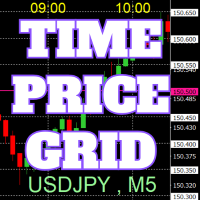
On the chart, draw grids for price and time at round numbers for easy reference.
"Parameter Input" allows for setting price intervals for each period. The grid lines for significant numbers (round numbers) are thicker and more prominent than other lines, making them easily distinguishable. The grid lines for significant numbers (round numbers) can be set to a different color than other lines. Colors at various points can be individually configured. Symbols and timeframes can be displayed, and t
FREE

自动将 MT4 交易的开仓、平仓、部分平仓及修改的实时通知发送到 Discord。 该工具支持16种语言:英语、法语、德语、印地语、印尼语、意大利语、哈萨克语、韩语、荷兰语、波兰语、葡萄牙语、俄语、西班牙语、土耳其语、乌克兰语和越南语。该产品专为无需持续监控终端即可接收 Discord 通知的交易者设计。适用于使用 Expert Advisor 的用户、交易多个品种的交易者以及 VPS 用户。 能够正确识别全部和平仓(例如:0.10 / 0.30 手),并实现了防止重复消息的机制。 通知可以发送到交易账户的所有品种,或仅发送到附加该工具的图表品种(可选)。
提供 Test Discord 按钮用于验证聊天功能,并可在设置后从图表中隐藏。还新增了 Send open positions 按钮,可将当前所有未平仓头寸以表格形式发送到 Discord。 通知内容: 开仓通知包括:交易品种、交易量、交易方向(BUY / SELL)、开仓价格,以及 Take Profit 和 Stop Loss(可选)。 平仓通知包括:交易品种、平仓量(部分或全部)、平仓价格(可选),以及最终盈亏(毛或净 -
FREE

* The product for MT5 converted using "BRiCK TradeByArrow MT4" is here. BRiCK is a simple and versatile utility.
By combining Experts, Indicators and utilities like the Lego block, various trading styles can be realized. "TradeByArrow" is Utility that executes order processing when an arrow object is created on the chart.
Combined with Indicator which outputs arrow object, it can be used like Expert.
Parameter
[ArrowName] EntryBuy: Arrow object name for buy order (partial match) EntrySel
FREE

該腳本打開了5個定單(買入),其中有1個止損和5個不同的獲利。 並下達4個限價單(買入)。 默認設置以下參數: 所有未結訂單的止損-120點 獲利1張(0.1手)-30點 獲利其他4個訂單(每手0.04)-50、90、140、200點。
限價單的止損價比當前價格(下訂單時)高135-140點。 每個限價單的距離為20點。 帶有微型mart的批次大小-0.04、0.05、0.06、0.08。
對於限價單,將在2天后設置自動刪除。 您可以使用該顧問來支持未平倉合約https://www.mql5.com/en/market/product/56277
您可以在啟動之前使用自己的參數或帶有用於設置參數的窗口來訂購腳本。 就個人而言,我發現在沒有參數確認窗口的情況下運行腳本很方便。
MT5的腳本版本-https://www.mql5.com/zh/market/product/56297
FREE

这个EA是一个小助手,适用于所有喜欢在智能手机或平板电脑上交易的人。EA被放置在一个图表上,并监控所有市场(多货币)。无论你在哪里,只要有网络,你就可以使用它进行交易。打开位置,设置停止,EA会自动在之前设置的比例(1:1,1:2等)到停止的位置创建一个TP。这是一个非常方便的功能,可以帮助你更好地管理你的交易。非常适合在移动设备上交易。无论你是在公交车上,还是在咖啡店,只要你有时间,你就可以进行交易。更多像是追踪停止的更新将会跟随。这将使你的交易更加灵活,更能适应市场的变化。 Translated via ChatGPT (Bing browser copilot) Excuse my bad mandarin.
FREE

智能交易监控助手 —— 实时持仓统计、盈亏追踪与警报系统 实时监控 :自动统计持仓、平仓数据,清晰展示昨日/前日盈亏,告别手动计算!
智能警报 (仅付费版):持仓变动即时推送+声音提醒,不错过任何交易机会!
简洁直观 :一键加载,图表直接显示关键数据,提升决策效率。
兼容性强 :MT4/MT5双平台支持,适配任何交易策略。 免费版 vs. 付费版(订阅制) 功能 免费版 付费版(订阅) 持仓/平仓统计 ️ ️ + 历史数据导出 昨日/前日盈亏 ️ ️ + 多账户汇总 基础弹窗提醒 ️ 声音+推送警报 ️(支持自定义音效) 持仓异动即时通知 ️(如大额浮亏/盈利) 专属客服支持 ️(优先响应) 跟单和EA多品种交易高效统计和分析 “还在手动计算盈亏?90%的交易延迟来自反应滞后!【Smart Trade Monitor】自动监控持仓变动,付费版声音警报让您5秒内抓住机会,避免错过最佳平仓点!” 统计显示,使用警报功能的用户平均减少 23% 的非必要亏损。订阅付费版=每年节省 XX小
FREE
SymbolAutoChanger MT4
There is also PRO version for MetaTreader5 There is also PRO version for MetaTreader4 This tool allows you to automatically change the chart symbols in a loop. Example: EUR → GBP → JPY → CHF → CAD → AUD → NZD You need only to set up interval in seconds between auto switch. Also, you can choose whether to switch between all symbols provided by your broker or only between symbols available in the Market Watch window. Demo version is limited to 4 symbols. Full version allows
FREE

测试二元期权,策略和指标。
允许您测试自己的优势,检查二元期权的策略和指标。 专家不做任何真正的交易!仅用于测试目的。 您可以在真实的图表上运行,也可以在MT4 Tester中运行历史记录。 在MT4中有很多指标,你可以附上时间表并测试Dushe喜欢的方式)
图表上有两个呼叫和放置按钮。在上升,并在幻灯片。还有,指示Lot的字段。
在测试期间,显示利润数量,丢失数量,为零,余额,测试时间,打开的Call和Put的数量。
我希望这个创作能够帮助你从水槽中存钱,学习如何赚钱。
输入参数: Winning Percentage = 0.75; - 对利润的兴趣 Initial deposit = 100; - 初始存款 Drawing of transactions = true; - 绘制交易,是或否 Exp i ration Time in minutes = 5; - 交易的执行周期,以分钟为单位
使用说明: 专家不会进行真正的交易,只会进行测试。 如果您预
FREE

<b>AZ_OrderGun FREE - 1-Click Trading Panel (Free Version)</b>
The powerful free version of AZ_OrderGun to test the execution speed.
<b> WHAT'S INCLUDED IN FREE?</b> 4 Instant Entries: Buy SLL / Sell SLH / Buy SLO / Sell SLO Automatic Lot Size calculation by % Risk Full Features: Close All, BE All, Close %, Close Pending 100% Visual and draggable panel
<b> LIMITED FEATURES IN FREE:</b> Advanced management features Pend. Send, Mkt. Send, Close Winners and Close Losers are only avai
FREE

Tester BO and Tester Signal Bar is a script that allows you to test your trading strategies. The tester has two buffers with up / down signals. An example of use can be seen in the screenshots below. Using the indicator tester, you can achieve the maximum ratio of profitable trades for binary options. Improvement for forex is also planned. I wrote the idea at the very bottom in the “Planned work” group. You can filter your signals by the following data: 1- start date analyze. Interval (1 day, 7
FREE

MT4 Position manager
- Open/Sell buttons for open orders - Lot size, SL, TP for positions - "Set Breakeven" button for set SL on all opened positions - "Set TP" button for set TP on all opened positions - "Close Half lot" button for closing all open positions half lot size( opened 1.0Lot, click the button and automated close 0.5Lot) - "Positions Half Close" button for close open positions half qty. (Opened 10 position, ckick the button and automated close 5 positions) - "Close All" button for
FREE

Reverse copier is a tool that will open opposite buy/sell orders from your master account. It will help you with low profit EA's that lose consistenly and turn it to wins.
Feel free to ask for new functions/features and I will add it. Now it's a simple MT5 to MT4 bridge with straightforward logic of one position open/close.
How to install: https://www.mql5.com/en/market/product/141604
FREE

Portfolio Aggregator - one dashboard, total clarity across all your trading accounts Portfolio Aggregator unifies account data from multiple brokers and currencies into a single, transparent dashboard, giving real-time visibility into equity, margin, P&L, and risk metrics so traders can maintain control and confidence across diversified strategies. It converts all values into a chosen base currency using live FX rates, and displays equity, balance, unrealized P&L, margin usage, and open position
FREE

A simple risk management tool that closes all open orders if equity drops by a specified percentage. This tool is useful if you are running multiple EAs and multiple charts and pairs in order to control your risk. All orders will close accordingly. Once it hits specified percentage drawdown the closing of all orders cannot be stopped. The EA will reset once all orders are closed, until account equity drops again relative to account balance. Use at your own risk. This is only for MT4. There is o
FREE

Why do you need this script? If you place lots of orders and re-calculate your risk for every order you placed, you definitely need such a script. This script places one or (optional) two different orders with the following script inputs.
Utility parameters Operation Type - "Buy","Sell","Buylimit","Selllimit","Buystop","Sellstop" Price - Entry price of the order(s). Stop Loss - Stop Loss of the order(s). Take Profit 1 - Take Profit of the first order. Take Profit 2 - Take Profit of the second o
FREE

Universal tool for managing positions in one click with ability to test strategies
The utility has all functions of opening, tracking and closing trade orders with additional options for reversal, averaging and position compensation Extended order modification system with possibility of correction on price chart, taking into account conditions of partial or complete fixing of positions The panel allows you to test strategies in MetaTrader tester - all panel functions are available here with ab
FREE

This is a simple risk/reward setter. You enter your TP and SL in the currency amount and it sets it for you, you set your targets in money (not in pips), it helps beginners who are still learning about risk/reward ratios to set their risk/reward based on their capital or amount of money. For example, if you want to risk $3 to make $10, you just fill it in and it sets your order targets accordingly. You can set the TP and SL per chart or all opened charts only. Please make sure your targets are r
FREE
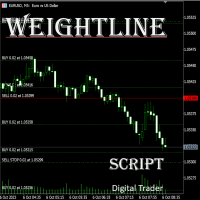
在外汇、股票、黄金等多品种、多仓位并行的交易场景中,交易者常常面临核心痛点:当持有多张同品种持仓单时, 无法快速直观判断当前市价与所有多头 / 空头持仓的相对位置 ,难以精准掌握整体持仓的平均成本,导致止盈止损决策滞后;尤其在多空混合持仓时,缺乏统一的成本参考基准,资金管理效率大打折扣。传统手动计算均价的方式不仅耗时费力,还容易出现计算误差,在高频交易或大额持仓场景下,根本无法满足实时决策的需求。 本 MT5 专属脚本专为解决多仓分析痛点设计,核心价值在于 让持仓与市价的关系实现可视化呈现 ,无需手动核算,即可帮助交易者在报价表中快速掌握关键持仓信息,让决策更高效、精准。脚本会自动计算并绘制三类关键均价线,且与当前市价实时联动,一眼就能判断市价处于盈利区间还是亏损区间,辅助快速调整止盈止损策略、优化仓位结构: 多头平均价线 :自动汇总同品种所有多头持仓的入场价格,精准计算平均值后生成专属线条,直观展示多头整体成本,让你清晰知晓多头持仓的盈利状况; 空头平均价线 :实时统计同品种所有空头持仓的入场价格,以平均价线条形式呈现,清晰反映空头持仓的成本区间,助力空头仓位的风险控制; 加权平均
FREE

優傲控制面板
UR 控制面板是我想免費與您分享的工具。 這是一個交互式面板,每天幫助我進行交易並加強我的市場掃描。 希望它也能滿足您的需求!
如何使用 UR 控制面板?
它是一個可移動、可調整大小的雙面板,其中: - 其中之一顯示給定時間範圍內的貨幣強度 - 另一個使選項能夠更快地在符號和時間框架之間移動,使用相同的圖表,並且另外顯示價格移動的給定通道內的阻力/支撐水平
設置 符號:啟用您通常使用的所有符號 Channel Trendline to Infinity:擴大通道方向 經紀人標誌:添加您的經紀人在您的符號上使用的特殊字符*如果有* 期間:設置貨幣強度計計算給定貨幣強度的時間範圍 UR 控制面板是我想免費與您分享的工具。 這是一個交互式面板,每天幫助我進行交易並加強我的市場掃描。 希望它也能滿足您的需求!
FREE

Delete All Pending Orders for MT4 script - closes absolutely all orders, whether pending or market ones.
Orders are closed at the current profit/loss indicators at the time of closing.
The script is suitable for moments when you need to quickly close all orders at the current indicators.
The script is very easy to use, just drag the script onto the chart and it will do its job.
Add me as a friend, I have many other useful products.
FREE

A simple script that can delete all the drawing objects on a chart, or just the objects of a specific type.
Settings:
DeleteObjectsOfType By default the value will be blank which means ALL drawing objects on the chart will be deleted. If you only wish to delete specific types of drawing object, change this setting to the type of object to delete. For example, Fibonacci Retracement, Text, Label or Trend Line.
Please see the demonstration video for more information.
FREE

• OrderInfo • Created by gyurix
Introduction
Are you tired of not knowing exactly how much can your orders win or lose and the complexity of figuring it out? With using this script you can get all of that information instantly.
Features Shows your open orders current • P&L •,• stop lose • and • take profit • levels Shows your pending orders and open positions potential wins and loses in your • accounts currency • for: the current market price your stop lose levels price your take profit leve
FREE

TradePulseMonitor for MetaTrader 4 & 5 Overview: TradePulseMonitor is a comprehensive, real-time dashboard indicator designed for MetaTrader 4 and MetaTrader 5. It provides traders with an at-a-glance overview of their account's financial health, risk exposure, position metrics, and historical performance. By consolidating critical data into a single, customizable on-chart dashboard, it eliminates the need to constantly check the Terminal window, allowing for faster and more informed trading
FREE
The VR Close orders script is designed to close positions in the terminal at a profit or loss mark set by the trader. The program is written as a script and can work together on the same chart with any other indicators and expert advisors. The program has a simple visual panel and is easy to configure with the mouse. With this program's help, the trader can automatically close positions and delete orders depending on the conditions set. There is often a situation when you need to close position
FREE

Updated Premium Description (with Pricing Strategy) Copy Trade PRO – Professional Master + Slave Copy Trading System Complete MT4 Copy Trading Solution with Intelligent Symbol Matching & Premium Dashboard Master Copy Trade Pro (Paid) + Slave Copy Trade Pro (Free)
Master Copy Trade Pro Download link
: https://www.mql5.com/en/market/product/185085?source=Site+Market+My+Products+Page
The most reliable and user-friendly copy trading system for MetaTrader 4. Broadcast your trades from the M
FREE

Very usefull expert advisor for ichimoku kinko hyo indicator. this expert advisor will notify you whenever there is a cross over/below the clouds or tenken sen /kijun crossing. All Ichimoku traders know the importance and valuable signals when crosses done below or above the clouds or tenkan and kijun crosses. Now you will be alerted quickly to make benefits from the markets This will help you to be alerted for possible trade action. it will simplify your chart observation and be notified wtith
FREE

Note: This is EA only panel for manage Orders ------------------------- EA input inclde
- EA_Comment
------------------------
The panel include - Lot size input for BUY and SELL button
- Close ALL SELL orders (same symbol)
- Close ALL BUY orders (same symbol)
- Close ALL orders (same symbol)
-------------------------
You can use on any pair and any time frame
Thanks
FREE

This free light version is functionally limited with a maximum risk of 20 account-currency units per trade, a maximum lot size of 0.05, and a limited number of trading operations. RiskMaster 统一面板(MT4)——图表风险与执行 止损即时手块大小——跨任何符号。 RiskMaster Unified Panel 解决了快速裁量交易中的#1问题:几秒钟内准确调整仓位。在图表上拖动你的入场/交易清单/TP线→面板会立即重新计算目标风险与实际风险及正确的批次大小,然后一键执行为市价或待定。 最佳 1. 快速手动交易 (黄牛/日内交易),风险稳定 2. 交易者换代码且希望零手块错误 3. 想要简洁工作流程的人:Setup → Risk → Order(设置风险顺序) 为什么重要 1. 一致的风险管理:以资金或自由保证金百分比承担风险 2. 压力下的误差更少: 没有手动计算
FREE

Important! Demo version will work only on EURGBP. One Click Trader is a tool designed for MetaTrader 4 platform, which enables you to take your trading to the next level. It enables you to open, manage and close your trades in simple an efficient way by just one click of your mouse button. Up arrow minimizes the OCT panel Down arrow maximizes the OCT panel Right arrow displays the next panel with additional features Left arrow hides the panel with additional features Red SELL button enables you
FREE

Please visit = https://www.mql5.com/en/market/product/183101 for slave EA
MT5 Version = https://www.mql5.com/en/market/product/181686 Free Demo Version = https://c.mql5.com/6/1033/COPYTRADE_DEMO7D.zip
User Manual : download here
Professional Copy Trade EA for MT4, NO HASSLE, PLUG and PLAY and CROSS PLATFORM MT4 <---> MT5. A powerful and reliable Copy Trade Expert Advisor designed for traders, signal providers, fund managers, and prop firm users. Easily copy trades between multiple account
FREE

Simply Trailing Stop is a simple Expert Advisor that automatically trails stop on the chart that has been activated. It can be used as a complement to orders placed manually or through another expert advisor that does not perform a trailing stop, you only have to activate it in a new chart, not in the same one in which you already have your expert advisor but it will not work. You can see more of my products here: www.mql5.com/en/users/joaquinmetayer/seller
FREE

History Exporter can help to export your orders history from MT4 account. After that you can use another data analysis tools to get what you want. File format is .csv file, the content such as below OrderID,Symbol,Type,Lots,OpenTime,OpenPrice,StopLoss,TakeProfit,CloseTime,ClosePrice,Commission,Swap,MagicNo,Comment,ProfitUSD,ProfitPips,NetProfit,Duration,(Days),(HH:MM:SS), 21520206,EURCHF,buy,0.05,2020.03.10 08:06:15,1.06304,0.00000,0.00000,2020.03.11 13:37:38,1.06015,-0.60,-0.05,28282888,RedRab
FREE

Simple buy and sell buttons to execute orders instant with automatically stop loss and take profit levels.
Stop loss and Take profit- levels can be changed in settings. Free version, only for US30- market.
Feel free to send direct message for improvements or other ideas..
---------------------- Payed version comming soon (for all markets/ timeframes).
FREE

Change Symbol of all charts with a single click. Place this file in Scripts folder to make it work. Enter your desired chart and me and apply this script to any chart. It will change all charts to that particular chart.
For any help - telegram - @binaryguruofficial
Feel free to use this free script. May god bless you with big profits Good Luck for your trading. Regards : Binary Guru
FREE

Tool to send alerts to the phone when the account is in a negative balance.
- Push Noti to phone: Enable Push notifications to phone - Percents Equity/Balance, %: Percents loss - Loss amount, -$: Money loss Note: You need to Enable Push notifications on MT4 and enter your MetaQuotes ID The tool only serves the function of sending notifications to your phone when the account is in a negative balance
FREE

Use this multifunction button to execute orders instantly! Several buttons will handle:
1. BUY: Open a BUY order with preferred size (configurable in Expert config). 2. SELL: Open a SELL order with preferred size (configurable in Expert config). 3. LOCK PAIR: Open an order with the same lot to LOCK your order position, based on the currently opened chart (current pair). 4. LOCK ALL: Open an order with the same lot to LOCK your order position, based on all your open positions (all pairs). 5. Cl
FREE
While using the Double Action EA, you can take advantage of this free tool available on the market to plan your trades and potentially double your account. Simply download it, attach it to a chart, fill in the input fields, and you’ll receive four breakeven points, and profit. Then, apply those levels to the Double Action EA. Trade with confidence, knowing your risk in advance.
The inputs include: • Lot Sizes: INITIAL TRADE : (Lot1), TOPUPS 1-3: (Lot2, Lot3, Lot4). • Grid Sizes: Grid1, Grid2,
FREE
-Product Description- This close_all_entry button can use to close all your active entry with profit or lose . Button can't use to delete all your pending order . Just one click can close all active entry , no need anymore to close one by one . Maybe get some delay to close all your active entry . Just trade with amount you dare to lose . o.o.o.o.o.o.o.o.o.o.o.o.o.o.o
FREE

特徴: このツールはDOWやNIKKEIなど500や1000ポイントがラウンドナンバーの 指数を取引する際に表示するように開発しました。 もちろんメジャー通貨でも表示はされます。
更新頻度を制限しているのでチャート表示が遅くなるということは ありません。
XMでDOWを取引される場合、Main Levelsを10000 Sub Levelsを5000にしてください。
各パラメータの説明: Number to display lines:表示するライン数を設定します。 Main Levels:メインレベルをポイントで指定します。 Main Line Color:メインラインの色を設定します。 Main Line Style:メインラインで使用されるラインを設定します。 Show Sub Lines:サブラインを表示するか設定します。 Sub Levels:サブレベルをポイントで指定します。 Sub Line Color:サブラインの色を設定します。 Sub Line Style:サブラインで使用されるラインを設定します。 Update Frequency(600
FREE

This reliable, professional trade copier system is without a doubt one of the best on the market, it is able to copy trades at very fast speeds from one master account (sender) to one or multiple slave accounts (receivers). The system works very fast and mimics the master account a full 100%. So changing stop losses, take profits, pending orders on the master account is executed on the slave accounts too, like each other action. It is a 100% full copy (unlike many other copiers who only copy mar
FREE
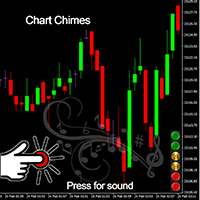
Chart Chimes 简介 - 让交易成为交响乐的 MT4/MT5 指标! 厌倦了整天盯着图表看? 交易时需要提神来保持精神振奋吗? 好吧,Chart Chimes 已经为您准备好了!
使用 Chart Chimes,每次按下该按钮时,您都会听到有趣的声音,让您的脸上露出笑容并跳到您的脚步。 想象一下在胜利的喇叭声或轻柔的竖琴声的背景下进行交易——就像拥有自己的私人管弦乐队为您加油一样!
但 Chart Chimes 不仅仅是一个有趣的消遣 - 它是一个强大的工具,可以帮助您在交易时保持专注和参与。 通过自定义声音的能力,您可以创建适合您的交易风格和偏好的独特声音环境。 需要一点提醒来坚持止损吗? 为什么不设置模仿裁判哨子的声音! 或者,也许您想用烟花的声音来庆祝成功的交易 - 可能性是无限的!
那么,当您可以拥有 Chart Chimes 时,为什么还要选择无聊、安静的图表呢? 对于想要为他们的交易程序注入一点乐趣和个性的交易者来说,这是一个完美的补充。 使用 Chart Chimes,每笔交易都可以成为您耳边的音乐!
FREE

Blind Broker System 的唯一目的是隐藏您的交易计划并让您的经纪人看不到它们。如果您真的想让他“盲目”并确保他对您的止损水平、交易量、获利水平一无所知提前,只需使用此交易机器人。
Blind Broker System 是另一种管理订单的系统。
不同之处在于,所有通过 Blind Broker System 提交的订单不是写入经纪人的服务器,而是写入程序的内存。
经纪人仅在市场订单发生时收到市场订单请求 - 仅此而已。
注意! 正确操作需要不间断电源,建议使用 VPS(虚拟专用服务器)。
您可能会认为这个系统是您自己坐在屏幕前进行交易的副本。
如果您手动交易,系统将与您的行为完全相同。
演示版允许您测试机器人的几乎所有功能,但没有真正交易的可能性,但是工具上的关闭所有交易按钮将起作用。
交易水平是可见的,您可以看到它们在实际订单执行的那一刻被删除,但是机器人不会在模拟账户或真实账户中采取任何实际行动。
DEMO VERSION就像一辆汽车,但里面没有引擎。你可以上车,触摸方向盘,测试内饰的舒适度——但你不能开车。
如果您喜欢该演示版并且有兴趣
FREE

EA Master Version any Follow Copy Account (Acc. Number) need a open MT Terminal, download multiple times Step1: Open Master MT5 Terminal = install master- Version (on any Symbol just one Time) Step2: Open Follower MT5 Terminal = install follower- Version (on any Symbol just one Time) Step3: all Trades from any Symbol or any Robot are copy now to follow- Terminal immediately for simple copy set on Chart and Start no optimization. This Robot is a Trade Copier for MT5 that automa
FREE

RiskLock MT4 — Professional Drawdown Protection & Emergency Account Lock System RiskLock MT4 is a professional risk management utility designed to protect trading accounts from excessive drawdown and catastrophic loss events.
Main Features Drawdown Percentage Protection
Fixed Monetary Loss Protection
Emergency Account Lockdown
Automatic Position Liquidation
Pending Order Deletion
Optional Close-All-Charts Protection
Real-Time Color Dashboard
Emergency Global Variable Lock
Mult
FREE

Automatic transmission is for the traders who are annoyed by constantly putting manual take profit and stop loss. This will take some of the burden. All you need is a laptop/pc at home or a VPS, so that you can press buy or sell on your phone and all will be automatically done for you. Check out parameters below.
This utility is for every symbol. Watch for oddities when trading crypto.
Other products Automatic Transmission MT5 XAU Breakout MT5
Parameters
-Manage Magic Number (0 = Disabled)
FREE

Tired of laggy panels with a bunch of unnecessary buttons? This linker is designed for those who value clean graphics and speed. Nothing extra - just instant switching of tools in one click
Advantages: - Solves the main problem of the Meta Trader terminal - inconvenient and slow switching of charts -Not overloaded with unnecessary functionality - Works lightning fast -Easy to install and configure -Can be customized to suit your chart color scheme
This is a free Lite version. The difference fr
FREE

我很高兴欢迎您来到我的产品页面 面板初次加载会服从后台设置,面板控制交易管理凌驾于后台之上。请注意交易方向的管理,正确的交易方向是交易市场生存的根本,这点很重要。 Ea交易有2种策略Sto,MA和用户在面板打开的执行订单,同时也支持移动端下单(下单基础请服从后台自行设置手数)、移动端预下单功能。 Sto策略单量密度大,是激进策略;MA策略较缓和。
此EA可全自动化交易,设置偏向于辅助手控交易。 ============Basic settings============= Magic EA 交易品种(trading variety) 点差(Spreads) 点差系数(Spread coefficient) =============conditions for execution==== 交易模式(Choosing strategy) 打开新系列订单(Open new series) //是否允许,否的话会停止打开新阶段订单。关闭状态适合运行预交易功能,也就是控制运行,一阶段一结。。 开多(Trade Sell) //处于关闭状态会停止一切开Sell方向单子。 开
FREE

Risk Management Panel is unique to tool calculate your risk quickly and place trades based on your account money. There are two options for the user Account Equity Account Balance Tools like these is specially useful when you have to take a quickly decision about your trade but dont have the time to calculate the risk. It works with magic number. So the advantage is a trade placed by this panel could be manipulated by the other expert advisors as well
FREE

The CandleStick Factory is a tool that allow you to perform a market scan and search any candlestick pattern that you already created. The lite version can be downloaded here : https://www.mql5.com/en/market/product/75622 You can perform a quick search in the current chart (500 bars will be scanned), or save your custom candlestick patterns, and search in different Symbols/Timeframes that you can select in the settings tab, the scan can be scheduled every 1, 5 or 10 minutes by updating t
FREE

EasyAgent Trade Tool.This is not an automatic trading robot (EA) and it doesn’t take decisions or opens position, but it helps your work when you trading manual work with Strategy Tester and you can control trade via magic number. The following functions are available: Order opening in one click. Order closing/deleting in one click. Modification of Stop Loss and Take Profit using a mouse. Closing all orders based on their type. Order reversal. Breakeven function. Trailing Stop function.
FREE

The Chart Navigator is a powerful and user-friendly indicator designed to enhance your chart navigation experience in the MetaTrader platform. With its advanced features and intuitive interface, it enables traders to effortlessly explore multiple timeframes, switch between symbols, and efficiently analyze price movements. Key Features: Timeframe Navigation: Seamlessly switch between different timeframes with just a single click. The Chart Navigator provides a graphical object that allows you to
FREE

A script that brings the cryptocurrency market to the MetaTrader platform. Make sure you have added the API address https://min-api.cryptocompare.com in the list of allowed URLs on tab 'Tools' → 'Options' → 'Expert Advisors'. After the script has successfully finished, go to menu and select 'File' → 'Open Offline', choose one of the generated timeframes (for example: BTCUSDBitst5 ) and click 'Open'. Now you can add your indicators or templates to customize the chart as you want.
Inputs Logging
FREE

OnBoard stats is a panel that show in a single view a lot of usefull information about working orders and trading account. It has 4 different sub-panels (from left to right): Symbols order statistics : it can be found symbols for which there are orders (market or pendings). Symbol with pendings are colored with "Pendings color". Clicking on a specific symbol row, chart will be changed to that symbol. Current symbol statistics : informations about the "current" symbol, the one which is opened in
FREE

当一段趋势持续了很长时间时,你是否曾被眼前的行情波动所左右?
基于“行情快要反转了”这种直觉的逆势交易。 因为“不想失去既得利益”的焦虑而过早止盈。 如果能等到蜡烛线确定,所有这些后悔都是可以避免的。为了消除长时间盯着屏幕的压力,并支持纪律性交易,我开发了这款工具。
核心优势本工具是一个简单的监控EA,专门为您捕捉趋势中的关键时刻。
当看涨或看跌蜡烛线确定(收盘)时,它会立即发出警报通知,帮助您在波动的市场中保持冷静,坚守交易纪律,不再因心理压力而做出错误的判断。
功能特点 操作:只需选择“看涨”或“看跌”并按下SET按钮。 通知:在指定的蜡烛线确定的瞬间,通过警报音和弹窗实时通知。 多语言支持:支持11种语言(可通过Language按钮快速切换)。 FX交易的核心在于“等待”。希望这款EA能成为您交易台上的得力助手,助您迈向成功的职业交易者之路。 We also offer other useful products. Check them out!
FREE

Narcis Trader is an expert designed for managing trades and facilitating trading. Attention, the application does not work in the strategy tester. Download Real
Its features include: Determining the trade volume based on the selected trader's risk. Setting specific and fixed stop-loss and take-profit levels. Defining the take-profit level based on the specified risk-to-reward ratio (r/r). Entering trades using static and dynamic lines based on the predetermined risk. Position closure management
FREE

Risk Optimizer is the absolute solution for applying risk management on your account. Bad risk management is the main reason that causes traders to lose money. Risk Optimizer calculates and suggests the correct lot size for each position according to your personal, customized risk profile. You can give directly your preferred risk as percentage (%) for each position or you can trust our algorithms to calculate and optimize according to your risk category selection. But it is not only that! Selec
FREE

Elsna Alert (MT4 EA) is a lightweight Expert Advisor that monitors your trading account in real time and alerts you whenever a trade is opened or closed . It uses MetaTrader 5’s built-in OnTradeTransaction event to instantly detect any new executed deals—manual or automated—and plays a custom sound for each event.
You can choose whether it tracks all symbols or only the chart’s symbol . Key features: Instant audio alert when a trade opens or closes. Works with both manual and EA-driven trades. O
FREE

NNFX TOOL – The Essential Order Management Tool for the Modern Trader A "small but mighty" EA, designed to optimize your trading workflow: High Performance: Lightweight yet powerful operation, ensuring precise and efficient order execution. Versatile: Perfect for NNFX method followers, while being incredibly user-friendly for beginners and sophisticated enough for pro-traders. SPECIAL FEATURE - Mobile Trading Support: Automatically sets immediate Stop Loss (SL) and Take Profit (TP) for pending
FREE

腳本關閉獲利超過5點的所有頭寸。 檢查所有對的所有未平倉頭寸(您可以在任何圖表上運行它)。 終端必須啟用“算法交易”模式。
如果有許多需要快速平倉的未平倉頭寸則非常有效。
該腳本不會替換尾隨止損或顧問。 腳本在啟動時會檢查所有未完成的交易,並關閉符合條件的交易(利潤超過5個點)。
為了隨後平倉新的獲利頭寸,您需要從頭開始運行腳本。
1.3版中的更改:
1.-腳本平倉,從較大的利潤開始到較小的利潤(以點為單位)。
2.-您可以選擇平倉頭寸的利潤大小(默認值為5點)。
一對平倉的版本-https://www.mql5.com/zh/market/product/56270
mt5版本-https://www.mql5.com/en/market/product/56272
FREE

該腳本以1個止損和5個不同的獲利打開5個賣單。 並下達4個限價單(賣出)。 默認設置以下參數: 所有未結訂單的止損-120點 獲利1張(0.1手)-30點 獲利其他4個訂單(每手0.04)-50、90、140、200點。
限價單的止損價比當前價格(下訂單時)高135-140點。 每個限價單的距離為20點。 帶有微型mart的批次大小-0.04、0.05、0.06、0.08。
對於限價單,將在2天后設置自動刪除。 您可以使用該顧問來支持未平倉合約https://www.mql5.com/en/market/product/56277
您可以在啟動之前使用自己的參數或帶有用於設置參數的窗口來訂購腳本。 就個人而言,我發現在沒有參數確認窗口的情況下運行腳本很方便。
MT5的腳本版本-https://www.mql5.com/en/market/product/56293
FREE

一个按钮。一次点击。裸图。 MT5 version
你画了所有东西。趋势线、斐波那契、矩形、区域、箭头…… 你的图表看起来像一幅现代艺术画。漂亮——但你已经看不到价格了。 NAKED CHART 一键解决。 点击一次 → 所有绘图立即消失 再次点击 → 一切恢复原状 指标不受影响 — 只隐藏您的绘图 按钮可拖动 — 放置在图表上任意位置 无需设置。无需复杂操作。只是一个改变一切的按钮。 「有时,最干净的图表是最强大的。」------------------------------------ ---------------------------------------------- Spartacus 提供简单专业的指标和工具,帮助您在市场中脱颖而出。
— SPARTACUS2026
FREE

Automation for setting up Stop Loss, Take Profit and Trailing Positions can be opened with all platforms MetaTrader 4 MetaTrader Android MetaTrader iOS MT4 Web Trader The Expert Advisor will arrange Trailing of trades Market Execution Pending Order (Buy Stop, But Limit, Sell Stop, Sell Limit)
Input Parameters (all in pips) Take Profit - take profit value. Stop Loss - stop loss value. Trailing Start - trailing start. Trailing Step - trailing step/stop. Lock Start - lock start (first time trailin
FREE

Price action Telegram is designed to follow the price while away from the trading terminal. There is no need to remember how the name of the currency is spelled correctly, those currencies on which expert is installed are available, because the trader does not jump aimlessly from currency to currency, he knows what he wants and what he is waiting for.
Through telegram, you can work with any timeframe and currency on which the expert is installed. You will always be aware of the market situatio
FREE

Welcome to the World of our Trade Copier via Internet *whatever is the technology we can copy trades from/to MT4 platforms. You can trade manually from your mobile phone or you can attach your trading robots (EA) to your master account(s) and the trades will be copied to all your usersaccount(s). Our trade copier is not self-hosted, it means that you need to keep your computer or VPS running, everything is managed via internet.
Everything works Via Internet! ( Please add the address "
FREE

交易数据分析助手 : 这是一款交易数据统计分析工具,数据图表较多可供分析参考 . 语言: 支持语言的选择切换(目前支持中文和英文 主动识别不用人工选择) 主窗口显示: 余额显示 总盈亏显示 现在持仓盈亏金额显示 现在持仓盈亏比例显示 买单卖单总单量,总手数,以及盈亏情况显示. 仓位使用比例显示 按照目前持仓能够承受的亏损点数预计 (点击右下角可缩放)每日订单单量,手数,盈亏情况统计 (点击右下角可缩放) 当周盈亏数据
(点击右下角可缩放) 当月盈亏数据
(点击右下角可缩放) 当年盈亏数据
交易数据统计区: 详细订单统计,(可以选择按日,周,月,季度,年)(按品种,识别码)(现有持仓详细统计) 盈亏/手数/交易次数 柱状图 多/空持仓时间/获利水平情况 多货币盈利次数/盈利水平分布情况 余额净值曲线/余额曲线/盈利曲线等(注:加载余额净值曲线可能需要一定的数据处理时间,请耐心等待加载完成...) 每次订单盈亏利润柱状图 多货币对盈利曲线图 数据统计分析报告 关于版本更新 有任何问题,建议,欢迎交流.
FREE

Advisor Information: EG Connection Alert FREE every hour sends simple push notifications about the presence of a terminal connection to the server.
The utility will be useful to you if automated trading is carried out on a remote machine and there is no possibility to constantly check the operation of the terminal. Just install the adviser on any chart with any timeframe. You will receive notifications about the connection every hour. If no notifications are received, the terminal should be chec
FREE

Odie Trade Manager EA is a simple semi-automatic (two in one) assistant for a manual trader, when having a losing trade the EA begins its work in the form of a martingale or hedging (recovery zone) to leave it in breakeven or positive, it depends on its configuration.
For professional traders and gamblers .
Adapt it to your strategy, MANAGE YOUR RISK CORRECTLY and all your operations will be positive.
TEST ON STRATEGY TESTER WITH YOU STRATEGY AND CREATE YOUR SET FILE AND... GOODBYE LOSSES.
FREE

"All in One" panel. You can simultaneously control: up to 3 symbols; up to 6 periods; up to 31 popular signals. You can see the sum for all signals taking into account the weight of the signal Version for MetaTrader 4: https://www.mql5.com/ru/market/product/27880 Version for MetaTrader 5: https://www.mql5.com/ru/market/product/27830
Parameters NUM_BAR - number of the bar to analyze (set a value greater than 0 to work on closed bars). timeframe_1....timeframe_6 - working timeframes (if set to "c
FREE
学习如何在MetaTrader AppStore上购买EA交易,MetaTrader平台的应用程序商店。
MQL5.community支付系统支持通过PayPay、银行卡和热门付款系统进行交易。为更好的客户体验我们强烈建议您在购买前测试EA交易。
