 MetaTrader 5
 专家
专家 指标
指标 程序库
程序库 实用工具
实用工具 窗口小部件
窗口小部件 规则
规则MetaTrader 4 交易实用工具 - 23
 以下是可在MetaTrader 4中简化外汇交易的交易程序。将鼠标悬停在下面列表中的工具上,阅读它的描述和用途。
DYJ NewsForexFactory是用于基本市场分析的日历交易工具,同时它也是宏观经济事件指标。 在这里,你可以找到全球最大经济体的金融新闻和指标——从美国、欧盟到澳大利亚和纽西兰和日本和中国,共有9个经济体,涉及60多个货币对。800多个宏观经济指标和事件是从公共来源实时收集的。每个指标都有历史、当前和预测值以及重要性特征。此外,该服务存储图表和表格中列出的大量历史数据。 指示器右侧动态绿色箭头指示最后一个事件的发生,并给出该货币的数据分析结果,Better或者Worse,你能根据结果判断货币对的多与空 指示器左边指示黄色星号表示下一个即将发生的事件 指示器时间序列栏里显示每个时间点的事件对象。 指示器具有电子邮件和推送通知功能。
所有货币对 GBPUSD、EURUSD、USDJPY、USDCHF、USDCAD、GBPJPY、EURJPY、eugbp、EURAUD、EURNZD、EURCAD、EURCHF、CADJPY、CADCHF、AUDUSD、AUDNZD、AUDCAD、AUDJPY、AUDCHF,NZDJPY、NZDUSD、NZDCAD、NZDCHF
参数
Inp

This trade panel is designed for opening market orders with predefined values of Magic, TakeProfit and StopLoss. The panel displays the following data: Ask - current Ask price; Bid - current Bid price; Spread - spread equal to (Ask-Bid)*0.0001 for 4- and 5-digit quotes, and (Ask-Bid)*0.01 for 3- and 2-digit quotes; Buy - button for sending a request to open a Buy order; Sell - button for sending a request to open a Sell order; TakeProfit - set TakeProfit: pips - in pips (0.00001) for 4- and 5-di

This utility device opens an opposite position a specified distance away from an original order (opened by another EA or just by manual trading) which it automatically detects. It can be used to gain back losses on false breakouts for example. Positions opened by the device can have a fixed SL and TP or/and can be protected by a trailing stop . In addition, it has a partial close function and a separate function to set a TP for secondary targets . It also uses a Magic number system , so it can b

This utility searches the history for price patterns, which are similar to those present in the intervals selected by trader (there are several intervals, see the screenshot). The length of the pattern and selected intervals is the same and is given by the number of bars. The similarity is estimated by comparing the colors of bar bodies, sizes of bars' bodies and wicks. For all identified patterns, further movement of the price is visualized as lines. The color of lines determines the degree of

This small tool takes over the manually opened positions and treats them according to the predefined settings with the dynamic stop loss and Money Management, which predicts which position size should be used for the trade. The program dynamically tracks the stop loss as soon as the position comes into the plus. Possible commissions and swaps are taken into calculation. It should only be installed on one chart window per symbol.
Settings LotRiskPercent = 25 - Percentage of the item size. Calcul

Virtual Trailing and Closing Profit by parts
U Trail and Close Part is a fully automated Expert Advisor for managing trades. The following functions are used in the Expert Advisor:
Calculation of risk in a position StopLoss - used for calculation of risk in a trade. LotFixedUse - only a fixed lot is used. LotFixed - fixed lot size. RiskMM - percentage of risk in the position. The function is active if the fixed lot is disabled.
Partial profit taking PartialOn - enable partial closure (true) b

This utility is designed for level trading.
Parameters buy level, sell level - type of the placed order. open price level - price level of the order. open Lot - order volume. Magic - magic number of the order. TakeProfit - take profit of the order in pips, (0.00001) for 4- and 5-digit quotes, (0.001) for 3- and 2-digit quotes. StopLoss - stop loss of the order in pips, (0.00001) for 4- and 5-digit quotes, (0.001) for 3- and 2-digit quotes. repeat open orders as a Limit Order: on, off - enable t

This is a simple leading indicator that will aids in drawing lines for Open price of the day, week, month, and the year. It also draws the High and Low of the periods respectively. The Open price helps marking off the starting point of the any symbol within a specified period. These lines can be useful in determining the trend of any market (stocks and FX). It also inclusde ranges of the pip movement of symbol of any given period. These ranges helps you to identify how far the market has moved t

Copyist MS is a simple and easy to use trade copier. It works as a single-file Expert Advisor with toggled Master and Slave operation modes.
Configurations Type of work - work mode selection: Master or Slave; Copy by magic number - copy trade orders by magic number (configure in master terminal) Will not copy currency pairs - list of unwanted currency pairs to copy (configure in master terminal) Master account number - master-terminal trading account number; Selective copying currency pairs - i

This panel closes trading positions at multiple symbols. The panel displays the situation for all open symbols on the account: Balans - account balance Equity - account equity Margin - used margin Freemargin - free margin Summ Position - the summary position on the account, in lots Position buy - the summary buy position, in lots Position sell - the summary sell position, in lots Summ Profit - the total profit (loss) at all positions Profit buy - the total profit of buy positions Profit sell - t

The trading panel is designed to close trading positions on the current instrument. The panel shows the account situation for the instrument it is attached to. The panel displays the following information: Balance - account balance; Equity - account equity; Margin - used margin; Free margin - free margin; Total Position - the summary position on the account for the current instrument, in lots; Position buy - the summary position of the buy direction for the current instrument, in lots; Position

The TemplateSwitcher utility allows automatically switching the set of indicators and objects used on the chart depending on the current timeframe and/or symbol. It often happens that an indicator with a certain period is used on a chart of a higher timeframe, while the same indicator with an increased calculation period is required for a smaller timeframe. Of course, it is possible to open two charts of different timeframes with the required indicator periods. But what if duplication of charts

The Custom Market Watch ( CMW ) is a professional grade trading application which allows you to operate effortlessly with large number of symbols and multiple open positions simultaneously from one chart. The Custom Market Watch shows the most essential daily technical information for each symbol in combination with very simple and easy to use trading interface where you can monitor the net exposure for each symbol and you can open and close positions with one click. The app is automatically syn

Утилита предназначена для копирования ордеров с одного счета на другой. Поддерживается копирование с множителем, копирование с реверсом позиции, копирование с префиксами и суффиксами. Отложенные ордера, TakeProfit и StopLoss не копируются. Поддерживается копирование на несколько счетов.
Входные параметры:
Mode - Режим копирования, master, slave NumMaster - Номер файла обмена данных в общей папке timer1 - Частота обмена данных между master и slave счетом, в секундах Настройки для режима копирован
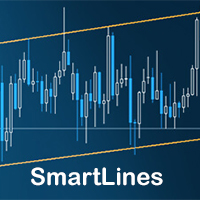
SmartLines allows you to open orders using trend lines. SmartLines for MT5 https://www.mql5.com/ru/market/product/32441 Now you have the opportunity to control breakthroughs of the trend corridor automatically and without delay. As soon as the price crosses your trend line with your settings, the order is automatically opened. You will not miss the moment of the trend change. The principle of working with SmartLines is similar to placement of pending orders. However, pending orders only have the

This is a program in the form of an EA that attaches to a chart in MetaTrader 4. Then, by using API from Bittrex, Binance websites, it downloads the history of altcoins. By selecting a pair name, the EA automatically downloads all time frames history (Daily,H12,H4,H2,H1,M30,M15,M5,M3,M1) so there is no need to attach multiple EAs to different charts. You can select one pair from Bittrex and 4 pairs from Binance exchange with one running EA and create up to 15 timeframes for 5 different pairs. Th

This product has no input parameters. The product helps you to open and close orders faster, include instant and pending orders. It helps you to open order faster and easier, to make an order you simply click on the button.
Buttons List BUY/SELL: to open instant Buy or Sell orders. BUY STOP/BUY LIMIT/SELL STOP/SELL LIMIT: to open pending order. The distance to the current price is "Dis" (below of these buttons). SL/TP: Distance in point far from the current price, to put stop loss and take prof

ScalTradeAssistPro: Empowering Manual Forex Traders with Enhanced Support
The tool presents itself as a solution tailored to address specific scenarios, such as instances where brokers impose limitations on setting Stop Loss (SL) values in close proximity to the initial position value. Notably catering to the needs of scalping traders, ScalTradeAssistPro steps in with a unique capability—the ability to establish "virtual SL/TP" points. This innovative feature calculates both the Stop Loss and T

Yet another signal copier. Nothing special. Demo version can be downloaded here .
Key Features The utility copies trades between terminals: by market, pending orders (optional), as well as their stop loss and take profit levels (optional as well). You can copy from one Master account to several Slave accounts, as well as from several Master accounts to one Slave account.
Volume calculation At the moment, there are two options for calculating the volume: The trade volume is taken 1 to 1 from th

Reverse OCO is a utility shaped to trade the news. Given the eventuality of a rally related to an economic event, the user can schedule an OCO (one-cancel-other) order with automatically calculated TP/SL points. At scheduled time, Reverse OCO will check latest volatility (at current graph timeframe), and place an OCO order with lots and price channel calculated on the basis of the max loss acceptable for the user. It works with every product , every timeframe .
Parameters Event scheduling time

We are happy to present you the "Info Trader" information indicator. As we are traders ourselves, we create software that we primarily use in our own trading practices. During intraday multicurrency trading we were constantly in need of a "ready to use" info panel. You have probably noticed that it is necessary to make a decision on taking profit on the account with consideration of profit on multiple instruments. To do this, you need to see the whole picture of each trade in detail. “Info Trade
EA Performance Analyzer calculates the profit or loss made by an EA during a selected time period. Profit/loss is calculated for each currency pair in order to allow the user to analyze the EA performance based on the currency pairs traded during a selected time period. This tool utilizes MetaTrader 4 historical trading data and works on any time frame. It considers up to 30 pairs at a time and displays the results on both chart and MetaTrader 4 "Experts" tab. Profit/Loss information of all curr

The KFX PATTERN manual Expert Advisor is a price pattern based System. Manual stands for the fact that he does not open trades independently. Only shows the individual levels with the profit target. The individual strategies are based on those of Thomas Bulkowski's books. The following Patterns have been integrated: Three Falling Peaks. Three Rising Valleys. Diamond Pattern. High and Tight Flags. Cup with Handle Pattern. Horn Top. Horn Bottom. Earnings Flag. Three Line Strike. Falling Three Meth

ABCMarketsControl.ex4 utility manages already opened trades on any symbol by moving them to a breakeven when the price reaches a certain level. Besides, if the price goes further in favorable direction, the utility moves Stop Loss and Take Profit accordingly. The utility is most convenient for use on medium and long terms, as well as when trading on news. The parameters set by default are optimal, but it is better to select them individually for each trading symbol according to personal experien

This utility calculates and draws lines over the chart. There are two types of channels: Channel A: the mainline is drawn using local Lows for uptrends and local Highs for downtrends. Channel B: the mainline is drawn using local Highs for uptrends and local Lows for downtrends. The parallel line of both types is built, using the maximum fractal between the base points of the mainline. There are few conditions which have to be fulfilled and can be changed in the parameters (see also picture 4): T

实用程序旨在更改当前、所有或选定图表的交易工具、时间范围更改以及历史记录中的同步移动(自动或单击)所有图表。交易品种列表是从“市场概览”中读取的。您可以更改按钮的颜色、大小和位置。当您单击同步按钮或在自动模式下移动鼠标/键盘时,图表同步发生在活动图表中的第一个可见条时。可以使用光标键更改 TF:向左/向右,以及交易符号 - 向上/向下。 8 种主要货币的按钮允许您从货币对列表(取自市场概览或用户字符串)中打开图表。可以在“新图表的模板名称”参数中指定新图表的模板。更改货币时,会保存当前图表的模板,并在指标打开的图表上替换货币对的货币。当您再次选择货币时,会加载相应的模板。
复制模式允许您一次将对象复制到当前工具的所有图表。
全局十字准线允许您查看所选图表上指定柱线的价格走势。 参数说明及说明 。 主要功能列表(该实用程序不断改进,所有新功能和更新都可在“新增功能”选项卡中找到): 为当前/选定/所有图表切换交易工具。 使用向上/向下光标键切换交易工具。 在主图表上更改时为所有/选定图表切换交易工具(主图表是安装了实用程序的图表)。 使用鼠标按钮突出显示交易工具的按钮。 预设交易工具列

Currencies Cleaner panel will give you an overview of all the most traded market's currencies in a single click. First of all the panel will refresh all your charts, opening them four times in all timeframes needed.
1 - CURRENCIES It uses a complex algorithm to study the movement of 17 different indicators. It means that the algorithm not only "reads" the actual value of an indicator, but also creates a probability of success using the position of this value on the indicator and the last moveme

Take your trading to the next level with DFGX - our second generation Dynamic Fibonacci Grid. This new, powerful and easy to use application is specially designed and optimized for contrarian intraday trading, scalping and news trading on the Forex market. This system is the ideal solution for active professional traders and scalpers who are looking for innovative ways to optimize their strategy. The system also provides excellent opportunity for new traders who want to learn to trade in a syste
Key Features This application is designed to quickly place a pending order or open a position at market. The position volume will be calculated automatically according to the risk settings. This application also manages orders and positions. Everything is simple, you only need to specify the price of the order (or position by market) and stop loss. The type of the pending order is selected automatically depending on the logic of the relative location of the current price, pending order price and
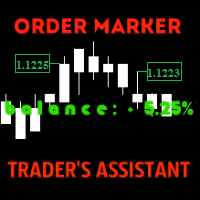
The utility is created to assist traders. How it works
Changes in the balance are displayed as a green or red line on the screen. The market entry moments are displayed on the chart both for current deals and deals in history. If there are several orders of the same type, the utility calculates the average price and marks it with white dashes. The utility can send a report on balance change to the user's email.
By user's command Modification of all TP (SL) of Selected orders on the Current pair

Multi Chart Refresh Mt4,是一个快速、流畅的不可或缺的脚本,可以同时从同一个图表刷新多个图表。多任务处理使这成为可能,因为您可以提前选择要刷新的符号。
元交易者 5 版本 如果您更喜欢 mt5 版本而不是 https://www.mql5.com/en/market/product/28796 它是如何工作的?
打开任何图表,将脚本从导航器中拖放到图表上。设置所需的符号,然后单击确定,完成!请注意,这是一个脚本而不是智能交易系统,当任务完成时,程序会将自己从图表中删除。终端日志中的详细信息会打印出来,说明哪些符号已更新为所需的柱数,哪些未更新。再简单不过了!
脚本菜单设置 符号选择 - 设置您想要的符号 符号前缀 - 如果存在则输入符号前缀,只有它是前缀! 符号后缀 - 如果存在则输入符号后缀,只有它是后缀! 用多少条刷新图表? - 设置要刷新多少条柱/图表

This utility allows to quickly scan markets on different timeframes without dragging symbols from Market Watch. It supports multi timeframe analysis, ie. 3 different timeframes can be scanned. Additionally, it saves objects drawn of chart to file and synchronize its between other windows. Also, this utility will automatically save all objects and drawing to a file and restore when switching back; also template will be loaded on other charts, too. The watchlist is based on instruments listed on M

Buy or rent it and request a copy of the Antimartingale EA for free Trendline based utility, you design your trendlines or horizontal lines, the EA opens trades for you Possibility to trade on break and/or bounce events Indipendent break and bounce settings Configurable market, stop and limit orders T1T2 Logic to lock profits and minimize losses Trailing Stop Loss Max Spread check Notifies you when your trendlines are crossed No strange trendline name or syntax, you decide the color of tr

The StarBot utility works with open Sell and Buy orders, partially closes profit when the specified level is passed. There are three levels for partially closing the Sell and Buy orders. The utility also transfers Stop Loss to breakeven when the specified level is passed. It works on all currency pairs and timeframes. Demo version for testing can be downloaded at: https://www.mql5.com/en/market/product/27247
Input parameters Follow the orders - manage all orders, or select from Sell and Buy. Al

使用此实用程序,切换单个对象的对象可见性从未如此简单。这将有助于消除困扰 MetaTrader 4 交易者创建对象然后进入更高时间范围并查看对象干扰图表可见性时的混乱。 默认情况下,创建的每个新对象都将其可见性设置为当前时间范围或更低。可以在“自动设置可见性”参数下更改此设置,如果在创建新对象时按住 CTRL 键,则可以覆盖此设置 放置了一个可以单击的按钮,显示所有可用的 MetaTrader 4 时间框架,以及两个附加选项。可以选择对象可见性的多个时间范围,或者您可以将对象可见性设置为等于当前时间范围或当前时间范围或更低。 参数
范围 描述
控制键
按住键以激活可见性开关。选项是“禁用”和“转移”
快捷键
按住 Control 键时要按下的键以激活可见性开关。只允许一个字符。
自动设置可见性
如何设置新对象的可见性:所有时间范围、当前时间范围、当前时间范围和以下(默认)
在对象单击时播放声音
如果启用,会给您一个听觉确认您执行的操作是成功的
修改文本和标签对象
如果启用,将影响 Text 和 Label 对象
BG 颜色上的按钮
---
字体颜色按钮
---
边框颜色上的按钮
--

Better Scroll 在您滚动时启用和禁用 MT4 的 AutoScroll 功能,使该功能感觉更加直观和方便。 您不再需要手动启用和禁用 AutoScroll 或让它将您带到图表的末尾,因为您在回测或查看历史价格数据时忘记将其关闭。 概括
在以下情况下禁用自动滚动:
鼠标单击+向左拖动(过去当前打开的蜡烛) 鼠标滚轮向左滚动(过去当前打开的蜡烛) 按下 Page Up 键 按下主页键 按下左箭头键(过去当前打开的蜡烛) 市场关闭
在以下情况下启用自动滚动: 鼠标单击+向右拖动(到当前打开的蜡烛) 鼠标滚轮向右滚动(到当前打开的蜡烛) 按下 Page Down 键(当前打开的蜡烛) 按下结束键 按下右箭头键(当前打开的蜡烛) 请务必查看我的其他实用程序,这些实用程序将提高 Metatrader 4 的生活质量!

Quick Alerts 提供了一种快速便捷的方法来为 MT4 对象创建和切换警报。即将在 4.0 版中推出:创建有意义的警报,在您希望收到通知时准确通知您,并通过指定 Breakout 或 Approach 警报类型来减少烦恼。 快速警报默认配置为在将以下对象放置在图表上时自动为以下对象创建警报: 水平线 矩形 趋势线 频道 价格标签 斐波那契回撤
可以通过单击主按钮(扬声器图标)并单击对象来切换对象警报。
可以通过分别单击闪电按钮和信封按钮来启用推送和电子邮件通知。
在以下情况下有 1 分钟的冷却时间:
一个新对象被放置在图表上 时间范围已切换 实用程序属性的设置已更改 触发警报
快速警报会在周末或未检测到与您的经纪人的连接时自行禁用,以避免在回测时出现不需要的警报。 参数 姓名
描述
控制键
按住以激活快速警报的键
快捷键
按住 Control 键时要按下的键以激活快速警报
在对象单击时播放声音
对对象执行操作时播放声音
增加/减少警报点
当“增量”或“减量”按钮处于活动状态时调整警报点的数量(以点为单位)
弹出通知
显示弹出警报。如果为 false,则会播放声音,您必

Plot History Mt4,一个交易者不可或缺的脚本,用于分析您的交易终端和由专家顾问执行的账户的交易历史。分析方法基于运行脚本的符号图以及魔术数字,对一位或多位专家使用的所有魔术进行具体或完整的分析。该脚本分析交易数据并可以将其绘制在图表上,在专家日志中打印出详细的交易信息并将分析数据导出到 csv。 元交易者 5 版本 如果您更喜欢 mt5 版本而不是 https://www.mql5.com/en/market/product/27038 脚本的优点 能够分析帐户上使用的一种或所有魔法 将所有交易数据导出到 csv 文件 在图表上绘制所有交易、进入和退出。这可以设置为,绘制或不绘制什么。 在专家日志中打印详细的交易信息 如何执行账户交易分析 首先选择您要分析的品种,然后选择是通过特定的魔术编号执行分析,还是对账户中使用的所有魔术进行完整分析。笔记;这是一个脚本,不是专家顾问!该脚本仅在附加到图表时运行一次,并在完成后自行删除。 具体魔术分析 - 输入所需的魔术数字(数字) 所有魔法 - 仅输入 -1 如何将数据导出到csv 首先将此功能设置为“真”。将脚本附加到图表后

FXFledgling Exit Tool is a complete risk management tool that analyzes both the open trades and the direction of the pair of open trades. As long as the suggested entry and lotsizing management presented here is followed strictly, you will have a high chance (but no guarantee) of surviving the trade.
What It Does It is used as an exit tool. It helps the trader to manage any manual trade that he transacted. It does the following: Trail Stop Dynamic Stop Loss - a calculated stop-loss that changes

Essentials for manual trading. The utility includes functions such as money management, automatic exits, hedging of positions, setting orders by date, OrderClose menu and others. Simple operation and clearly arranged, the tool works with one or more orders. Low tick rate compatible.
Features Display money management - right lot size is calculated from stoploss, account balance and risk appetite Scheduling of pending and market order - time based strategies or for preparing an order when the mar

The StarBot Demo utility works with open Sell and Buy orders, partially closes profit when the specified level is passed. There are three levels for partially closing the Sell and Buy orders. The utility also transfers Stop Loss to breakeven when the specified level is passed. It works on all currency pairs and timeframes. The demo version is limited to trading only on the EURUSD currency pair and with the initial lot limited to 0.04. The full version can be purchased here: https://www.mql5.com/
FREE

With this utility, switching the object visibility for individual objects has never been easier. This will help eliminate the clutter that plagues MetaTrader 4 traders when they create objects and then go to a higher timeframe and see that the objects interfere with the visibility of the chart. The demo version of Visibility Switch only works on the EURUSD currency pair. The full version of Visibility Switch can be found here. By default, every new object created has its visibility set to the cu
FREE

The PM Ichimoku Dashboard will show you 28 Currencies and 2 metals on a single chart all the timeframes (M1 to Month) with their own status for the indicator. How to understand the status: Zero: Tenkan equal Kijun Green/Red Circle: Price above/below Cloud (Kumo) Green Circle + Down arrow: Price above Cloud but Tenkan below Kijun Red Circle+ Up arrow: Price below Cloud but Tenkan above Kijun Grey Circle: Price inside Cloud Indicator Parameter: Tenkan-sen - Tenkan sen period Kijun-sen - Kijun sen

ABCMarketsControldemo is a demo version of the ABCMarketsControl utility that manages already opened trades on any symbol by moving them to a breakeven when the price reaches a certain level. Besides, if the price goes further in favorable direction, the utility moves Stop Loss and Take Profit accordingly. You can check the utility operation in the strategy tester on any symbol on a period from January 1 to December 21, 2017 by setting the time_start_buy_demo and/or time_start_sell_demo paramete
FREE

This simple to use utility allows opening charts from the list of financial instruments by left clicking their names. The chart window is opened using the Default template. The template name can be changed to one of those stored in Charts-Templates section of the terminal. It is possible to customize the background colors of panels and their labels, and also to select the display type for a more comfortable working environment. This is all you need to know in order to see the result quickly.
Pa

Manager Trade is a tool that will help you manage trades in an easy and simple way. It is a panel that on its first tab contains buttons and inputs, beautiful and intuitive, that allow you to place operations much faster. In its second tab, all the orders of the account are listed, leaving them available to close each one with a single click of a button.
Main features Place direct and pending orders with a single click, and in the same screen adjust SL, TP and Lots without having to reload the

This tool allows you to better analyze your chart. With "Crosshair Percent", you can calculate distances in the chart in a percentage way (in a very simple way, when the pointer is attached in the form of a crosshair: CRTL + F). The utility allows to measure and/or calculate the movements of the price NOT only in points, use a measure in professional terms as it is the percentage. The result is shown in two parts of the screen, one of them, next to the position of the pointer and the other in a

This utility records the swap, which allows you to monitor and analyze the changes in the swap. The program writes a file with the swap data for every pair selected in the Market Watch. The data are recorded to a csv file at the specified time, the file is located in <terminal root directory>/MQL4/Files. File format: Date Day Time Currency pair Long-swap Short-swap 16.01.2018 Mon 23:30 EURNOK -34.81 27.14 16.01.2018 Mon 23:30 EURDKK -0.022 -0.032 16.01.2018 Mon 23:30 EURGBP -2.38 0.15 To start r
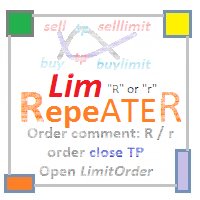
The utility repeats manual BUY, SELL, BUYLIMIT, SELLLIMIT, BUYSTOP and SELLSTOP trades having Comment = "R" or " r" . Instead of trades closed by Take Profit , the utility sets Limit orders with closed trade parameters.
Purpose The program is useful when applying manual grid strategies when a user sets an order grid in a certain price channel having certain parameters and constantly repeats trades after closing them . The program automates repeating trades.
Operation example There is a BUYSTOP

New opportunities for analyzing cryptocurrency in the usual MetaTrader 4. For example : We select the symbol of the cryptocurrency and attach any indicators, Expert Advisors or scripts.
Startup Mode View cryptocurrency; Data collection.
Capabilities Work as with a standard currency chart; Automatic update of open charts; Selection of individual cryptocurrency for updating; Selection of individual timeframes for updating; Work on the desired timeframes; Open charts do not affect the work of Cry

YPY Trading Aggregator is a universal multifunctional software package for aggregation of trading. This functionality can be useful for multicurrency trading and/or application of multiple experts on a single trading account, as well as for combining automatic and manual trading. Also, anyone can use this utility to estimate the risk of the current online trading on the account (the maximum possible losses in % of the account balance). The utility aggregates the data of the active trade and outp
This utility is the improved version of Trailing stop for advisors. It manages other EAs' orders as well as the ones opened manually. It is capable of trailing the price (trailing stop function), set a stop loss and take profit if they have not been set before. The Pro version features the ability to set trailing stop based on fractals and points of Parabolic SAR. When configuring the utility for an EA having no trailing stop function, place it to the new window with the same currency pair speci

The script creates a brief daily summary report of the weekly trade in a separate window.
Input parameters of the script number of weeks - set the time interval (the number of weeks) for the report. switch for symbols selection - three modes for selecting the instruments to generate the report: All_Symbols - report is generated for deals of all instruments. Current_Symbols_Only - report is generated only for deals of the instrument in the current window. Without_Current_Symbols - report is gene

Spread And Swap Dashboard is a nice tool that lets us know all the minimum and maximum spreads of the instruments that we trade. In addition to the spread information we also find the Bid & Ask values that always are very useful. We also considered it important to include positive and negative swap values so that we can better evaluate possible strategies of Carry Trade. The tool proves useful in times of high volatility to record all the values of spreads and have a better understanding of the

简介 Notify Telegram 是一个链接 MT4 和 Telegram 的 EA 。这个 EA 会监控您 MT4 的活动例如下单,修改盈利止损,关单等并透过 Telegram 机器人发送通知至您的 Telegram 户口/频道。这个 EA 不会在您的 MT4 户口上进行任何交易活动。这个 EA 适合用来监控其它 EA 在您的 MT4 上的交易活动又或者透过 MT4 上的交易在您的 Telegram 频道上进行喊单。
设置
Token =""; - 输入您的 Telegram 机器人 API token ChatID =0; - 输入您的 Telegram Chat ID 或者 Channel ID AlertOnTelegram =true; - 服务开/关 NotifyInitialSetup =true; - 启用初始化发送通知 NotifyOrderClosed =true; - 启用关单通知 NotifyPendingFilled =true; - 启用挂单开单通知 NotifyNewPending =true; - 启用新增挂单通知 NotifyNewOrder =

"LINKER" is an indicator that links any number of windows of the charts it is running on. A synchronized crosshair is also available, toggled by the (Ctrl) key or the (L) button. The visibility of the trade levels can be toggled on each chart separately using the (Shift) key or the (V) button. The buttons and the crosshair have customizable settings and colors. For instance, you need to analyze a trading instrument on different timeframes, for example, on H1, H4 and D1. Doing this in a single ch

Universal copier of deals from MetaTrader 4 to MetaTrader 4 ( MT5<->MT5 version is available ; with both versions, you can copy MetaTrader 5<->MetaTrader 4, MetaTrader 4<->MetaTrader 5, MetaTrader 5<->MetaTrader 5, MetaTrader 4<->MetaTrader 4). Spread filter. Select the best price (start copying positions with a profit or loss). Configure the lot size, fixed or ratio-based (provider signals can be copied with an increased lot). Configure order copying (include pending orders or copy only open po
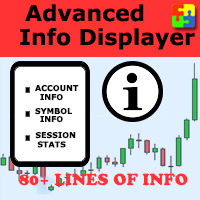
Would you like to have statistics about your trades displayed while you operate? Have you a solid understanding of the symbol you are trading? Do you really know everything you need to about your trading account? Do you need to keep an eye on the local times around the world? Advanced Info Displayer answers to all that. It is the ultimate tool to know all sort of useful information and hidden or hard to find data. It is important if you are serious about trading and you value statistics and mat

Strong Levels — Support & Resistance Indicator Idicator for automatic detection of strong price consolidation levels. Designed to help traders identify important support and resistance zones on the chart.This indicator is intended for market analysis , not for generating trade signals. How it works Strong Levels analyzes price behavior using: 2 Moving Averages 1 MACD a proprietary multi-factor algorithm
The same algorithm is used by the author in personal trading.
The indicator detec

If you need to quickly evaluate the results of trading on a current financial instrument by hypothetical price movement in the chosen direction and up to a certain level, set the indicator on any chart that contains open positions and move the line to the desired level after it appears together with the results tab. This is all you need to understand what happens to your deposit if the price is at this level without taking into account existing stop loss and take profit. Enable considering pendi
Manage your risk and make your trading easier A free version with no restriction, only limited up to 20 trades, is available here . With Fx Easy Trade you can create orders easily and system will calculate automatically the position size, create statistical report, draw supports and resistances on all timeframe you have in one click, create alerts, send notification, scan the market, etc. More details below. Define your risk in euro or dollar (for example, 20€), and the system will calculate pos

Trade Click is a trading panel allowing you to perform trading operations with one click based on your risk preferences. The panel allows trading any financial instrument and provides options for fast changing of symbols or periods. You can choose to enter a trade and automatically calculate your lot size based on how much of your account you want to risk. You can also set a fixed volume for your trades. Set your desired stop loss and take profit levels in points. The "Close For Symbol" button a

SA Assistant is an intuitive tool without complicated settings, designed to facilitate the trading operations in the MetaTrader 4 terminal. SA Assistant is not designed for working in the strategy tester. Please test the EA on a demo account before using it on a live account.
The SA Assistant EA is visually divided into 4 blocks: 1. "Information" - displays in real time: trading account balance leverage spread of the instrument the EA is attached to current account profit account equity account

Take a Break pauses your Expert Advisors when trading is a bad idea: before news, after a daily loss, outside your trading hours, or when a rule you wrote yourself says so. When the pause is over, your EAs simply continue. Account protection for all your EAs in one tool: news filter, drawdown and equity protection, time filter and custom rules. One EA on one chart protects the whole account, the free indicator gives every chart its own rules on top. Free demo | What is new in 26.09 | Support Ass

The algorithm finds the most unprofitable position in your account, then the program determines the profitable positions that can cover the loss. This profit is used to close unprofitable order in automated mode. The system is able to work on the most distant unprofitable orders or select them according to certain tickets with manual selection. That is, the utility closes a losing order using one or a group of winning orders. Opportunities:
Closing orders for the current symbol or for all

This is a utility designed to automatically set the stop loss levels of orders according to the specified condition. Two price levels serve as the condition for setting stop loss: Trigger level - when this level is reached, an order is placed. The stop loss value of an order. It is possible to enable or disable traling stop loss.
Input parameters Order type for execution - type of orders to be processed by the expert. It can either be BUY, SELL or auto-select. Trigger Level Points - level to pl

Range Bar Chart — opens range bar charts for MetaTrader 4. The utility allows you to create charts of range bars on which all candlesticks are the same size and may have shadows. Data on the range bar chart are distributed by the bar size, rather than by the time. Each bar represents the price movement instead of time period. It works simple – the bar is not drawn as long as the price does not move. You can add indicators, EAs and scripts to the resulting chart. You get the completely operationa

This is an individual tool for analyzing the market situation. It is very simple to use. After attaching the indicator to the chart, you will see three vertical lines named "VLine 1", "VLine 2" and "VLine 3", following in this order from left to right. For the utility to operate correctly, this sequence should always be observed. Please note: at the first start, the lines are not bound to specific price levels on the chart. This should be done by user in accordance with the following rule: if li

This is a utility for closing orders or baskets of orders for the total profit or loss. Can work multicurrency, can work with orders opened manually. Has additional trailing profit. Capabilities: Closing an order for the current symbol or for all symbols Closing individual orders or whole baskets of orders Stopping the utility in one click Trailing function for total profit Setting TP and SL in money, in points or as a percentage of the deposit Closing all BUY or SELL orders or closing all orde

It is so very disappointing when the price does not have enough points to achieve Take Profit and makes a reversal. This EA sets virtual levels near the TakeProfit levels. This EA sets virtual levels next to TakeProfit orders. If these levels are reached by price, breakeven or trailing stop is applied for an order.
Features This EA does not set new orders. The aim of this EA is to manage stop losses of existing orders that are set by another EA or manually (magic number equals 0). For correct w
MetaTrader市场是您可以下载免费模拟自动交易,用历史数据进行测试和优化的唯一商店。
阅读应用程序的概述和其他客户的评论,直接下载程序到您的程序端并且在购买之前测试一个自动交易。只有在MetaTrader市场可以完全免费测试应用程序。
