Stop Budget Planner MT4

Choose a stop and see how much volume fits your cash risk budget. Move the entry, stop and target lines on the price chart. A separate panel shows the lot size, estimated stop loss in the deposit currency, estimated target after costs and reward-to-risk. The planner places no trades.

Start a plan

  1. Attach the indicator to the instrument you intend to trade. Choose equity, balance or a fixed cash amount as the budget basis.
  2. Choose Buy or Sell. The initial entry uses the current ask or bid. The initial stop distance is in broker points. Reset levels starts again at the latest quote.
  3. Select a price line on the chart and drag it. In Inputs, enter the round-trip commission per lot, any minimum round-trip commission and an allowance for adverse stop slippage. The panel shows the modeled commission in your deposit currency.

How sizing works

The result is rounded down to the broker's volume step and capped at its maximum volume. If the minimum lot would exceed the budget, the panel shows its estimated risk and gives no size. For example, a 100-unit cash budget and a 51-unit modeled loss per lot allow 1.96 lots with a 0.01 step. The estimated loss is 99.96 units. These numbers illustrate the calculation.

For a small position, a broker's minimum charge can determine the size. With a 10 USD budget, a 50 USD price loss per lot, a 4 USD round-trip rate per lot and a 3 USD round-trip minimum, 0.14 lots uses the full budget. Price loss is 7 USD and commission is 3 USD. Enter the combined opening and closing minimum for one planned position. For example, identical 1.50 USD minimums on entry and exit give a 3 USD round-trip minimum.

Input What it changes
Budget basis, risk percent, fixed cash Select the source and size of the budget in account currency.
Round-trip commission per lot and minimum round-trip commission Both use deposit currency. The planner applies the larger of volume times the rate or the minimum, once per modeled outcome. A zero minimum keeps per-lot sizing.
Exit slippage in points Moves the modeled stop execution farther from entry.
Initial stop points, reward/risk and side Set the three initial chart levels.
Show example Inspect a labeled fictional 10,000 USD account and a contract worth 1 USD per 0.01 price tick per lot. Live chart lines are available in regular mode.

Platform and execution assumptions

MT5 uses the symbol's reported tick size and separate deposit-currency tick values for losing and profitable price changes. Exchange bonds and collateral instruments are outside its scope. MT4 uses the broker's reported deposit-currency tick value and price tick size. Check the contract information on the instrument, especially for CFDs. A missing or unusable quote produces a status message. The planner estimates price loss and the costs you enter. It does not check free margin, predict a gap or guarantee a fill. Funding charges and other costs you have not entered are outside the estimate.


Önerilen ürünler
Description  Fibo Retracement  is an indicator that automatically plots  Fibonacci  levels in the main chart based on Close prices , which distinguishes it from the Fibo Levels indicator that plots levels based on High/Low prices. Thus, using both indicators provides the trader with the opportunity of determining support and resistance zones by Fibonacci! The levels are calculated and plotted over a certain interval using the number of bars specified by the user. The user can display Fibonacci l
I have finished robot sending images to telegram according to Macd signal. When there is a Main signal of candle 1 > 0 and candle 2 < 0 . there will be 1 image sent to telegram. The red line in the picture means that the robot will send the picture to telegram to let you know I personally used the hammer candle system to follow the market with over 30 products, you can refer to the links below https://t.me/New_Hammer_Group There are 3 simple steps to use right away: 1: create telegram channel,
SymbolSwitcher Pro2 "The Upgrade": The Ultimate Multi-Interface Trading Command Center  Are you tired of clogging your MT4 charts with four or five different indicators just to manage your workspace? Frustrated by legacy MT4 crashes when switching between your heavily customized templates? Meet SymbolSwitcher Pro2  "The Upgrade" — a first-of-its-kind, unified trading dashboard that consolidates five mechanical charting operations into a single, lightning-fast control panel . Built with an advanc
Grafiğin Otomatik Dikey Ölçekleme Özelliği Grafiği sürekli manuel olarak ayarlamakla uğraşmayı unutun! Piyasa hareket ediyor — grafik de otomatik olarak ayarlanmalıdır. ScaleFix Smart Auto Scaling , MetaTrader 4 için geliştirilmiş akıllı bir araçtır ve fiyatı rahat bir görüntüleme alanında otomatik olarak tutar: • Üst ekstremler — üst sınırdan yaklaşık %10 boşluk; • Alt ekstremler — alt sınırdan yaklaşık %10 boşluk. Piyasa volatilitesi ne olursa olsun, grafik her zaman temiz, profesyonel ve okun
Lot Partial Close Closes your trades automatically by a specific size and at a specific target defined by you. Description: The Lot Partial close is a MetaTrader 4 Expert Advisor designed to automate trading strategies with a focus on managing multiple open orders of different sizes. This EA is versatile, allowing users to customize key parameters to meet their specific trading preferences. Key Features: Partial Close Functionality: The EA incorporates a partial close mechanism for the first t
LEFORT is a multi-currency, fully automatic, high-frequency trading robot. The robot works with any instruments in MT4 on any timeframe. The algorithm of the expert Advisor is as follows Single-scalping trades will. Using the analytical signals module, the robot analyzes the market dynamics, and then makes single trades in the direction of the dominant trend with a profit of several pips. A series of open orders. The robot makes a series of trades on a pullback in the direction of the dominant t
The Spread Monitor indicator is designed to instantly show the seprads of currency pairs. Spreads of all pairs appear at the bottom of the screen as oscillators. The indicator has a spread level parameter. When you enter a value in this parameter, the ones below that value are displayed in green and the ones above it in red.  The spreads of 28 pairs appear on the indicator. Note: It does not work in test mode. In test mode, spreads show 0. Works in live mode To View Our Other Products Go to the
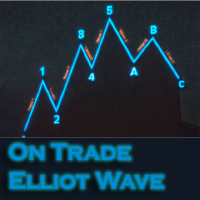
Bu gösterge, Elliott dalga teorisi ile iki şekilde çalışır: Otomatik Çalışma: Bu modda gösterge, Elliott dalga teorisine uygun olarak grafikteki beş hareket dalgasını otomatik olarak tespit edecek ve tahminlerde bulunacak, potansiyel ters dönüş bölgelerini belirleyecektir. Ayrıca, önemli gelişmeler hakkında tüccarları uyarılar ve bildirimlerle bilgilendirebilme yeteneğine sahiptir. Bu otomatik işlev, Elliott dalga desenlerinin tanımlanması ve analiz sürecini basit hale getirir. Manuel Çalışma: B
FIBO Price Calculator  Brief Description 1. Automated Fibonacci Retracement Drawing This indicator automatically draws Fibonacci Retracement lines on the MT4 chart, assisting traders in quickly identifying potential support and resistance levels. 2. Customizable Fibonacci Sequence Users can customize the Fibonacci sequence values, and the indicator automatically converts them into corresponding price levels based on the current market price. 3. Adjustable Indicator Window Position The indicator
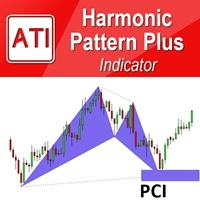
Introduction Harmonic Patterns are best used to predict potential turning point. Traditionally, Harmonic Pattern was identified manually connecting peaks and troughs points in the chart. Manual harmonic pattern detection is painfully tedious and not suitable for everyone. You are often exposed under subjective pattern identification with manual pattern detection. To avoid these limitations, Harmonic Pattern Plus was designed to automate your harmonic pattern detection process. The functionality
Ichimoku Tenkan Kijun Cross Signal Multi Filter Overview TK Cross Multi Filters is a custom technical analysis indicator developed for MetaTrader 4 (MT4) that integrates classic Ichimoku Kinko Hyo Tenkan-sen and Kijun-sen (TK) crossover detection with a modular 15-filter confluence framework and automated Average True Range (ATR) target level projection. The primary purpose of this software is to identify directional momentum shifts at candle close, validate candidate setups against user-select
Thư viện các hàm thống kê dùng trong Backtest và phân tích dữ liệu * Hàm trung bình * Hàm độ lệch chuẩn * Hàm mật độ phân phối * Hàm mode * Hàm trung vị * 3 hàm đo độ tương quan - Tương quan Pearson - Tương quan thông thường - Tương quan tròn # các hàm này được đóng gói để hỗ trợ lập trình, thống kê là một phần quan trọng trong phân tích định lượng # các hàm này hỗ trợ trên MQL4 # File MQH liên hệ: dat.ngtat@gmail.com
This EA trails your stops based on percentage of current TP, for both manually and auto-opened trades.   You can edit the percentage value in the inputs. Trailing stop   is a more flexible variation of a normal exit order. T railing stop  is the practice of moving the stop-loss level closer to the current price when the price moves in your favor. Trailing the stop-loss allows traders to limit their losses and safeguard their positive trades. It is a very popular practice. This EA will manage you
mql5 version:  https://www.mql5.com/en/market/product/44815 Simple indicator to calculate profit on fibonacci retracement levels with fixed lot size, or calculate lot size on fibonacci levels with fixed profit. Add to chart and move trend line to set the fibonacci retracement levels. Works similar as default fibonacci retracement line study in Metatrader. Inputs Fixed - select what value will be fix, lot or profit Fixed value - value that will be fix on all levels Levels - levels for which to ca
The utility is designed to close and delete positions when the specified loss/profit values are reached in the currency/percentage of the Deposit. The chart displays a panel with information: profit/loss on the account, the number of open positions, and total positions in lots. Parameters: SHOW THE DASHBOARD - TRUE - Yes, FALSE - No. CURRENCY PAIRS - TRUE - All, FALSE-Current.  STOP PROFIT IN $ OF THE DEPOSIT - Profit value in the Deposit currency. STOP LOSS IN $ OF THE DEPOSIT - Loss value in
FREE
The advantages of EA TWO CANDLE SMART are: It is equipped with various filters, including: maxspread, maxlot, takeprofit (4 step), stop loss (3 step), profit target per day, and many more. Open order BUY = If iClose[2] > iOpen[2] && iClose[1] > iOpen[1]. Open order SELL = If iClose[2] < iOpen[2] && iClose[1] < iOpen[1]. Target_profit_perday=50; ==> can work on forward test. lockprofit=2;//Minimal Profit in money Step_LockProfit_in_Money=25; Stoploss_in_Money=1000; Stoploss_in %=50;==> Stoploss
Fibonacci Expansion and Retracement Analysis Fibonacci retracing and extended line tools for the MT4 platform, ideal for traders who use the DiNapoli point trading method and the Golden Section trading The main function: 1. You can draw multiple sets of Fibonacci retracements directly, and the relationship between important return points is clear at a glance. 2. Can draw Fibonacci extensions 3. The Fibonacci foldback and extension of the line can be moved left and right for easy observation
Master Phi is an indicator based on Fibonacci numbers. It analyzes the percentage values returning the proportion of the Golden Section. You can customize values and set custom levels so you will create your personal Trading. The attention on the minimums and the maximums of timeframes allows accurate analysis in order to intercept very precisely the trading levels after the various impulse movements. Input Values Time_Frame to analyze LEVELS SETTINGS 9 levels (in percentage) 9 colors LINE SETT
Introduction to Harmonic Pattern Scenario Planner The present state of Forex market can go through many different possible price paths to reach its future destination. Future is dynamic. Therefore, planning your trade with possible future scenario is an important step for your success. To meet such a powerful concept, we introduce the Harmonic Pattern Scenario Planner, the first predictive Harmonic Pattern Tool in the world among its kind. Main Features Predicting future patterns for scenario
MQL Trendline EA
Martin Eshleman
3 (2)
Summary This EA will trade semi-automatically based on trend lines or horizontal lines that are manually plotted on the chart by the user. It can handle any number of lines per chart and each line can have its own adjustable settings. This EA manages every line separately based on specific user 'keywords' set for each line. Since each line has it's own independent settings, this is why there are very few shared inputs in this EA. Doing it this way allows for a single EA to manage many lines and
FREE
MultipleOrdersV TP EA
Opengates Success International
MULTIPLE ORDERS V-TP UTILITY Multiple Orders V-TP Utility is created to give easy profits-making trades with a little movements and without going long distance to get it all. This Utility opens multiple orders as many trades as the number specified by the User or as many as permitted by your Broker in the same direction on the same currency pair simultaneously. The PLUS in this Utility is that this one is created to give a variance in Take-profits plotting. Check the screenshots to understan
Macro Kill Boxer
Sinan Durkan
5 (1)
Macro Kill Boxer Nedir? Macro Kill Boxer, MetaTrader platformu için geliştirilmiş bir teknik analiz indikatörüdür. Bu indikatör, belirli zaman dilimlerinde (örneğin, Asya, Londra Açılış/Kapanış, New York AM/PM gibi) piyasa hareketlerini görselleştirmek için grafikte renkli kutular çizer. Her bir kutu, tanımlı zaman aralığındaki en yüksek ve en düşük fiyat seviyelerini temsil eder ve bu aralıklar genellikle makroekonomik olaylar veya yüksek volatilite dönemleriyle ilişkilendirilir. Ne İşe Yarar?
FREE
Welcome guys !  I offer to you this MT4 project I've been working on for the last 2 years ( roughly over 900h of work.. ).  This is a complete tool that will change the way you see MT4, because I almost recoded it entirely ! It will provides you a solid base for risk management, order positionning, hedging, account preservation and journaling. I wanted an all-in-one panel that covers both scalping and swing trading and that suits every type of trader.       Main goal was : NO INPUTS. Never
A utility to close all orders automatically when conditions meet. Various options are available to filter or select orders : Conditions : Closing conditions. 3 different conditions can be defined. EA will close orders anytime one or more defined conditions meet. Conditions can be defined based on account properties or selected orders properties. Also a fixed time to close orders is available. Type of orders : Buy / Sell / Buy Limit / Sell Limit / Buy Stop / Sell Stop Symbol Selection : All / Ch
Description  Fibo Levels   Custom is a color multicurrency/multi-symbol  indicator that automatically plots   Fibonacci   levels  on the Market Mood Oscillator  in a separate window below the chart of the main financial instrument. It can be used with any broker, regardless of the name of a financial instrument used because the symbol name must be entered manually as an input parameter. If you enter a non-existent or invalid name of a financial instrument, you will receive an error message sayin
WOW Dash Lucky Bunny
Nirundorn Promphao
I will support only my client. สำหรับลูกค้า M5 timeframe with zigzag upward and downward Strategies Parameters General Trade Settings Money Management  Lot : Fixed (can change) Strategies  - M5 Strategies it is fixed with MA, Bollinger band, Candlestick Levels Close Functions  - M5 Strategies MagicNumber  - individual magic number. The EA will only manage position of the chart symbol with this magic number. NextOpenTradeAfterSeconds  - 60 seconds is default, can change it MaxSpread  - upto cur
VisualOrders and InfoAccount - an indicator for analyzing your own trading or analyzing someone else's account. Additionally, there is a possibility to quickly obtain information on the account and the terminal. Information is placed both on the chart and in the Experts tab. All displayed information is disabled in the settings, allowing the trader to leave only the necessary information.
FREE
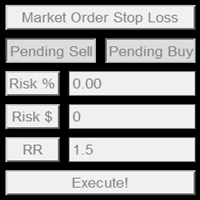
This product offers several advantages and features that make trading easier and more intuitive: User-Friendly Interface : The EA provides simple buttons for setting up pending orders, market orders, and stop-loss levels. This reduces complexity and makes it easier for users to manage their trades with just a few clicks. Customizable Risk Management : Users can adjust their risk percentage and reward-to-risk ratio using input fields. This feature ensures that traders can easily manage risk, hel
如果产品有任何问题或者您需要在此产品上添加功能,请联系我 Contact/message me if you encounter any issue using the product or need extra feature to add on the base version. Please re-direct to LINK for free demo version. There are two critical components in a profitable trading system, one is entry (place an order), and another one is exit (close an order). You can exit by time: closing order after London Close for example. You can also exit by position: closing an order when price reaches a certain support/resistance level
Trader AI ecn
Tat Dat Nguyen
TRADER AI ECN Before you buy all of my products please be aware of the risks involved: 1) Please do not over believe in backtesting result . No one can 100% predict the future . 2) The best setting is default, but you can find the best by yourself each special conditions 3) Sometimes a confliction of market can cause the account a short period of Drawdown , Please get ready for it and wait for profit. 4) Trader AI are dependent on good brokerage conditions, like low spread and slip
Bu ürünün alıcıları ayrıca şunları da satın alıyor
Trade Manager EA’ye hoş geldiniz! Ticaretin daha sezgisel, hassas ve verimli hale gelmesi için tasarlanmış nihai risk yönetim aracı ile tanışın. Bu sadece bir emir verme aracı değil; ticaret planlaması, pozisyon yönetimi ve risk kontrolü için kapsamlı bir çözüm. İster yeni başlayan bir yatırımcı olun, ister deneyimli bir trader ya da hızlı emir gerektiren bir scalper, Trade Manager EA ihtiyaçlarınıza uyum sağlar ve forex, endeksler, emtialar ve kripto paralar dahil tüm piyasalarda esneklik sunar
Exp COPYLOT CLIENT for MT4
Vladislav Andruschenko
4.69 (65)
MetaTrader 4 için profesyonel işlem kopyalayıcı MetaTrader 4 için hızlı, güvenilir ve profesyonel bir işlem kopyalayıcı. COPYLOT , MetaTrader 4 ve MetaTrader 5 terminalleri arasında Forex işlemlerinin kopyalanmasını sağlar ve farklı hesap türleri ile işlem senaryoları için esnek senkronizasyon sunar. COPYLOT MT4 sürümü şunları destekler: MetaTrader 4 → MetaTrader 4 MetaTrader 5 Hedge → MetaTrader 4 MetaTrader 5 Netting → MetaTrader 4   MT5 sürümü Tam açıklama + DEMO + PDF Nasıl satın alınır Nası
Local Trade Copier EA MT4
Juvenille Emperor Limited
4.96 (111)
Local Trade Copier EA MT4, aynı Windows bilgisayarı veya Windows VPS üzerinde çalışan birden fazla MetaTrader 4 hesabı arasında işlemleri kopyalamak ve yönetmek için hızlı ve esnek bir işlem kopyalayıcıdır. Yerel işlem senkronizasyonunu, Receiver tarafında lot büyüklüğü, risk yönetimi, işlem filtreleme, sembol eşleştirme, işlem yönetimi ve hesap koruması kontrolleriyle birleştirir. Transmitter ve Receiver terminallerinizi yaklaşık 1 dakika içinde ayarlayın ve aynı veya farklı brokerlardaki hesa
Trade Assistant MT4
Evgeniy Kravchenko
4.43 (197)
It helps to calculate the risk per trade, the easy installation of a new order, order management with partial closing functions, trailing stop of 7 types and other useful functions. Additional materials and instructions Installation instructions   -   Application instructions   Line function -   shows on the chart the Opening line, Stop Loss, Take Profit. With this function it is easy to set a new order and see its additional characteristics before opening.   Risk management  - The risk calcu
Trade Dashboard simplifies how you open, manage, and control your trades, with built-in lot size calculation. It allows you to execute trades, manage risk, and control positions directly on the chart, with tools such as partial close, breakeven, and trailing stop. Designed to reduce manual work and help you stay focused on your trading decisions. A demo version is available for testing. Detailed explanations of features are provided within the MQL5 platform. Installation instructions are include
Ultimate No Nonsense FX Backtester - You can Run Forward Test Simulation with this tool! Do Not Download the Demo Here, Please Read Below! Step by Step Manual Guide PDF for this backtester PDF List of Commands(Shortcuts) for this backtester Ultimate NNFX Backtester is a powerful utility tool that significantly reduces the length of backtesting process for NNFX followers.  As well as for Forex traders that operates their entries and exits at the close of a candle and manage the risk using ATR.
The product will copy all telegram signal to MT4   ( which you are member  ) , also it can work as remote copier.  Easy to set up, copy order instant, can work with almost signal formats, image signal, s upport to translate other language to English Work with all type of channel or group, even channel have "Restrict Saving Content", work with  multi channel, multi MT5 Work as remote copier: with signal have ticket number, it will copy exactly via ticket number. Support to backtest signal. How to
Simple button panel of trade on your chart with OneClick VZ . This trade panel will make it easier for you. Equipped with several functions that make it very easy for you. You can try Trial Version OneClick V1 in here . This version includes: Open Order Buy Open Order Sell Open Pending Order [Buy Limit - Buy Stop - Sell Limit-Sell Stop] Close ALL orders Close Order Buy Close Order Sell Delete Pending Order [Buy Limit - Buy Stop - Sell Limit-Sell Stop] Order Management: Stop Loss Take Profit Tra
Trade Indicator Assistant is a powerful MT4 utility designed to turn indicators into automated trading systems. Its main feature is the ability to automatically detect an indicator’s   BUY and SELL signal buffers , without requiring you to know the buffer numbers, search through indicator settings, or modify the indicator source code. Bonus Indicator: After purchasing Trade Indicator Assistant, contact me to receive Trade Signal Pro completely free as a bonus indicator. [Download Demo Version]
Practice Simulator, geriye dönük test (backtesting), işlem pratiği ve gerçek zamanlı işlem için hepsi bir arada bir işlem simülatörüdür. İster işlem pratiğine ihtiyaç duyan yeni başlayan bir yatırımcı olun, ister verileri analiz eden deneyimli bir trader olun, bu araç her seviyedeki kullanıcıya uygundur. Forex işlemleri, piyasa analizi veya strateji optimizasyonu için kullanabilirsiniz. Practice Simulator, piyasanın tatil günlerinde bile istediğiniz zaman simülasyon işlemleri yapmanıza olanak ta
News Filter EA: Advanced Algo Trading Assistant News Filter EA is an advanced algo trading assistant designed to enhance your trading experience. By using the   News Filter EA , you can integrate a Forex economic news filter into your existing expert advisor, even if you do not have access to its source code. In addition to the news filter, you can also specify   trading days   and   hours   for your expert. The News Filter EA also includes   risk management   and   equity protection   features
Equity Protect Pro: Endişesiz İşlem İçin Kapsamlı Hesap Koruma Uzmanınız Hesap koruması, öz sermaye koruması, portföy koruması, çoklu strateji koruması, kar koruması, kar toplama, işlem güvenliği, risk kontrol programları, otomatik risk kontrolü, otomatik tasfiye, koşullu tasfiye, planlı tasfiye, dinamik tasfiye, iz süren stop loss, tek tıklamayla kapatma, tek tıklamayla tasfiye ve tek tıklamayla geri yükleme gibi özellikler arıyorsanız, Equity Protect Pro ihtiyacınız olan programdır. Kurulumu
Trailing Stop and Breakeven Manager - Trail Architect MT4 Auto Trailing Stop and Breakeven Manager for MT4. Protect profit with automatic break even, then trail your stop loss using Classic, Step, ATR or Candle trailing - all from one professional panel. Every trader knows the pain: a winning trade turns into a loss because the stop loss was never moved. Watching the chart all day just to move your stop to break even and trail the stop loss by hand is exhausting - and one missed move can wipe o
TradePanel MT4
Alfiya Fazylova
4.84 (95)
Trade Panel, çok işlevli bir ticaret asistanıdır. Uygulama, manuel ticaret için 50'den fazla ticaret fonksiyonu içerir ve çoğu ticaret görevini otomatikleştirmeyi mümkün kılar. Uygulama talimatları : https://www.mql5.com/en/blogs/post/756482 Demo hesabı için uygulamanın deneme sürümü: https://www.mql5.com/en/blogs/post/750865 Uygulamayı nasıl kurulur: https://www.mql5.com/en/blogs/post/756239 Uygulamayı görsel modda nasıl test edilir: https://www.mql5.com/en/blogs/post/770277 Uygulamayı VPS Meta
Grid Manual MT4
Alfiya Fazylova
4.71 (17)
Grid Manual, sipariş ızgarasıyla çalışmak için kullanılan bir ticaret yardımcı programıdır. Yardımcı program evrenseldir, esnek ayarlara ve sezgisel bir arayüze sahiptir. Sadece kayıpların ortalaması yönünde değil, aynı zamanda kazanç artışı yönünde de bir emir ızgarası ile çalışır. Tüccarın bir emir ızgarası oluşturmasına ve eşlik etmesine gerek yoktur, bu yardımcı programı yapacaktır. Emri açmanız yeterlidir ve Grid manual otomatik olarak ona bir emir ızgarası oluşturacak ve kapanana kadar ona
DoIt Trade Manager - Risk Panel and EA Position Manager for MT4 Finding an entry is only half the job. Many execution mistakes happen in position sizing, partial exits, breakeven, trailing and account protection. DoIt Trade Manager puts the complete workflow on the chart. Plan the risk before entry, execute the order and apply consistent management rules to your manual trades and selected positions opened by other EAs. Full setup guide + how the free version works and where PRO starts :  https:/
Black Week: satın alma fiyatı 69.99 USD. Teklif 27 Kasım Cuma günü sona eriyor. Telegram to MT4 Multi-Channel Copier   , Telegram ve Discord kanallarınızdaki alım-satım sinyallerini doğrudan MetaTrader 4'e otomatik kopyalar. Bot yok, tarayıcı uzantısı yok, elle kopyalama yok. Sinyal Telegram'a veya Discord'a düşer ve EA birkaç saniye içinde terminalinizde işlemi açar. Ve bir kanalı kopyalamadan önce, yerleşik backtester o kanalın hesabınızda ne yapmış olacağını gösterir. Ürün iki bileşenden oluş
AZ Trade Recovery Assistant MT4   combines manual trading flexibility with intelligent automated management.This advanced on-chart panel isn’t just for trade execution — it’s a complete trade management assistant. You can open or close positions instantly, adjust lot size, manage trailing stops, and modify Take Profit or Stop Loss — all directly from the panel. It’s built for traders who want full control of their trades with smart automation running in the background. What truly makes this assi
Close If Profit or Loss with Trailing for MetaTrader 4 — toplam kâr veya toplam zarar ile otomatik kapatma MetaTrader 4 için pratik bir işlem yönetimi aracıdır. Toplam kâr veya toplam zarar belirlediğiniz seviyeye ulaştığında, seçilen pozisyonları otomatik olarak kapatabilir. Expert Advisor açık işlemleri izler, değişken kâr/zarar sonucunu hesaplar, Trailing Profit kullanabilir ve pozisyonları manuel müdahaleden daha hızlı yönetmenize yardımcı olur. MetaTrader 4 hâlâ manuel trader’lar, scalper’
Desteğe mi ihtiyacınız var? Nasıl kurulur? Sorunuz mu var? Buradan kendi dilinizde sorun, hızlı yanıt: https://www.mql5.com/en/market/product/139089/comments Çalışan Deneme Sürümünü İndir Copy Cat More (Taklitçi Kedi) — İşlem Kopyalayıcı (Trade Copier) MT4 sadece basit bir yerel işlem kopyalayıcı değildir; bugünün ticaret zorlukları için tasarlanmış eksiksiz bir risk yönetimi ve yürütme çerçevesidir (risk management and execution framework). Prop firm challenge'larından kişisel portföy yöneti
Trade copier MT4
Alfiya Fazylova
4.62 (37)
Trade Copier, ticaret hesapları arasındaki işlemleri kopyalamak ve senkronize etmek için tasarlanmış profesyonel bir yardımcı programdır. Kopyalama, tedarikçinin hesabından/terminalinden alıcının aynı bilgisayarda veya vps'de kurulu olan hesabına/terminaline gerçekleşir. Satın almadan önce demo sürümünü bir demo hesabında test edebilirsiniz. Demo versiyonu burada . Tüm talimatlar burada . Ana işlevler ve avantajlar: Emirlerin kopyalanmasını destekler: МТ4> МТ4, МТ4> МТ5, МТ5> МТ4. Emirlerin kopy
RS Trade Copier - gerçek grafik arayüze sahip, ultra hızlı yerel işlem kopyalayıcı. Hesap numaralarını elle girmeyi bırakın. Artık 200'den fazla anlaşılmaz giriş parametresiyle uğraşmak yok. Birden fazla MT4 ve MT5 terminali arasında işlem operasyonlarını kopyalamak için güvenilir ve esnek bir araçtır. Hem profesyonel yatırımcılar, sinyal hizmetleri hem de bireysel yatırımcılar için uygundur. Bir veya birden fazla Sağlayıcıdan bir veya birden fazla Alıcıya ticareti senkronize eder ve bunu yüksek
Telegram'dan MT4'e:   Nihai Sinyal Kopyalama Çözümü Telegram ile MT4'e   işlemlerinizi kolaylaştırın, DLL'lere ihtiyaç duymadan doğrudan Telegram kanallarından ve sohbetlerinden MetaTrader 4 platformunuza işlem sinyallerini kopyalamak için tasarlanmış son teknoloji yardımcı program. Bu sağlam çözüm, sinyallerin benzersiz hassasiyet ve özelleştirme seçenekleriyle sorunsuz bir şekilde yürütülmesini sağlayarak size zaman kazandırır ve verimliliğinizi artırır. [ Instructions and DEMO ] Temel Özellik
Trading History - A program for trading and money management on the history of quotes in stratagy tester. It can work with pending and immediate orders, and is equipped with trailing stop, breakeven and take profit functions. Very good for training and testing different strategies. Manual (Be sure to read before purchasing) Advantages 1. Allows you to test any trading strategy in the shortest possible time 2. An excellent simulator for trading training. You can gain months of trading experience
Exit Manager
Victor Christiaanse
5 (2)
Close every trade at the right moment, automatically. Most traders spend their energy on the entry and then close too early, too late, or on a feeling. Exit Manager takes the exit off your hands. Open a trade the way you always do, by hand or with any Expert Advisor, and Exit Manager watches it and closes it, fully or partly, when the indicator signal you chose appears. You can see it working on the chart. A clean panel on your chart shows, for every open trade, which rule will close it next, ho
I have created this  MT4 Tool EA to test if it is more profitable to trade in favor of the mass sentiment of traders or it is better to go against it. Remember to authorize Myfxbook url in WebRequest options in MT4 .  Features: Market Sentiment update every 30 minutes SL TP BreakEven Trail SL Daily Target Profit Max Daily DrawDown (Useful for prop firm) Max Spread Filter Time Filter Custom Trade Comments Protection in case a pair is not read correctly from the web (Prevents improper closing or o
CBOE opsiyon verilerinden gerçek zamanlı GEX seviyeleri. ES, NQ, RTY, Gold. Her 2 dakikada güncelleme. Full description: GammaOrderBook — Hepsi bir arada EA. Canlı GEX verilerini indirip doğrudan grafikte gösterir. Ayrı indikatör gerekmez. Görüntülenen içerik • GEX Bars — Call/Put gamma seviyeleri yatay çubuklar olarak, ETF/Index kaynağına göre farklı renklerle • Zero Gamma Line — Hedge yönünün değiştiği kritik seviye • Panorama V4 — Çoklu zaman dilimi gamma konumlandırması • Destek/Direnç —
Drawdown Minimizer for MetaTrader 4 - your EAs pay in, old losers get paid off. This utility runs next to your other Expert Advisors and never opens a trade. It keeps a savings book of the net realized profit of your whole account and uses it to close the oldest losing positions of the EAs you choose - slice by slice, oldest first. WHY IT EXISTS Made by traders, for traders. One of our grid EAs got stuck in drawdown for months. The old positions did not come back, and they paid swap every single
Trade Autopilot, PC'de veya telefonda elle açtığınız işlemleri yönetir. Zarar durdur yoksa ekler, onu başa başa taşır, işlemin bir kısmını kapatır ve kalanını trailing ile takip eder. Her şey başlangıç riskiniz olan R ve ATR ile ölçülür; böylece aynı ayar altında, endekslerde ve forex'te çalışır. 15 Aralık'a kadar lansman fiyatı: 30 USD, normal fiyat olan 60 USD'den 50% indirimli. Ne zaman gireceğinize siz karar verirsiniz. Oradan sonra işlemle Trade Autopilot ilgilenir. İşlem açmaz ve sinyal ve
ATTENTION: The Indicator cannot be backtested, as it is generated exclusively from live intraday calculations based on options flow. GEX Level Converter – Gamma Exposure Mapping for CFD Charts NASDAQ-100 edition — for US100 · NDX · NAS100 · USTECH and every Nasdaq-100 CFD equivalent Instantly see professional options-market levels directly on your MetaTrader Nasdaq-100 CFD chart. The GEX Level Converter translates the daily Gamma Exposure (GEX) zones of the NDX options market into precise pri
Yazarın diğer ürünleri
Choose a stop and see how much volume fits your cash risk budget. Move the entry, stop and target lines on the price chart. A separate panel shows the lot size, estimated stop loss in the deposit currency, estimated target after costs and reward-to-risk. The planner places no trades. Start a plan Attach the indicator to the instrument you intend to trade. Choose equity, balance or a fixed cash amount as the budget basis. Choose Buy or Sell . The initial entry uses the current ask or bid. The in
FREE
How long did a breakout hold before price returned to the opening range? Review recent sessions on one chart. See the opening high and low, the first close outside the range and the first later candle that touched the broken boundary. Select Show bars to center the chart on the event and mark the original levels. Review a session Try the free demo in the MT4 or MT5 visual Strategy Tester. Keep the 08:00 start and 15-minute opening range, turn on Show example and let the test play. In the fictio
Which trades made up your EA's net result? Choose a broker-date range, find your EA by name or magic number and select Postings . Each posting shows the original ticket, broker time, symbol, allocation source, gross P/L, commission, swap, fees and net amount in the deposit currency. Try it on MT4 or MT5. Turn on Show example , then choose Week and All symbols . The fictional account shows 27 USD net. Magic 2101 contributed 43 USD. Select Postings to see ticket 900104 with 32 USD net, then use t
Check which M1 bars you can corroborate with quote updates that your MT4 terminal observed. Attach the indicator to the chart you want to monitor. Each colored hour opens a summary of its completed minutes. The CSV gives you the evidence for each minute. Try an example In desktop MT4, open View → Strategy Tester , choose Indicators and select Tick Coverage Map . Choose a symbol and timeframe with price history, leave the indicator inputs at their defaults and press Start . The visual chart opens

FREE
Track how pending orders on your account open relative to the requested levels you saw before activation. Attach the indicator to one chart and leave MT4 connected. The monitor observes pending orders across the account. The chart opens on its own symbol, and Next symbol cycles through symbols that have loaded tickets in the five-week window. Try the Market demo Download the demo in desktop MT4. Open View → Strategy Tester , select Indicators and choose Fill Drift Monitor . Select a symbol and t
Overview Follow selected market trades from one desktop terminal in another. Local Trade Relay can read an MT4 source account or serve as its destination. Each chart shows its role, the channel status and the positions it is publishing or would act on. Preview is the default receiver mode. Use this edition at an MT4 endpoint. For a pair containing MT5, install the MT5 edition at that endpoint and select a hedging account that allows individual ticket closes. Both terminals run on the same compu

Turkish : NeuroQuant: GOLD için Tasarlanmış NeuroQuant , GOLD piyasası için özel olarak tasarlanmış bir nesil ticaret çözümüdür ve bu yüksek potansiyelli piyasada üstünlük sağlamak için ileri düzey yapay zeka ve sinir ağları kullanmaktadır. Sembol: XAUUSD (GOLD) Zaman Dilimi: 4H & 1H Sermaye: $1,000+ Brokers: Herhangi bir broker Hesap Tipi: Düşük spread tercih edilir Kaldıraç: 1:25 ~ 1:500 VPS: Karınızı maksimize etmek için önerilir Lot Boyutu: 0.01 ~ NeuroQuant'ın GOLD'da Neden Öne Çıktığı: Mü
Tick Coverage Map shows where your MT5 terminal returned ticks for the M1 bars in a selected date range. Use it before a backtest to find dates that need a closer look. Each calendar cell compares observed M1 minutes with minutes containing at least one returned tick. Click a date to inspect consecutive zero-tick intervals. Switch the detail view to see unresolved minutes when history was unavailable or still synchronizing. Minutes without an M1 bar have their own count. Inputs and controls Sym
FREE
Fill Drift Monitor helps you find changes in execution quality across several EAs in one MT5 account. Start with the chart symbol or open All symbols to compare this week with a baseline pooled from the previous four completed broker-server weeks. Each week shows the signed median, the 90th percentile of adverse fills, and measured versus total deals. Positive values mean worse execution and negative values mean better execution. Values and ranking differences use each symbol's own points. Sele
Rangehound Gold gives you two ways to trail hourly gold breakouts in one MetaTrader 5 Expert Advisor. Gold Breakout and Gold Trend use the same entry rule on XAUUSD. In the free MT5 Strategy Tester demo, change just the Strategy input to compare their stops and exits on your broker's price history. Choose a strategy Gold Breakout (default) uses a trailing distance of twice the 14-bar hourly average true range (ATR). Gold Trend uses four ATRs while the trend filter is active and two otherwise. A
How long did a breakout hold before price returned to the opening range? Review recent sessions on one chart. See the opening high and low, the first close outside the range and the first later candle that touched the broken boundary. Select Show bars to center the chart on the event and mark the original levels. Review a session Try the free demo in the MT4 or MT5 visual Strategy Tester. Keep the 08:00 start and 15-minute opening range, turn on Show example and let the test play. In the fictio
Which trades made up your EA's net result? Choose a broker-date range, find your EA by name or magic number and select Postings . Each posting shows the original ticket, broker time, symbol, allocation source, gross P/L, commission, swap, fees and net amount in the deposit currency. Try it on MT4 or MT5. Turn on Show example , then choose Week and All symbols . The fictional account shows 27 USD net. Magic 2101 contributed 43 USD. Select Postings to see ticket 900104 with 32 USD net, then use t
Overview Use one desktop terminal to follow selected market positions in another. Attach Local Trade Relay to a chart in each terminal and give the pair a channel name. The sender reads its account. The receiver starts in Preview and shows the symbol, side and lot size it would request. Execution is a separate choice in the receiver inputs. This edition runs on MT5 hedging accounts that allow individual ticket closes. Install the corresponding MT4 edition for an MT4 endpoint. The two terminals
Find the first recorded Bid or Ask that touched a stop or target after a confirmed range breakout. The chart labels the direction and price of the breakout. For the selected signal, the panel gives the entry quote, spread, model levels, first-touch price and broker timestamps down to milliseconds. The first screenshot follows a gold M1 short from 24 November 2026 at 04:51 broker time. The first Bid was 3638.29 at 04:52:00.234. The stop level was 3640.72. At 04:54:12.834 the Ask was still 3640.68
Review where an entry landed relative to the prices that attracted activity earlier in its session. Attach Deal Entry Profile to an MT5 chart and select one of your account’s entry deals on that symbol. The panel reconstructs the price distribution using only the broker records that precede the deal. The chart marks the entry price and time. Read a profile The gold histogram row contains the point of control (POC), the busiest displayed price row. Teal rows form a contiguous value area containin
Filtrele:
Değerlendirme yok
Değerlendirmeye yanıt