Local Trade Relay MT4

  • Yardımcı programlar
  • Kim Seongyu
    Kim Seongyu
    I approach investing by asking what drives an investment’s return, what could undermine it, and what evidence would change my view.
  • Sürüm: 1.2
  • Güncellendi: 24 Kasım 2026
  • Etkinleştirmeler: 5

Overview

Follow selected market trades from one desktop terminal in another. Local Trade Relay can read an MT4 source account or serve as its destination. Each chart shows its role, the channel status and the positions it is publishing or would act on. Preview is the default receiver mode.

Use this edition at an MT4 endpoint. For a pair containing MT5, install the MT5 edition at that endpoint and select a hedging account that allows individual ticket closes. Both terminals run on the same computer.

Quick start

  1. Attach the EA to any chart in each terminal. Enter the same local channel, for example london-a . A channel takes lowercase letters, digits, a hyphen and an underscore.
  2. On the source chart, select Sender. Choose the source symbols and strategy magic number. Leave Include manual off unless trades opened by hand should also be eligible.
  3. Select Preview receiver on the other account. Reserve a receiver magic number, set the lot factor, and map broker suffixes. Check the action shown on the chart.
  4. For a walkthrough, enable Example data at both ends. With EURUSD=EURUSD.demo and a 0.50 lot factor, the receiver previews a 0.10-lot buy from a fictional 0.20-lot EURUSD source trade. This walkthrough uses a separate folder and fictional quotes.
  5. With Example data off, review your account pair first in Preview. Choose Execution receiver and enable AutoTrading and Allow live trading on the destination when you want orders submitted.

Try the single-terminal tester

Select the EA in Strategy Tester, tick Visual mode, and run a date range with at least five historical ticks spaced 15 simulated seconds apart. The SAMPLE DATA chart shows a fictional 0.40-lot EURUSD buy, a change in SL and TP, a reduction to 0.20 source lots, and two snapshots confirming the source exit. Set Lot factor to 0.50 to watch the virtual receiver open 0.20 lots, reduce 0.10 and close 0.10. The final panel retains the quantities. Changing the lot cap or management switches changes the walkthrough. All example state stays in memory and the tester submits zero orders.

Inputs

Input Use
Role, channel, example data Pair one Sender with one Preview or Execution receiver. Give the channel a name to begin. Example data permits Sender and Preview roles.
Storage Choose Common Files for terminals under one Windows user. Linked Terminal Files is available where the administrator has connected the product folder in each terminal's Files directory to the same private local directory. Use LocalTradeRelay for account data or LocalTradeRelayExamples for the walkthrough.
Source symbols, source magic, include manual Supply a comma-separated list of exact symbols or leave it empty for all. Source magic -1 accepts eligible strategy numbers. Magic zero also needs the manual switch. Trades marked by the relay and the reserved magic are excluded.
Receiver symbol map Write exact pairs such as EURUSD=EURUSDm,GBPUSD=GBPUSDm . Unlisted symbols retain their name. Map contracts with matching price units and verify contract size.
Receiver magic Reserve a positive magic value for the pair on the destination account. Unrelated manual trades and other magic numbers stay outside its management.
Lot factor, maximum lots Multiply source volume, apply the per-position cap, then round down to the broker's lot increment. Both defaults are 1.0. An opening size below the broker minimum is held.
Mirror stops Mirror absolute SL and TP, including removal, using the destination tick size and stop-distance rules. An opening request includes the requested protective prices.
Follow reductions, follow closes Choose whether to follow partial reductions and verified source exits. A positive source remainder is kept at the minimum tradable destination size when necessary.
Maximum entry age, maximum entry gap Defaults are 90 seconds and 50 destination points. Set an individual limit to zero to disable it. Entry checks are independent of later exit management.
Deviation, stale seconds The requested execution deviation defaults to 10 destination points. The broker determines execution. A source snapshot expires after 8 seconds by default.

Examples

  • Copy a manual position. Use magic zero and enable Include manual. Set EURUSD in the source symbol list to keep manual trades in other instruments outside the pair.
  • Match different broker names. Map EURUSD=EURUSDm on the receiver. A 0.35-lot source entry at a 0.50 factor becomes 0.17 lots on a 0.01 grid. The next source SL change applies to that matched ticket.
  • Watch an MT4 partial close. Some servers retain the ticket and others issue a smaller replacement. If several partial closes happen between updates, the relay follows linked tickets in broker history to the remaining trade or its verified final exit. It pauses when ownership cannot be established.

Limits and operating notes

  • MT4 pending Buy Limit, Sell Limit, Buy Stop and Sell Stop orders are excluded. MT5 Buy Stop Limit and Sell Stop Limit orders are also excluded from mixed pairs. Once a pending order fills, its market position can be observed. A trade that opens and closes between publications can be missed.
  • This version supports separately closable market tickets. FIFO restrictions, destination netting, remote computers and multiple senders or receivers on one channel are outside scope. A paired account session requires two terminals.
  • A stale heartbeat or disconnected terminal holds existing copies. The receiver can follow a reduction after a separate SL or TP edit, even across a restart. A full source exit needs two distinct fresh publications. A broker timeout or unclear ticket blocks a duplicate submission. Pending confirmations appear on the chart and broker return codes appear in Experts.
  • A snapshot carries up to 256 eligible market trades. When the sender cannot verify the whole inventory, the previous complete snapshot remains in place until it expires.
  • A destination position closed by hand, SL or TP stays closed while its source ticket remains open. Partial opening fills and manual reductions are never topped up. A definite rejection may retry after 15 seconds while the trade is eligible.
  • Keep sufficient MT4 account history available for ticket matching. Keep the receiver's ledger in place across restarts, reserve its magic exclusively, and retain the pair's filters, mapping, sizing and management switches. Finish open positions and start a new channel to change those settings. Both terminals and the shared private folder must remain available.

Önerilen ürünler
CRT Candle Range Theory HTF MT4 - Ultimate CRT Indicator: Gelişmiş ICT Konseptleri ve Malaysian SnR Ticaret Sistemi En gelişmiş Candle Range Theory göstergesi ile Piyasa Yapıcıların ayak izlerinde ustalaşın. Smart Money Concepts (SMC) gücünü açığa çıkarın ve Ultimate CRT Indicator ile tıpkı kurumlar gibi hassas bir şekilde ticaret yapın. Sadece ciddi yatırımcılar için özel olarak oluşturulan bu gösterge, ICT Konseptlerinin (Inner Circle Trader) temel direği olan oldukça etkili CRT (Candle Range
Grid Trading EA is a semi-automated one-click trading EA for both Normal Trading and Grid/Martingale Trading . Normal Trading Simply click Buy or Sell directly from the chart. The EA will automatically manage trades by: Setting Stop Loss and Take Profit Managing Trailing Stop Grid / Martingale Trading When Grid Trading mode is enabled, the EA will automatically open additional grid orders at specified distances while increasing the lot size based on your settings. Inputs & Settings Lots — Initia
Godfather Market Theory
Afjal Hussain Swapan
Godfather Market Theory EA – Comprehensive Description The   Godfather Market Theory EA   is a sophisticated, multi-strategy expert advisor designed for MetaTrader 4. It combines three powerful trading methodologies into one integrated system: the   Godfather Market Theory , the   Secret Profit   entry system, and the   Fury Scalper   (a trend-following scalper with hedging and recovery). Additionally, it includes a   Trend Rider   for non-grid trend trades, multiple   partial close mechanisms ,
Script for Delete all Pending Orders. Usage: - Enable Automate Trading - Attach / Double click the script ENJOY IT. //+------------------------------------------------------------------+ //|                                            Close ALL Pending.mq4 | //|                              Copyright 2015, SangBatosai-Code5 | //|                           https://www.mql5.com/en/users/mahakaya | //|      Credit:                                                     | //|       SangBatosai-Code5
FREE
Market Order Vision (MOV) Professional Trading Panel and Risk Management Utility for MetaTrader 4 Market Order Vision (MOV) is a trading utility designed for traders who make their own trading decisions and want to execute orders, calculate position sizes, and manage risk directly from MetaTrader 4 charts. MOV combines trade planning, position sizing, and order execution tools in one convenient on-chart panel. KEY FEATURES 1. Advanced Risk Management %Depo — calculate position size based on acco
請點選copyright link跳轉至官方網站觀看詳細說明 https://www.ainstein.com.tw/ 由AInstein研發團隊獨立開發的全方位交易整合軟體,並獲得經濟部核可「智能交易系統軟體」智產權專利,提供協助交易者最專業的交易資訊軟體與諮詢服務。 由AInstein研發團隊獨立開發的獨創外匯智能交易系統,並持有經濟部智慧財產局頒發的專利證書新型第M598465號—智能交易系統,讓交易者能以玩遊戲的形式,輕鬆愉快地進行交易。 提供官方專屬的合作券商平台優惠方案,並依據個別需求,提供客製化策略方案設計及諮詢服務。 提供同業與異業間彼此推廣的商業合作策略方案設計及諮詢服務。 提供專業的客製化EA代寫,協助有策略但非程式專長的交易者,也能有專屬的量化交易工具。 提供與券商間互惠互利的合作,以及代理技術客製化培訓課程,協助代理專業交易知識與技術的提升。
Magic Grid
Aliaksandr Charkes
4.52 (27)
Magic Grid is an indicator-free advisor that uses a grid strategy. The strategy is based on automatic reopening of grid pending orders, after closing their market positions (by Take-Profit, Stop-Loss or manually). Pending orders are placed with a specified step from the initial prices, which can be entered manually or generated automatically ( one time at the beginning of the trade ). The robot can trade on any time frame, on any currency pair, on several currency pairs, and on any number of di
FREE
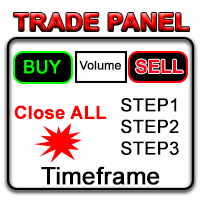
Finansal piyasalar alanında, etkin sermaye yönetimi önemlidir. Sadece başlangıç yatırımınızı güvence altına almakla kalmaz, aynı zamanda artırır. Elle hesaplamaların günleri geride kaldı. Getirilerinizi maksimize edin, risklerinizi minimize edin ve finansal piyasaların potansiyelini hiç olmadığı kadar açığa çıkarın. Ticaret Paneli ile ticaret yolculuğunuzu kontrol altına alın. Hızla gerçekleştirmeniz gereken scalper olarak çalışıyorsanız, Ticaret Yöneticisi panelimiz parmaklarınızın ucunda tüm g
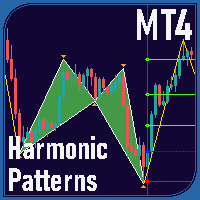
Overview Harmonic Patterns MT4 is a technical analysis indicator designed for the MetaTrader 5 platform. It identifies and displays harmonic price patterns, such as Butterfly, Cypher, Crab, Bat, Shark, and Gartley, in both bullish and bearish directions. The indicator calculates key price levels, including entry, stop loss, and three take-profit levels, to assist traders in analyzing market movements. Visual elements and customizable alerts enhance usability on the chart. Features Detects six ha
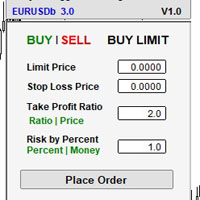
Trade Assistant is a trading panel designed for manual trading. The panel allows you to calculate risk, manage positions using Limit orders, And other useful features. Key features of the panel It works with any trading instruments - currency pairs, CFDs, stocks, indices, futures, cryptocurrencies. Set Stop Loss and Take Profit as the distance in points. Setting and displaying the potential loss to profit ratio. The panel supports pending orders. Display on the chart the calculated position vol
GGP Trade Copier  EA is an automatic trading bot that can help traders automatically replicate the trading strategies and operations from one trading terminal to others by experiencing exceptionally fast trade copying system. Its easy-to-use setup allows you to copy trades between multiple MetaTrader terminals on the same Windows computer or Windows VPS with lightning-fast copying speeds of under 0.5 seconds. The software supports multiple trading varieties, including Forex, commodities, stocks,
Double or Nothing Daily Version MT4
Rui Fernando Pimentel De Oliveira
DOUBLEorNOTHING Daily is the version of the DOUBLEorNOTHING family designed to combine an aggressive Gold / XAUUSD trading strategy with a capital-management model focused on frequently protecting realized profits. The core idea behind the DOUBLEorNOTHING family is simple: recovery strategies may generate strong growth, but they can also experience significant drawdowns. For this reason, every version uses the same main trading concept while handling capital and profits differently. In Daily mod
The purpose   of this utility is to manage one or more subwindow in the same chart by opening and closing them through a button or the keyboard keys How it works: If you want to handle more than one subwindow you need to reinstall the indicator . In this case some setups has to be customized onlu in the last subwindow installed and others setups in the installed subwindow during the first time installation. They are denoted in the input rispectively as ' LW ' and ' IW '. First of all install
Complete Guide: How It Works & Core Capabilities The CRITICAL MT4 Deficiency (Major Platform Flaw)   Position Closing Challenges in MT4:   Final Verdict This Tool Solves: MT4's lack of batch closing Tedious manual clicking Risk of slippage during manual closure Distracting chart grid Stress during high volatility Human error in position management This Tool Provides: One-click mass closure 99% time reduction Zero human error Clean professional charts Peace of mind
The utility displays in a convenient form the historical trades made on the account. You can filter trades by magic or comcent, display only profitable or losing trades, and only buy or sell trades. Using this utility, you can see trade entry and exit points, stop loss and take profit levels, trade profit, magic number and comment, order ticket and order size - you only need to run the utility on the chart of the currency pair you want information on get and customize the input parameters. MT5
Break Moment
Svyatoslav Kucher
5 (2)
Break Moment is a unique proprietary indicator with extensive capabilities and a variety of settings. It can be used as a signal generator or as an auxiliary tool. For the calculations, the price channel is determined. When it is broken, if all conditions of the additional filter are met, it displays a signal in the form of a histogram. Break Moment can be used to determine the main trend, as it has 2 filters for determining it in addition to everything else. If these filters are activated, the
News Scalping Executor Pro is an utility which helps to trade high impact and huge volatility   news . This utility helps to create two opposite orders with risk management and profit protection. It moves automatically stop loss level to avoid losses as much as possible by using many different algorithms. It helps to avoid trading the news if spread suddenly becomes very huge. It can lock profit by moving stop loss or partially closing of orders. To be profitable with this type of trading you
Sayı dizilerinden birine "Orman Yangını Dizisi" denir. En güzel yeni dizilerden biri olarak kabul edildi. Başlıca özelliği, bu dizinin lineer trendlerden, hatta en kısa olanlardan kaçınmasıdır. Bu göstergenin temelini oluşturan bu özelliktir. Bir finansal zaman serisini analiz ederken, bu gösterge tüm olası trend seçeneklerini reddetmeye çalışır. Ve ancak başarısız olursa, bir trendin varlığını tanır ve uygun sinyali verir. Bu yaklaşım, yeni trendlerin başladığı anların doğru bir şekilde belirl
TradePilot
Hossein Khalil Alishir
TradePilot Expert Advisor (EA) for MetaTrader 4 TradePilot is a professional and user-friendly Expert Advisor (EA) for MetaTrader 4 (MT4) . It simplifies automated trading , risk management , and trade execution using a smart trading panel . Perfect for beginners and experienced traders looking for a reliable trade manager EA with automated lot size calculation . Key Advantages User-Friendly Trading Panel: Customizable panel with buttons and hotkeys. Smart Risk Management: Supports percen
Expert candle finder for forex in MetaTrader 4 Expert candle finder is one of the practical trader assistant experts that is used in the forex financial market, this expert accurately identifies the candlestick patterns on the price chart as a signal, all the found candles. informs you. This expert is run on your Meta trader platform and in a very precise way, it examines all the currency pairs that are in your watch list and every currency pair that had a professional and good candlestick patt
GoldenTrend
Aliaksandr Sych
GoldenTrend — a next-generation high-frequency scalping Expert Advisor designed to extract profit from the smallest market movements. Utilizing advanced algorithms for price action and volume analysis, it opens dozens of highly accurate trades daily with minimal risk. Why GoldenTrend? Монитор Ultra-Fast Trades : Captures profit from 5–15 pip movements. Ideal for ECN accounts with low spreads. Adaptive Strategy : Automatically adjusts to current market volatility and dynamically shifts tradi
You can manually open a trade (one click), and this EA will take care of setting the SL and TP. SL and TP are set based on the number of pips you specify in the input screen. You can also choose monetary SL and TP. SL and TP are determined based on the weighted average price (WAP), so if you open a new trade, SL and TP will be updated according to the new WAP. The WAP is not unique but differentiated between buy and sell trades (this is useful only if you open opposite trades on the same chart)
FREE
Swing & Price Action Trader ( SPA Trader)   How to trade with SPA Trader? SPA Trader is a very special tool for both Automatic  and Semi-Automatic trading . It works as an Indicator and Expert Advisor to trade fully automatic, if trader sets it to true and  by false setting , then it will trade when trader enter into the position via SPA Trader manually, but the money management and risk management functions remain automatically to manage the opened positions for trader... The SPA Trader is the
По факту вы выставляете виртуальные Buy Stop и Sell Stop которые срабатывают после закрытия свечи. Данный помощник позволяет заранее выставить уровень Stop Loss и Take Profit. Так-же имеется демо режим для предварительного расчёта параметра риск/прибыль. Помощник имеет следующие настройки "Лот" по умолчанию "0.01" "Проскальзывание" по умолчанию "60"        (Значение в пунктах) "Номер Ордера" по умолчанию "0"               (Магический номер ордера) "Цвет Комментариев" по умолчанию "Black"  "Шрифт
Real Time Account Overview MT4 — Account & Magic Number P&L Monitor Real-time account overview and per-strategy P&L tracking, all in one clean panel. Overview Dashboard MT5 is a lightweight Expert Advisor that overlays a live information panel directly on your MetaTrader 4 chart. It gives you an instant snapshot of your account health and the performance of each trading strategy — identified by magic number — without ever leaving the platform. Whether you run a single EA or a dozen simultaneous
FREE
If you found this EA, it's probably because you want to get a funded account with a prop firm, but you see a rule that most of traders fear :   Maximum Daily Drawdown.  I've been through this problem myself as   I'm a prop firm trader   and I've made a bot to solve this rule, and you can get it to solve this problem too. How does it work ? When you first setup this EA, you need to input the   initial deposit   which corresponds to the size of your funded account. For exemple if you get a 10k$ f
Atena Gold EA
Igor Pereira Calil
The Atena specialist is a EA for Meta Trader with the objective of working with the robot's own trends and strategies. GET Atena Gold EA FREE INSTALLED AND OPERATING ON YOUR ACCOUNT, ASK ME PRIVATE MESSAGE. Atena was developed to operate with greater security on American metal (GOLD, XAUUSD). Atena GOLD is a long-term robot, with WEEKLY AND MONTHLY profits, don't be too alarmed if it sometimes takes some time to close. Remember that Athena operates in both market trends, buying and selling, re
This is script to check what is max lot allowed on a currency pair , so you need to drag this script to a currency chart and this utility will print max allowed lot with available balance. Sometimes we need know maximum allowed lot information for some purpose so this script will really help to know the lots allowed with given balance in live account for any broker . Hope explanation will help.
이 제품은 한국에서 개발되었습니다. 대한민국에서 개발 된 서비스 제공 제품입니다. 제품의 개요 기능을 설명합니다. 매수 예약 리밋, 스탑 주문 매도 예약 리밋, 스탑 주문  매수 예약 리밋, 스탑 주문 취소 매도 예약 리밋, 스탑 주문 취소 매수 포지션 모두 청산 매도 포지션 모두 청산 실시간 TP,SL 설정 실시간 추적손절매 핍 설정 추적손절매 기능 통화 손익 전체 화면 모니터링 기능 제품 사용 환경 메타트레이더 4 입력변수 설정 Language : English,Korean BUYRiskPercent : 기본 2%  (증거금에 대한 계약수 메니지먼트 설정, 입력값 1 ~ 100 정수로만 입력) SELLRiskPercent : 기본 2% (증거금에 대한 계약수 메니지먼트 설정, 입력값 1 ~ 100 정수로만 입력) Temporary_GAP : 예약 주문시 갭 설정 HandBuyLot : 기본 셋팅 계약수 설정 매수 예약 0.01 lot(로딩시 기본으로 설정할 계약수를 입력)
LordEA English
Igor Pereira Calil
This is the ENGLISH version, to buy the PORTUGUESE VERSION, go to:  https://www.mql5.com/pt/market/product/58513 GET LordEA FREE INSTALLED AND OPERATING ON YOUR ACCOUNT, ASK ME PRIVATE MESSAGE. The LordEA specialist is a robot for Meta Trader with the objective of working with the robot's own trend and strategies. We use by default methods of distancing and type of geometric lot where the robot will detect through the trend an exact time to open a new order, or even under martingale. LordEA is

Bu ürünün alıcıları ayrıca şunları da satın alıyor
Exp COPYLOT CLIENT for MT4
Vladislav Andruschenko
4.69 (65)
MetaTrader 4 için profesyonel işlem kopyalayıcı MetaTrader 4 için hızlı, güvenilir ve profesyonel bir işlem kopyalayıcı. COPYLOT , MetaTrader 4 ve MetaTrader 5 terminalleri arasında Forex işlemlerinin kopyalanmasını sağlar ve farklı hesap türleri ile işlem senaryoları için esnek senkronizasyon sunar. COPYLOT MT4 sürümü şunları destekler: MetaTrader 4 → MetaTrader 4 MetaTrader 5 Hedge → MetaTrader 4 MetaTrader 5 Netting → MetaTrader 4   MT5 sürümü Tam açıklama + DEMO + PDF Nasıl satın alınır Nası
Trade Manager EA’ye hoş geldiniz! Ticaretin daha sezgisel, hassas ve verimli hale gelmesi için tasarlanmış nihai risk yönetim aracı ile tanışın. Bu sadece bir emir verme aracı değil; ticaret planlaması, pozisyon yönetimi ve risk kontrolü için kapsamlı bir çözüm. İster yeni başlayan bir yatırımcı olun, ister deneyimli bir trader ya da hızlı emir gerektiren bir scalper, Trade Manager EA ihtiyaçlarınıza uyum sağlar ve forex, endeksler, emtialar ve kripto paralar dahil tüm piyasalarda esneklik sunar
Local Trade Copier EA MT4
Juvenille Emperor Limited
4.96 (111)
Local Trade Copier EA MT4, aynı Windows bilgisayarı veya Windows VPS üzerinde çalışan birden fazla MetaTrader 4 hesabı arasında işlemleri kopyalamak ve yönetmek için hızlı ve esnek bir işlem kopyalayıcıdır. Yerel işlem senkronizasyonunu, Receiver tarafında lot büyüklüğü, risk yönetimi, işlem filtreleme, sembol eşleştirme, işlem yönetimi ve hesap koruması kontrolleriyle birleştirir. Transmitter ve Receiver terminallerinizi yaklaşık 1 dakika içinde ayarlayın ve aynı veya farklı brokerlardaki hesa
Trade Assistant MT4
Evgeniy Kravchenko
4.43 (197)
It helps to calculate the risk per trade, the easy installation of a new order, order management with partial closing functions, trailing stop of 7 types and other useful functions. Additional materials and instructions Installation instructions   -   Application instructions   Line function -   shows on the chart the Opening line, Stop Loss, Take Profit. With this function it is easy to set a new order and see its additional characteristics before opening.   Risk management  - The risk calcu
News Filter EA: Advanced Algo Trading Assistant News Filter EA is an advanced algo trading assistant designed to enhance your trading experience. By using the   News Filter EA , you can integrate a Forex economic news filter into your existing expert advisor, even if you do not have access to its source code. In addition to the news filter, you can also specify   trading days   and   hours   for your expert. The News Filter EA also includes   risk management   and   equity protection   features


The product will copy all telegram signal to MT4   ( which you are member  ) , also it can work as remote copier.  Easy to set up, copy order instant, can work with almost signal formats, image signal, s upport to translate other language to English Work with all type of channel or group, even channel have "Restrict Saving Content", work with  multi channel, multi MT5 Work as remote copier: with signal have ticket number, it will copy exactly via ticket number. Support to backtest signal. How to
Ultimate No Nonsense FX Backtester - You can Run Forward Test Simulation with this tool! Do Not Download the Demo Here, Please Read Below! Step by Step Manual Guide PDF for this backtester PDF List of Commands(Shortcuts) for this backtester Ultimate NNFX Backtester is a powerful utility tool that significantly reduces the length of backtesting process for NNFX followers.  As well as for Forex traders that operates their entries and exits at the close of a candle and manage the risk using ATR.
Black Week: satın alma fiyatı 69.99 USD. Teklif 27 Kasım Cuma günü sona eriyor. Telegram to MT4 Multi-Channel Copier   , Telegram ve Discord kanallarınızdaki alım-satım sinyallerini doğrudan MetaTrader 4'e otomatik kopyalar. Bot yok, tarayıcı uzantısı yok, elle kopyalama yok. Sinyal Telegram'a veya Discord'a düşer ve EA birkaç saniye içinde terminalinizde işlemi açar. Ve bir kanalı kopyalamadan önce, yerleşik backtester o kanalın hesabınızda ne yapmış olacağını gösterir. Ürün iki bileşenden oluş
Trade Indicator Assistant is a powerful MT4 utility designed to turn indicators into automated trading systems. Its main feature is the ability to automatically detect an indicator’s   BUY and SELL signal buffers , without requiring you to know the buffer numbers, search through indicator settings, or modify the indicator source code. Bonus Indicator: After purchasing Trade Indicator Assistant, contact me to receive Trade Signal Pro completely free as a bonus indicator. [Download Demo Version]
Trading History - A program for trading and money management on the history of quotes in stratagy tester. It can work with pending and immediate orders, and is equipped with trailing stop, breakeven and take profit functions. Very good for training and testing different strategies. Manual (Be sure to read before purchasing) Advantages 1. Allows you to test any trading strategy in the shortest possible time 2. An excellent simulator for trading training. You can gain months of trading experience
TradePanel MT4
Alfiya Fazylova
4.84 (95)
Trade Panel, çok işlevli bir ticaret asistanıdır. Uygulama, manuel ticaret için 50'den fazla ticaret fonksiyonu içerir ve çoğu ticaret görevini otomatikleştirmeyi mümkün kılar. Uygulama talimatları : https://www.mql5.com/en/blogs/post/756482 Demo hesabı için uygulamanın deneme sürümü: https://www.mql5.com/en/blogs/post/750865 Uygulamayı nasıl kurulur: https://www.mql5.com/en/blogs/post/756239 Uygulamayı görsel modda nasıl test edilir: https://www.mql5.com/en/blogs/post/770277 Uygulamayı VPS Meta
Grid Manual MT4
Alfiya Fazylova
4.71 (17)
Grid Manual, sipariş ızgarasıyla çalışmak için kullanılan bir ticaret yardımcı programıdır. Yardımcı program evrenseldir, esnek ayarlara ve sezgisel bir arayüze sahiptir. Sadece kayıpların ortalaması yönünde değil, aynı zamanda kazanç artışı yönünde de bir emir ızgarası ile çalışır. Tüccarın bir emir ızgarası oluşturmasına ve eşlik etmesine gerek yoktur, bu yardımcı programı yapacaktır. Emri açmanız yeterlidir ve Grid manual otomatik olarak ona bir emir ızgarası oluşturacak ve kapanana kadar ona
RS Trade Copier - gerçek grafik arayüze sahip, ultra hızlı yerel işlem kopyalayıcı. Hesap numaralarını elle girmeyi bırakın. Artık 200'den fazla anlaşılmaz giriş parametresiyle uğraşmak yok. Birden fazla MT4 ve MT5 terminali arasında işlem operasyonlarını kopyalamak için güvenilir ve esnek bir araçtır. Hem profesyonel yatırımcılar, sinyal hizmetleri hem de bireysel yatırımcılar için uygundur. Bir veya birden fazla Sağlayıcıdan bir veya birden fazla Alıcıya ticareti senkronize eder ve bunu yüksek
Trade Dashboard simplifies how you open, manage, and control your trades, with built-in lot size calculation. It allows you to execute trades, manage risk, and control positions directly on the chart, with tools such as partial close, breakeven, and trailing stop. Designed to reduce manual work and help you stay focused on your trading decisions. A demo version is available for testing. Detailed explanations of features are provided within the MQL5 platform. Installation instructions are include
Exit Manager
Victor Christiaanse
5 (2)
Close every trade at the right moment, automatically. Most traders spend their energy on the entry and then close too early, too late, or on a feeling. Exit Manager takes the exit off your hands. Open a trade the way you always do, by hand or with any Expert Advisor, and Exit Manager watches it and closes it, fully or partly, when the indicator signal you chose appears. You can see it working on the chart. A clean panel on your chart shows, for every open trade, which rule will close it next, ho
Drawdown Minimizer for MetaTrader 4 - your EAs pay in, old losers get paid off. This utility runs next to your other Expert Advisors and never opens a trade. It keeps a savings book of the net realized profit of your whole account and uses it to close the oldest losing positions of the EAs you choose - slice by slice, oldest first. WHY IT EXISTS Made by traders, for traders. One of our grid EAs got stuck in drawdown for months. The old positions did not come back, and they paid swap every single
TradeMirror, MT4/MT5 platformları için geliştirilmiş, gerçek zamanlı işlem senkronizasyonu destekleyen yerel bir emir kopyalama aracıdır. Eğitim Daha fazla eğitim görmek için lütfen Trademirror Eğitimi bağlantısına tıklayın. Ürün Avantajları Finansal yazılımlar için güvenlik, istikrar ve gizlilik standartlarına uygun olarak üç temel alanda iyileştirme yapılmıştır: Kullanıcı dostu arayüz ile kolay kullanım Finansal senaryolarda hassas veri izolasyonu için gelişmiş gizlilik koruması Milisanlık emi
Risk Manager MT4   is an account protection Expert Advisor for traders who want strict risk control inside MetaTrader 4. The utility monitors your account equity, daily and weekly results, drawdown, open positions, trade count, consecutive losses, and trading hours. When a configured limit is reached, it can automatically close positions, cancel pending orders, stop other EAs, send notifications, or close the terminal. Instead of relying on discipline during a stressful trading session, you defi
Take a Break pauses your Expert Advisors when trading is a bad idea: before news, after a daily loss, outside your trading hours, or when a rule you wrote yourself says so. When the pause is over, your EAs simply continue. Account protection for all your EAs in one tool: news filter, drawdown and equity protection, time filter and custom rules. One EA on one chart protects the whole account, the free indicator gives every chart its own rules on top. Free demo | What is new in 26.09 | Support Ass
Fotokopi->Kullanışlı ve hızlı arayüz etkileşimi, kullanıcılar hemen kullanabilir       ->>>> Windows bilgisayarlarda veya VPS Windows'ta kullanılması önerilir Özellikler: Çeşitlendirilmiş ve kişiselleştirilmiş kopyalama ticareti ayarları: 1. Farklı sinyal kaynakları için farklı lot modları ayarlanabilir 2. İleri ve geri kopyalama ticareti için farklı sinyal kaynakları ayarlanabilir 3. Sinyaller yorumlarla ayarlanabilir 4. Lotun sözleşme lotuna göre kalibre edilip edilmeyeceği Çeşitlendirilmiş v
The Price Action Dashboard is an innovative tool to help the trader to control a large number of financial instruments. This tool is designed to automatically suggest signals and price conditions. The Dashboard analyzes all major Time Frame suggesting price action conditions with graphic elements. The Dashboard can suggest you the strength of the trend identifying directional movement, it is an indispensable tool for those who want to open position themselves using market trends identifiers. The
Riskinizi otomatik olarak hesaplarken işlemlere hızlı bir şekilde girip çıkmanıza yardımcı olacak Ticaret Yöneticisi. Aşırı Ticaret, İntikam Ticareti ve Duygusal Ticaretten korunmanıza yardımcı olacak özellikler içerir. İşlemler otomatik olarak yönetilebilir ve hesap performans ölçümleri bir grafikte görselleştirilebilir. Bu özellikler, bu paneli tüm manuel yatırımcılar için ideal kılar ve MetaTrader 4 platformunun geliştirilmesine yardımcı olur. Çoklu Dil desteği. MT5 Sürümü  |  Kullanım Kılavu
MT4 to Telegram Signal Provider , Telegram'a sinyal göndermeyi sağlayan ve hesabınızı bir sinyal sağlayıcısına dönüştüren kullanımı kolay ve tamamen özelleştirilebilir bir araçtır. Mesajların formatı tamamen özelleştirilebilir! Ancak basit kullanım için, önceden tanımlanmış bir şablonu seçebilir ve mesajın belirli kısımlarını etkinleştirebilir veya devre dışı bırakabilirsiniz. [ Demo ]  [ Kullanım Kılavuzu ] [ MT5 Sürümü ] [ Discord Sürümü ] [ Telegram Kanalı ]  New: [ Telegram To MT5 ] Kurulum
Effortlessly calculate lot sizes and manage trades to save time and avoid costly errors The Trade Pad Pro EA is a tool for the Metatrader Platform that aims to help traders manage their trades more efficiently and effectively. It has a user-friendly visual interface that allows users to easily place and manage an unlimited number of trades, helping to avoid human errors and enhance their trading activity. [ Installation Guide | Update Guide | Troubleshooting | FAQ | All Products ] One of the k
King Trade Copier MT4
Mohammed Maher Al-sayed Mohammed Ahmed Saleh
5 (1)
King Trade Copier, aynı bilgisayarda veya VPS'te çalışan MetaTrader terminallerini birbirine bağlar. Bir hesapta açılan işlemler diğerlerinde de görünür. Dosya her iki rolü de taşır, bu yüzden aynı indirme, Mode'u neye ayarladığınıza bağlı olarak gönderici ya da alıcı olur. Her grafikte panel, bu terminalin gönderip göndermediğini ya da alıp almadığını gösterir, karşı taraftaki hesabın adını verir, yanıt veren alıcıları sayar ve son sinyalin yaşını bildirir. Kopyalanmayan bir emir, kaybolmak ye
Shepherd Safety EA
AW Trading Software Limited
4.92 (13)
AW Shepherd Safety EA, açık pozisyonları yönetmek için tasarlanmış bir Uzman Danışmandır. İlk emri yatırımcı panelden açar, sepeti bundan sonra EA kendisi yönetir: trend filtresiyle kurtarma emirleri ekler, tarafı TakeProfit, trailing veya stop ile kapatır ve kapanış seviyelerini grafikte gösterir. Alımlar ve satımlar ayrı ayrı yönetilir, iki taraf aynı anda açık olabilir. Kurtarma emri yalnızca fiyat adımına göre değil, Parabolic SAR, iki MA veya mum rengine göre pozisyon yönünde bir dönüş gerç
KT Equity Protector MT4
KEENBASE SOFTWARE SOLUTIONS
3.75 (4)
An equity protection EA for MetaTrader that enforces your loss limits and profit target for you: when your account reaches a rule you set, it closes your trades on every symbol, before one bad day turns into a lost account. It suits prop firm challenges and personal accounts alike. Attach it to one chart, answer a few questions in the on-chart setup wizard, and it watches your whole account in the background while you trade by hand or with other EAs. What it protects Daily loss limit: a percenta
Bu, emir yönetimi ve risk yönetimi gibi zaman alan görevleri tek bir tıklamayla veya birkaç tıklamayla gerçekleştirerek ticaretinizi kolaylaştıran bir Yardımcı Programdır. Özellikler Risk Yönetimi  Risk alanında % veya $ olarak belirtilen riske göre lotları otomatik olarak hesaplar ve sadece SL TP vb. için çizgiler yerleştirerek girmenize ve gerçek zamanlı Risk Ödülünü görüntülemenize izin verir. TrueRisk, yalnızca FX çiftlerinde lot büyüklüğünü hesaplarken komisyonları içerir, böylece örne
Riskless Pyramid
Snapdragon Systems Ltd
5 (1)
Introduction This powerful MT4 trade mangement EA offers a way potentially to aggressively multiply trade profits in a riskfree manner. Once a trade has been entered with a defined stoploss and take profit target then the EA will add three pyramid add-on trades in order to increase the overall level of profit. The user sets the total combined profit target to be gained if everything works out. This can be specified either as a multiple of the original trade profit or as a total dollar amount. Fo
Bu ürün, haber saatlerinde tüm uzman danışmanları ve manüel grafikleri filtreler, böylece manüel ticaret kurulumlarınızı veya diğer uzman danışmanlar tarafından girilen işlemleri yok edebilecek ani fiyat dalgalanmaları konusunda endişelenmenize gerek kalmaz. Bu ürün, herhangi bir haber yayınlanmadan önce açık pozisyonlarınızı ve bekleyen emirlerinizi yönetebilen tam bir sipariş yönetim sistemi ile birlikte gelir. The News Filter'ı satın aldığınızda, gelecekteki uzman danışmanlar için yerleşik ha
Yazarın diğer ürünleri
Choose a stop and see how much volume fits your cash risk budget. Move the entry, stop and target lines on the price chart. A separate panel shows the lot size, estimated stop loss in the deposit currency, estimated target after costs and reward-to-risk. The planner places no trades. Start a plan Attach the indicator to the instrument you intend to trade. Choose equity, balance or a fixed cash amount as the budget basis. Choose Buy or Sell . The initial entry uses the current ask or bid. The in
FREE
How long did a breakout hold before price returned to the opening range? Review recent sessions on one chart. See the opening high and low, the first close outside the range and the first later candle that touched the broken boundary. Select Show bars to center the chart on the event and mark the original levels. Review a session Try the free demo in the MT4 or MT5 visual Strategy Tester. Keep the 08:00 start and 15-minute opening range, turn on Show example and let the test play. In the fictio
Which trades made up your EA's net result? Choose a broker-date range, find your EA by name or magic number and select Postings . Each posting shows the original ticket, broker time, symbol, allocation source, gross P/L, commission, swap, fees and net amount in the deposit currency. Try it on MT4 or MT5. Turn on Show example , then choose Week and All symbols . The fictional account shows 27 USD net. Magic 2101 contributed 43 USD. Select Postings to see ticket 900104 with 32 USD net, then use t
Check which M1 bars you can corroborate with quote updates that your MT4 terminal observed. Attach the indicator to the chart you want to monitor. Each colored hour opens a summary of its completed minutes. The CSV gives you the evidence for each minute. Try an example In desktop MT4, open View → Strategy Tester , choose Indicators and select Tick Coverage Map . Choose a symbol and timeframe with price history, leave the indicator inputs at their defaults and press Start . The visual chart opens
FREE
Track how pending orders on your account open relative to the requested levels you saw before activation. Attach the indicator to one chart and leave MT4 connected. The monitor observes pending orders across the account. The chart opens on its own symbol, and Next symbol cycles through symbols that have loaded tickets in the five-week window. Try the Market demo Download the demo in desktop MT4. Open View → Strategy Tester , select Indicators and choose Fill Drift Monitor . Select a symbol and t
Turkish : NeuroQuant: GOLD için Tasarlanmış NeuroQuant , GOLD piyasası için özel olarak tasarlanmış bir nesil ticaret çözümüdür ve bu yüksek potansiyelli piyasada üstünlük sağlamak için ileri düzey yapay zeka ve sinir ağları kullanmaktadır. Sembol: XAUUSD (GOLD) Zaman Dilimi: 4H & 1H Sermaye: $1,000+ Brokers: Herhangi bir broker Hesap Tipi: Düşük spread tercih edilir Kaldıraç: 1:25 ~ 1:500 VPS: Karınızı maksimize etmek için önerilir Lot Boyutu: 0.01 ~ NeuroQuant'ın GOLD'da Neden Öne Çıktığı: Mü
Tick Coverage Map shows where your MT5 terminal returned ticks for the M1 bars in a selected date range. Use it before a backtest to find dates that need a closer look. Each calendar cell compares observed M1 minutes with minutes containing at least one returned tick. Click a date to inspect consecutive zero-tick intervals. Switch the detail view to see unresolved minutes when history was unavailable or still synchronizing. Minutes without an M1 bar have their own count. Inputs and controls Sym
FREE
Fill Drift Monitor helps you find changes in execution quality across several EAs in one MT5 account. Start with the chart symbol or open All symbols to compare this week with a baseline pooled from the previous four completed broker-server weeks. Each week shows the signed median, the 90th percentile of adverse fills, and measured versus total deals. Positive values mean worse execution and negative values mean better execution. Values and ranking differences use each symbol's own points. Sele
Rangehound Gold gives you two ways to trail hourly gold breakouts in one MetaTrader 5 Expert Advisor. Gold Breakout and Gold Trend use the same entry rule on XAUUSD. In the free MT5 Strategy Tester demo, change just the Strategy input to compare their stops and exits on your broker's price history. Choose a strategy Gold Breakout (default) uses a trailing distance of twice the 14-bar hourly average true range (ATR). Gold Trend uses four ATRs while the trend filter is active and two otherwise. A
How long did a breakout hold before price returned to the opening range? Review recent sessions on one chart. See the opening high and low, the first close outside the range and the first later candle that touched the broken boundary. Select Show bars to center the chart on the event and mark the original levels. Review a session Try the free demo in the MT4 or MT5 visual Strategy Tester. Keep the 08:00 start and 15-minute opening range, turn on Show example and let the test play. In the fictio
Which trades made up your EA's net result? Choose a broker-date range, find your EA by name or magic number and select Postings . Each posting shows the original ticket, broker time, symbol, allocation source, gross P/L, commission, swap, fees and net amount in the deposit currency. Try it on MT4 or MT5. Turn on Show example , then choose Week and All symbols . The fictional account shows 27 USD net. Magic 2101 contributed 43 USD. Select Postings to see ticket 900104 with 32 USD net, then use t
Overview Use one desktop terminal to follow selected market positions in another. Attach Local Trade Relay to a chart in each terminal and give the pair a channel name. The sender reads its account. The receiver starts in Preview and shows the symbol, side and lot size it would request. Execution is a separate choice in the receiver inputs. This edition runs on MT5 hedging accounts that allow individual ticket closes. Install the corresponding MT4 edition for an MT4 endpoint. The two terminals
Find the first recorded Bid or Ask that touched a stop or target after a confirmed range breakout. The chart labels the direction and price of the breakout. For the selected signal, the panel gives the entry quote, spread, model levels, first-touch price and broker timestamps down to milliseconds. The first screenshot follows a gold M1 short from 24 November 2026 at 04:51 broker time. The first Bid was 3638.29 at 04:52:00.234. The stop level was 3640.72. At 04:54:12.834 the Ask was still 3640.68
Review where an entry landed relative to the prices that attracted activity earlier in its session. Attach Deal Entry Profile to an MT5 chart and select one of your account’s entry deals on that symbol. The panel reconstructs the price distribution using only the broker records that precede the deal. The chart marks the entry price and time. Read a profile The gold histogram row contains the point of control (POC), the busiest displayed price row. Teal rows form a contiguous value area containin
Filtrele:
Değerlendirme yok
Değerlendirmeye yanıt