Ephemeris Trade Calendar

Ephemeris Trade Calendar - hesap geçmişiniz aylık kâr takvimi olarak (MT4)

Ephemeris Trade Calendar, MetaTrader 4 geçmişini grafik üzerinde aylık bir kâr takvimine dönüştürür. Kapanan her işlem kendi gününe düşer: hücreler sonuca göre renklenir, kazanan ve kaybeden sayısını gösterir ve haftalık toplamlara eklenir. Alt panel istatistikler, avantaj haritası (giriş gününe ve saatine göre P/L ile kapanan işlemlerin özsermaye eğrisi) ve gün defteri arasında geçiş yapar; TODAY göstergesi günlük hedefinizi ve zarar limitinizi izler. Gerçek ve demo grafiklerde yalnızca geçmişi okur: hiçbir zaman işlem açmaz, değiştirmez veya kapatmaz.

Hızlı başlangıç

  1. Herhangi bir grafiğe ekleyin (her sembol, her zaman dilimi). Algo Trading gerekmez.
  2. Terminal penceresinde Hesap Geçmişi sekmesini açın, sağ tıklayıp All History seçin. MT4 programlara yalnızca bu sekmede yüklü geçmişi verir; daha kısa bir dönem eski ayları boş bırakır ve yüzdeleri yaklaşık yapar.
  3. İsteğe bağlı: tek bir sembolü veya EA'yı izlemek için Symbol Filter ve Magic Filter, TODAY göstergesi için Daily Target / Daily Loss Limit ayarlayın.
  4. Kontrol: rozet TRACKING n TRADES gösterir ve ay dolar. Bir güne tıklayınca defteri açılır.

Panel

Başlık

  • LED: mor normal, yeşil hedefe ulaşıldı, kırmızı zarar limitine ulaşıldı, kehribar limitin %80'i içinde, gri kapanmış işlem yok.
  • `<>` paneli sonraki köşeye taşır. `[-]` onu bugünkü P/L'yi (kapanan + açık) gösteren bir EPHEMERIS kapsülüne küçültür; `[+]` genişletir.
  • Alt satır: #hesap, para birimi ve filtreler: ALL SYM, grafik sembolü veya LIST(n); ALL MAGIC, MANUAL veya MAGIC(n); NET (swap ve komisyon dahil) veya GROSS.
  • Rozet: TRACKING n TRADES, NO CLOSED TRADES, CHECK FILTER LIST (liste filtresi seçili ama liste boş), TARGET REACHED, LOSS LIMIT HIT, NEAR LOSS LIMIT. Bir işlemden sonra birkaç saniye: EXPORTED n TRADES, m DAYS, EXPORT FAILED (hata kodu), HISTORY RELOADED, AUTOSCROLL OFF, DAY NOT ON CHART.

Ay gezintisi

`<<` önceki ay, `>>` sonraki ay (mevcut aya kadar), TODAY mevcut aya döner ve bugünü seçer. Mevcut ay açıkken takvim gece yarısı tarihi izler.

Takvim

  • MO'dan SU'ya (veya SU'dan SA'ya) sütunlar ve WEEK.
  • Gün hücresi: gün numarası, geçerli birimdeki değer ve 2W 1L gibi kazanan/kaybeden sayısı (net sıfır işlemler hiçbirine sayılmaz). Yeşil = net kâr, kırmızı = net zarar, koyu ton = ayın en büyük gününe göre daha büyük sonuç; gri = işlem var, net sıfır; koyu = işlem yok; soluk numaralar = komşu aylar.
  • Camgöbeği çerçeve = bugün, kehribar çerçeve = seçili gün.
  • WEEK: satırın geçerli birimdeki toplamı ve işlem sayısı (n tr); yüzde modunda günlük yüzdelerin toplamı.
  • Bir hücreye tıklamak günü seçer ve DAY defterini açar; komşu ayın soluk bir günü o aya geçer.

Ay şeridi

NET (para), RETURN (ay neti / ay başı bakiye), GREEN DAYS (kârlı gün / işlem günü), TRADES, WIN RATE.

Sekmeler ve anahtarlar

  • STATS, EDGE ve DAY alt paneli değiştirir.
  • UNIT: MONEY, UNIT: % ve UNIT: PTS takvim değerlerini döndürür: hesap para birimi; o günün başındaki bakiyenin yüzdesi; puan (fiyat mesafesi / sembol puanı, semboller arasında toplanır).
  • SCOPE: MONTH veya SCOPE: ALL, STATS ve EDGE'i görüntülenen aya veya yüklü tüm geçmişe uygular.

STATS paneli (para)

Net P/L, Return (net / dönem başı bakiye), Trades, Win rate, Profit factor (brüt kâr / brüt zarar; kaybeden işlem yoksa --), Expectancy (işlem başına net), Avg win, Avg loss, Payoff ratio (ortalama kazanç / ortalama kayıp), Largest win, Largest loss, Max drawdown (kapanan işlemlerin kümülatif P/L'sinin zirveden en büyük düşüşü, para olarak ve o zirvedeki bakiyenin %'si), Win streak, Loss streak, Best day ve Worst day (tarihle), Green days (kârlı / işlem günü, %), Swap + comm. Alt bilgi: SCOPE, LOTS ve HISTORY FROM (en eski yüklü kayıt).

EDGE paneli (para)

  • ENTRY WEEKDAY: her hafta günü için o gün açılan işlemlerin P/L çubuğu (yeşil yukarı, kırmızı aşağı, düz gri = yok). ENTRY HOUR: 0-23 giriş saatleri için 24 çubuk. İkisi de Day Shift'i izler; okumalar en iyi ve en kötü günü ve saati gösterir.
  • EQUITY CURVE: dönemdeki kapanan işlemlerin kapanış sırasına göre kümülatif P/L'si (en fazla 82 sütun), sıfırın üstünde turkuaz, altında kırmızı, end ve low değerleriyle.

DAY paneli (defter)

Başlık: hafta günü, tarih, işlem sayısı, net, W/L. Sütunlar TICKET, SYMBOL, SIDE, LOTS, OPEN >CLOSE (kaydırılmış saat; * = başka bir gün açılmış veya kapanmış), NET. Sayfa başına yedi satır; `<` ve `>` sayfa çevirir. GO TO DAY grafiği o güne kaydırır ve otomatik kaydırmayı kapatır (dönmek için End). Boş bir gün "No closed trades on this day." gösterir.

TODAY modülü

closed (bugünkü kapanan net), open (filtrelere uyan açık işlemlerin değişken P/L'si), total. Gösterge soldaki LIMIT'ten sağdaki TARGET'a uzanır ve bir sıfır işareti vardır; dolgu hedef değeridir (kapanan + değişken veya yalnız kapanan). İkisi de 0 ise "no target or limit set" gösterir.

Eylem düğmeleri

  • PLOT: ON / PLOT: OFF görüntülenen ayın grafik sembolündeki işlemlerini çizer: açılış oku (mavi buy, turuncu sell), kapanış işareti ve kâr ya da zarar renginde noktalı çizgi, net etiketi; fareyle üzerine gelince bilet görünür. En yeni 400 işlem çizilir; bu durumda durum satırı PLOT n/m gösterir.
  • EXPORT CSV aşağıdaki dosyaları yazar. REFRESH geçmişi hemen yeniden okur. SYNC hh:mm:ss = son güncelleme.

Otomatik davranış

  • Geçmiş her History Check Interval saniyede ve her tikte kontrol edilir; yeniden hesaplama yalnızca kayıt sayısı, hesap veya gün değiştiğinde yapılır.
  • Yalnızca buy ve sell işlemleri sayılır. Silinmiş bekleyen emirler, bakiye ve kredi kayıtları atlanır (bakiye işlemleri yüzdelerde kullanılır, P/L'ye asla girmez). Kısmi kapanış ayrı işlemler olarak görünür, çünkü MT4 kapanan her parçayı kendi biletiyle saklar.
  • Günler Assign Trades to Days by ve Day Shift from Server Time'a göre belirlenir; TODAY modülü aynı kuralı kullanır. Yüzdeler, mevcut bakiyeden geriye doğru yeniden oluşturulan bakiyeyi kullanır.
  • Hedef ve limit uyarıları her biri günde bir kez tetiklenir (yeniden eklendikten sonra tekrar). Yalnızca bilgi verir: hiçbir şey kapatılmaz.
  • Ay, panel, birim, kapsam, çizim, köşe ve küçültülmüş durum zaman dilimi ve sembol değişikliğinde korunur; yeniden eklemede veya girdiler değişince sıfırlanır.
  • Strateji Test Cihazı: grafikte araç asla işlem yapmaz. Market demosunun çalıştığı test cihazında Sample Trades in the Strategy Tester, sunucu saatiyle 08, 11, 14 ve 17'de 0.10 lotluk (veya aracı kurumun asgarisi) bir örnek işlem açar (yön H1 20-SMA'dan, zarar durdur 1.2 ATR, kâr al 1.6 ATR, teminat kontrol edilir) ve 21'de kapatır, magic 20261105; böylece takvimin gösterecek geçmişi olur. Düğmeler görsel test cihazında çalışır; gün hücreleri orada tıklanamaz.

Uyarılar

Hedef değeri hedefe ulaşınca "daily target reached"; eksi limite düşünce "daily loss limit reached". Popup Alert on Target or Limit açılır pencere gösterir; Push Notification on Target or Limit push bildirimi gönderir (MetaQuotes ID'nizi Araçlar > Seçenekler > Bildirimler'de ayarlayın).

Dosyalar ve global değişkenler

  • EXPORT CSV, MQL4\Files\Ephemeris\<account>_trades.csv (ticket, symbol, type, lots, açılış/kapanış saati ve fiyatı, profit, swap, commission, net, points, magic, day) ve <account>_days.csv (day, trades, wins, losses, net, gross profit, gross loss, lots, points, pct_of_balance) yazar. Her dışa aktarma bunların üzerine yazar (Dosya > Veri klasörünü aç).
  • Publish Global Variables açıkken: EPH_<account>_TODAY_NET (bugünkü kapanan net), EPH_<account>_TODAY_TOTAL (kapanan + değişken), EPH_<account>_GOAL_STATE (1 hedefe ulaşıldı, -1 limite ulaşıldı, 0 hiçbiri). Her saniye güncellenir, araç kaldırılınca silinir.
string a = IntegerToString(AccountNumber());
double goal = GlobalVariableGet("EPH_" + a + "_GOAL_STATE");
if(goal < 0) return; // bugün zarar limitine ulaşıldı: yeni giriş yok 
  • Grafik nesneleri EPH_C_ (panel) ve EPH_T_ (çizilen işlemler) öneklerini kullanır; hepsi çıkışta kaldırılır. DLL yok.

Girdiler

  • Symbol Filter (All symbols): All symbols / Chart symbol only / Symbol list.
  • Symbol List: virgülle ayrılmış, büyük/küçük harf duyarsız; her öğe kendisiyle başlayan her sembolle eşleşir (EURUSD, EURUSDm'yi de kapsar).
  • Magic Filter (All trades): All trades / Manual trades only (magic 0) / Magic number list.
  • Magic Number List: virgülle ayrılmış sayılar.
  • Include Swap and Commission (true): false = yalnızca brüt kâr (GROSS).
  • Assign Trades to Days by (Close time): Close time / Open time.
  • Day Shift from Server Time (0, -12 ile 12 saat arası): gün sınırlarını, giriş saatlerini ve defter saatlerini kaydırır.
  • Week Starts on (Monday): Monday / Sunday.
  • Cell Value at Start (Money): Money / Percent of balance / Points.
  • Stats Scope at Start (Viewed month): Viewed month / All loaded history.
  • Lower Deck at Start (Stats): Stats / Edge map / Day ledger.
  • Daily Target (0 = off), Daily Loss Limit (0 = off): pozitif değerler.
  • Target and Limit Unit (Money): Money / Percent of day-start balance.
  • Include Floating P/L in the Daily Goal (true).
  • Popup Alert on Target or Limit (true), Push Notification on Target or Limit (false).
  • Publish Global Variables (false). Plot Trades on Chart at Start (true).
  • Profit Color, Loss Color: hücreler, etiketler ve çizimler.
  • Panel Corner (Top left): Top left / Top right / Bottom right / Bottom left. Panel X Offset (12), Panel Y Offset (24): o köşeden piksel.
  • Panel Scale (1.0, 0.6-2.0). Start Collapsed (false).
  • History Check Interval (2, 1-60 saniye).
  • Sample Trades in the Strategy Tester (true): yalnız test cihazı, yukarıya bakın.

Tipik ayarlar

  1. Tüm hesap günlüğü: varsayılanlar, Hesap Geçmişi All History'de.
  2. Tek EA: Magic Filter = Magic number list, Magic Number List = onun magic'i, onun grafiğinde PLOT: ON.
  3. Günlük koruma: Daily Target 1.0, Daily Loss Limit 2.0, Target and Limit Unit = Percent of day-start balance, Push Notification on Target or Limit ve Publish Global Variables = true, böylece EA'larınız GOAL_STATE okur.
  4. Yerel saate göre günler: Day Shift from Server Time = sizin UTC farkınız eksi sunucununki (sunucu UTC+2, siz UTC+8: 6).

Notlar

  • Yalnızca Hesap Geçmişi'nde yüklü geçmiş görünür. Puanlar, puan büyüklüğü farklı semboller arasında toplanır. STATS ve EDGE her zaman paradır.
  • İstatistikler yalnızca geçmiş sonuçları açıklar; gelecekteki sonuçları öngörmez ve işlem yapmak zarar riski taşır.
Önerilen ürünler
EASY Insight – Akıllı Yatırım Burada Başlıyor Genel Bakış Tüm piyasayı – Forex, Altın, Kripto, Endeksler ve hatta Hisseler – saniyeler içinde, hiç manuel grafik taraması yapmadan analiz edebileceğinizi hayal edin. EASY Insight , gösterge verilerini uygulanabilir ticaret zekasına dönüştüren, yapay zekaya hazır bir dışa aktarma aracıdır. Artık tahminlere ve görsel karmaşaya zaman harcamak istemeyen yatırımcılar için geliştirilmiştir; tüm piyasanın anlık görüntüsünü tek bir temiz CSV dosyasında s
Introducing the "KFX Trade Manager" expert advisor for MetaTrader 4 (MT4), a comprehensive solution for advanced trade management and risk control. This powerful tool is designed to enhance your trading experience by automating various aspects of order handling, profit optimization, and alert notifications. With the "KFX Trade Manager," you can take your trading to the next level and streamline your operations for improved efficiency and better risk management. Key Features: Trade Management Set
A tool for logging personal and downloaded MQL5 trade history data  between specified date range into a CSV file and capturing open trade and close trade chart pictures This History Capturer and Writer tool is an Indicator, so it works well in coexistence with other expert advisor on the same chart $30  for the next 25 downloaders, next price: $30 Try Free Trial Version Here:   Download Free Trial Features: Trade History Chart Screenshot : Capture the opening and closing charts for each hist
FX Live — Stats Export Works only with   https://fxlive.trading Monitor all your MetaTrader accounts from a single dashboard, in real time, across every broker. FX Live Stats Export is an utility, not a trading robot. It never opens, modifies or closes a position. It reads your account and sends the data to your private FX Live dashboard, so you can follow every account you own from one place — on your computer or your phone — without switching between MetaTrader terminals. WHAT IT DOES Atta
FREE
Market Monitor
Rodrigo Rethka Goncalves
Market Monitor – Smart Asset Performance Dashboard for MT4 Turn your MetaTrader 4 into a professional trading intelligence center! Market Monitor is a powerful monitoring tool that displays, in real time, the most relevant performance metrics of each symbol being traded — helping you make faster, smarter, and more strategic decisions. What Does This Indicator Do? Market Monitor scans all open and historical orders, consolidates the data by symbol, and displays everything in visual pa
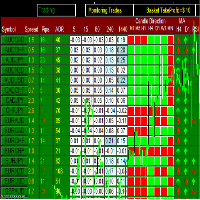
This Dashboard displays signals in grid view for the 28 major fx currency pairs. It is Mainly used for forex scalping in between 10 to 20 pips maximum and can be used on major trend market decisions. It Uses mainly Moving average and does not give false signal. All you need to note is the point in the grid where the signal occurs.  A beep sound is heard whenever there is a new signal and it will be displayedat the top of the chart.
MQL5 Blogları: https://www.mql5.com/en/blogs/post/761446 MT4 Sürümü: https://www.mql5.com/en/market/product/136790 MT5 Sürümü: https://www.mql5.com/en/market/product/136791 Time Wizard, hız, zamanlama ve işlem kontrolünü tek bir temiz kontrol panelinde bir araya getirmek isteyen yatırımcılar için tasarlanmış profesyonel bir işlem asistanıdır. Bu Uzman Danışman, olay bazlı işlem, planlı işlem ve hızlı yarı otomatik emir yönetimi için tasarlanmıştır. Emirlerinizi önceden hazırlamanıza, tam işle
Crystal CopyCat Ultimate Ultra-Fast Master–Slave Copier with Zero-Delay Execution and Cross-Platform MT5 Compatibility Architecture: MT4 → MT4 and MT4 → MT5 Full Compatibility MT4 Pro :- https://www.mql5.com/en/market/product/165057 MT5  Free Version: https://www.mql5.com/en/market/product/144569 Complete User Setup Guide:-  https://www.mql5.com/en/blogs/post/764222   1. Overview Crystal CopyCat Ultimate 5.0 is a next-generation trade copy engine engineered for professional traders, portfo
FREE
This EA is based on the relationship between the three currencies, interaction, and thus hedging, I now find the most ideal pair of currencies is the default parameter of the three pairs of currencies, On the parameters Parameter setting is very simple, "Huoli" is profitable n USD. Users can determine the number of orders according to the funds of the account.
TREND PILOT MT4 – SMART MONEY TREND-FOLLOWING SYSTEM Trend Pilot is a fully automated Expert Advisor based on Smart Money Concepts and structural market analysis. The system identifies trend reversals through Break of Structure (BOS) and Change of Character (CHOCH), utilizing precise entry mechanisms for optimal position openings. NEW: Includes a trading
Signalator Local Trade Copier MT4 is a fast local trade copier for running Master and Receiver terminals on the same computer or VPS. It supports cross-platform copying between MT4, MT5 and cTrader terminals in any direction: MT4 ↔ MT5 ↔ cTrader , and all other combinations. Copy trades locally without an external cloud relay. The Master publishes trade activity into a local bridge, and each Receiver controls what to copy, which Master accounts to accept, how to map symbols, how to size lots, an
close all profitable orders The set contains scripts for different purposes, facilitating work in the MetaTrader 4 terminal. If necessary, a screen is provided for some scripts. Before working on a real account, check (on a demo account) whether the required script responds to your tasks (for example, there is a script for opening five orders at the same time, by default the lot is set to 10; so that you do not accidentally open five positions with a total volume of 50 lots - be attentive))) Use
This is a semi-automatic Expert Advisor. A user draws a support or a resistance line in the form of a horizontal line or a trendline on a chart. A command in the format of UP|DN_xxxx:yyyy is specified in the line name; the Expert Advisor understands it as a signal to buy or sell setting a stop loss and a take profit. EA settings include a parameter with a lot size and a value for moving stop loss to breakeven. If stop loss = 0, the EA does not use breakeven. If this parameter is greater than zer
CAPITAL-BASED TRADING APPROACH When properly configured, my EAs and trading tools are designed to base their capital and position-sizing calculations on actual account funds, without using leverage to increase calculated trading capacity. This approach is intended to support more conservative capital management and reduce reliance on leveraged exposure, with a focus on long-term trading stability and disciplined risk management. Trading always involves risk. No trading system can guarantee s
MT4 MT5 Trade Bridge for MetaTrader 4 is the MetaTrader 4 component of the MT4 MT5 Trade Bridge system. It allows a MetaTrader 4 terminal to work either as a Master or as a Slave in a local bridge connection with MetaTrader 5. When configured as Master , the MT4 component reads trading activity from the MetaTrader 4 terminal and writes structured trade data into a local bridge file. The connected MT5 component can then read this data and mirror the trading activity according to its selected set
The professional utilities "Ichimoku Waves Meter" to analyse graphs using the correct interpretation of Ichimoku kinkōhyō! Is a graphic program that allows traders to quickly and easily measure the proportions between the indicated points on the price graph. This time and price indicator is a basic tool for analysing the chart according to the Ichimoku strategy on the MT4 platform. Using this tool allows an insightful and complete analysis of time waves as well as price waves in a very short ti
RSI Dashboard is a great tool for quickest possible analysis of multiple currency pairs  at the same time in terms of Oversold or Overbought . All displayed and used by indicator symbols are freely to choose and are specified using a space separated list in parameters you're able to analyze not only predetermined ones, but everything that your broker offers, also commodities, equities, indices, ones with prefixes, suffixes etc. There are 3 types of alerts: alert notifications in the MT4 termin
Скрипт используется для сбора статистики по переходам цены между уровнями сетки, размер которой задается в настройках (смотрите индикатор Transitions between levels ). Данные записываются в CSV файл. Есть два режима сбора статистики: SeparateTransition - учитывается каждый отдельный переход (смотрите скриншот 2). Время перехода - время, когда цена коснулась нового уровня. Accumulation - в файл записывается количество однонаправленных переходов  (смотрите скриншот 4). Например, -7 - семь пеерех
Virtual Exchange Reserve Equity Monitor In an environment where exchanges offer increasingly high leverage ratios, it is all the more important for traders to tightly regulate their level of equity .  This software is designed to be run in the background on any virtual private server that can run Meta Trader 4/5.  It implements basic equity control functions ahead of the broker---allowing users to set their own equity trailing stop, an equity limit to lock-in a certain profit margin, and a unive
FREE
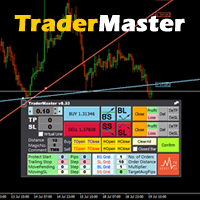
This TraderMaster EA is super helpful for professional trader.  Input Parameter Section: 1) Allow trader to set different line style, such as color, width; 2) Apply our chart style, if set false, it will not change the chart style; 3) Select different panel mode 3.a) Simple Mode, for trader immediately place a market order, pending order, delete and close orders; 3.b) Draw Line Mode, for price action traders who want to trade for trend and reverse in his trading plan; 3.c) Advanced Mode, includ
Spread Control , MetaTrader 4 için mevcut spread değerini ve spread değişimini doğrudan enstrüman grafiği üzerinde izlemenizi sağlayan kompakt bir indikatördür. Özellikler Gerçek zamanlı mevcut spread Son değerlerin geçmişini gösteren spread değişim grafiği Görüntülenen dönem için LOW / AVG / HIGH hesaplaması Spread durumunun renkli gösterimi: normal seviye; uyarı seviyesi; kritik seviye Mevcut spread değerinin görsel ölçeği Güncel Bid ve Ask değerlerinin gösterimi Piyasa aktivite göstergesi: LI
Devrim niteliğindeki İşlemler Zaman Yöneticisi ile işlem rutininizin kontrolünü zahmetsizce elinize alın. Bu güçlü araç, belirlenen zamanlarda emir gerçekleştirmeyi otomatikleştirerek alım satım yaklaşımınızı dönüştürür. Satın alma işleminden emir belirlemeye kadar çeşitli ticaret eylemleri için manuel müdahale olmadan kişiselleştirilmiş görev listeleri oluşturun. Trades Time Manager Kurulum ve Girdiler Kılavuzu EA hakkında bildirim almak istiyorsanız, URL'mizi MT4/MT5 terminaline ekleyin (ekran
Heaven Assistant: Simplify Your MT4 Management Simplify the management of the MetaTrader 4 (MT4) platform with the Heaven Assistant . This Expert Advisor (EA) is a robust tool that allows you to control and customize your trading environment in an efficient and user-friendly manner. Key Features: Multiple Pairs Opening: Quick access to most currency pairs, both major and minor, plus exotic pairs. The ability to open indices, metals, and cryptocurrencies with a single click. Template Change: Easi
Confluence Timer Mastery (MT4) Confluence Timer Mastery is an institutional-grade, multi-timeframe countdown and market session dashboard built specifically for professional traders who demand absolute precision. Designed to eliminate guesswork and synchronize trade entries around structural candle closures and major session liquidity blocks, this tool brings elite multi-timeframe analytics directly onto your MetaTrader 4 chart. Key Features & Capabilities Comprehensive Timeframe & Session Track
This tool is part of the Stein Investments ecosystem - 18+ tools plus Max, your 1-on-1 AI trading mentor.  Always on, knows every indicator in depth, available the moment you need to think something through.  Meet him at https://stein.investments Crosshair is a fantastic tool that simplifies our chart analysis by bringing the price candles perfectly in line with the indicator values in the subwindows. You can enable and disable it via a single press on the "C" of your keyboard, and it provide
FREE
What is it? Think about it, you can send all the orders/positions info to your telegram channel or group to create your community or VIP signals on telegram. Position info means this EA forward all of your new positions open details (Open price, Open time, Position Type, position Symbol and volume), positions changes ( SL or TP modifying or pending price changes) and position close (Close price, profit or loss, position duration time) and also EA Send NEWS alert (Economic calendar event) on you
TradeGram Pro MT 4 – Trading Monitoring & Telegram Assistant Launch Price: 49 USD (Limited to the first 30 buyers) Regular Price: 149 USD Your 24/7 Trading Control Center TradeGram Pro connects your MetaTrader 4 to Telegram for  real‑time monitoring  and  automatic alerts when the drawdown reaches thresholds you have defined . Ideal for algorithmic trading on a VPS and for manual traders who need instant alerts on mobile. Conceived to  facilitate the monitoring of your challenge‑style accoun
Url Watermark is an handy indicator that allows you to see the name of the financial instrument, the time frame, and the website link on chart. Very simple to use. You can also add your web site Logo image. Note : the size of the bitmap must be the same as the input, otherwise the picture will not be loaded It allows a full customization to fit the indicator to any type of chart. Input Values LOGO SETTINGS Logo file name (.bmp): example "\\Images\\MyLogo.bmp" (attention: leave the correct folde
Chameleon TA — Visual Basket Trade Assistant Trade smarter, not harder. One panel. Total control. Chameleon TA is a professional-grade visual trade assistant that puts a complete trading cockpit directly on your chart. Whether you're a manual scalper, news trader, or basket strategy enthusiast, Chameleon TA gives you instant one-click execution, live basket-level SL/TP management, and intelligent trailing — all wrapped in a clean, modern interface inspired by TradingView's dark theme aesthetic.
FREE
Introducing Your New Go-To Trading EA! Boost your trading performance with this Bollinger Bands-based Expert Advisor, specially designed for XAU (Gold) and various Forex pairs. Why this EA is a must-have: Clean, user-friendly interface – perfect for all trader levels Built-in Hidden Take Profit & Stop Loss for added strategy security Ideal for both beginners and experienced traders Ready to use out of the box – no complex setup required. Trade smarter, not harder!
Bu ürünün alıcıları ayrıca şunları da satın alıyor
Trade Manager EA’ye hoş geldiniz! Ticaretin daha sezgisel, hassas ve verimli hale gelmesi için tasarlanmış nihai risk yönetim aracı ile tanışın. Bu sadece bir emir verme aracı değil; ticaret planlaması, pozisyon yönetimi ve risk kontrolü için kapsamlı bir çözüm. İster yeni başlayan bir yatırımcı olun, ister deneyimli bir trader ya da hızlı emir gerektiren bir scalper, Trade Manager EA ihtiyaçlarınıza uyum sağlar ve forex, endeksler, emtialar ve kripto paralar dahil tüm piyasalarda esneklik sunar
The product will copy all telegram signal to MT4   ( which you are member  ) , also it can work as remote copier.  Easy to set up, copy order instant, can work with almost signal formats, image signal, s upport to translate other language to English Work with all type of channel or group, even channel have "Restrict Saving Content", work with  multi channel, multi MT5 Work as remote copier: with signal have ticket number, it will copy exactly via ticket number. Support to backtest signal. How to
Telegram to MT4 Multi-Channel Copier   , Telegram ve Discord kanallarınızdaki alım-satım sinyallerini doğrudan MetaTrader 4'e otomatik kopyalar. Bot yok, tarayıcı uzantısı yok, elle kopyalama yok. Sinyal Telegram'a veya Discord'a düşer ve EA birkaç saniye içinde terminalinizde işlemi açar. Ve bir kanalı kopyalamadan önce, yerleşik backtester o kanalın hesabınızda ne yapmış olacağını gösterir. Ürün iki bileşenden oluşur: Telegram kanallarınızı dinleyen bir Windows uygulaması ve sinyalleri MT4 ter
Trade Indicator Assistant is a powerful MT4 utility designed to turn indicators into automated trading systems. Its main feature is the ability to automatically detect an indicator’s   BUY and SELL signal buffers , without requiring you to know the buffer numbers, search through indicator settings, or modify the indicator source code. Bonus Indicator: After purchasing Trade Indicator Assistant, contact me to receive Trade Signal Pro completely free as a bonus indicator. [Download Demo Version]
Effortlessly calculate lot sizes and manage trades to save time and avoid costly errors The Trade Pad Pro EA is a tool for the Metatrader Platform that aims to help traders manage their trades more efficiently and effectively. It has a user-friendly visual interface that allows users to easily place and manage an unlimited number of trades, helping to avoid human errors and enhance their trading activity. [ Installation Guide | Update Guide | Troubleshooting | FAQ | All Products ] One of the k
TradeMirror, MT4/MT5 platformları için geliştirilmiş, gerçek zamanlı işlem senkronizasyonu destekleyen yerel bir emir kopyalama aracıdır. Eğitim Daha fazla eğitim görmek için lütfen Trademirror Eğitimi bağlantısına tıklayın. Ürün Avantajları Finansal yazılımlar için güvenlik, istikrar ve gizlilik standartlarına uygun olarak üç temel alanda iyileştirme yapılmıştır: Kullanıcı dostu arayüz ile kolay kullanım Finansal senaryolarda hassas veri izolasyonu için gelişmiş gizlilik koruması Milisanlık emi
Unlimited Trade Copier Pro is a tool to copy trade remotely to multiple MT4, MT5 and cTrader accounts at different computers/locations over internet. This is an ideal solution for you if you are a signal provider and want to copy your trades to other receivers globally on your own rules. One provider can copy trades to multiple receivers and one receiver can get trade from multiple providers as well. The provider can even set the subscription expiry for each receiver, so that receiver will not b
Take a Break pauses your Expert Advisors when trading is a bad idea: before news, after a daily loss, outside your trading hours, or when a rule you wrote yourself says so. When the pause is over, your EAs simply continue. Account protection for all your EAs in one tool: news filter, drawdown and equity protection, time filter and custom rules. One EA on one chart protects the whole account, the free indicator gives every chart its own rules on top. Free demo | What is new in 26.09 | Support Ass
Ticaret yapmak istediğiniz temel alanları belirledikten sonra otomatik olarak destek ve direnç veya arz ve talep bölgelerini değiştirin. Bu EA, tek bir tıklamayla alım ve satım bölgeleri çizmenize ve ardından bunları fiyatın dönmesini beklediğiniz yere tam olarak yerleştirmenize olanak tanır. EA daha sonra bu bölgeleri izler ve bölgeler için belirttiğiniz fiyat hareketine göre otomatik olarak işlemler gerçekleştirir. İlk işlem gerçekleştirildikten sonra EA, hedef bölge haline gelen yerleştirdiğ
Riskless Pyramid
Snapdragon Systems Ltd
5 (1)
Introduction This powerful MT4 trade mangement EA offers a way potentially to aggressively multiply trade profits in a riskfree manner. Once a trade has been entered with a defined stoploss and take profit target then the EA will add three pyramid add-on trades in order to increase the overall level of profit. The user sets the total combined profit target to be gained if everything works out. This can be specified either as a multiple of the original trade profit or as a total dollar amount. Fo
Prop Guardian Risk Manager MT4 – Drawdown, Risk & Hedge Protection for Prop Firm and Managed Accounts Prop Guardian Risk Manager is a professional risk-control utility for MetaTrader 4, designed for prop firm traders, money managers and anyone who wants strict account-level risk protection. It does not generate trading signals, strategy entries or trading decisions. Instead, it runs in the background, monitors your account risk and can automatically block new exposure, close managed trades or ac
FCK CurrencyStrength Pro
Patel Hitendrakumar Mahendrabhai
Hi Friends, " FCK Currency Strength Pro " is a auto & semi auto trading expert with direction of pair. Buy-Sell separate or multi currency in one click. The strategy of  FCK Currency Strength Pro  is a combination of custom indicator, Trendlines, Support & Resistance levels ( Price Action ) and most important secretive trading algorithm mentioned above. Download News Ex4 and csv file You need the following SDSnews.ex4 in MQL4/Libraries and the daylightsavings.csv in MQL4/Files. Only 4 of 5 copi
Grid Manual MT4
Alfiya Fazylova
4.71 (17)
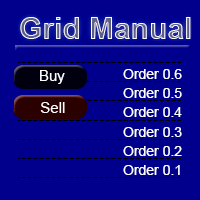
Grid Manual, sipariş ızgarasıyla çalışmak için kullanılan bir ticaret yardımcı programıdır. Yardımcı program evrenseldir, esnek ayarlara ve sezgisel bir arayüze sahiptir. Sadece kayıpların ortalaması yönünde değil, aynı zamanda kazanç artışı yönünde de bir emir ızgarası ile çalışır. Tüccarın bir emir ızgarası oluşturmasına ve eşlik etmesine gerek yoktur, bu yardımcı programı yapacaktır. Emri açmanız yeterlidir ve Grid manual otomatik olarak ona bir emir ızgarası oluşturacak ve kapanana kadar ona
DrawDown Limiter MT4
Haidar Lionel Haj Ali
5 (8)
DrawDown Limiter v5.0 — Advanced Account Protection Controller DrawDown Limiter v5.0 is a client-side account protection controller designed to supervise your trading account and automatically react when configured risk, profit, news, schedule, rollover, or position limits are reached. It can monitor manual trades, automated strategies, multiple Expert Advisors, pending orders and floating positions from one dedicated chart. It can protect the complete account or be configured to supervise a spe
Auto Trade Driver is an automatic powerful tool (run as Expert Advisor) that helps you to manage risk and control orders and maximize your profit in multi-protect/trailing-stop rules. This tool is very useful for both scalpers and trend followers. It not only calculates the trade risk exactly, but also protects and maximizes your profits in real-time. With this tool, the only thing you have to do is to enter trade by your own strategy, then it will auto-drive your position with exit strategy you
The FFx Hidden Manager panel will help you to manage easily your orders directly on the chart. Below all features described: TP, SL and TrailingStop are hidden Each order has its own lines on chart Drag & Drop any line to change the TP/SL as per your need Option to move automatically the SL line at breakeven when TP #1 is reached Option to choose the TP/SL type (by pips or price) Option to choose the TrailingStop type (by pips, MA, Fractals, PSAR or ATR) Define which order(s) you want to manage
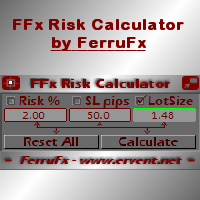
FFx Risk Calculator panel will help you to calculate very easily your trades size, SL or the risk directly on the chart. All features are described below: Option to select which parameter to calculate: Risk, Stop Loss or Lot Size The panel will show if the lot size is allowed according to the current account free margin Button to maximize/minimize the panel Drag and Drop the panel anywhere on the chart How to use it? Select the parameter you want to be calculated. It will be based on the 2 other
Trade Copier Pro is a tool to copy trade remotely to MT4, MT5 and cTrader accounts at different computers/locations over internet. This is an ideal solution for you if you are a signal provider and want to copy your trades to other receivers globally on your own rules. One provider can copy trades to multiple receivers and one receiver can get trade from multiple providers as well. The provider can even set the subscription expiry for each receiver, so that receiver will not be able to receive t
News Trader Pro is a unique robot that allows you to trade the news by your predefined strategy. It loads every piece of news from several popular Forex websites. You can choose any news and preset the strategy to trade it, and then News Trader Pro will trade that news by selected strategy automatically when the news comes. News release gives opportunity to have pips since the price usually has big move at that time. Now, with this tool, trading news becomes easier, more flexible and more exciti
Bears CD HTB Global  (Bears Convergence/Divergence High Top Bottom Global) is an analytical bears convergence/divergence indicator (C, D or CD) between a financial instrument and 22 MT4 indicators working on all periods simultaneously. The indicator measures the power of CD for indicators and periods and is the second one out of the two possible versions (HBT and HTB). Features The analyzer is not a lagging one. It works by ticks and is able to show CD in the main window even in case the MT4 in
Bulls CD LBT Global  (Bulls Convergence/Divergence Low Bottom  Top   Global) is an analytical bulls convergence/divergence indicator (C, D or CD) between a financial instrument and 22 MT4 indicators working on all periods simultaneously. The indicator measures the power of CD for indicators and periods and is the first one out of the two possible versions (LBT and LTB). Features The analyzer is not a lagging one. It works by ticks and is able to show CD in the main window even in case the MT4 i
The FFx Watcher PRO is a dashboard displaying on a single chart the current direction of up to 15 standard indicators and up to 9 timeframes. It has 2 different modes: 1. Watcher mode: Multi Indicators User is able to select up to 15 indicators to be displayed User is able to select up to 9 timeframes to be displayed 2. Watcher mode: Multi Pairs User is able to select any number of pairs/symbols User is able to select up to 9 timeframes to be displayed This mode uses one of the standard indicat
THE [VIZUALIZER] is a MetaTrader (MT4) Script designed to visualize an account history. It will read the account statement and then will visualize the positions on chart in form of rectangles, showing the OpenTime, OpenPrice, CloseTime and ClosePrice. Generally, it has been developed to analyze the trading history, to observe how risky the particular positions were, allowing you to analyze the trading strategy from the account statement. It is working with standard MS Excel CSV files It is visua
This is a must have tool for a serious trader. It saves your precious time spent for opening/closing trades, creating pending trades and modifying your TP/SL in bulk according to either pips or price. If you need to quickly open several pending orders (Buy Stop, Sell Stop) at a certain distance from each other, this script will do all the routine for you! The first time you use this handy tool, you will realize it has already paid for itself. Instructions: Drag and drop this script onto a chart.
The product combines a manual trade panel with the ability to perform actions automatically in a highly configurable way. Actions include capturing indicator values and then based on those values raising alerts, open/close or partially close trades, scale-in, setting up pending orders, adjusting stop loss, take profit and more. On-chart controls can be configured, such as tick boxes and buttons, so can be fully interactive. The EA also handles money management, news events, hidden stop loss, tak
Binary Options Copier Remote is an EA that allows to copy binary options trades between MT4 accounts at different computers. This is an ideal solution for signal provider, who want to share his trade with the others globally on his own rules. Provider can give free bonus license to 10 receivers. That means those 10 receivers can copy from provider by using Binary Options Receiver Free (no cost). From 11th one, receiver have to buy Binary Options Receiver Pro (paid version) in order to copy from
This panel is very simple to use and it is a very ally to manage your positions and orders. Also you can modify your risk, writing in fields directly on Panel. One click on buttons and the operation on market is done! Operations possible: BUY/SELL Break Even Split (close 50% all orders) Close All positions Hedging (opens reverse positions to cover) Close only BUY positions Close only SELL positions Close All pending orders Reverse all positions Please watch the video to verify the very simple u
The Expert Advisor (EA) generates an advanced trading tool to place a pending or market order on any currency pair symbol , as selected from a drop-down menu in the panel. A market order is placed by clicking appropriate Sell or Buy button. On the other hand, a pending order is placed by selecting a pending order type and thereafter clicking Place button. Moreover, the panel provides various options to define exact parameters for every order before placing it. For instance, the triggering price
Slow Pips OCO Trade Panel is an advanced trading panel for placing pending orders. Traders can use this panel to place two pending orders at once. One pending order would be of buy entry type and the other one would be of sell entry type. Both orders will have Stop Loss and Take Profit parameters. Since two pending orders are placed at the same time, the pending order for which the price hits first gets converted into a market order and the other pending order gets deleted (one order cancels the
This indicator changes the timeframe and chart profile for multiple charts. If you dispatched many charts (10~20 or more) in single MetaTrader terminal, it is very boring and difficult work to manage the timeframe and chart profile individually. If the indicators you use in a chart are numerous and the setting values are different from the default one, you might give up adding all the indicators to all charts. The changing of timeframes on multiple charts has the same problem, too. Whenever you
Yazarın diğer ürünleri
EA Budak Ubat MT5
Syarief Azman Bin Rosli
EA Budak Ubat MT5, MetaTrader 5 için tasarlanmış otomatik bir ızgara (Grid Martingale) Uzman Danışmanıdır. Hem yatay hem de trend piyasalarında sermayeyi korumak ve kâr sağlamak amacıyla teknik trend analizini, dinamik volatilite optimizasyonunu ve çok katmanlı risk yönetimini bir araya getirir. Majör döviz çiftleri ve Altın (XAUUSD) için M5 zaman diliminde optimize edilmiştir. ### Temel Özellikler • 4 Farklı Giriş Analiz Yöntemi:   1. Classic Candle: Mum formasyonlarından yönsel momentum tes
EA Budak Ubat
Syarief Azman Bin Rosli
4 (3)
Deneme Sürümünü İndir EA Budak Ubat Kanalı Sınırlı Süreli Fiyat! Her 10 satın alımda fiyat 10 USD artacaktır! Nasıl Çalışır EA aktif olduğunda, İcra Modu parametresine göre grafiği analiz edecektir. Grafikte mevcut pozisyon yoksa, EA parametreye göre bir işlem açacaktır. Eğer trend yükseliş yönündeyse, alım işlemi açacak, eğer düşüş yönündeyse satım işlemi açacaktır. Ayrıca, stop loss değişkeni 0'dan büyükse, açılan işlem fiyatından belirli bir mesafede bir Stop Loss emri de ayarlayacaktır. 0,
Indi RBO
Syarief Azman Bin Rosli
Input: Range Start Time : The starting time of the range creation Range End Time : The ending time of range creation Trade End Time : The time where the line of range zone high/low will be extended to Minimum Size : The minimum size of the range in point Maximum Size : The maximum size of the range in point If the range size is between the minimum and maximum, indicator will print the 1st color (blue).
Apex Flow Reversion
Syarief Azman Bin Rosli
# Apex Flow Reversion MT4 Apex Flow Reversion, MetaTrader 4 platformu icin gelistirilmis, gun ici istatistiksel ortalamaya donus (Mean-Reversion) stratejisi uygulayan otomatik bir uzman danismandir (Expert Advisor). Sistem, fiyatin dinamik Hacim Agirlikli Ortalama Fiyat (VWAP) seviyesinden sapmasini izler ve standart sapma bantlari, Goreceli Guc Endeksi (RSI) tukenme filtresi ve Ortalama Gercek Aralık (ATR) oynaklik kontrolleri ile yuksek olasilikli donus noktalarini belirler. ## Stratejiye G
Vortex Confluence Radar
Syarief Azman Bin Rosli
Vortex Confluence Radar MT4 Vortex Confluence Radar, MetaTrader 4 için yerel olarak geliştirilmiş çoklu osilatör uyum (konflüans) puanlama motorudur. Relative Vigor Index (RVI), Commodity Channel Index (CCI) ve Williams % Percent Range (WPR) olmak üzere üç temel teknik osilatörü birleştirerek, düzeltilmiş sinyal çizgisi ve otomatik kesişim uyarıları içeren birleşik bir momentum histogramı üretir. Gösterge Mimarisi ve Görsel Sinyaller Gösterge ayrı bir alt pencerede çalışır ve grafikte şu temel g
Kinetix Speed Commander MT4 Kinetix Speed Commander , MetaTrader 4 (MT4) için özel olarak geliştirilmiş kurumsal düzeyde bir tek tıkla işlem yürütme kokpiti, dinamik pozisyon büyüklüğü hesaplayıcısı ve risk-ödül emir yönetim panelidir. Fon şirketi (Prop Firm) sınavlarına hazırlanan yatırımcılar, yüksek tempolu scalperlar ve sistematik gün içi işlemciler için tasarlanan Kinetix Speed Commander; manuel hesaplama gecikmelerini, lot giriş hatalarını ve aşırı kaldıraç riskini tamamen ortadan kaldırır
Prism Candle Forge
Syarief Azman Bin Rosli
Prism Candle Forge — MT4 için Mum Grafiği Formasyon Tanıma Motoru Prism Candle Forge, ATR ağırlıklı geometrik analizle 20'den fazla Japon mum formasyonunu tespit edip doğrulayan yerel bir MQL4 kütüphanesidir. Expert Advisor, Gösterge veya Script'lerden çağrılabilen 8 dışa aktarılan fonksiyonla formasyon tanıma, yönlü güven puanı, morfoloji sınıflandırması ve trend doğrulaması sağlar. DLL yok, harici bağımlılık yok, saf MQL4 hesaplamasıdır. Derlenmiş ikili dosya (Prism_Candle_Forge.ex4) olarak da
Sigma Squeeze Reactor
Syarief Azman Bin Rosli
Sigma Squeeze Reactor Bollinger-Keltner Volatilite Sikismasi Kirilimi MT4 Uzman Danismani (EA) Sigma Squeeze Reactor, MetaTrader 4 platformu icin gelistirilmis yuksek performansli bir volatilite kirilim Uzman Danismanidir (EA). Bollinger Bantlarinin Keltner Kanallari icine daralarak olusturdugu klasik sikisma (squeeze) modelini tespit eder ve bu sikismanin serbest kaldigi anda momentum osilatoru teyidiyle patlayici yonlu kirilim islemlerini gerceklestirir. EA, hem sessiz akumuilasyon cikislarini
Fulcrum Value Profile
Syarief Azman Bin Rosli
Fulcrum Value Profile, her seans için tick hacmi profili oluşturan bir MetaTrader 4 göstergesidir: Point of Control (POC) ve değer alanını (value area) işaretler, gelişen POC/VAH/VAL değerlerini çizgi olarak çizer, dokunulmamış POC'leri (naked POC) izler ve kapanmış mumlarda iki kurulumu işaretler: önceki değer alanına geri dönüş (%80 kuralı) ve bu alanın dışında kabul (kırılım). Asla işlem açmaz, değiştirmez veya kapatmaz. Hızlı başlangıç Göstergeyi bir M5, M15 veya M30 grafiğine ekleyin. Profi
Filament Tripline Console, kendi çizdiğiniz yatay çizgileri ve trend çizgilerini kurulu "tetik tellerine" (triplines) dönüştürür. Fiyat bir çizgiye dokunduğunda veya bir mum çizginin ötesinde kapandığında tripline kendi eylemini uygular: bir uyarı, otomatik lot, zarar durdur ve kâr al ile piyasa fiyatından BUY ya da SELL, veya pozisyonları kapatan bir EXIT. Asla kendi analiziyle işlem yapmaz; yalnızca sizin kurduğunuz çizgilere göre hareket eder. Hızlı başlangıç Yardımcı programı herhangi bir gr
EA, gösterge veya scriptiniz için piyasa yapısını çıkaran bir MQL4 kütüphanesi: HH, HL, LH, LL, EQH ve EQL etiketli onaylı swingler, yapı kırılımı (BOS), karakter değişimi (CHoCH), likidite süpürmeleri, dolum takibiyle order block ve fair value gap'ler ve fiyatın işlem aralığındaki konumu. Yalnızca kapanmış barları okur ve asla yeniden çizmez. İşlem açmaz, çizim yapmaz, uyarı göndermez. Derlenmiş Tectonic_Structure_Engine.ex4 dosyasını alırsınız; bu sayfa API'nin tam başvuru kaynağıdır. Hızlı ba
Recoil Retrace Engine
Syarief Azman Bin Rosli
Recoil Retrace Engine, güçlü bir hareketten sonraki geri çekilmeyi işleyen bir MetaTrader 4 Expert Advisor'dır. Onaylı bir swing'den ATR'nin katları kadar ilerlemiş bir itki bacağı bulur, fiyatın bir geri çekilme cebine (varsayılan %38,2-61,8) dönmesini bekler, bacak yönünde girer, uç noktada kısmi kâr alır ve kalanını bir uzatma hedefine taşır. Sembol ve magic number başına tek pozisyon; grid, martingale, ortalama veya hedge yok. Hızlı Başlangıç EA'yı bir grafiğe ekleyin (H1 önerilir, H4 ve D1
Gnomon Diurnal Cone
Syarief Azman Bin Rosli
Genel bakış Gnomon Diurnal Cone, fiyatın günün her saatine kadar gün açılışından normalde ne kadar uzaklaştığını gösterir. Her gün içi dilim için son N tam günü alır ve açılışın üstüne ve altına olan medyan sapmayı (çekirdek koni) ve seçilen bir yüzdeliği (dış koni) çizer. Bugünün konisi gün açılışında yalnızca tamamlanmış günlerden sabitlenir, bu yüzden asla yeniden çizilmez ve gün sonuna kadar ileriye yansıtılır. Bir aralık bütçesi bugünün aralığını medyan tam gün aralığıyla karşılaştırır ve k
Bir MQL4 zaman kütüphanesi: UTC ile 12 saat dilimi arasında yaz saatine göre doğru dönüşümler, brokerınızın sunucu saatinin bir modeli (fiyat geçmişinden otomatik algılanır), Sydney, Tokyo, London ve New York seansları ile kendi seanslarınız; açık durumu, başlangıç ve bitiş saatleri ve OHLC aralığı, FX işlem günü ve hafta sonu. TimeGMT() işlevinden farklı olarak Strateji Test Cihazında canlı ile aynı sonuçları verir. Asla işlem açmaz, çizim yapmaz ve dosya yazmaz. Derlenmiş Meridian_Session_Cloc

Spectra Trend Ribbon
Syarief Azman Bin Rosli
# Spectra Trend Ribbon MT5 Spectra Trend Ribbon, MetaTrader 5 platformu icin yerel olarak gelistirilmis, trend yonunu tespit eden ve oynaklik genisleme fazlarini belirleyen yuksek performansli bir teknik gostergedir. Uc kademeli yumusatilmis uyarlanabilir merkez cizgisini, dinamik Ortalama Gercek Aralik (ATR) zarf bantlarini ve sikisma (squeeze) bolgelerinden cikan momentum kirilim oklarini entegre bir mimaride sunar. ## Grafik Uzerindeki Gorsel Sinyallerin Anlami Gosterge, grafik uzerinde b
Aegis Risk Sentinel MT5 Aegis Risk Sentinel , MetaTrader 5 için yerel olarak geliştirilmiş kurumsal düzeyde gerçek zamanlı sermaye koruma ve risk yönetimi yardımcı programıdır (Utility). Fon şirketi (Prop Firm) sınavlarına katılanlar, profesyonel fon yöneticileri ve gün içi yatırımcılar için tasarlanan Aegis, işlem hesabınızda matematiksel disiplin uygulayarak derin kayıpları (drawdown), duygusal intikam işlemlerini ve teminat tamamlama (margin call) çağrılarını engeller. Bu yardımcı program, hi
Stratos Momentum Engine
Syarief Azman Bin Rosli
Stratos Momentum Engine MT5 Stratos Momentum Engine, MetaTrader 5 platformu için geliştirilmiş, çoklu zaman dilimli (MTF) momentum kırılım stratejisine dayalı profesyonel bir otomatik alım satım sistemidir (Expert Advisor). Sistem, H1 zaman dilimindeki Doğrusal Regresyon Eğimi (Linear Regression Slope) analizi ile ana piyasa trend yönünü belirler; M15 zaman diliminde Stokastik Osilatör kesişimi ile hassas giriş zamanlaması sağlar ve 20 periyotluk Donchian Kanalı kırılımıyla momentum hareketini t
Nexus Quant Matrix
Syarief Azman Bin Rosli
Nexus Quant Matrix MT5 Nexus Quant Matrix , MetaTrader 5 için yerel olarak geliştirilmiş kurumsal düzeyde bir kantitatif hesaplama ve akış istatistiği analiz kütüphanesidir. Kantitatif geliştiriciler, algoritmik koruma fonları ve sistem mimarları için özel olarak üretilen Nexus Quant Matrix; harici DLL, Python veya C++ köprülerine ihtiyaç duymadan doğrudan MQL5 çalışma ortamında yüksek performanslı matematiksel işlem gücü sunar. O(1) hesaplama karmaşıklığı ile çalışan kütüphane, bellek hizalı da
Quasar Regime Cloud
Syarief Azman Bin Rosli
Quasar Regime Cloud, MetaTrader 5 için bir piyasa rejimi göstergesidir. Fiyatın şu anda trendde mi yoksa yatay seyirde mi olduğunu belirler ve sonucu fraktal uyarlamalı bir bulut ile doğrudan grafikte gösterir. Sinyaller yalnızca piyasa trend olarak sınıflandırıldığında üretilir; bu da yatay piyasalarda sık görülen sahte kesişimlerin çoğunu filtreler. Nasıl Çalışır 1. Fraktal Boyut Tahmini Gösterge her bar için, ayarlanabilir bir pencerede kutu sayma yöntemiyle fiyatın fraktal boyutunu (D) tahm
Isobar Event Shield, MetaTrader 5'te işlemlerinizi ekonomik haberlere karşı korur. Terminale yerleşik ekonomik takvimi okur, sembollerinizi etkileyen her açıklamaya kadar geri sayım yapar ve her açıklamadan kısa süre önce, sizin veya diğer Uzman Danışmanların zaten sahip olduğu pozisyon ve bekleyen emirlere seçtiğiniz korumayı uygular. Kendi başına asla işlem açmaz. Hızlı Başlangıç Aracı bir grafiğe ekleyin (terminal başına bir kopya) ve araç çubuğunda Algo Trading'i etkinleştirin. Grafik sembo
Riptide Sweep Reclaimer
Syarief Azman Bin Rosli
Riptide Sweep Reclaimer, sakin bir seans aralığının likidite süpürmelerini işleme dönüştüren bir MetaTrader 5 Expert Advisor'üdür: seçtiğiniz pencerenin en yüksek ve en düşük seviyesini ölçer (varsayılan 00:00-08:00 sunucu saati), sonraki seansın bir tarafı delmesini bekler ve bir mum yeniden aralığın içinde kapanır kapanmaz harekete karşı işlem açar; hedefler orta nokta ve karşı taraftır. Grafik sembolünde aynı anda tek pozisyon; grid, martingale veya ortalama yok. Hızlı başlangıç EA'yı sembol
Uzman Danışmanınız ile OrderSend arasında duran bir MQL5 kütüphanesi. Her istek gönderilmeden önce 9 kapıdan geçer (bağlantı, Algo Trading, sembol modu, seans, emir tipi bayrakları, hacim, stoplar, teminat, OrderCheck). Dondurma seviyesi, kapalı seans veya kopan bağlantı nedeniyle engellenen kapatma ve değişiklikler kuyruğa alınır ve sonra gönderilir. Kendi başına asla işlem yapmaz. Derlenmiş Turnstile_Order_Gateway.ex5 dosyasını alırsınız; bu sayfa tam API başvurusudur. Hızlı başlangıç Turnstil
Counterpoint Divergence Matrix, fiyat salınımları ile momentum arasındaki uyumsuzlukları bulan bir MetaTrader 5 göstergesidir. Normal uyumsuzlukları (fiyat yeni bir uç yapar, osilatör yapmaz) ve gizli uyumsuzlukları (tersi) işaretler, görüş hattı kontrolüyle yalnızca temiz olanları tutar ve her sinyali beş osilatörden kaçının aynı fikirde olduğuna göre puanlar: RSI, MACD, Stochastic, CCI ve Momentum. Sinyaller en yeni salınım onaylandığında görünür ve asla yeniden çizilmez. İşlem açmaz. Hızlı Ba
Cascade Exit Conductor, MetaTrader 5 icin bir pozisyon yonetim aracidir. Elle ya da herhangi bir Uzman Danisman tarafindan acilmis mevcut islemlerinizi izler ve cikislarini sizin yerinize yurutur: stopu basabasa kilitler, kademeli kismi cikis selalesiyle kari guvene alir, kalani ATR veya sabit mesafeyle takip eder ve bir pozisyonu azami tutma suresi sonunda kapatabilir. Grafik uzerindeki kompakt bir kokpitten tek tikla kullanilir. Kendi islemini asla acmaz ve yon tahmini yapmaz. Acik pozisyon yo
Ziggurat Pivot Engine
Syarief Azman Bin Rosli
Ziggurat Pivot Engine, önceki günün Camarilla seviyelerinde işlem yapan bir MetaTrader 5 Uzman Danışmanıdır. İç seviyedeki (H3/L3) reddedilmeleri önceki kapanışa doğru ters yönde işler ve dış seviyenin (H4/L4) ötesindeki onaylı kapanışları takip eder. Günlük rejim matrisi, önceki günün genişliğine göre her gün hangi kurulumların işlem yapabileceğine karar verir. Sembol ve sihirli numara başına aynı anda bir pozisyon, gün çıkışında kapatılır; grid, martingale, ortalama alma veya hedge yoktur. Hız
Orrery Cycle Toolkit
Syarief Azman Bin Rosli
Her sembol ve zaman diliminde baskın piyasa döngüsünü ölçen bir MQL5 kütüphanesi: bar cinsinden periyot, faz, kesişimleri döngü dönüşlerini işaretleyen bir sinüs / öncü sinüs çifti, döngü veya trend modu, genlik, trend çizgisi, spektrum, uyarlanabilir gösterge uzunlukları ve mevcut döngünün projeksiyonu. Yalnızca fiyat geçmişini okur: asla işlem açmaz, çizim yapmaz ve dosya yazmaz. Derlenmiş Orrery_Cycle_Toolkit.ex5 dosyasını alırsınız; bu sayfa eksiksiz API başvurusudur. Hızlı başlangıç Orrery_
Filtrele:
Değerlendirme yok
Değerlendirmeye yanıt