Ephemeris Trade Calendar

Ephemeris Trade Calendar - 口座履歴を月間損益カレンダーに (MT4)

Ephemeris Trade Calendar は MetaTrader 4 の履歴をチャート上の月間損益カレンダーに変えます。決済済みの取引はそれぞれの日に入り、セルは結果で色分けされ、勝ち数と負け数を表示し、週ごとの合計にまとめられます。下部のデッキは統計、エッジマップ(エントリー曜日・時間ごとの P/L と決済済み取引のエクイティカーブ)、日別台帳を切り替え、TODAY メーターが1日の目標と損失上限を追跡します。リアル口座とデモ口座のチャートでは履歴を読むだけで、取引の新規・変更・決済は一切行いません。

クイックスタート

  1. 任意のチャート(任意の銘柄・時間足)に適用します。Algo Trading は不要です。
  2. ターミナルウィンドウの「口座履歴」タブを開き、右クリックで All History を選びます。MT4 はこのタブに読み込まれた履歴しかプログラムに渡しません。期間が短いと古い月は空になり、パーセント値は概算になります。
  3. 任意:1つの銘柄や EA だけを追う場合は Symbol Filter と Magic Filter を、TODAY メーターには Daily Target / Daily Loss Limit を設定します。
  4. 確認:バッジに TRACKING n TRADES と表示され、月が埋まります。日をクリックするとその台帳が開きます。

パネル

ヘッダー

  • LED:紫は通常、緑は目標到達、赤は損失上限到達、琥珀色は上限の 80% 以内、灰色は決済済み取引なし。
  • `<>` はパネルを次の隅へ移動します。`[-]` は今日の P/L(決済済み + 含み)を表示する EPHEMERIS ピルに折りたたみ、`[+]` で展開します。
  • サブ行:#口座、通貨、フィルター:ALL SYM、チャート銘柄または LIST(n);ALL MAGIC、MANUAL または MAGIC(n);NET(スワップと手数料を含む)または GROSS。
  • バッジ:TRACKING n TRADES、NO CLOSED TRADES、CHECK FILTER LIST(リストフィルターを選んだがリストが空)、TARGET REACHED、LOSS LIMIT HIT、NEAR LOSS LIMIT。操作後の数秒間:EXPORTED n TRADES, m DAYS、EXPORT FAILED(エラーコード)、HISTORY RELOADED、AUTOSCROLL OFF、DAY NOT ON CHART。

月の移動

`<<` 前月、`>>` 翌月(当月まで)、TODAY は当月に戻り今日を選択します。当月表示中は午前0時に日付へ追従します。

カレンダー

  • 列は MO から SU(または SU から SA)と WEEK。
  • 日のセル:日付、現在の単位での値、2W 1L のような勝ち/負け(損益ゼロの取引はどちらにも数えません)。緑 = 純利益、赤 = 純損失、色が濃いほど月内最大の日に対して結果が大きい;灰色 = 取引ありで損益ゼロ;暗色 = 取引なし;薄い数字 = 隣接月。
  • シアンの枠 = 今日、琥珀色の枠 = 選択中の日。
  • WEEK:その行の現在単位での合計と取引数 (n tr)。パーセントモードでは日次パーセントの合計。
  • セルをクリックするとその日を選択して DAY 台帳を開きます。隣接月の薄い日をクリックするとその月に切り替わります。

月間ストリップ

NET(金額)、RETURN(月の純損益 / 月初残高)、GREEN DAYS(利益日 / 取引日)、TRADES、WIN RATE。

タブと切替

  • STATS、EDGE、DAY で下部デッキを切り替えます。
  • UNIT: MONEY、UNIT: %、UNIT: PTS はカレンダーの値を切り替えます:口座通貨;その日の開始時残高に対するパーセント;ポイント(価格差 / 銘柄のポイント、銘柄間で合算)。
  • SCOPE: MONTH または SCOPE: ALL は STATS と EDGE を表示中の月か読み込み済みの全履歴に適用します。

STATS デッキ(金額)

Net P/L、Return(純損益 / 期間開始時残高)、Trades、Win rate、Profit factor(総利益 / 総損失;負け取引がなければ --)、Expectancy(1取引あたりの純損益)、Avg win、Avg loss、Payoff ratio(平均利益 / 平均損失)、Largest win、Largest loss、Max drawdown(決済済み取引の累積 P/L のピークからの最大下落、金額とそのピーク時残高に対する %)、Win streak、Loss streak、Best day と Worst day(日付付き)、Green days(利益日 / 取引日、%)、Swap + comm。フッター:SCOPE、LOTS、HISTORY FROM(最も古い読み込み記録)。

EDGE デッキ(金額)

  • ENTRY WEEKDAY:曜日ごとに、その日にエントリーした取引の P/L を棒で表示(緑は上、赤は下、平らな灰色 = なし)。ENTRY HOUR:エントリー時刻 0-23 の24本。どちらも Day Shift に従い、最良・最悪の曜日と時間を表示します。
  • EQUITY CURVE:期間内の決済済み取引の累積 P/L を決済順に表示(最大 82 列)、ゼロより上はティール、下は赤、end と low の値付き。

DAY デッキ(台帳)

ヘッダー:曜日、日付、取引数、純損益、W/L。列 TICKET、SYMBOL、SIDE、LOTS、OPEN >CLOSE(シフト後の時刻;* = 別の日に約定または決済)、NET。1ページ7行;`<` と `>` でページ送り。GO TO DAY はチャートをその日までスクロールし、自動スクロールをオフにします(End で戻ります)。取引のない日は "No closed trades on this day." と表示します。

TODAY モジュール

closed(今日の決済済み純損益)、open(フィルターに合う保有ポジションの含み損益)、total。メーターは左の LIMIT から右の TARGET までで、ゼロ印があります。塗りは目標値(決済済み + 含み、または決済済みのみ)。両方 0 なら "no target or limit set" と表示します。

アクション

  • PLOT: ON / PLOT: OFF は表示中の月のチャート銘柄の取引を描画します:エントリー矢印(青 buy、オレンジ sell)、決済マークと損益色の点線、純損益ラベル。マウスを重ねるとチケットが見えます。最新 400 件まで描画し、その場合ステータス行に PLOT n/m と表示します。
  • EXPORT CSV は下記ファイルを書き出します。REFRESH はすぐに履歴を再読込します。SYNC hh:mm:ss = 最終更新。

自動動作

  • 履歴は History Check Interval 秒ごとと毎ティックに確認し、記録数・口座・日付が変わったときだけ再計算します。
  • 集計対象は buy と sell の取引のみ。削除された待機注文、残高およびクレジットの記録は除外します(残高操作はパーセント計算に使い、P/L には含めません)。部分決済は別々の取引として表示されます。MT4 が決済部分ごとに別チケットで保存するためです。
  • 日付は Assign Trades to Days by と Day Shift from Server Time に従い、TODAY モジュールも同じ規則です。パーセントは現在残高から逆算した残高を使います。
  • 目標と上限のアラートはそれぞれ1日1回(再適用後は再度)発生します。通知のみで、何も決済しません。
  • 月、デッキ、単位、範囲、描画、隅、折りたたみ状態は時間足や銘柄の変更後も保持され、再適用や入力変更でリセットされます。
  • ストラテジーテスター:チャート上ではこのユーティリティは取引しません。Market のデモが動くテスターでは、Sample Trades in the Strategy Tester がサーバー時間 08、11、14、17 時に 0.10 ロット(またはブローカー最小ロット)のサンプル取引を1つ建て(方向は H1 20-SMA、ストップロス 1.2 ATR、テイクプロフィット 1.6 ATR、証拠金確認済み)、21 時に決済します(magic 20261105)。これでカレンダーに表示する履歴ができます。ボタンはビジュアルテスターで動作しますが、日のセルはクリックできません。

アラート

目標値が目標に達すると "daily target reached"、マイナス上限まで下がると "daily loss limit reached"。Popup Alert on Target or Limit でポップアップ、Push Notification on Target or Limit でプッシュ通知(ツール > オプション > 通知 で MetaQuotes ID を設定)。

ファイルとグローバル変数

  • EXPORT CSV は MQL4\Files\Ephemeris\<account>_trades.csv(ticket、symbol、type、lots、建玉/決済の時刻と価格、profit、swap、commission、net、points、magic、day)と <account>_days.csv(day、trades、wins、losses、net、gross profit、gross loss、lots、points、pct_of_balance)を書き出します。毎回上書きされます(ファイル > データフォルダを開く)。
  • Publish Global Variables が有効なとき:EPH_<account>_TODAY_NET(今日の決済済み純損益)、EPH_<account>_TODAY_TOTAL(決済済み + 含み)、EPH_<account>_GOAL_STATE(1 目標到達、-1 上限到達、0 どちらでもない)。毎秒更新し、ユーティリティ削除時に消去します。
string a = IntegerToString(AccountNumber());
double goal = GlobalVariableGet("EPH_" + a + "_GOAL_STATE");
if(goal < 0) return; // 本日は損失上限に到達:新規エントリーなし 
  • チャートオブジェクトの接頭辞は EPH_C_(パネル)と EPH_T_(描画した取引)で、終了時にすべて削除します。DLL は使いません。

入力パラメータ

  • Symbol Filter (All symbols):All symbols / Chart symbol only / Symbol list。
  • Symbol List:カンマ区切り、大文字小文字を区別しない。各項目はそれで始まる全銘柄に一致(EURUSD は EURUSDm も含む)。
  • Magic Filter (All trades):All trades / Manual trades only (magic 0) / Magic number list。
  • Magic Number List:カンマ区切りの数値。
  • Include Swap and Commission (true):false = 粗利益のみ (GROSS)。
  • Assign Trades to Days by (Close time):Close time / Open time。
  • Day Shift from Server Time(0、-12 から 12 時間):日の境界、エントリー時刻、台帳の時刻をずらします。
  • Week Starts on (Monday):Monday / Sunday。
  • Cell Value at Start (Money):Money / Percent of balance / Points。
  • Stats Scope at Start (Viewed month):Viewed month / All loaded history。
  • Lower Deck at Start (Stats):Stats / Edge map / Day ledger。
  • Daily Target (0 = off)、Daily Loss Limit (0 = off):正の値。
  • Target and Limit Unit (Money):Money / Percent of day-start balance。
  • Include Floating P/L in the Daily Goal (true)。
  • Popup Alert on Target or Limit (true)、Push Notification on Target or Limit (false)。
  • Publish Global Variables (false)。Plot Trades on Chart at Start (true)。
  • Profit Color、Loss Color:セル、ラベル、描画の色。
  • Panel Corner (Top left):Top left / Top right / Bottom right / Bottom left。Panel X Offset (12)、Panel Y Offset (24):その隅からのピクセル。
  • Panel Scale(1.0、0.6-2.0)。Start Collapsed (false)。
  • History Check Interval(2、1-60 秒)。
  • Sample Trades in the Strategy Tester (true):テスター専用、上記参照。

代表的な設定

  1. 口座全体の記録:既定値のまま、口座履歴は All History。
  2. 1つの EA:Magic Filter = Magic number list、Magic Number List = その magic、そのチャートで PLOT: ON。
  3. 1日の防衛:Daily Target 1.0、Daily Loss Limit 2.0、Target and Limit Unit = Percent of day-start balance、Push Notification on Target or Limit と Publish Global Variables = true にして EA に GOAL_STATE を読ませます。
  4. 現地時間で日を区切る:Day Shift from Server Time = あなたの UTC オフセット − サーバーのオフセット(サーバー UTC+2、あなた UTC+8:6)。

注意

  • 見えるのは口座履歴に読み込まれた履歴だけです。ポイントはポイントサイズの異なる銘柄間でも合算されます。STATS と EDGE は常に金額です。
  • 統計は過去の結果を示すだけで、将来の結果を予測するものではありません。取引には損失のリスクがあります。
おすすめのプロダクト
EASY Insight – スマートなトレードはここから始まる 概要 もし数秒で市場全体(FX、ゴールド、暗号通貨、指数、株式まで)を、手作業のチャート確認なしでスキャンできたらどうでしょう? EASY Insight は、インジケーターデータを実践的なトレードインテリジェンスに変換する、AI対応のエクスポートツールです。無駄な推測や視覚的な混乱に疲れたトレーダーのために設計されており、市場全体のスナップショットを1つのクリーンなCSVファイルで提供します。 これまでとは全く違う新しいトレード体験です。ウィンドウの切り替えも、グラフのごちゃごちゃしたオーバーレイもありません。FX Power (FXP)、FX Volume (FXV)、FX Dynamic (FXD)、FX Levels (FXL)、そして非FX資産用のIX Power (IXP) ― あなたがすでに知っているツールから得られる、純粋に構造化されたインサイトだけ。 さらに便利さを求めるなら、 EASY Insight AIO を選んでください。すべてが1つのインストールに含まれ、設定不要。チャート上にインジケータ
Introducing the "KFX Trade Manager" expert advisor for MetaTrader 4 (MT4), a comprehensive solution for advanced trade management and risk control. This powerful tool is designed to enhance your trading experience by automating various aspects of order handling, profit optimization, and alert notifications. With the "KFX Trade Manager," you can take your trading to the next level and streamline your operations for improved efficiency and better risk management. Key Features: Trade Management Set
A tool for logging personal and downloaded MQL5 trade history data  between specified date range into a CSV file and capturing open trade and close trade chart pictures This History Capturer and Writer tool is an Indicator, so it works well in coexistence with other expert advisor on the same chart $30  for the next 25 downloaders, next price: $30 Try Free Trial Version Here:   Download Free Trial Features: Trade History Chart Screenshot : Capture the opening and closing charts for each hist
FX Live — Stats Export Works only with   https://fxlive.trading Monitor all your MetaTrader accounts from a single dashboard, in real time, across every broker. FX Live Stats Export is an utility, not a trading robot. It never opens, modifies or closes a position. It reads your account and sends the data to your private FX Live dashboard, so you can follow every account you own from one place — on your computer or your phone — without switching between MetaTrader terminals. WHAT IT DOES Atta
FREE
Market Monitor
Rodrigo Rethka Goncalves
Market Monitor – Smart Asset Performance Dashboard for MT4 Turn your MetaTrader 4 into a professional trading intelligence center! Market Monitor is a powerful monitoring tool that displays, in real time, the most relevant performance metrics of each symbol being traded — helping you make faster, smarter, and more strategic decisions. What Does This Indicator Do? Market Monitor scans all open and historical orders, consolidates the data by symbol, and displays everything in visual pa
This Dashboard displays signals in grid view for the 28 major fx currency pairs. It is Mainly used for forex scalping in between 10 to 20 pips maximum and can be used on major trend market decisions. It Uses mainly Moving average and does not give false signal. All you need to note is the point in the grid where the signal occurs.  A beep sound is heard whenever there is a new signal and it will be displayedat the top of the chart.
MQL5ブログ: https://www.mql5.com/en/blogs/post/761446 MT4版: https://www.mql5.com/en/market/product/136790 MT5版: https://www.mql5.com/en/market/product/136791 Time Wizardは、スピード、タイミング、そして執行コントロールを一つの洗練されたダッシュボードで実現したいトレーダーのために開発された、プロフェッショナルなトレーディングアシスタントです。 このエキスパートアドバイザーは、イベントベースのトレーディング、スケジュール執行、そして高速な半自動注文管理のために設計されています。注文を事前に準備し、正確な執行時間を設定し、複数の指値注文を発注し、ストップロスとテイクプロフィットでリスクを管理し、チャート上のコンパクトなインターフェースからすべてを監視できます。 経済イベント、セッション開始、ブレイクアウト、あるいは独自のカスタムスケジュールなど、どのようなタイミングで取引を行う場合でも、Time Wizardは構造と規律に
Crystal CopyCat Ultimate Ultra-Fast Master–Slave Copier with Zero-Delay Execution and Cross-Platform MT5 Compatibility Architecture: MT4 → MT4 and MT4 → MT5 Full Compatibility MT4 Pro :- https://www.mql5.com/en/market/product/165057 MT5  Free Version: https://www.mql5.com/en/market/product/144569 Complete User Setup Guide:-  https://www.mql5.com/en/blogs/post/764222   1. Overview Crystal CopyCat Ultimate 5.0 is a next-generation trade copy engine engineered for professional traders, portfo
FREE
This EA is based on the relationship between the three currencies, interaction, and thus hedging, I now find the most ideal pair of currencies is the default parameter of the three pairs of currencies, On the parameters Parameter setting is very simple, "Huoli" is profitable n USD. Users can determine the number of orders according to the funds of the account.
TREND PILOT MT4 – SMART MONEY TREND-FOLLOWING SYSTEM Trend Pilot is a fully automated Expert Advisor based on Smart Money Concepts and structural market analysis. The system identifies trend reversals through Break of Structure (BOS) and Change of Character (CHOCH), utilizing precise entry mechanisms for optimal position openings. NEW: Includes a trading
Signalator Local Trade Copier MT4 is a fast local trade copier for running Master and Receiver terminals on the same computer or VPS. It supports cross-platform copying between MT4, MT5 and cTrader terminals in any direction: MT4 ↔ MT5 ↔ cTrader , and all other combinations. Copy trades locally without an external cloud relay. The Master publishes trade activity into a local bridge, and each Receiver controls what to copy, which Master accounts to accept, how to map symbols, how to size lots, an
close all profitable orders The set contains scripts for different purposes, facilitating work in the MetaTrader 4 terminal. If necessary, a screen is provided for some scripts. Before working on a real account, check (on a demo account) whether the required script responds to your tasks (for example, there is a script for opening five orders at the same time, by default the lot is set to 10; so that you do not accidentally open five positions with a total volume of 50 lots - be attentive))) Use
This is a semi-automatic Expert Advisor. A user draws a support or a resistance line in the form of a horizontal line or a trendline on a chart. A command in the format of UP|DN_xxxx:yyyy is specified in the line name; the Expert Advisor understands it as a signal to buy or sell setting a stop loss and a take profit. EA settings include a parameter with a lot size and a value for moving stop loss to breakeven. If stop loss = 0, the EA does not use breakeven. If this parameter is greater than zer
CAPITAL-BASED TRADING APPROACH When properly configured, my EAs and trading tools are designed to base their capital and position-sizing calculations on actual account funds, without using leverage to increase calculated trading capacity. This approach is intended to support more conservative capital management and reduce reliance on leveraged exposure, with a focus on long-term trading stability and disciplined risk management. Trading always involves risk. No trading system can guarantee s
MT4 MT5 Trade Bridge for MetaTrader 4 is the MetaTrader 4 component of the MT4 MT5 Trade Bridge system. It allows a MetaTrader 4 terminal to work either as a Master or as a Slave in a local bridge connection with MetaTrader 5. When configured as Master , the MT4 component reads trading activity from the MetaTrader 4 terminal and writes structured trade data into a local bridge file. The connected MT5 component can then read this data and mirror the trading activity according to its selected set
「一目均衡表」の専門的な使い方は、一目均衡表を正しく解釈してグラフを分析することです! はトレーダーが価格グラフ上の指定された点間の比率を素早く簡 単に測定できるようにするグラフィックプログラムです。この時間と価格の指標は、MT4 プラットフォームの一目の戦略に従って図表を分析するための基本的なツールです。この ツールを使用すると、 非常に短期間での価格波だけでなく、時間波の洞察に満ちた完全な 分析も可能になります。分析の実行に費やされる労力は、エクセルを使用して実行される 同様の測定および計算と比較して、何度も最小限に抑えられます。指標は、一目均衡表戦 略を使用するトレーダーの知識と経験、およびそれらの期待を考慮して設計されています。 提示されたツールは私たちの仕事の結果です。 指標のモジュール構造により、論理的な順序で分析を実行できます。このプロセスは過去 の波に関するデータを収集することから始まり、それが将来の市場の動きを計算するため の基礎となります。 計算で考慮されるデータは、予測の正確さにとって非常に重要です。 この操作は最小限に抑えられ、即座に測定値が得られます。 この測

RSI Dashboard is a great tool for quickest possible analysis of multiple currency pairs  at the same time in terms of Oversold or Overbought . All displayed and used by indicator symbols are freely to choose and are specified using a space separated list in parameters you're able to analyze not only predetermined ones, but everything that your broker offers, also commodities, equities, indices, ones with prefixes, suffixes etc. There are 3 types of alerts: alert notifications in the MT4 termin
Скрипт используется для сбора статистики по переходам цены между уровнями сетки, размер которой задается в настройках (смотрите индикатор Transitions between levels ). Данные записываются в CSV файл. Есть два режима сбора статистики: SeparateTransition - учитывается каждый отдельный переход (смотрите скриншот 2). Время перехода - время, когда цена коснулась нового уровня. Accumulation - в файл записывается количество однонаправленных переходов  (смотрите скриншот 4). Например, -7 - семь пеерех
Virtual Exchange Reserve Equity Monitor In an environment where exchanges offer increasingly high leverage ratios, it is all the more important for traders to tightly regulate their level of equity .  This software is designed to be run in the background on any virtual private server that can run Meta Trader 4/5.  It implements basic equity control functions ahead of the broker---allowing users to set their own equity trailing stop, an equity limit to lock-in a certain profit margin, and a unive
FREE
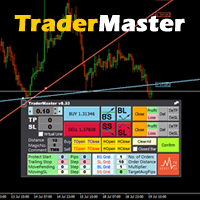
This TraderMaster EA is super helpful for professional trader.  Input Parameter Section: 1) Allow trader to set different line style, such as color, width; 2) Apply our chart style, if set false, it will not change the chart style; 3) Select different panel mode 3.a) Simple Mode, for trader immediately place a market order, pending order, delete and close orders; 3.b) Draw Line Mode, for price action traders who want to trade for trend and reverse in his trading plan; 3.c) Advanced Mode, includ
Spread Control は、MetaTrader 4 のチャート上で現在のスプレッドとその変化を直接確認できるコンパクトなインジケーターです。 機能 リアルタイムのスプレッド表示 最近の値の履歴を表示する スプレッド変動チャート 表示期間における LOW / AVG / HIGH の計算 スプレッド状態のカラー表示: 通常レベル 警告レベル 危険レベル 現在のスプレッド値を示すビジュアルスケール 現在の Bid / Ask を表示 市場アクティビティ表示: LIVE — Bid/Ask が変動している状態 OFFLINE — 指定時間内に Bid/Ask の変化がない状態 現在のシンボルと時間足を表示 Full / Compact モード 設定 Position X — パネルの初期水平位置。 Position Y — パネルの初期垂直位置。 Refresh Interval — インターフェースの更新間隔。 Spread Sampling Interval — スプレッド値を履歴に記録する間隔。 Spread History Size — 保存するスプレッド履歴の件数。 War

革新的な Trades Time Manager を使用して、取引ルーチンを簡単に管理できます。この強力なツールは、指定された時間に注文執行を自動化し、取引アプローチを変革します。 購入から注文の設定まで、すべて手動介入なしで、さまざまな取引アクションのためのパーソナライズされたタスク リストを作成します。 Trades Time Manager のインストールと入力ガイド EA に関する通知を受け取りたい場合は、MT4/MT5 ターミナルに URL を追加してください (スクリーンショットを参照)。 MT4のバージョン     https://www.mql5.com/en/market/product/103716 MT5のバージョン     https://www.mql5.com/en/market/product/103715 手動監視に別れを告げ、合理化された効率を採用します。直感的なインターフェイスにより、シンボル、約定時間、価格、ストップロス (SL)、テイクプロフィット (TP) ポイント、ロットサイズなどの正確なパラメーターを設定できます。 このツールの柔軟性は、市
Heaven Assistant: Simplify Your MT4 Management Simplify the management of the MetaTrader 4 (MT4) platform with the Heaven Assistant . This Expert Advisor (EA) is a robust tool that allows you to control and customize your trading environment in an efficient and user-friendly manner. Key Features: Multiple Pairs Opening: Quick access to most currency pairs, both major and minor, plus exotic pairs. The ability to open indices, metals, and cryptocurrencies with a single click. Template Change: Easi
Confluence Timer Mastery (MT4) Confluence Timer Mastery is an institutional-grade, multi-timeframe countdown and market session dashboard built specifically for professional traders who demand absolute precision. Designed to eliminate guesswork and synchronize trade entries around structural candle closures and major session liquidity blocks, this tool brings elite multi-timeframe analytics directly onto your MetaTrader 4 chart. Key Features & Capabilities Comprehensive Timeframe & Session Track
This tool is part of the Stein Investments ecosystem - 18+ tools plus Max, your 1-on-1 AI trading mentor.  Always on, knows every indicator in depth, available the moment you need to think something through.  Meet him at https://stein.investments Crosshair is a fantastic tool that simplifies our chart analysis by bringing the price candles perfectly in line with the indicator values in the subwindows. You can enable and disable it via a single press on the "C" of your keyboard, and it provide
FREE
What is it? Think about it, you can send all the orders/positions info to your telegram channel or group to create your community or VIP signals on telegram. Position info means this EA forward all of your new positions open details (Open price, Open time, Position Type, position Symbol and volume), positions changes ( SL or TP modifying or pending price changes) and position close (Close price, profit or loss, position duration time) and also EA Send NEWS alert (Economic calendar event) on you
TradeGram Pro MT 4 – Trading Monitoring & Telegram Assistant Launch Price: 49 USD (Limited to the first 30 buyers) Regular Price: 149 USD Your 24/7 Trading Control Center TradeGram Pro connects your MetaTrader 4 to Telegram for  real‑time monitoring  and  automatic alerts when the drawdown reaches thresholds you have defined . Ideal for algorithmic trading on a VPS and for manual traders who need instant alerts on mobile. Conceived to  facilitate the monitoring of your challenge‑style accoun
Url Watermark is an handy indicator that allows you to see the name of the financial instrument, the time frame, and the website link on chart. Very simple to use. You can also add your web site Logo image. Note : the size of the bitmap must be the same as the input, otherwise the picture will not be loaded It allows a full customization to fit the indicator to any type of chart. Input Values LOGO SETTINGS Logo file name (.bmp): example "\\Images\\MyLogo.bmp" (attention: leave the correct folde
Chameleon TA — Visual Basket Trade Assistant Trade smarter, not harder. One panel. Total control. Chameleon TA is a professional-grade visual trade assistant that puts a complete trading cockpit directly on your chart. Whether you're a manual scalper, news trader, or basket strategy enthusiast, Chameleon TA gives you instant one-click execution, live basket-level SL/TP management, and intelligent trailing — all wrapped in a clean, modern interface inspired by TradingView's dark theme aesthetic.
FREE
Introducing Your New Go-To Trading EA! Boost your trading performance with this Bollinger Bands-based Expert Advisor, specially designed for XAU (Gold) and various Forex pairs. Why this EA is a must-have: Clean, user-friendly interface – perfect for all trader levels Built-in Hidden Take Profit & Stop Loss for added strategy security Ideal for both beginners and experienced traders Ready to use out of the box – no complex setup required. Trade smarter, not harder!
このプロダクトを購入した人は以下も購入しています
Trade Manager EAへようこそ。これは、取引をより直感的、正確、そして効率的にするために設計された究極の リスク管理ツール です。これは単なるオーダー実行ツールではなく、包括的な取引計画、ポジション管理、リスク管理のためのソリューションです。初心者から上級者、迅速な実行を必要とするスキャルパーまで、Trade Manager EAはあらゆるニーズに対応し、為替、指数、商品、暗号通貨などさまざまな市場で柔軟に対応します。 Trade Manager EAを使用すると、複雑な計算が過去のものになります。市場を分析し、エントリーポイント、ストップロス、テイクプロフィットのレベルをチャート上のラインでマークし、リスクを設定するだけで、Trade Managerが最適なポジションサイズを即座に計算し、SLとTPをピップ、ポイント、口座通貨でリアルタイムに表示します。すべての取引が簡単かつ効果的に管理されます。 主な機能: ポジションサイズ計算機 :定義されたリスクに基づいて取引サイズを瞬時に決定します。 簡単な取引計画 :エントリー、ストップロス、テイクプロフィットを設定するためのド
The product will copy all telegram signal to MT4   ( which you are member  ) , also it can work as remote copier.  Easy to set up, copy order instant, can work with almost signal formats, image signal, s upport to translate other language to English Work with all type of channel or group, even channel have "Restrict Saving Content", work with  multi channel, multi MT5 Work as remote copier: with signal have ticket number, it will copy exactly via ticket number. Support to backtest signal. How to
Telegram to MT4 Multi-Channel Copier   は、 Telegram と Discord チャンネルのトレードシグナルを MetaTrader 4 へ自動コピーします。ボット不要、ブラウザ拡張不要、手動コピー不要。Telegram や Discord にシグナルが届くと、EA が数秒であなたのターミナルに注文を出します。 さらに、チャンネルをコピーする前に、内蔵バックテスターでそのチャンネルがあなたの口座でどう動いたかを確認できます。 製品は 2 つのコンポーネントで構成されます:Telegram チャンネルを監視する Windows アプリと、MT4 ターミナルでシグナルを執行する本 EA です。MT5 版もあります   こちら . 購入前にお試しください:   アプリは無料でダウンロードできます。ご自身のチャンネルを接続し、各シグナルがどのように読み取られるかをご確認ください。Backtest タブと実際の取引には、購入またはレンタルした EA が必要です。このページの無料デモはストラテジーテスターでのみ動作し、テスターでは Telegram と D
Trade Indicator Assistant is a powerful MT4 utility designed to turn indicators into automated trading systems. Its main feature is the ability to automatically detect an indicator’s   BUY and SELL signal buffers , without requiring you to know the buffer numbers, search through indicator settings, or modify the indicator source code. Bonus Indicator: After purchasing Trade Indicator Assistant, contact me to receive Trade Signal Pro completely free as a bonus indicator. [Download Demo Version]
これは視覚的な取引パネルであり、取引を簡単に配置および管理し、人為的エラーを回避し、取引活動を強化するのに役立ちます。使いやすい視覚的なインターフェースと、健全なリスクおよび位置管理アプローチを組み合わせています。 [ インストールガイド | 更新ガイド | トラブルシューティング | よくある質問 | すべての製品 ] 驚くほど使いやすい チャートから簡単に取引 正確なリスク管理との取引、手間のかからない 資本の保存が最優先事項です 気をつけずに利益を上げましょう できるだけ早くリスクのない取引をお楽しみください 開かれているすべての取引の自動トレーリングストップ 最初のストップロスは、取引が行われるとすぐに配置されます EAは、取引を行った後に次のタスクを実行します。 最初のストップロス/テイクプロフィットは自動的に配置されます できるだけ早くフリーライドにロックします(オプション) ストップロスを初めて損益分岐点に移動します(オプション) 停止するまで、希望の方法を使用してストップロスを追跡します その他のクールな機能は次のとおりです。 優れたターミナルアクティビティレポート
TradeMirror は、MT4/MT5プラットフォーム向けに開発されたローカル注文同期ツールで、リアルタイム取引をサポートします。 チュートリアル Trademirror チュートリアル のリンクをクリックして、さらにチュートリアルをご覧ください。 製品の特長 金融ソフトウェアにおけるセキュリティ・安定性・プライバシー保護の高基準に準拠し、以下の3つの核心領域を最適化しました: 直感的なグラフィカルインターフェースで操作が容易 金融シナリオにおける機密データ分離のための強化されたプライバシー保護 ミリ秒単位の注文同期で信号遅延ゼロを実現 MT4/MT5完全互換、多様な取引環境にシームレス対応 システム監視機能とメール通知による取引安定性管理 主要機能 本製品には以下のプロフェッショナルコピー機能を搭載: 複数アカウント並列接続 リアルタイムメール通知 ロットサイズカスタマイズ 信号フィルタリング機構 逆方向コピーモード テイクプロフィット/ストップロス再設定 無料デモ手順 購入前に以下の手順で全機能を体験可能: ページ内の「無料デモ」ボタンをクリック 「MetaTrader 4/5
Unlimited Trade Copier Pro is a tool to copy trade remotely to multiple MT4, MT5 and cTrader accounts at different computers/locations over internet. This is an ideal solution for you if you are a signal provider and want to copy your trades to other receivers globally on your own rules. One provider can copy trades to multiple receivers and one receiver can get trade from multiple providers as well. The provider can even set the subscription expiry for each receiver, so that receiver will not b
Take a Break pauses your Expert Advisors when trading is a bad idea: before news, after a daily loss, outside your trading hours, or when a rule you wrote yourself says so. When the pause is over, your EAs simply continue. Account protection for all your EAs in one tool: news filter, drawdown and equity protection, time filter and custom rules. One EA on one chart protects the whole account, the free indicator gives every chart its own rules on top. Free demo | What is new in 26.09 | Support Ass
取引したい主要エリアを特定したら、サポートとレジスタンス、または供給と需要のゾーンを自動的に取引します。この EA を使用すると、1 回のクリックで買いゾーンと売りゾーンを描画し、価格が反転すると予想される場所に正確に配置できます。EA はそれらのゾーンを監視し、ゾーンに指定した価格アクションに基づいて自動的に取引を行います。最初の取引が行われると、EA は、ターゲット エリアとなる、配置した反対のゾーンで利益を出して終了します。その後、2 つの選択肢があります。取引を終了して新しいゾーンを描画してエントリーするか、利益を出して終了し、すぐに反対方向に取引を反転して、「常に市場に参加する」スタイルの戦略を作成します。 入力と戦略を含む完全なマニュアルはこちら: https://www.mql5.com/en/blogs/post/760256 この EA は、市場で固定またはハード ストップ ロスを使用しないポジション トレーダーまたはドル コスト平均法の取引戦略向けに設計されています。代わりに、次の利用可能なサポートまたはレジスタンス ゾーンで同じ方向に新しい取引を行うことで、
Riskless Pyramid
Snapdragon Systems Ltd
5 (1)
Introduction This powerful MT4 trade mangement EA offers a way potentially to aggressively multiply trade profits in a riskfree manner. Once a trade has been entered with a defined stoploss and take profit target then the EA will add three pyramid add-on trades in order to increase the overall level of profit. The user sets the total combined profit target to be gained if everything works out. This can be specified either as a multiple of the original trade profit or as a total dollar amount. Fo
Prop Guardian Risk Manager MT4 – Drawdown, Risk & Hedge Protection for Prop Firm and Managed Accounts Prop Guardian Risk Manager is a professional risk-control utility for MetaTrader 4, designed for prop firm traders, money managers and anyone who wants strict account-level risk protection. It does not generate trading signals, strategy entries or trading decisions. Instead, it runs in the background, monitors your account risk and can automatically block new exposure, close managed trades or ac
FCK CurrencyStrength Pro
Patel Hitendrakumar Mahendrabhai
Hi Friends, " FCK Currency Strength Pro " is a auto & semi auto trading expert with direction of pair. Buy-Sell separate or multi currency in one click. The strategy of  FCK Currency Strength Pro  is a combination of custom indicator, Trendlines, Support & Resistance levels ( Price Action ) and most important secretive trading algorithm mentioned above. Download News Ex4 and csv file You need the following SDSnews.ex4 in MQL4/Libraries and the daylightsavings.csv in MQL4/Files. Only 4 of 5 copi
Grid Manual MT4
Alfiya Fazylova
4.71 (17)
「Grid Manual」は、注文のグリッドを操作するための取引パネルです。 ユーティリティはユニバーサルで、柔軟な設定と直感的なインターフェイスを備えています。 それは、損失を平均化する方向だけでなく、利益を増やす方向でも注文のグリッドで機能します。 トレーダーは注文のグリッドを作成して維持する必要はありません。 すべてが「Grid Manual」によって行われます。 注文を開くだけで十分であり、「Grid Manual」は注文のグリッドを自動的に作成し、非常に閉じるまでそれに付随します。 完全な説明とデモバージョン ここ。 ユーティリティの主な機能と機能 ユーティリティは、モバイル端末から開かれた注文を含め、あらゆる方法で開かれた注文を処理します。 「制限」と「停止」の2種類のグリッドで機能します。 グリッド間隔の計算には、固定と動的(ATRインジケーターに基づく)の2つの方法で機能します。 オープンオーダーグリッドの設定を変更できます。 チャート上の各注文グリッドの損益分岐点を表示します。 各注文グリッドの利益率を表示します。 ワンクリックでグリッドから収益性の高い注文を閉じるこ
DrawDown Limiter MT4
Haidar Lionel Haj Ali
5 (8)
DrawDown Limiter v5.0 — Advanced Account Protection Controller DrawDown Limiter v5.0 is a client-side account protection controller designed to supervise your trading account and automatically react when configured risk, profit, news, schedule, rollover, or position limits are reached. It can monitor manual trades, automated strategies, multiple Expert Advisors, pending orders and floating positions from one dedicated chart. It can protect the complete account or be configured to supervise a spe
Auto Trade Driver is an automatic powerful tool (run as Expert Advisor) that helps you to manage risk and control orders and maximize your profit in multi-protect/trailing-stop rules. This tool is very useful for both scalpers and trend followers. It not only calculates the trade risk exactly, but also protects and maximizes your profits in real-time. With this tool, the only thing you have to do is to enter trade by your own strategy, then it will auto-drive your position with exit strategy you
The FFx Hidden Manager panel will help you to manage easily your orders directly on the chart. Below all features described: TP, SL and TrailingStop are hidden Each order has its own lines on chart Drag & Drop any line to change the TP/SL as per your need Option to move automatically the SL line at breakeven when TP #1 is reached Option to choose the TP/SL type (by pips or price) Option to choose the TrailingStop type (by pips, MA, Fractals, PSAR or ATR) Define which order(s) you want to manage
FFx Risk Calculator panel will help you to calculate very easily your trades size, SL or the risk directly on the chart. All features are described below: Option to select which parameter to calculate: Risk, Stop Loss or Lot Size The panel will show if the lot size is allowed according to the current account free margin Button to maximize/minimize the panel Drag and Drop the panel anywhere on the chart How to use it? Select the parameter you want to be calculated. It will be based on the 2 other
Trade Copier Pro is a tool to copy trade remotely to MT4, MT5 and cTrader accounts at different computers/locations over internet. This is an ideal solution for you if you are a signal provider and want to copy your trades to other receivers globally on your own rules. One provider can copy trades to multiple receivers and one receiver can get trade from multiple providers as well. The provider can even set the subscription expiry for each receiver, so that receiver will not be able to receive t
News Trader Pro is a unique robot that allows you to trade the news by your predefined strategy. It loads every piece of news from several popular Forex websites. You can choose any news and preset the strategy to trade it, and then News Trader Pro will trade that news by selected strategy automatically when the news comes. News release gives opportunity to have pips since the price usually has big move at that time. Now, with this tool, trading news becomes easier, more flexible and more exciti
Bears CD HTB Global  (Bears Convergence/Divergence High Top Bottom Global) is an analytical bears convergence/divergence indicator (C, D or CD) between a financial instrument and 22 MT4 indicators working on all periods simultaneously. The indicator measures the power of CD for indicators and periods and is the second one out of the two possible versions (HBT and HTB). Features The analyzer is not a lagging one. It works by ticks and is able to show CD in the main window even in case the MT4 in
Bulls CD LBT Global  (Bulls Convergence/Divergence Low Bottom  Top   Global) is an analytical bulls convergence/divergence indicator (C, D or CD) between a financial instrument and 22 MT4 indicators working on all periods simultaneously. The indicator measures the power of CD for indicators and periods and is the first one out of the two possible versions (LBT and LTB). Features The analyzer is not a lagging one. It works by ticks and is able to show CD in the main window even in case the MT4 i
The FFx Watcher PRO is a dashboard displaying on a single chart the current direction of up to 15 standard indicators and up to 9 timeframes. It has 2 different modes: 1. Watcher mode: Multi Indicators User is able to select up to 15 indicators to be displayed User is able to select up to 9 timeframes to be displayed 2. Watcher mode: Multi Pairs User is able to select any number of pairs/symbols User is able to select up to 9 timeframes to be displayed This mode uses one of the standard indicat
THE [VIZUALIZER] is a MetaTrader (MT4) Script designed to visualize an account history. It will read the account statement and then will visualize the positions on chart in form of rectangles, showing the OpenTime, OpenPrice, CloseTime and ClosePrice. Generally, it has been developed to analyze the trading history, to observe how risky the particular positions were, allowing you to analyze the trading strategy from the account statement. It is working with standard MS Excel CSV files It is visua
This is a must have tool for a serious trader. It saves your precious time spent for opening/closing trades, creating pending trades and modifying your TP/SL in bulk according to either pips or price. If you need to quickly open several pending orders (Buy Stop, Sell Stop) at a certain distance from each other, this script will do all the routine for you! The first time you use this handy tool, you will realize it has already paid for itself. Instructions: Drag and drop this script onto a chart.
The product combines a manual trade panel with the ability to perform actions automatically in a highly configurable way. Actions include capturing indicator values and then based on those values raising alerts, open/close or partially close trades, scale-in, setting up pending orders, adjusting stop loss, take profit and more. On-chart controls can be configured, such as tick boxes and buttons, so can be fully interactive. The EA also handles money management, news events, hidden stop loss, tak
Binary Options Copier Remote is an EA that allows to copy binary options trades between MT4 accounts at different computers. This is an ideal solution for signal provider, who want to share his trade with the others globally on his own rules. Provider can give free bonus license to 10 receivers. That means those 10 receivers can copy from provider by using Binary Options Receiver Free (no cost). From 11th one, receiver have to buy Binary Options Receiver Pro (paid version) in order to copy from
This panel is very simple to use and it is a very ally to manage your positions and orders. Also you can modify your risk, writing in fields directly on Panel. One click on buttons and the operation on market is done! Operations possible: BUY/SELL Break Even Split (close 50% all orders) Close All positions Hedging (opens reverse positions to cover) Close only BUY positions Close only SELL positions Close All pending orders Reverse all positions Please watch the video to verify the very simple u
The Expert Advisor (EA) generates an advanced trading tool to place a pending or market order on any currency pair symbol , as selected from a drop-down menu in the panel. A market order is placed by clicking appropriate Sell or Buy button. On the other hand, a pending order is placed by selecting a pending order type and thereafter clicking Place button. Moreover, the panel provides various options to define exact parameters for every order before placing it. For instance, the triggering price
Slow Pips OCO Trade Panel is an advanced trading panel for placing pending orders. Traders can use this panel to place two pending orders at once. One pending order would be of buy entry type and the other one would be of sell entry type. Both orders will have Stop Loss and Take Profit parameters. Since two pending orders are placed at the same time, the pending order for which the price hits first gets converted into a market order and the other pending order gets deleted (one order cancels the
This indicator changes the timeframe and chart profile for multiple charts. If you dispatched many charts (10~20 or more) in single MetaTrader terminal, it is very boring and difficult work to manage the timeframe and chart profile individually. If the indicators you use in a chart are numerous and the setting values are different from the default one, you might give up adding all the indicators to all charts. The changing of timeframes on multiple charts has the same problem, too. Whenever you
作者のその他のプロダクト
EA Budak Ubat MT5
Syarief Azman Bin Rosli
EA Budak Ubat MT5 は、MetaTrader 5 向けに設計された自動グリッド・マーチンゲール(Grid Martingale)エキスパートアドバイザーです。テクニカル分析、市場ボラティリティへの自動適応計算、および多層型リスク管理を融合させ、レンジ相場とトレンド相場の両方に対応します。 主要通貨ペアおよびゴールド(XAUUSD)の M5(5分足)チャートに最適化されています。 ### 主な機能 • 4つの選べるエントリー分析手法:   1. Classic Candle:ローソク足の勢いとパターン検出。   2. SMA20:20期間単純移動平均線のクロス。   3. Alligator:ビル・ウィリアムズのアリゲーター指標。   4. Ichimoku:一目均衡表の転換線と基準線の均衡シグナル(推奨デフォルト)。 • AutoConfig AI ボラティリティ適応エンジン:   現在の通貨ペアの20日ADRをEURUSDの365日ADRと比較計算し、最適な利確幅(TP)、グリッド間隔、増加ステップ幅、最大グリッド幅を全自動算出。 • H1 時間足 RSI
EA Budak Ubat
Syarief Azman Bin Rosli
4 (3)
トライアルをダウンロード 動作原理 EAがアクティブな場合、実行モードパラメータに基づいてチャートを分析します。 チャート上に既存のポジションがない場合、EAはパラメータに基づいて取引を行います。トレンドが上昇トレンドの場合、買い取引を行い、下降トレンドの場合は売り取引を行います。そして、ストップロス変数が0より大きい場合、オープンした取引価格から一定の距離にストップロス注文も設定します。0はストップロスなしを意味します。 チャート上に既存のポジションがあり、最後のポジションが損失の場合、EAは現在の市場価格と注文との間の距離がユーザーが設定した最小距離以上であるかどうかを確認し、それに基づいて取引を行います。ロットサイズはマーチンゲール法を使用して計算され、ストップロス変数が0より大きい場合、オープンした取引価格から一定の距離にストップロス注文も設定します。 Hedging(ヘッジ)がfalseに設定されている場合、EAは一度に1つの方向にしか取引しません。最初のポジションが買い取引の場合、すべての後続のマーチンゲールポジションも買い取引でなければなりません。最初のポジションが売り
Indi RBO
Syarief Azman Bin Rosli
Input: Range Start Time : The starting time of the range creation Range End Time : The ending time of range creation Trade End Time : The time where the line of range zone high/low will be extended to Minimum Size : The minimum size of the range in point Maximum Size : The maximum size of the range in point If the range size is between the minimum and maximum, indicator will print the 1st color (blue).
# Apex Flow Reversion MT4 Apex Flow Reversion は、MetaTrader 4 向けに設計された日内統計的回帰(ミーン・リバージョン)自動売買システムです。動的な出来高加重平均価格(VWAP)からの価格乖離をリアルタイムで監視し、標準偏差バンド、相対力指数(RSI)のモメンタム枯渇フィルター、および平均真のレンジ(ATR)ボラティリティ制限を組み合わせて反転ポイントを的確に捉えます。 ## 戦略の概要 このアルゴリズムは、指定された期間にわたってティック出来高で加重されたローリングVWAP曲線を算出します。この中心線をもとに、標準偏差計算による統計的な上限バンドおよび下限バンドを生成します。 市場価格が下限バンドを下回り、同時にRSIが売られすぎのシグナルを示した場合に買いエントリー条件を判定します。逆に、価格が上限バンドを上回り、RSIが買われすぎのシグナルを示した場合に売りエントリー条件を判定します。ポジションはVWAP中心線への回帰または設定された固定目標ポイントでの利確を目指します。 ## 主な機能と特徴 - MQL5 マ
Vortex Confluence Radar MT4 Vortex Confluence Radar は、MetaTrader 4 向けにネイティブ開発されたマルチオシレーター・コンフルエンス評価エンジンです。Relative Vigor Index(RVI)、Commodity Channel Index(CCI)、Williams % Percent Range(WPR)の3大テクニカル指標を融合し、平滑化シグナルラインと自動クロスオーバーアラートを備えた統合モメンタム・ヒストグラムを生成します。 指標構造と視覚的シグナル 本インジケーターは独立したサブウィンドウで動作し、以下の視覚的要素を精密に描画します。 統合コンフルエンス・ヒストグラム 正規化スコアリング:RVI、CCI、Williams %R の数値をそれぞれ [-100, +100] の範囲に正規化し、設定された重み付けに基づいて加重平均を算出します。 強気モメンタム(ライムグリーン柱):総合スコアがプラスの場合に表示され、上昇圧力が優勢であることを示します。 弱気モメンタム(レッド柱):総合スコアがマイナスの場合に表
Kinetix Speed Commander MT4 Kinetix Speed Commander   は、MetaTrader 4(MT4)向けに開発された機関投資家水準のワンクリック注文執行コックピット、動的ポジションサイズ計算機、およびリスクリワード注文管理ユーティリティです。プロップファーム(自己資本取引会社)の審査に挑むトレーダー、機敏なスキャルパー、および体系的なデイトレーダーのために設計され、手動計算の手間、ロット入力ミス、過剰レバレッジのリスクを排除します。 本ユーティリティは、外部DLLを一切使用せず、ダークテーマを採用した高応答なオングラフHUD(ヘッドアップディスプレイ)で動作します。口座残高、有効証拠金、銘柄のティックバリューをバックグラウンドで常時監視し、ミリ秒単位の即時成行注文、ドラッグ可能なリスクラインによる視覚的操作、および250ミリ秒タイマーによる自動トレーリングストップと建値保護(ブレイクイーブン)を提供します。 主な機能とアーキテクチャ ワンクリック発注コックピット   チャート画面から直接、成行買い(Buy)および成行売り(Sell)を瞬時に
Prism Candle Forge
Syarief Azman Bin Rosli
Prism Candle Forge — MT4用ローソク足パターン認識エンジン Prism Candle Forge は、ATR加重幾何解析を用いて20種類以上の酒田五法・ローソク足パターンを検出・検証するネイティブMQL4ライブラリです。パターンの識別、方向性の信頼度スコアリング、ローソク足形態分類、トレンドコンテキスト検証を、Expert Advisor、インジケーター、スクリプトから呼び出し可能な8つのエクスポート関数を通じて提供します。DLL不使用、外部依存性ゼロ、純粋なMQL4計算エンジンです。 コンパイル済みバイナリ (Prism_Candle_Forge.ex4) として配布されます。本ドキュメントは完全なAPIリファレンスです。 インストール手順 MQL5 Market から Prism_Candle_Forge.ex4 をダウンロードします。 ファイルを次のフォルダに配置します: MQL4/Libraries/ 以下の #import ブロックを .mq4 ソースファイルに追加します。 EAまたはインジケーターをコンパイルします。これで8つの関数すべてが利用可能に
Sigma Squeeze Reactor ボリンジャーバンド & ケルトナーチャネル スクイーズブレイクアウト MT4 EA Sigma Squeeze Reactor は、MetaTrader 4 向けに開発された高精度ボラティリティブレイクアウト型エキスパートアドバイザー(EA)です。ボリンジャーバンドがケルトナーチャネルの内側に収縮する「ボラティリティ・スクイーズ」状態を検知し、スクイーズが解放された瞬間にモメンタムの方向性を確認して爆発的なトレンド相場へ正確にエントリーします。 本システムは、エネルギー蓄積からの解放と急激なトレンド拡張の両方を捕捉する**デュアルエンジン・ブレイクアウト機構(Dual-Engine Breakout)**を搭載し、チャート中央に直感的なインタラクティブ・コックピットHUDを備えています。 ロジック概要 スクイーズメカニズム ボリンジャーバンドがケルトナーチャネルの内側に入り込むと、相場は低ボラティリティのエネルギー圧縮状態に入ります。この状態は機関投資家によるポジション蓄積を示唆し、その後の急激なトレンド発生の前兆となります。 デュアルエンジ
Fulcrum Value Profile は MetaTrader 4 用インジケーターです。セッションごとにティック出来高のボリュームプロファイルを作成し、POC(Point of Control)とバリューエリアを表示し、形成中の POC/VAH/VAL をラインで描画し、未接触の POC(naked POC)を追跡し、確定足で 2 つのセットアップを示します:前回バリューエリアへの回帰(80% ルール)と、その外側での受け入れ(ブレイクアウト)。注文の発注・変更・決済は一切行いません。 クイックスタート M5、M15 または M30 チャートにインジケーターを適用します。 Profile Period = Daily session のままにするか、Custom session window を選び、Custom Session Start / Custom Session End をブローカーのサーバー時間(気配値表示の時計)で設定します。 数秒で直近 5 つの完了セッションが水平ヒストグラムとして描画され、カードに ABOVE VALUE、INSIDE VALUE または
Filament Tripline Console は、あなた自身が引いた水平線とトレンドラインを、作動中の「トリップライン」(tripline) に変えます。価格がラインに触れる、またはバーがラインの向こう側で確定すると、トリップラインが設定したアクションを実行します。アクションは、アラート、ロット・ストップロス・テイクプロフィットを自動計算する成行の BUY または SELL、あるいはポジションを決済する EXIT です。独自の分析で取引することはなく、あなたが作動させたラインにだけ反応します。 クイックスタート 任意のチャートにユーティリティを適用します。BUY、SELL、EXIT を使う場合は、ツールバーの Algo Trading と、Common タブの Allow live trading を有効にしてください。ALERT はそれらなしでも動作します。 MetaTrader の通常ツールで Horizontal Line または Trendline を描くか、パネルの + H-LINE / + T-LINE を押します。 ラインをクリックします。TARGET にその名前が
EA、インジケーター、スクリプトのために相場構造を描き出す MQL4 ライブラリです。HH、HL、LH、LL、EQH、EQL のラベル付き確定スイング、ブレイク・オブ・ストラクチャー (BOS)、チェンジ・オブ・キャラクター (CHoCH)、流動性スイープ、充填度を追跡するオーダーブロックとフェアバリューギャップ、そしてレンジ内での価格の位置を提供します。確定足のみを読み、リペイントしません。売買、描画、アラートは行いません。コンパイル済みの Tectonic_Structure_Engine.ex4 が提供され、このページが API の完全なリファレンスです。 クイックスタート Tectonic_Structure_Engine.ex4 を MQL4/Libraries にコピーします(ファイル > データフォルダを開く)。 下の #import ブロックをプログラムに貼り付けます。 OnInit で:h = TSE_Create("", 0, 3, 1000); 必要なら TSE_Configure。 OnTick または OnCalculate で TSE_Update(h) を
Recoil Retrace Engine は、強い値動きの後の押し・戻りを取引する MetaTrader 4 用エキスパートアドバイザーです。確定したスイングから ATR の数倍動いたインパルスレッグを見つけ、価格がリトレースメントゾーン (既定 38.2-61.8 %) まで戻るのを待ち、レッグの方向にエントリーし、レッグの極値で一部利確し、残りを拡張ターゲットまで伸ばします。シンボルと magic number ごとにポジションは 1 つ。グリッド、マーチンゲール、ナンピン、両建ては使いません。 クイックスタート EA を 1 つのチャートに適用し (推奨 H1、H4 と D1 も可)、AutoTrading と "Allow live trading" を有効にします。 まず既定値のまま使用: ゾーン 38.2-61.8、Entry Trigger = Rejection close、1 トレードあたりリスク 1 %。 パネルは条件を満たすレッグが現れるまで SCANNING、その後 ARMED、IN POCKET、IN TRADE と表示します。 簡単な確認: EURUSD
概要 Gnomon Diurnal Cone は、1日の各時刻までに価格が当日の始値から通常どれだけ離れるかを表示します。日中の各スロットについて直近 N 日の完全な取引日を使い、始値の上方向と下方向への乖離の中央値 (コアコーン) と指定したパーセンタイル (アウターコーン) を描画します。当日のコーンは始値の時点で完了した日のみから確定するため再描画されず、当日の終わりまで先へ投影されます。レンジ予算は当日のレンジと1日の全レンジの中央値を比較し、確定足の2種類のシグナルが異常な拡大と消耗を示します。インジケーターであり、注文の発注・変更・決済は一切行いません。 クイックスタート インジケーターを M15 チャートに適用します (M1、M5、M15、M30、H1 に対応)。 まずは既定値のまま使います: Lookback Days 20、Outer Cone Percentile 80、Day Start Hour 0 (サーバーの午前0時)。 カードのバッジが READY と表示され、金色のコアラインと青いアウターラインが当日の始値から扇状に広がっていることを確認します。COLL
MQL4 用の時間ライブラリです:UTC と 12 のタイムゾーンの間を夏時間を含めて正しく変換し、ブローカーのサーバー時計をモデル化(価格履歴から自動判定)し、Sydney・Tokyo・London・New York の各セッションと独自セッションについて、開いているかどうか、開始・終了時刻、OHLC レンジを提供し、FX の取引日と週末も扱います。TimeGMT() と違い、ストラテジーテスターでもリアルと同じ答えを返します。取引も描画もファイル書き込みも一切行いません。お届けするのはコンパイル済みの Meridian_Session_Clock.ex4 で、このページが API の完全なリファレンスです。 クイックスタート Meridian_Session_Clock.ex4 を MQL4/Libraries にコピーします(ファイル > データフォルダを開く)。 下の #import ブロックを EA、インジケーター、スクリプトに貼り付けます。 OnInit:MSC_DetectBroker("EURUSD", 104, base, conf, used)、サーバー時計が分かっ
Trebuchet Bracket Engine は、日足レンジの拡大ブレイクアウトを取引する MetaTrader 4 用エキスパートアドバイザーです。アンカー時刻(既定は日の始値)に直近 N 日のレンジを測り、アンカーの上に buy stop、下に sell stop を K x レンジの距離で置き、ストップロスはアンカーに置いて、日次エグジットですべて決済します。1 日に片側最大 1 回の取引。グリッド、マーチンゲール、ナンピン、持ち越しはありません(日次エグジットをオフにした場合を除く)。 クイックスタート 対象シンボルのチャート 1 枚に EA を適用し(時間足は任意。ロジックは日足と時刻を使用)、AutoTrading と "Allow live trading" を有効にします。 まず既定値で:4 日の Dual Thrust レンジ、トリガー 0.50 x レンジ、ストップはアンカー、サーバー時間 21:00 で新規停止、22:00 で日次エグジット、リスク 1 %。 アンカー後、パネルに BRACKET ARMED と表示され、buy stop と sell stop
# Spectra Trend Ribbon MT5 Spectra Trend Ribbon は、MetaTrader 5 専用に設計された高精度トレンド方向判定およびボラティリティ拡張検出インジケーターです。トリプル平滑化された適応型トレンド基準線、動的ボラティリティエンベロープバンド、および自動モメンタムブレイクアウトシグナルを統合しています。 ## チャート上の視覚シグナルの解説 本インジケーターは、チャート上に5つの明確な視覚要素を描画します: 1. 中央適応型ベースライン(カラーライン) - 緑色:現在価格がベースラインより上で推移し、かつベースラインの傾きが上向きであることを示します(上昇トレンド継続)。 - 赤色:現在価格がベースラインより下で推移し、かつベースラインの傾きが下向きであることを示します(下降トレンド継続)。 - 灰色:傾きが水平、または方向性のないレンジ・保ち合い状態を示します。 2. 上限・下限ボラティリティバンド(ロイヤルブルーライン) - Average True Range(ATR)の数値を中央ベースラインに加減算して導き出される動的
Aegis Risk Sentinel MT5 Aegis Risk Sentinel   は、MetaTrader 5 専用にネイティブ設計されたプロフェッショナル向けリアルタイム資金管理・リスクコントロールユーティリティです。プロップファーム挑戦者、資金運用マネージャー、デイトレーダーのために開発され、トレード口座に厳格な規律を適用し、壊滅的なドローダウン、感情的なリベンジトレード、予期せぬマージンコールを確実に防止します。 本ユーティリティは、外部 DLL を一切使用しない純粋な MQL5 アーキテクチャで開発された、チャート上の高応答 HUD ダッシュボードを搭載しています。バックグラウンドでサブ秒単位のアカウント監査を実施し、1 クリックでの緊急決済およびリスク保護アクションを提供します。 主な機能 日次最大損失リミット保護   ブローカー時間の深夜 0 時に自動リセットされる日次開始資金を基準に、エクイティの変動を常時監視します。1 日のドローダウンが設定値(例: 4.0%)に達した場合、Aegis は自動的に全保有ポジションを成行決済し、未約定の待機注文をすべてキャンセル
Stratos Momentum Engine MT5 Stratos Momentum Engine は、MetaTrader 5 専用に開発されたマルチタイムフレーム(MTF)モメンタム・ブレイクアウト自動売買システム(Expert Advisor)です。H1時間足の線形回帰スロープ分析により市場のマクロトレンド方向を判定し、M15時間足のストキャスティクス・オシレーターによる精密なタイミング制御、さらに20期間ドンチアン・チャネルのブレイクアウト確認を組み合わせて高精度な順張りエントリーを実行します。 また、本システムは厳格な資金管理プロトコルを標準搭載しています。口座残高に対するリスク比率(%)に基づく動的ロット計算、MQL5ネイティブの OrderCalcMargin() による発注前必要証拠金チェック、ATR(Average True Range)をベースにした動的ストップロスおよびテイクプロフィット、ボラティリティ追従型のシャンデリア・エグジット(Chandelier Exit)トレーリングストップ、建値移動(ブレークイーブン)機能、スプレッド制限、日次最大ドローダウン制
Nexus Quant Matrix
Syarief Azman Bin Rosli
Nexus Quant Matrix MT5 Nexus Quant Matrix   は、MetaTrader 5 向けにネイティブ設計された機関投資家水準の定量的計算・ストリーミング統計解析ライブラリです。クオンツ開発者、クオンツヘッジファンド、システマティックトレーダー向けに開発され、外部の DLL、Python、C++ 連携を一切使用せず、MQL5 の高速ランタイム環境内で直接高度な数値計算を実行します。 本ライブラリは O(1) の計算量を実現し、事前確保されたリングバッファ構造を採用することで動的メモリ再確保による遅延を完全に排除しています。適応型 1D カルマンフィルタ、ローリング・ピアソン相関係数、最小二乗法線形回帰 (OLS)、ファットテール分布に対応したコーニッシュ・フィッシャー VaR(バリュー・アット・リスク)、期待ショートフォール (CVaR)、および証拠金安全チェック付きケリー基準ロット計算エンジンを網羅しています。 主要アーキテクチャ ストリーミング統計モーメントエンジン (CStreamingStats)   ローリングウィンドウでの移動平均、分散、標準
Quasar Regime Cloud は MetaTrader 5 用の相場レジーム判定インジケーターです。価格が現在トレンド状態かレンジ状態かを判定し、その結果をフラクタル適応型クラウドとしてチャート上に直接表示します。シグナルは相場がトレンドと判定されている間のみ発生するため、横ばい相場で起こりがちなダマシのクロスを多く除外できます。 仕組み 1. フラクタル次元の推定 各バーについて、設定可能なウィンドウ内で価格のフラクタル次元 (D) をボックスカウント法で推定します。D が 1.0 に近いほど滑らかで方向性のある動き、2.0 に近いほどレンジ特有のノイズの多い動きを表します。 2. フラクタル適応コア (FRAMA) フラクタル次元がフラクタル適応移動平均の平滑化係数を決定します。方向性のある局面ではコアラインが価格に密着し、ノイズ局面では動きが遅くなり平坦になります。 3. Spine ライン コアラインを 2 極スーパースムーザーフィルターでさらに平滑化し、Spine ラインを形成します。コアと Spine の間の領域がクラウドになります。 4. レジームスコア (0
Isobar Event Shield は MetaTrader 5 で経済指標ニュースからトレードを守るユーティリティです。ターミナル内蔵の経済指標カレンダーを読み込み、取引銘柄に影響する各発表までカウントダウンし、発表の直前に、お客様または他の EA がすでに保有しているポジションと待機注文へ選択した保護を適用します。自ら新規ポジションを建てることはありません。 クイックスタート ユーティリティを 1 つのチャートに適用し(ターミナルごとに 1 つ)、ツールバーで Algo Trading を有効にします。 チャート銘柄の基軸通貨と決済通貨は自動で監視されます。他の通貨は Extra Currencies to Watch に追加し(例:USD,EUR,JPY)、Protection Scope を Linked のままにすると、それらの通貨を使うすべての銘柄が保護されます。 Open Position Action とウィンドウの長さ(Window Opens と Window Closes、初期値 15 分と 10 分)を選びます。 パネルをチャートに表示したままにします。ウ
Riptide Sweep Reclaimer は、静かなセッションのレンジで起こる流動性スイープを取引する MetaTrader 5 用エキスパートアドバイザーです。指定した時間帯(既定はサーバー時間 00:00-08:00)の高値と安値を測定し、次のセッションが片側を突き抜けるのを待ち、ローソク足がレンジ内に戻って確定した時点で逆方向にエントリーします。目標はレンジ中央と反対側です。チャートの銘柄のみ、同時に1ポジションまで。グリッド、マーチンゲール、ナンピンは使いません。 クイックスタート 銘柄のチャート1枚に EA を適用し(時間足は任意。ロジックは Working Timeframe、既定 M15 で動作)、Algo Trading を有効にします。 Range Start と Range End をブローカーのサーバー時間(気配値表示の時計)で静かなセッションに合わせ、その直後にハント時間帯を Hunt Window Start と Hunt Window End で設定します。 Position Sizing を選びます(既定は1取引あたり残高の1%)。 レンジ形成中の
エキスパートアドバイザーと OrderSend の間に入る MQL5 ライブラリです。すべてのリクエストは送信前に 9 つのゲート(接続、Algo Trading、シンボルモード、セッション、注文タイプのフラグ、ロット、ストップ、証拠金、OrderCheck)を通過します。フリーズレベル、セッション外、接続断でブロックされた決済と変更はキューに入り、後で送信されます。ライブラリ自体が勝手に取引することはありません。お届けするのはコンパイル済みの Turnstile_Order_Gateway.ex5 で、このページが API の完全なリファレンスです。 クイックスタート Turnstile_Order_Gateway.ex5 を MQL5/Libraries にコピーします(ファイル > データフォルダを開く)。 下の #import ブロックを EA またはスクリプトに貼り付けます。 任意:OnInit で TOG_Configure を呼びます(既定値 20, 3, 300, true, false)。 OnTick または OnTimer で TOG_ProcessQueue を
Counterpoint Divergence Matrix は、価格のスイングとモメンタムのダイバージェンスを見つける MetaTrader 5 用インジケーターです。レギュラーダイバージェンス (価格は新しい極値をつけるがオシレーターはつけない) とヒドゥンダイバージェンス (その逆) を表示し、視線チェックできれいなものだけを残し、5 つのオシレーター (RSI、MACD、Stochastic、CCI、Momentum) のうちいくつが一致するかで各シグナルを採点します。シグナルは最新のスイングが確定した時点で表示され、リペイントしません。取引は行いません。 クイックスタート 任意のチャートに適用します。専用のサブウィンドウを開き、価格チャートにも描画します。 まず既定値のまま使用: Primary Oscillator = RSI、Divergence Types = Regular and hidden、Min Confluence = 3。 各ダイバージェンスは両方のウィンドウで 2 つのスイングを結ぶ線として表示され、価格チャートには矢印と RB 4/5 のようなラベルが
Cascade Exit Conductor は MetaTrader 5 用のポジション管理ユーティリティです。手動または任意の EA が開いた既存のトレードを監視し、出口を代行します。ストップを建値にロックし、段階的な部分決済カスケードで利益を確保し、残りを ATR または固定距離でトレールし、最大保有時間の経過後にポジションを決済することもできます。チャート上のコンパクトなコックピットからワンクリックで操作します。 自分でトレードを開くことはなく、方向を予測もしません。ポジションが無ければ待機するだけです。 行うこと・行わないこと 行う: ストップを建値へ移動、最大 3 段階の部分利確、残りのトレール、任意で時間による決済。 行わない: 新規注文を出さない、待機注文を置かない、ナンピンしない、マーチンゲール・グリッド・両建てをしない。既存ポジションのリスク低減と出口管理のみを行います。 クイックスタート 自動売買を許可: ツール > オプション > エキスパートアドバイザー で "Allow Algo Trading" にチェック(ツールバーの Algo Trading ボタンも
Ziggurat Pivot Engine は、前日のカマリラ・ピボットの各段を取引する MetaTrader 5 用エキスパートアドバイザーです。内側の段(H3/L3)で反発したら前日終値に向けて逆張りし、外側の段(H4/L4)を確定足で抜けたら順張りします。日次レジーム・マトリクスが前日の値幅から、その日にどのセットアップを許可するかを決めます。シンボルとマジックナンバーごとに同時に 1 ポジション、日次エグジットで決済。グリッド、マーチンゲール、ナンピン、両建てはありません。 クイックスタート 対象シンボルのチャート 1 枚に EA を適用し(H4 までの任意の時間足。シグナルは Working Timeframe、既定 M15 で計算)、Algo Trading を有効にします。 まず既定値で:リスク 1 %、エントリー時間帯 08:00-20:00、日次エグジット 22:30(サーバー時間)。サーバー時間が GMT+2 から大きく離れている場合は時間帯をずらしてください。 パネルにはその日のレジーム、現在値付きの段の梯子、4 つのセットアップ、ポジションが表示されます。ARM
Orrery Cycle Toolkit
Syarief Azman Bin Rosli
あらゆる銘柄・時間足の支配的な市場サイクルを測定する MQL5 ライブラリです:バー単位の周期、位相、交差でサイクルの転換を示すサイン / 先行サインのペア、サイクルまたはトレンドのモード、振幅、トレンドライン、スペクトル、インジケーター用の適応期間、現在のサイクルの投影を提供します。価格履歴を読むだけで、取引も描画もファイル書き込みも一切行いません。お届けするのはコンパイル済みの Orrery_Cycle_Toolkit.ex5 で、このページが API の完全なリファレンスです。 クイックスタート Orrery_Cycle_Toolkit.ex5 を MQL5/Libraries にコピーします(ファイル > データフォルダを開く)。 下の #import ブロックを EA、インジケーター、スクリプトに貼り付けます。 OnInit:h = OCT_Create(_Symbol, PERIOD_CURRENT, OCT_HOMODYNE, 8, 48, 2000)。 OnTick または OnTimer:OCT_Update(h) が true を返したら OCT_Value(h,
フィルタ:
レビューなし
レビューに返信