PropSizer
- Yardımcı programlar
- Sürüm: 1.0

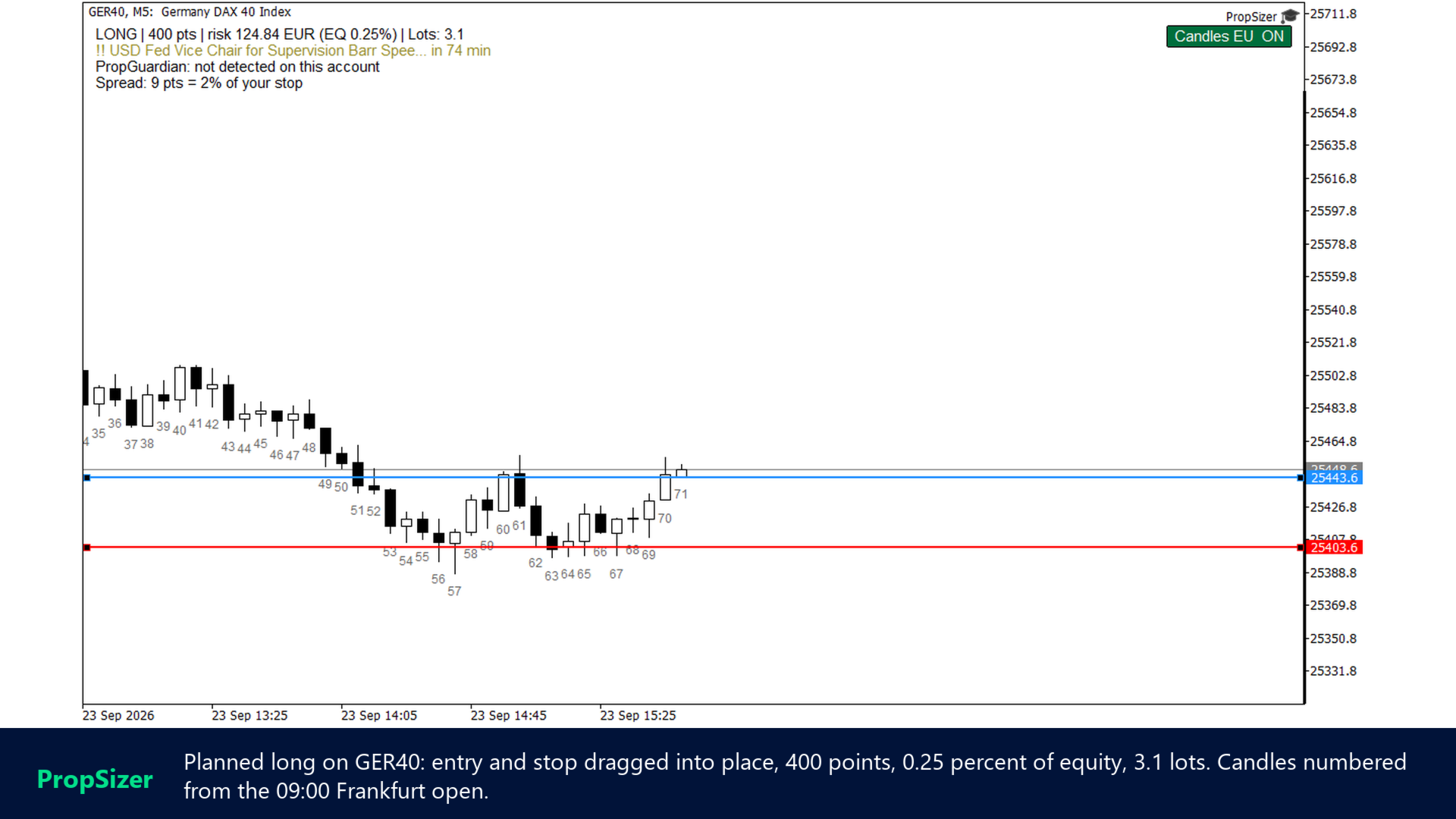
PropSizer is a free lot calculator on the chart: drag an entry line and a stop line, and one text line shows the broker normalised lot size for your risk, the money on the line and the stop distance. A session candle counter and a news line come with it.
Setup takes a minute: attach it to the chart you want to trade, set your risk per trade once, and drag the two lines. It never places an order.
Try it first
It is free. Attach it to any chart, drag the lines, read the number. In the strategy tester the lines and the counter work too; only the economic calendar is not available there, and the news line says so.
Guides
Setup guide (risk inputs, counter, news line, PropGuardian integration) | Questions: use the Comments tab of this product or send me a message.
What PropSizer does for you
The lot size never rounds up. Risk as percent of equity or balance, or as a fixed amount, optionally net of a round trip commission per lot. Lots are rounded down to the symbol's volume step, never up. If even the minimum lot risks more than you allow, the line says SKIP and shows what the minimum lot would really risk. If the panel shows 0.25 percent, the trade risks 0.25 percent or less.
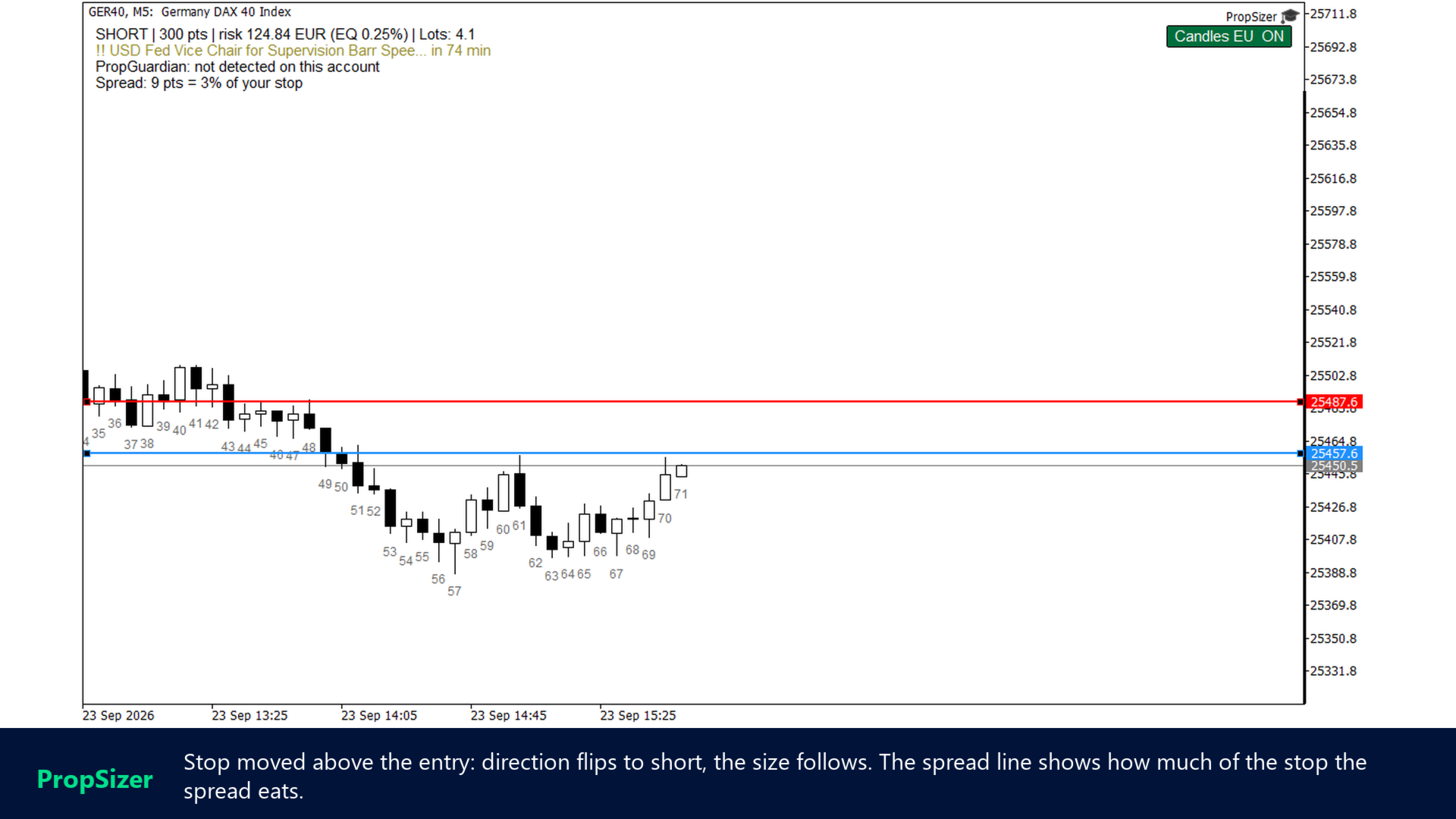
Direction comes from the lines. Stop below entry means long, stop above entry means short. Drag either line and the text updates; press R and both lines return to the market, the stop one ATR away. Lines and counter state survive timeframe changes, stored per symbol.
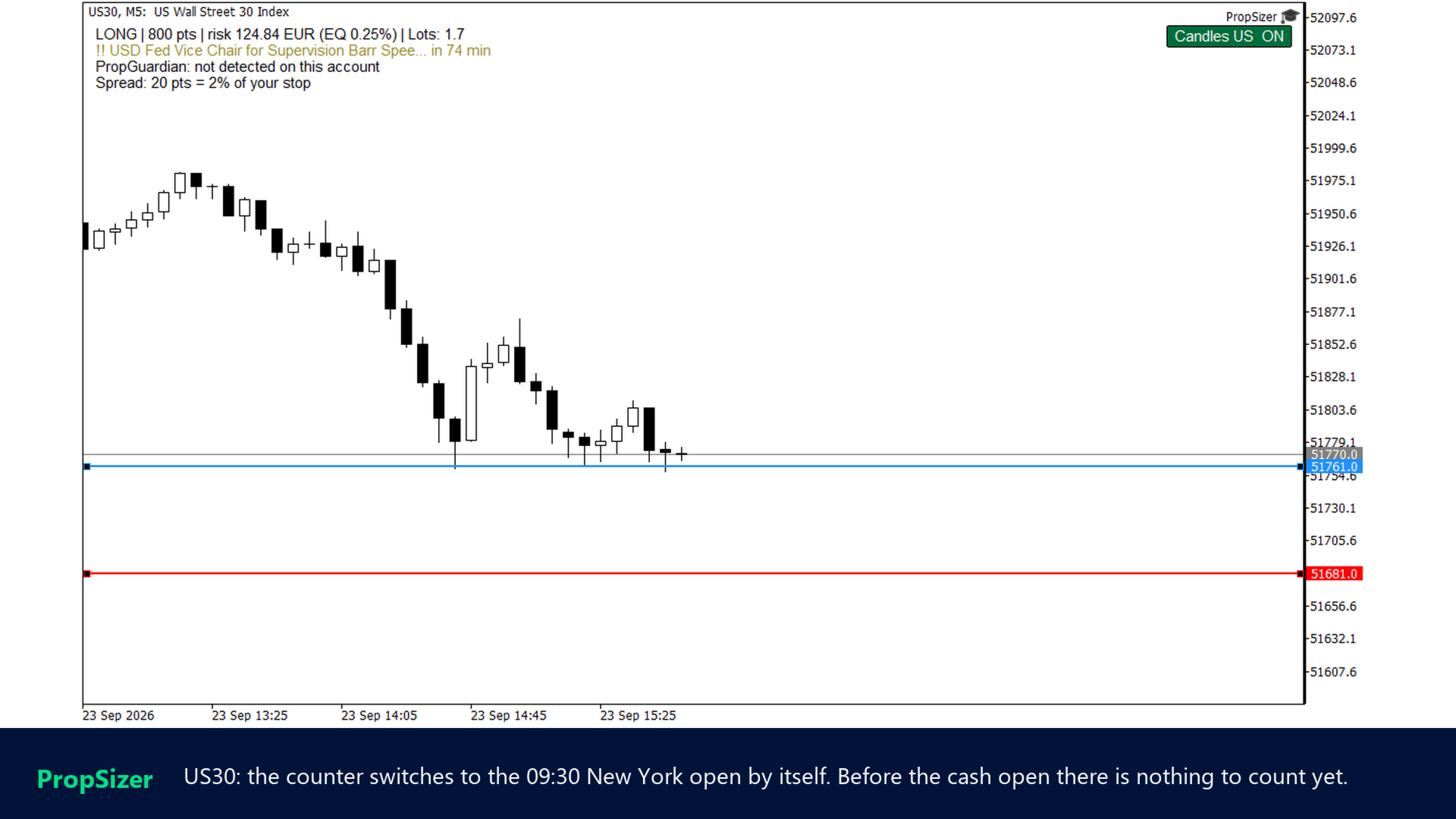
It counts the candles for you. Every candle from the cash session open is numbered 1, 2, 3 for each visible day on the timeframe you are looking at. If your playbook says "the second 15 minute candle" or "the seventh 5 minute candle", you stop counting by hand. EU indices count from 09:00 Frankfurt, US indices from 09:30 New York, both with automatic daylight saving converted to your broker's server time. One chart button switches the counter on and off.
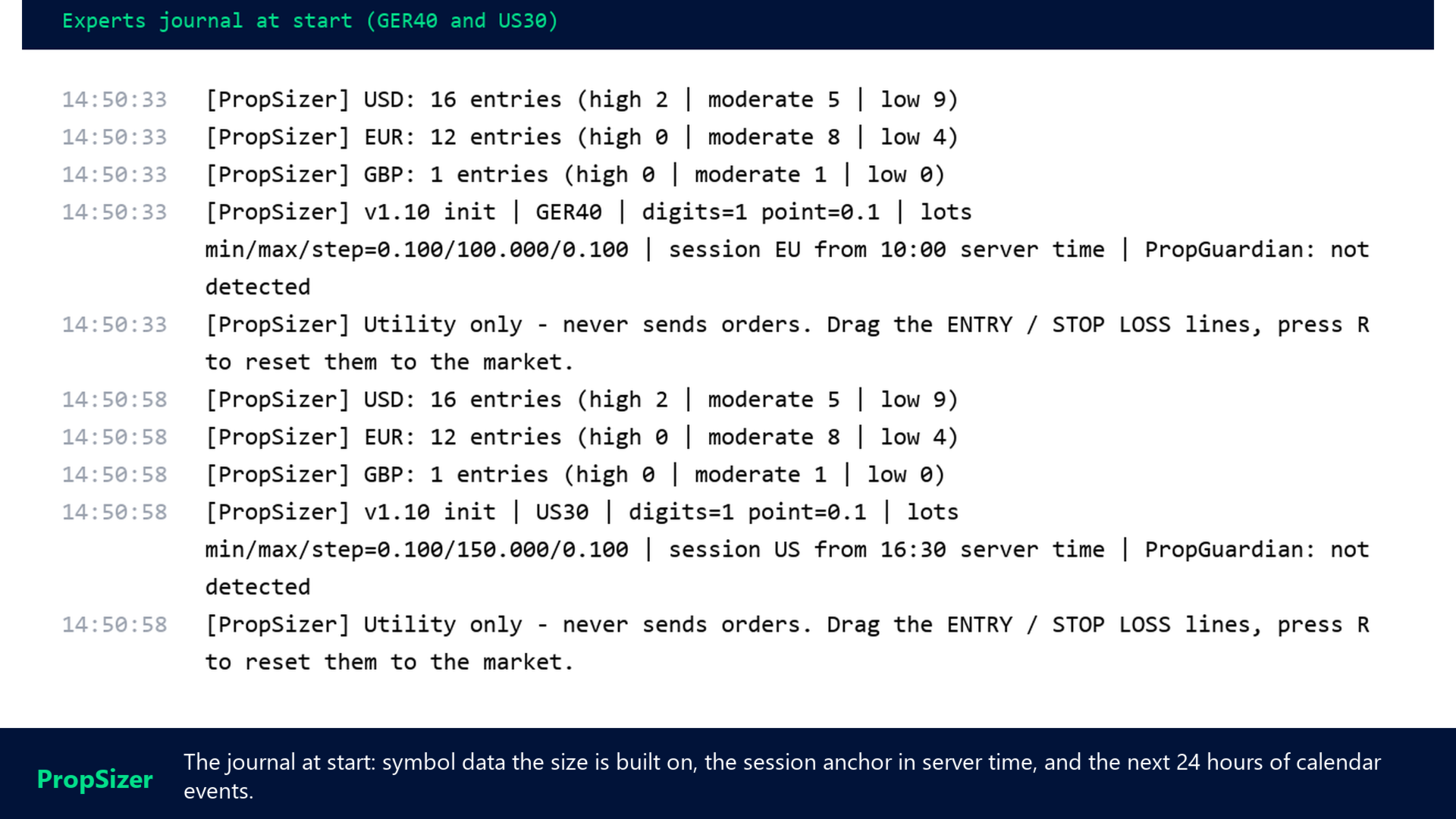
It tells you when the next release is. The second text line shows the next event from the built in MetaTrader 5 economic calendar for the currencies you list (default USD, EUR, GBP) within your look ahead window, filtered by importance. The line turns orange and then red as the release gets close. At start the next 24 hours of events are written to the journal, so you see at once whether the calendar is loaded.
It knows when your account is locked. If my PropGuardian runs on the same account, the third line shows its state, PROTECTING or DAY LOCKED. On a locked day the lot line shows 0 lots in red, because any new trade would be closed anyway. Without PropGuardian the line says "not detected" and everything else works as usual.
Where it fits
- One instance per chart, on the symbol you are about to trade. Index CFDs, FX, metals, crypto, anything with a tick value in the symbol specification.
- Session detection covers the common index CFD names. For other symbols the button shows "?" and EU is assumed, or set the open time by hand in server time.
- Tick value comes from the broker's symbol specification. If a broker reports zero, the panel shows n/a instead of guessing.
- In the strategy tester the calendar is not available and the broker's GMT offset is unknown, so session anchors are treated as UTC there. On a live chart everything is derived from the terminal.
- It is a calculator, not a trade panel: no order placement, ever.
Feature list
- Two draggable lines: ENTRY and STOP LOSS, direction detected automatically
- Risk as percent of equity or balance, or fixed money amount
- Commission per lot included in the risk on request
- Lots rounded down to the volume step, SKIP when the minimum lot is too large
- Spread as a share of the stop distance, red when it eats too much
- Key R resets both lines to the market
- Lines and counter state persist across timeframe changes
- Session candle counter: EU 09:00 Frankfurt, US 09:30 New York, manual, all DST aware
- Counter toggle button on the chart, labels for the visible range only
- News line from the MT5 economic calendar: currencies, look ahead window, importance filter
- Next 24 hours of events logged at start
- PropGuardian state on the panel, 0 lots on a locked day
- Text colour automatic for light and dark charts, all colours and positions as inputs
Quick start
- Attach PropSizer to the chart. Two lines appear: entry at the market, stop one ATR away.
- Drag the lines to your planned entry and stop. Read the lot size in the top left line.
- Set your risk per trade in the inputs once. Press R whenever you want the lines back at the market.
Support and reviews
If a symbol is not recognised or a number looks wrong, write to me through the Comments tab or a direct message with the journal line from the start, and I will look at it. If PropSizer saves you the mental arithmetic every day, a review on this page helps other traders find it. My other tools for prop firm accounts are PropGuardian (account protection), PropMirror (trade copier between your own accounts) and PropCorrelation (free correlation matrix): all my products.