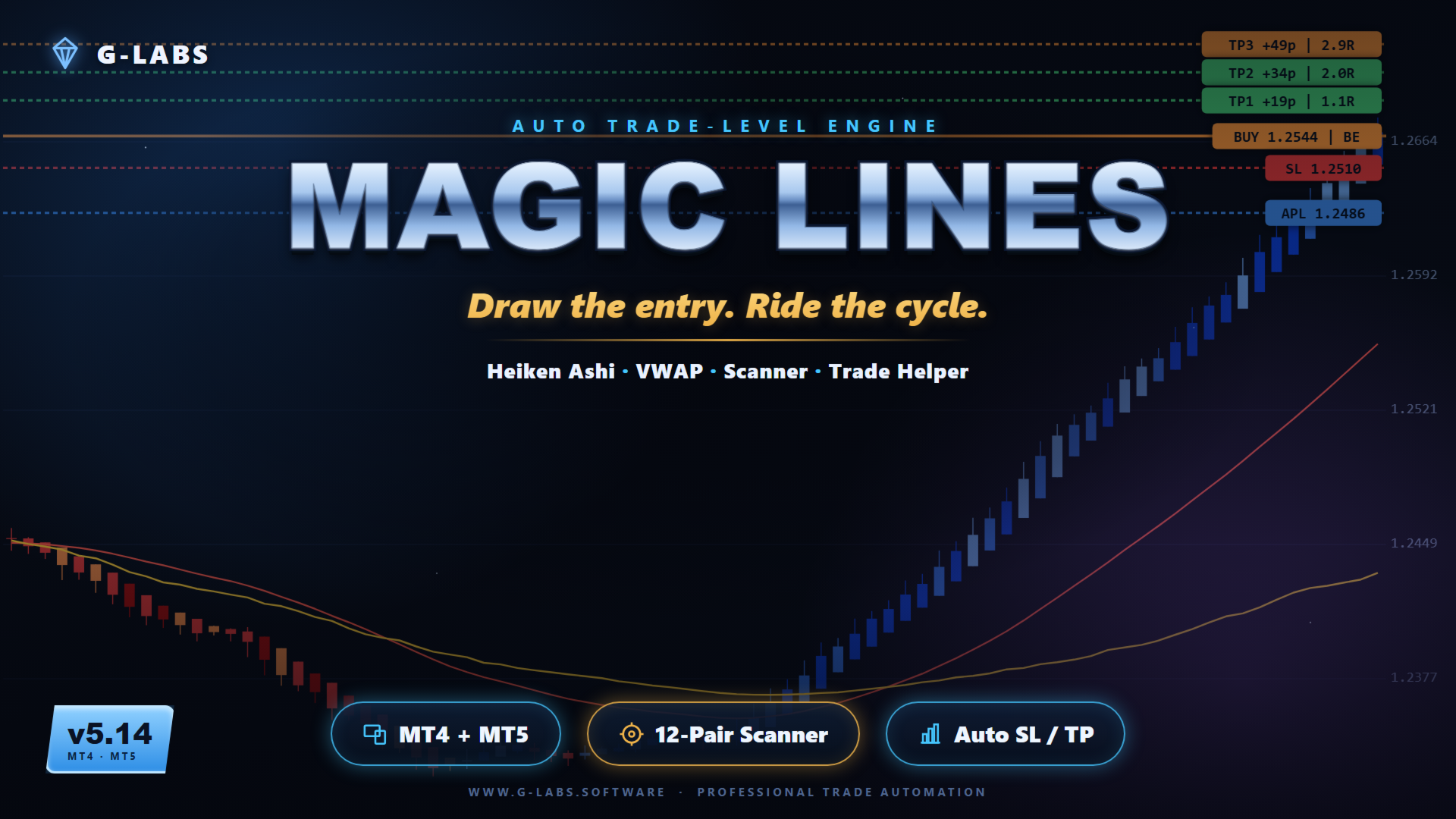
G-Labs MagicLines by G-Labs — multi-currency cycle and trend dashboard for MetaTrader 4. Heikin-Ashi cycle detection, trend-filtered MagicLine, VWAP MagicLine, multi-pair scanner, Trade Helper panel, and entry suggestions with stop loss and take profit levels from one chart.
MagicLines combines three analysis layers on each symbol. Heikin-Ashi cycle logic marks whether a pair is in an up or down cycle and records the structural anchor (swing high or low) where the cycle began. A trend-filtered MagicLine provides directional bias — signals only appear in that direction. A separate VWAP MagicLine acts as a dynamic reference for pullbacks, re-entries, and continuation trades. When all three layers align with higher-timeframe direction, the indicator can suggest entry, stop loss, and take profit levels.
What it does
Detects up and down cycles and assigns anchor points (Average Price High or Low) at the swing that started the move.
Tracks days elapsed since the anchor formed on the current timeframe, H4, and daily.
Measures distance from the anchor in average daily range multiples.
Shows whether price has touched a MagicLine and whether a re-entry opportunity is forming.
Displays today’s range in pips alongside average daily range context.
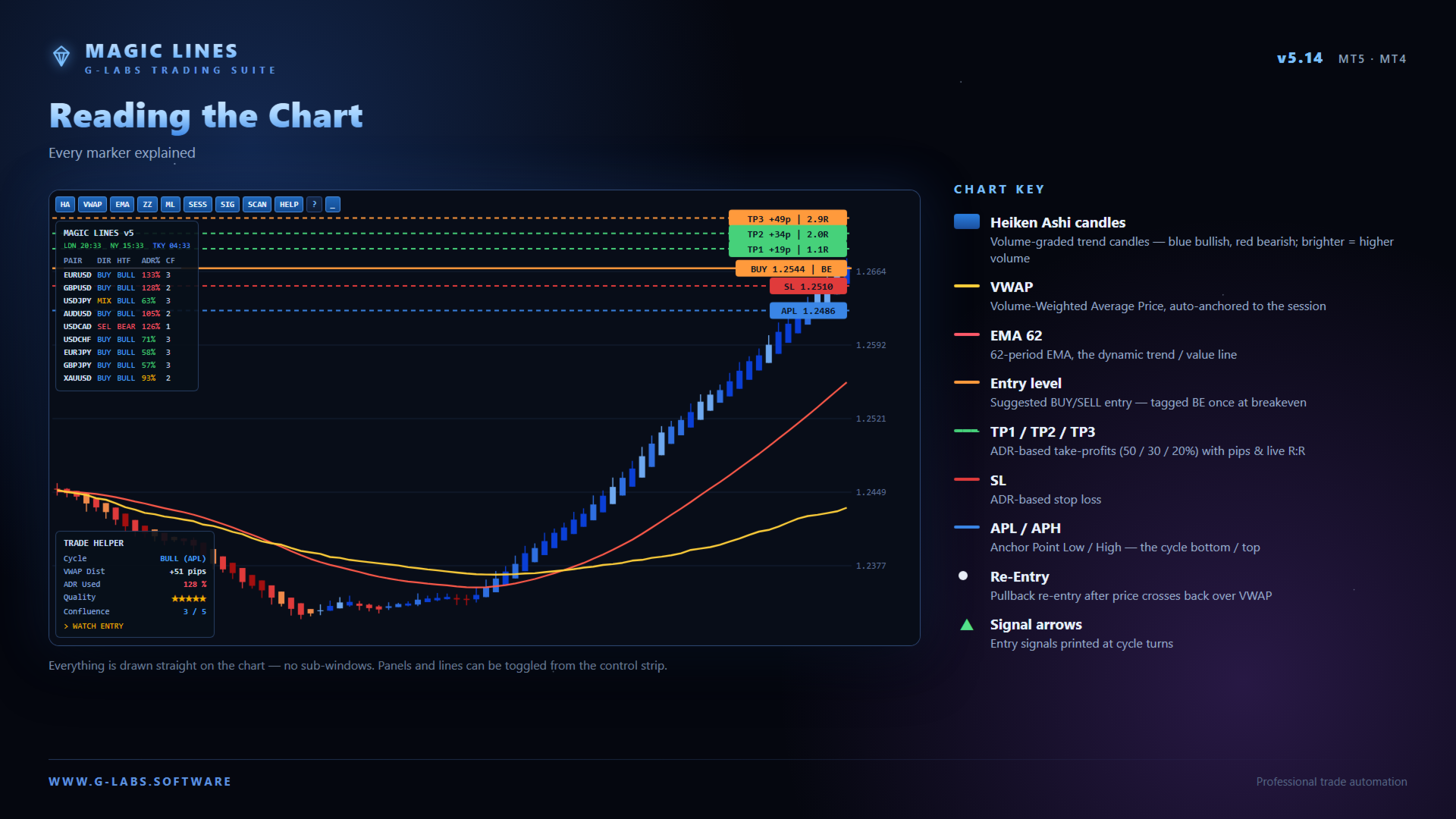
Draws entry, stop loss, re-entry, and three adjustable take profit targets (ML1, ML2, ML3) on the chart when conditions are met.
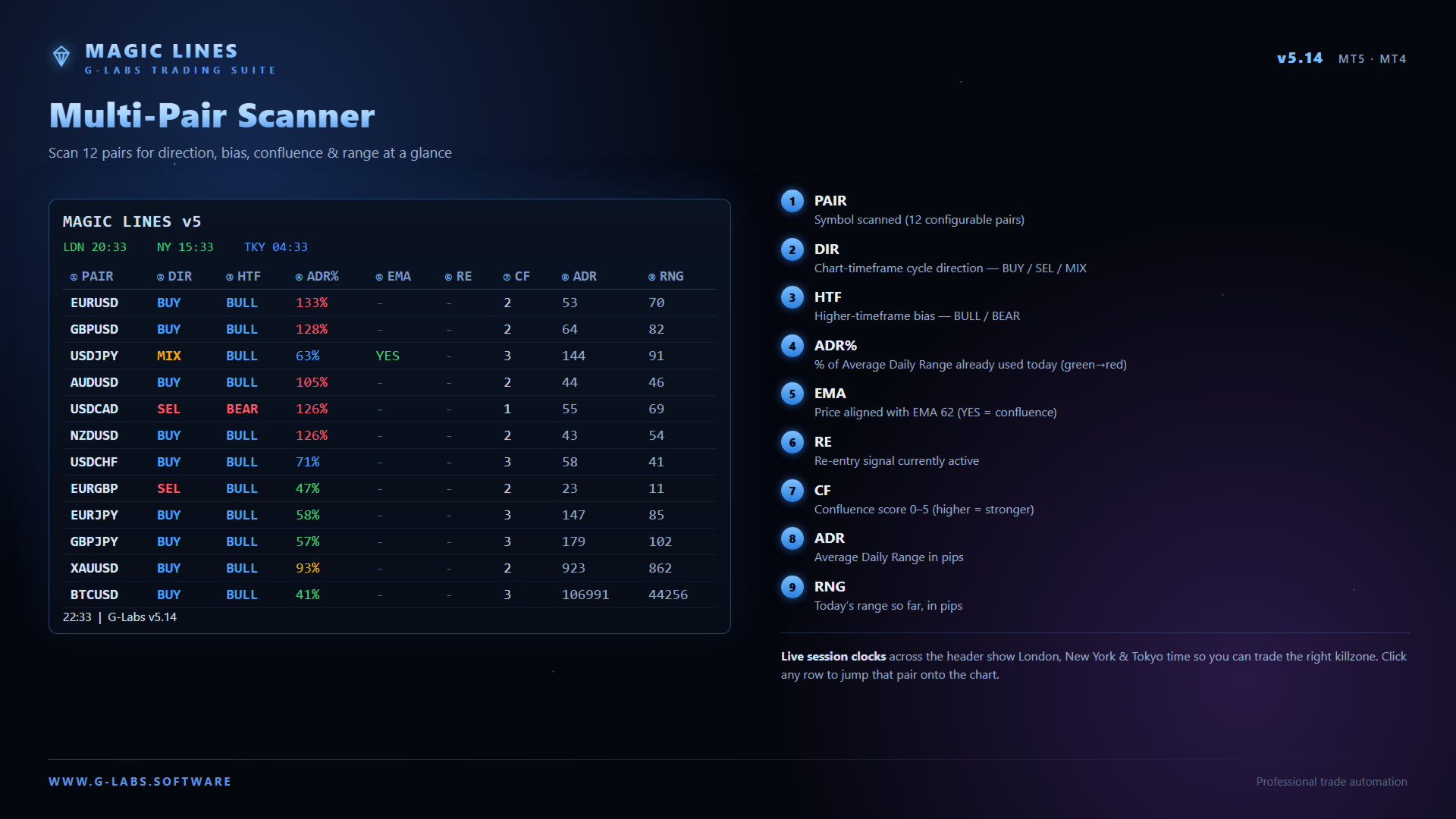
Scanner dashboard
Monitors a configurable multi-pair watchlist from one panel.
Columns include symbol, cycle direction, higher-timeframe bias, average daily range percentage, EMA touch, re-entry status, confluence score, range in pips, and today’s range.
Click a row to switch the chart to that symbol where the terminal allows.
Scanner alerts can run even when the panel is hidden.
Trade Helper
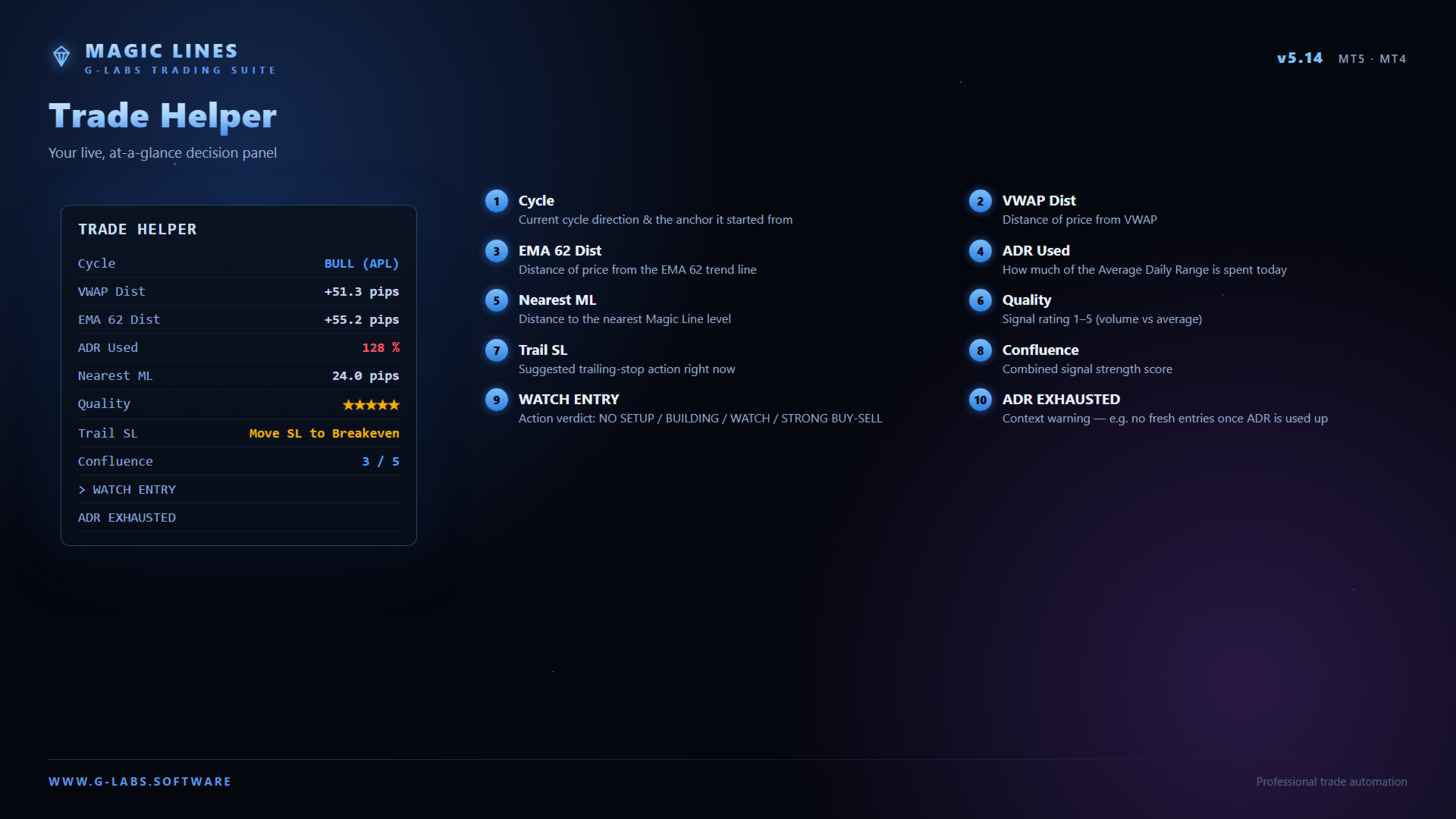
Real-time panel with cycle direction, VWAP and EMA distance, average daily range usage, confluence score, signal quality, and action guidance.
Optional legend explains abbreviations and colours.
On-chart features
Heikin-Ashi volume candles for momentum direction.
VWAP with automatic session anchoring.
EMA 62 trend filter.
ZigZag swing reference markers.
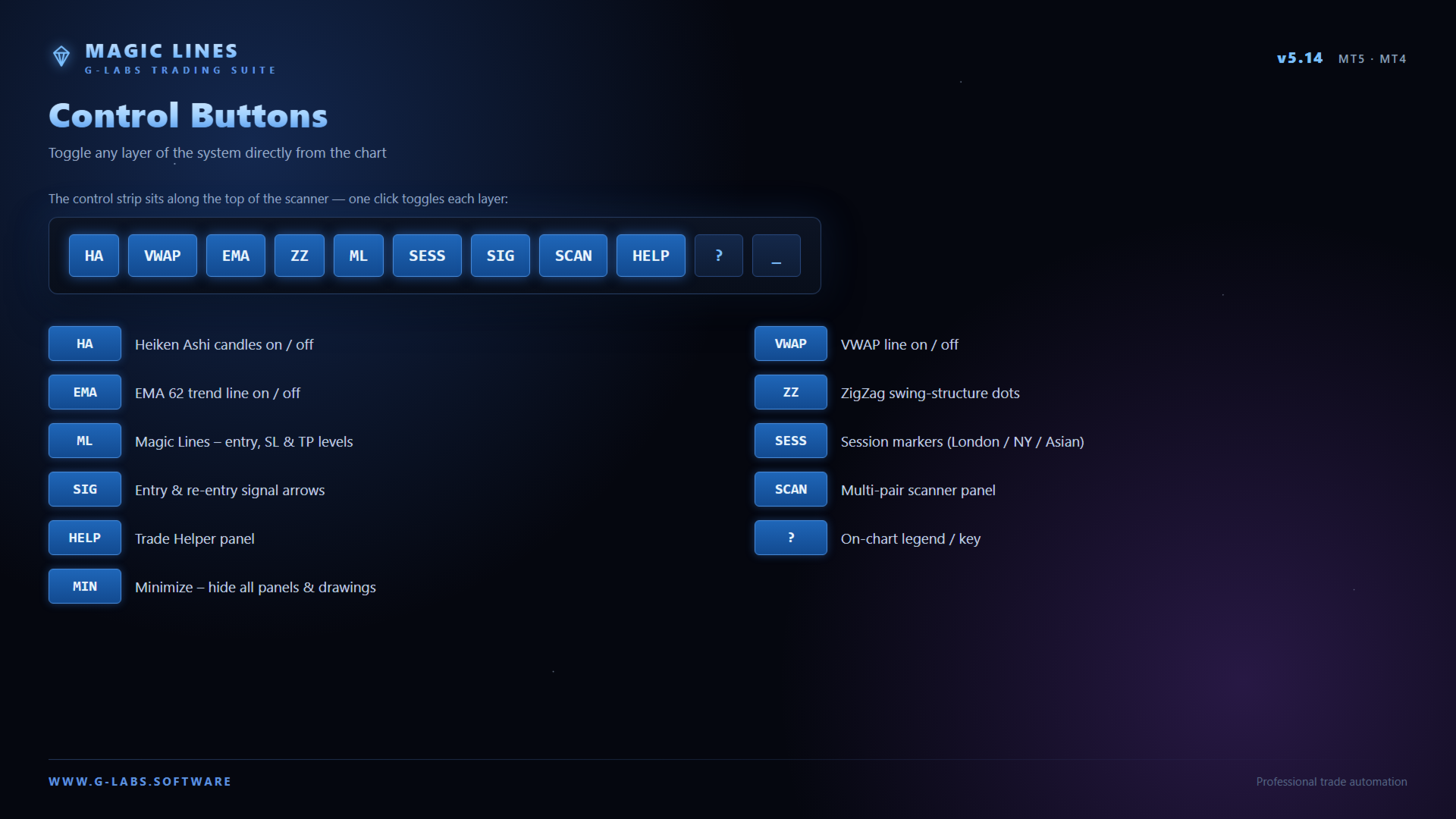
Toolbar toggles to show or hide candles, lines, signals, scanner, sessions, and helper panels.
Session markers for London, New York, and Asian sessions with configurable timezone.
Alerts
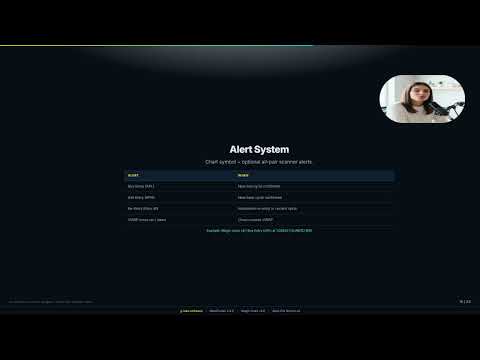
Popup and push notifications for cycle changes, entry, re-entry, VWAP cross, EMA touch, and scanner events across configured symbols.
Alert deduplication persists across chart changes and terminal restarts.
Alert types and sounds are configurable in inputs.
Quick start
Attach to any chart (M15 or H1 recommended).
Ensure scanner symbol names match your broker Market Watch list, including suffixes.
Click a dashboard row to switch pairs.
Adjust take profit targets, average daily range multipliers, and risk parameters in the indicator settings.
Requirements
MetaTrader 4 build 1350 or later.
Works on forex, metals, indices, and crypto where your broker provides data.
Analysis and signal tool only — does not place or manage trades automatically.
Past signal behaviour does not predict future results.
A MetaTrader 5 build is also available on the seller profile under G-Labs MagicLines.
G-Labs MagicLines is an analytical tool. It does not provide financial advice. Trading involves substantial risk of loss. Always use proper risk management.
Full MetaTrader 4 release with feature parity to MagicLines MT5 v5.14.
Alert deduplication persisted across chart changes, timeframe switches, and terminal restarts.
Scanner alerts remain active when the scanner panel is hidden.
Session timezone option for London, New York, and Asian markers (UK, GMT, or broker server time).
Optional hide Magic Lines after stop loss hit or after all take-profit targets are reached.
Trade Helper panel, multi-pair scanner, EA signal file output, and minimize toolbar.
Please note: MQL5 adds a demo version to all Market products by default. The demo runs on a single symbol and single timeframe on one chart. This product’s scanner reads multiple currency pairs and multiple timeframes at the same time, so the scanner and scanner-driven features are not compatible with the demo build and will not display or run. In the demo you will typically see basic chart objects only, such as EMAs and session overlays — that is expected behaviour, not a fault with the product. The full multi-pair scanner, dashboard, and all scanner logic are included in the purchased licence and are shown in the product video on the Screenshots tab. Analytical indicator only; it does not place trades for you. Past signal behaviour does not guarantee future results.