Quantum SuperTrend AI Alerts MT5

Quantum SuperTrend AI Alerts MT5- user guid: https://c.mql5.com/6/1003/Quantum_SuperTrend_AI_Alerts_MT5_Instruction_EN.txt

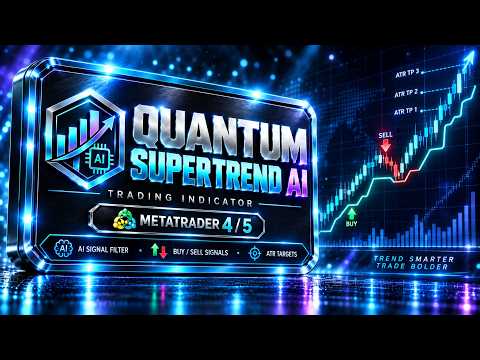
Quantum SuperTrend AI Alerts MT5 is a notification indicator and on-chart dashboard for MetaTrader 5. It is designed to work together with the main Quantum SuperTrend AI indicator and provide clear alerts when trading signals appear.

This product does not generate independent trading signals. It reads the signal buffers from Quantum SuperTrend AI and sends notifications for entry and exit events.

Important: Quantum SuperTrend AI Alerts MT5 works in combination with the main Quantum SuperTrend AI indicator.
The main indicator must be purchased separately here: https://www.mql5.com/ru/market/product/174405

What This Product Does

Quantum SuperTrend AI Alerts MT5 monitors the signals generated by Quantum SuperTrend AI and sends alerts when one of the following events appears:

Buy entry signal.

Sell entry signal.

ATR Take Profit exit.

SuperTrend reverse exit.

AI Exit signal.

The indicator also displays a movable dashboard on the chart with the current signal status, trade direction, entry price, Take Profit, SuperTrend reverse Stop Loss, entry time, time in trade, symbol, and timeframe.

Main Features

Buy signal alerts.

Sell signal alerts.

ATR Take Profit exit alerts.

SuperTrend reverse exit alerts.

AI Exit alerts.

MetaTrader 5 popup alerts.

Mobile push notifications via MetaQuotes ID.

Email notifications.

Sound alerts.

Terminal log messages.

Movable on-chart dashboard.

Alerts ON / OFF button directly on the dashboard.

Displays the active trading symbol.

Displays the current timeframe.

Displays current position status: Open Buy, Open Sell, or no active position.

Displays entry price.

Displays Take Profit level.

Displays Stop Loss level based on the opposite SuperTrend line.

Displays entry time.

Displays time in trade.

Clean dashboard interface for signal monitoring.

Dashboard

The dashboard provides quick visual control of the alert system directly on the chart.

It shows:

Product name.

Notification status.

Current symbol.

Current timeframe.

Current position.

Entry price.

SuperTrend reverse Stop Loss.

Take Profit.

Entry time.

Time in trade.

The dashboard can be moved by dragging its header. The chart movement is temporarily locked only while moving the dashboard, then restored automatically after the mouse button is released.

The dashboard also includes an ALERTS ON / ALERTS OFF button, allowing you to enable or disable notifications directly from the chart.

Notification Types

Quantum SuperTrend AI Alerts MT5 supports the following notification methods:

Popup Alert in MetaTrader 5.

Push Notification to mobile device.

Email Notification.

Sound Alert.

Print to Terminal Log.

Each notification type can be enabled or disabled in the input settings.

Required Main Indicator

Quantum SuperTrend AI Alerts MT5 requires the main indicator:

Quantum SuperTrend AI

This product is an add-on and is not intended to work as a standalone signal indicator.

The main indicator must be installed and available in MetaTrader 5. Without the main indicator, Quantum SuperTrend AI Alerts MT5 will not receive trading signals.

Purchase the main Quantum SuperTrend AI indicator here: https://www.mql5.com/ru/market/product/174405

Important Setup Note

For Market compatibility, the source connection is disabled by default.

After installation, to use alerts in live charts, set:

InpEnableSourceConnection = true

Then enter the exact source indicator file name in:

InpSourceIndicatorName

Example:

Quantum SuperTrend AI

If the indicator is installed in a subfolder, use the folder path, for example:

Market\\Quantum SuperTrend AI

Make sure the source indicator name matches the actual file name exactly, without .ex5 or .mq5 .

Recommended Setup

Install the main Quantum SuperTrend AI indicator.

Attach Quantum SuperTrend AI to the chart.

Attach Quantum SuperTrend AI Alerts MT5 to the same chart.

Set InpEnableSourceConnection = true .

Set InpSourceIndicatorName to the exact file name of the main indicator.

Use the same ATR, SuperTrend, Take Profit, ADX, RSI, and AI Filter settings in both indicators.

Enable push notifications in MetaTrader 5 if you want to receive mobile alerts.

Input Parameters

InpEnableSourceConnection — enables or disables connection to the main Quantum SuperTrend AI indicator.

InpSourceIndicatorName — file name of the main indicator used as the signal source.

InpAlertOnClosedCandleOnly — sends alerts only after a candle closes.

InpSendSignalOnAttach — sends the current existing signal immediately after attaching the indicator.

InpNotificationsDefaultOn — initial notification status.

InpUsePopupAlert — enables popup alerts.

InpUsePushNotification — enables mobile push notifications.

InpUseEmail — enables email notifications.

InpUseSound — enables sound alerts.

InpShowDashboard — shows or hides the dashboard.

InpDashboardX / InpDashboardY — initial dashboard position.

InpLockChartDragForPanel — prevents chart movement only while the dashboard is being moved.

Important Notice

Quantum SuperTrend AI Alerts MT5 is a monitoring and notification tool. It does not open, modify, or close trades automatically. It is not an Expert Advisor.

The product is designed only to read signals from Quantum SuperTrend AI and notify the user when those signals appear. Trading financial markets involves risk. Test all settings on a demo account before using them in live trading. Past signals, statistics, or historical results do not guarantee future profitability.


Yazarın diğer ürünleri
Risk Calculator Panel MT5 Product line:  Trade Assistant MT5 Standard    htps:// www.mql5.com/ru/market/product/174951 Trade Assistant MT5 PRO    https://www.mql5.com/ru/market/product/174552 Risk Calculator Panel MT5 is a free risk calculation and trade planning utility for MetaTrader 5 . The panel helps manual traders calculate lot size by risk, plan Entry / Stop Loss / Take Profit levels, check reward-to-risk ratio, and visualize the trade structure directly on the chart. This tool does not o
FREE
Each buyer of this indicator also receives a Bonus Package : Detailed installation and setup guide. Recommended settings for different timeframes. Ready-made presets for Currency pairs, gold, indices, and cryptocurrencies. Explanation of the candlestick pattern logic. Moving Average filter recommendations. Tips for reducing false signals. Settings for more frequent or stricter signals. Support with installation and basic setup. Indicator updates and improvements. Ability to use the indicator in
FREE
Each buyer of this indicator also receives a   Bonus Package : Detailed installation and setup guide. Recommended settings for different timeframes. Ready-made presets for Currency pairs, gold, indices, and cryptocurrencies. Explanation of the candlestick pattern logic. Moving Average filter recommendations. Tips for reducing false signals. Settings for more frequent or stricter signals. Support with installation and basic setup. Indicator updates and improvements. Ability to use the indicator i
FREE
Candlestick Patterns Standard for MT4 is an advanced MetaTrader 4 indicator that automatically detects popular Japanese candlestick patterns on the active chart. The indicator helps traders find potential bullish and bearish candlestick setups faster, without manually checking every candle. Detected patterns are displayed directly on the chart using arrows and text labels, making technical analysis more visual and convenient. Candlestick Patterns Standard is suitable for traders who use Price Ac
Japanese Candlestick Patterns Pro for MT4 Japanese Candlestick Patterns Pro for MT4 is a professional indicator for MetaTrader 4 designed to automatically detect popular Japanese candlestick patterns on the chart. The indicator helps traders find potential bullish and bearish candlestick formations faster, without manually checking every candle. Detected patterns are displayed directly on the chart with arrows and text labels, while the built-in summary table shows the current pattern overview.
Multi-Currency Candlestick Pattern Scanner for MT4 Multi-Currency Candlestick Pattern Scanner for MT4 is a professional multi-currency and multi-timeframe Japanese candlestick pattern scanner for MetaTrader 4. The indicator analyzes multiple trading instruments and timeframes simultaneously, displays detected bullish and bearish candlestick patterns in a dashboard panel, and can also show arrows, text labels, and a Moving Average directly on the active chart. This tool is designed for traders wh
Trade Assistant MT4 PRO Trade Assistant MT4 PRO is a professional trading panel for MetaTrader 4 , designed for manual traders who want faster execution, accurate risk calculation, and convenient trade management directly on the chart. The panel helps reduce routine manual work, prepare trading setups faster, calculate position size based on risk, visualize Entry / Stop Loss / Take Profit levels, and manage open positions with Break Even, Trailing Stop, Partial Close, and pending order tools. Th
Quantum SuperTrend AI MT4 Quantum SuperTrend AI MT4 is a visual SuperTrend-based indicator for MetaTrader 4, designed to identify trend entries, filter weak signals, and display trade statistics directly on the chart. The indicator shows trend direction, Buy/Sell signals, ATR Take Profit levels, ATR TP exits, reverse SuperTrend exits, and optional AI Exit signals. A built-in statistics panel displays total trades, winning trades, losing trades, and the current Win Rate. The indicator does not us
Universal Trade Copier MT4  is a professional local trade copying utility designed to copy trades between MetaTrader 4 and MetaTrader 5 terminals on the same computer or VPS. The product supports multiple copying directions: MT4 → MT4 MT5 → MT5 MT4 → MT5 MT5 → MT4 To copy trades in MT5, you need to purchase  Universal Trade Copier MT5:  https://www.mql5.com/ru/market/product/175615 The copier is suitable for traders who manage multiple accounts, use different MetaTrader terminals, work with d
Quantum SuperTrend AI Alerts MT4 Quantum SuperTrend AI Alerts MT4 is a notification and dashboard add-on for Quantum SuperTrend AI MT4 . It reads the signals from the main Quantum SuperTrend AI MT4 indicator and sends alerts when a new trade signal or exit signal appears. This tool is designed for traders who already use Quantum SuperTrend AI MT4 and want to receive clear notifications for Buy, Sell, Take Profit, SuperTrend reverse exits, and AI Exit signals without constantly watching the chart
FREE
User Guide and Settings : https://c.mql5.com/6/1001/Japanese_Candlestick_Patterns_Pro_EN__1.txt Bonus: every buyer receives Trade Assistant MT5 Standard as a gift   https://www.mql5.com/ru/market/product/174951 . After purchase, please contact the seller through the MQL5 private messaging system. Japanese Candlestick Patterns Pro  This is an indicator for MetaTrader 5 that automatically detects popular Japanese candlestick patterns on the chart in real time. You don’t need to search for signals

Indicator User Guide:  https://c.mql5.com/6/1001/Quantum_SuperTrend_AI_User_Guide_EN__1.txt Bonus: every buyer receives Trade Assistant MT5 Standard as a gift https://www.mql5.com/ru/market/product/174951 . After purchase, please contact the seller through the MQL5 private messaging system. Quantum SuperTrend AI is a professional visual trend indicator for MetaTrader 5, designed to identify SuperTrend-based entries, ATR Take Profit exits, reverse-trend exits, and filter-confirmed signals direct
User Guide:  https://c.mql5.com/6/1001/Multi_Currency_Candlestick_Pattern_Scanner_MT5_User_Guide_EN__1.txt Bonus: every buyer receives Trade Assistant MT5 Standard as a gift   https://www.mql5.com/ru/market/product/174951 . After purchase, please contact the seller through the MQL5 private messaging system. Multi-Currency Candlestick Pattern Scanner for MT5 is a professional dashboard indicator that automatically scans multiple symbols and timeframes for Japanese candlestick patterns in real tim
User Guide: https://c.mql5.com/6/1001/Candlestick_Patterns_Standard_MT5_User_Guide__1.txt Bonus: every buyer receives Trade Assistant MT5 Standard as a gift   https://www.mql5.com/ru/market/product/174951 . After purchase, please contact the seller through the MQL5 private messaging system. Candlestick Patterns Standard for MT5 is an advanced MetaTrader 5 indicator that automatically detects popular Japanese candlestick patterns directly on the chart and helps traders find potential market rever
User Guide:  https://c.mql5.com/6/1001/Trade_Assistant_MT5_PRO_Instruction_EN__1.txt Trade Assistant MT5 PRO   is a professional trading panel for   MetaTrader 5   designed to make manual trading faster, clearer, and more disciplined. It helps traders manage the entire trade workflow directly from the chart: risk calculation, lot size calculation, Buy/Sell execution, Entry / Stop Loss / Take Profit planning, breakeven, trailing stop, partial close, and pending order management. This product doe
Trade Assistant MT5 Standard Trade Assistant MT5 Standard is a trading panel for MetaTrader 5 , designed for manual traders who need fast risk calculation, lot size calculation, visual trade planning, and basic order execution directly from the chart. This is an intermediate version between the free risk calculator and the full Trade Assistant MT5 PRO version. The Standard version is suitable for traders who need the essential tools for preparing and opening trades, but do not need advanced auto
Universal Trade Copier MT5 is a professional local trade copying utility designed to copy trades between MetaTrader 4 and MetaTrader 5 terminals on the same computer or VPS. The product supports multiple copying directions: MT4 → MT4 MT5 → MT5 MT4 → MT5 MT5 → MT4 To copy trades in MT4, you need to purchase  Universal Trade Copier MT4:  https://www.mql5.com/ru/market/product/175626 The copier is suitable for traders who manage multiple accounts, use different MetaTrader terminals, work with di
Filtrele:
Değerlendirme yok
Değerlendirmeye yanıt