
Quantum SuperTrend AI Alerts MT5
- 지표
-
Andrei Strashko
 소개
소개
저희는 전문 트레이더이자 MetaTrader 4 및 MetaTrader 5용 Expert Advisor(EA), 트레이딩 인디케이터, 트레이딩 유틸리티를 개발하는 경험 많은 개발자입니다. - 버전: 3.1
- 업데이트됨: 12 7월 2026
- 활성화: 5
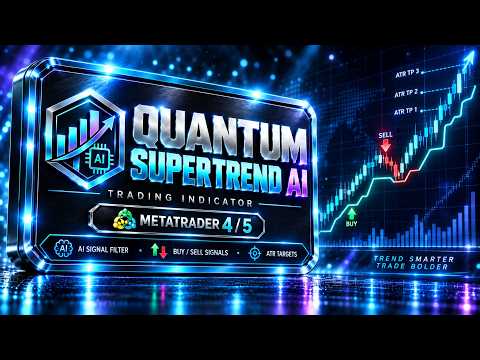
Quantum SuperTrend AI is an indicator with AI-powered intelligent signal filtering: the indicator analyzes market conditions, filters out part of weak impulses, and helps traders see a cleaner market picture without unnecessary noise.
Quantum SuperTrend AI is a professional trading indicator for MetaTrader 5, created for traders who need a clear visual tool for trend analysis, trading signals, and control of possible exit zones.
The name Quantum SuperTrend AI reflects the core idea of the product. Quantum emphasizes precision, a structured approach, and step-by-step analysis of market movement. SuperTrend refers to the trend-based foundation of the indicator, which helps identify market direction and visually follow price movement. AI means intelligent signal filtering, designed to help separate more meaningful impulses from random market noise.
The indicator helps traders understand market conditions faster: where directional movement is forming, where a potential buy or sell signal appears, where price may continue the trend, and where momentum may start to weaken. Instead of an overloaded chart, the trader gets a clearer structure: direction, signal, filtering, target, and possible exit.
Quantum SuperTrend AI Alerts MT5- user guid
Quantum SuperTrend AI is based on SuperTrend logic, enhanced with signal filtering, ATR-based targets, visual levels, exit signals, an information panel, and a notification system. This approach helps the trader not just see an entry arrow, but evaluate the market situation more broadly: trend direction, signal quality, and further trade management.
Buy and Sell signals are displayed directly on the chart. They help the trader find potential entry points faster in the direction of the current movement. At the same time, the indicator does not overload the chart with unnecessary marks: AI filtering helps remove part of weak impulses and makes visual analysis cleaner.
ATR-based targets help evaluate possible price movement zones. This is especially useful for traders who want to see potential reference points for trade development in advance. These levels do not guarantee price movement, but they provide additional structure for analysis and planning.
Exit signals help control the situation after entry. The indicator shows moments when the trader should pay closer attention to the position: the trend may be weakening, momentum may be losing strength, and the market may be entering a phase of uncertainty. This makes Quantum SuperTrend AI useful not only for finding entries, but also for managing trades.
The built-in information panel shows the current signal status directly on the chart. The trader does not need to manually check every element of the indicator — the key information is always visible. This is convenient for active trading, working with multiple instruments, or analyzing different timeframes.
The notification system helps traders avoid missing important moments. When a new trading signal or an important change in market state appears, the indicator can send a notification so the trader can quickly open the chart and evaluate the situation.
Quantum SuperTrend AI is suitable for manual trading, trend-following strategies, entry confirmation, visual market analysis, and management of open positions. The indicator can be used on currency pairs, indices, metals, cryptocurrencies, and other instruments available in MetaTrader 5.
Key features of Quantum SuperTrend AI:
• AI-powered intelligent signal filtering
• market direction detection based on SuperTrend logic
• Buy and Sell signals on the chart
• visual trend levels
• ATR-based targets for estimating potential movement zones
• exit signals for possible exit control
• filtering of weak impulses and market noise
• built-in information panel
• notifications about important signals
• clear visual structure without chart overload
• flexible use on different instruments and timeframes
The main advantage of Quantum SuperTrend AI is its comprehensive approach to trade analysis. The indicator helps the trader see not only the entry moment, but also the further development of market movement. It shows when the market is in an active trend phase, when a signal appears, when price moves toward a target zone, and when it is worth paying closer attention to a possible exit.
Quantum SuperTrend AI is created for traders who want to remove unnecessary noise from the chart and make decisions based on a clearer market structure. It helps analyze the situation faster, see movement direction more clearly, and manage the trade more calmly from signal to possible exit.
If you need an indicator for MetaTrader 5 that combines trend logic, AI filtering, Buy/Sell signals, ATR-based targets, exit signals, notifications, and a convenient status panel, Quantum SuperTrend AI can become a strong addition to your trading system.



































사용자가 평가에 대한 코멘트를 남기지 않았습니다