MML Data Bridge
- Kütüphaneler
- Sürüm: 1.1
- Güncellendi: 19 Ocak 2026

INTRODUCING MML Data Bridge
The demand for bridging external data and machine learning with trading platforms is higher than ever. MetaTrader 5 is a powerful environment for trading and back testing, but without a data bridge, MT5 is largely isolated from using any external data.
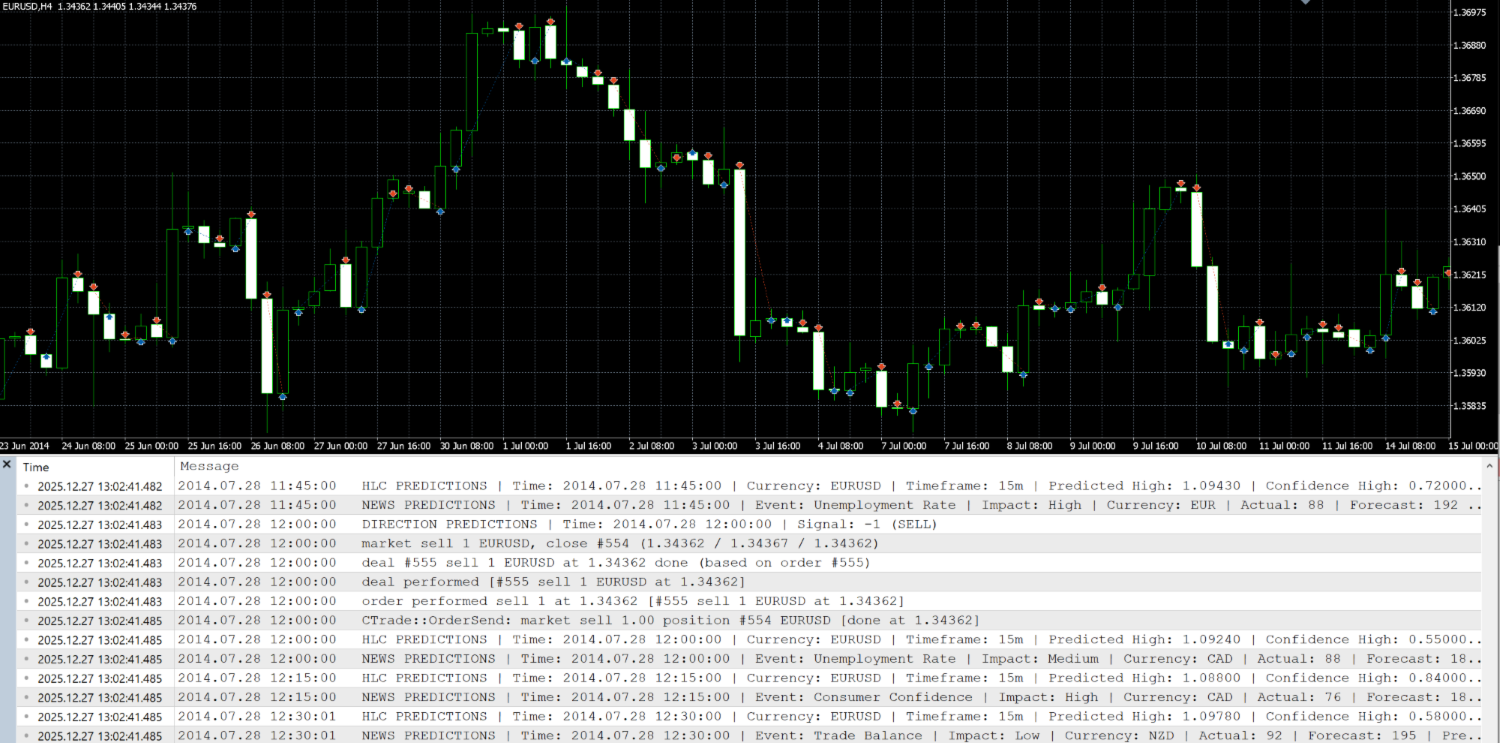
MML Bridge is a developer tool that allows users to bridge external data into MT5 for back testing, live trading, and optimization. It's built for ease of use, providing users with a simple function API that drip-feeds static data from CSV/TSV files into the back tester or returns the latest data into MT5 for live trading.
- User Set Up Manual: https://www.mql5.com/en/blogs/post/766374
- Required Files: https://www.mql5.com/en/blogs/post/766519
- MML Data Bridge Code Structure and MQL5 Programing Challenges: https://www.mql5.com/en/blogs/post/766520
- Common Issues and Resolves: https://www.mql5.com/en/blogs/post/766376
KEY FEATURES
Synchronized Trading across Environments: Uses the same function API to populate any object type, from any file, across all trading environments.
Ease of use: MML Bridge was built for developers to quickly and easily return predictive data into MT5
"Drip-Feed" Data for Realistic back testing: Unique to MML Bridge is its ability to feed data incrementally into the MT5 Strategy Tester, simulating live market conditions.
Real Time Signal Bridge: The same api used for back testing/optimizing also returns live signals written to a csv/tsv into MT5.
Scalability: MML Bridge checks the integrity of external data before exporting the data to binary files. Using binary files allows for faster data retrieval for back testing and has been proven to work with files exceeding millions of data entries with zero bottlenecks. Binary data is reused over back tests to ensure faster file access.
TECHNICAL SPECIFICATIONS
Directory Management: Creates a folder and a configuration file inside the Common Files directory for every EA that uses the bridge. This folder acts as a data pipeline between MetaTrader 5 and your machine and holds meta data and binary files. Any data existing or generated to the Common File directory (for live trading) can be read into your EA.
Configuration File: Input any number of CSV or TSV files to be read into the EA. Using a configuration file is more versatile then using EA input parameters and makes bridge functionality easier.
Data Integrity: Scans and verifies file automatically to determine the most memory efficient data type to use in the Strategy Tester. This schema is provided back to the user so they can declare a "data structure" to hold external data returned to the EA.
Global Timezone Conversions: Automatic UTC conversion handles any timezone format (ISO 8601 compliant). Works with data from any timezone automatically with no manual conversion required.
THE MISSING LINK TO TRADING
In summary, MML Bridge transforms the way quant traders use MT5: it bridges the gap between MetaTrader and modern data science. You get verified data feeds, realistic back testing, and real-time execution of AI-driven strategies. MML Bridge is perfect for algorithmic traders, quantitative traders or anyone looking to use external data in there trading strategies.