Ultra Charts

Ultra Charts - Advanced Custom Chart Types for MT5

Ultra Charts is a comprehensive charting solution that brings professional-grade alternative chart types to MetaTrader 5. This Expert Advisor provides traders with multiple custom chart formats beyond standard time-based candlesticks, enabling enhanced technical analysis and pattern recognition.

Chart Types Included

The product includes six distinct chart types, each designed to filter market noise and highlight specific price patterns:

Second Charts - Time-based charts using custom second intervals for ultra-short-term analysis and scalping strategies.

Tick Charts - Volume-based charts that create new bars after a specified number of ticks, providing consistent volume representation regardless of time.

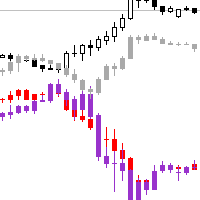
Heiken Ashi Charts - Modified candlestick charts that smooth price action and help identify trends more clearly by averaging price data.

Line Break Charts - Price action charts that only create new lines when price moves beyond previous highs or lows by a specified amount, filtering out minor fluctuations.

Range Charts - Charts that form new bars only when price moves a specific range, making them time-independent and focused purely on price movement.

Renko Charts - Brick-based charts that eliminate time and volume, displaying only price movements of a fixed size to highlight trends and support resistance levels.

Key Features

Intuitive Dashboard Interface - Manage all chart types from a single, user-friendly control panel with organized columns for each chart type.

Multiple Chart Management - Create and manage up to 20 custom charts per base symbol, allowing comprehensive multi-timeframe and multi-type analysis.

Real-Time Updates - All custom charts update automatically with incoming market data, ensuring accurate and timely information.

Easy Configuration - Simple setup process for each chart type with clear parameter inputs and visual feedback.

Duplicate Detection - Built-in system prevents creation of duplicate charts with identical configurations.

Chart Organization - Scroll through multiple charts within each type category, with clear labeling and easy removal options.

One-Click Operations - Open all configured charts simultaneously or close them with single button clicks for efficient workspace management.

How It Works

The Expert Advisor creates custom symbols in MetaTrader 5 that represent alternative chart calculations. Once configured through the dashboard, each chart type generates its own tradable symbol that can be opened in a separate chart window. This approach ensures proper data handling and allows traders to apply indicators and expert advisors to the custom charts just like regular charts.

Usage Instructions

Attach the Expert Advisor to any chart in MetaTrader 5. The dashboard will appear, displaying six columns representing different chart types. Click the Add New button in any column to configure a new chart of that type. After configuration, use the Open Charts button to display all configured charts in separate windows. Charts remain active until closed, with the dashboard providing central management for all custom chart instances.

Performance Optimization

The system uses efficient round-robin processing to update multiple charts without overloading the platform. Loading screens provide visual feedback during chart initialization. The 20-chart limit per base symbol ensures optimal performance across all timeframes and chart types.

Support

Product support is provided through the comments section. All questions and technical assistance requests will be addressed promptly to ensure proper functionality and user satisfaction.

Yazarın diğer ürünleri
TTM Squeeze MT5
Tinashe Ndarimani
4.75 (4)
Overview The TTM Squeeze indicator helps identify low volatility periods (squeeze) that often precede price breakouts. It uses Bollinger Bands (BB) and Keltner Channels (KC) to determine when the market is "coiling" and ready to move. Configuration Guide Volatility Settings The indicator uses Bollinger Bands to measure market volatility. When BBs are inside Keltner Channels, a squeeze is detected. The squeeze suggests the market is consolidating and may soon break out. True Range Option Optional
FREE
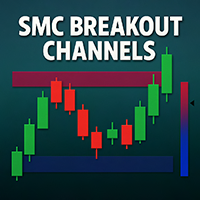
SMC Breakout Channels Anticipate market breakouts with precision. SMC Breakout Channels automatically detect accumulation and distribution ranges where professional traders (“smart money”) are most active. By combining volatility-based range detection with real-time volume analysis, this tool highlights the key breakout zones that often precede strong directional moves. Advantages Clarity: No clutter, just clean breakout boxes with clear bullish/bearish bias. Early Signals: Detect hidden ac
FREE
Benefits and Usage of the Volume Bubble Tool This tool, (one of my favorites by Algo Alpha, from Tradingview)  provides an advanced method of volume analysis by moving beyond traditional histograms. It leverages statistical normalization (Z-score) on lower-timeframe data to identify and classify statistically significant volume events, visualizing the dynamic between "Smart Money" (institutional) and "Retail" participants. Core Benefits Intuitive On-Chart Visualization: By plotting volume as bub
XAU Scalper MT5 MT4   Sürümü Altın çiftlerindeki kısa vadeli fiyat hareketlerini gözlemlemek için bir analiz aracıdır. XAU Scalper Göstergesi, mum istikrarına, RSI'ya ve kısa vadeli momentuma dayalı alım ve satım sinyalleri sağlar. Ticaret yapanların XAU çiftlerindeki kısa piyasa hareketleri sırasında potansiyel giriş noktalarını belirlemelerine yardımcı olmak için tasarlanmıştır. Özellikler     Mum İstikrar Endeksi:   Fiyat hareketinin güvenilirliğini değerlendirmek için mum gövdesi ve fitiller
FREE
Overview The TTM Squeeze indicator helps identify low volatility periods (squeeze) that often precede price breakouts. It uses Bollinger Bands (BB) and Keltner Channels (KC) to determine when the market is "coiling" and ready to move. Configuration Guide Volatility Settings The indicator uses Bollinger Bands to measure market volatility. When BBs are inside Keltner Channels, a squeeze is detected. The squeeze suggests the market is consolidating and may soon break out. True Range Option Optiona
FREE
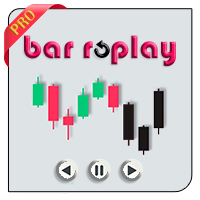
MetaTrader 5’in kısıtlamaları nedeniyle EA, Strateji Testçisi modunda ça Nasıl çalıştığını görmek için demo sürümünü indirebilirsiniz. Bu EA'yı kullanmanın iki temel adımı şunlardır: How To Use EA'yı istediğiniz sembole Constructor girişi ile yükleyin. Ardından, yeni oluşturulan özel sembole Controller girişi ile EA'yı yükleyin. Overview MT5 Bar Replay Pro, MetaTrader 5’in TradingView’in "Bar Replay" özelliğine verdiği yanıttır. MT5’in tüm 21 zaman dilimini destekler ve brokerınızın sağla
XAU Scalper MT4 MT5 Sürümü Altın çiftlerindeki kısa vadeli fiyat hareketlerini gözlemlemek için bir analiz aracıdır. XAU Scalper Göstergesi, mum istikrarına, RSI'ya ve kısa vadeli momentuma dayalı alım ve satım sinyalleri sağlar. Ticaret yapanların XAU çiftlerindeki kısa piyasa hareketleri sırasında potansiyel giriş noktalarını belirlemelerine yardımcı olmak için tasarlanmıştır. Özellikler Mum İstikrar Endeksi ( Candle Stability Index ): Fiyat hareketinin güvenilirliğini değerlendirmek için mum
FREE
MT4 version Overview The Lowess Channel indicator is a smoothed trend-following tool designed to help traders identify the direction of the trend , detect flat or ranging markets , and spot breakouts from consolidation zones. It creates a central smoothed line with upper and lower channel boundaries, adapting to market noise while maintaining clarity. How It Works The indicator builds a channel around a smoothed price line. The central line reflects the current trend. The upper and lower bounda
FREE
Lowess Channel
Tinashe Ndarimani
5 (1)
MT5 version Overview The Lowess Channel indicator is a smoothed trend-following tool designed to help traders identify the direction of the trend , detect flat or ranging markets , and spot breakouts from consolidation zones. It creates a central smoothed line with upper and lower channel boundaries, adapting to market noise while maintaining clarity. How It Works The indicator builds a channel around a smoothed price line. The central line reflects the current trend. The upper and lower bound
FREE
This EA generates custom Heiken Ashi bars (Standard or Smoothed) on a separate symbol. Below is a guide for using the EA effectively with each input setting: 1. HeikenAshiType input ENUM_HEIKEN_ASHI HeikenAshiType = HEIKEN_STANDARD; Options: HEIKEN_STANDARD or HEIKEN_SMOOTHED Use: Choose the type of Heiken Ashi to generate: HEIKEN_STANDARD for traditional Heiken Ashi bars. HEIKEN_SMOOTHED for smoothed versions using MA filters. 2. SmoothingPeriod input int SmoothingPeriod = 7; Use: Applies only
FREE
Market Cipher
Tinashe Ndarimani
Overview Inspired by Tradingview’s falconCoin, The Market Cipher indicator is a momentum oscillator used to detect overbought/oversold conditions and potential trend reversals. Traders can also use it to spot divergences between price action and momentum for early entry or exit signals. Configuration Guide Core Indicator Settings The indicator calculates momentum using a short-term and a longer-term average. Momentum is plotted as a wave oscillating between overbought and oversold thresholds. Ov
FREE
MT5 Version GENEL BAKIŞ Bu gösterge, gelişmiş bir trend takip modeli ile dinamik fiyat reddi algılama, dinamik mum renklendirme ve ATR tabanlı hedef projeksiyonunu birleştirerek, traderlara trend devamı kurulumlarını tanımlamak ve yönetmek için eksiksiz bir görsel sistem sunar. Doğrudan grafik üzerine bindirilir, potansiyel trend değişimlerini otomatik olarak tespit eder, uyarlanabilir destek/direnç yakınlarındaki reddi doğrular ve yapılandırılmış risk-getiri kararlarını desteklemek için hesa
Trend Wave Surfer
Tinashe Ndarimani
5 (1)
MT4 Version GENEL BAKIŞ Bu gösterge, gelişmiş bir trend takip modeli ile dinamik fiyat reddi algılama, dinamik mum renklendirme ve ATR tabanlı hedef projeksiyonunu birleştirerek, traderlara trend devamı kurulumlarını tanımlamak ve yönetmek için eksiksiz bir görsel sistem sunar. Doğrudan grafik üzerine bindirilir, potansiyel trend değişimlerini otomatik olarak tespit eder, uyarlanabilir destek/direnç yakınlarındaki reddi doğrular ve yapılandırılmış risk-getiri kararlarını desteklemek için hesa
This EA generates custom Line Break charts on a separate symbol using the following input settings: 1. LineBreak input int LineBreak = 3; Use: Defines the number of lines required for a reversal (e.g., 3-line break chart). Set to 1: For 1-line break charts (more responsive). Higher values: Create smoother, trend-following charts. 2. StartDate input datetime StartDate = D'2025.03.01';s Use: Specifies the date from which historical data should be loaded and processed. 3. LineBreakTime input bool L
FREE
Overview Inspired by Tradingview’s falconCoin, The Market Cipher indicator is a momentum oscillator used to detect overbought/oversold conditions and potential trend reversals. Traders can also use it to spot divergences between price action and momentum for early entry or exit signals. Configuration Guide Core Indicator Settings The indicator calculates momentum using a short-term and a longer-term average. Momentum is plotted as a wave oscillating between overbought and oversold thresholds. Ov
FREE
Interactive Trader - Advanced Visual Trading Panel for MT5 Get Ultra Charts Here! Get Ultra Charts Demo Here! Interactive Trader is a comprehensive visual trading solution that enables traders to execute and manage trades directly from the chart using an intuitive graphical interface. This Expert Advisor combines one-click trading with advanced order management capabilities, making professional trading tools accessible through simple mouse and keyboard controls. Core Features Visual Trading Int
FREE
Filtrele:
İnceleme yok
İncelemeye yanıt