RapidKeys
- Утилиты
- Версия: 1.0

RapidKeys is a lightweight, keyboard-driven trade execution and risk management utility for MetaTrader 5. Built for scalpers, day traders, and active manual traders, it lets you open positions, apply Stop Loss and Take Profit levels, move stops to Breakeven, and close all open trades on your active chart with a single keystroke.
Eliminate repetitive mouse clicks and standard order window delays. Simply attach RapidKeys to any chart, enable Algo Trading, and manage your trades directly from your keyboard.
Key Features
-
One-Key Market Execution: Open instant Buy or Sell orders at current market prices with automatic broker lot-size normalization and margin verification.
-
Instant Fixed SL & TP Placement: Attach predefined Stop Loss and Take Profit levels (in points) to all open positions on the active symbol simultaneously, automatically respecting broker minimum stop levels.
-
One-Key Breakeven (BE): Protect open profits by moving your Stop Loss to the entry price plus a customizable point offset with a single keypress.
-
Asynchronous Close All: Close all open positions on the current chart symbol concurrently using non-blocking OrderSendAsync execution.
-
Magic Number Filtering: Manage only trades opened by RapidKeys, or set MagicNumber = 0 to apply SL/TP, Breakeven, and Close All actions to manual trades on the same symbol.
-
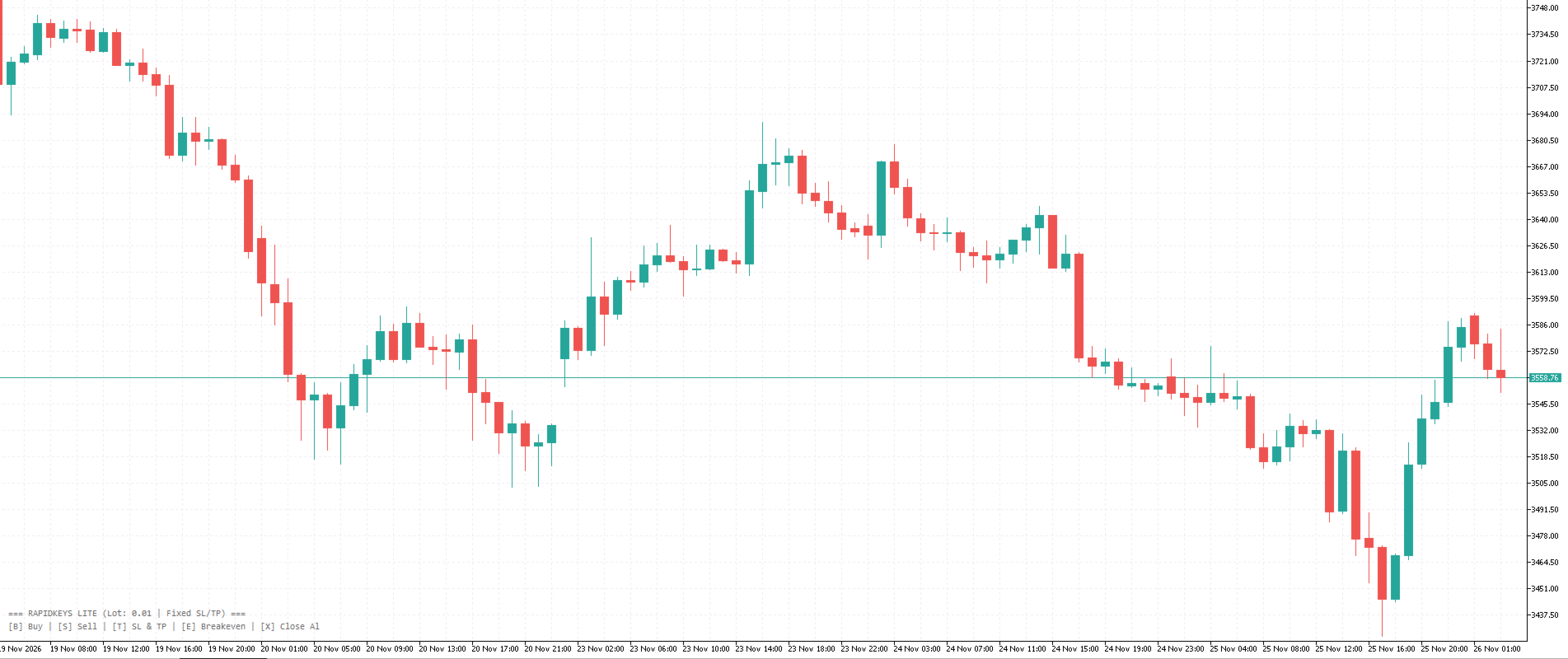
Minimalist On-Chart Legend: Clean, toggleable hotkey reference displayed in the bottom-left corner of the chart.
Keyboard Shortcuts
-
[ B ] — Open Market BUY
-
[ S ] — Open Market SELL
-
[ T ] — Attach Fixed SL & TP to open positions on the active symbol
-
[ E ] — Move Stop Loss to Breakeven (BE)
-
[ X ] — Close All positions on the active symbol
Input Parameters
-
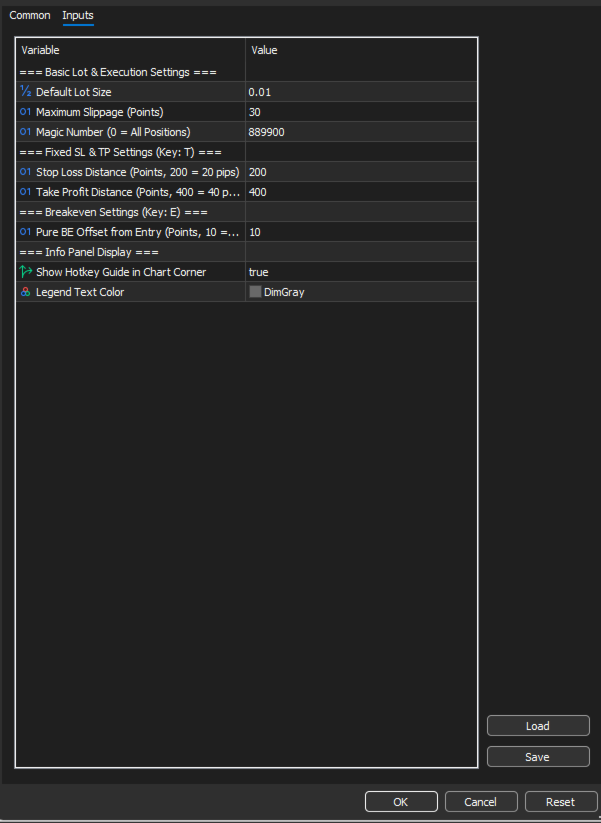
DefaultLot: Fixed lot size used when pressing [B] or [S] . Automatically adjusted to symbol min/max/step limits.
-
SlippagePoints: Maximum allowed price deviation in points during execution.
-
MagicNumber: Unique identifier for positions opened by this utility (0 = manage all positions on the current symbol, including manual orders).
-
Fixed_SL_Points: Stop Loss distance in points applied when pressing [T] (e.g., 200 points = 20 pips on 5-digit brokers).
-
Fixed_TP_Points: Take Profit distance in points applied when pressing [T] (e.g., 400 points = 40 pips on 5-digit brokers).
-
BE_PlusPoints: Offset in points above (for Buy) or below (for Sell) the entry price when moving Stop Loss to Breakeven via [E] .
-
ShowLegend: Show or hide the on-chart hotkey guide (true / false ).
-
TextColor: Color of the on-chart hotkey guide text.
Usage Notes
-
Make sure Algo Trading is enabled in the MetaTrader 5 toolbar before pressing hotkeys.
-
Click inside the chart window so it has active keyboard focus.
-
For Hedging accounts, multiple Buy and Sell positions on the active symbol are managed independently. For Netting accounts, actions apply to the single aggregated symbol position.
We welcome your feedback, feature suggestions, and reviews to help shape future updates!