Aguias Boleta e Robo
- Эксперты
- Версия: 4.830
- Активации: 5

Aguias Boleta e Robo
Visual order panel, position management and rule-based automated entries for MetaTrader 5.
Planning and management
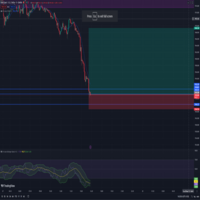
Set risk as a percentage of the balance or a cash amount. Preview entry, Stop Loss, Take Profit and financial estimates before placing an order. Adjust levels using draggable chart lines.
Close positions by symbol, partially close a position or close positions belonging to the EA magic number. Includes Break Even, Trailing Stop, minimizable panels and an optional candle timer.
Automation
EMA 50/200 trend filter, supply and demand regions and three entry triggers identified as G1, G2 and G3. The product uses programmed rules, not machine learning.
Region references: M15, M30, H1, H4, Daily and Weekly. FVG regions are drawn and used only on the selected region timeframe. Touching a region alone does not place an order: a valid entry trigger is required.
AUTO ON/OFF controls new entries. Turning AUTO off does not close existing positions.
Optional loss limits
Account risk protection starts disabled. Conservative: 1% daily, 3% weekly and 6% monthly. Intermediate: 2.5%, 5% and 10%. Aggressive: 5%, 10% and 20%.
When enabled, protection uses account results to block new EA entries and cancel its pending orders when limits are reached. The profile is locked after the first execution of the day until the next broker day. It cannot block manual trading or other EAs. Gaps, slippage and connection failures may cause losses exceeding the configured limits.
Report and languages
Operation history with filters, date and time, separate colors for positive and negative values, and a cumulative realized result chart. Recorded new automated entries include their trigger and region. CSV export compatible with Excel.
English or Portuguese interface, selectable through Language / Idioma. English is the default. Technical input properties, logs and CSV remain in English. Operations without origin records display Not recorded. Preserve local audit files when transferring the terminal.
Main inputs
- InpLanguage: interface language.
- InpRiskMode, InpRiskMoney and InpRiskPercent: risk mode and amount.
- InpFinancialLot, InpSLPoints and InpRiskReward: lot size, stop and reward/risk.
- InpAccountRiskProfile: account loss limits.
- InpPartialPercent: partial closing percentage.
- InpBreakEven and InpTrailing: automatic position management.
- InpAutoOne, InpAutoDarth and InpAutoG3: G1, G2 and G3 triggers.
- InpFvgRegions and InpFvgDraw: FVG usage and display.
- InpAutoTesterStart: starts AUTO in the Strategy Tester only; does not enable AUTO on real or demo accounts.
Getting started
Configure the symbol, timeframes and risk settings before enabling AUTO. Execution depends on terminal permissions and broker specifications, including minimum volume, volume step and stop distances.
Test on a demo account before live use. Profitability is not guaranteed. Support is available through product comments or MQL5 messages.