EEFX Trade Manager
- Утилиты
-
Andro Luis Da Costa
 # About Me
I am the founder of EEFX Trading Systems, a UK-based trading automation company focused on developing practical tools for MetaTrader traders. - Версия: 1.6
EEFX Trade Manager Tool Lite is a clean and simple trade management and planning tool for MetaTrader 5.
It is designed for manual traders who want better control over risk, cleaner chart planning, and a simple dashboard for managing exposure.
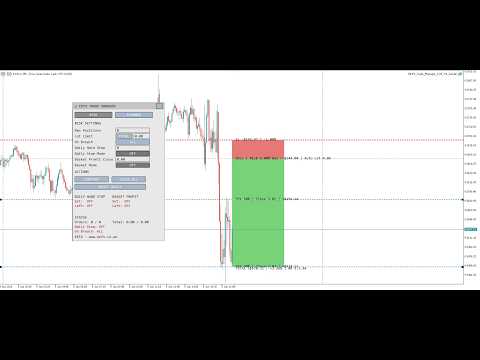
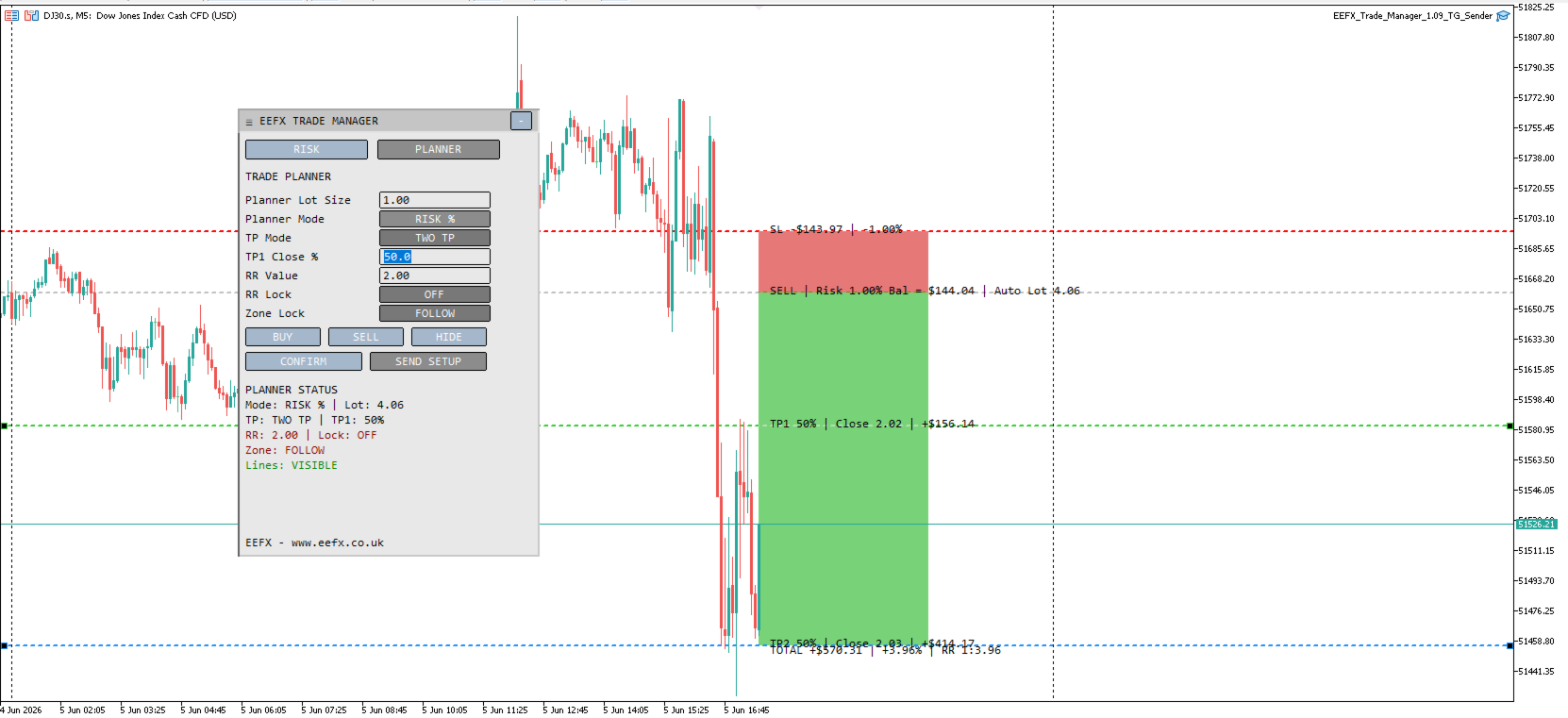
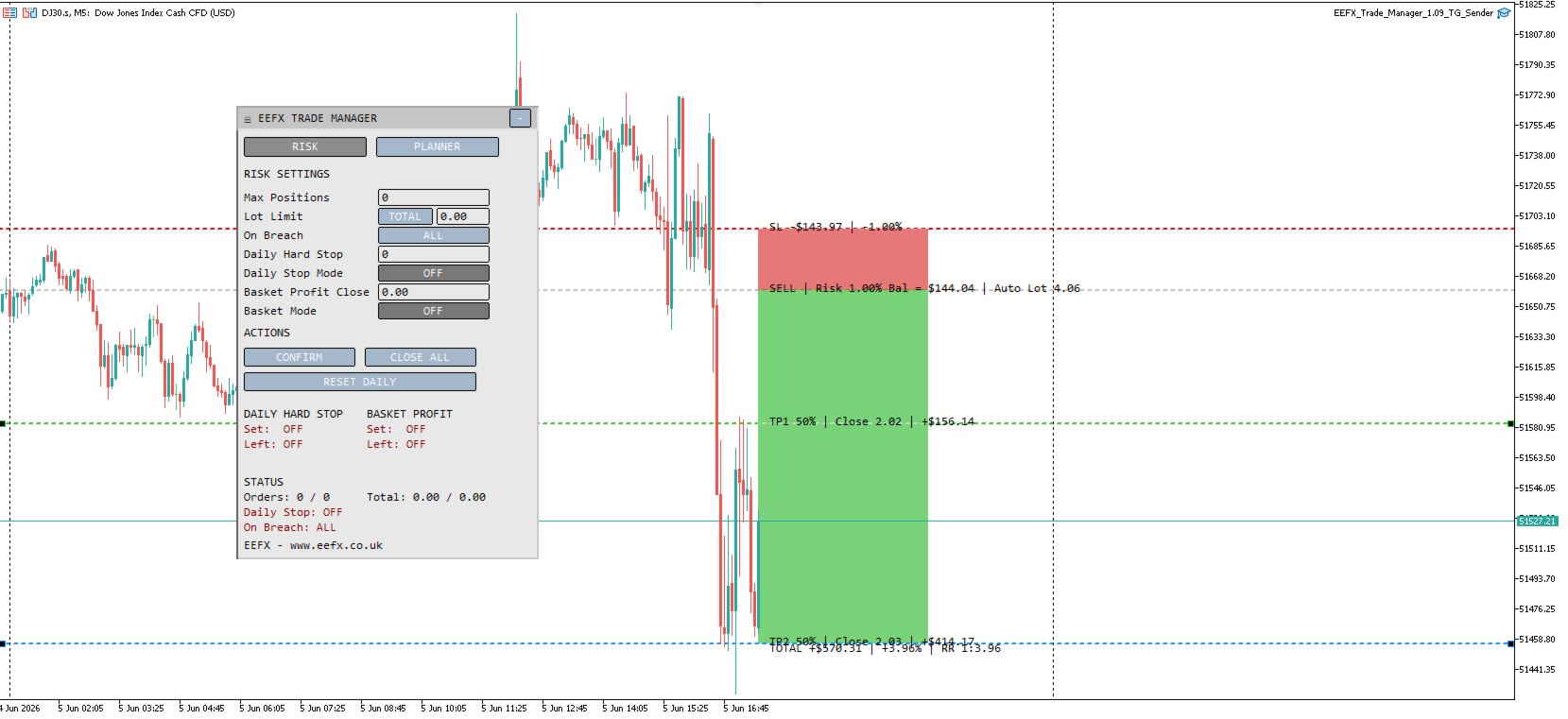
The tool includes a Risk Manager tab and a Trade Planner tab. It helps traders set risk limits, plan BUY and SELL setups visually, and manage open trade exposure directly from the chart.
How to use this tool (Video)
https://youtu.be/FODDpTZwzJs
Main Advantages
- Simple chart dashboard
- Risk manager and trade planner in one tool
- Helps control daily loss and trade exposure
- Visual BUY and SELL trade planner
- Default 1:2 risk-to-reward planner setup
- One TP and Two TP planning modes
- Risk planning by lot size, money amount, or account percentage
- RR Lock to keep take profit aligned with selected risk-to-reward
- Zone Lock to keep planner zones fixed on the chart
- Customisable colours and dashboard layout
- Suitable for forex, gold, indices, and other MT5 symbols
Risk Manager Features
The Risk Manager helps traders control account exposure.
Features include:
- Maximum open positions control
- Maximum total lot limit
- Maximum single lot limit
- Daily hard stop
- Basket profit close
- Breach action control
- Close all trades button
- Daily reset button
The trader can choose whether a risk breach closes all managed trades or only the newest/offending trade.
Trade Planner Features
The Trade Planner allows users to prepare trade ideas directly on the chart.
Features include:
- BUY planner
- SELL planner
- Entry line
- Stop loss line
- TP1 line
- TP2 line
- One TP mode
- Two TP mode
- Risk/reward zones
- RR Lock
- Zone Lock
- Automatic lot calculation based on selected risk mode
- Default stop distance input
- Default risk-to-reward input
The planner helps traders see the structure of a trade before entering the market.
Dashboard Tabs
The dashboard has two tabs.
Risk Tab
Used for account protection and exposure controls.
Planner Tab
Used for visual trade planning and risk/reward planning.
How to Use
- Attach the tool to a chart.
- Open the Risk tab and set your exposure limits.
- Open the Planner tab.
- Click BUY or SELL to create a trade plan.
- Move the entry, stop, and take profit lines if needed.
- Adjust planner mode, RR value, or TP mode if required.
- Use the dashboard to monitor planned risk and open exposure.
Inputs and Parameters
Common
ShowDashboard
Shows or hides the dashboard on the chart.
PanelX
Horizontal position of the dashboard.
PanelY
Vertical position of the dashboard.
PanelWidth
Width of the dashboard.
PanelHeight
Base height of the dashboard.
PanelCanMove
Allows the dashboard to be moved on the chart.
SavePanelPosition
Saves the dashboard position.
PanelStartCollapsed
Starts the dashboard collapsed when the tool is loaded.
Chart Setup
AutoCleanChartOnLoad
Applies cleaner chart settings when the tool is loaded.
HideChartGrid
Hides the chart grid.
ShowDailySeparators
Shows daily chart separators.
HideTickVolumes
Hides tick volume display.
AutoShiftChartOnLoad
Enables chart shift when the tool is loaded.
ChartShiftPercent
Controls the chart shift percentage.
AutoZoomOutOnLoad
Automatically zooms the chart out when loaded.
ChartZoomOutSteps
Number of zoom-out steps applied on load.
AutoSetTimeframeOnceOnAttach
Sets the selected timeframe only once when the tool is first attached.
LoadTimeframe
Default timeframe used when the tool is first loaded.
Risk Settings
MaxPositions
Maximum number of open positions allowed. Set to 0 to disable.
MaxLotSize
Maximum lot limit. Set to 0 to disable.
MaxLotLimitMode
Controls how the lot limit is checked. Options: TOTAL or SINGLE.
BreachAction
Controls what happens when a limit is breached. Options: ALL or NEW.
DailyHardStop
Daily loss limit value.
DailyHardStopMode
Daily stop mode. Options: OFF, MONEY, or PERCENT.
BasketProfitClose
Profit target for closing the full managed basket.
BasketProfitMode
Basket profit mode. Options: OFF, MONEY, or PERCENT.
Trade Planner
PlannerValue
Planner value used for lot size, money risk, or percentage risk.
PlannerMode
Controls how risk is planned. Options: LOT SIZE, RISK MONEY, or RISK %.
TPMode
Take profit mode. Options: ONE TP or TWO TP.
TP1ClosePercent
Percentage of the planned position to close at TP1 when Two TP mode is active.
PlannerRRValue
Risk-to-reward value used by the planner.
PlannerRRLock
Locks the take profit to the selected RR value.
PlannerZoneLock
Locks the risk/reward zone position on the chart.
PlannerDefaultStopPoints
Default stop distance in points when creating BUY or SELL setups.
PlannerDefaultRR
Default risk-to-reward ratio for new BUY or SELL planner setups.
Planner Display
PlannerLabelFontSize
Font size for planner labels.
PlannerLabelOffsetPoints
Distance between planner labels and the price line.
PlannerTotalOffsetPoints
Distance for the total reward label.
PlannerTextShiftCandles
Moves planner text to the right of the current candle.
Planner Zones
PlannerShowZones
Shows or hides planner risk/reward zones.
PlannerZoneTheme
Controls the zone colour theme. Options: AUTO, WHITE, BLACK, or CUSTOM.
PlannerZonePositionMode
Controls where zones are drawn.
PlannerZoneLeftBars
Number of bars to the left for full plan area mode.
PlannerZoneRightCandles
Number of candles to extend zones to the right.
PlannerZonesBehindCandles
Keeps zones behind candles.
Zone Colours
The tool includes separate colour settings for white chart, black chart, and custom themes.
Users can customise:
- Profit zone colour
- Risk zone colour
- Profit zone border
- Risk zone border
Panel Colours
Users can customise:
- Panel background
- Header background
- Text colour
- Button colours
- Warning colour
- Good status colour
- Bad status colour
Planner Line Colours
Users can customise:
- Entry line colour
- Stop loss line colour
- TP1 line colour
- TP2 line colour
Important Notes
This tool is designed to support manual trading and risk planning.
It does not open trades automatically.
It does not guarantee profit.
Always check your entry, stop loss, take profit, lot size, and risk settings before trading.
The trader remains fully responsible for all trading decisions.