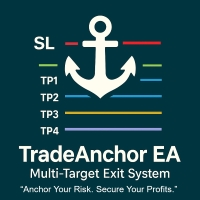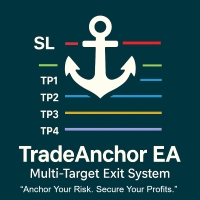
Trade Anchor Manager MT4

🔥 MultiTP Trade Manager EA — Advanced Trade Management Made Effortless (MT4)


🔥 Limited Offer – First 100 Downloads FREE! 🔥
Be among the first 100 traders to download Trade Anchor Manager (MT4/MT5) completely free of charge. Hurry – once the limit is reached, the offer closes instantly!

💬 After trying it out, we’d love if you could leave a review and share your thoughts – your feedback helps us improve and lets other traders know what to expect.


Need this Trade Anchor Manager for MT5? https://www.mql5.com/en/market/product/146666?source=Site+Market+MT5+Search+Rating006%3atrade+anchor+manager


*Boost Your Trading Precision, Profitability, and Control with This All-in-One Trade Manager!*


🔹 *Platform*: MetaTrader 4 & 5

🔹 *Best For*: Scalping, Swing, Grid, Manual or EA-assisted trading

🔹 *Symbols*: Works with any Forex pair, indices, metals, crypto

🔹 *Timeframes*: Compatible with all timeframes

🔹 *No Requotes • Ultra-Lightweight • Reliable in Live Trading*


💡 What is MultiTP Trade Manager?


*MultiTP Trade Manager EA* is a powerful and intuitive tool for MetaTrader 4 designed to automate the management of *multiple take profit levels (TP1–TP4), dynamic **stop loss adjustment, and **breakeven handling, all with real-time **PnL tracking*.


It’s perfect for traders who want *precise trade exits, **partial take profits, **risk-managed scaling, and instant **visual feedback* — with no need to babysit trades.


Features At a Glance


* 📌 *Multable Take Profit Levels* with customizable pip distances and open trade allocation to allow trades to run.

* 🔁 *Adjust SL on the Fly* (Move to breakeven or increase stop loss dynamically)

* 🧠 *Trade Monitoring Panel* with ON/OFF toggle

* 📉 *Daily PnL Display*: Track floating, closed, and session PnL live on chart

* 💥 *One-Click Close All Trades* by Magic Number

* 💼 *Risk Tracking*: Shows total risk and whether current SLs are in profit

* 🎯 *Auto SL assignment* even if your trades start without SL

* *Lightweight Visual Interface* — No chart clutter, works on any screen size


🚀 How to Use (Quick Start)


1. *Place Your Trades*


* This can be manual or automated — the EA will track any open trades based on symbol and Magic Number.

* If using manual SL drag to desired position and then switch monitoring on to set reference trade, all other trade will use this same SL.

* If using fixed SL, just click enable monitoring and all other trades will adopt this fixed SL.


2. *Enable Monitoring*


* Click the Monitoring: OFF label to activate. The first open trade becomes the *Reference Trade* (for TP/SL logic).


3. *TP Allocation Begins*


* As trades are opened, TP1–TP4 targets are assigned automatically.

* Each TP line includes a label with the filled count (e.g., 1 at TP2 (0 filled)).


4. *SL Adjustment or Breakeven*


* Toggle Adjust SL to shift SL by a user-defined pip buffer (e.g., -100 to increase the stoploss if required).

* Or toggle Breakeven to move SL to entry once all trades are in profit (plus buffer).


5. *Visual Trade Zones*


* Entry, SL, and TP lines are drawn in real time.

* Directional label shows if the set is a BUY or SELL group.


6. *Track PnL at a Glance*


* See:

     Closed PnL Today

     Floating PnL

     Closed Set PnL

     Total Risk (color-coded if SLs are in profit)


7. *Exit All Trades Instantly*


* Click Close All Trades — the EA will cleanly close trades, capture final PnL, and reset the session.


🎯 Who is This For?


* Manual traders using scaling or staged exits

* EA users who want extra control over trade exits

* Prop firm traders managing strict risk limits

* Breakout or grid traders needing clean PnL tracking

* Traders who want *clear visual feedback* for SL/TP


Inputs (Fully Adjustable)


| Input                                     | Description                             |

| --------------------------             | --------------------------------------- |

| TP1_Pips – TP4_Pips               | Distance in pips for each TP level      |

| TradesAtTP1 – TP4                 | Number of trades to close at each TP    |

| LeaveRemainingTradesOpen   | Allow last trade to run after TP4       |

| UseFixedStopLoss                  | Use fixed SL if trade has no SL         |

| StopLossAdjustmentPips        | SL buffer when Adjust SL is ON          |

| BreakevenBufferPips             | SL buffer when Breakeven is ON          |

| MagicNumber                       | Filter trades by Magic Number (0 = all) |

| PnLLabelCorner                   | Choose where labels appear on screen    |

| DailyPnL_PositiveColor        | Color for positive PnL                  |

| DailyPnL_NegativeColor      | Color for negative PnL                  |


🔒 Stability & Compatibility


Error-handling included for all trade actions

Works in real-time and Strategy Tester

Panel auto-adjusts on screen resize

Perfect for prop firm rules, news volatility, or scalping


Here is the *complete user guide* for your MT4 Trade Manager:


🧠 *What This Trade Manager Does*


The MultiTP_EA_Enhanced_ShortLines_Display_LabelPrice_PnL.mq4 script is a powerful trade management tool that:


* Automatically manages *multiple Take Profits* (TP1–TP4).

* Inherits *Stop Loss* (SL) from a reference trade or applies a fixed SL.

* Allows *breakeven, **SL adjustment, and **manual override*.

* Visually shows *TP/SL lines* and *labels* for live trades.

* Displays a *daily PnL summary* and *risk info*.

* Provides *toggle buttons* to control key features live on chart.


*How to Use It – Step-by-Step*


IMPORTANT! Download the EA and make sure it’s placed in the EXPERTS FOLDER and NOT in the indicator folder.


📌 *Step 1: Attach the EA to Your Chart and then Allow Live Trading in the settings and also MT4 Auto Trading is Activated*


* Load the EA onto a chart.

* If you're managing different symbols, place on a different chart.

* Set TP/SL pip distances, trade counts at each TP, colors, etc.


📌 *Step 2: Open Your Trades*


* Open buy/sell trades manually or with another EA.

* As soon as the first trade is opened this becomes the **reference trade, drag SL to a desired position if using manual SL, all other trades will adopt this SL, if using fixed SL all following trades will use the set SL click monitoring on to set reference and start session*.

* All other trades will inherit SL and TP levels from this trade.


🧭 *Understanding the Panel Buttons*


| Label                                 | Description                                                                                                                    |

| --------------------------------- | ------------------------------------------------------------------------------------------------------------------------------ |

| 🔁 Monitoring: ON/OFF           | Starts/stops live trade tracking. Must be *ON* for TP/SL management. The first trade after activation becomes the reference. |

| Close All Trades                 | Closes all open trades with the same magic number/symbol. Also resets session state.                                           |

| 🛡 Adjust SL: ON/OFF              | Moves SL further away by a set amount (StopLossAdjustmentPips). Use to increase breathing room.                              |

| 📉 Breakeven: ON/OFF           | Moves SL to breakeven (+ buffer) for all trades in profit.                                                                            

| 💰 Daily Profit/Loss: Show/Hide | Toggles on-screen PnL and risk label (bottom-right or top-left).                                                               |


🔗 *How TP/SL Management Works*


🎯 Take Profits:


* You define *TP1\_Pips, TP2\_Pips, TP3\_Pips, TP4\_Pips*.

* Each TP level executes on *TradesAtTPx* trades.

* Remaining trades (after all TPs filled) are either left *open* or closed, based on LeaveRemainingTradesOpen.


🛑 Stop Loss:


* If your reference trade has an SL: that’s used.

* If not: a *fixed SL* is calculated using FixedStopLossPips.

* You can adjust this dynamically using the toggle Adjust SL.


Breakeven:


* When Breakeven: ON, SL is moved to entry price + buffer (BreakevenBufferPips).

* Disables SL adjustment automatically to avoid conflict.


📊 *On-Chart Visual Elements*


* *Lines*:


* Green: Entry

* Red: Stop Loss

* Magenta / Blue / Orange / Yellow: TP1–TP4

* *Labels*:


* Display TP target, filled count, SL value, and trade direction.

* *PnL Labels*:


* *Closed PnL Today*

* *Floating PnL*

* *Closed Set PnL*

* *Total Risk*


🔍 *Daily PnL Breakdown*


When enabled via Daily Profit/Loss: Show:


* Tracks *closed trade profit* for today.

* Displays *floating PnL* from current open trades.

* Displays *Closed Set PnL* = sum of profits from trades managed by this session.

* *Total Risk* = total \$ risk based on SL of all trades.


Color-coded:


* *Green* = Profit or Risk-Free

* *Gold/Red* = Loss or Risk Present


🧼 *Session Management*


When All Trades Close:


* The EA resets tracking state.

* TP/SL lines and labels are removed.

* Monitoring: OFF is triggered.

* Final floating PnL is added once to the closed PnL log.


You can *restart* monitoring any time by clicking *Monitoring: ON* after opening a new trade.


*Input Parameters Overview*


| Input                                        | Description                                         |

| -------------------------------------- | --------------------------------------------------- |

| TPx_Pips                                  | Distance to each TP level                           |

| TradesAtTPx                            | How many trades close at each TP                    |

| LeaveRemainingTradesOpen     | Keeps leftover trades open                          |

| FixedStopLossPips                    | SL used if reference trade doesn’t have one         |

| StopLossAdjustmentPips           | Pips added to widen SL when SL Adjustment is ON     |

| BreakevenBufferPips                | Distance past entry to move SL when breakeven is ON |

| InitialShowDailyPnL                  | Whether to display PnL stats by default             |

| DailyPnL_PositiveColor/NegativeColor | Label color based on profit/loss                    |


🛠 *Best Practices*


* Always activate Monitoring: ON *after* placing trades.

* Ensure the first trade (reference) has an SL — or use UseFixedStopLoss.

* Use Adjust SL carefully if your strategy requires larger stops.

* Use Breakeven once trades are safely in profit.

* Avoid using both Adjust SL and Breakeven at the same time — one disables the other.


*Example Use Case*


Can be used for single or multiple trades with variant TP levels user defined depending on individual strategies

1. Attach the EA.

2. Click Monitoring: ON.

3. The EA sets TP1–TP4 (e.g., 2 trades close at TP1, 1 at TP2, 1 at TP3, 1 left open).

4. Once all allicated trades are in profit, you click Breakeven: ON — SLs move to entry.

5. Daily PnL shows +\$42 with \$0 risk — All trades are now risk-free.


Рекомендуем также
Free automatic fibonacci - это индикатор, который автоматически строит коррекции Фибоначчи, основываясь на количестве баров, выбранных в параметре BarsToScan. Линии Фибоначчи автоматически обновляются в реальном времени при появлении новых максимальных и минимальных значений среди выбранных баров. В настройках индикатора можно выбрать уровни, значения которых будут отображены. Также можно выбрать цвет уровней, что позволяет трейдеру прикреплять индикатор несколько раз с разными настройками и цве
FREE
Бесплатный информационный индикатор-помощник Email Alert & InfoPanel. Особенно будет полезен трейдерам, использующим большое количество валютных пар или сеточные торговые системы с усреднением или Мартингейлом. Также он просто удобен, как информатор с возможность отправки сообщения на почту или мобильное приложение. Выполняет следующие функции: Рассчитывает просадку депозита по эквити и отправляет сообщение пользователю, если она больше, чем указана в настройках. Отправляет уведомление о просадк
FREE
this EA draws vertical lines on the chart, either consecutive or alternating lines, depending on the input settings. Since vertical lines often represent time events, timing is important in trading. StartTime = D'2025.03.12 23:00';  // Starting point (time and date) NumberOfLines = 10;                    // Total number of lines to draw IntervalCandles = 1;                   // Interval in candles (must be > 0) IntervalMinutes = 30;                  // Interval in minutes (0 to disable) Directi
FREE
Grid Assistant Pro
Alessandro De Cristofaro
Grid Assistant Pro – Utility for Managing Grid Strategies on MetaTrader 4 Grid Assistant Pro is a professional utility that helps traders manage and monitor unidirectional grid strategies directly from the MT4 chart. It provides a visual dashboard , clear controls, and automated risk protection features for precise and efficient grid operation. Key Features Visual Dashboard Real-time metrics: Balance, Equity, Floating P/L, Drawdown %, Free Margin Grid status: active and pending or
FREE
SL and TP Setter
Giacomo Barone
4 (1)
You can manually open a trade (one click), and this EA will take care of setting the SL and TP. SL and TP are set based on the number of pips you specify in the input screen. You can also choose monetary SL and TP. SL and TP are determined based on the weighted average price (WAP), so if you open a new trade, SL and TP will be updated according to the new WAP. The WAP is not unique but differentiated between buy and sell trades (this is useful only if you open opposite trades on the same chart)
FREE
OTRX Fimathe Backtest is a tool for the Trader or Enthusiast who uses the Fimathe technique created by Trader Marcelo Ferreira to carry out his training and validate if he can obtain profitability. In this tool you will be able to: 1. Define whether you are looking for a buy or sell entry. (Trend). 2. Define by clicking twice on the horizontal lines where your Reference Zone and your Neutral Zone will be. 3. Monitor the entry, subcycle and exit of the trade. 4. Trading Summary, Daily, Week

FREE
Индикатор R 2EMA Color для MT4 дает надежные торговые сигналы, основанные на пересечении двух EMA. Ключевые моменты Когда цена пересекает и закрывается выше двух зеленых EMA, это создает торговый сигнал на покупку. Когда цена пересекает и закрывается выше двух красных EMA, это создает торговый сигнал на продажу. Индикатор R 2EMA Color Forex позволяет еще проще определить, когда пора покупать и продавать. Сигнал на покупку возникает, когда две линии EMA становятся зелеными. Сигнал на продажу в
FREE
Scalping Day Trading Support Utility Scalping One MT4 free One position is displayed with one button. View P & L, Lot, and Point in real time. It is possible to switch the display of positions of only chart currencies and all currency pairs.  (The free version has only 3 positions) Supports automatic identification in Japanese and English   Account currency notation corresponds to dollar, euro, pound, yen (automatic identification) The timeline drawing function can be linked with the clock disp
FREE
Привет, чемпионы трейдинга! Надеюсь, у вас всё хорошо. Случалось ли вам открывать позицию, когда рынок изначально двигался в вашу пользу или приближался к вашему тейк-профиту, а затем рынок внезапно разворачивался против вашей позиции? Что ж, со мной такое случалось много раз, и сегодня я решил дать отпор. Представляю вам торговый менеджер, который поможет вам защитить ваши позиции. Этот проект поможет вам установить позицию(и) в безубыток либо при достижении указанного вами количества пипсов, л
FREE
Мультитаймфреймовая версия скользящей средней Хала (Hull Moving Average - HMA). Индикатор Double HMA MTF Light совмещает на одном графике два таймфрейма. HMA старшего таймфрейма определяет тренд, а HMA текущего таймфрейма - краткосрочные ценовые движения. Индикатор распространяется свободно и не имеет звуковых сигналов и сообщений. Основная его функция – это визуализация ценовых движений. Если вам нужны продвинутые функциональные возможности мультитаймфреймного индикатора HMA (информация о пок
FREE
Самый быстрый способ поменять период. Подходит для трейдеров, использующих несколько графиков и таймфреймов. Размер форма и цвет настраиваются. Входные параметры Corner — выберите "Right lower chart corner" ("Нижний правый угол графика") в качестве угла размещения Color — цвет фона кнопки ColorText — цвет текста кнопки ColorOn — цвет фона кнопки для текущего периода ColorOnText — цвет текста кнопки для текущего периода Font — шрифт Arial, Verdana... FontSize — размер шрифта в пикселях DistanceX
FREE
Этот EA - небольшая помощь, подходящая для всех, кто любит торговать на смартфонах или планшетах. EA размещается на диаграмме и отслеживает все рынки (мультивалютные). Где бы вы ни находились, если у вас есть интернет, вы можете торговать с его помощью. Откройте позицию, установите стоп, и EA автоматически создаст TP в ранее установленном соотношении (1:1, 1:2 и т.д.) к стопу. Это очень удобная функция, которая поможет вам лучше управлять вашими сделками. Идеально подходит для торговли на мобил
FREE
PZ Trade Pad EA
PZ TRADING SLU
4.29 (31)
Clos Утилита PZ Trade Pad EA позволяет торговать с помощью панели прямо на ценовом графике. Продукт имеет встроенное управление риском и может работать с уже открытыми сделками. Возможность совершать сделки прямо на ценовом графике Управление капиталом Возможность установки стоп-уровней Закрытие всех открытых сделок в один клик Удаление всех отложенных ордеров в один клик Частичное закрытие прибыльных сделок в один клик Без входных параметров. Применение Утилита проста в использовании. Выберите
FREE
QuantumAlert RSI Navigator is a free indicator available for MT4/MT5 platforms, its work is to provide "alerts" when the market is inside "overbought and oversold" regions in the form of "buy or sell" signals. This indicator comes with many customization options mentioned in the parameter section below, user can customise these parameters as needful. Join our   MQL5 group , where we share important news and updates. You are also welcome to join our private channel as well, contact me for the pri
FREE
Rainbow MT4 is a technical indicator based on Moving average with period 34 and very easy to use. When price crosses above MA and MA changes color to green, it’s a signal to buy. When price crosses below MA and MA changes color to red, it’s a signal to sell. The Expert advisor ( Rainbow EA MT4) based on Rainbow MT4 indicator, as you can see in the short video below is now available here .
FREE
Script for Delete all Pending Orders. Usage: - Enable Automate Trading - Attach / Double click the script ENJOY IT. //+------------------------------------------------------------------+ //|                                            Close ALL Pending.mq4 | //|                              Copyright 2015, SangBatosai-Code5 | //|                           https://www.mql5.com/en/users/mahakaya | //|      Credit:                                                     | //|       SangBatosai-Code5
FREE
Activation initiates the sequence from the initial symbol in the Market Watch roster, forming a perpetual loop that continues until deactivation. The system employs global terminal variables to sustain operational continuity amid symbol-induced reinitializations, thereby ensuring uninterrupted performance. This EA should not be checked off as 'Allowed live Trading' and is functional with that checkmark box, when uploading the EA. Principal advantages encompass augmented productivity in overseein
FREE
Are you tired of drawing trendlines every time you're analyzing charts? Or perhaps you would like more consistency in your technical analysis. Then this is for you. This indicator will draw trend lines automatically when dropped on a chart. How it works Works similar to standard deviation channel found on mt4 and mt5. It has 2 parameters: 1. Starting Bar 2. Number of bars for calculation The   starting bar   is the bar which drawing of the trend lines will begin, while the   number of bars for c
FREE
SX Theme Setter MT4
Mojtaba Sarikhani
5 (1)
SX Theme Setter is intended for changing chart appearance in 2 modes: - Gradient background mode: In this mode, the indicator creates a gradient background for your chart. Colors, steps and gradient type can be selected by user. - Color theme: Color theme mode provides more than 50 built-in different color themes which can be selected from a list. Most of these themes are converted from official color themes of real trading platforms of the past and present. Try them out and see if they suit
FREE
Buffer Finder Tool
Afsal Meerankutty
4.75 (4)
CyberZingFx Buffer Finder Tool Developed for Finding Buffers of Indicator to use in Universal Indicator EA . This is Not an Indicator or EA CyberZingFx Buffer Finder Tool is utility tool designed specifically for MetaTrader 4 (MT4) users. It is a standalone application that helps you easily find the buffers of any MT4 indicator, allowing you to use them in your Universal Indicator EA. With the Buffer Finder Tool, you no longer have to search through the data window to find the buffers you need.
FREE
Это последняя итерация моего известного скальпера, Goldfinch EA, впервые опубликованная почти десять лет назад. Он скальпирует рынок при внезапном увеличении волатильности, которое происходит в короткие промежутки времени: он предполагает и пытается извлечь выгоду из инерции движения цены после внезапного ускорения цены. Эта новая версия была упрощена, чтобы позволить трейдеру легко использовать функцию оптимизации тестера, чтобы найти лучшие торговые параметры. [ Руководство по установке | Руко
FREE
Simple RSI Forex Trading Strategy
Victor Manuel Valderrama Zamora
2.5 (2)
Diversify the risk in your trading account by combining our Expert Advisors. Build your own custom trading system here:   Simple Forex Trading Strategies The expert advisor opens trades when RSI indicator enter in oversold or overbought areas. The Stop Loss, Take Profit, and Trailing Stop are calculated based on the ATR indicator. The recommended currency pair is EURGBP and the recommended timeframe to operate and to do backtests is H4. This Expert Advisor can be profitable in any TimeFrame an
FREE
XENUS – Confluence Engine Pro | Institutional-Grade Hybrid Trading System (MT4) An institutional-style confluence engine designed to deliver precision, clarity, and structured decision-making through an advanced hybrid visual system.  FULL PREMIUM DESCRIPTION XENUS – Confluence Engine Pro (MT4) Built for traders who demand clarity, precision, and control. Trading is not about more indicators… It’s about better decisions. Most traders overload their charts with tools that conflict, lag, or
FREE
Follow The Line
Oliver Gideon Amofa Appiah
3.94 (16)
FOLLOW THE LINE GET THE FULL VERSION HERE: https://www.mql5.com/en/market/product/36024 This indicator obeys the popular maxim that: "THE TREND IS YOUR FRIEND" It paints a GREEN line for BUY and also paints a RED line for SELL.  It gives alarms and alerts of all kinds. IT DOES NOT REPAINT and can be used for all currency pairs and timeframes. Yes, as easy and simple as that. Even a newbie can use it to make great and reliable trades. NB: For best results, get my other premium indicators for more
FREE
Простенький скрипт, в котором очень часто нуждаются трейдеры. Он калькулирует лот в процентах от депозита. Для соблюдения риск-менеджмента очень даже нужная вещь. В настройках присутствует только одна опция: MaxRisk - риск в процентах для вычисления лота. Даный помощник работает как стандартный скрипт, то есть запускается только один раз на соответствующем графике, после чего можно приступать к торговле с вычисленым лотом. Все гениальное просто! Успешной торговли!
FREE
The Saz_Timer indicator belongs to the Saz_Forex suite of professional indicators designed by Traders, for Traders. This indicator will show minutes and seconds of real time on the chart window. The indicator uses the OnTimer() event so it can update even while no ticks received on the chart. The text is shown toward the bottom right of the chart, encircled red in the screenshot. Inputs: Text Colour, allows selection of the colour for the text.
FREE
Update:ver1.53 (2023/08/16) ・概要と必要環境 手動発注もしくは他ツール等からの発注に対し、指値発注予約の複製を生成します。こちらは「発注操作の簡易化」に特化したものになります。発注判断となる分析は、資料を漁る、経験則を導く、他の分析ツールやEAを併用する等、利用者ご自身で頑張ってください。なお、ver1.28より、「決済後、自動で再発注する」機能が実装されました。(有償版でのみ有効化できます) ・導入と導入後の操作 導入そのものは簡単です。「自動売買可能なEA」として、適当なチャートにて動作させるだけです。(チャートの対象相場は問いません。このEAは、チャートを見ていません)。あとは、「このEAでのローカルコピー以外の発注」があれば、それに応じて「損失が出た場合に備えての追加取引の予約」という形で、指値発注が自動生成されます。 導入操作上の注意として、「本EAを、複数のチャートで動作」はできません。EAがチャート自体を見ておらず、注文状況だけを見ているため、複数のチャートで動かす意味もありません。また、ターミナルとEAの設定として「自動売買」を許可しない
FREE
MT5 Tick Data - Реальные исторические тиковые данные Дополнительные материалы и инструкции Полное руководство   -   Версия MT4   -   Версия MT5 Ищете реальные тиковые данные для проверки и тестирования ваших советников и индикаторов? Вы нашли то, что искали! Наш пакет MT5 Tick Data, доступный на нашем сайте, предоставляет подлинные исторические тиковые данные для MetaTrader 5, так что ваши стратегии тестируются в реальных рыночных условиях с реальными, переменными спредами вместо расчётных це
FREE
NAS100 Auto Sl And TP
Moustapha Boulouz
5 (2)
Представляем NAS100 Auto SL и TP Maker для MT4: Никогда больше не пропустите установку StopLoss и TakeProfit с нашим NAS100 Auto SL и TP Maker, незаменимым помощником для трейдеров, работающих на рынке Nasdaq 100 в MetaTrader 4. Этот инструмент предназначен для тех, кто ищет беспроблемное решение для автоматизации управления уровнями StopLoss и TakeProfit. Ключевые особенности: Эффективная автоматизация: Автоматически отслеживает сделки Nasdaq 100 без StopLoss и/или TakeProfit. Динамически регу
FREE
С этим продуктом покупают
Добро пожаловать в Trade Manager EA — лучший инструмент для управления рисками, предназначенный для упрощения, точности и эффективности торговли. Это не просто инструмент для размещения ордеров; это комплексное решение для удобного планирования торгов, управления позициями и усиленного контроля над рисками. Независимо от того, начинающий вы трейдер, опытный специалист или скальпер, нуждающийся в быстром исполнении, Trade Manager EA адаптируется к вашим потребностям и работает с любыми активами:
Exp COPYLOT CLIENT for MT4
Vladislav Andruschenko
4.69 (65)
Профессиональный копировщик сделок для MetaTrader 4 Быстрый, профессиональный и надежный копировщик сделок для MetaTrader 4 . COPYLOT позволяет копировать сделки Forex между терминалами MetaTrader 4 и MetaTrader 5 , обеспечивая гибкую синхронизацию для разных типов счетов и сценариев торговли. Версия COPYLOT MT4 поддерживает: MetaTrader 4 → MetaTrader 4 MetaTrader 5 Hedge → MetaTrader 4 MetaTrader 5 Netting → MetaTrader 4   Версия MT5 Полное описание + DEMO + PDF Как купить Как установить Как по
Local Trade Copier EA MT4
Juvenille Emperor Limited
4.96 (110)
Опыт экстремально быстрого копирования сделок с помощью Local Trade Copier EA MT4 . Благодаря простой установке в течение 1 минуты этот копировщик сделок позволяет вам копировать сделки между несколькими терминалами MetaTrader на одном компьютере с Windows или на Windows VPS с крайне быстрыми скоростями копирования менее 0.5 секунды. Независимо от того, новичок вы или профессиональный трейдер, Local Trade Copier EA MT4 предлагает широкий спектр опций, чтобы настроить его под ваши конкретные пот
Trade Assistant MT4
Evgeniy Kravchenko
4.43 (197)
Помогает рассчитать риск на сделку, простая установка нового ордера с помощью линий, управление ордерами с функциями частичного закрытия, 7 типов трейлинг-стопа и другие полезные функции. Дополнительные материалы и инструкции Инструкция по установке   -   Инструкция к приложению   -   Пробная версия приложения для демо счета Функция Линии   - отображает на графике линию открытия, стоп-лосс, тейк-профит. С помощью этой функции легко установить новый ордер и увидеть его дополнительные характери
PZ Trade Pad Pro MT4
PZ TRADING SLU
3.67 (3)
Это визуальная торговая панель, которая помогает вам легко размещать сделки и управлять ими, избегая человеческих ошибок и повышая вашу торговую активность. Он сочетает в себе простой в использовании визуальный интерфейс с надежным подходом к управлению рисками и положением [ Руководство по установке | Руководство по обновлению | Устранение неполадок | FAQ | Все продукты ] Удивительно простой в использовании Торгуйте легко с графика Торгуйте с точным управлением рисками, без проблем Сохранение
Профессиональная панель для ручной торговли: весь цикл сделки в одном окне на графике, от точного входа до защиты счёта. Рассчитывайте объём строго под заданный риск, стройте сделку линиями прямо на графике с помощью RR Tool, открывайте рыночные и отложенные ордера, сетки и OCO. Сопровождение позиции панель берёт на себя: частичное закрытие до пяти уровней, шесть типов трейлинг-стопа, безубыток и Virtual SL/TP. Дневные, недельные и месячные лимиты защищают депозит и срабатывают автоматически при
Автоматическая фиксация прибыли по достижении целевого профита EquityTargetCloser   — это утилитарный советник для MetaTrader 5, который автоматически закрывает все рыночные позиции и удаляет отложенные ордера, как только   эквити (Equity) превысит текущий баланс на заданную сумму прибыли . После закрытия всех позиций цель автоматически повышается: новый порог = новый баланс + заданная прибыль. Советник не открывает сделки, а только управляет существующими позициями, помогая надёжно фиксировать
MACD Divergence Scanner is a multi-timeframe and multi-symbol dashboard and alert that checks all timeframes and symbols to find regular and hidden divergences between price chart and MACD indicator. This divergence scanner is integrated with support and resistance zones so you can check the MACD divergences in the most important areas of the chart to find trend reversals in the price chart. Download demo version   (works on M 1,M5,M30,W1   timeframes) Full description of scanner parameters ->  
Trading History MT4
Siarhei Vashchylka
5 (9)
Trading History - Программа для торговли и управления капиталом на истории котировок в тестере стратегий. Может работать с отложенными и немедленными ордерами, оснащена функциями трейлинг стопа, безубытка и тейкпрофита. Очень хорошо подходит для тренировок и тестирования различных стратегий. Инструкция/Мануал ( Обязательно читайте перед приобретением ) Преимущества 1. В кратчайшие сроки позволяет протестировать любую торговую стратегию 2. Отличный тренажёр для тренировок трейдинга. Можно получи
King Trade Copier MT4
Mohammed Maher Al-sayed Mohammed Ahmed Saleh
King Trade Copier MT4 – Lightning-Fast Local Trade Copier (Master + Slave in ONE file) King Trade Copier is a professional local trade copier that mirrors every trading action from one Master account to unlimited Slave accounts on the same PC or VPS — with an internal copy latency of just a few milliseconds. It was built by a real trader for daily real-money use, with one goal: whatever happens on the Master must happen on the Slave, instantly and without exceptions. Watch the demo video to s
SmartFastTrade AI
Muhammad Faisal Sagala
Transform Your Trading with SmartFastTrade AI: Speed and Ease at Your Fingertips! Introduction Are you a trader struggling with slow order execution? Do you want a tool that can assist you in making quick and accurate trading decisions? If yes, then SmartFastTrade AI is the answer to all your trading needs. With its unique combination of speed, user-friendliness, and advanced features, SmartFastTrade AI will help you unlock your full trading potential. Let's delve deeper into why this innovativ
Скачать рабочую пробную версию Copy Cat More (Копи Кэт Мор) — копировщик сделок (Trade Copier) MT4 — это не просто локальный копировщик сделок; это полноценная система управления рисками и исполнения (risk management and execution framework), созданная для современных торговых задач. От челленджей проп-фирм (prop firm) до управления личным портфелем — он адаптируется к любой ситуации благодаря сочетанию надёжного исполнения, защиты капитала, гибкой настройки и продвинутой обработки сделок. Ко
Equity Protect Pro: Ваш эксперт по комплексной защите счетов для спокойной торговли Если вы ищете такие функции, как защита счета, защита капитала, защита портфеля, защита мультистратегий, защита прибыли, сбор прибыли, безопасность торговли, программы контроля рисков, автоматический контроль рисков, автоматическая ликвидация, условная ликвидация, запланированная ликвидация, динамическая ликвидация, скользящий стоп-лосс, закрытие в один клик, ликвидация в один клик и восстановление в один клик,
Telegram to MT4 Multi-Channel Copier автоматически копирует торговые сигналы из ваших Telegram-каналов напрямую в MetaTrader 4. Никаких ботов, никаких браузерных расширений, никакого ручного копирования. Вы получаете сигнал в Telegram, и советник открывает сделку на вашем терминале за несколько секунд. Продукт включает два компонента: приложение для Windows, которое слушает ваши Telegram-каналы, и этот советник, который исполняет сигналы на терминале MT4. Также доступна версия для MT5. Руководст
The product will copy all telegram signal to MT4   ( which you are member  ) , also it can work as remote copier.  Easy to set up, copy order instant, can work with almost signal formats, image signal, s upport to translate other language to English Work with all type of channel or group, even channel have "Restrict Saving Content", work with  multi channel, multi MT5 Work as remote copier: with signal have ticket number, it will copy exactly via ticket number. Support to backtest signal. How to
TradePanel MT4
Alfiya Fazylova
4.84 (95)
Trade Panel — это многофункциональный торговый помощник. Приложение содержит более 50 торговых функций для ручной торговли и позволяет автоматизировать большинство торговых операций. Перед покупкой вы можете протестировать демоверсию на демо-счете. Скачать пробную версию приложения для демонстрационного аккаунта: https://www.mql5.com/ru/blogs/post/750864 . Полная инструкция здесь . Торговля. Позволяет совершать торговые операции в один клик: Открыть отложенные ордера и позиции с автоматическим р
Strategy Builder offers an incredible amount of functionality. It combines a trade panel with configurable automation (covert indicators into an EA), real-time statistics (profit & draw down) plus automatic optimization of SL, TP/exit, trading hours, indicator inputs. Multiple indicators can be combined into an single alert/trade signal and can include custom indicators, even if just have ex4 file or purchased from Market. The system is easily configured via a CONFIG button and associated pop-up
MT4 к Telegram Signal Provider - это простой в использовании и полностью настраиваемый инструмент, который позволяет отправлять сигналы в Telegram, превращая ваш аккаунт в поставщика сигналов. Формат сообщений полностью настраиваем! Однако для простого использования вы также можете выбрать предопределенный шаблон и включать или отключать определенные части сообщения. [ Демо ]  [ Руководство ] [ Версия для MT5 ] [ Версия для Discord ] [ Телеграм-канал ]  New: [ Telegram To MT5 ] Настройка Шаг за
Exp Averager
Vladislav Andruschenko
4.82 (22)
Усреднитель для MetaTrader 4 — профессиональная система сопровождения сделок и управления средней ценой Профессиональный советник для тех, кто хочет не просто усреднять позиции, а грамотно управлять серией сделок, просадкой и общей точкой выхода. Этот инструмент помогает сопровождать уже открытые позиции, улучшать среднюю цену входа и выстраивать понятную логику выхода всей серии в безубыток или прибыль. Усреднитель для MT4 создан не как автономная торговая система, а как специализированный мод
TradeMirror - это советник-копировщик для платформы MT4/MT5. Руководство по использованию Нажмите на ссылку Руководство по Trademirror , чтобы посмотреть больше инструкций. Почему TradeMirror Мы понимаем важность безопасности, стабильности и конфиденциальности для финансового программного обеспечения, поэтому мы приложили максимум усилий для детального укрепления этих трех элементов: Предоставляет удобный графический интерфейс, которым легко управлять Фокус на конфиденциальности и безопасности,
FORBEX Market Watch Trading Hours PRO NEWS  Feel free to contact me for support, installation assistance, and upgrade. Professional Market Session, Trading Schedule & Economic News Dashboard for MetaTrader 4 FORBEX Market Watch Trading Hours PRO NEWS is an advanced all-in-one MT4 dashboard designed to provide traders with real-time market session monitoring, broker trading schedules, live countdowns, intelligent voice alerts, and economic news awareness from one clean professional interface. The
RenkoChart
Boris Sedov
5 (1)
Renko Chart — графики рэнко для MetaTrader 4. Утилита позволяет создавать графики рэнко, на которых все бары имеют вид Renko-"кирпичей". Все бары на графике рэнко одинакового размера, который можно изменять для получения нужного графика. На полученный график можно прикреплять индикаторы, советники и скрипты. Получается полностью рабочий график, на котором можно работать точно так же, как и на обычном графике. График рэнко строится не только на истории, но и онлайн. Данные обновляются синхронно с
CloseIfProfitorLoss with Trailing
Vladislav Andruschenko
4.87 (31)
Close If Profit or Loss with Trailing для MetaTrader 4 — автоматическое закрытие по общей прибыли или убытку Надёжная торговая утилита для MetaTrader 4, которая автоматически закрывает позиции, когда общая прибыль или общий убыток достигает заданного уровня. Советник контролирует открытые сделки, считает плавающий результат, может использовать трейлинг прибыли и помогает закрывать позиции быстрее, чем ручная реакция трейдера. MetaTrader 4 до сих пор активно используют ручные трейдеры, скальперы
RS Trade Copier - сверхбыстрый локальный копировщик сделок с полноценным графическим интерфейсом. Хватит вбивать номера счетов вручную. Никаких 200+ непонятных параметров в настройках. Надёжный и гибкий инструмент для копирования торговых операций между несколькими терминалами MT4 и MT5. Подходит как опытным трейдерам и сигнал-сервисам, так и частным инвесторам. Позволяет синхронизировать торговлю от одного или нескольких источников к одному или нескольким приёмникам с высокой точностью и минима
ИЩЕТЕ ВЕРСИЮ ДЛЯ MT5? Если вы используете MetaTrader 5, нажмите здесь, чтобы получить нативную версию: https://www.mql5.com/ru/market/product/155546 Multi-Currency Strength Dashboard PRO — Профессиональный индикатор силы валют (MT4) Multi-Currency Strength Dashboard PRO — это продвинутый индикатор для MetaTrader 4, который измеряет относительную силу основных валют рынка Форекс в реальном времени. Он анализирует до 28 основных пар, рассчитывает нормализованную силу 8 главных валют и отобр
Trade copier MT4
Alfiya Fazylova
4.56 (32)
Trade Copier — это профессиональная утилита, предназначенная для копирования и синхронизации сделок между торговыми счетами. Копирование происходит от счета/терминала поставщика к счету/терминалу получателя, которые установлены на одном компьютере или vps. АКЦИЯ - Если вы уже приобрели "Trade copier MT5", вы можете получить "Trade copier MT4" бесплатно (для копирования MT4 > MT5 и MT4 < MT5). Для получения более подробной информации об условиях, пожалуйста, свяжитесь с нами через личные сообщени
Trade Copier Global: The name speaks for itself. This copier allows you to copy orders between MT4 terminals even if they are not installed on the same computer. Features Copying trades between MT4 terminals around the world with a short delay. Automatically recognizes symbol prefixes. Can connect many Slaves to the same Master. Supports pending and market orders. Supports partial order close (with limitations, see below) Can send messages and notifications to the Slaves from the Master Several
Копир->Удобное и быстрое взаимодействие с интерфейсом, пользователи могут использовать его сразу       ->>>> Рекомендуется использовать на компьютерах Windows или VPS Windows Функции: Разнообразные и персонализированные настройки копирования сделок: 1. Различные режимы лота могут быть установлены для различных источников сигналов. 2. Различные источники сигналов могут быть установлены для прямого и обратного копирования сделок. 3. Сигналы могут быть установлены с комментариями. 4. Следует ли ка
News Filter EA: Advanced Algo Trading Assistant News Filter EA is an advanced algo trading assistant designed to enhance your trading experience. By using the   News Filter EA , you can integrate a Forex economic news filter into your existing expert advisor, even if you do not have access to its source code. In addition to the news filter, you can also specify   trading days   and   hours   for your expert. The News Filter EA also includes   risk management   and   equity protection   features
Простая в управлении Торговая панель обеспечит безопасную торговлю. Вычислит объём сделки от заданного уровня Stop Loss и величины убытка. Поможет рассчитать сейф, и в ноль закрыть неверную сделку. Интуитивно понятный интерфейс делает панель удобной в управлении, освобождая внимание трейдера для принятия решения о входе в сделку. Программа сделает все расчёты за вас. Поэтому работа с помощью панели Снайпер - оптимальное решение для торговли с соблюдением Мани-менеджмента. А это главный ключ к по
Другие продукты этого автора
MultiTP Trade Manager EA — Advanced Trade Management Made Effortless (MT5) Limited Offer – First 100 Downloads FREE! Be among the first 100 traders to download Trade Anchor Manager (MT4/MT5) completely free of charge. Hurry – once the limit is reached, the offer closes instantly! After trying it out, we’d love if you could leave a review and share your thoughts – your feedback helps us improve and lets other traders know what to expect. Need this Trade Anchor Manager for MT4?  http
FREE
Фильтр:
Нет отзывов
Ответ на отзыв