Minty AI
- Experts
- Versão: 3.30
- Atualizado: 3 agosto 2026
- Ativações: 20

A set of trained neural networks. One setting that changes how they trade.
MintyAI brings the latest 2026 breakthrough to the market after 6 years of research and development. MintyAI can trade forex, gold, silver and major cryptocurrencies with a separate neural network for each one, fitted to that instrument's own history. Nothing is shared between them, and nothing is left for you to optimize — every number the EA trades on was measured when its models were built, and compiled into the product.
What it can trade
Attach it to one of these charts and it runs that instrument's own model.
Forex majors (7) EURUSD · GBPUSD · USDJPY · USDCHF · USDCAD · AUDUSD · NZDUSD
Forex crosses (21) EURGBP · EURJPY · EURCHF · EURAUD · EURCAD · EURNZD · GBPJPY · GBPCHF · GBPAUD · GBPCAD · GBPNZD · AUDJPY · AUDCHF · AUDCAD · AUDNZD · NZDJPY · NZDCHF · NZDCAD · CADJPY · CADCHF · CHFJPY
Metals (3) XAUUSD · XAGUSD · XAUEUR
Crypto (6) BTCUSD · ETHUSD · SOLUSD · XRPUSD · ADAUSD · DOGEUSD
All 37 models are built into the EA — nothing to download, copy or configure. All of them work on H1: the EA reads that timeframe whatever period your chart is set to.
To trade several instruments, attach it to several charts. It runs one position per instrument at a time.
The idea
When building MintyAI, I asked myself one question, "what's the difference between playing roulette in a casino and trading forex?" The difference is when trading you can have edge, so I then asked myself, how do I train a neural network to have edge. Every neural network in MintyAI gets scored based on its trading edge.
How it trades
Once an hour, at the close of each H1 bar, the model reads the last four days of price action and estimates the odds that price travels three times its current hourly volatility up before it travels the same distance down. If those odds beat the cost of the trade — measured against your broker's live spread at that moment — it takes the position.
Every trade goes out with the stop and the target at exactly those two distances, plus a 24-hour time exit, so the EA places the same trade the model was scored on. Nothing is moved afterwards: no trailing stop, no break-even, no averaging down, no grid, no martingale, no lot multipliers.
Position size is worked out per trade from the model's own confidence and the distance to the stop, then capped by the risk level you chose.
Built-in protection
- Learned trading hours. Each instrument only trades during the hours that worked for it in testing. The rest are switched off.
- Daily loss limit and drawdown limit. Hit either and the EA closes everything and stops opening new trades. Both lift at the start of the next trading day — a circuit breaker, not a kill switch.
- Spread aware. A trade that no longer pays for itself at the current spread is skipped. There is no max-spread setting because the spread is already part of the decision.
- Its own trades only. Positions are tagged with the magic number and the EA never touches anything else on the account.
Settings
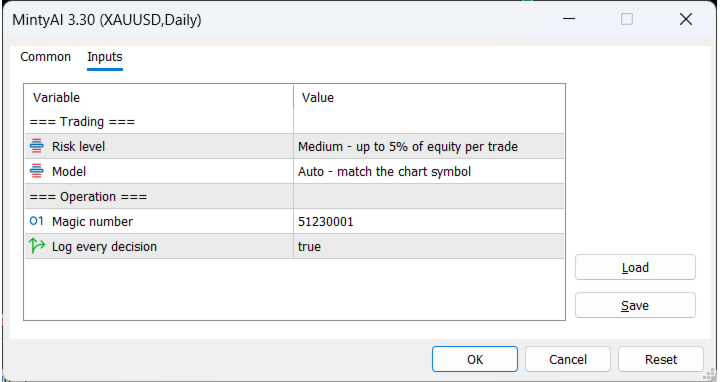
| Setting | Default | What it does |
|---|---|---|
| Risk level | Medium | Low, Medium or High — how much of the account is staked per trade |
| Model | Auto | Which instrument's model to run. Auto reads it from the chart symbol; only pick one by hand if your broker renames the instrument — see below |
| Magic number | 51230001 | Identifies this EA's positions |
| Log every decision | on | One line per bar explaining what it did and why |
Everything else — the entry filter, the stop and target, the time exit, the trading hours, the position sizing and the safety limits — is fixed per instrument and printed in the log at startup.
Choosing a risk level. The three levels are derived from each instrument's own measured results, not picked at random. Low is the conservative setting. High stakes several times more per trade and will draw down several times deeper. If large equity swings are not something you want to sit through, use Low.
On-chart panel
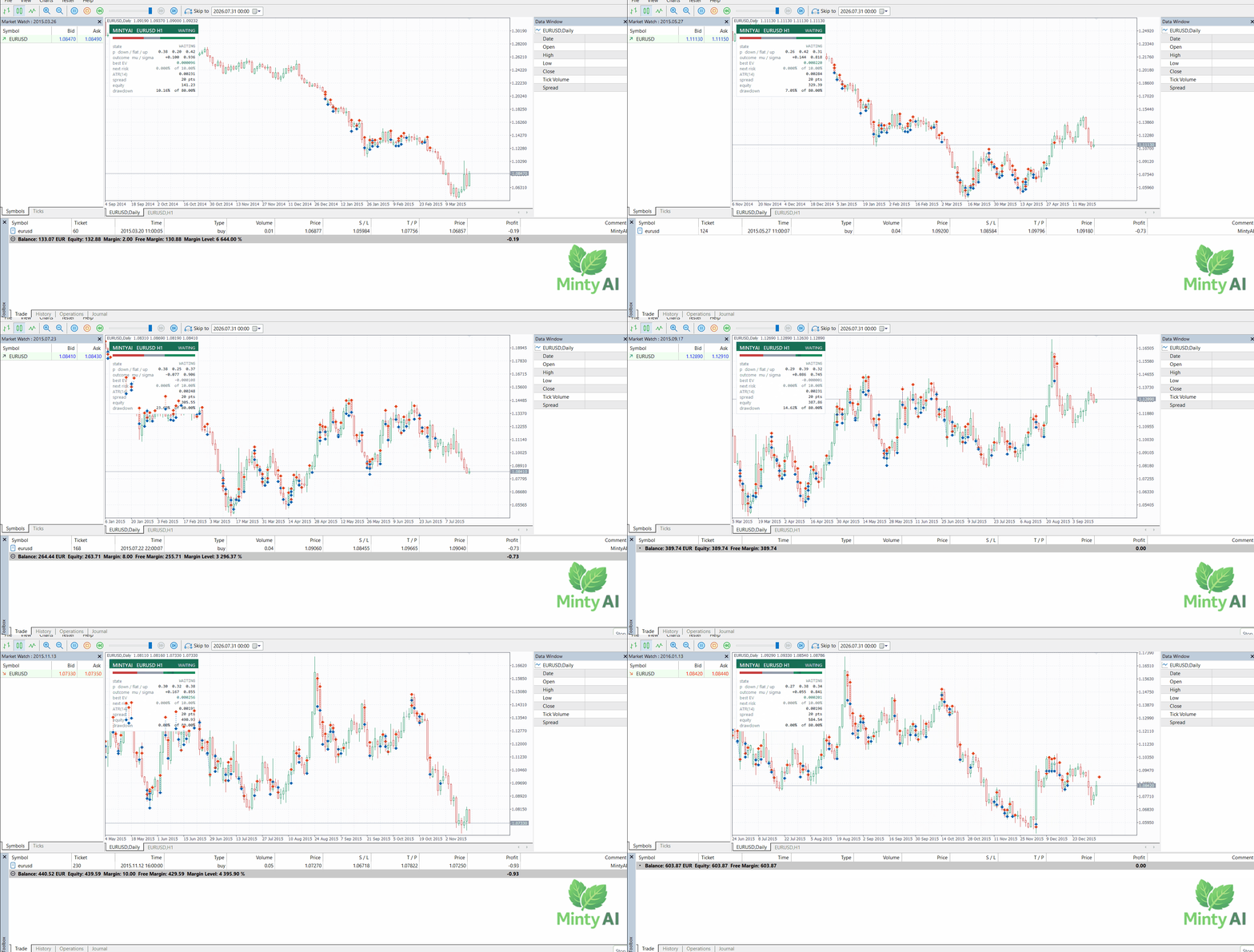
Live probabilities, the expected value of the current setup, the next position size, and how close the account is to its drawdown limit.
Requirements
- MetaTrader 5, 2023 build or newer
- A chart from the list above, on any timeframe
- At least 2,106 hours of H1 history for that symbol (the EA will not trade until it has it)
- Hedging or netting — both work
- VPS recommended for live trading
- If you are backtesting on a machine with a dedicated graphics card, restart MetaTrader between runs — see Getting started below
Getting started
- Attach MintyAI to a chart from the list above.
- Pick a risk level.
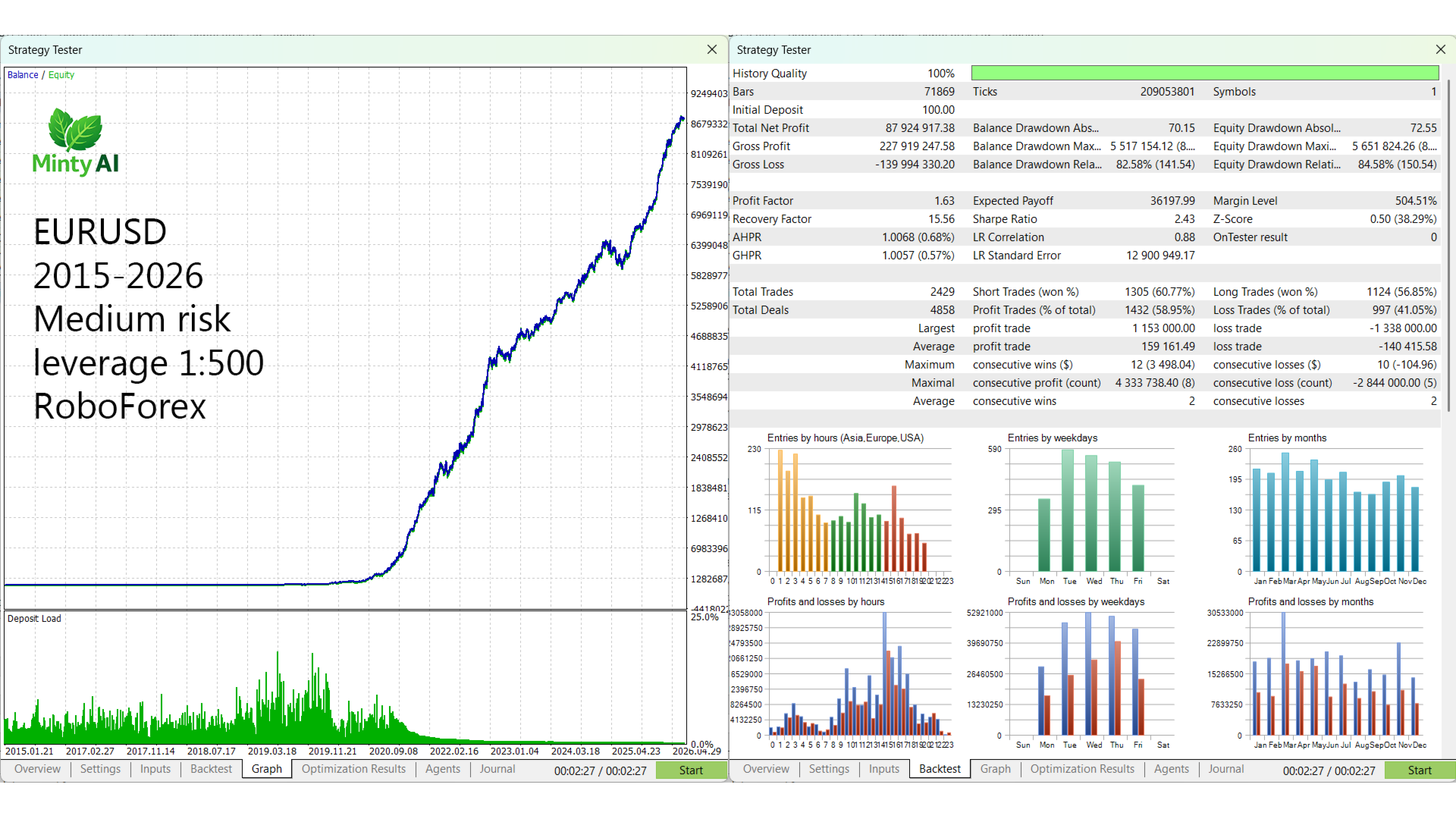
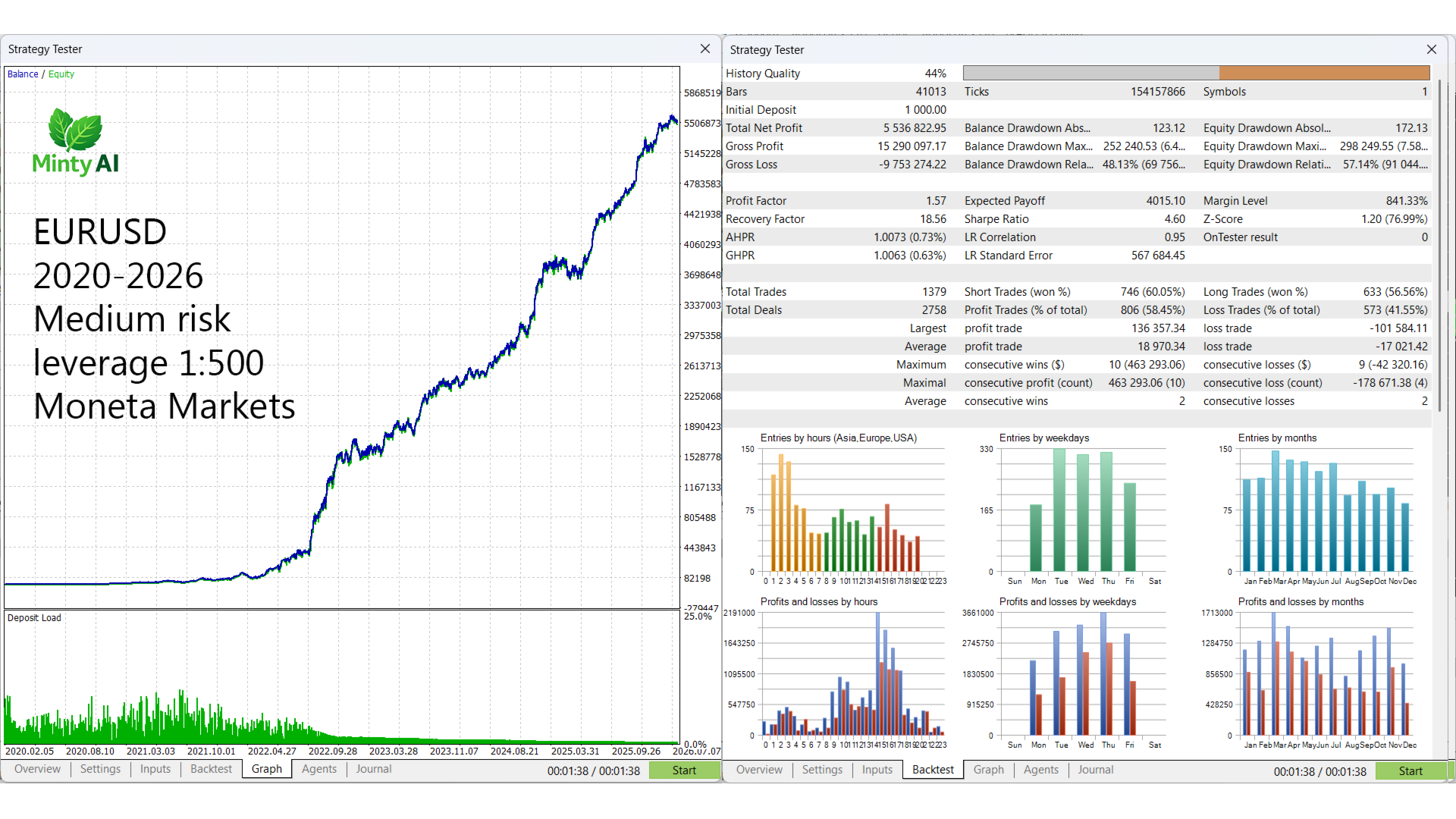
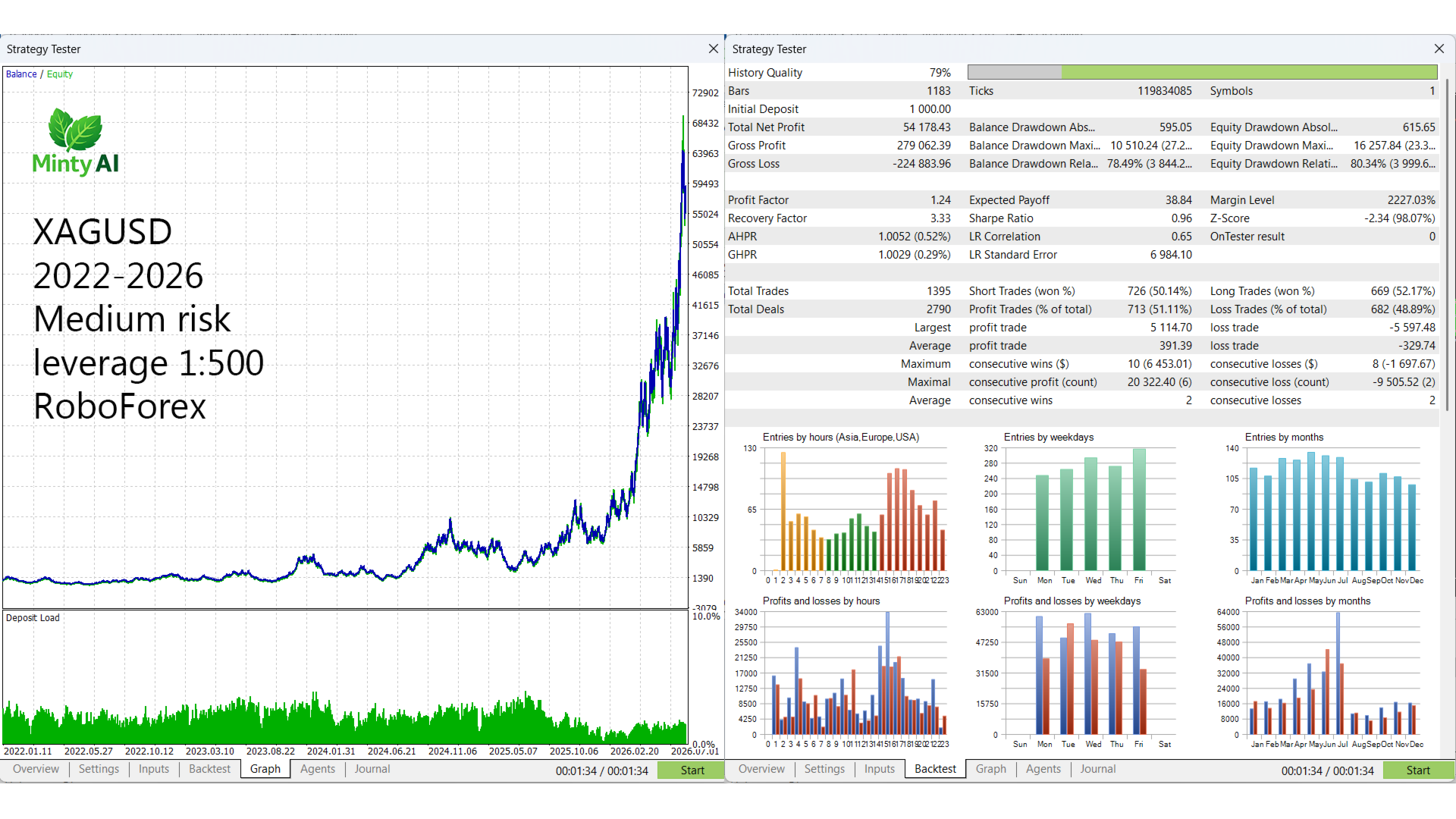
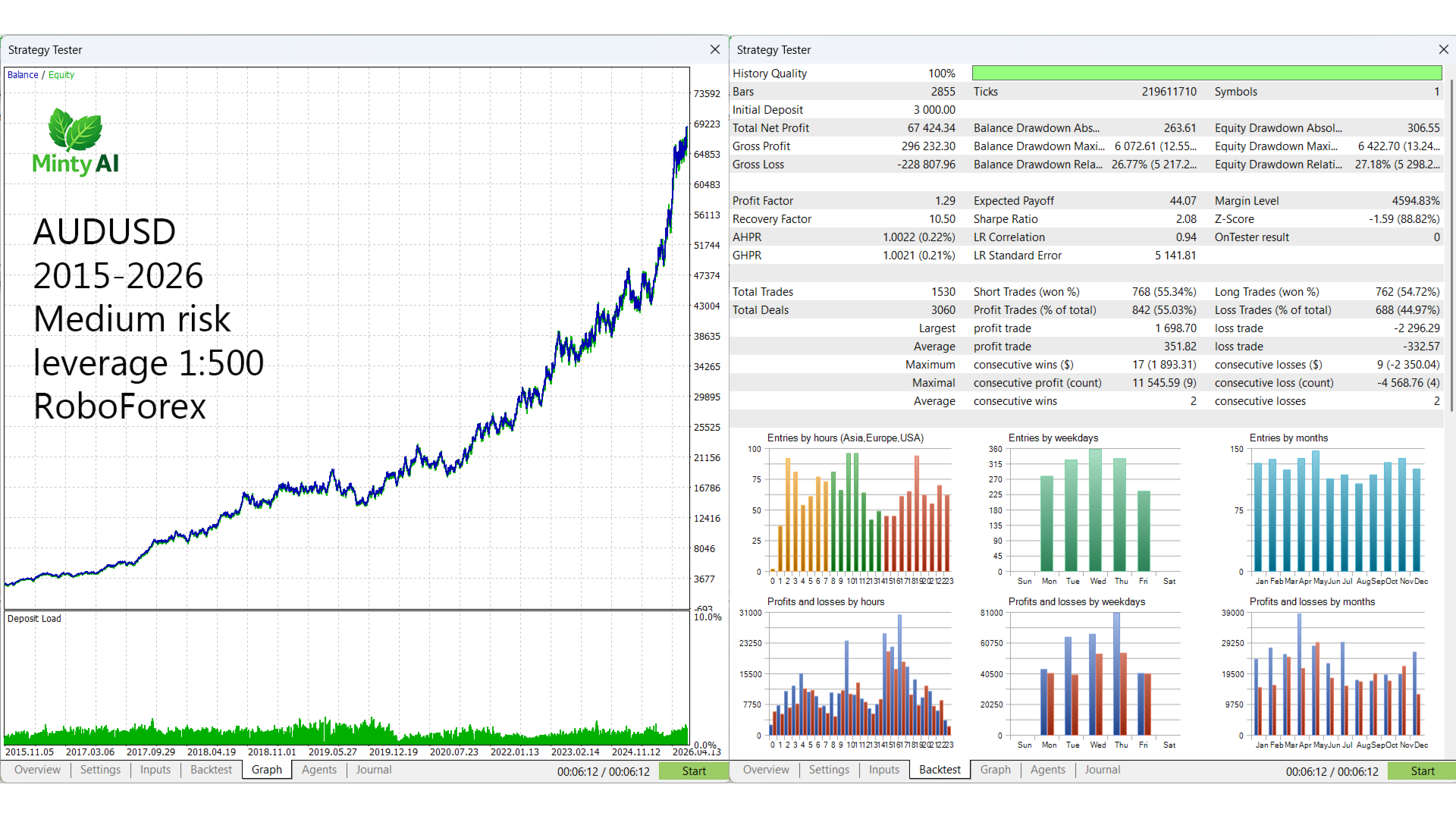
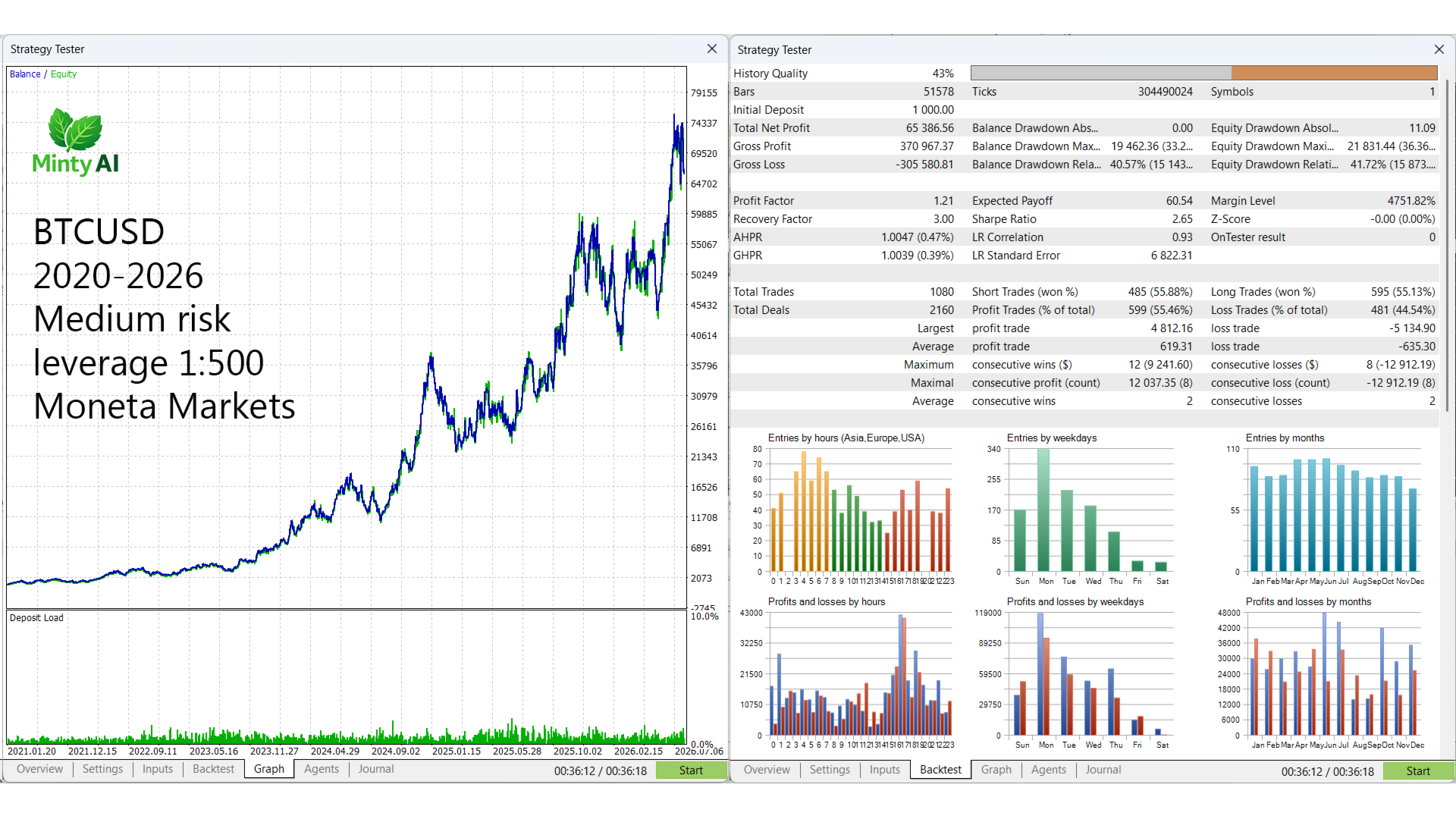
- Check the Experts log for MintyAI ready — it prints the full configuration it is trading with, including that instrument's test results.
Please backtest before going live, using Every tick based on real ticks, on the instrument and risk level you intend to run.
Restart MetaTrader between backtests. On a machine with a dedicated graphics card, MetaTrader compiles the model for your GPU the first time it runs and caches the result in the tester's own working folder. Later runs reuse that cache instead of rebuilding it, and the two do not always produce identical numbers — a difference far too small to see, but enough to flip a borderline trade and leave two tests of the same period disagreeing.
Closing MetaTrader 5 and opening it again clears that cache. Do it between runs, and particularly when you switch instruments, so every test starts from the same place. If a second run of the same test looks unlike the first, this is why — run it again from a fresh start before drawing any conclusion from it.
If your broker names things differently
Decorated names look after themselves. EURUSD.ecn , EURUSD.r , mEURUSD and the rest all find their own model with Model left on Auto.
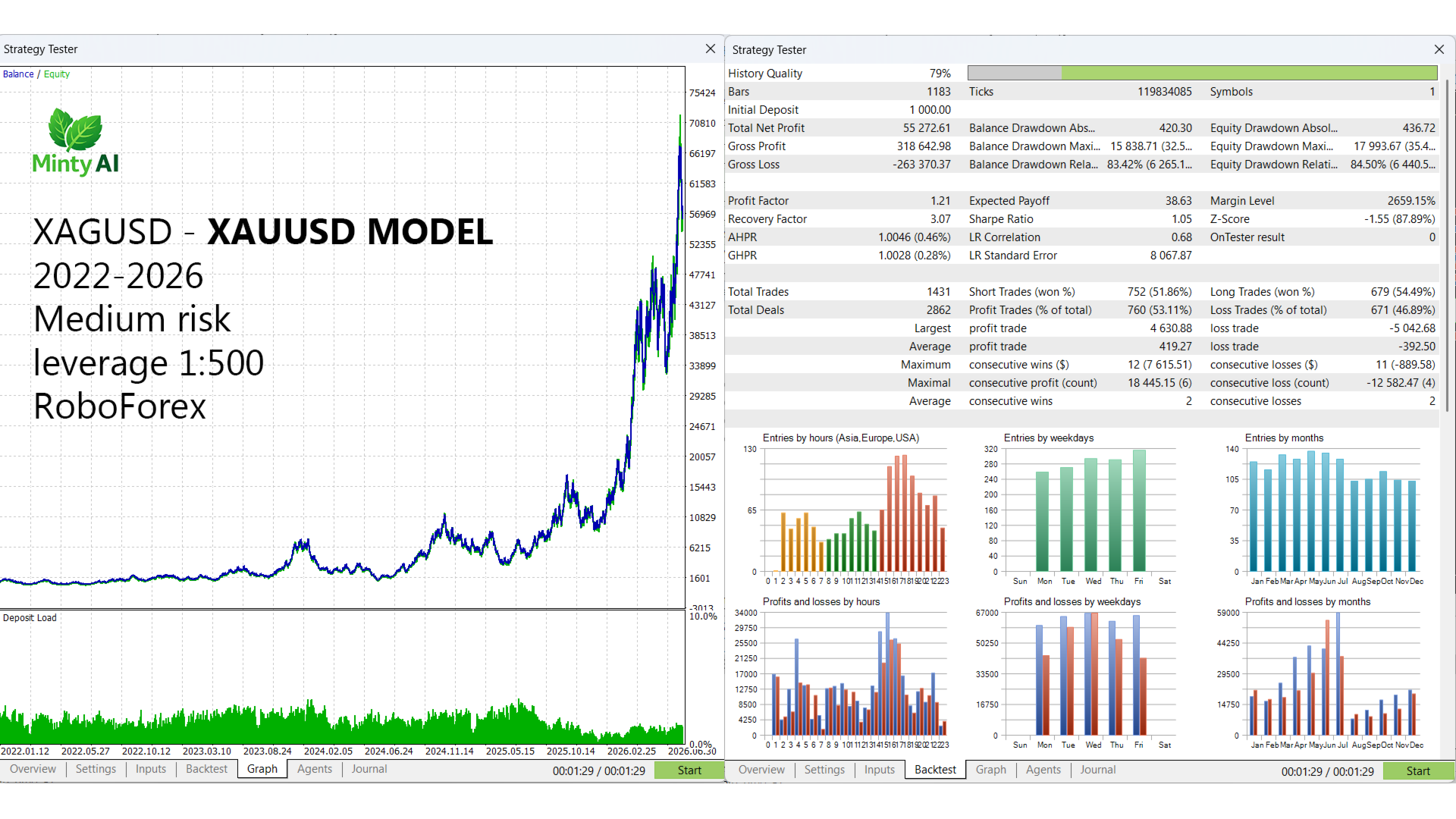
Renamed instruments cannot be worked out, by this or anything else — a chart called GOLD has nothing in common with XAUUSD for software to match on. Set Model to XAUUSD and it trades that chart on the gold model. The dropdown only offers models the EA actually carries, and the panel shows which one is running.
Attach it to something genuinely not on the list and it still loads, but it borrows the EURUSD model and says so — in the log and on the panel. That exists so the EA is never dead on a chart, not as a recommendation. The 37 above are the ones with a model of their own.
Trading carries risk. Past performance, including backtest and validation results, does not guarantee future returns. Only trade with money you can afford to lose.