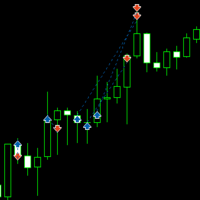
Amazing EA for BTC
- Experts
- Versão: 26.11
- Atualizado: 2 agosto 2026
- Ativações: 5

Amazing BTC Trend Catch EA
Overview
Amazing BTC Trend Catch EA is an Expert Advisor for MetaTrader 5 that trades using a single trading strategy based on trendline breakout detection. The EA is designed for traders who prefer a focused approach instead of combining multiple indicators.
The Expert Advisor continuously monitors price action and opens Buy or Sell positions only when a trendline breakout signal is detected. It also includes built-in money management, pyramiding, trailing stop management, profit protection, and an on-chart control panel.
Trading Strategy
The EA uses one entry method:
-
Trendline Breakout
Buy Entry
A Buy trade is opened when price breaks above the calculated downtrend line.
Sell Entry
A Sell trade is opened when price breaks below the calculated uptrend line.
The strategy waits for breakout confirmation before opening a position.
Main Features
-
Trendline breakout trading strategy
-
Buy only, Sell only, or Buy & Sell modes
-
Fixed lot or risk-based lot calculation
-
Balance-based lot sizing option
-
Configurable Stop Loss and Take Profit
-
Trailing Stop management
-
Global profit trailing
-
Maximum profit target exit
-
Maximum loss protection
-
Optional account balance filter
-
Optional pyramiding with up to 5 additional entries
-
Maximum open trade control
-
Automatic lot validation
-
Margin-aware order sizing
-
Magic Number support
-
Mobile-friendly chart control panel
-
Manual Pause/Resume button
-
Manual Close All Positions button
Risk Management
The EA includes several risk management features:
-
Fixed lot trading
-
Risk percentage lot calculation
-
Maximum lot size limitation
-
Stop Loss
-
Take Profit
-
Trailing Stop
-
Global profit trailing
-
Maximum daily profit exit
-
Maximum loss exit
-
Minimum account balance filter
-
Margin validation before placing orders
Pyramiding
When enabled, the EA can add positions in the direction of the existing trend.
Features include:
-
Up to 6 total positions
-
Five configurable pyramiding levels
-
Individual lot size for each level
-
Minimum distance between entries
-
Independent risk control
Pyramiding can also be disabled to allow only one open position.
Mobile Interface
The Expert Advisor includes an on-chart interface showing:
-
EA running status
-
Current floating profit/loss
-
Number of Buy positions
-
Number of Sell positions
-
Current trading direction
-
Active trading method
-
Account balance information
-
Global trailing status
Interactive buttons allow:
-
Pause or resume trading
-
Close all positions manually
Input Parameters
Trade Settings
-
Trade direction
-
Signal mode
-
Magic Number
Entry Settings
-
Enable Buy entries
-
Enable Sell entries
-
Stop Loss
-
Take Profit
Money Management
-
Fixed Lot mode
-
Risk Percentage mode
-
Balance-based lot sizing
-
Maximum lot size
Pyramiding
-
Enable or disable pyramiding
-
Maximum simultaneous trades
-
Distance between pyramid entries
-
Individual lot size for each level
Exit Management
-
Trailing Stop
-
Global Trailing Stop
-
Maximum Profit Exit
-
Maximum Loss Exit
Account Protection
-
Minimum account balance requirement
-
Margin validation before opening trades
Recommended Usage
-
Platform: MetaTrader 5
-
Markets: Cryptocurrency symbols (broker dependent)
-
Recommended symbol: BTCUSD or supported Bitcoin CFD
-
Timeframes: M15, M30, H1 or higher
-
Account type: Demo or Live
-
VPS recommended for uninterrupted operation
Notes
-
Trading performance depends on market conditions and broker execution.
-
Before using on a live account, test the EA in the MetaTrader Strategy Tester and on a demo account.
-
Ensure that AutoTrading is enabled in MetaTrader 5.
-
Use appropriate risk settings according to your account size and trading objectives.