Trader Agent
- Utilitários
- Versão: 1.2
- Ativações: 10

Trader Agent MT5
Trader Agent MT5 — Professional Trade Management Panel
Trader Agent is an all-in-one trade management Expert Advisor that gives you complete control over every aspect of your trading — from one-click order execution to advanced risk management, partial close strategies, and automated position protection. With 40+ built-in features organized across 5 intuitive tabs, it replaces the need for multiple tools and puts professional-grade order management at your fingertips.Why Trader Agent?
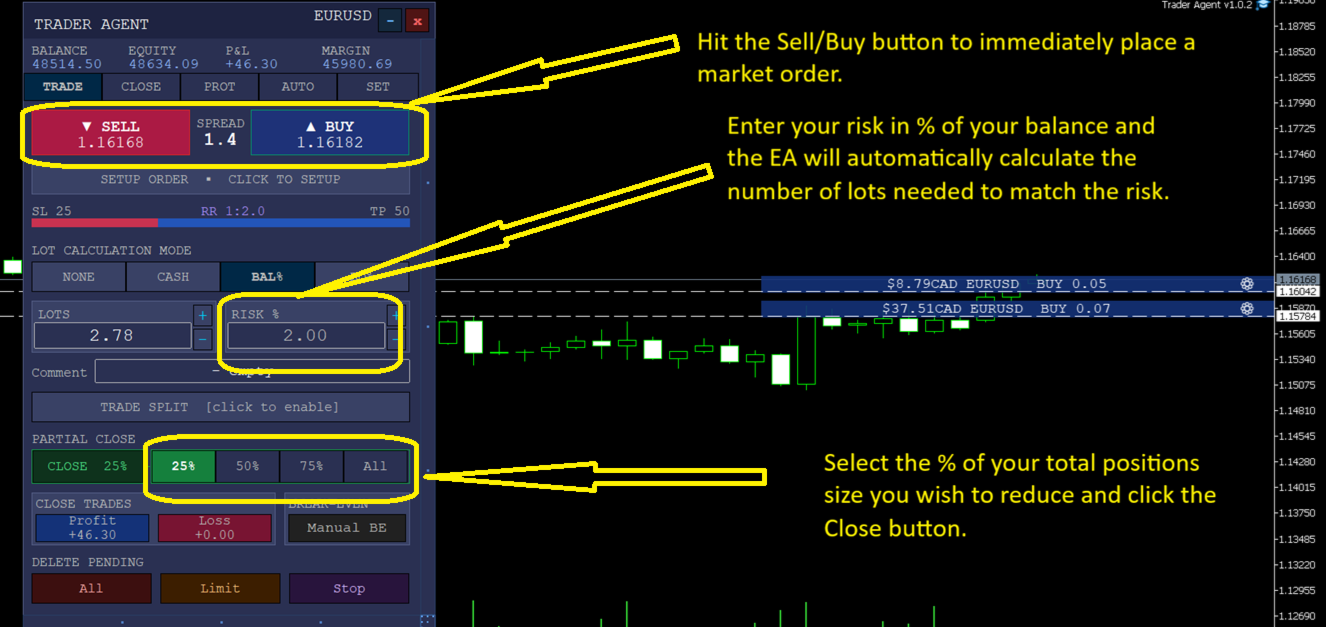
Execute trades instantly. Hit the BUY or SELL button and your market order is placed — with pre-configured lot size, stop loss, and take profit already set. For high-frequency traders, keyboard shortcuts (B, S, X, P and more) let you place, close, and manage orders at light speed without touching the mouse.
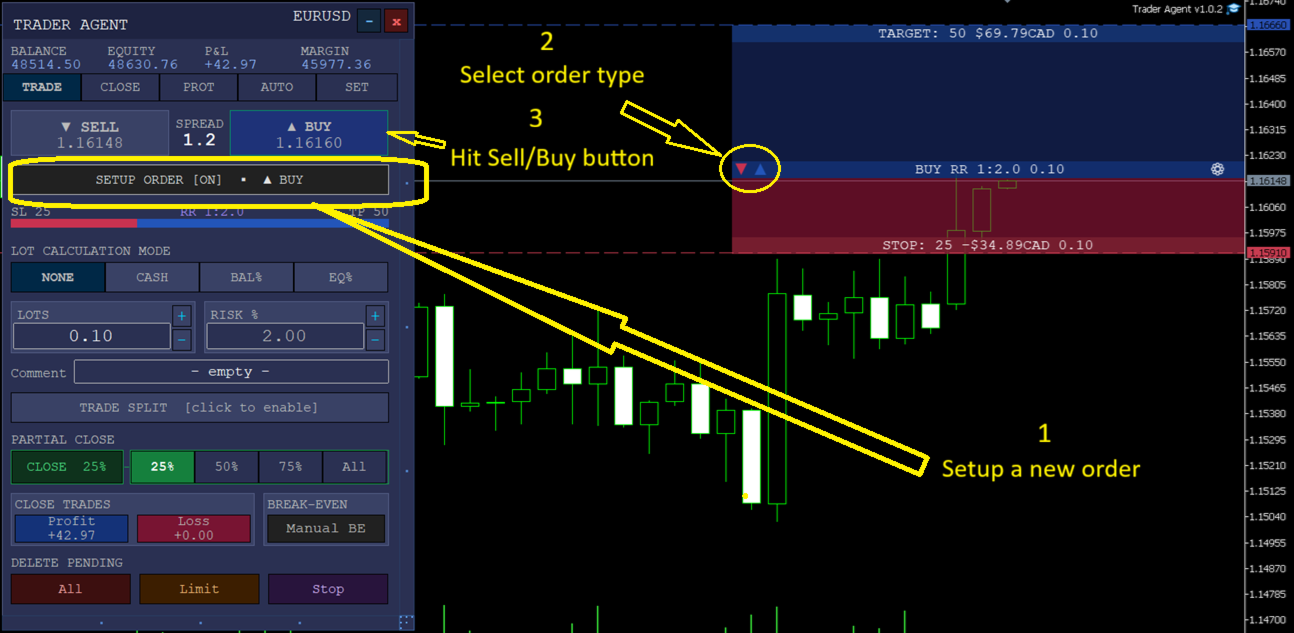
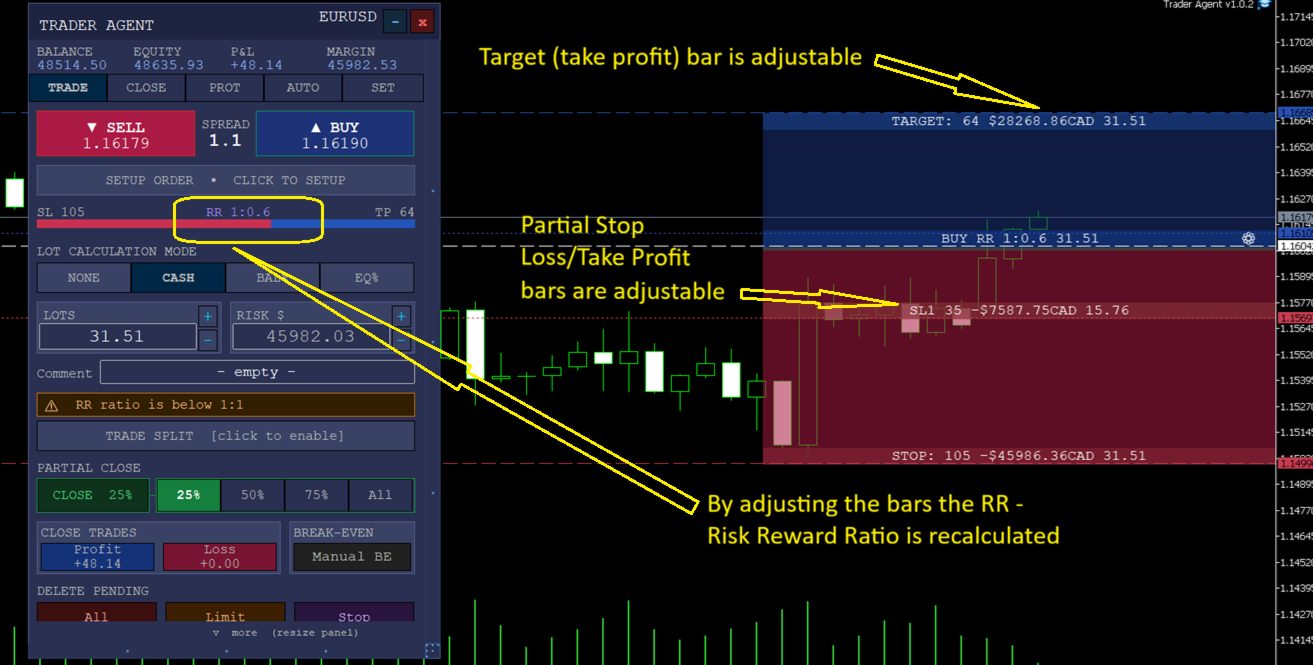
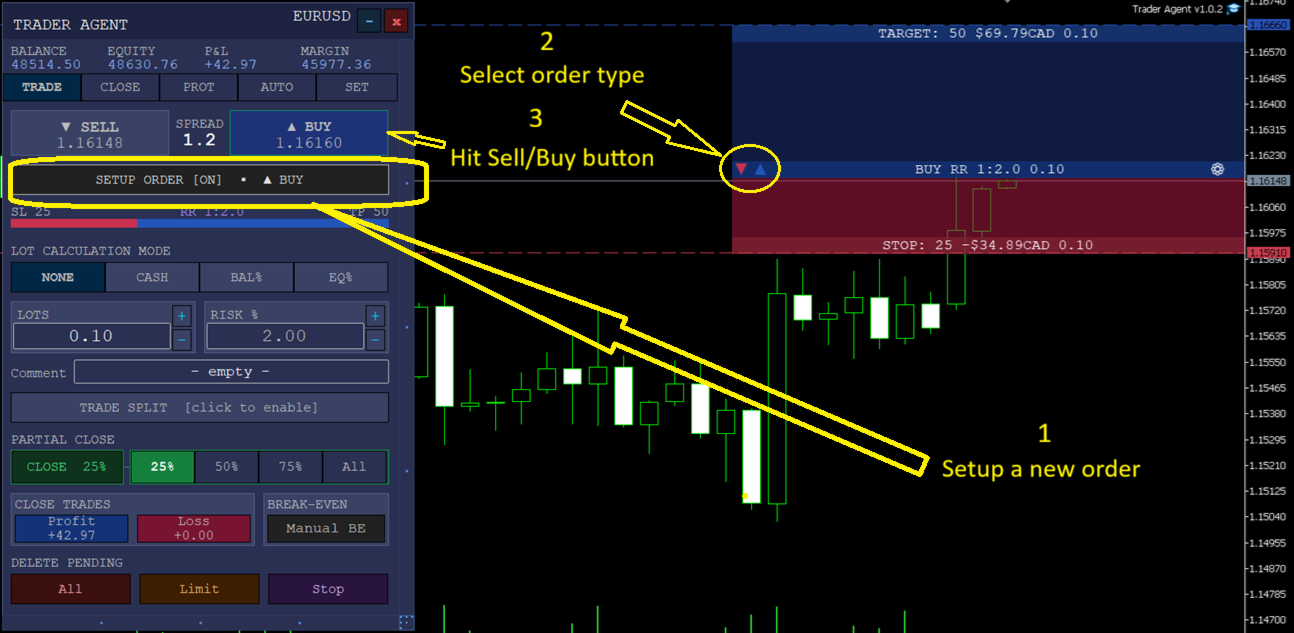
Set up orders visually before placing them. The unique Setup Order button activates a visual order builder directly on the chart. Drag the entry, stop loss, and take profit lines to exact price levels. Add partial take profit and partial stop loss levels with custom distance and close percentages. Preview the risk-reward ratio in real time — then execute with one click. Cycle through all 6 order types (BUY, BUY LIMIT, BUY STOP, SELL, SELL LIMIT, SELL STOP) with a single keystroke.
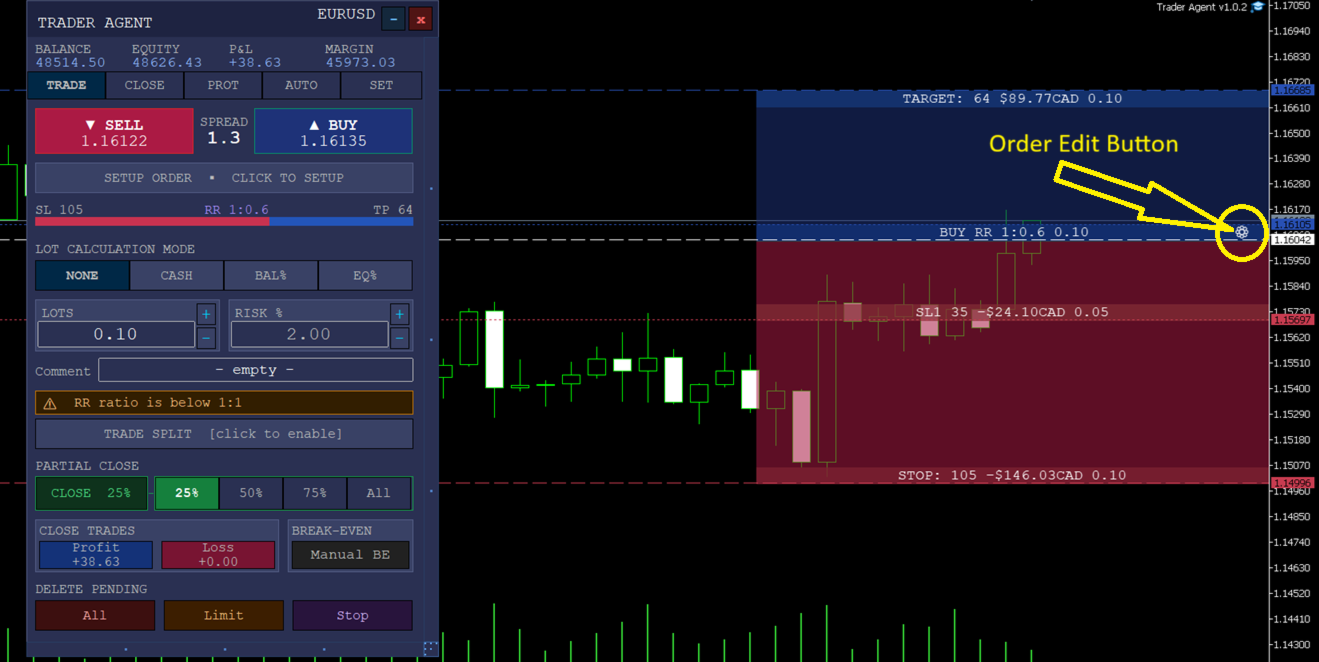
Manage open positions with precision. Click any open order to enter Edit Order view — a fully interactive SL/TP zone appears on the chart showing your entry, targets, stops, and partial close levels. Adjust everything visually by dragging, or use the panel's text fields for exact values.
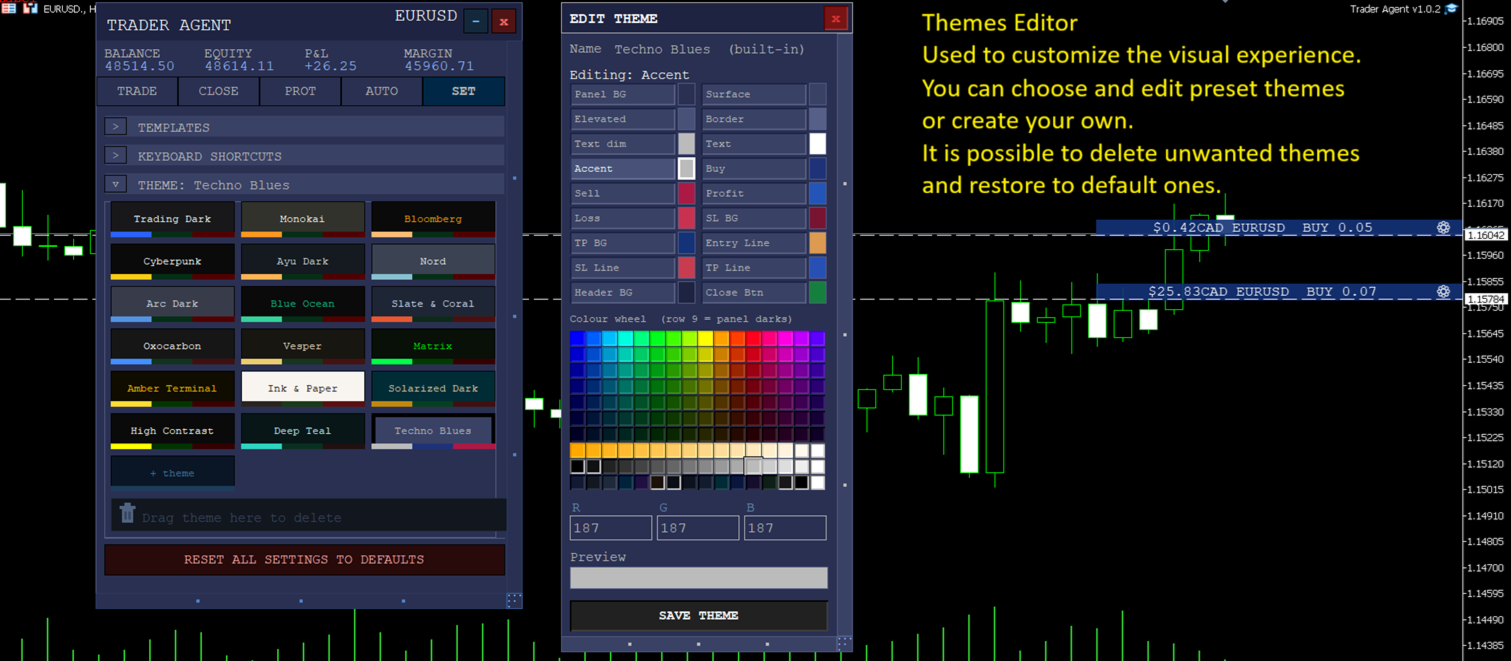
Personalize your workspace. Choose from 18 built-in themes or create your own with the Theme Editor — a standalone colour wheel panel that lets you customize every visual element in real time.
Core Features by Tab
TRADE Tab — Order Execution
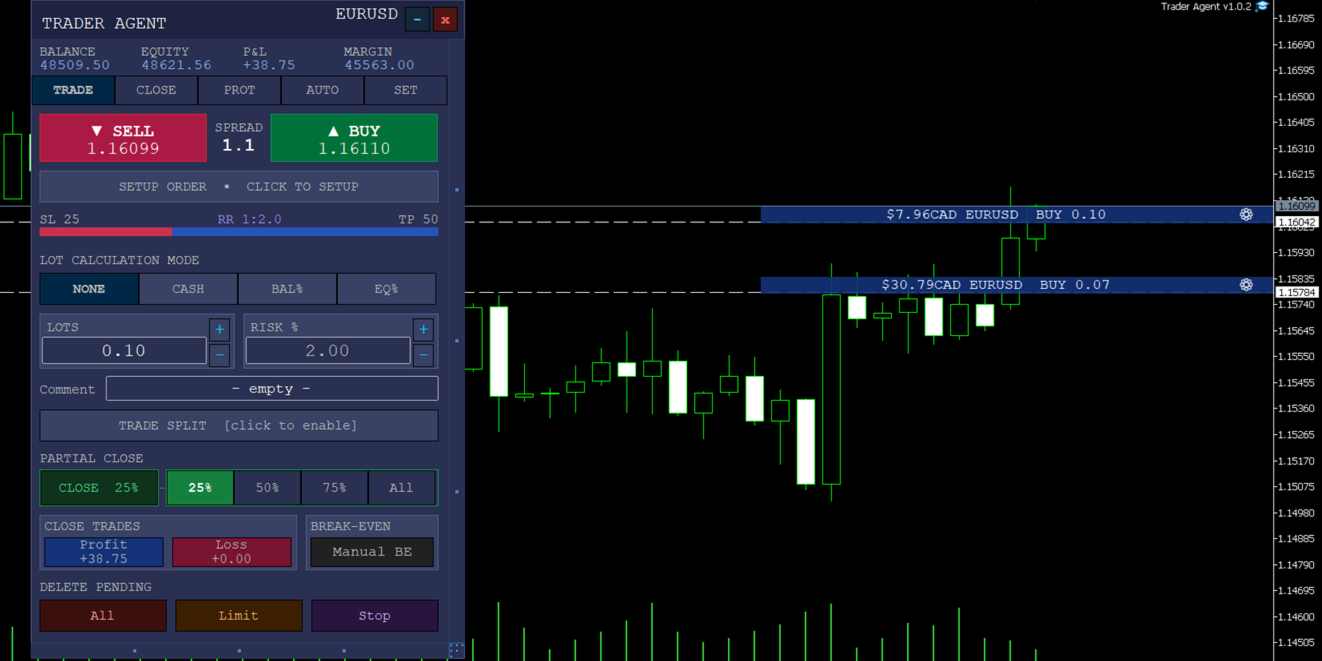
The command centre for placing orders. Set lot size by fixed amount, risk percentage, or cash risk. Configure SL/TP in pips, add an order comment, and execute with the BUY/SELL buttons. The partial close bar (25% / 50% / 75% / All) lets you instantly close a portion of your open position. A built-in spread indicator keeps you informed of current market conditions.
CLOSE Tab — Partial Take Profit & Stop Loss
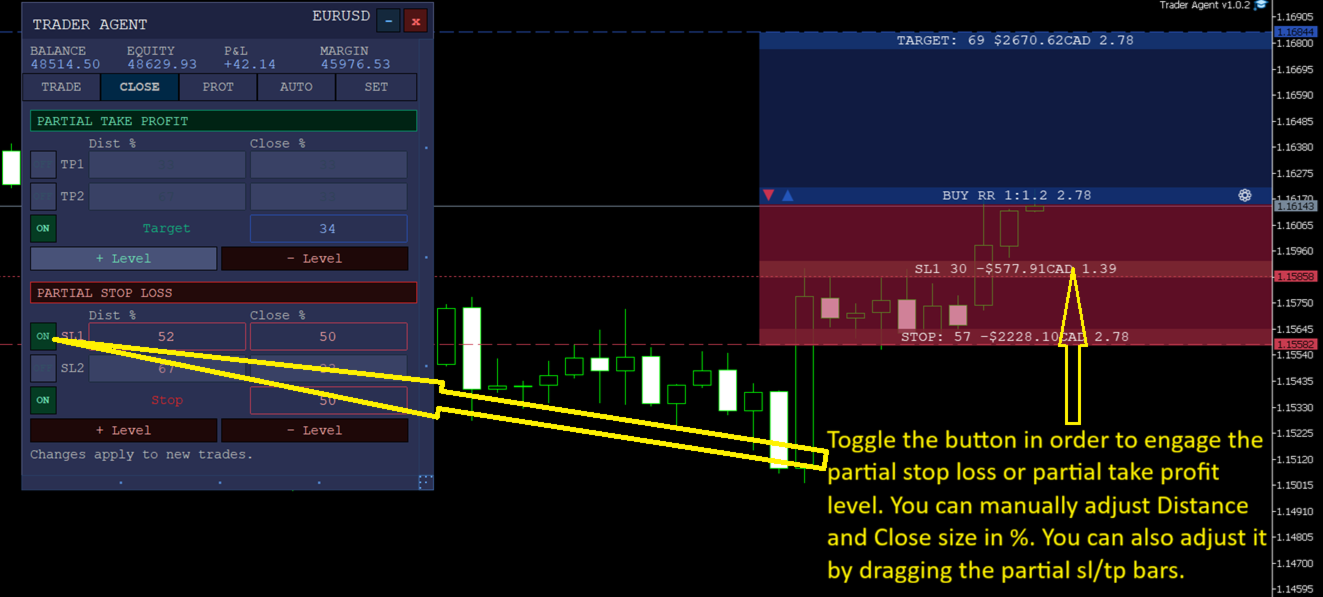
Configure up to 6 partial take profit (PTP) and 6 partial stop loss (PSL) levels. Each level has an independent Distance % (how far from entry the trigger sits) and Close % (what portion of the position to close). Levels are visualized as colour-coded stripes on the SL/TP zone — toggle them on/off individually and watch the stripes appear or disappear instantly.
PROT Tab — Position Protection
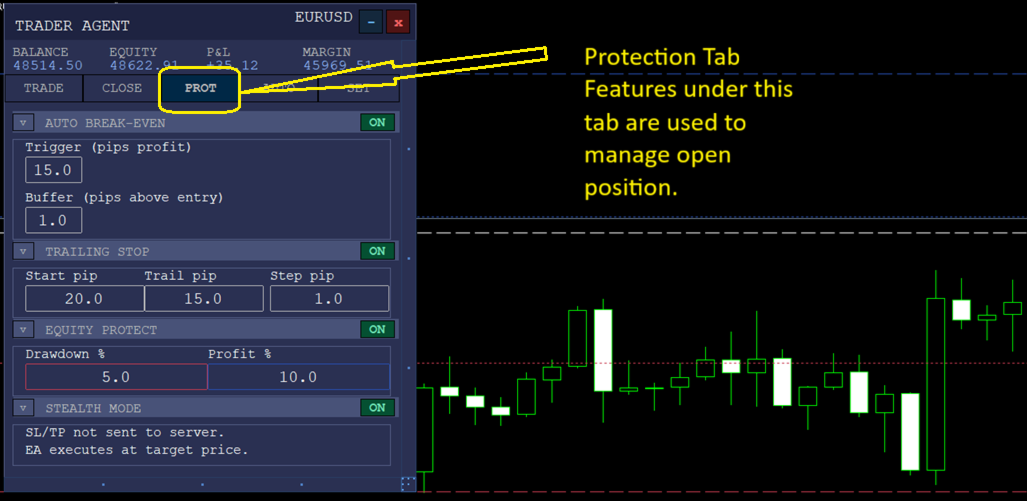
Break Even — automatically move your stop loss to entry (plus a buffer) after price moves a specified number of pips in profit. Trailing Stop — lock in profits as price advances with configurable start, trail distance, and step size. Stealth Mode — hide your SL/TP from the broker by managing exits internally.
AUTO Tab — Automated Strategies
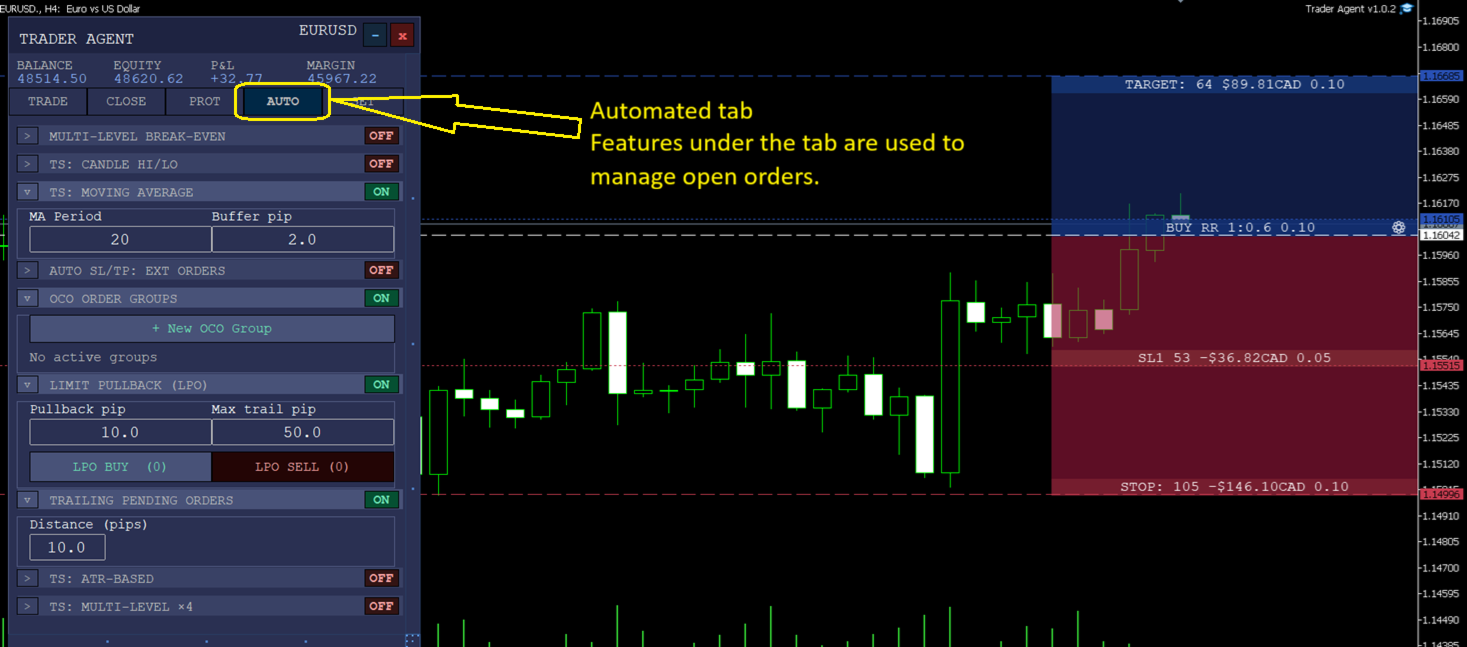
Equity Protect — close all positions if account equity drops or rises beyond set thresholds. Multi-Level Break Even — up to 9 progressive break-even levels that tighten your stop as the trade moves in your favour. ATR Trailing Stop, MA-based Trailing, Candlestick High/Low Trailing — advanced trailing methods that adapt to market volatility. OCO Groups — link pending orders so when one triggers, the others are cancelled automatically.
SET Tab — Settings & Personalization
18 themes with a full colour wheel editor for every visual role (backgrounds, borders, text, Stop Loss/Take Profit zones, lines). 8 template slots to save and instantly recall your favourite configurations. Keyboard shortcuts reference panel. Order type display preferences and trade arrow visibility controls.
Trader Agent is built for traders who demand speed, precision, and full visual control over their positions — whether you scalp on the 1-minute chart or manage swing trades across multiple pairs.