Chopar
- Utilitários
- Versão: 1.2
- Atualizado: 9 maio 2026

Chopar MT5 — Transaction Notification Utility
This tool is designed exclusively for broadcasting trading account events to Telegram (@ChoparTradeBot). It does not perform market analysis or provide financial advice; instead, it functions as an informational bridge between your MT5 terminal and the messenger.
What This Monitor Tracks:
-
Opening and Closing Trades: Captures the moment a deal is added to the history ( DEAL_ADD ). For closed positions, it immediately calculates and displays the final profit.
-
Pending Order Activity: Notifies you when new Buy Limit / Sell Limit orders are placed or modified.
-
SL/TP Level Adjustments: Sends a dedicated notification if you move the Stop Loss or Take Profit levels of an existing order.
-
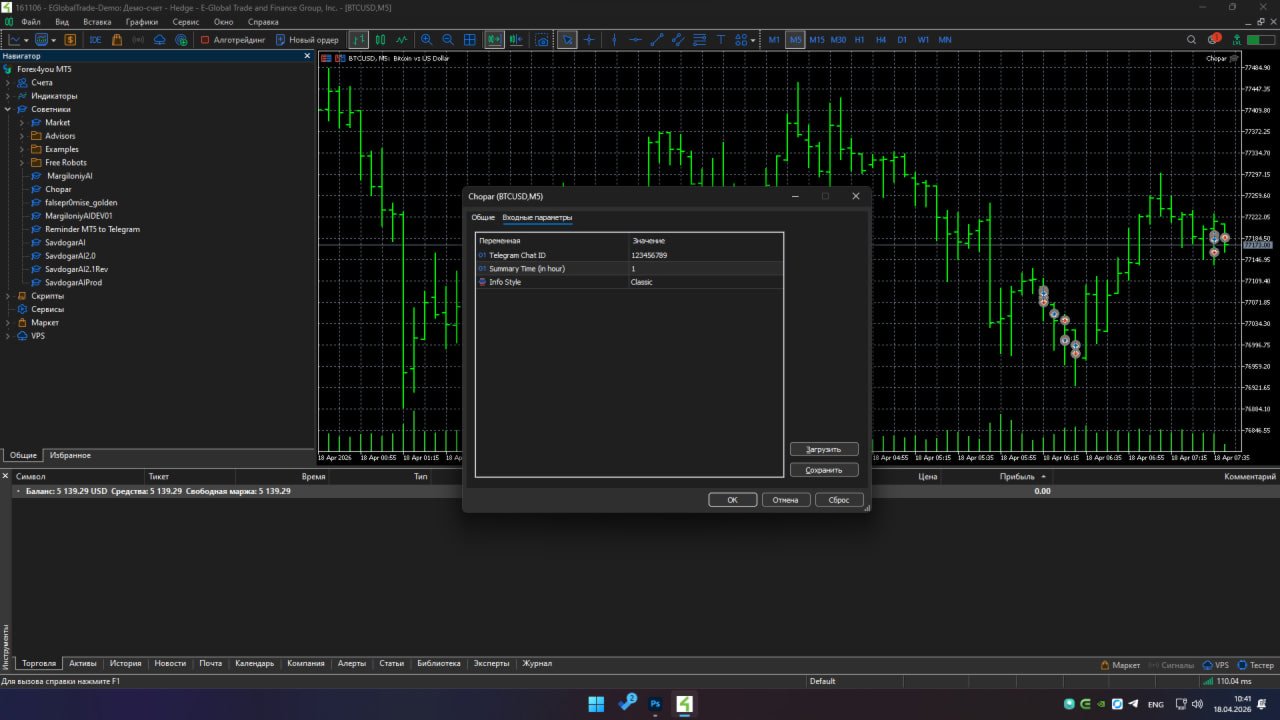
Scheduled Account Status: Sends current Balance and Equity updates at set intervals (controlled by the InpHours parameter).
Technical Features:
-
3 Visualization Modes: Choose between a detailed report with dividers, a minimalist style, or a purely technical string (ideal for logging).
-
Delivery Mechanism: Uses the standard WebRequest function. Requires adding https://api.telegram.org to the list of allowed URLs in your terminal settings.
-
Optimized Performance: The code does not overload the tick processing thread, as primary events are handled within OnTradeTransaction .
Important Limitations:
-
The monitor notifies you of completed transactions. It does not notify you of price approaching specific levels or margin changes (except during scheduled reports).
-
Operation requires a stable internet connection and enabled WebRequests in the terminal.
Setup Instructions:
-
Get your Chat ID: (e.g., via @userinfobot, @ChoparTradeBot ).
-
Enable WebRequests: Add the Telegram API domain to the MT5 settings.
-
Configure & Launch: Enter your credentials in the Expert Advisor settings and run it on any chart. The symbol does not matter; the monitor tracks the entire account.
Having Trouble?
If you run into any issues or have questions regarding the setup, feel free to contact the developer directly: 📩 Telegram: t.me/SardorbekSirojiddinov