Auger Panel
- 유틸리티
-
Ramez Daher
 Founder & Developer of AUGER | Algorithmic Trading Systems & AI Research
Passionate about building intelligent trading technology that combines algorithmic strategies, technical analysis, automation, and AI-assisted market research. - 버전: 1.61
- 활성화: 5
Auger Panel
Manual Trading, Risk Management and Position Management for MetaTrader 5
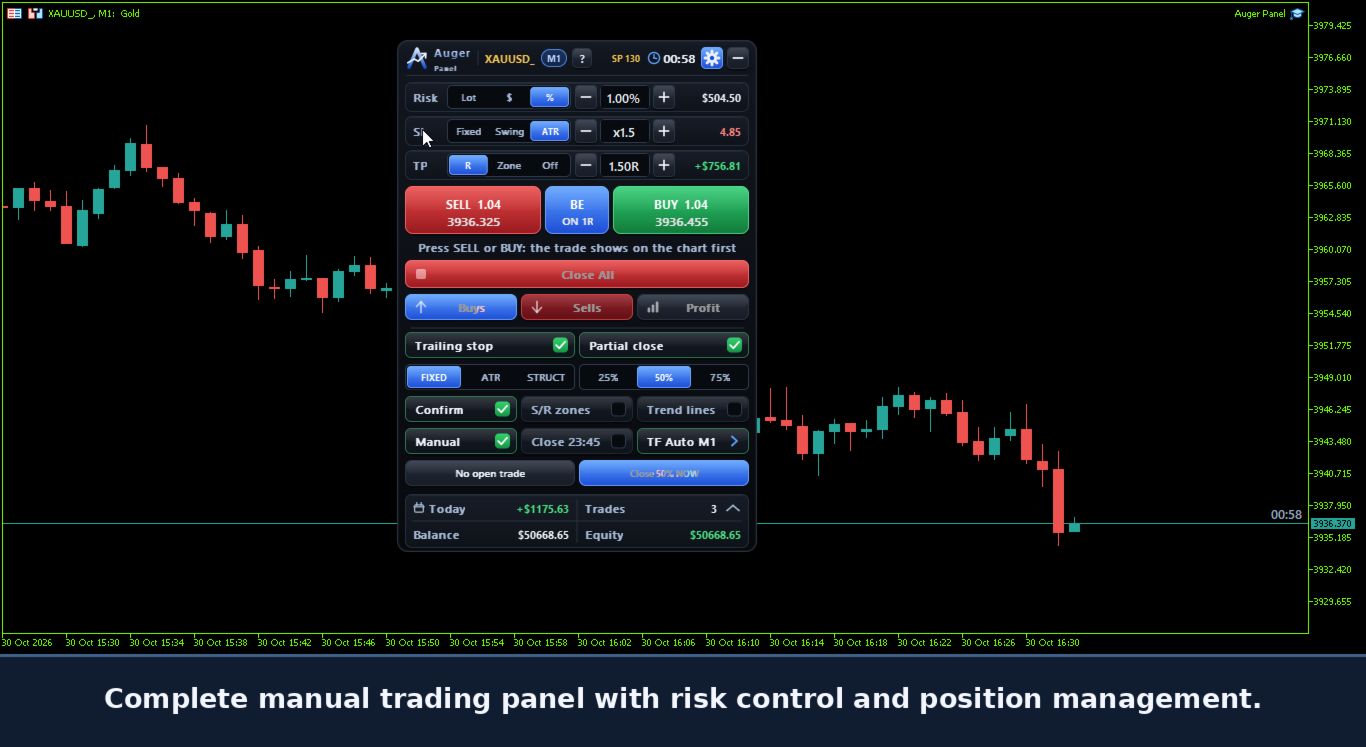
Auger Panel is a manual trading and position management utility designed to make trading from MetaTrader 5 charts more organized and convenient.
It combines order preparation, risk calculations, trade management, chart analysis and customizable visual controls within a single interface.
Traders can open positions manually, review order parameters before execution, manage existing positions and optionally manage eligible trades opened from the MetaTrader 5 mobile application.
1. Manual Trading and Order Confirmation
- Manual BUY and SELL trading controls.
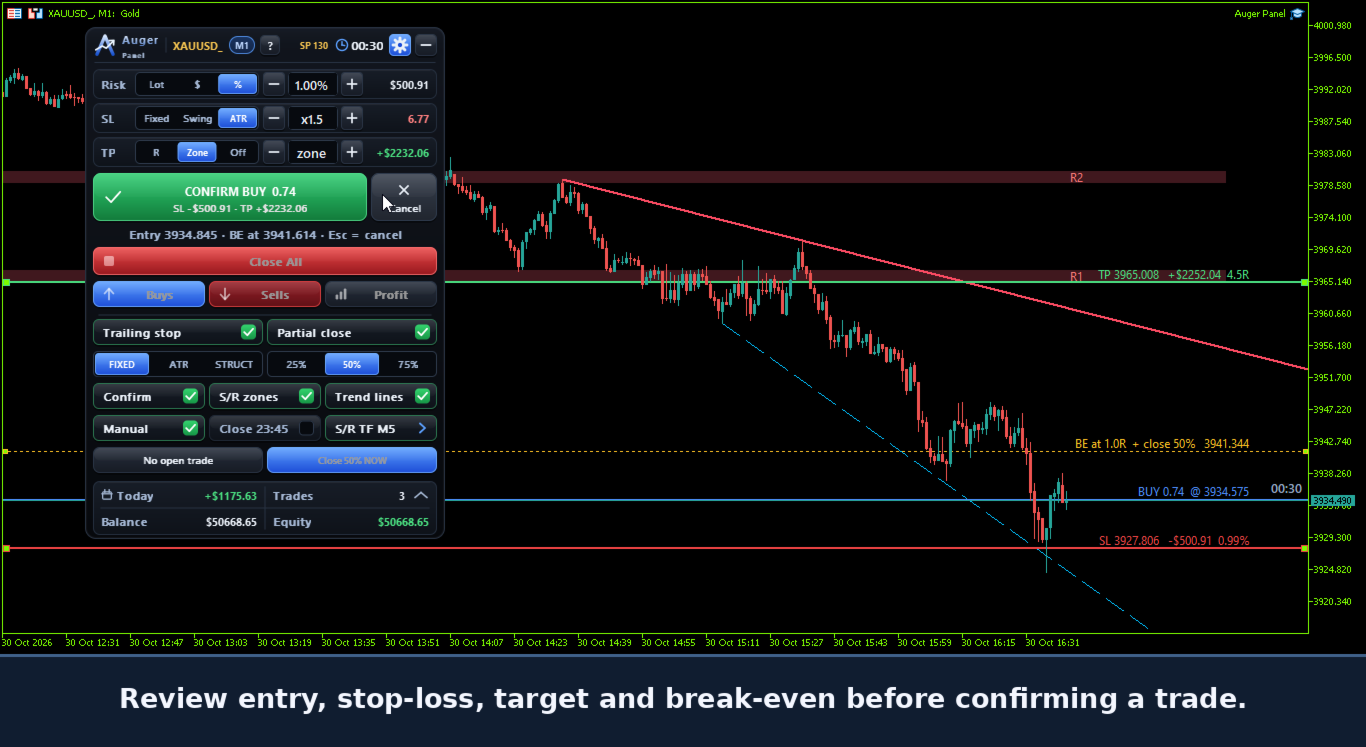
- Optional two-step order confirmation.
- Preview of Entry, Stop Loss and Take Profit before opening a position.
- Estimated monetary risk and potential target values.
- Adjustable order parameters before confirmation.
- Convenient lot-size adjustment controls.
- Market orders executed only after the trader's action.
Auger Panel does not independently open trades based on automated signals.
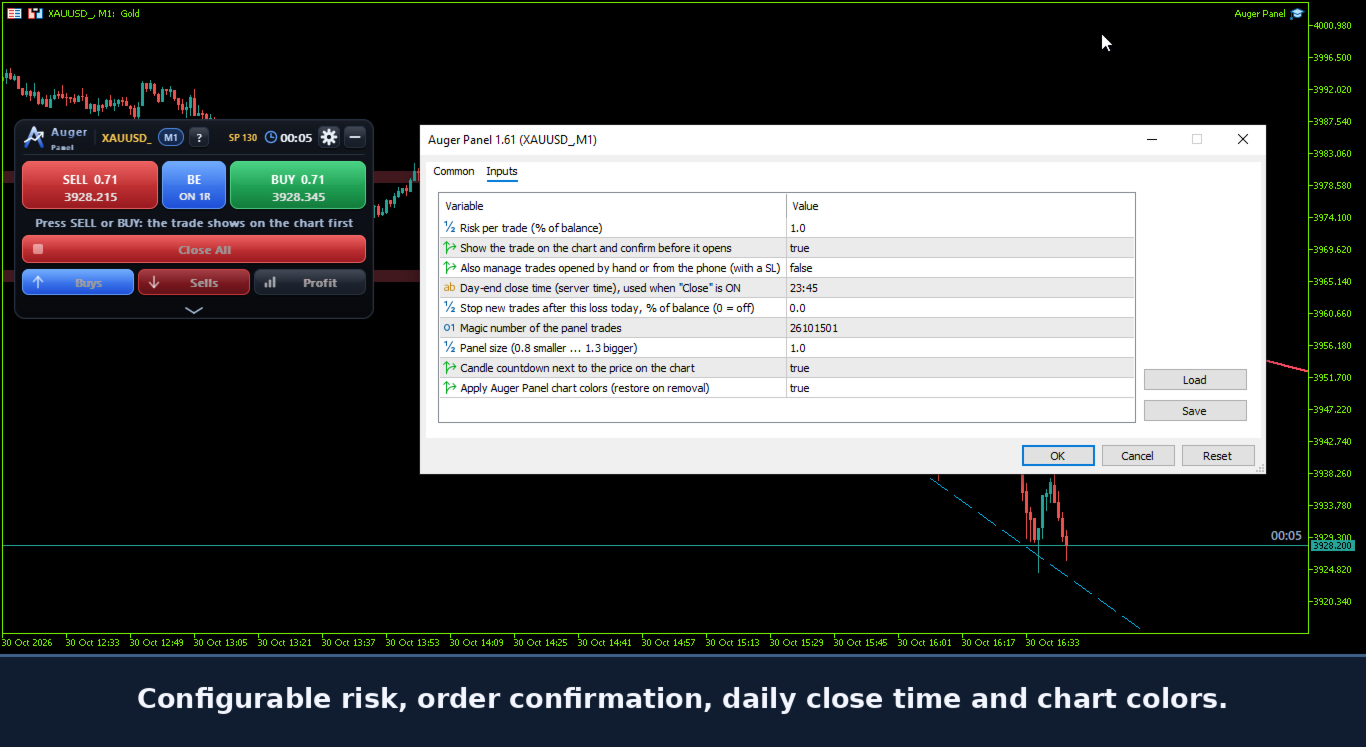
2. Flexible Risk Management
Choose between three position-sizing methods:
- Fixed Lot: manually select the trading volume.
- Risk Percentage: calculate position size using a percentage of account balance.
- Money Risk: calculate position size using a specified monetary amount.
Additional risk controls include:
- Stop Loss methods: Fixed, Structure/Swing and ATR.
- Take Profit methods: Risk/Reward, Zone and Off.
- Configurable risk/reward parameters.
- Optional daily loss limit to stop new entries.
- Configurable Magic Number.
- Broker-aware volume and price calculations.
3. Interactive Chart-Based Trade Management
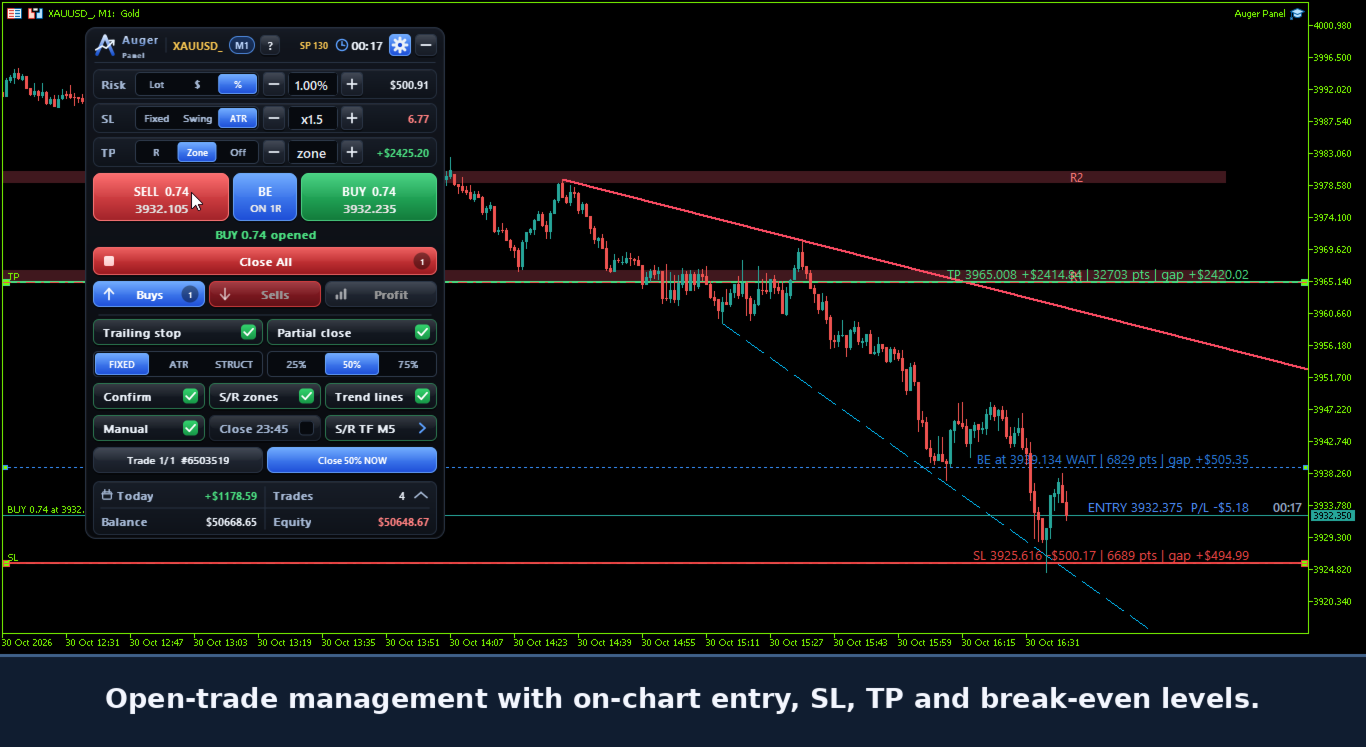
Auger Panel displays trade levels directly on the MetaTrader 5 chart.
- Entry price.
- Stop Loss price.
- Take Profit price.
- Break-Even activation level.
- Dynamic price-distance information.
- Estimated monetary distance and risk information where applicable.
Dragging Trade Levels
Before execution, supported preview levels can be adjusted on the chart.
After execution:
- The executed Entry price remains fixed.
- Existing Stop Loss levels can be dragged to new valid prices.
- Existing Take Profit levels can be dragged to new valid prices.
- The Break-Even activation line can be repositioned for supported positions.
- Stop Loss and Take Profit modifications are submitted to the broker for confirmation.
Adjustments remain subject to market conditions, available quotes and broker stop/freeze-level restrictions.
4. Break-Even and Trailing Stop
Auger Panel provides configurable trade-management functions.
Break-Even Management
- Automatic Stop Loss adjustment when configured conditions are reached.
- Adjustable Break-Even activation.
- Optional positive offset beyond the entry price.
- Supported on-chart Break-Even trigger adjustment.
Trailing Stop Management
- Fixed Distance trailing.
- ATR-based trailing.
- Structure-based trailing.
- Configurable activation and movement conditions.
- Stop adjustments designed to avoid unnecessarily increasing an existing position's risk.
These management functions operate through the running desktop MT5 terminal.
5. Partial Closing and Position Controls
Auger Panel provides tools for managing open positions.
- Partial Close: 25%, 50% or 75%.
- Close All positions.
- Close Buy positions.
- Close Sell positions.
- Close Profitable Positions.
- Optional automatic partial-close management.
- Optional position management after partial closing.
- Configurable daily position closing time.
Execution depends on broker conditions, minimum lot size, lot step and account type.
6. Mobile Trading with Desktop Management
Open eligible trades from your smartphone and let Auger Panel manage them from your computer.
Auger Panel can manage eligible positions opened directly from the official MetaTrader 5 mobile application.
When the desktop panel is active and manual trade management is enabled, supported mobile-opened positions on the same trading account and symbol can be managed using the panel's configured rules.
Supported functions include:
- Break-Even management.
- Fixed, ATR or Structure trailing-stop management.
- Automatic partial closing when enabled and applicable.
- Stop Loss adjustments according to the configured management logic.
An eligible externally opened position must have a valid initial Stop Loss for risk-based management. Existing Take Profit orders remain subject to the broker and the trader's settings.
Requirements for Mobile-Opened Trade Management
- The computer must remain powered on.
- Desktop MetaTrader 5 must remain running and connected.
- Auger Panel must remain active on the relevant chart.
- Manual trade management must be enabled.
- The mobile and desktop terminals must use the same trading account.
- The position must satisfy the panel's management conditions.
The panel itself does not run inside the mobile application.
If the desktop terminal or panel stops operating, desktop-based Break-Even, trailing and automatic partial-close management will also stop. Stop Loss and Take Profit orders already accepted by the broker remain subject to the broker's execution rules.
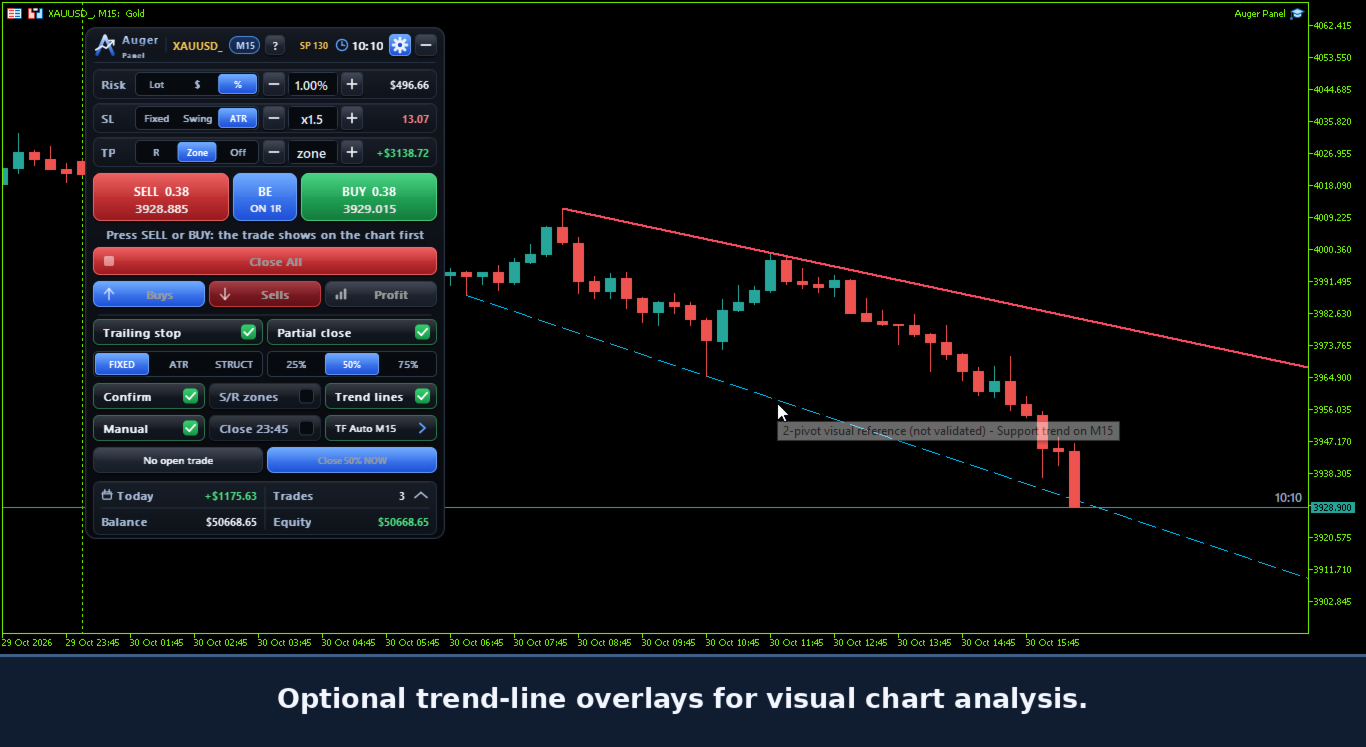
7. Trend, Support and Resistance
Auger Panel includes chart analysis tools for manual trading decisions.
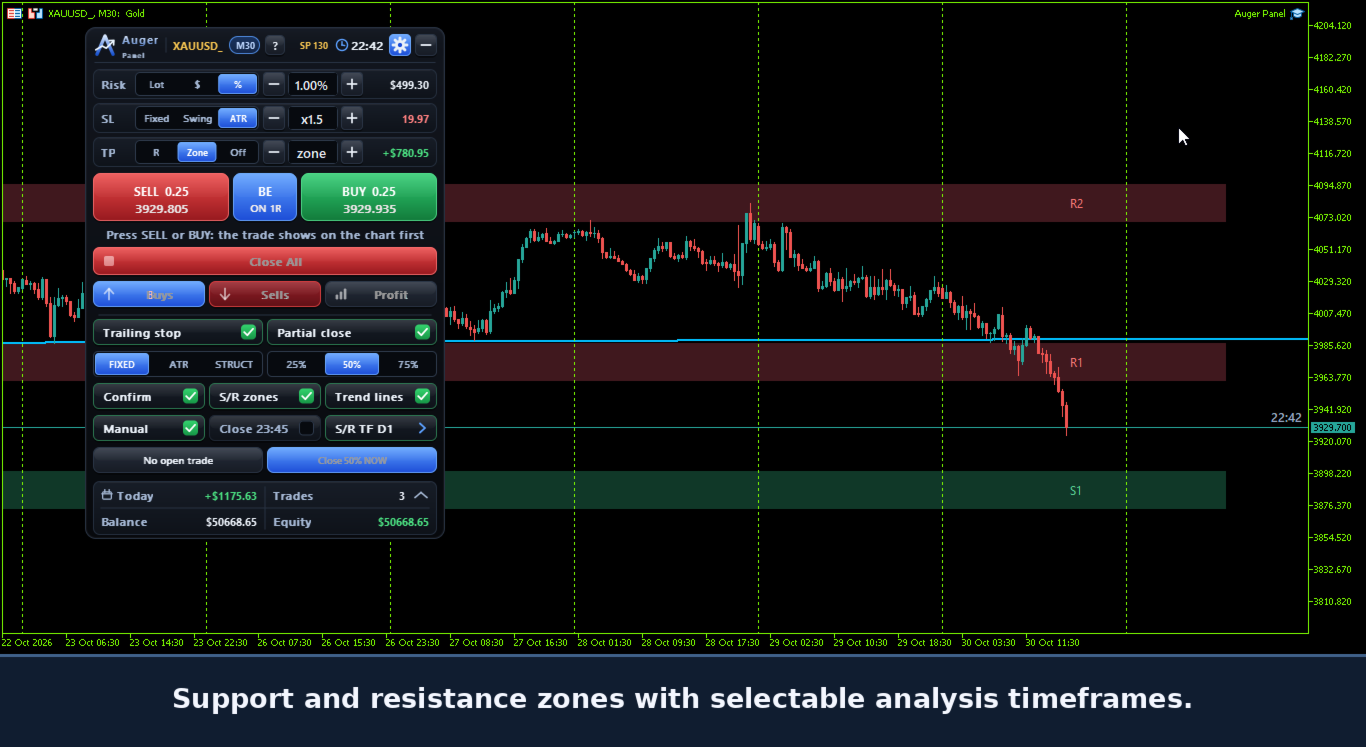
- Automatic Support and Resistance zones.
- Trend-line visualization.
- Selectable analysis timeframes.
- Optional visibility controls.
- Dynamic updates of supported analysis elements.
The tools are intended to assist chart interpretation, not to guarantee trading signals or outcomes.
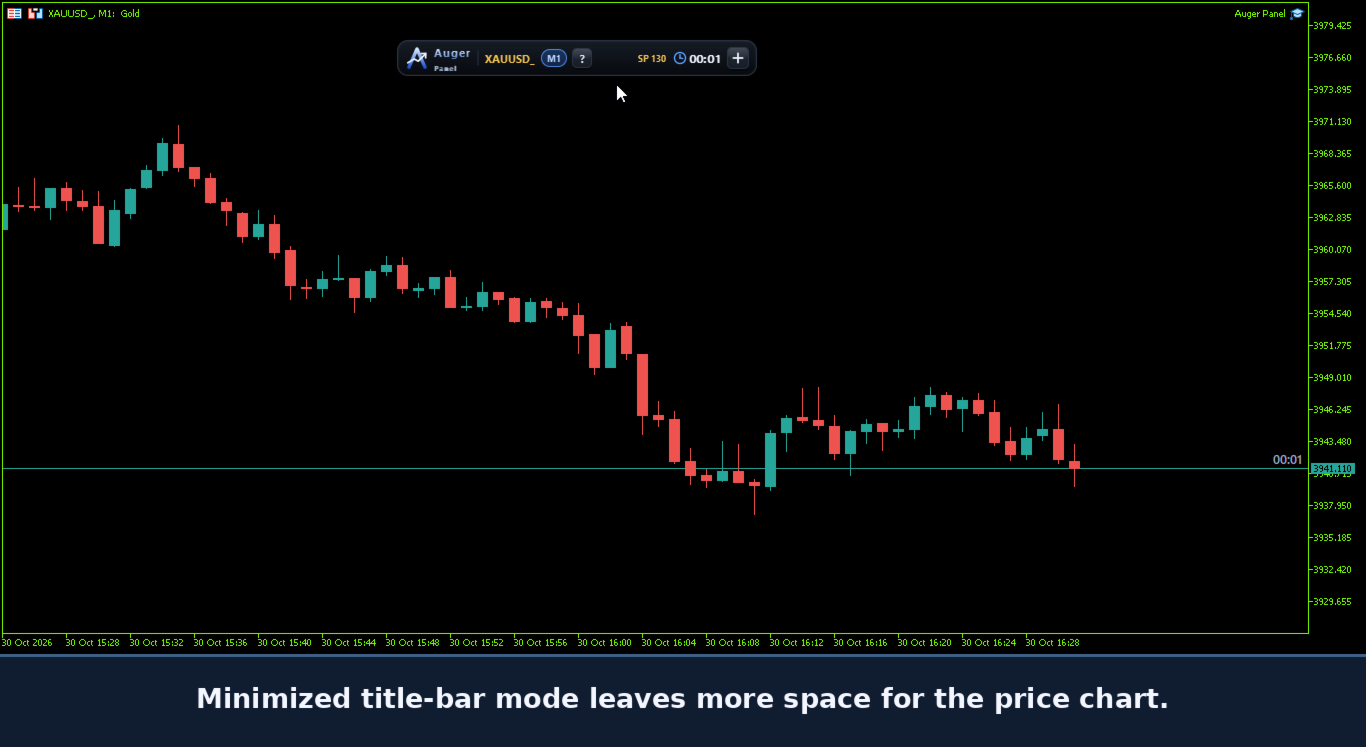
8. Timeframe and Market Information
- Active chart symbol displayed on the interface.
- Current chart timeframe displayed on the chart.
- Current timeframe displayed on the trading panel.
- Selectable analysis timeframes for supported tools.
- Current spread information.
- Candle closing countdown.
- Dynamic display updates.
9. Automatic Chart Appearance
Auger Panel includes an optional coordinated chart appearance.
- Dark chart background.
- Teal bullish candles.
- Red bearish candles.
- Contrasting price-scale colors.
- Reduced visual clutter.
- Coordinated colors for trading levels and analytical tools.
- Option to enable or disable automatic chart styling.
- Restoration of previously saved chart appearance when the panel is removed under supported conditions.
The appearance settings are designed to improve chart readability while keeping trading levels visible.
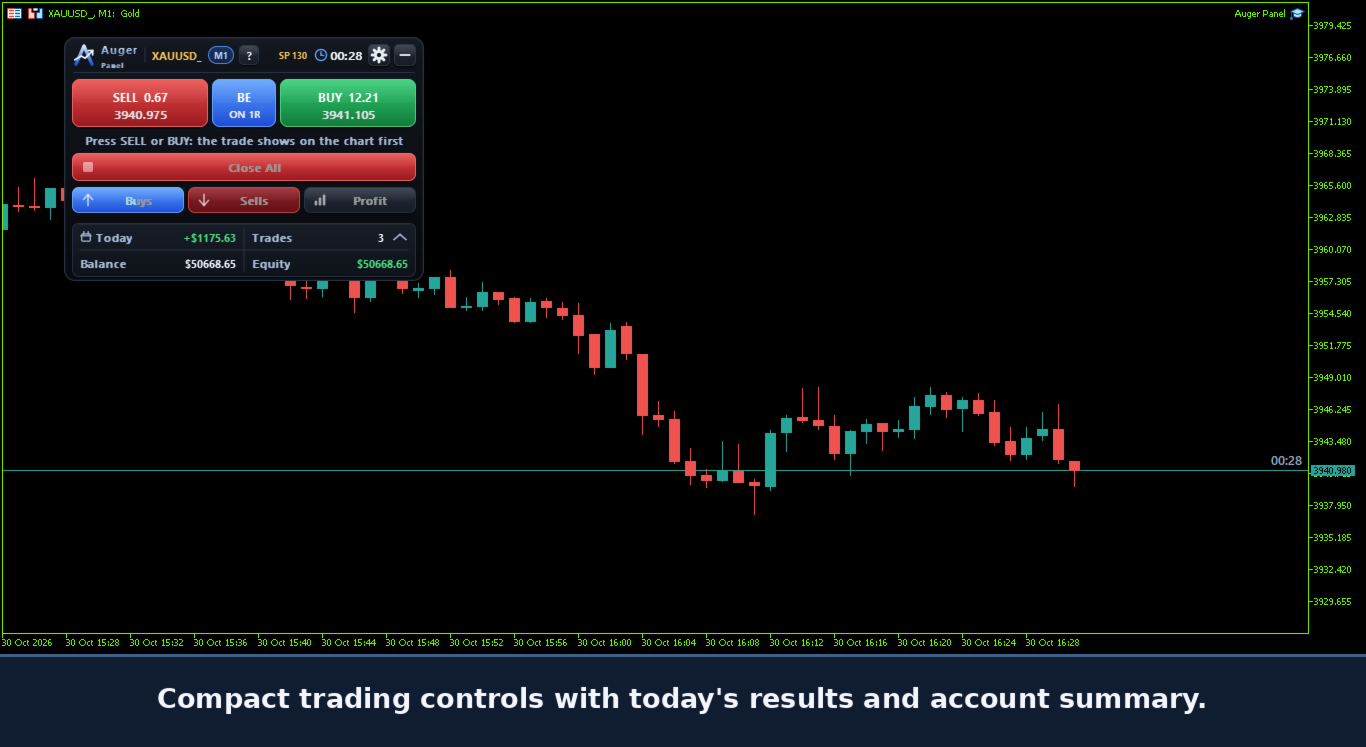
10. Account and Trading Statistics
Auger Panel displays useful trading information, including:
- Account Balance.
- Account Equity.
- Today's trading result.
- Today's trade count.
- Current spread.
- Trade-management status.
These elements help traders monitor activity without repeatedly opening additional terminal windows.
11. Customizable Trading Interface
- Movable on-chart trading panel.
- Expandable and collapsible sections.
- Compact display mode.
- Minimized panel mode.
- Adjustable panel size.
- Organized trading and management controls.
- Optional chart tools.
- Configurable trade-management settings.
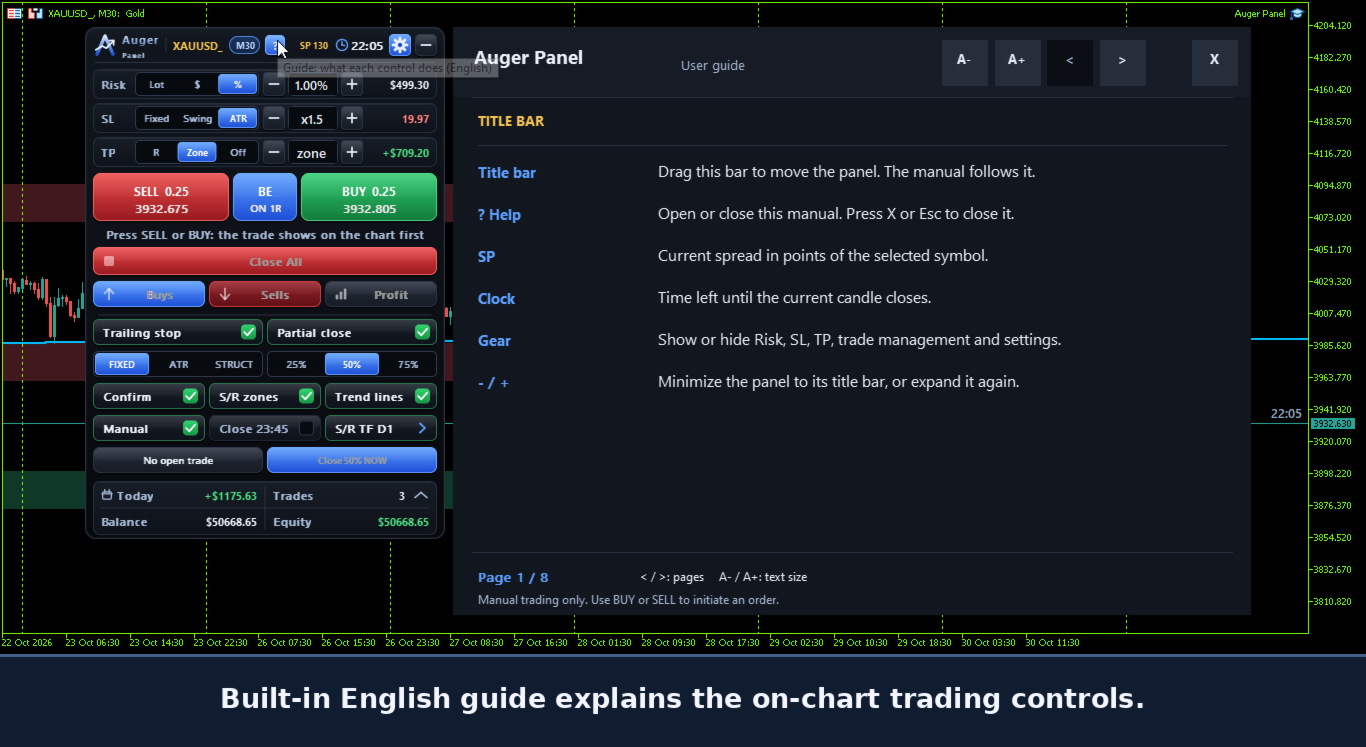
- Built-in English user guide.
The interface is designed for traders who prefer direct visual control from the chart.
12. Getting Started
1. Install Auger Panel in MetaTrader 5.
2. Attach it to a chart.
3. Enable algorithmic trading permissions for the panel's order and position-management operations.
4. Configure risk, Stop Loss and Take Profit preferences.
5. Select the desired Break-Even, trailing and partial-close settings.
6. Use BUY or SELL to prepare a manual trade.
7. Review the order preview when confirmation is enabled.
8. Confirm the trade and manage supported levels directly from the chart.
9. Optionally enable manual trade management to manage eligible positions opened outside the panel, including from MT5 Mobile.
Testing on a demo account before live trading is recommended.
Important Information
Auger Panel is a manual trading and trade-management utility. It does not generate independent automated entry signals or guarantee profits.
Trading involves financial risk. Order execution, position modifications, trailing stops, partial closing and other trading operations depend on broker specifications, account permissions, market conditions and MetaTrader 5 connectivity.
Desktop-based automatic trade management requires the desktop terminal and panel to remain active.
Past results and visual examples do not guarantee future trading performance.