Local Trade Sync Copier
- 유틸리티
- 버전: 1.7
- 활성화: 10

Local Trade Sync Copier is a local trade synchronization utility for copying trading activity between MetaTrader 5 accounts running on the same computer or VPS.
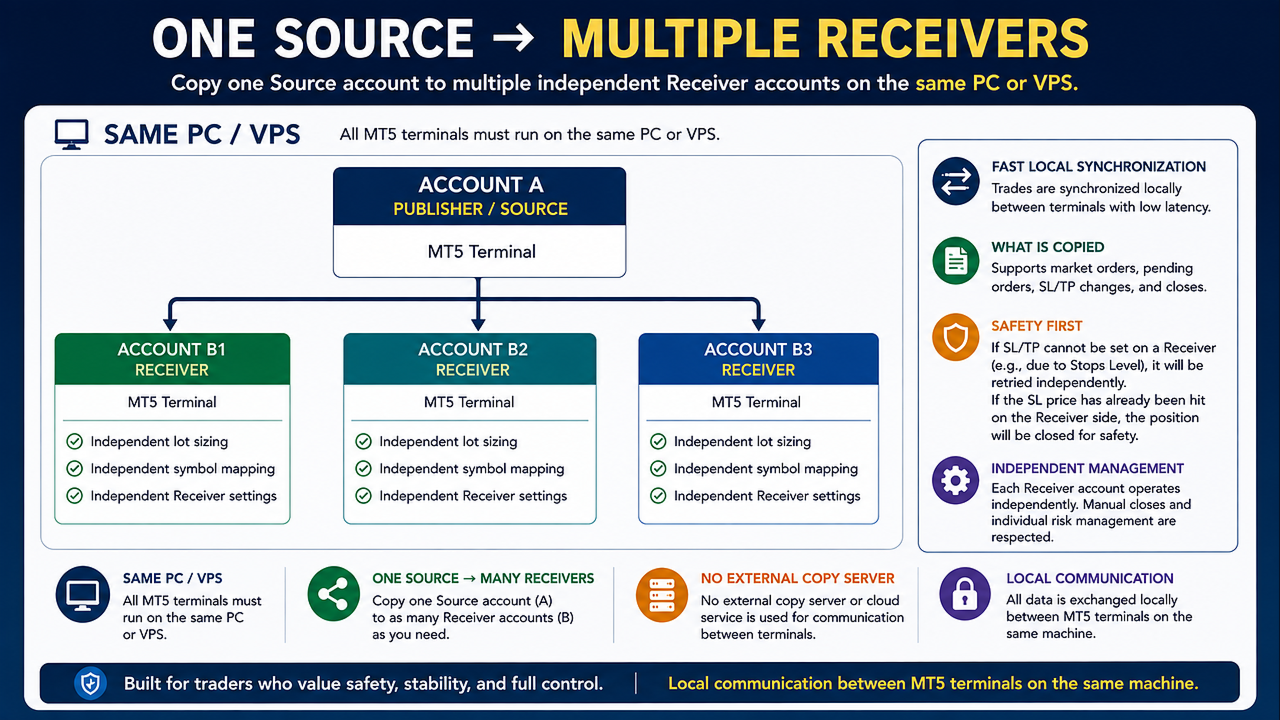
It supports both one-to-one synchronization and one-to-many synchronization, allowing one Source account to distribute its trading activity to multiple independent Receiver accounts.
This product does not generate trading signals or trading strategies.
Account A acts as the Source, while one or more Account B terminals act as Receivers.
Main Features
- One product for both Publisher and Receiver modes
- One Source account can synchronize to one or multiple Receiver accounts
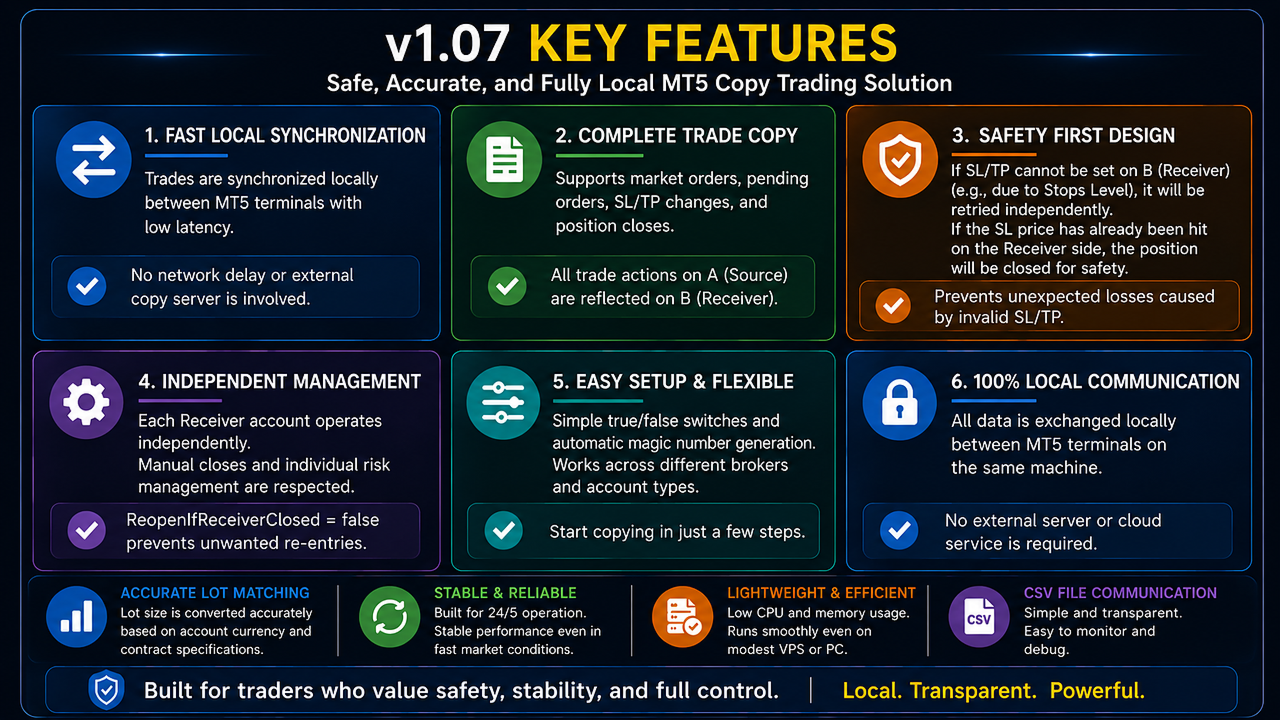
- Independent management for each Receiver account
- Individual lot sizing and symbol mapping for each Receiver
- Local synchronization between MT5 terminals on the same PC or VPS
- No external copying server required
- Multi-symbol synchronization
- Different Source and Destination symbol names supported
- Market BUY and SELL synchronization
- Full close synchronization
- Partial close and position volume synchronization
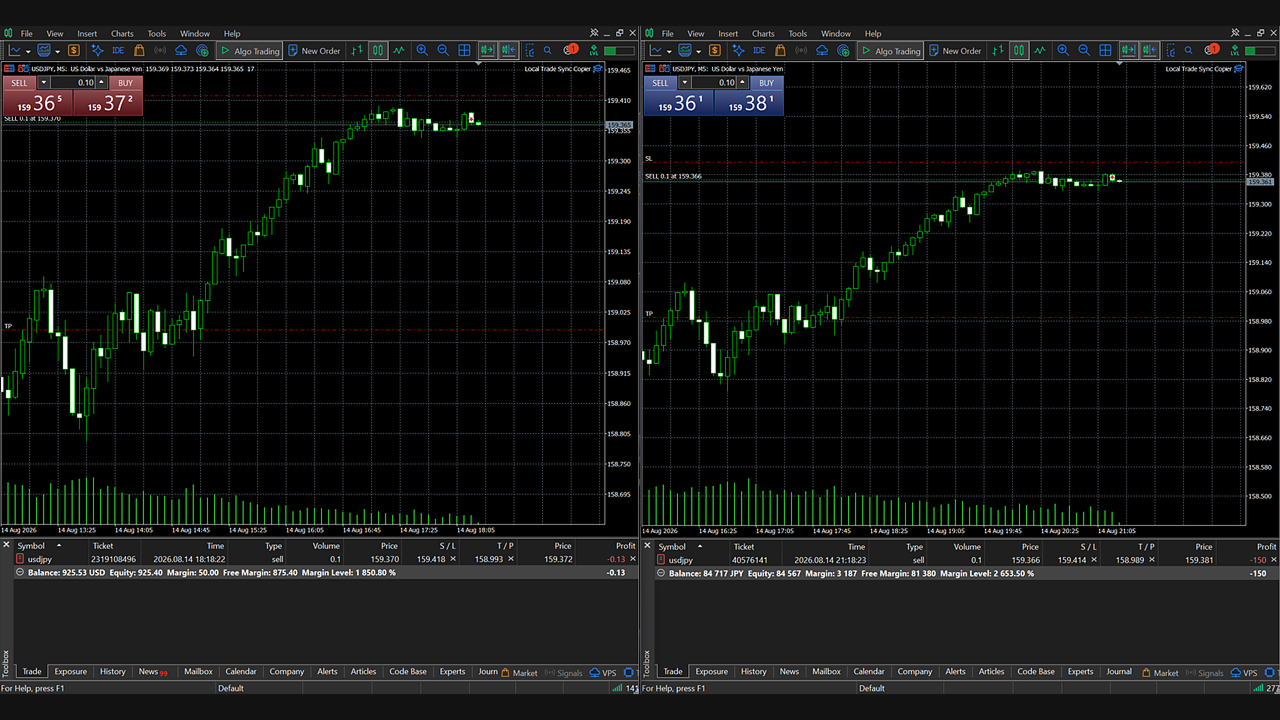
- SL and TP creation, modification and removal
- Pending Limit, Stop and Stop Limit order support
- Pending order price and protection modification
- Fixed lot multiplier mode
- Balance-ratio lot sizing mode
- Automatic contract-size correction
- Account currency conversion
- Generic account-unit scaling for cent-style accounts
- Configurable handling of volumes below the broker minimum
- Volume rounding down or nearest-step rounding
- Large target volumes can be split into multiple orders
- Independent entry, synchronization and close price controls
- Automatic retry after trading operation failures
- Source-data freshness protection
- Magic Number, Position Identifier and internal mapping based ownership tracking
- Designed to avoid managing unrelated manual trades or trades from other EAs
How It Works
Install the same product in each MetaTrader 5 terminal.
Source:
Account A
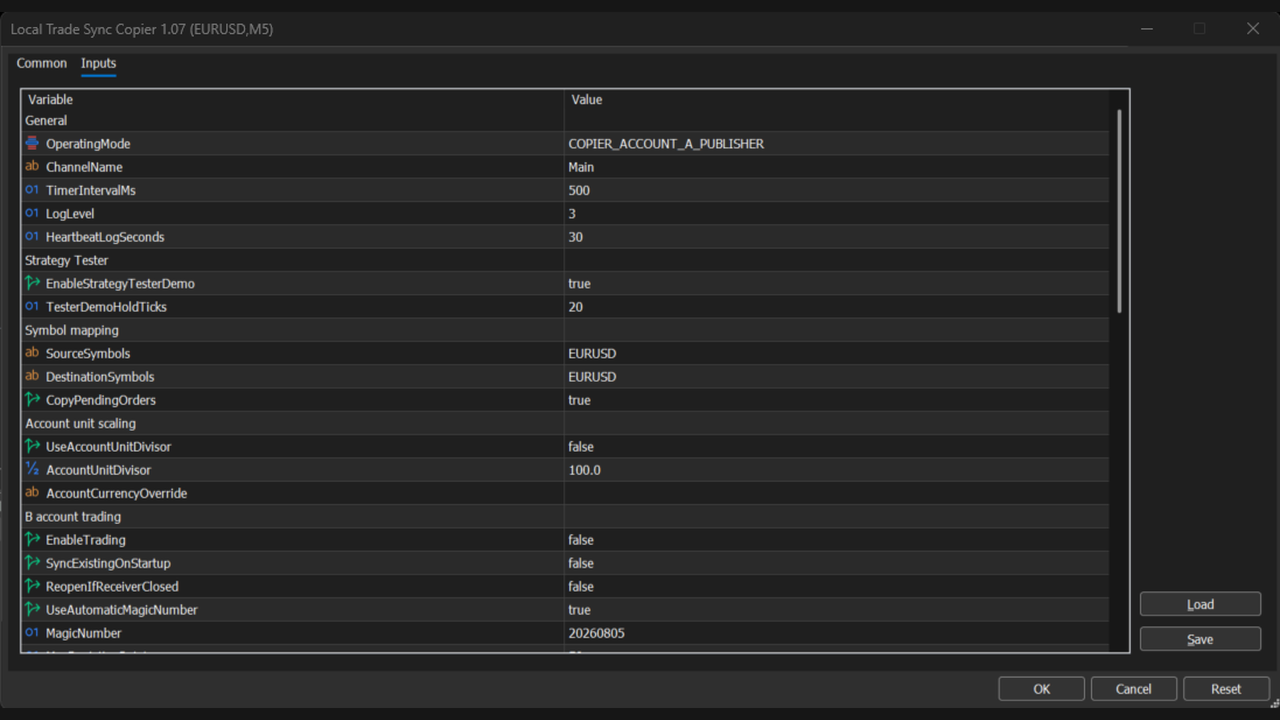
OperatingMode = COPIER_ACCOUNT_A_PUBLISHER
Receiver:
Account B
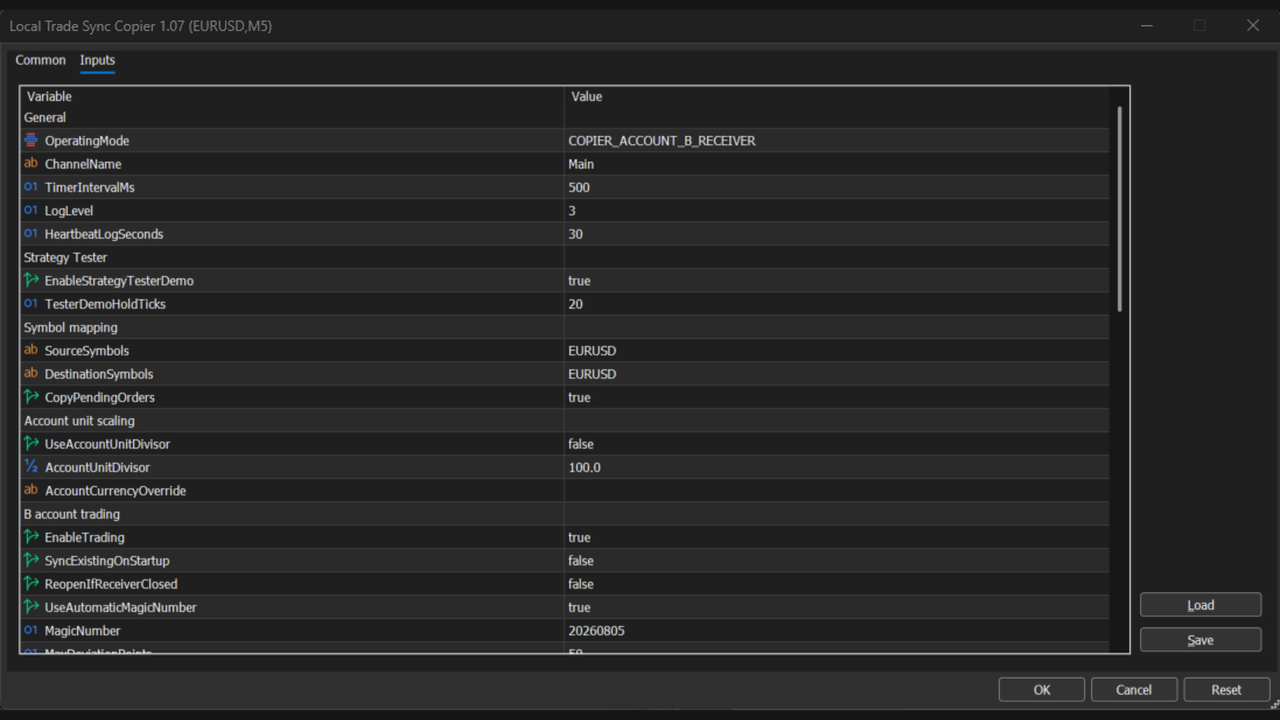
OperatingMode = COPIER_ACCOUNT_B_RECEIVER
Use the same ChannelName on the Source terminal and on every Receiver that should follow that Source.
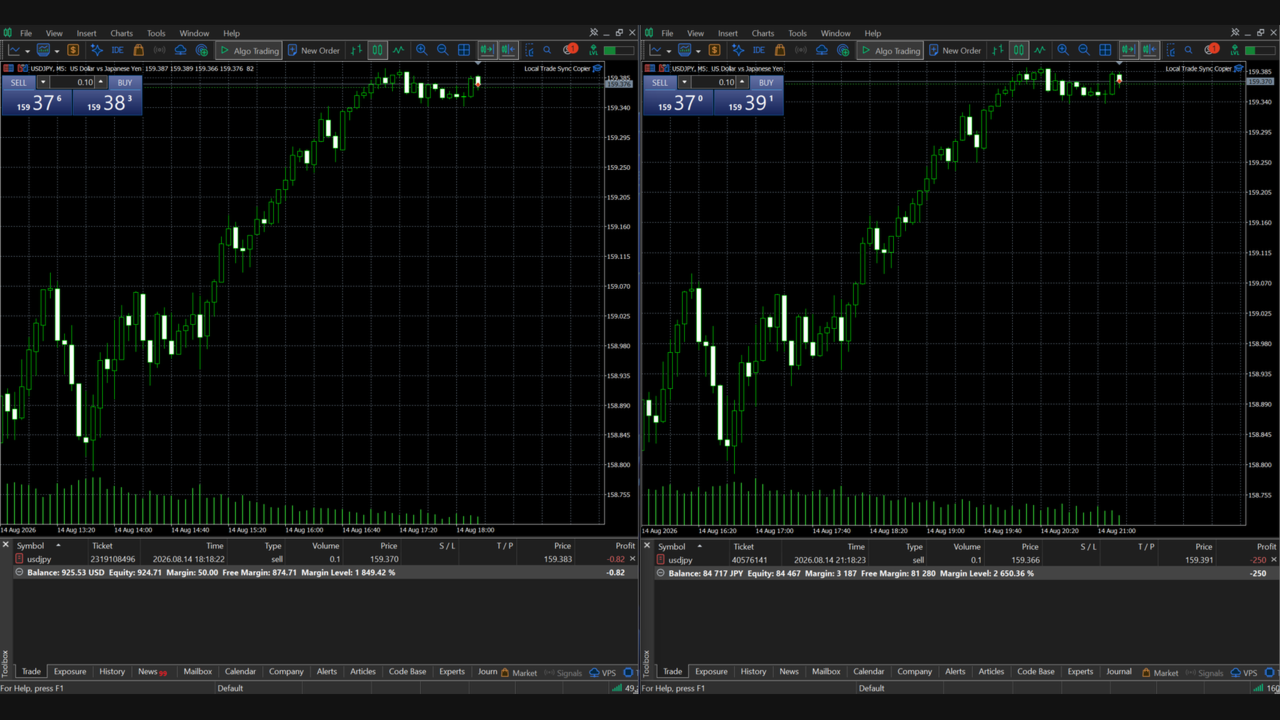
The Source account publishes its trading state to the MetaTrader 5 common file area. Each Receiver independently reads the Source state and performs its own synchronization.
One-to-Many Configuration
The following configuration can be used on the same PC or VPS:
MT5 A:
Source Account / Publisher
MT5 B1:
Receiver Account 1
MT5 B2:
Receiver Account 2
MT5 B3:
Receiver Account 3
When a trade is created or changed on the Source account, B1, B2 and B3 independently read the Source state and synchronize according to their own Receiver settings.
Each Receiver uses its own mapping data, so the position management of B1 is kept separate from B2 and B3.
Each Receiver can also use different settings.
Example:
B1:
LotMultiplier = 1.0
B2:
LotMultiplier = 0.5
B3:
LotSizingMode = LOT_BALANCE_RATIO
This makes it possible to use the same Source account while applying different volume management rules to each Receiver.
Important Requirements
- The Source terminal and all Receiver terminals must run on the same physical computer or the same VPS.
- Each trading account should run in its own MT5 terminal.
- This product does not connect separate computers or separate VPS servers over the Internet.
- Receiver accounts must use hedging mode. Netting mode is not supported on the Receiver side.
- Use only one Publisher for each ChannelName.
- Use only one Receiver instance per Receiver account and ChannelName.
- Source and Destination symbols should normally represent the same underlying instrument.
- Algorithmic trading must be enabled on each Receiver terminal.
- Execution prices, spreads, Stop Levels, Freeze Levels, minimum volumes and maximum volumes depend on the broker. Exact identical execution between the Source and Receiver accounts cannot be guaranteed.
Symbol Mapping
Multiple symbols can be configured as comma-separated lists.
Example:
Source Account:
SourceSymbols = EURUSD,XAUUSD,USDJPY
Receiver Account:
SourceSymbols = EURUSD,XAUUSD,USDJPY
DestinationSymbols = EURUSD,XAUUSD,USDJPY
Broker suffixes can also be mapped.
Example:
SourceSymbols = EURUSD,XAUUSD
DestinationSymbols = EURUSD+,XAUUSD+
When multiple Receivers are used, each Receiver can have its own DestinationSymbols configuration.
Lot Sizing
LOT_FIXED_MULTIPLIER:
The Source position volume is multiplied by LotMultiplier to calculate the target volume for each Receiver.
LOT_BALANCE_RATIO:
The lot multiplier is calculated using the balance ratio between the Source account and each Receiver account.
Currency conversion, contract-size correction and account-unit scaling can be enabled when required.
When multiple Receiver accounts are used, each Receiver calculates its target volume independently using its own settings.
Price Difference Control
Entry, position synchronization and closing operations have independent optional price controls.
If the Receiver price is outside the configured acceptable range, the operation can remain pending and be retried instead of being permanently discarded.
Safety and Retry Logic
If Source data stops updating, Receiver reconciliation is paused so that an old snapshot is not incorrectly treated as the current trading state.
Failed entries, partial closes, full closes, pending-order operations and SL/TP modifications retain their mapping and can be retried.
Each Receiver account is managed with its own independent mapping data.
Getting Started
It is strongly recommended to perform the first setup on demo accounts.
1. Run the required number of MT5 terminals on the same PC or VPS.
2. Attach Local Trade Sync Copier to each terminal.
3. Set the Source account to Publisher mode.
4. Set each destination account to Receiver mode.
5. Use the same ChannelName on the Source and all Receivers.
6. Configure SourceSymbols and DestinationSymbols for each Receiver.
7. Enable EnableTrading on each Receiver.
8. Test synchronization using a small trading volume.
To add another Receiver account, launch another MT5 terminal on the same PC or VPS and configure it as a Receiver using the same ChannelName.
Important Notice
This product is a trade synchronization utility. It does not provide trading signals, investment advice, a trading strategy or guaranteed profitability.
Differences between Source and Receiver results can occur because of broker conditions, PC/VPS conditions, spreads, slippage, margin requirements, symbol specifications, trading hours and volume restrictions.
When multiple Receivers are used, execution results may also differ between Receiver accounts because each broker and account can have different trading conditions.
Always verify your configuration on demo accounts before using the product in live trading.
Official User Manual
For detailed setup instructions, explanations of all input parameters, SL/TP synchronization, lot-sizing settings, troubleshooting, and important limitations, please refer to the official user manual.
Local Trade Sync Copier v1.07 - Official User Manual
[https://www.mql5.com/ja/blogs/post/774152]