DGem Trade Manager Panel
- 유틸리티
- 버전: 1.0
- 활성화: 5

Trade Manager Panel
## Short description
Manage your manual trades with one click: automatic break-even, trailing stop, two-level partial close and risk-based lot sizing — all from a single on-chart panel.
---
## Full description
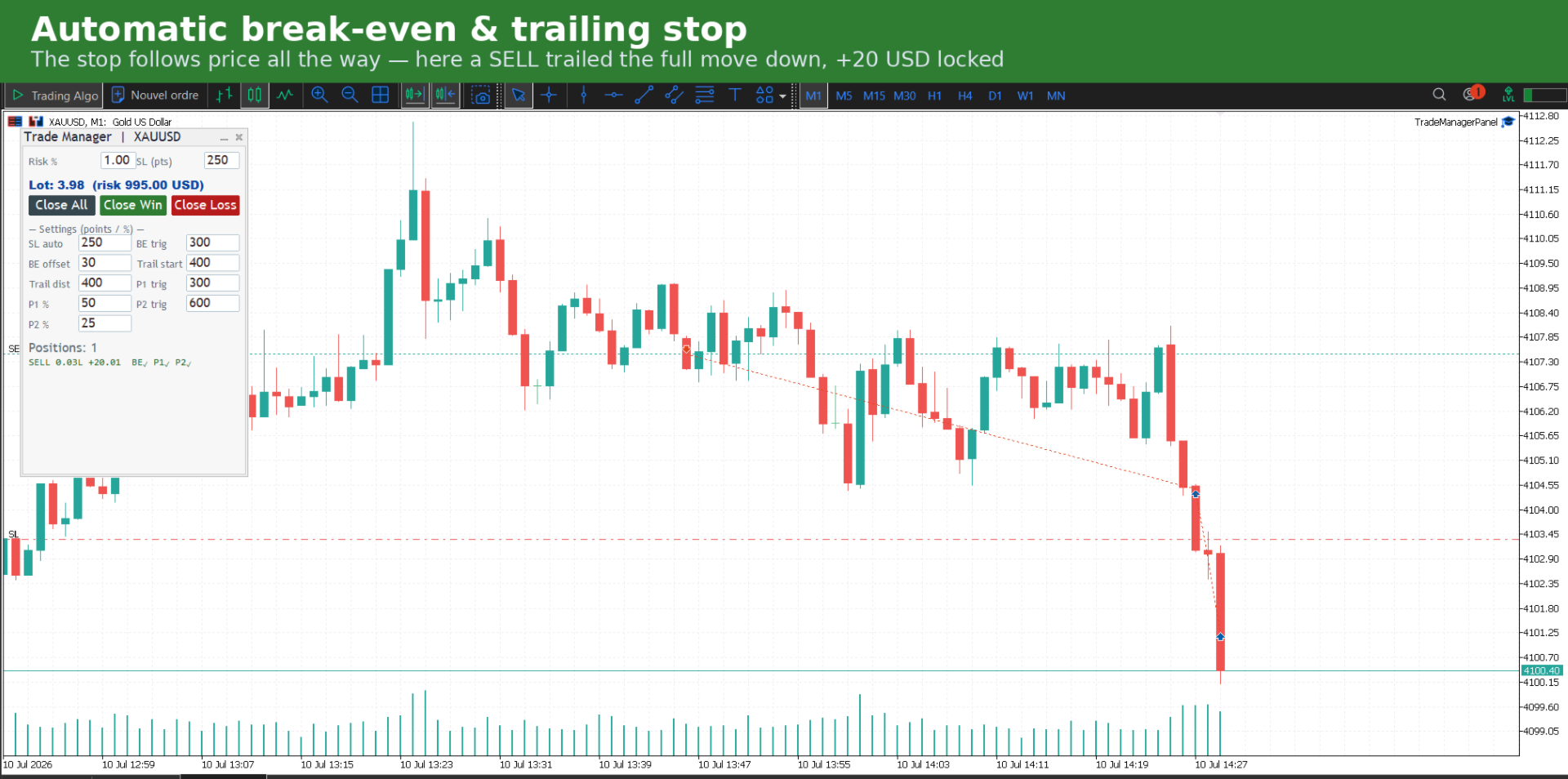
Trade Manager Panel is an on-chart utility that takes care of your open trades so you can focus on the market instead of the order ticket. Drop it on any chart and it manages every position on that symbol automatically, while an interactive panel lets you size new trades and close positions in one click.
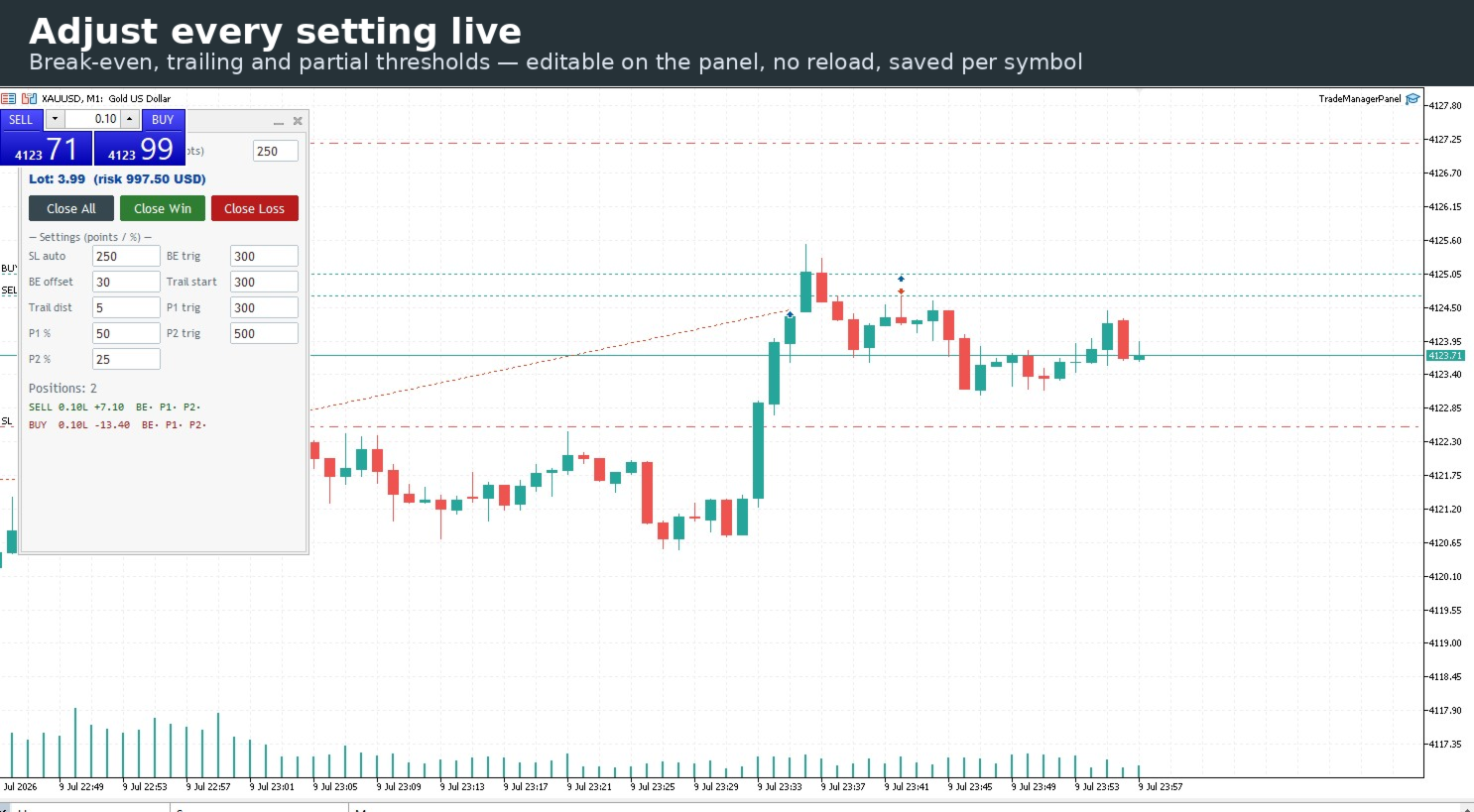
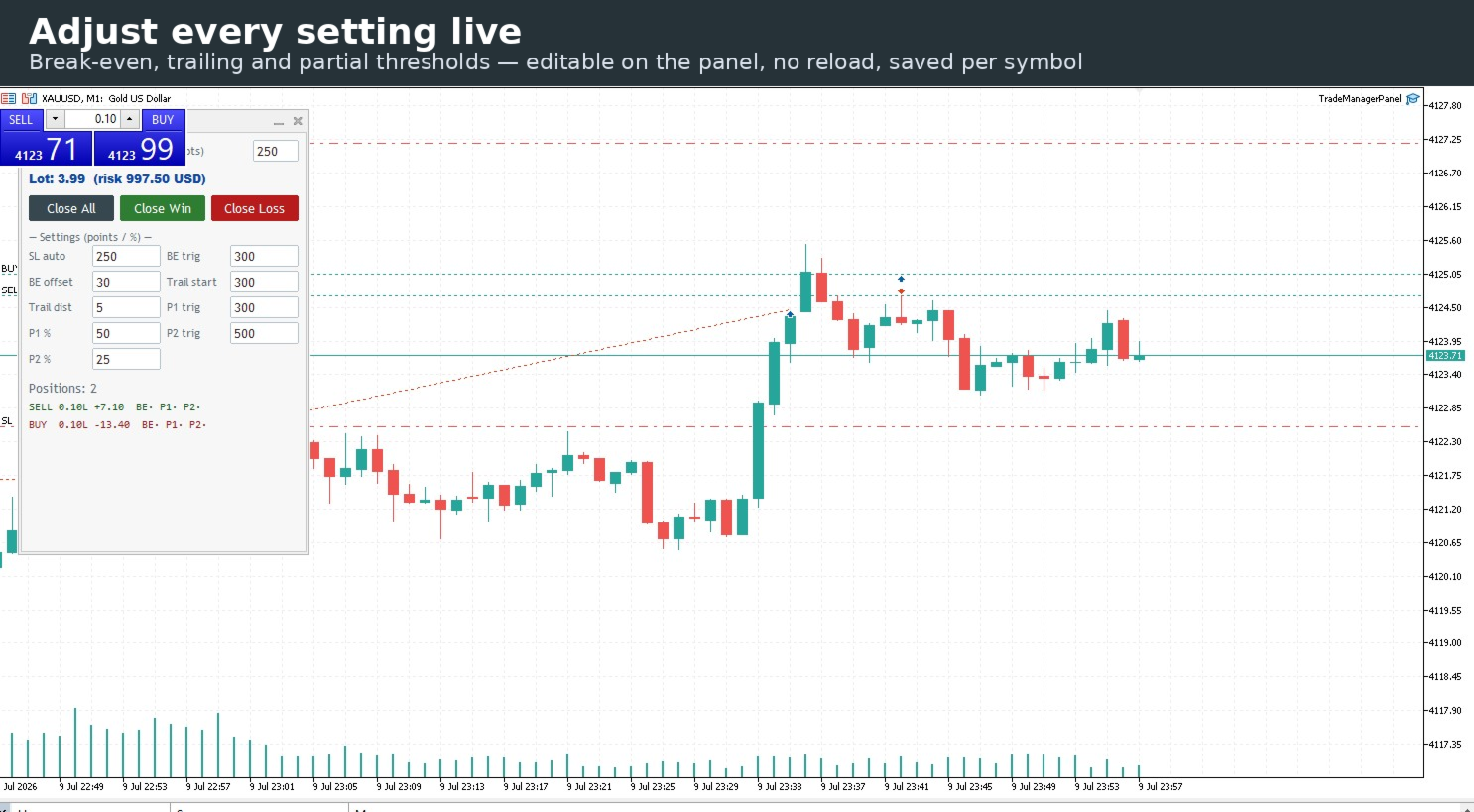
Every setting can be changed live from the panel — no need to remove and reload the tool. Your settings are remembered per symbol and survive timeframe changes.
### Key features
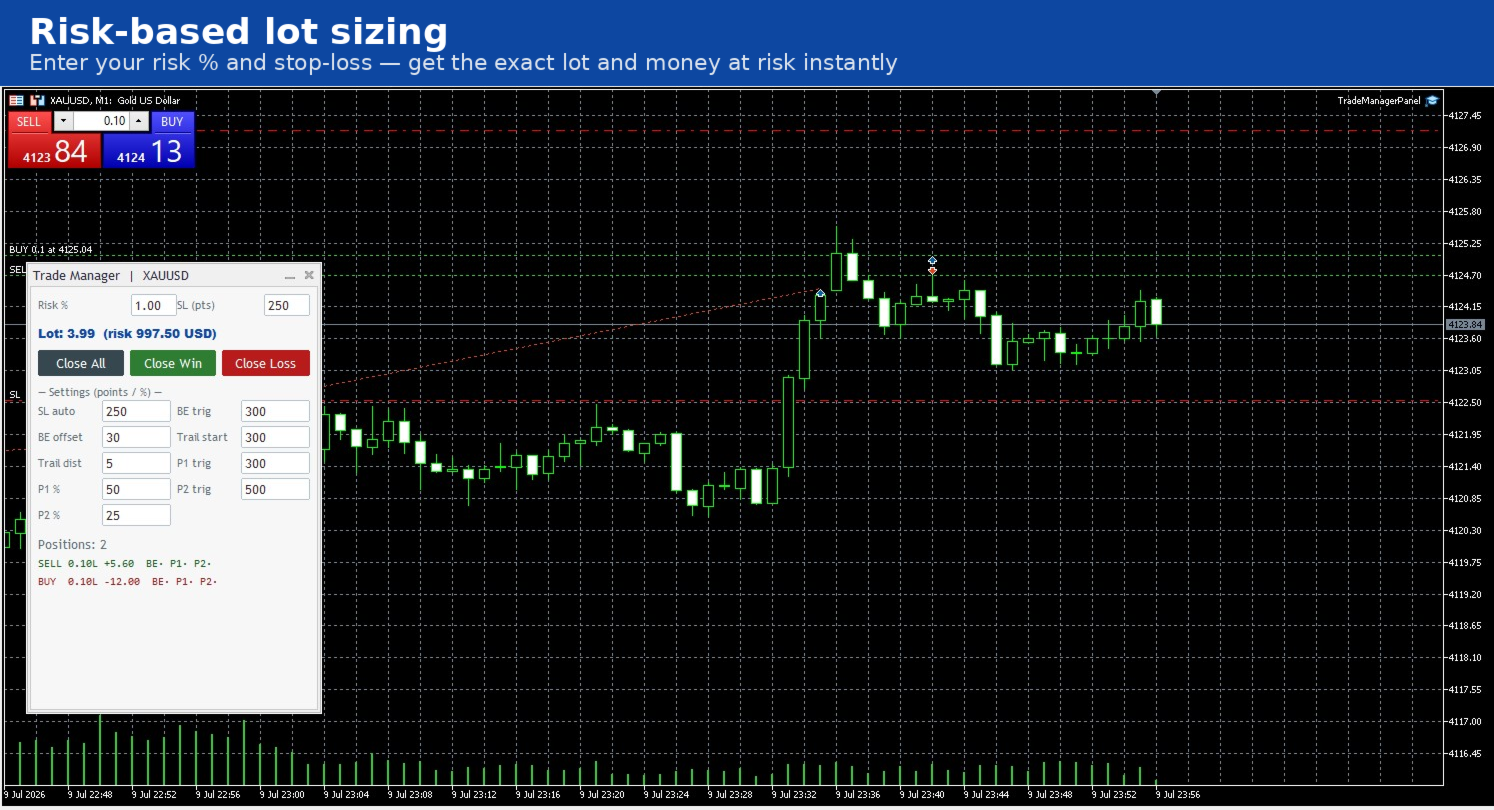
- **Risk-based lot sizing.** Type your risk percentage and stop-loss distance; the panel shows the exact lot and the money at risk in your account currency.
- **Automatic initial stop-loss.** Any position left without a stop gets one at a distance you choose — protection from the first second.
- **Automatic break-even.** Once a trade reaches your trigger, the stop moves to entry plus an offset that covers spread and commission.
- **Trailing stop, three modes.** Fixed distance in points, ATR-based, or structure-based (last swing high/low). Choose what fits your style.
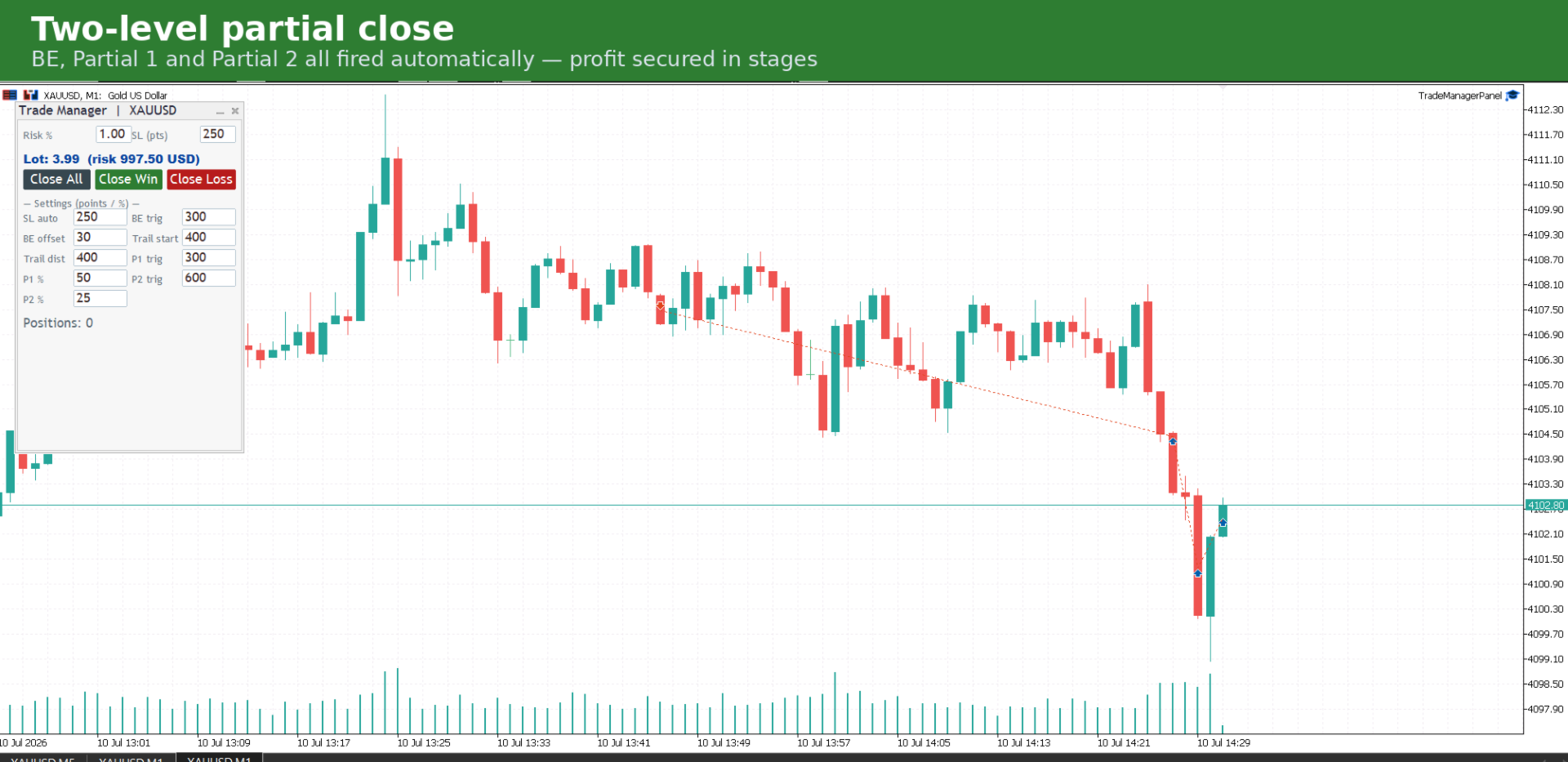
- **Two-level partial close.** Lock in profit in stages: close a first percentage at one target, a second percentage further out.
- **One-click group close.** Close all positions, only the winners, or only the losers — instantly.
- **Live per-position status.** See at a glance which positions have hit break-even and which partials have fired, with real-time profit/loss.
- **Works with your existing trades** whether opened by hand or by another EA, on the current chart symbol.
### How to use
1. Attach Trade Manager Panel to the chart of the symbol you want to manage.
2. Make sure algorithmic trading is enabled in your terminal.
3. Set your risk percentage and stop-loss in the panel to size a trade, or adjust the management settings (break-even, trailing, partials) live.
4. Open your trades as usual — the panel manages them automatically from there.
5. Use the Close All / Close Win / Close Loss buttons whenever you want to exit a group of positions in one click.
### Input parameters
| Parameter | Meaning |
|---|---|
| Magic filter | Manage only positions with this magic number (0 = all positions on the symbol) |
| Risk % per trade | Risk percentage used by the lot calculator |
| Absolute lot cap | Hard ceiling on the calculated lot |
| Automatic initial SL | Post a stop-loss if the position has none |
| Initial SL distance | Distance of that initial stop, in points |
| Break-even trigger | Profit in points that moves the stop to break-even |
| Break-even offset | Offset beyond entry, to cover spread and commission |
| Trailing mode | Off, Fixed points, ATR, or Structure (swing high/low) |
| Min profit before trailing | Profit in points required before the trailing starts |
| Trailing distance | Distance to the stop in Fixed-points mode |
| ATR period / multiplier | Settings for ATR trailing mode |
| Structure lookback bars | Number of bars used for the swing in Structure mode |
| Trailing buffer | Extra points below/above the computed trailing level |
| Partial 1 / 2 enabled | Turn each partial-close level on or off |
| Partial 1 / 2 trigger | Profit in points that fires each partial close |
| Partial 1 / 2 percent | Percentage of the initial lot closed at each level |
### Notes and limitations
- Manages positions on the **current chart symbol** only. Attach one instance per symbol you want to manage.
- The trailing **mode** and ATR settings are set from the inputs; all point/percentage thresholds are also editable live from the panel.
- The tool acts on positions in profit (break-even, trailing, partials) and posts an initial stop when one is missing; it does not open trades by itself.
- Requires algorithmic trading to be enabled in the terminal to modify or close positions.
trade manager, break even, trailing stop, partial close, risk management, lot size, position manager, utility, panel, one click
## Version
1.00