Prop Firm Trading Panel and Risk Manager

Most traders don't lose because of bad analysis.

They lose because they couldn't close fast enough. Because they fat-fingered 
the wrong lot size. Because a single news spike wiped out three winning trades 
before they could react.

That's exactly what Apex Trade Manager Pro was built to fix.

This is a visual trading panel for MetaTrader 4 and MetaTrader 5. It sits on 
your chart and puts every critical trade action — closing, scaling, setting 
stops, opening orders — one click away. No menus. No pop-ups. No delays.


WHAT IT DOES

Close everything, fast.
One button closes all open positions on the current symbol. The button shows 
your live floating PnL so you always know where you stand before you pull 
the trigger.

Scale out without the hassle.
Close 50% or 80% of each position volume directly from the panel. Useful 
when you want to bank partial profits without fully exiting a trade that still 
has room to run.

Sort your positions by category.
Close only your BUY trades. Close only your SELL trades. Close only the ones 
in profit. Close only the ones in loss. One button each. No selecting, no 
scrolling through the terminal.

Breakeven in one click.
When your trades move in your favour, hit the breakeven button. It moves the 
stop loss of every profitable position to its entry price instantly. Losing 
positions are left untouched.

Set stops and targets across all trades at once.
Type in a stop loss in points, hit the button, done. Same for take profit. 
Or enter a specific price level and apply it as the stop loss line across all 
open positions simultaneously.

Lot sizes the way you actually trade.
Four lot buttons are always visible. Hold any of them and slide left or right 
to scroll through 31 preset sizes from 0.01 all the way to 30 lots. Switch 
risk tiers in under a second.

Open orders the right way.
Type your stop loss in the white input box between the SELL and BUY buttons. 
Fine-tune it with the up and down arrows. Then click to enter. Clean, fast, 
and far less likely to go wrong than the default MT4/5 order window.

Live bid and ask buttons at the bottom.
The bottom of the panel shows the current bid and ask prices as real buttons. 
Tap either one to open a market order at that exact price, right now.

Always know your market context.
Date, time, day of the week, and live spread are displayed at the top of the 
panel. Small details that matter when you are trading news or session opens.

Drag it wherever you want.
Grab the title bar and move the panel anywhere on your chart. It stays where 
you put it.


WHO THIS IS FOR

This panel works particularly well if you trade during high-impact news, 
manage multiple positions at once, or trade under Prop Firm rules where 
hitting daily drawdown limits has real consequences. FTMO, FundedNext, and 
similar challenges require fast, clean execution. This panel helps you get 
there.


TECHNICAL DETAILS

Platforms: MetaTrader 4 and MetaTrader 5
Languages: English and Chinese
Accounts: Standard, Netting, Hedging
Instruments: All symbols — Forex, Gold, Oil, Indices, Crypto
Lot range: 0.01 to 30 lots, 31 preset tiers


SETUP

Drag the EA onto a chart. In the Common tab, enable Allow Algo Trading. 
Make sure the Algo Trading button in the toolbar is green. That is all.

This panel contains no automated logic whatsoever. Nothing trades on your 
behalf. Every single action requires you to click a button. You stay in 
complete control.

추천 제품
Trading Utility for Forex Currency Pairs Only not for Gold  Functions Auto Lot Calculation based on Risk Auto stoploss  Auto TakeProfit Breakeven Auto Close Half % Close in percentage with respect to the PIPs Pending Orders BuyLimit Sell Limit with distances BuyStop Sell Stop    with distances Trading Informations Risk in percentage For Multiple trades Combine Takeprofit and Combine Stoplosses
Expert TP SL v04 - Professional Trading Assistant with AI Motivation System Advanced manual trading tool with automatic risk management, overtrading protection, and intelligent psychological support for disciplined trading. PRODUCT OVERVIEW Expert TP SL v04 is a comprehensive trading assistant designed for manual traders who want to maintain emotional discipline while automating risk calculations. This isn't just another order placement tool - it's a complete trading psychology system that pr
Trade Assistant 38 in 1
Makarii Gubaydullin
4.91 (23)
다기능 도구: 로트 계산기, 그리드 주문, R/R 비율, 트레이드 관리자, 수급 구역, 가격 행동 등 데모 버전   |   사용자 설명서 트레이드 어시스턴트   는 전략 테스터에서 작동하지 않습니다 :   여기에서 데모 버전을 다운로드  하여 유틸리티 를 테스트하세요. 질문/개선 아이디어/버그 발견 시 연락주세요 MT4 버전이 필요하시면 여기 에서 이용 가능합니다 거래   프로세스 를 간소화, 가속화, 자동화하세요. 이   대시보드 로 표준 터미널 기능을 확장합니다. 트레이딩 패널은  모든 거래 상품에서 작동: 외환, 주식, 지수, 암호화폐 등. 1. 새 거래 개시 : 로트 / 위험 / RR 계산 : 수동 거래를 위한 위험 관리 로트 계산기 (위험 크기 기반 거래량 계산) 위험 계산기 (로트 크기 기반 위험 금액) 위험 대비 보상   비율 그리드 주문:  + 동적 간격 옵션, 로트 분할 옵션 주문 활성화 트리거, + 매수 스톱리밋 / 매도 스톱리밋 가상 SL, 가상 TP (숨김
Bastion is a monitor-and-close-only risk manager for prop-firm traders. It watches your account against your firm's daily-loss and maximum-drawdown limits in real time and force-closes your open positions BEFORE you cross a line. It never opens a trade of its own, so it stays fully within the tools allowed by FTMO, FundedNext, The5ers, FTUK and FXIFY. Why traders fail challenges A large share of failed evaluations end on a single daily-loss breach: a moment of inattention, a news spike, one tra
Ultimate Pro Trading Panel — All-In-One Manual & Grid Trading Dashboard Pro Trading Panel   is an all-in-one on-chart control panel that gives discretionary and semi-automated traders a complete toolkit for entries, exits, risk management, and grid trading — without leaving the chart. Every function is visual, draggable, and updates in real time. If you want to test this utility feel free to download the basic preview version of this tool here:  https://www.mql5.com/en/market/product/181435 Who
Arrow Micro Scalper 는 스캘핑 및 단기 거래용으로 설계된 지표로 모든 차트 및 금융 상품(통화, 암호화폐, 주식, 금속)에 통합되어 있습니다. 그녀는 작업에서 파동 분석과 추세 방향 필터를 사용합니다. M1부터 H4까지의 시간대에 사용하는 것이 좋습니다. 표시기로 작업하는 방법. 표시기에는 설정 변경을 위한 2개의 외부 매개변수가 포함되어 있으며 나머지는 기본적으로 이미 구성되어 있습니다. 큰 화살표는 추세 방향의 변화를 나타내고 파란색 화살표는 하락 추세의 시작을 나타내며 분홍색 화살표는 상승 추세의 시작을 나타냅니다. " Only trending direction " 매개변수는 내부 트렌드를 사용하는 모드를 켜고 끄며 자신만의 트렌드를 사용하거나 트렌드 방향 없이 작업할 수 있는 기회를 제공합니다. 또한 트렌드에서만 트렌드 화살표 및 신호 화살표 표시를 켜거나 끕니다. . 지표의 가장 중요한 개체인 작은 신호 화살표는 "매수" 거래의 경우 분홍색, "매도" 거
APEX Terminal
Lukasz Mariusz Holla
Apex Terminal is a trade panel for MetaTrader 5 that sizes every position from your risk and manages it from entry to exit. Set how much you accept to lose and where the stop-loss goes. Before you click, the panel shows the lot, the loss at the stop and the profit at the full target. One click opens the trade with the stop-loss and the whole take-profit ladder already in place. TRADE - Position size from % of balance or equity, a fixed amount of money or a fixed lot. The lot is rounded down t
Trade Panel TP1 TP2
Olivier Joseph Georges Lafosse
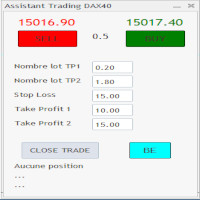
C'est un trade panel pour les indices 1 digit utilisé surtout sur le dax 40. Il y a 2 Take profit si TP1 atteint on passe en BE + 2 pt  TP1 nbre lot et TP2 nbre : 2 positions sont ouverte ensemble ceci afin d'éviter si un problème connexion web. Attention c'est en nombre de points Stop loss :15 (15 pts sur dax) Take Profit 1 : 10  Take Profit 2 : 15 Dans cet exemple si 10 pts atteint (spread prit en compte) on se met en BE + 1 pt Il y a un bouton BE qui met BE + 2 pt sur les trades et 1 bouton
Product Name MT5 Gold & Silver Multi-Language Trading Panel V17.00 Introduction This is a professional trading panel designed specifically for manual gold and silver traders. It supports five languages: English, Chinese, Spanish, Arabic, and German. The panel automatically detects gold and silver symbols, so users do not need to enter symbol codes manually. It is compatible with most brokers worldwide, including standard accounts, zero spread accounts, and raw spread accounts. Users only need t
The Stop Loss Manger - SL Mange With the Stop Loss Manager you can finally sleep peacefully while it effectively manages your risk in stock market trading. Simply set your individual stop loss limits and let the manager trade for you. Never worry about losses again - the Stop Loss Manager takes care of it for you! Get the ultimate support for your trading now and maximize your profits with ease. Join the community of successful traders who swear by Stop Loss Manager today. Function overview: 1.
CYGNIX RISK GLADIATOR — Professional Trade Manager & Risk Guardian for MT5 Guard every position. Manage every trade. Sleep at night. Cygnix Risk Gladiator is a professional-grade position management Expert Advisor that watches every open trade on your account and automatically applies institutional-level risk controls in real time. It does not generate signals — it protects, manages, and exits trades opened by you, your strategies, or any other EA. Built for IC Markets and fully compatible w
Overview Mirror Signals Service EA (Text only)   is a powerful monitoring Expert Advisor that automatically sends   real-time Telegram notifications   for all important trade events on your MetaTrader 5 account. It is engineered specifically for   signal providers ,   trade-copier operators ,   auditors ,   educators , and   professional trading services   that require immediate, detailed, and reliable reporting. Everything from   entries, exits, SL/TP changes, comment changes, trailing sto
RRtoolBox
David Ruiz Moreno
RRtoolbox - Professional Tools: Risk:Reward Trading Tool (SL/TP Horizontals + Pending orders + Diagonals), Alerts set on trend lines (for alerts on diagonal levels), SelfManagement (BE, partials...), close/cancelling by time, Statistics, Info and trading on chart. One-Click Trading with Visual Risk:Reward Management RRtoolbox is a comprehensive trading panel that combines one-click order execution,  statistics and  powerful visual Risk:Reward tools, alerts set with trendlines, on chart butt
Recovery Manager Panel MT5 is a manual order management panel for traders who want to manage open positions directly from the chart in a clearer and more organized way. This tool is not a signal robot. It does not predict market direction, generate entry signals, or trade automatically based on market forecasts. Instead, it helps traders work with positions that are already open. You can calculate possible recovery lot sizes, view estimated target levels on the chart, and use available floating
Magic Number Manager 는 단일 계정에서 동시에 실행되는 20개 이상의 전문가 자문(EA)을 중앙 집중식으로 모니터링하고 제어할 수 있는 MetaTrader 5용 전문 트레이드 관리 유틸리티입니다. 주요 기능: 성과 대시보드   - 각 EA의 총 거래 수, 승률, 총 수익, 평균 거래, 최고/최악 거래, 현재 인출 및 이익 계수를 실시간으로 표시하는 테이블입니다. 즉각적인 시각적 평가를 위한 컬러 코딩된 메트릭. 일괄 거래 관리   - 한 번의 클릭으로 특정 EA의 모든 미결제 포지션을 청산하거나 비상 "모두 청산" 버튼을 사용하여 모든 포지션을 즉시 청산합니다. 위험 모니터링   - EA가 사용자 정의 인출 임계값에 도달하면 자동 경고. 구성 가능한 백분율 경고로 계정을 보호합니다. 20+ EA 지원   - 최대 20개의 다른 매직 넘버를 사용자 정의 이름과 표시 색상으로 구성할 수 있습니다. 추가 EA를 위해 쉽게 확장 가능. 경량 및 비간섭   - 최소한의 CPU
Prop Calculator Assistant Stop blowing Prop Firm accounts due to bad math. Let the Assistant handle the risk. Prop Calculator Assistant   is the ultimate trade management panel designed specifically for traders attempting to pass funding challenges (FTMO, etc.) or managing funded capital. It replaces mental math and manual order dragging with a precision visual interface that keeps you strictly within your rules. This is   not   an auto-trading bot that guesses the market. It is a professional  
Exclusive Imperium MT5 — 자동화 거래 시스템 Exclusive Imperium MT5 는 MetaTrader 5용 전문가 어드바이저(EA)로, 시장 분석 알고리즘과 리스크 관리에 기반합니다. EA는 완전히 자동으로 작동하며 트레이더의 개입은 최소화됩니다. 주의! 구매 후 즉시 저에게 연락하세요 — 설정 지침을 받으실 수 있습니다! 중요: 모든 예시, 스크린샷 및 테스트는 데모 목적일 뿐입니다. 특정 통화쌍이 한 브로커에서 좋은 결과를 보여도 다른 브로커에서도 동일하다는 의미는 아닙니다. 각 브로커는 고유한 시세, 스프레드 및 거래 조건을 가지고 있습니다. 따라서 각 통화쌍은 사용자가 개별적으로 최적화해야 합니다 그리고 실제 계좌에서는 단일 통화 모드 로만 실행해야 합니다 — 각 쌍을 별도로 실행하세요. 다중 통화 모드 스크린샷은 단순히 예시입니다. 시장 상황은 변하기 때문에 최적화는 최소 연 1회 반복하는 것이 좋습니다. 중요 정보: EA의 데모 버전은 평가용으로
Overview Mirror Signals EA is a powerful monitoring Expert Advisor that automatically sends real-time Telegram notifications for all important trade events on your MetaTrader 5 account. It is engineered specifically for signal providers , trade-copier operators , auditors , educators , and professional trading services that require immediate, detailed, and reliable reporting. Everything from entries, exits, SL/TP changes, comment changes, trailing stop activations, pending order modifications
Pattern Recognition EA
Claudiu-georgian Zavera
Pattern Recognition EA - From Learn to Earn. The market repeats itself. This EA finds every past repeat of the current candle sequence - and lets history vote the direction. ONE SHAPE. EVERY REPEAT IN HISTORY VOTES. The last N candles on your signal timeframe form a shape. The EA scans the history you choose - a fixed number of bars or everything your broker provides - for the SAME shape, and checks what happened next, every single time. Only when enough repeats exist AND a clear majority of t
Risk Ruler
AL MOOSAWI ABDULLAH JAFFER BAQER
Risk Ruler Plan every trade with precision before you enter the market. Risk Ruler is a professional on-chart position sizing and risk management tool for MetaTrader that helps traders calculate the optimal trade size based on their predefined risk. By simply dragging the Entry, Stop Loss, and Take Profit lines directly on the chart, all essential trading calculations update instantly, allowing you to make informed decisions before placing a trade. Designed for both manual and professional trade
DYJ MOBILE GAMING TRADING WINNER 는 귀하의 다양한 단말기(MOBILE PHONE, WEB, TRADINGVIEW, MT5)를 수동 거래에 사용할 수 있으며 EA에서 자동으로 처리됩니다. 모바일 거래는 EA의 다양한 그리드 모드, 두피 모드, 헤지 차익 거래 모드 및 독립 주문 모드를 사용하여 수동으로 포지션을 열 수 있으며, EA는 모바일 개통을 위한 손절매를 자동으로 설정할 수 있습니다. 그리고 휴대폰을 사용하여 그리드, 두피 및 헤지 주문을 열 수 있습니다. EA는 전자동 거래를 설정하거나, 자동 및 휴대전화 수동 혼합 거래를 설정하거나, 독립적인 휴대전화 수동 거래를 설정할 수 있습니다. 주문 방향이 맞으면 TP는 시장을 떠납니다. 주문 방향이 틀릴 경우 EA는 패배에서 승리로 전환할 수 있습니다. EA는 모든 외환 브로커 및 다양한 거래에 적합합니다. Deriv 중개인 Syntheic 계정 색인과 호환됩니다. EA는 입금액과 레버리지의
TradeVista Pro — Professional Trade & Risk Management Panel TradeVista Pro is a professional all-in-one trade execution and position management panel for MetaTrader 5 , designed for traders who want faster order management, precise risk control, and a cleaner way to manage open positions directly from the chart. Instead of constantly switching between the MT5 Trade tab, order windows, and chart controls, TradeVista Pro brings essential trading-management functions together in one intuitive inter
MirrorForge Local MT5 Trade Copier MirrorForge is a local MT5 trade copier designed to mirror trading activity from a Master account to a Slave/Target account using a file-based communication system. The EA can copy open market positions and pending orders , synchronize Stop Loss and Take Profit levels, support different lot-sizing configurations, handle broker symbol differences through prefix/suffix mapping, and maintain Master-to-Slave ticket relationships across terminal restarts. MirrorFor
RSI Currency Strength Meter is a powerful and elegant multi-currency indicator that measures the real-time relative strength of the 8 major currencies using RSI logic. By calculating the smoothed performance of each currency across its major pairs and applying the RSI formula, it delivers clean and responsive strength lines that make it easy to spot which currencies are truly strong or weak at any moment. This indicator is particularly useful for visualizing currency correlations and divergence
CosmiCLab FIBO
Kirils Subins
CosmiCLab SMC FIBO CosmiCLab SMC FIBO is a professional trading indicator designed for traders who use Smart Money Concepts (SMC), market structure analysis and Fibonacci retracement levels. The indicator automatically detects market swings and builds Fibonacci levels based on the latest impulse movement. It also identifies market structure changes such as BOS (Break of Structure) and CHOCH (Change of Character), helping traders understand the current market direction. CosmiCLab SMC FIBO also pr
DDKiller Pro
Njaratahiry Michael Randrianiaina
Stop Blowing Your Account. Once and For All. DDKiller Pro is the MT5 risk guardian that runs silently on your chart and shuts down trading the moment you hit a limit — whether you're grinding a prop firm challenge or managing your own CFD account. The problem every trader knows: You set your rules. You break them anyway. One revenge trade. One overleveraged position. One session that erases a month of gains. DDKiller Pro removes that decision from your hands entirely. What it does: The second yo
Risk Management Panel for MetaTrader 5 Overview This tool is a comprehensive risk management indicator for MetaTrader 5 that provides traders with a visual interface to calculate and manage trade parameters based on their risk tolerance. It features a draggable panel with interactive price lines and real-time calculations. Key Features Risk Management Controls: Adjustable risk percentage (0.1%-100%) of account equity or balance Customizable risk/reward ratio with +/- buttons Choice between Equit
This tool will perform Trailing stop loss and Break even management for orders. Helps you limit or reduce the time spend watching orders on the screen, especially when you need to go to sleep. Just add this EA to 1 chart, you can manage all pairs. You can filter orders by comment, magic number, symbol and order ticket number. When Breakeven it can add shift/offset pips (to cover the commission...). You can try in strategy tester before purchase. The EA will add Buy and Sell alternately, so you
CoPilot dashboard MT5
Frederic Jacques Collomb
CoPilot — 일일 트레이딩 대시보드 숫자를 파악하세요. 명확하게 트레이딩하세요. MT4 버전 CoPilot이란? CoPilot은 전문가 수준의 트레이딩 어시스턴트로, 모든 일일 성과 통계를 실시간으로 차트에 직접 표시합니다 — 라이브 에퀴티 커브 는 거래마다 업데이트됩니다. 차트를 벗어나지 않고 세션을 즉시 파악해야 하는 활발한 트레이더를 위해 설계되었으며, CoPilot은 모든 심볼의 당일 모든 청산된 거래 를 집계하여 깔끔하고 색상 코딩된 인터랙티브 패널로 표시합니다. 터미널 히스토리 탭으로 전환할 필요가 없습니다. 수동 계산도 필요 없습니다. CoPilot은 당신의 부조종사 로서 — 항상 주시하고, 항상 계산하며, 항상 눈앞에 있습니다. 실시간 통계 패널 CoPilot은 세 섹션으로 구성된 완전한 일일 성과 지표를 표시합니다: 활동 — 오늘의 총 거래 수, 청산된 거래, 오픈 포지션, 수익/손실 횟수, 승률 (%) 및 손익분기 거래. 승률 색상은 동적으로 변경: 50% 초
BTC Trading Assistant EA (MT5) Manual trading assistant that helps place and manage trades with automated risk and stop management. Overview BTC Trading Assistant EA is a utility Expert Advisor for MetaTrader 5 intended for manual traders. It provides a chart interface to execute BUY/SELL/CLOSE actions and automates selected trade management functions such as position sizing, initial SL/TP placement, break-even, trailing stop and optional partial profit taking. This EA does not generate trade si
이 제품의 구매자들이 또한 구매함
Trade Assistant MT5
Evgeniy Kravchenko
4.43 (216)
거래당 위험 계산, 라인을 사용한 손쉬운 신규 주문, 부분 청산 기능을 통한 주문 관리, 7가지 유형의 트레일링 스탑 및 기타 유용한 기능을 제공합니다. 추가 자료 및 지침 설치 지침   -   애플리케이션 지침   -   데모 계정용 애플리케이션 평가판 라인 기능       - 차트에 개시선, 손절매, 차익실현을 표시합니다. 이 기능을 사용하면 새로운 주문을 쉽게 하고 개봉 전에 추가 특성을 볼 수 있습니다. 위기 관리       -       위험 계산 기능은 설정된 위험과 손절매 주문의 크기를 고려하여 새 주문의 볼륨을 계산합니다. 이를 통해 손절매 크기를 설정하고 동시에 설정된 위험을 존중할 수 있습니다. 로트 계산 버튼 - 위험 계산을 활성화/비활성화합니다. 필요한 위험 값은 위험 필드에 0에서 100 사이의 백분율 또는 예금 통화로 설정됩니다. 설정 탭에서 위험 계산 옵션을 선택합니다. $ 통화, % 잔액, % 지분, % 자유 마진, % 사용자 정의, % AB 이전
Trade Manager EA에 오신 것을 환영합니다. 이 도구는 거래를 보다 직관적이고 정확하며 효율적으로 만들기 위해 설계된 궁극적인 리스크 관리 도구 입니다. 단순한 주문 실행 도구가 아닌, 원활한 거래 계획, 포지션 관리 및 리스크 제어를 위한 종합 솔루션입니다. 초보자부터 고급 트레이더, 빠른 실행이 필요한 스캘퍼에 이르기까지 Trade Manager EA는 외환, 지수, 상품, 암호화폐 등 다양한 시장에서 유연성을 제공합니다. Trade Manager EA를 사용하면 복잡한 계산은 이제 과거의 일이 됩니다. 시장을 분석하고 진입, 손절 및 익절 수준을 차트의 수평선으로 표시한 후 리스크를 설정하면, Trade Manager가 이상적인 포지션 크기를 즉시 계산하고 SL 및 TP 값을 실시간으로 표시합니다. 모든 거래가 간편하게 관리됩니다. 주요 기능: 포지션 크기 계산기 : 정의된 리스크에 따라 거래 크기를 즉시 결정합니다. 간단한 거래 계획 : 진입, 손절, 익절을 위한
Telegram to MT5 Multi-Channel Copier   는 Telegram 및 Discord 채널의 트레이딩 시그널을 MetaTrader 5로 자동 복사합니다. 봇도, 브라우저 확장도, 수동 복사도 필요 없습니다. Telegram이나 Discord에 시그널이 도착하면 EA가 몇 초 안에 터미널에서 주문을 실행합니다. 그리고 채널을 복사하기 전에, 내장 백테스터가 그 채널이 내 계좌에서 어떤 결과를 냈을지 보여줍니다. 제품은 두 가지 구성 요소로 이루어집니다: Telegram 채널을 수신하는 Windows 애플리케이션과, MT5 터미널에서 시그널을 실행하는 본 EA입니다. MT4 버전도 제공됩니다   여기 . 설정 가이드와 앱 다운로드:   https://www.mql5.com/en/blogs/post/768988 텔레그램 시그널 채널을 백테스트하는 방법 을 확인하세요. 현재 가격은 향후 인상될 예정입니다. 작동 방식 앱은 여러분 자신의 Telegram 계정으로 연결되므
================================================================================ POC BREAKOUT - V20.72. Full Professional Grade Toolkit ================================================================================ POC Breakout is a full MetaTrader 5 trading dashboard for discretionary traders who want breakout signals, Point of Control (POC) context, volume profiles, order flow, market structure, news, alerts, and advanced trade planning in one professional workspace. Attached directly to you
TradePanel MT5
Alfiya Fazylova
4.88 (170)
Trade Panel은 다기능 거래 도우미입니다. 이 애플리케이션에는 50개 이상의 수동 거래 기능이 포함되어 있으며 대부분의 거래 작업을 자동화할 수 있습니다. 앱 사용 설명서: https://www.mql5.com/en/blogs/post/756482 데모 계정용 앱 체험판: https://www.mql5.com/en/blogs/post/750865 앱 설치 방법: https://www.mql5.com/en/blogs/post/756239 시각 모드에서 앱 테스트 방법: https://www.mql5.com/en/blogs/post/770277 VPS MetaTrader에 앱 설치 방법: https://www.mql5.com/en/blogs/post/770190 거래. 한 번의 클릭으로 거래를 수행할 수 있습니다: 리스크 자동 계산과 함께 예약 주문 및 포지션 열기. 한 번의 클릭으로 여러 주문 및 포지션 열기. 주문 그리드 열기. 예약 주문 및 포지션을 그룹별로 닫기. 포지션
내 거래 규칙에 맞춰 Telegram 신호 복사 Telegram to MT5 Signal Trader 는 공개 및 비공개 Telegram 채널과 그룹의 텍스트 기반 거래 신호를 MetaTrader 5로 자동 복사합니다. 하나의 데스크톱 앱에서 여러 신호 제공자와 MT5 계좌를 관리하고, 제공자마다 위험 관리 및 거래 설정을 개별적으로 지정 할 수 있습니다. 신호 복사에는 Telegram 봇이나 API 설정이 필요하지 않습니다. 전화번호 또는 QR 코드로 본인의 Telegram 계정에 로그인한 후, 이미 가입한 채널이나 그룹을 선택하면 됩니다. 봇을 만들거나 Telegram API 토큰, API ID 또는 API 해시를 입력할 필요가 없습니다. 포지션 크기를 선택하고, 여러 익절 목표에 청산 물량을 배분하며, 손익분기점 이동과 트레일링 스톱을 자동화하세요. 제공자의 신호를 따르면서도 실제 거래 방식은 직접 설정할 수 있습니다. 이 제품은 MT5 Expert Advisor와 필수 Win
파워 캔들 전략 스캐너 - 자체 최적화 다중 종목 설정 찾기 도구 파워 캔들 전략 스캐너는 마켓 워치에 등록된 모든 종목에 대해 파워 캔들 지표와 동일한 자체 최적화 엔진을 동시에 실행합니다. 하나의 패널에서 현재 통계적으로 거래 가능한 종목, 각 종목별 최적의 전략, 최적의 손절매/익절 조합을 알려주며, 새로운 신호가 발생하면 즉시 알림을 전송합니다. 이 도구는 Stein Investments 에코시스템의 일부입니다. 18개 이상의 도구와 함께 당신의 1대1 AI 트레이딩 멘토 Max.  항상 대기 중, 모든 인디케이터를 깊이 있게 이해, 무언가를 차근차근 생각해보고 싶은 순간에 도움을 줍니다.  https://stein.investments 에서 만나보세요 완벽한 시장 모니터링. 종목당 3,000건 이상의 자동 최적화. 2가지 알림 유형. 한 번의 클릭으로 차트를 전환하고 바로 거래하세요. 이 도구가 필요한 이유 대부분의 다중 종목 스캐너는 가격 변동만 보여줍니다. 티커별
Grid Manual MT5
Alfiya Fazylova
4.73 (22)
"Grid Manual"은 주문 그리드 작업을 위한 거래 패널입니다. 이 유틸리티는 보편적이며 유연한 설정과 직관적인 인터페이스를 제공합니다. 그것은 손실을 평균화하는 방향뿐만 아니라 이익을 증가시키는 방향으로 주문 그리드와 함께 작동합니다. 거래자는 주문 그리드를 만들고 유지할 필요가 없으며 유틸리티에서 수행합니다. 거래자가 주문을 시작하는 것으로 충분하며 "Grid Manual"는 자동으로 그를 위한 주문 그리드를 생성하고 거래가 마감될 때까지 그와 동행할 것입니다. 전체 설명 및 데모 버전 여기 . 유틸리티의 주요 기능: 모바일 터미널을 포함하여 어떤 방식으로든 열린 주문과 함께 작동합니다. "제한" 및 "중지"의 두 가지 유형의 그리드와 함께 작동합니다. 고정 및 동적(ATR 표시기 기반)의 두 가지 유형의 그리드 간격 계산과 함께 작동합니다. 오픈 오더 그리드의 설정을 변경할 수 있습니다. 차트에서 각 주문 그리드의 손익분기점 수준을 표시합니다. 각 주문 그리드에 대한 이익
MT5 to Telegram Signal Provider 는 사용하기 쉽고 완전히 커스터마이즈 가능한 유틸리티로, 특정 신호를 Telegram의 채팅, 채널 또는 그룹으로 전송하고, 귀하의 계정을 신호 제공자 로 만듭니다. 경쟁 제품과 달리 DLL 임포트를 사용하지 않습니다. [ 데모 ] [ 매뉴얼 ] [ MT4 버전 ] [ 디스코드 버전 ] [ 텔레그램 채널 ]  New: [ Telegram To MT5 ] 설정 단계별 사용자 가이드 가 제공됩니다. 텔레그램 API에 대한 지식은 필요하지 않습니다; 개발자가 제공하는 모든 것이 필요합니다. 주요 특징 구독자에게 보낸 주문 상세 정보를 커스터마이즈할 수 있습니다. 예를 들어, 브론즈, 실버, 골드와 같은 계층 구독 모델을 만들 수 있습니다. 골드 구독에서는 모든 신호를 받습니다. id, 심볼, 또는 코멘트로 주문을 필터링할 수 있습니다. 주문이 실행된 차트의 스크린샷이 포함됩니다 보낸 스크린샷에 닫힌 주문을 그려 추가 검증을 합니다
Welcome to ENTRY IN THE ZONE with SMC MULTI TIMEFRAME  (2-in-1 Trading System: Combines Smart Money Concepts (SMC) analysis with real-time BUY / SELL signals in a single indicator.) SPECIAL BENEFIT / FOR OUR MQL5 CUSTOMERS FREE ACCESS TO THE NEW TOOL  — COMING SOON — Learn more on our official website  : https://www.fableedge.net Entry In The Zone with SMC Multi Timeframe is a real-time market analysis tool based on Smart Money Concepts (SMC), designed to analyze market structure, price directio
Footprint Chart Pro — Professional OrderFlow EA for MetaTrader 5 Version 6.34 | Professional tool for real traders | Institutional-Grade Visualization DEMO USERS - PLEASE SELECT EVERY TICK / REAL TICK WHEN TESTING AND YOU HAVE DOWNLOADED HISTORICAL DATA. IF YOU SEE A WAITING SCREEN AND IT IS NOT DOWNLOADING, IT MEANS YOU HAVE LOW HISTORICAL DATA. TRY 1 MIN AND 5 MIN FIRST ON 1 DAY DATA. ONE DAY DATA SHOULD BE THE NEWEST AND MOST CURRENT DATE. PLEASE WAIT UNTIL THE MARKET HAS ROLLED OVER PERIOD.
Signal TradingView to MT5 Pro Automator TradingView와 MetaTrader 5 간의 즉각적인 전문 실행 TradingView 알림과 MT5의 실제 실행을 연결하는 가장 강력한 커뮤니케이션 브리지로 거래 전략을 자동화하세요. 속도, 유연성 및 완벽한 위험 관리를 요구하는 트레이더를 위해 설계된 이 Expert Advisor는 모든 알림 메시지를 정확한 시장가 또는 지정가 주문으로 변환합니다. 강점 및 이점 범용 파싱 엔진(독점 기술): 모든 알림 형식에서 데이터를 자동으로 인식하고 추출할 수 있는 고급 기술입니다. 단일하고 엄격한 형식에 얽매일 필요가 없습니다. 시스템은 심볼, 액션, 가격, SL 및 TP를 자동으로 이해합니다. 실시간 실행: 지연 시간을 최소화하도록 최적화된 1초 미만의 초고속 폴링 기술. 신호 수신 후 몇 밀리초 내에 주문 실행이 이루어집니다. 기관 수준의 위험 관리: 다음 기준에 따른 자동적이고 정확한 로트(Lot) 크기 계
Copy your MT5 trades to Interactive Brokers You keep using MT5. Every order you open or close is sent to your IB account. In real time. No coding. No changes to your strategy or EA. Try it first Rent 1 month: $30. Test on a live or paper account. What it does Real-time copying: same direction, reverse, or one side only. Map any MT5 symbol to any IB symbol. Set a lot ratio for each. Forex, Futures, Stocks, CFDs, Metals and Crypto. Position sync: both accounts checked, any difference fixed. Optio
Exp COPYLOT CLIENT for MT5
Vladislav Andruschenko
3.97 (35)
MetaTrader 5용 전문 트레이드 복사기 MetaTrader 용 빠르고 전문적이며 신뢰할 수 있는 트레이드 복사기 입니다. COPYLOT 은 MT4와 MT5 터미널 간의 Forex 거래 복사를 지원하며, Hedge 및 Netting 계좌를 모두 지원합니다. COPYLOT MT5 버전 지원 구성: - MT5 Hedge → MT5 Hedge - MT5 Hedge → MT5 Netting - MT5 Netting → MT5 Hedge - MT5 Netting → MT5 Netting - MT4 → MT5 Hedge - MT4 → MT5 Netting MT4 버전 전체 설명 + DEMO + PDF 구매 방법 설치 방법 로그 파일 확인 방법 테스트 및 최적화 방법 Expforex의 모든 제품 MT4 터미널로도 거래를 복사할 수 있습니다(MT4 → MT4, MT5 → MT4): COPYLOT CLIENT for MT4 COPYLOT은 2개, 3개, 심지어 10개의 터미널과 동시에 작동할
Trading Chaos Expert
Hennadii Stanilevych
5 (11)
This software has no equals in the world and represents a universal trade "console" covering trading signals, automated market entry, setting of Stop Loss and Take Profit, as well as Trailing Profit for multiple trades at the same time in a single open window. Intuitive control of the Expert Advisor in "three clicks" ensures a comprehensive use of all its functions on different computers, including tablets PCs. Interacting with additional signal indicators that mark the chart to give a real mark
Anchor Trade Manager
Kalinskie Gilliam
5 (9)
Your EAs cannot see each other, but Anchor can. Anchor gives you one place to coordinate your EAs, manage risk, and decide when trading is allowed. It works alongside the trading bots you already use without any changes to them. The Problem One EA opens a trade. Then another starts trading. The next thing you know, you wake up to multiple grids built across your account. Each EA may be doing exactly what it was designed to do, but together they can place far more risk on your account than you in
Farmed Hedge Yield Farming | All Markets (Manual - Hybrid - Semi/Automated EA) VERIFIED TRADING RESULTS - Farmed Hedge Yield Axi Copy:  https://www.mql5.com/en/signals/2356376 - Farmed Hedge Yield Exn Copy:   https://www.mql5.com/en/signals/2356404 - Farmed Hedge Yield V Copy:  https://www.mql5.com/en/signals/2357156 IMPORTANT NOTICE: FarmedHedge is a MANUAL-FOCUSED TRADING UTILITY ,not a fully automated EA. Results shown on this Signal include manual trades and overall strategic management.
The News Filter MT5
Leolouiski Gan
4.78 (23)
이 제품은 뉴스 시간 동안 모든 전문가 어드바이저 및 수동 차트를 필터링하여 수동 거래 설정이나 다른 전문가 어드바이저가 입력한 거래가 파괴될 수 있는 급격한 가격 상승으로부터 걱정하지 않아도 됩니다. 이 제품은 또한 뉴스 발표 전에 열린 포지션과 대기 주문을 처리할 수 있는 완전한 주문 관리 시스템이 함께 제공됩니다.   The News Filter  를 구매하면 더 이상 내장 뉴스 필터에 의존할 필요가 없으며 이제부터 모든 전문가 어드바이저를 여기서 필터링할 수 있습니다. 뉴스 선택 뉴스 소스는 Forex Factory의 경제 캘린더에서 얻어집니다. USD, EUR, GBP, JPY, AUD, CAD, CHF, NZD 및 CNY와 같은 어떤 통화 기준으로 선택할 수 있습니다. Non-Farm (NFP), FOMC, CPI 등과 같은 키워드 식별을 기준으로 선택할 수도 있습니다. 저, 중, 고 영향을 가지는 뉴스를 필터링할 수 있도록 선택할 수 있습니다. 차트와 관련된 뉴스만 선
MetaTrader 5용 트레이딩 패널 — 차트와 키보드에서 실행하는 프로페셔널 원클릭 트레이딩 활동적인 트레이더를 위해 설계된 고급 Trading Panel로, MetaTrader 기본 인터페이스보다 훨씬 빠르고 직관적으로 포지션과 주문을 열고, 관리하고, 종료할 수 있습니다. 이 패널은 포지션 관리, 대기 주문 제어, 총수익 관리, 체결 속도를 하나의 전문적인 작업 공간에 통합하고 싶은 트레이더를 위한 솔루션입니다. 이것은 단순한 보조 유틸리티가 아닙니다. MetaTrader 5를 위한 진정한 trading cockpit입니다. 차트에서 직접 거래하고, 키보드로 빠르게 명령을 실행하며, 자동 계산과 시각적 가이드를 통해 수동 트레이딩을 더 빠르고, 더 명확하고, 더 편리하게 만들어 줍니다.  이 패널을 사용하면 차트에서 단 한 번의 클릭으로 거래를 실행할 수 있으며, 표준 MetaTrader 컨트롤보다 최대 30배 빠르게 거래 작업을 수행할 수 있습니다. 새로운 프리미엄 버전
HINN MagicEntry Extra
ALGOFLOW OÜ
4.74 (19)
HINN MAGIC ENTRY – the ultimate tool for entry and position management! SIMPLE. FASTEST. INTUITIVE. MAX AUTOMATED. Place orders by selecting a level directly on the chart! full description   ::  demo-version  :: 60-sec-video-description Key features: - Market, limit, and pending orders - Automatic lot size calculation - Automatic spread and commission accounting - Unlimited partitial take-profits  - Breakeven and trailing stop-loss and take-profit  functions - Invalidation leves - Intuitive, a
신뢰하는 인디케이터를 그대로 사용하세요. 그 주변의 거래 과정을 자동화하세요. 믿고 사용하는 MT5 인디케이터가 있어도 차트를 지켜보고, 신호를 기다리고, 랏을 계산하고, 주문을 넣고, 모든 포지션을 직접 관리해야 하나요? Stratiora Signal Engine MT5는 이 과정을 연결하기 위해 만들어졌습니다. 호환되는 Buy 및 Sell 버퍼 신호를 진입, 거래량 계산, Stop Loss, Take Profit, 필터, 포지션 관리, 계좌 보호까지 포함한 자동화된 흐름으로 바꿀 수 있습니다. 인디케이터나 거래 아이디어를 바꿀 때마다 새 EA를 의뢰하는 대신, 하나의 유연한 엔진으로 각 신호를 어떻게 거래할지 직접 정할 수 있습니다. 내 신호. 내 규칙. 내 실행 방식. 출시 기념 혜택 현재 가격: USD 199.  Stratiora Signal Engine MT5를 구매하면 인디케이터 10개를 무료로 받습니다. 가격은 구매 10건마다 USD 50씩 인상하여 USD 999에 도
Trade Copier Ultimate
Janitha Sandaruwan Amaradasa Wickramasingha Arachchilage
5 (5)
Trade Copier Ultimate - Telegram to MT5 Signal Copier Trade Copier Ultimate automatically copies Telegram trading signals into MetaTrader 5. The EA can read signal messages, detect the symbol, order type, entry price, Stop Loss, Take Profit levels and selected update commands, then execute or manage the trade in MT5 using your lot and risk settings. It is more than a basic Telegram to MT5 copier. TCU also supports Bot API and user-account Bridge workflows, Discord signal routing, local MT5 to MT
Trade Indicator Assistant   is a powerful MT5 utility designed to turn indicators into automated trading systems. Its main feature is the ability to automatically detect an indicator’s   BUY and SELL signal buffers , without requiring you to know the buffer numbers, search through indicator settings, or modify the indicator source code. Bonus Indicator:   After purchasing Trade Indicator Assistant, contact me to receive   Trade Signal Pro   completely free as a bonus indicator. [Download Demo V
EA Overfitter
Stephen J Martret
5 (1)
That backtest looks great. But will it still be making money tomorrow, next week, next month? EA Overfitter re-runs your EA on 100 price histories it has never seen. One score tells you if the edge is real. A backtest tells you what an EA did on one price history — the one that happened to occur. What you cannot tell from it is how much of that result was the strategy and how much was the particular path. EA Overfitter answers that. It builds up to 100 synthetic price histories your EA has n
Trade Manager DaneTrades
Levi Dane Benjamin
4.23 (30)
거래 관리자는 위험을 자동으로 계산하는 동시에 거래를 빠르게 시작하고 종료하는 데 도움을 줍니다. 과잉 거래, 복수 거래 및 감정 거래를 방지하는 데 도움이 되는 기능이 포함되어 있습니다. 거래를 자동으로 관리할 수 있으며 계정 성과 지표를 그래프로 시각화할 수 있습니다. 이러한 기능은 이 패널을 모든 수동 거래자에게 이상적으로 만들고 MetaTrader 5 플랫폼을 향상시키는 데 도움이 됩니다. 다중 언어 지원. MT4 버전  |  사용자 가이드 + 데모 트레이드 매니저는 전략 테스터에서 작동하지 않습니다. 데모를 보려면 사용자 가이드로 이동하세요. 위기 관리 % 또는 $를 기준으로 위험 자동 조정 고정 로트 크기 또는 거래량과 핍을 기반으로 한 자동 로트 크기 계산을 사용하는 옵션 RR, Pips 또는 Price를 사용한 손익분기점 손실 설정 추적 중지 손실 설정 목표 달성 시 모든 거래를 자동으로 마감하는 최대 일일 손실률(%)입니다. 과도한 손실로부터 계정을 보호하고 과도한
Quant Panel
Kevin Craig E Gittins
QUANT PANEL Independent per-algo analytics, protected MT5 history and professional PDF reporting Quant Panel is built for traders who run several Expert Advisors or strategies on one MT5 account and need to know how each algo is actually performing. Instead of treating the terminal as one combined portfolio, Quant Panel groups closed positions by EA comment or magic number and calculates every strategy independently. It gives you one clear dashboard for comparing algos, finding weak systems and
YuClusters
Yury Kulikov
4.93 (43)
Attention: You can view the program operation in the free version  YuClusters DEMO .  YuClusters is a professional market analysis system. The trader has unique opportunities to analyze the flow of orders, trade volumes, price movements using various charts, profiles, indicators, and graphical objects. YuClusters operates on data based on Time&Sales or ticks information, depending on what is available in the quotes of a financial instrument. YuClusters allows you to build graphs by combining da
Premium Trade Manager - 코치가 내장된 트레이딩 패널 Premium Trade Manager 는 차트 안에 트레이딩 코치를 심어놓은 도구입니다. 주문을 확정하기 전에, AI 트레이딩 코치 Max가 설정된 거래를 직접 읽고 명확한 판단을 내려줍니다. 스톱이 규율 있는 접근 방식에 맞는지, 리스크 크기가 합리적인지, 고영향 뉴스 이벤트가 몇 분 후에 있는지, 프롭 펌 한도에 근접했는지. 그 아래에는 완전한 실행 엔진이 있습니다. 원클릭 리스크 기반 진입, 차트에서 드래그로 세우고 거래가 진행되는 동안에도 계속 움직일 수 있는 플랜, 최대 4단계 분할 익절, 7가지 트레일링 방식, 실시간 프롭 펌 컴플라이언스, 뉴스 가드, 그리고 자체 비용을 평가하는 스프레드까지. 결정은 당신이 내립니다. Max가 두 번째 시선으로 확인합니다. 패널이 그 이후의 모든 것을 처리합니다. 구매 전에 직접 체험해 보세요. 브라우저에서 라이브 패널을 직접 클릭해볼 수 있습니다. 구매 전에 실제
Astro Trade MT5
Indra Maulana
5 (8)
25% discount on the release of the tool: only for the next 3 buyers Send a message to receive a demo version. AstroTrade Trading Assistant AstroTrade is a comprehensive multi-functional trading utility developed for the MetaTrader 5 platform. It integrates essential tools for trade execution, risk management, and technical monitoring into a single unified interface. The application is designed to assist traders in managing their daily operations through a visual and structured environment. Vi
Trade Dashboard MT5
Fatemeh Ameri
4.94 (135)
Trade Dashboard simplifies how you open, manage, and control your trades, with built-in lot size calculation. It allows you to execute trades, manage risk, and control positions directly on the chart, with tools such as partial close, breakeven, and trailing stop. Designed to reduce manual work and help you stay focused on your trading decisions. A demo version is available for testing. Detailed explanations of features are provided within the MQL5 platform. Installation instructions are include
제작자의 제품 더 보기
Professional Trade Panel — All-in-One Smart Trading Tool This is a professional visual trading panel designed for the MetaTrader platform. It consolidates the most frequently used trading operations into a single compact and draggable interface, significantly improving execution efficiency and reducing the risk of misoperations. Core Features One-Click Close All: Close all open positions on the current symbol with a single click. The button displays real-time total floating profit and loss s
很多交易者亏钱,不是因为判断方向错了。 是因为行情动的时候手慢了。是因为手滑点错了手数。是因为新闻数据一出来, 三笔盈利的单子还没来得及平,全部回吐了。 Apex Trade Manager Pro 就是为了解决这些问题而做的。 这是一款适用于 MetaTrader 4 和 MetaTrader 5 的可视化交易面板。它挂在 图表上,把所有常用操作——平仓、减仓、设止损、开单——都变成一个按键的 事情。不用翻菜单,不用等弹窗,不会手忙脚乱。 --- 功能说明 一键全平 一个按钮关掉当前品种所有持仓。按钮上实时显示总浮动盈亏,让你在按下去 之前就知道自己在什么位置。 分批减仓 直接从面板关掉每笔持仓的50%或80%仓位。想落袋一部分利润但不想完全出场 的时候,这个比去终端一笔一笔操作快得多。 按类型分开平仓 只平多单、只平空单、只平盈利的、只平亏损的,各有独立按键。不用在终端 里翻找,不用逐笔选择。 一键移至保本 行情往你方向走了,按一下保本键,所有盈利持仓的止损立刻移到各自的开仓 价。亏损的单子不受影响。 批量修改止损止盈 输入点数,按键,所有持仓同时更新。也可以
원클릭 본전 보호  단 한 번의 클릭으로 거래 자본을 즉시 보호하세요. 수동으로 포지션을 오픈한 후, 버튼을 누르면 수익 중인 모든 오픈 포지션의 손절매(Stop Loss)를 진입 가격으로 이동시킵니다. 이를 통해 수익권 거래의 리스크를 완전히 제거하며, 손실 중인 포지션은 그대로 유지합니다. #### **작동 원리** 어떠한 방법으로든 평소와 같이 거래를 시작하세요. 패널에는 수익 중인 포지션과 손실 중인 포지션의 숫자가 실시간으로 표시됩니다. 수익을 보호할 준비가 되면 **'SET SL TO ENTRY'** 버튼을 클릭하십시오. 모든 수익 포지션의 손절매가 즉시 정확한 진입 가격으로 이동합니다. 현재 손실 중인 포지션은 자동으로 건너뛰며 아무런 영향을 받지 않습니다. #### **핵심 기능**  * **패널 기본 위치:** 패널은 차트 우측에 기본적으로 배치되어 가격 축이나 캔들을 가리지 않습니다.  * **자유로운 이동:** 패널은 드래그가 가능합니다. 파란색 헤더 바를 클릭하
필터:
리뷰 없음
리뷰 답변