Ultimate Pro Trade Panel
- 유틸리티
- 버전: 3.76
- 업데이트됨: 14 6월 2026
- 활성화: 5

Pro Trading Panel is an all-in-one on-chart control panel that gives discretionary and semi-automated traders a complete toolkit for entries, exits, risk management, and grid trading — without leaving the chart. Every function is visual, draggable, and updates in real time.
If you want to test this utility feel free to download the basic preview version of this tool here: https://www.mql5.com/en/market/product/181435
Who is this for?
This panel is built for manual and semi-automated traders who want professional execution tools on top of their own analysis: discretionary traders who place trades by hand and want fast, risk-controlled execution; grid and range traders who want a configurable, ATR-adaptive grid builder with visual previews before committing capital; prop-firm challenge traders who need to monitor daily/overall drawdown limits in real time; and anyone who wants draggable, on-chart SL/TP/entry lines instead of typing price levels into dialog boxes. It is not a fully automatic "set and forget" signal-based EA — the trader remains in control of when and how trades are placed.
Key Features
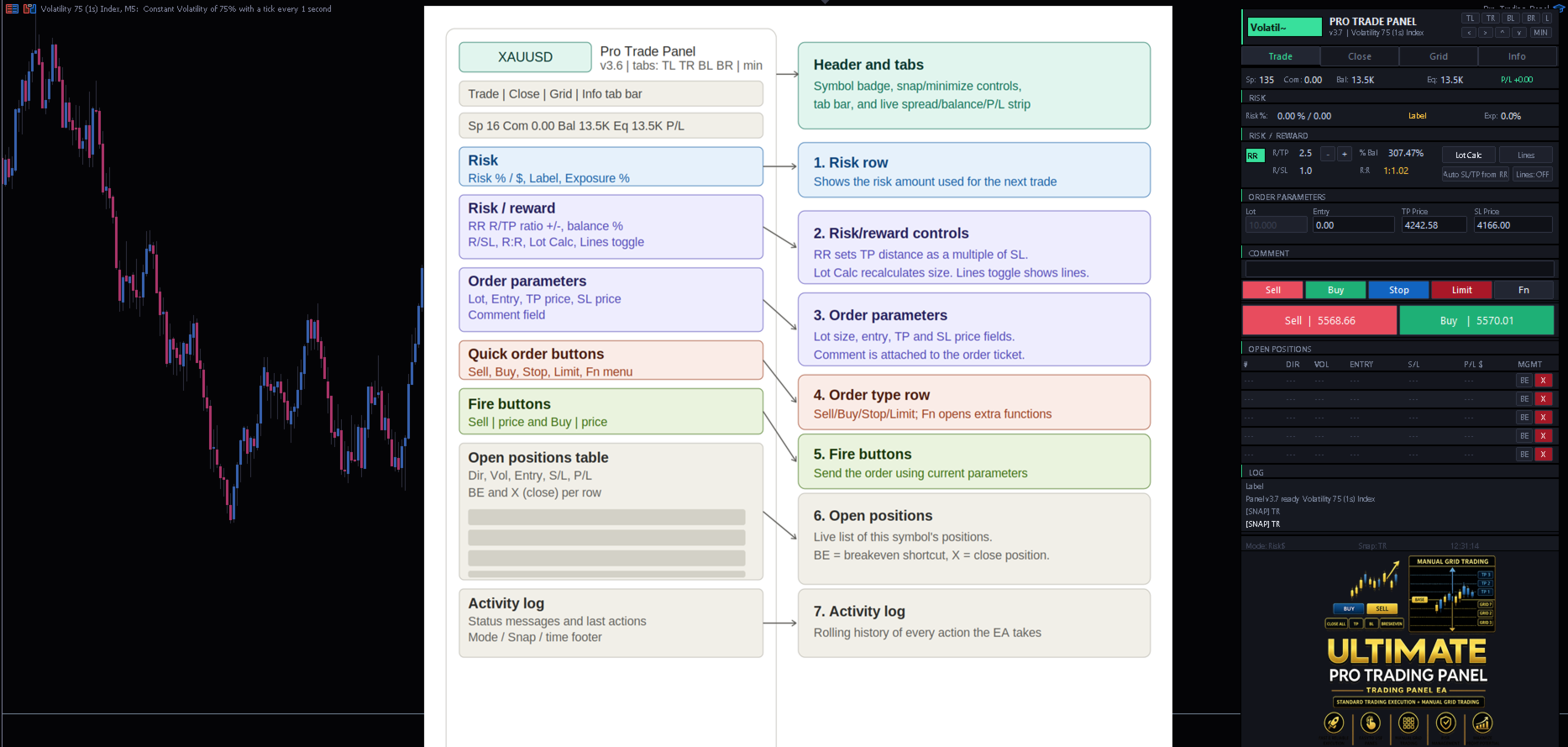
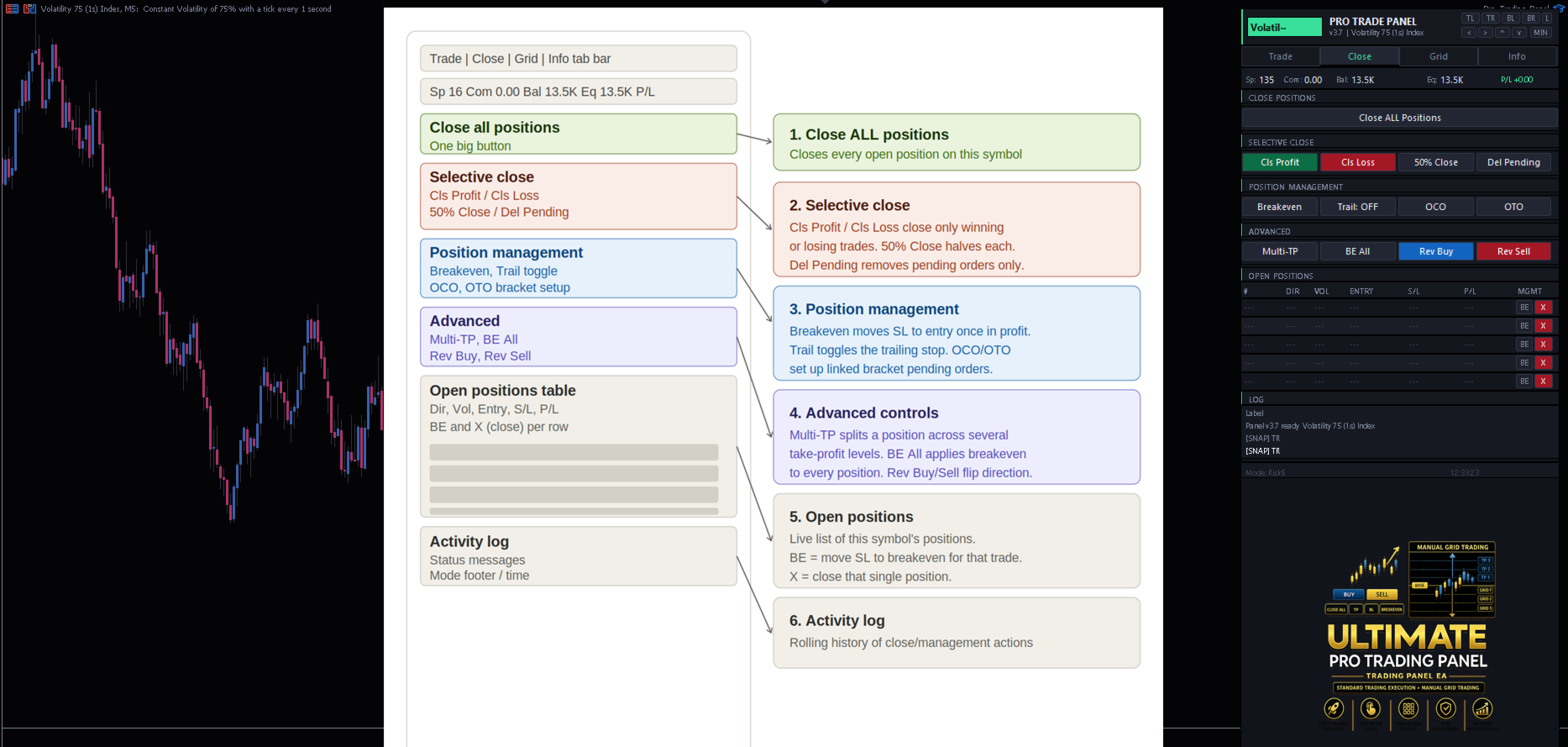
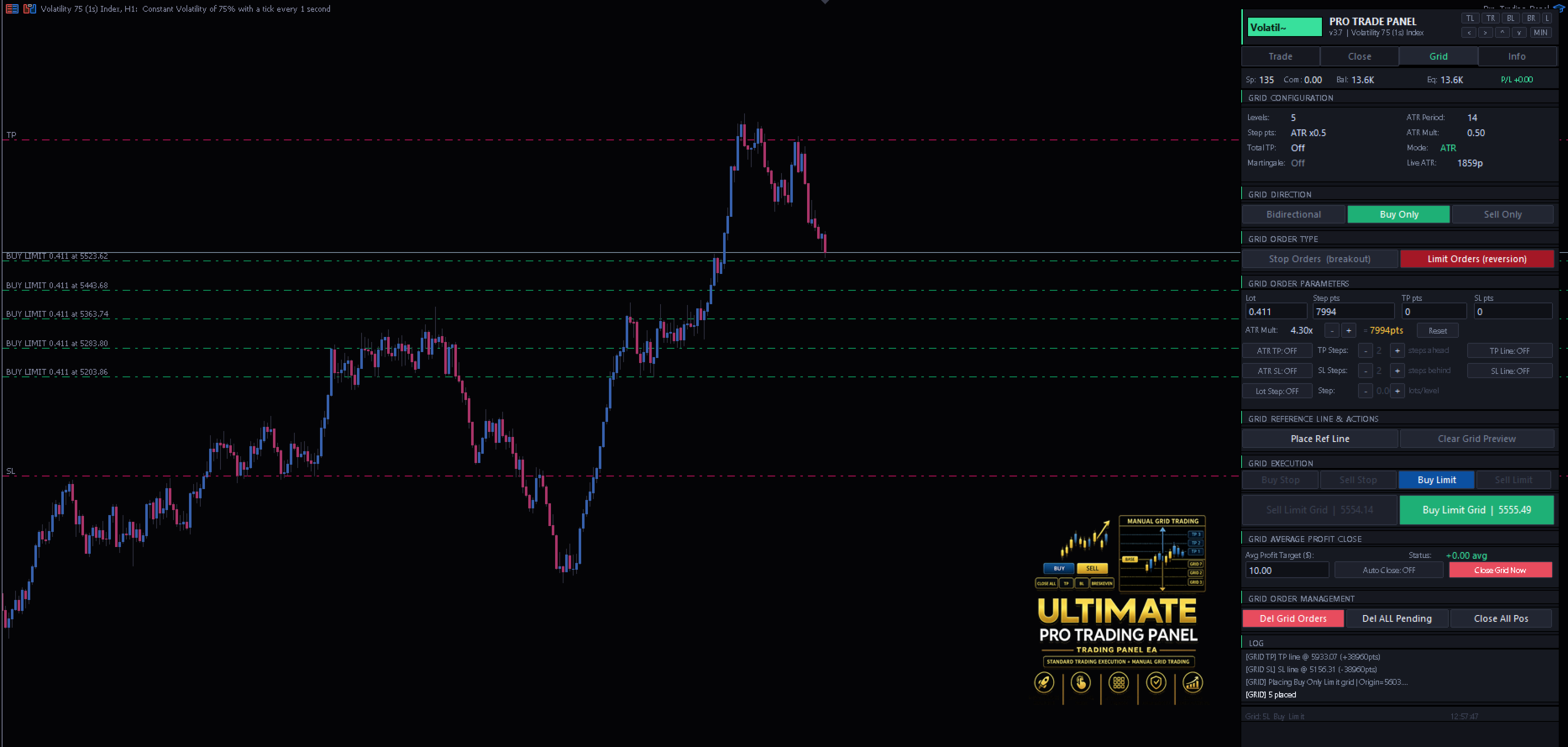
Tabbed Interface (Trade / Close / Grid / Info) A compact, theme-able (dark/light) panel organizes every function into four tabs, keeping the chart uncluttered while giving full access to trading tools.
Flexible Position Sizing Choose between a fixed lot size, risk-percentage-of-balance, or fixed money-at-risk sizing. Lot size is automatically recalculated from your live SL distance and the symbol's true pip value — accurate across forex, metals, indices, and synthetic instruments. A built-in Martingale multiplier (optional, high-risk) can scale position size after consecutive steps.
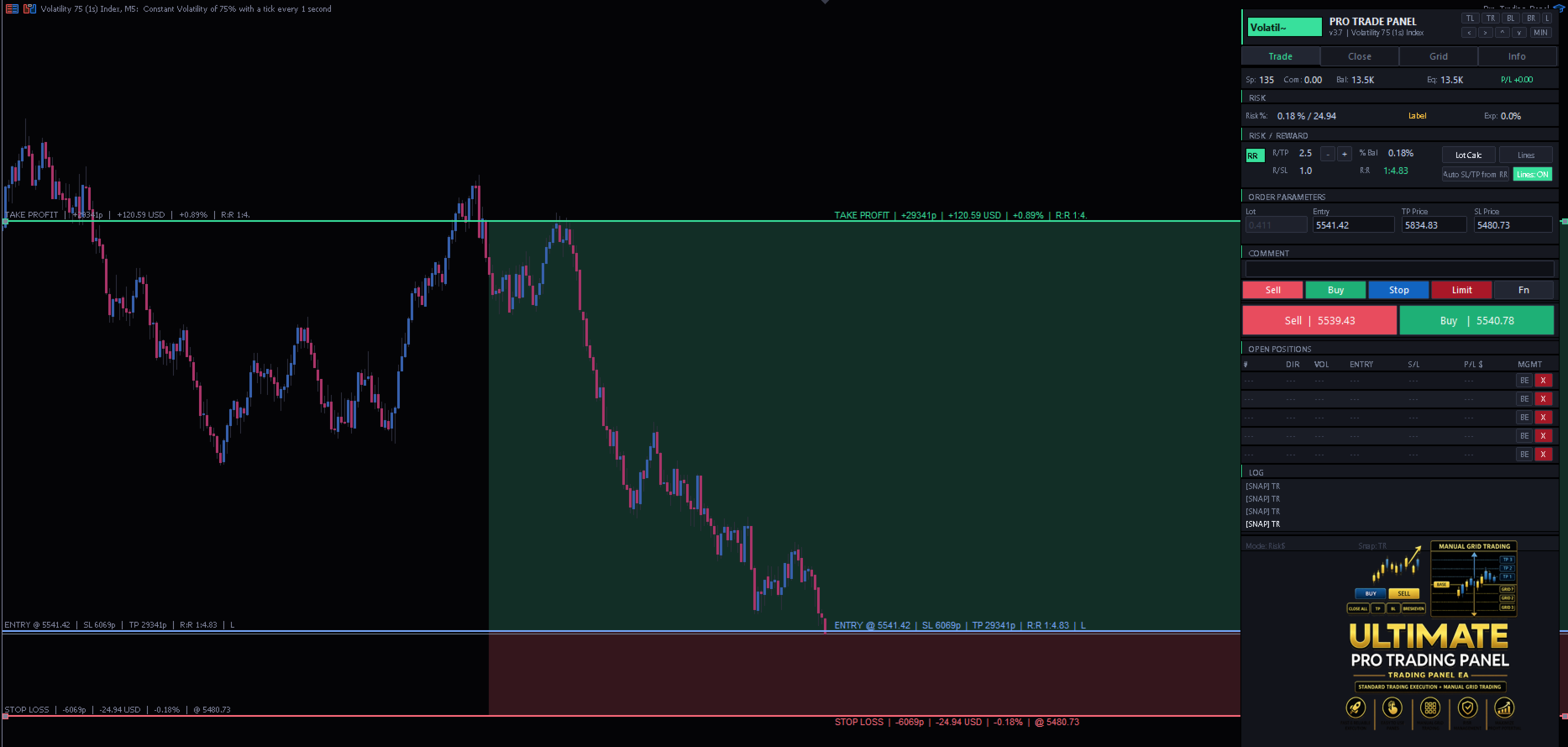
Draggable Pre-Trade Entry / SL / TP Lines Before placing a trade, adjust your Entry, Stop Loss, and Take Profit visually by dragging horizontal lines directly on the chart. Shaded SL/TP zones make your risk:reward instantly visible. An Auto-RR tool can calculate TP automatically from your SL distance and a configurable risk:reward ratio, with quick +/- nudge buttons.
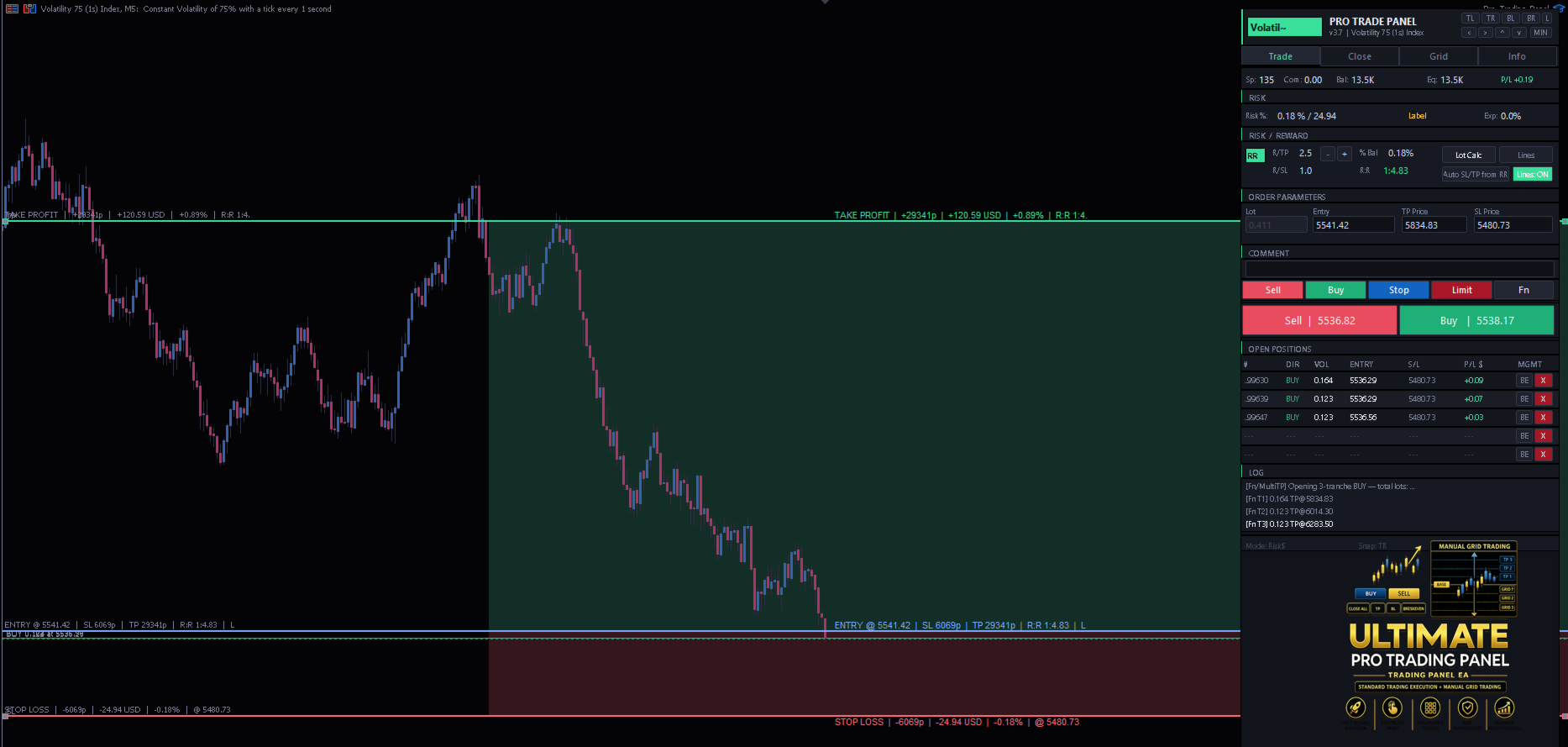
One-Click Execution & Bracket Orders Fire market Buy/Sell orders with your configured risk settings, or use OCO (one-cancels-other) and OTO (one-triggers-other) bracket setups for breakout or pending-order strategies.
Trade Management Manage open positions with breakeven automation (move SL to breakeven plus buffer once price moves favorably), trailing stop, time-based close, and partial close at a configurable percentage. Drag live position SL/TP lines on the chart to modify open trades directly.
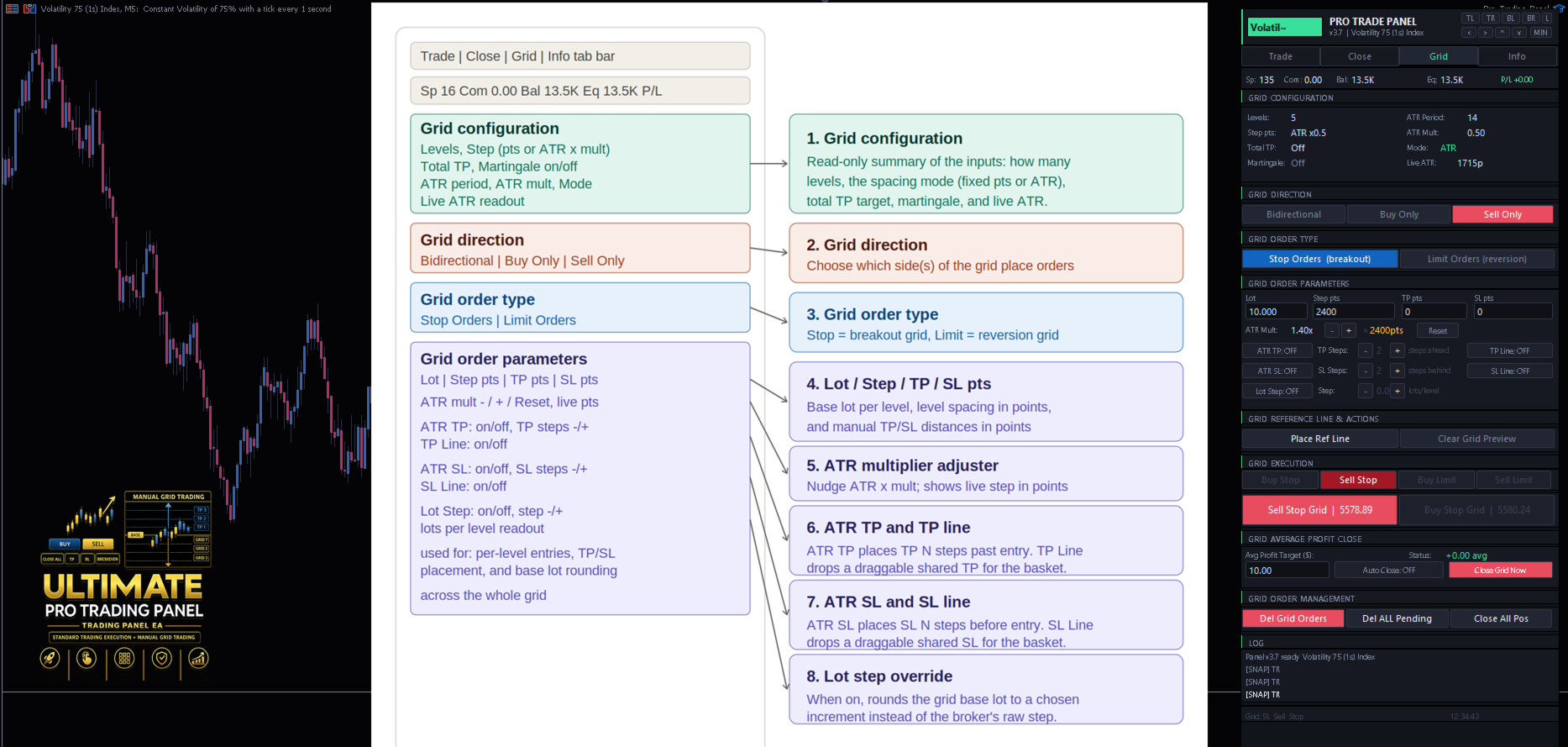
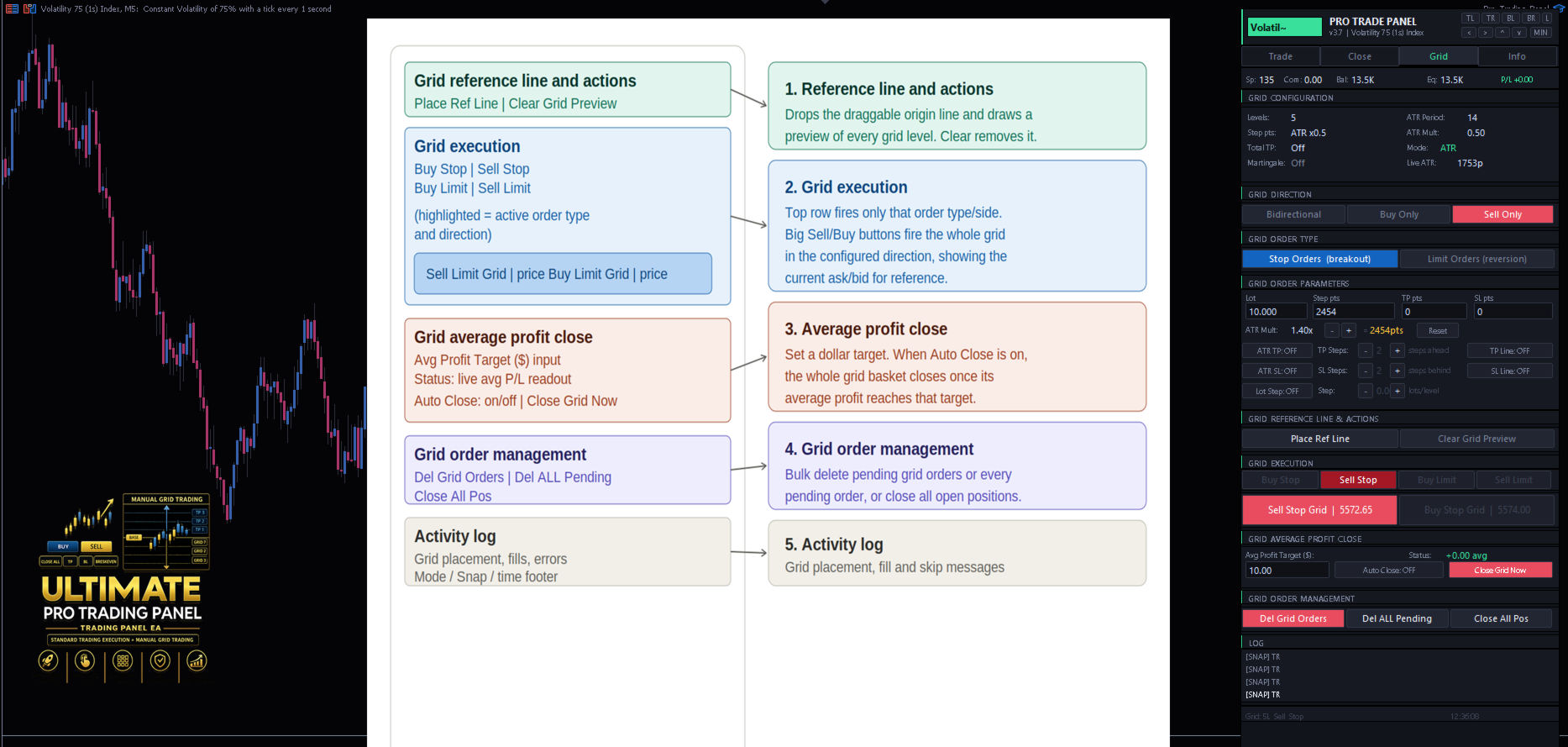
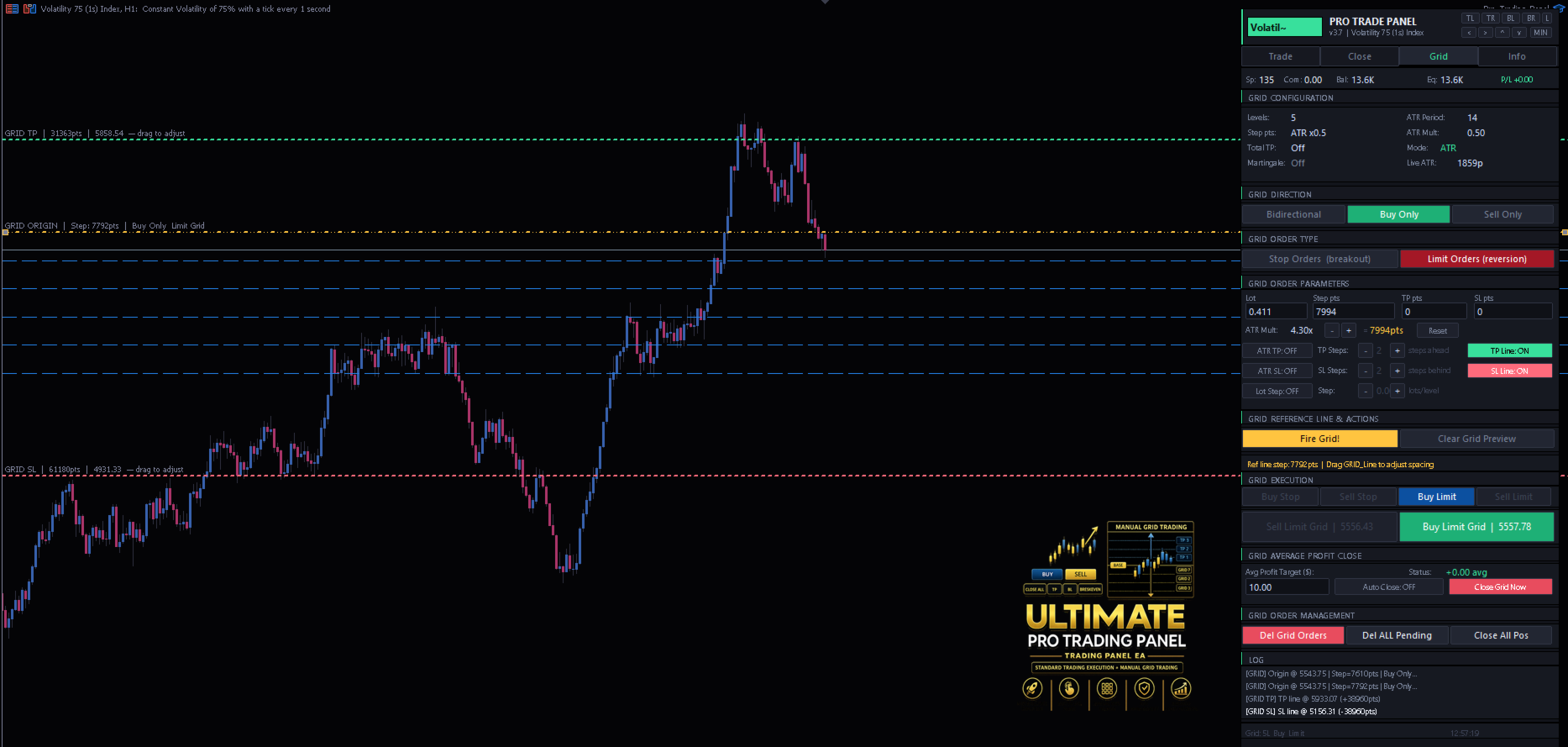
Full Grid Trading System Build a grid of pending Buy/Sell Stop or Limit orders around a draggable origin line. Configure the number of levels, spacing in fixed points or as a live ATR multiple (with on-the-fly +/- adjustment and reset), and direction (bidirectional, buy-only, or sell-only). A live preview shows every order level on the chart before you commit.
Independent SL & TP Control for the Grid Set Take Profit and Stop Loss for the entire grid bucket in three ways, each combinable per trader preference: ATR-spaced per-level TP/SL (a fixed number of ATR steps ahead/behind each order's entry), a draggable shared TP line and a draggable shared SL line that apply across all grid orders, or manual point values. Preview lines update live as you drag.
Configurable Lot Sizing for Grid Orders The grid's base lot size can be entered directly, or optionally rounded to a custom lot-step increment (e.g. trade in steps of 0.10 instead of the broker's raw 0.01), giving cleaner position sizing across martingale-scaled grid levels.
Grid Management Tools One-click buttons to fire the full grid, fire a single side, delete pending grid orders, close all grid positions, or clear the on-chart preview. An optional auto-close feature closes all grid positions once the average profit across the basket reaches a target you define.
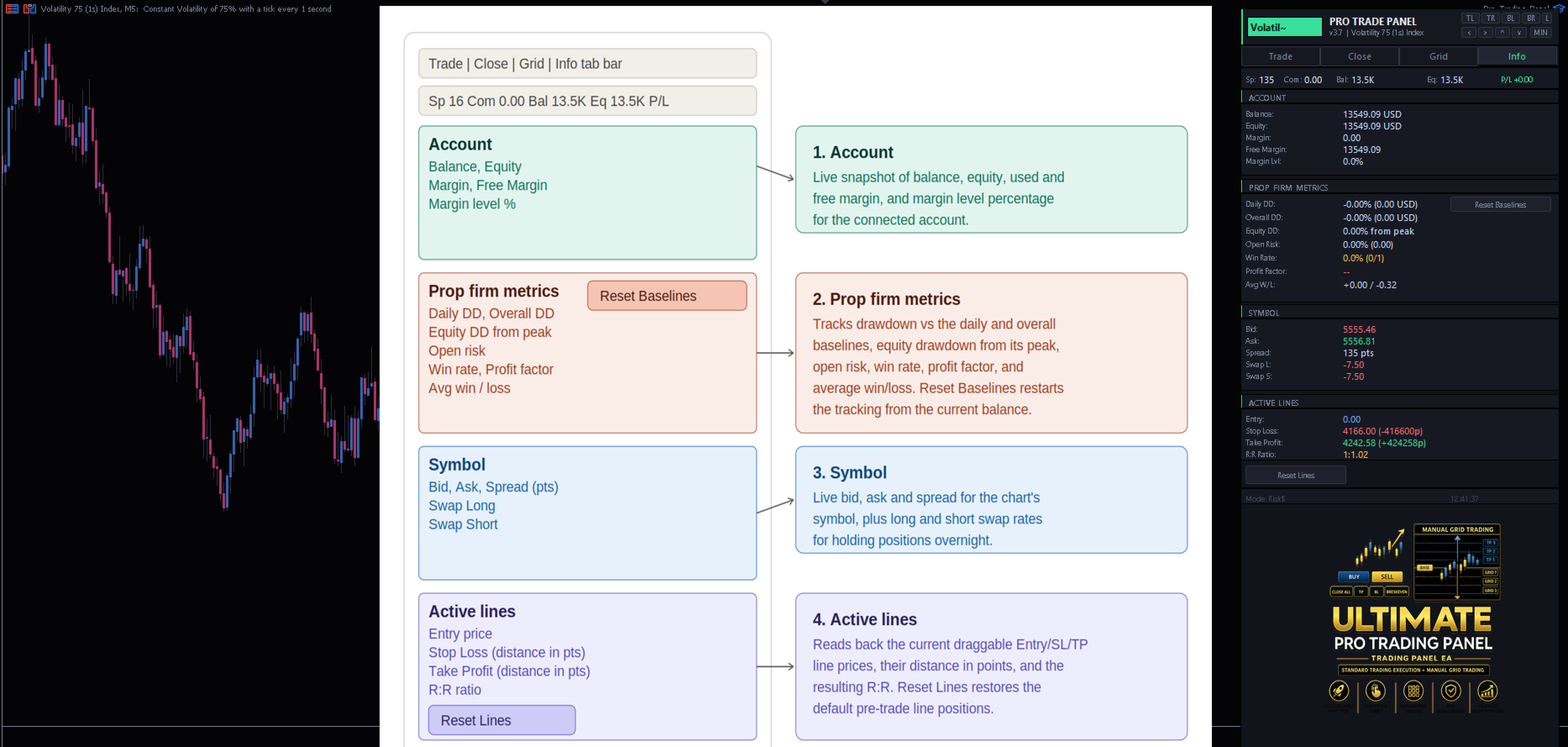
Prop-Firm Style Risk Metrics (Info Tab) Live dashboard of balance, equity, floating P/L, spread, total exposure, and drawdown versus session/daily baselines — useful for staying within prop-firm or personal risk limits. Baselines can be reset on demand.
Safety & Usability Controls Maximum spread filter, maximum lots per click, global exposure cap, trading pause/cooldown, optional trade confirmation prompts, audio alerts, and push notifications on open/close. The panel remembers its position, theme, and minimized state between sessions and can be snapped to any chart corner or dragged freely.
Important Notes
- This product is a trading panel and execution toolkit, not a signal generator. It does not predict market direction; all entries and grid placements are initiated by the trader.
- Past performance of any settings combination does not guarantee future results. Trading involves risk of loss.
- Martingale-based lot scaling is high-risk and disabled by default — enable only if you fully understand the drawdown implications.
- Recommended for use on any symbol/timeframe where the broker provides standard SymbolInfo data (forex, metals, indices, crypto CFDs, and most synthetic indices).
- Test on a demo account first to familiarize yourself with the grid preview, draggable lines, and risk settings before live use.
Inputs Summary
Risk management (lot mode, risk %, risk amount, max lots, spread/exposure filters), breakeven and trailing stop settings, time-based close, bracket order distances, full grid configuration (levels, ATR period/multiplier, step size, ATR-TP/SL steps, optional lot step), martingale settings, notification toggles, and panel appearance (theme, position).
If you experience any issues or bugs do not hesitate to message me.