 MetaTrader 5
 Experts
 지표
지표
 라이브러리
라이브러리
 유틸리티
유틸리티
 위젯
위젯
 규칙
규칙
MetaTrader 5용 무료 트레이딩 유틸리티 - 25
 다음은 MetaTrader 5의 거래를 단순화하는 거래 프로그램입니다. 유틸리티의 설명과 목적을 읽으려면 유틸리티 위에 마우스를 놓으십시오.
Please visit = https://www.mql5.com/en/market/product/186048 for slave EA
MT4 Version = https://www.mql5.com/en/market/product/186079
Free Demo Version = https://c.mql5.com/6/1033/COPYTRADE_BIN7D.zip
User Manual : download here
Best EA Trade Copier for MT5. EA Trade Copier is a powerful and reliable trade copying solution that transfers trades from one Master account to multiple Slave accounts in real time. Whether you manage multiple trading accounts, investor accounts, VPS terminals,
FREE

Stop guessing your performance. Track your wins and losses instantly, directly on your charts! As traders, keeping an accurate, real-time pulse on our psychological and execution performance is key to staying disciplined. DaBhoza Win Rate Tracker is a lightweight, intuitive, and highly visible on-chart utility designed to help you log and monitor your trade outcomes manually with a single click. Whether you are testing a new manual strategy, practicing on a demo account, or keeping track of your
FREE

Script for deleting pending orders If you need to delete all pending orders you placed, this script will do it for you! It doesn't have any input parameters. Allow AutoTrading before running the script. Usage:
Run the script on a chart. If you need a possibility to adjust parameters of the script, use the version with input parameters https://www.mql5.com/en/market/product/627 You can download MetaTrader 4 version here: https://www.mql5.com/en/market/product/2782
FREE

Assistant_for_Reopen - an Expert Advisor that helps to re-set pending orders. Many brokers force the order to expire at the end of the trading session or at the end of the trading day. Therefore, a trader has to restore all pending orders manually every time at the beginning of a new trading session. Assistant_for_Reopen frees the trader from this routine work. It controls expiration by the order expiration time and resets it if the trader ticked the checkbox. The maximum number of orders the EA
FREE

How to run the script in MT5. Open MetaTrader 5. Press Ctrl + N to open the "Navigator" window. Locate the "Scripts" folder. Drag and drop RR Control Pro onto the chart with the open trade.
How it works.
Automatic detection: Once you drag the script onto the chart, it automatically identifies the most recently opened position on your trading account. Direction detection: The script checks whether the trade is a BUY or a SELL to calculate distances correctly. Formula: The ratio is calculated a
FREE

MetaTrader 5 플랫폼에서 사용되는 사용자 정의 인디케이터로, 다양한 타임프레임에서의 시장 트렌드를 시각적으로 표시하는 데 사용됩니다. 이 인디케이터는 사용자가 지정한 X 및 Y 좌표에 위치하는 패널을 생성하여, M1부터 MN1까지 총 21개의 타임프레임에 대한 트렌드를 각각 라벨 형태로 보여줍니다. 각 타임프레임의 트렌드는 20기간 단순 이동평균(SMA)과 50기간 단순 이동평균을 비교하여 결정되며, 상승 트렌드는 초록색, 하락 트렌드는 빨간색, 보합은 회색으로 표시됩니다. 또한, 모든 타임프레임에서의 트렌드를 종합하여 상승 비율을 계산하고, 이 비율에 따라 전체 시장 트렌드가 표시됩니다. 전체 트렌드는 일정 간격으로 깜빡이며 사용자에게 시각적 주의를 끌도록 설계되었습니다. 이 인디케이터는 시장 상황을 빠르게 파악하고자 하는 트레이더들에게 유용하며, 업데이트 간격과 깜빡임 간격은 사용자의 필요에 맞게 조정할 수 있습니다. 또한, 패널의 위치와 색상도 사용자 정의가 가능하
FREE

OrderCalc opens a window in the chart with the data of your orders:
Position size, stop loss, take profit, profit/loss
Only the positions for this symbol are displayed. If several positions exist, these are totalled and displayed in the last line. If you work with pyramids, you can see at a glance how big the total profit or loss is.
M can be used to display information about the symbol: Margin, spread, minimum order size, increment etc. R opens the risk calculator. A click in the chart calc
FREE

Aegis Gold Dashboard is a free, lightweight visual indicator created to help traders monitor key market conditions in a clean and professional way.
This indicator is designed as a visual companion to automated or discretionary trading systems and does not execute any trades.
Features: • Informational signal overview (non-executable) • ATR-based volatility display • Market session open / closed status • Real-time spread monitoring • Last closed trade overview • Simple market condition tips
De
FREE

Global Session Map turns one MetaTrader 5 chart into a clear session workspace. It shows which major trading sessions are active in broker time, when the next transition occurs, and where session overlaps appear.
The panel is designed for discretionary traders who need reliable time context without entry signals or profit claims. Session windows and display preferences are configurable and remain available after chart or terminal restarts.
Main functions
• Sydney, Tokyo, London and New York s
FREE

A FOMO blocker to click before opening an emotional trade.
Once activated, the blocker remains in effect—even if you change settings or restart MT5—until the timer runs out, preventing you from opening new trades.
Set the duration you need for your mindset to return to normal.
Use it without restraint.
If you open a trade during this period, it will be closed immediately.
---- NEW VERSION FULL https://www.mql5.com/en/market/product/192677
Check out my alert for stepping away from your PC
FREE

PositionRelay Slave Subscriber는 PositionRelay 마스터 계좌의 열린 포지션을 읽어 로컬 MetaTrader 5 터미널에 미러링합니다. 고정, 스케일 및 잔고 적응 랏 크기, 심볼별 제어, 대시보드 가시성을 위한 주기적 자체 보고를 지원합니다.
연관 제품: PositionRelay Master Publisher(무료). 슬레이브가 포지션을 미러링하려면 마스터 계좌에서 동일한 User ID로 PositionRelay Master Publisher가 실행 중이어야 합니다.
요구 사항: - 플랜에 사용 가능한 슬레이브 슬롯이 있는 활성 PositionRelay 클라우드 구독(positionrelay.com 가입) - positionrelay.com 대시보드의 PositionRelay User ID - 마스터 계좌에서 실행 중인 PositionRelay Master Publisher - 슬레이브 터미널마다 고유한 InpAccountLabel
설정: 1.
FREE
Utilidad de uso informativo la cual ayudará a gestionar el riesgo de los trades con la ayuda visual de los datos proporcionados. el usuario se encargará de ubicar sus SL y TP manual acorde al lotaje. Asesor experto desarrollado para MT5 con el objetivo de ingresar ratios de utilidad y % de riesgo, adicional los Pips de SL para el cálculo del lotaje para dicho riesgo. Estos se calculan sobre el balance actual. El usuario tomaría como dato ingresar el lotaje que se calculó y arrastrar el S
FREE

UEX Reader - Expert Advisor UEX 지표 기반의 완전 자동 트레이딩 EA입니다. https://www.mql5.com/en/market/product/152936
UEX Reader는 두 가지 유연한 트레이딩 방식을 제공합니다. 일반 방식과 평균화 방식
거래 포지션은 UEX 지표가 예측하는 시장 방향에 따라 개별적으로 또는 동시에 실행할 수 있습니다.
UEX Reader는 지표를 기반으로 작동하지만, MT5 테스터에서 테스트해 볼 수도 있습니다.
- - - - - - - -
UEX Reader Expert Advisor 사용 방법: https://www.mql5.com/en/market/product/166805/comments PDF document :
https://c.mql5.com/31/1830/UEX_Reader_ExpertAdvisor.zip
FREE

This Utility tells you the volatility of any symbol for any of the major time frames. As trades occur, the volume increases for each period. When each period ends, the bucket is reset to 0. Volumes are sorted from largest to smallest within each shown period. Click any symbol to highlight that symbol in all period columns. Volume information is specific to transactions placed at your broker. To test in the Tester, set the following:
EURUSD,M1,1 minute OHLC 2018.01.01 to 2018.01.02 (a day’s worth
FREE
I find the lot calculation tedious so I just use this script and tell it the dollar amount to use. It then does the rest. This works for any currency.
How-To: Creates a buy limit order at chosen MA price using the desired dollar amount instead of lots. To use, just drop it onto a chart and set inputs as needed. The script will then do the necessary lot calculation and create a buy limit order.
Inputs: FIXED_DEAL_AMOUNT: Fixed amount to use for the trade e.g 100 to open a R100 deal MA_PRICE: MA
FREE

Phone Notification
Send Information from VPS direct to Phone No TradingOperation only MessageNotification Send Information to your selected Time-Window Configure Time when want to receive the Message What will be send:-Bull/Bear Candle Bull: 0 Bear: 0 Level that get Touched by Price most Level: 00000.00 any Question or modification ex5 Code write me a Message
FREE
This is a utility for storing the data on open interest (OI), ratio of buyer/seller orders' number and the ratio of buyer/seller orders' volumes on the Russian FORTS futures market. This is the first product of the series. Now, you can trace history of the specified data in real time in МТ5 terminal. This allows you to develop brand new trading strategies or considerably improve the existing ones. The data received from FORTS market is stored as a database (text CSV or binary one at user's discr
FREE

This is a versatile tool designed to help traders analyze their trading performance on a MT5 account. It provides a detailed of profit, allowing users to review their overall account performance or filter trades based on specific criteria. With this tool, traders can: Check total profit across all trades. Filter by a single Magic Number or multiple Magic Numbers (enter directly, separated by ",") Analyze individual symbols or a custom set of symbols to evaluate different market instruments (
FREE

The idea of enhancing the free Slider utility appeared after the release of a lite version of the EA trade panel Trading Chaos Expert Lite , which operates in the Current Chart mode without the possibility to maintain trades of several symbols in a single window. The purpose of Slider profy Ease search for trading signals by automatic display of charts of currency pairs from the "Market Watch" one by one at a specified interval of time in seconds. Automation of one-click placing of pending ord
FREE

The Teaching T-INN utility was created to train architecture neural networks (T-INN) Target-IntelNeuroNet adapted to the currency market. The utility file must be placed in the scripts folder and run on the chart and timeframe on which you want to train the neural network. The result of the training will be recorded in a file, and the entire training process is displayed in the console on the chart and an additional log file. Before starting the script, it is necessary to download all the stori
FREE

Script "Bar Close Timer Pro" is designed to display a real-time countdown to the closure of the current bar. This professional tool is tailored for traders working on any timeframe, enhancing chart analysis efficiency through precise time control. The script automatically adapts to the chart’s current timeframe (M1, H1, D1, etc.), calculating the remaining time until the candle closes. (Note: When switching timeframes, the script must be reattached to the chart.) Flexible display settings: Cus
FREE

Aurum Position Manager는 MetaTrader 5용 포지션 관리 유틸리티입니다. 차트 심볼의 기존 포지션을 모니터링하며, 스탑로스 손절가를 손익분기(Break-even) 잠금 수준으로 이동한 후 ATR 기반 트레일링 수준으로 조정할 수 있습니다. 이 도구는 트레이딩 전략이 아닙니다. 거래를 오픈하지 않으며, 진입점을 선택하지 않고, 포지션 사이즈를 계산하지 않습니다. 기능 약 1초마다 일치하는 오픈 포지션을 확인합니다. 현재 차트 심볼만 사용합니다. 각 포지션 티켓에 대해 진입 가격에서 최초 관측된 스탑로스까지의 가격 거리를 기록합니다. 설정된 손익분기 배수 이후, 스탑로스를 진입 가격에 설정된 잠금 금액을 더하거나 뺀 값으로 이동시킵니다. 설정된 트레일 시작 배수 이후, 최신 완료된 ATR 바를 사용하여 ATR 기반 트레일링 거리를 적용할 수 있습니다. 스탑로스 수정을 제출할 때 테이크프로핏 값을 변경하지 않고 유지합니다. 포지션 방향과 브로커의 스탑 거리 규칙에
FREE

FTU Auto Trade with on Chart Panel Mt5 (basic version)
This EA will improve your trading, lower work load and improve risk management Adjust Lot size, entry based on at market or by price input EA will manage entry, stop loss, partial close and adjust stop loss after tp1, partial Designed to be compact and efficient, small layout for multiple chart trading
Features: Lot groups - Allows for fast change to various risk models Tp, Partial and SL management Multiple No Trade Times - Various time
FREE

Position Closer MT5는 차트에 직접 표시되어 포지션 청산을 빠르고 효율적으로 관리할 수 있는 편리한 트레이딩 유틸리티입니다. 각 포지션을 개별적으로 청산하는 대신 하나의 버튼으로 모두 청산할 수 있습니다. 작동 방식: 패널은 두 개의 큰 정보 버튼으로 구성됩니다. 녹색 "Close BUY" 버튼 — 현재 심볼의 미청산 매수 포지션 수와 총 손익을 표시합니다. 갈색 "Close SELL" 버튼 — 현재 심볼의 미청산 매도 포지션 수와 총 손익을 표시합니다. 버튼의 정보는 시장 상황이 변경될 때마다 실시간으로 자동 업데이트됩니다. 기능: 즉시 청산: "Close BUY" 버튼을 한 번 클릭하면 현재 심볼의 모든 매수 포지션이 청산됩니다. 매도 포지션도 동일합니다. 매직 넘버 필터링: 입력 매개변수에 지정된 매직 넘버와 일치하는 포지션만 청산됩니다. 이를 통해 다른 전문가 조언자와 함께 패널을 사용해도 해당 포지션에 영향을 미치지 않습니다. 현재 심볼 전용: 패널은 설치된
FREE

This Expert Advisor monitors all open positions across all symbols in MetaTrader 5. Whenever a Stop Loss (SL) or Take Profit (TP) is manually set or adjusted on any position, the EA automatically applies that value to all other open positions , regardless of symbol or order type (Buy/Sell). This ensures consistent and synchronized SL and TP levels across your account.
Perfect for mobile trading via tablet or smartphone!
FREE
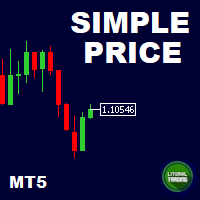
This is our simplest tool! With it you hide the Bid and Ask lines from chart and have only a small rectangle showing what current price is. This tool is useful for those who want the cleanest chart possible. You can also show the Ask price only, instead of the Bid (most common). To further assist you in cleaning the chart check out our other tool: https://www.mql5.com/en/market/product/41835 Any questions or suggestions, please contact us. Enjoy!
FREE

* This product was converted using "BRiCK Convert4To5 MT4 " based on the MQL4 source file of "BRiCK Convert4To5 MT4 Free" . "Convert4To5" is a Script that converts MQL4 source files into MQL5 source files.
Experts, Indicators, Scripts, and Libraries with extension ".mq4" will be available for MT5.
Parameter
None.
Procedure
1. Open the following folder.
terminal_data_folder\MQL4\Files\ (in the terminal menu select to view "File" - "Open the data directory") 2. Confirm that the BRiCK_Conv
FREE

Order Book, known also as Market Book, market depth, Level 2, - is a dynamically updated table with current volumes of orders to buy and to sell specific financial instument at price levels near Bid and Ask. MetaTrader 5 provides the means for receiving market book from your broker in real time. The expert OrderBook Recorder records market book changes and stores them in local files for further usage in indicators and expert adviser, including testing in the tester. The expert stores market book
FREE

FWS Tide Clock — Session Clock & Activity Monitor Know when to trade — at a glance. FWS Tide Clock is a real-time session clock that shows you exactly what's happening across global forex markets. See which sessions are active, when they overlap, and whether conditions favour trading — all from a compact on-chart panel with a stunning browser-based web dashboard. Part of the Forex Weather Station suite. This free module gives you instant market timing awareness — right where you need it. W
FREE

MT5 Trade Copier Master - Free Trade Broadcaster Require Slave EA: https://www.mql5.com/en/market/product/178686 This Master EA broadcasts trades but CANNOT copy them by itself. You MUST purchase and install the SyncTrade Copier Slave EA on a second MT5 terminal to copy trades. Without the Slave EA, this product does nothing useful on its own. Both MT5 terminals must be installed on the SAME computer for file sharing to work. They cannot be on different computers or VPS instances.
What This Ma
FREE

TickQuant Panel - Calculadora de Lotaje y Gestión de Riesgo Profesional TickQuant Panel es una herramienta esencial diseñada para traders que entienden que el éxito en el trading radica en una gestión de riesgo impecable. Este panel elimina las conjeturas matemáticas antes de una operación, permitiéndole calcular el lotaje exacto automáticamente basado en su Stop Loss visual en el gráfico. Ya sea que opere Scalping, Day Trading o Swing Trading, TickQuant le permite colocar órdenes con la tranqui
FREE

Breakup ZeeAM Khan Advanced multi-timeframe breakout Expert Advisor based on a proprietary higher-timeframe pattern and lower-timeframe confirmation system. Features dynamic lot sizing, multi-target profit management, break-even automation, momentum filtering, and fully customizable risk controls. This is the Best for All Brokers. Contact for Set Files or See the Screen Shots
WhatsApp: Text only +447716409196
Best for XAUUSD on All Brokers Key Features Proprietary Multi-Timeframe Strategy Det
FREE
TradeManagerEA — Full Trade Management Solution Overview (Short Description) The TradeManagerEA is a specialized Expert Advisor designed to manage open trades across all symbols. It provides automatic breakeven rules, trailing stops, and additional settings optimized for Gold (XAU/GOLD). This tool requires minimal user intervention and can enhance the consistency of your trading approach. Detailed Description 1. Core Features Breakeven Management : Automatically moves Stop Loss to entry price p
FREE

MATTRIX Synthetic Charts creates 11 fully functional Custom Symbols from the 28 Forex major pairs available on any standard MT5 broker.
CREATED SYMBOLS: Currency Indices (geometric mean of 7 pairs each): #EUR #GBP #AUD #NZD #USD #CAD #CHF #JPY Risk Baskets (geometric mean of 8 pairs each): #RON "Risk-On" basket #ROFF "Risk-Off" basket (visually flipped) Diversification Basket: #FIX Combined long-bias index of all 28 majors
USAGE: 1. Attach the EA to any active major pai
FREE
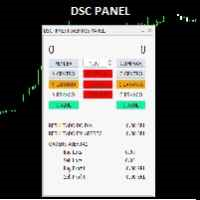
o DSC Panel é um auxiliar para deixar ordens já posicionadas em pontos estratégicos no gráfico de maneira automática. Em conjunto com o indicador DSC Vwap Channel e DSC Candle Agression é uma poderosa ferramenta para o trader obter uma excelente assertividade em suas operações. VEJA OS NOSSOS RESULTADOS OPERANDO MINI INDICE NO INSTAGRAM: https://www.instagram.com/diogo.cansi/ GRUPO DO TELEGRAM = https://t.me/robosdsc Maiores informa çõ es pelo email dscinvestimentos@gmail.com Ou pelo
FREE

TradeSyncLive - For MT5 Trade Analytics Dashboard Automatically sync your MT5 trades to a web-based dashboard with real-time analytics and EA performance tracking. This app was made with AI assistance, it's not professional, don't expect something amazing, this is just a weekend project. Setup Attach TradeSyncLive EA to any chart (one chart for each account you want to analyze) Set your Username in the EA inputs (pick whatever username, this is your login for the web app) Add the Supabase URL to
FREE

The trade cost caused by spreads is an important indicator when formulating trade profit-loss ratios. Spread costs info is particularly important for short-term traders, especially scalping traders. This tool can output the spread cost of all Forex currencies (including XAU and XAG) in the platform in different account types (USD account, EUR account, etc.).
Calculation and code See articles: THE TRADE COST OF FOREX CURRENCY Part1 THE TRADE COST OF FOREX CURRENCY Part2 THE TRADE COST OF FOREX C
FREE

The 7 energies of the price.
it is an expert advisor analyst. it analizes the 7 energies of the price which are:
direction
momentum
fractals
cicles
support/resistance
volatility
Amplitudeness
When you have all these energies aligned you have a better understanding of the price movement.
This EA helps students who are learning technical analisys and it keeps new learners away from the bad trades.
give it a try now for free.
FREE
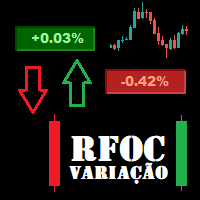
O Produto RFOC Variação Diária apresenta a função de indicar no gráfico a variação, em porcentagem, do preço em relação ao preço de fechamento do dia anterior.
O indicador permite configurar 100% da coloração para variações de alta, baixa e neutra (0.00%).
O painel com a apresentação da variação diária do preço fica fixada na parte superior do gráfico, e se ajusta automaticamente no centro da janela.
FREE

Обычная трейдец-сетка, но не имеет явного диапазона. Вместо диапазона, в настройках устанавливаются стоп-лоссы. Закрытие происходит по тейк-профиту, так же устанавливаются в настройках. Робот может торговать в любом направлении, как вверх или вниз, так и в обоих направлениях. Робот не проверяет баланс счета, а потому имеет очень высокий риск. По умолчанию стоят настройки для EURUSD пары (не самые лучшие). Рекомендуемый минимальный депозит $200. Имеется вторая версия в которой добавлены дополните
FREE

This is an indicator to control the Parameters of Range Volume Hybrid Generator expert advisor -It does not work as stand alone, it works as a remote control of Range Volume Hybrid Generator and must be applied on the custom chart generated by the EA. To get Range Volume Hybrid Generator expert advisor: https://www.mql5.com/en/market/product/165557
Parameters that can be adjusted: Trading Style as well as manual setting of Range, Volume and start Date of data collection. What's the video for
FREE

Noetrix Sentinel 1.10
Noetrix Sentinel is a native, read-only MetaTrader 5 operational supervision utility. It monitors terminal connectivity, latency, trading permissions, chart and EA presence, watched market feeds, optional Magic mappings, alerts and diagnostic evidence from a single chart.
## Safety and distribution
- MetaEditor result: `0 errors, 0 warnings`. - Entry point: `MQL5/Experts/NoetrixSentinel/NoetrixSentinel.mq5`. - No trading library, order submission, position close, order
FREE

The "InfoBox" utility is designed to display the presence of open orders, the number of lots, current profit and much more in one window. The version for the MT4 platform is here . You've probably encountered a situation where you have an advisor that works on a currency pair, but information about its operation: - orders and their number, the size of the spread for the instrument, the volume of lots on the market, drawdown and much more - are scattered in different places of the terminal an
FREE

this is a Demo version of product. its limit of 3 trade at a time. when you buy full version try to click here https://www.mql5.com/en/market/product/168370
The Core Philosophy: Ultra-Fast Execution In the world of scalping, milliseconds matter. This configuration utilizes a Fixed Lot Size strategy combined with lightning-fast keyboard triggers to ensure you never miss a price level.
CandleWise Trade Logic This feature restricts trade frequency to prevent "over-trading" during volatile moves
FREE

It is is your personal risk guard. Drop it on any chart on your VPS or trading computer and it will guard your total risk in any pair or asset and make sure the sum of all stops is within your risk. If you happened to exceed the risk, in a split second this EA will calculate the exact position for the combined risk of all open positions and place all stops at the exact same spot. If you open a new position with another lot size . No problem, all stoplosses will automatically adjust. Tired of man
FREE

APEXSYNC TRADE COPIER PRO - THE INSTITUTIONAL-GRADE COPYING REVOLUTION ULTRA-LOW LATENCY | SMART RISK INTELLIGENCE | PROP-FIRM SAFE Tired of slow, basic copiers that risk your capital? Meet ApexSync Pro - the next-generation trade copier engineered to DOMINATE the MT4/MT5 ecosystem with institutional-grade performance, AI-driven risk management, and prop-firm certified safety protocols. WHY APEXSYNC PRO BEATS EVERYTHING ELSE Feature Old Copiers APEXSYNC PRO Speed 500ms+ (slow) <200ms (blazing
FREE

Investment Castle Panel — Your Trades, At a Glance
The Panel puts the numbers that matter right on your chart: floating profit and loss, drawdown and more — for manual trades and for any Expert Advisor. A clean, movable dashboard so you always know exactly where you stand.
What it does for you Live P/L on the chart: floating profit/loss for the current symbol, for both buy and sell orders, in your base currency and in pips. Max drawdown at a glance: keep an eye on risk without digging through
FREE

Equity Aler t can help you send notifications to your personal Telegram when your account equity reaches/ drops below a preset value. Additionally, you can check your MT4/5 account info anytime from your Telegram by simple command: /check . Get more free useful EAs here !
HOW TO SET UP? * Get inputs for EA: - Telegram Bot Token: Create a Telegram bot by @BotFather , and save your Bot Token. Find your bot by username & press "start". - Telegram User ID: Use your User ID by chatting
FREE

R.E.A. Automatic Risk Monetary (MT5) – Per-symbol manager for manual entries & pending orders Summary (hero) Automate risk management for manual trades (magic 0) and pending orders on the chart’s symbol : SL/TP by % of balance or fixed amount , BreakEven and Trailing (for positions), with instant reaction on order placement/execution. What it does Locked to the symbol where you attach it, this EA manages only: Your manual positions on that symbol. Your pending orders on that symbol (limit/stop/s
FREE

This script is designed for traders who need to quickly place trades across multiple currency pairs during critical news releases, where every second counts. With this tool, you can pre-select your desired currency pairs and assign independent volumes for each one. When a major news event hits, such as Non-Farm Payroll (NFP) or PMI data releases, the script allows you to execute all your trades instantly without the need to open each pair manually. Key Features: Customizable Pairs : Choose from
FREE

Product Description: GODFX EXECUTIONER v1.00 Take Control of Your Trading with Institutional-Grade Precision. The GODFX Executioner is not just a trade manager; it is a professional-grade command center for MetaTrader 5. Designed for scalpers and day traders who demand speed, it combines advanced risk management with intuitive visual tools to ensure you never have to calculate a lot size or fumble with orders again. Key Features: Dynamic Visual Planning: Drag-and-drop SL and TP lines on y
FREE
TradeFlow 대시보드 MT5는 거래 관리의 패러다임 전환을 나타내며 Meta Trader 5 플랫폼 내에서 위험 관리 전략을 향상하고 의사 결정을 간소화하도록 맞춤화된 강력하고 다양한 솔루션을 제공합니다. 세련되고 사용자 친화적인 인터페이스를 갖춘 이 도구는 기존 거래 경험을 뛰어넘으며 특히 성과를 향상시키려는 수동 거래자에게 적합합니다.
TradeFlow Dashboard MT5의 주요 특징을 자세히 살펴보고 각 기능이 원활하고 강력한 거래 경험에 어떻게 기여하는지 살펴보겠습니다.
원활한 주문 실행: TradeFlow 대시보드 MT5를 사용하면 매우 쉽게 매수, 매도, 제한 및 중지 주문을 실행할 수 있습니다. 고정된 로트 크기를 선호하든, 백분율을 통해 위험을 관리하든, 이 도구는 귀하의 고유한 거래 스타일에 맞춰 조정되어 모든 거래에 정확성과 통제력을 제공합니다.
간편한 추적 중지 활성화: 원클릭으로 추적 중지를 활성화하면 시장의 역동적인 특성을 탐색하는 데 중요한
FREE

MT5 거래의 오픈, 종료, 부분 종료 및 수정에 대한 실시간 알림을 Slack으로 자동 전송합니다. 이 유틸리티는 16개 언어를 지원합니다: 영어, 프랑스어, 독일어, 힌디어, 인도네시아어, 이탈리아어, 카자흐어, 한국어, 네덜란드어, 폴란드어, 포르투갈어, 러시아어, 스페인어, 터키어, 우크라이나어, 베트남어. 알림 텍스트를 사용자 정의하여 다른 언어도 사용할 수 있습니다. 이 제품은 터미널을 지속적으로 모니터링하지 않고도 Slack 알림을 받아야 하는 트레이더를 위해 설계되었습니다. Expert Advisor 사용자, 여러 심볼로 거래하는 트레이더 및 VPS 사용자에게 적합합니다. 전체 및 부분 포지션 종료가 정확하게 감지되며 (예: 0.10 / 0.30 lot), 중복 메시지 방지 기능이 구현되어 있습니다. 알림은 계좌의 모든 심볼에 대해 전송하거나, 유틸리티가 적용된 차트의 심볼에 대해서만 전송할 수 있습니다 (선택 사항).
Test Slack 버튼을 통해 채팅 기능을 확인
FREE

다시 오신 것을 환영합니다! 다윈엑스 제로 20% 할인 코드: DWZ2328770MGM_20 오늘은 HiperCube SuperVisor라는 새로운 유용한 도구를 소개하고자 합니다. 이 도구는 동시에 여러 EA를 실행하고, 어려운 감독을 할 때 발생하는 문제를 해결했습니다. 덕분에 1개의 차트에서 최대 5개의 EA를 동시에 볼 수 있고, 각각이 개설된 포지션, 매수 수익, 매도 수익, 총 수익을 볼 수 있습니다.
기능 각 EA에 대한 사용자 정의 이름 원하는 대로 색상을 설정하고, 완벽하게 사용자 정의 가능! 1개의 차트에서 최대 5개의 EA 모니터링 정보 색상은 현재 수익에 따라 변경됩니다. Chat gpt와 AI를 사용하여 개발되었습니다.
지침 감독을 원하는 EA의 동일한 ID/MAGICNUMBER만 설정하면 됩니다. 이 번호는 "HiperCube SuperVisor"가 각 EA에 대한 정확한 정보를 개별적으로 얻는 데 도움이 되기 때문입니다.
FREE

Smart Trade Manager EA – Simple, Visual, and Risk-Based Trading Take control of your trades with ease!
This free Expert Advisor is designed for traders who want a fast, intuitive, and risk-based way to manage entries directly from the chart. Risk-Based Position Sizing – Just set your preferred % risk in the EA settings, and lot size is calculated automatically.
One-Click Trading – Place trades instantly with two simple buttons: BUY or SELL .
Interactive SL & TP Lines – Drag and drop stop-
FREE

Mini Trader Nestor Glob – Manual Trading Panel for MT5 Follow me on social media and learn how to trade gold. Mini Trader Nestor Glob is a professional manual trading tool for MetaTrader 5 , designed to speed up and simplify trade execution and position management, especially for Gold (XAUUSD) trading. This product is not an automated trading robot .
All trades are executed only through user interaction using on-chart buttons. Main Features Manual trading panel with BUY / SELL / CLOSE buttons Au
FREE

** LIMITED version** This EA utility helps Price Action traders calculate the risk as Big Money profesional traders do: in points or percentages. Allows to also set a desired Profit:Risk ratio and optionally enter a second and third orders simultaneously with different ratios and risk percentages. Great for BTMM, ICT, and other methodologies.
Very simple to use, just "point and shoot"!!!
Full version available here .
FREE

Equity monitor
This is a simple means change informer. I wrote it for myself, maybe someone will need it...
1. Displays the change in funds for the day. Every day, when the terminal is first launched, it remembers the current funds and monitors changes throughout the day.
2. The first day of the month, well remembers the money and, within months, to monitor changes.
3. Well, it displays the profit of the open position.
To work, you need to create 4 global variables: gvarEqityDay , gvarEq
FREE

Get Economic Calendar History Script is an economic calendar data downloader. The time of the Economic Calendar is based on your broker's time, so if you are going to use the same calendar history file on different brokers, make sure their times are the same. The economic calendar history is organized as follows:
Time: Date and time of the news.
Importance: Degree of Possible impact of the news on the market.
Currency: Currency.
Country: Country.
Description: Description of the news.
Peri
FREE

Broker Quality Monitor is a free utility that measures the real quality of your broker for trading. What it measures: - Live spread (current, average, min and max) - Real slippage from your own fills, separated by BUY and SELL - Execution latency - Broker Quality Score (0-100) - Suitability verdict for gold scalping Features: - Live panel with all metrics and color-coded status - Per-session spread averages (Asia, London, London+NY, NY close) - Alerts when spread or slippage exceed your configur
FREE

Trailer Is a reduced version of my EA bull scalper but will handle trailing loss and risk management
use the ai trailing tool to effect the trailing start or chose manual mode to start the trailing and the spread of the sl behind it
check out the EA Bull Scalper for full position Management position opening and extreme performance
https://www.mql5.com/en/market/product/116071?source=Site+Profile+Seller
FREE

**Advanced Position Manager EA** is a professional-grade MetaTrader 5 Expert Advisor designed to protect and maximize trading profits through intelligent stop-loss management. It automatically trails stop losses as profits grow, ensuring you lock in gains while giving trades room to run.
Core Functionality
- **Automatic Profit Protection**: Trails SL as profits grow
- **Works Immediately**: Manages existing positions on startup
- **Two Trailing Modes**: STEP-based or CONTINUOUS
- **Two Manageme
FREE

Having a chart window that has multiple pairs (symbols), timeframes, and indicators displayed simultaneously can be quite advantageous. This indicator will allow traders to place multiple chart objects in a sub window of the main chart window. The indicator is capable of adding all available MT5 indicators and custom indicators to the existing chart. The list and parameters of the indicators are for reference at: https://www.mql5.com/en/docs/indicators
Input parameters Name
Example
Indicator
FREE

AlgoWay Telegram Reporter is a free MetaTrader 5 utility that sends clear and detailed trading notifications directly to Telegram. The utility does not open, modify, or close trades. It only monitors trading activity on the account. It works with: • Manual trades
• Trades opened from mobile or web terminals
• Trades opened by Expert Advisors
• Trades opened through AlgoWay
• Netting and hedging accounts Main features • Position opening notifications
• Entry price, volume, Stop Loss and Take Prof
FREE

Automatic transmission is for the traders who are annoyed by constantly putting manual take profit and stop loss. This will take some of the burden. All you need is a laptop/pc at home or a VPS, so that you can press buy or sell on your phone and all will be automatically done for you. Check out parameters below.
This utility is for every symbol. Watch for oddities when trading crypto.
Other products Automatic Transmission MT4 XAU Breakout MT5
Parameters
-Manage Magic Number (0 = Disabled)
FREE

Script Name: Close All Positions Language: MQL5 Type: Utility Script Primary Function: Instantly close all open positions on the current trading account Purpose The “Close All Positions” script is a lightweight and efficient tool designed for traders using MetaTrader 5. Its main purpose is to help users quickly exit all active trades with a single click, especially during volatile market conditions or when risk management requires immediate action. Instead of manually closing each position on
FREE

Tired of laggy panels with a bunch of unnecessary buttons? This linker is designed for those who value clean graphics and speed. Nothing extra - just instant switching of tools in one click
Advantages: - Solves the main problem of the Meta Trader terminal - inconvenient and slow switching of charts -Not overloaded with unnecessary functionality - Works lightning fast -Easy to install and configure -Can be customized to suit your chart color scheme
This is the free Lite version. The difference
FREE

ApexTPGrid is a powerful Trade Management Utility designed to professionalize your grid and averaging strategies. Whether you trade manually or use other EAs, this utility takes control of your open "basket" of orders to manage them to a safe exit. The standout feature is the Swap-Aware Logic . We all know the pain of holding a grid for weeks, only to close at "breakeven" and realize negative swaps ate your capital. ApexTPGrid solves this by automatically calculating all accumulated costs (Swap
FREE

BacktestLab: a complete review of your Strategy Tester report, in one panel BacktestLab reads the HTML report exported by the MetaTrader 5 Strategy Tester and turns it into a full analysis dashboard, so you can judge a strategy the way an experienced trader would, not just look at profit and drawdown. It's organized into six panels, each answering one question: Summary : Is the strategy worth it? An overall 0 to 10 score built from five pillars (edge, risk, stability, robustness, reliability), t
FREE
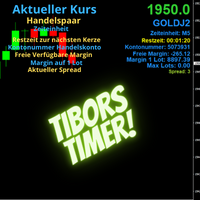
Indikator mit den Notwendigen Anzeigen im Chart - Als Expert installieren !
Dieser Indikator wurde von mir Entwickelt damit die Anzeige der relevanten Parameter klar und deutlich im Chart ist. Er dient zur Information und ist ohne Gewähr. Folgende Parameter werden angezeigt:
- Aktueller Kurs - Das Aktuelle Handelspaar - Die Restzeit zur nächsten Kerzenbildung / Zum Abschluss der Aktuellen Kerze - Die Kontonummer des Handelskontos - Die Frei Verfügbare Margin - Die Margin auf 1 Lot - Der Akt
FREE
MetaTrader 플랫폼 어플리케이션 스토어에서 MetaTrader 마켓에서 트레이딩 로봇을 구매하는 방법에 대해 알아 보십시오.
MQL5.community 결제 시스템은 페이팔, 은행 카드 및 인기 결제 시스템을 통한 거래를 지원합니다. 더 나은 고객 경험을 위해 구입하시기 전에 거래 로봇을 테스트하시는 것을 권장합니다.
