Pew Pew MT5
- エキスパート
- バージョン: 2.0
- アップデート済み: 19 6月 2026

Important Risk Notice
PEW PEW is an experimental EA built around a recovery-grid concept inspired by the general idea behind Waka Waka.
This is the only EA in my range that uses this type of strategy, and it should be approached differently from a conventional single-entry system. Recovery-grid strategies can build exposure over time, so disciplined risk management is essential.
When used with conservative settings, sensible account sizing and active profit management, this type of strategy can be a valid approach worth exploring. It is also important to periodically secure profits rather than allowing all accumulated gains to remain exposed indefinitely.
PEW PEW should therefore be considered a higher-risk strategy that requires active risk awareness, rather than a low-risk or completely set-and-forget EA.
Before using it, make sure you understand how recovery grids behave during prolonged adverse market moves and test the settings carefully for your own account size and risk tolerance.
Pew Pew EA – MT5 用 平均回帰グリッド Expert Advisor
Pew Pew は、実際の市場環境に適応するよう設計された、予測型グリッドリカバリーシステムを備えた高度な平均回帰型 Expert Advisor です。
長期間にわたるコーディング、テスト、改良を通じて開発されており、ボラティリティ、ニュースの影響、価格動向の変化に応じてリカバリーシステムの動作を調整する、構造化された取引ロジックを使用しています。
この EA は、明確な操作機能、プロフェッショナルなチャートパネル、内部 SL/TP 管理、使いやすいリスク管理機能を備えた、実用的な自動リカバリーシステムを求めるトレーダー向けに設計されています。
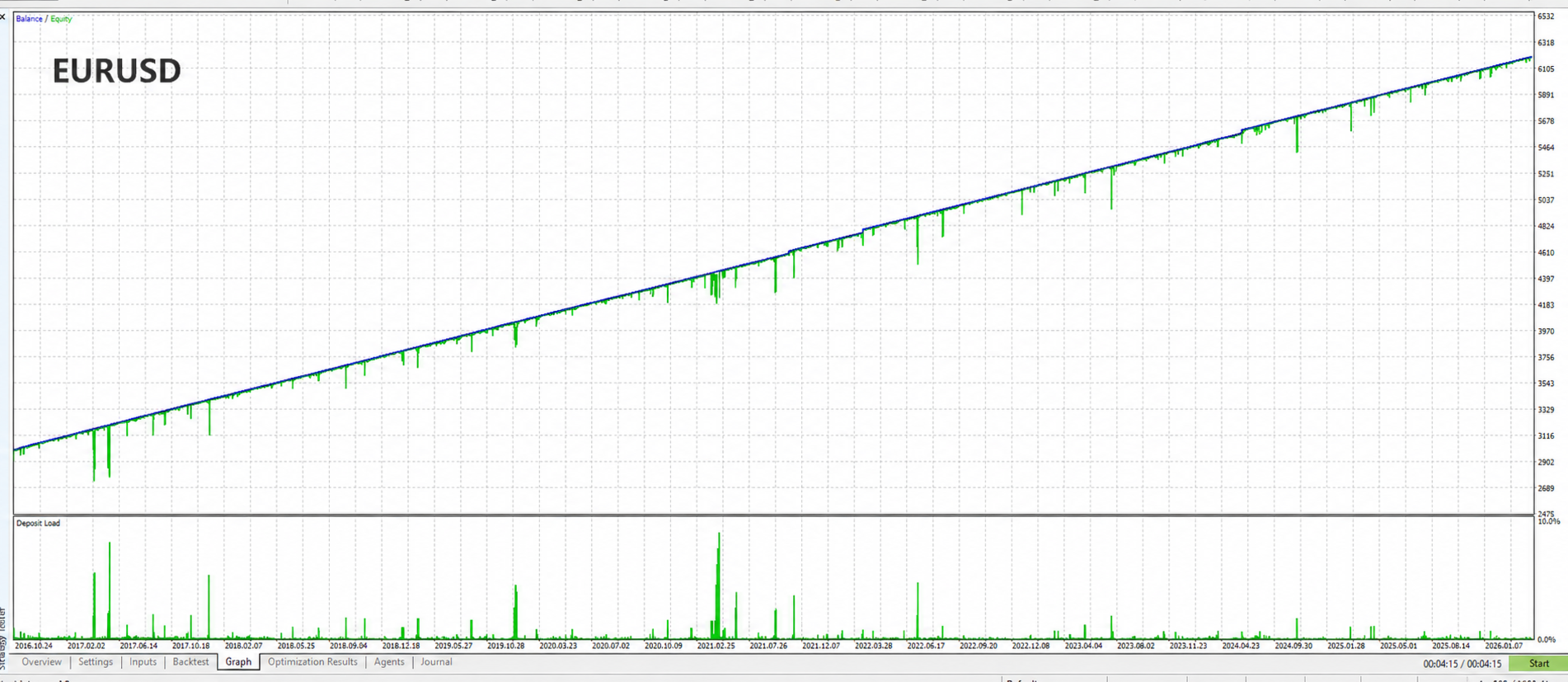
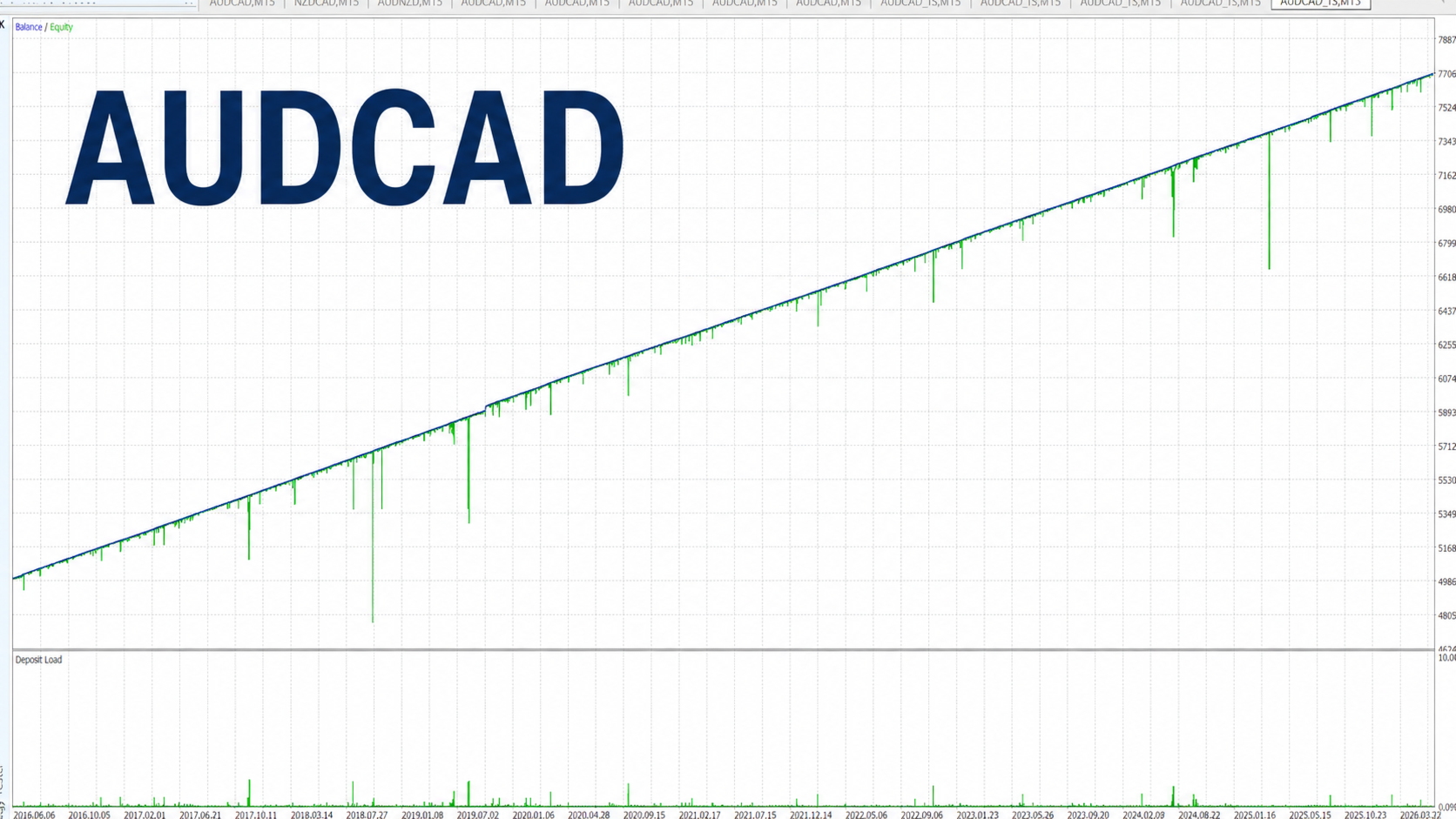
Pew Pew は EURUSD および AUDCAD で有望な結果を示していますが、これらの通貨ペアに限定されるものではありません。ユーザーは他の適切なシンボルでもテストおよび最適化することができます。
推奨タイムフレーム:M15
ローンチ記念プロモーション
この EA は、現在の導入価格で最初の 5 コピーのみ提供されます。
その後、製品のさらなる開発に伴い、価格が引き上げられる場合があります。
皆さまからのフィードバックはいつでも歓迎しています。この EA に実装してほしいアイデア、提案、機能がありましたら、お気軽にメッセージでご連絡ください。
この EA が役に立ったと感じていただけましたら、レビューを残していただけると大変励みになります。
機能
· シングルシンボル取引:EA が適用されているチャートのシンボルを取引するように設計されています。
· 予測型グリッドリカバリー:リカバリー動作は、ボラティリティ、ニュース状況、市場の動きに応じて調整されます。
· RSI ベースの平均回帰エントリー:RSI ロジックを使用して、潜在的な反転エリアを特定します。
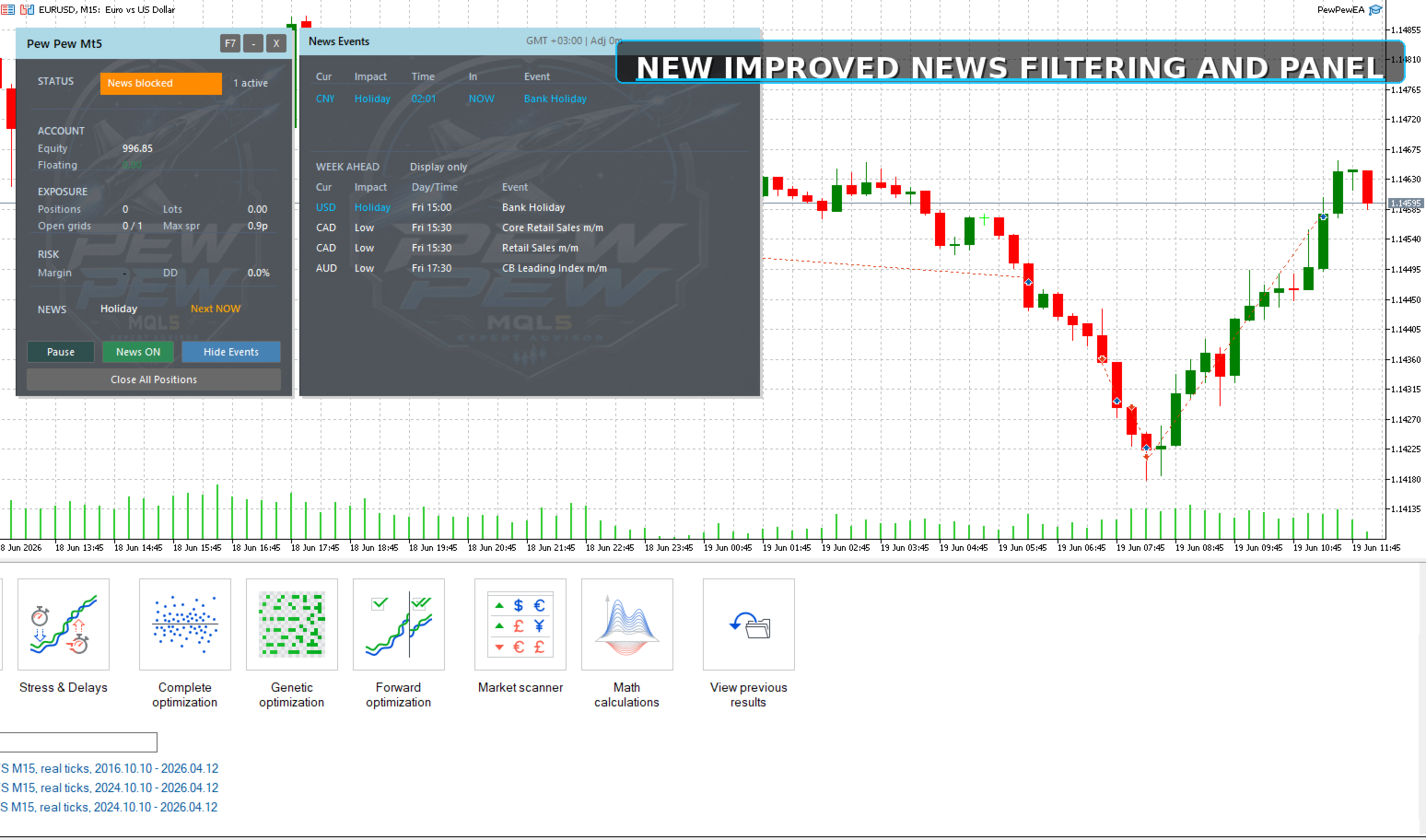
· 改良されたプロフェッショナルパネル:より分かりやすい監視と実行中の操作を可能にする、更新されたチャート上パネル。
· 隠し SL/TP オプション:Stop Loss と Take Profit をブローカーへ直接送信せず、EA 内部で管理できます。
· 隠し SL/TP のチャート表示:仮想 Stop Loss と Take Profit レベルをチャート上に表示できるようになり、視覚的に確認しやすくなりました。
· 簡単なニュース設定:ニュースフィードの簡単な設定手順が含まれています。
· ニュース時刻の自動調整:ニュース時刻は自動的に調整され、必要に応じてユーザーが時間オフセットを設定できます。
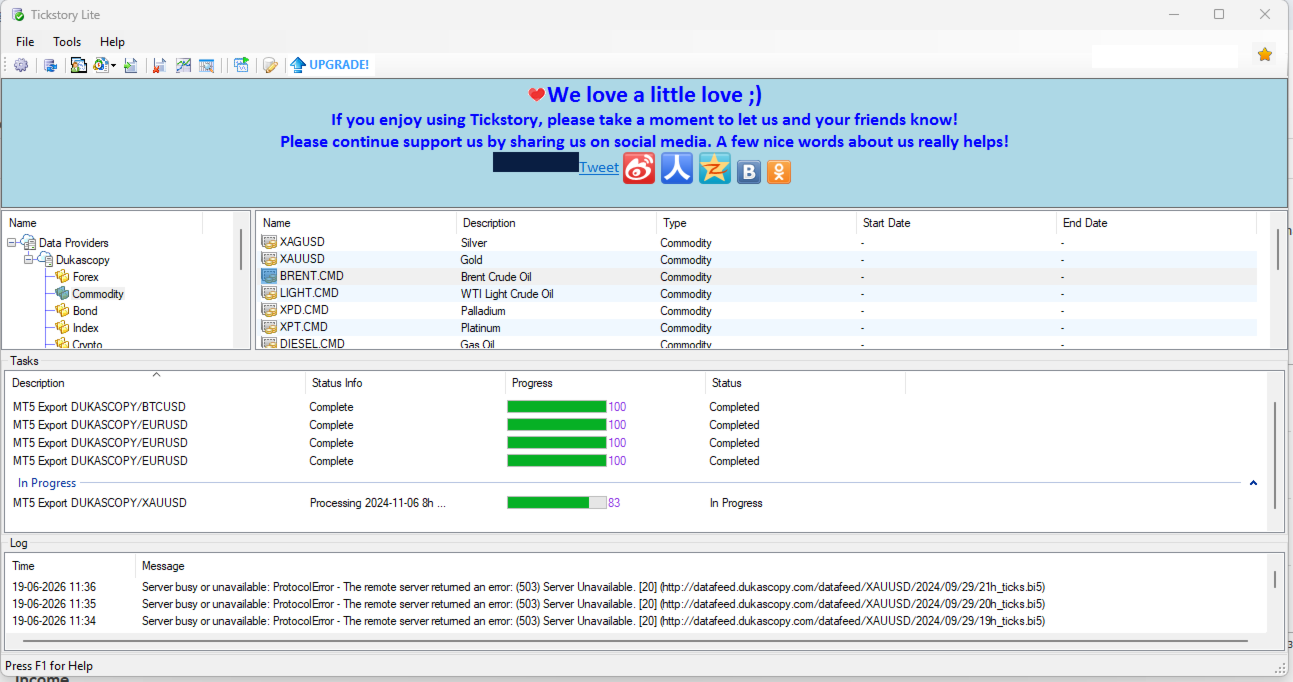
· 10 年間のバックテスト:Dukascopy のリアルティックデータを使用してテスト済み。
· 競争力のある価格:類似する高度な EA と比較して、優れた価値を提供します。
インストール方法
取引したいシンボルの M15 チャートに EA を適用してください。EURUSD M15 または AUDCAD M15 を開始点として使用できます。
EA は、適用されているチャートのシンボルを取引します。別の通貨ペアをテストしたい場合は、そのシンボルの M15 チャートに EA を適用し、必要に応じて設定を調整してください。
ブローカーが EURUSD.a や AUDCAD.m のようなシンボルサフィックスを使用している場合は、正しいブローカーシンボルのチャートに EA を適用してください。
.set ファイルは必要ありません。推奨設定は EA にすでに組み込まれていますが、ユーザーは自身のテスト結果やリスク許容度に応じて入力パラメータを調整できます。
ニュースフィルターと自動時刻検出を正しく動作させるには、MT5 で WebRequest アクセスを許可する必要があります。
MT5 でニュース URL を追加する手順:
Tools → Options → Expert Advisors に移動します。
Allow WebRequest for listed URL にチェックを入れます。
Add をクリックして、以下を入力します:
nfs.faireconomy.media
OK をクリックし、必要に応じて EA を再起動してください。
要件
· ヘッジ口座が必要です。
· より良い約定条件のため、信頼できる ECN ブローカーの使用を推奨します。
· 安定した運用のため、EA は VPS 上で継続的に稼働させることを推奨します。
· グリッドリカバリーを使用する場合、十分な余剰証拠金が重要です。
· 可能であれば、十分な口座残高を維持することを推奨します。これによりリカバリーの余地が広がり、証拠金圧迫のリスクを軽減できます。
· 低レバレッジ口座では保守的なリスク設定を使用し、高レバレッジ口座ではブローカー条件やユーザーのリスク許容度に応じて、より柔軟な運用が可能です。
戦略
Pew Pew は、RSI ベースの平均回帰ロジックを使用して、潜在的な反転エントリーを特定します。価格がポジションに対して不利な方向へ動いた場合、EA はボラティリティ、ニュース状況、市場の動きに適応する予測型グリッドリカバリーシステムを起動します。
ストップ狩りに悩まされていませんか?
保護レベルを EA 内部で管理したいユーザー向けに、隠し SL/TP オプションが用意されています。有効にすると、これらのレベルをチャート上にも表示できるため、EA が内部で管理している隠し Stop Loss と Take Profit のエリアを視覚的に確認できます。
リカバリー中に十分な余剰証拠金を維持するため、十分な資金のある口座での使用を推奨します。
チャートパネル
Pew Pew には、プロフェッショナルな監視と実行中の操作を可能にする、新しく改良されたチャート上パネルが含まれています。
パネルには、取引ステータス、口座 Equity、EA の損益、証拠金状況、ドローダウン、今後のニュース、アクティブなグリッド状況などの重要情報が表示されます。
また、取引の一時停止または再開、ニュースフィルターの有効化または無効化、ニュースイベントの表示、パネルの最小化、EA の削除などの操作も可能です。
ユーザーは、宇宙船風のアニメーション背景、静的な背景色、またはパネルの完全無効化を選択できます。
免責事項
実口座で使用する前に、必ずデモ口座でテストしてください。取引にはリスクが伴い、過去の結果は将来のパフォーマンスを保証するものではありません。責任あるリスク設定を使用し、常に十分な余剰証拠金を確保してください。