Pew Pew MT5
- Experts
- Version: 2.0
- Mise à jour: 19 juin 2026

Pew Pew EA – Expert Advisor Grid de retour à la moyenne pour MT5
Pew Pew est un Expert Advisor avancé basé sur le retour à la moyenne, avec un système prédictif de récupération par grid conçu pour s’adapter aux conditions réelles du marché.
Développé à travers un long processus de programmation, de tests et d’amélioration, il utilise une logique de trading structurée afin d’ajuster le comportement du système de récupération en fonction de la volatilité, de l’impact des actualités et des changements dans l’action des prix.
Cet EA est conçu pour les traders qui recherchent un système de récupération automatisé pratique, avec des contrôles clairs, un panneau professionnel sur le graphique, une gestion interne des SL/TP et des fonctions de gestion du risque faciles à utiliser.
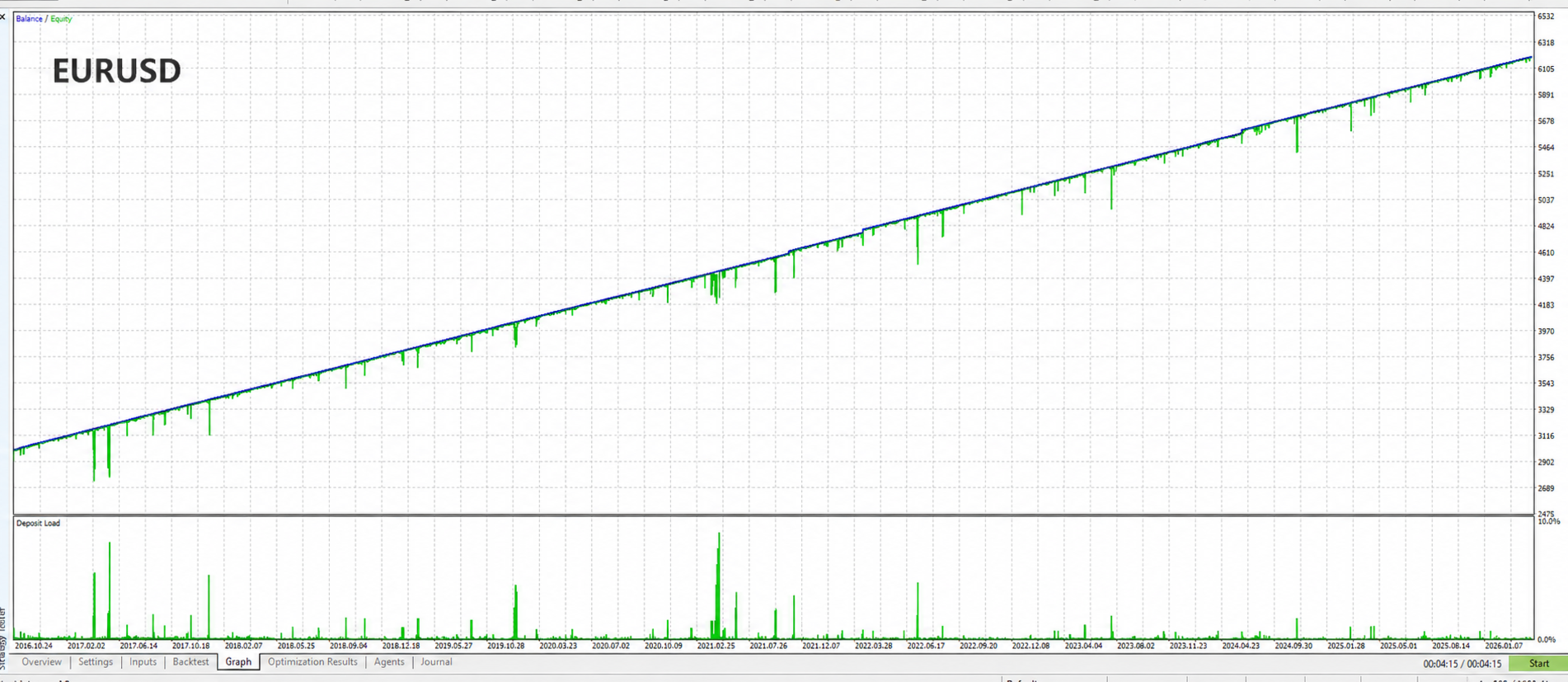
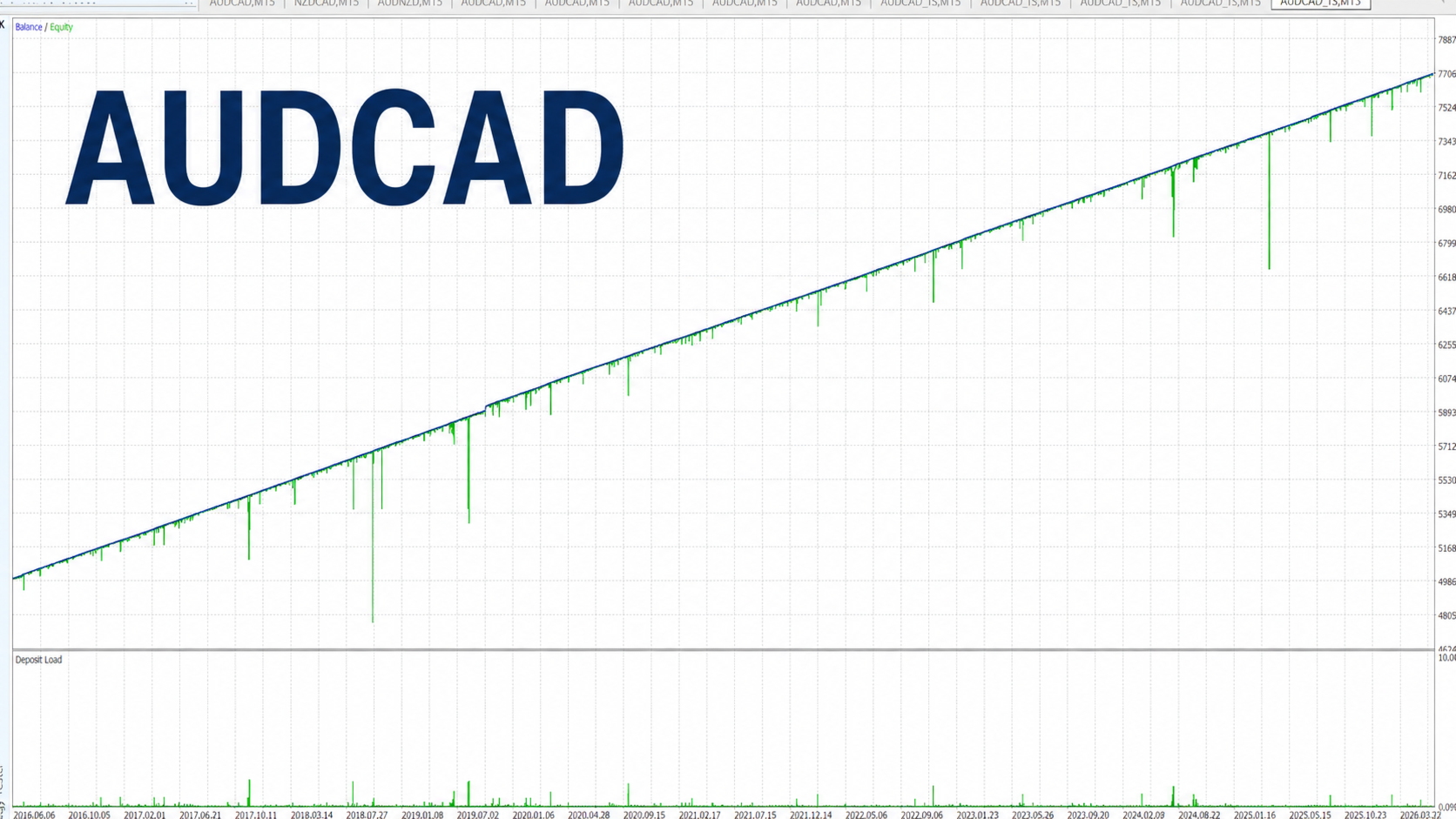
Pew Pew a montré des résultats prometteurs sur EURUSD et AUDCAD, mais il ne se limite pas à ces paires. Les utilisateurs peuvent également le tester et l’optimiser sur d’autres symboles adaptés.
Timeframe recommandé : M15
Offre promotionnelle de lancement
Cet EA est disponible au prix de lancement actuel uniquement pour les 5 premières copies.
Après cela, le prix pourra être augmenté à mesure que le produit continuera à évoluer.
Vos retours sont toujours les bienvenus. Si vous avez des idées, des suggestions ou des fonctionnalités que vous aimeriez voir intégrées dans cet EA, n’hésitez pas à me contacter.
Si cet EA vous a été utile, je vous serais très reconnaissant de laisser un avis.
Fonctionnalités
· Trading sur un seul symbole : conçu pour trader le symbole du graphique sur lequel l’EA est attaché.
· Grid Recovery prédictif : le comportement de récupération s’adapte à la volatilité, aux conditions d’actualité et au comportement du marché.
· Entrées basées sur le RSI et le retour à la moyenne : utilise la logique RSI pour identifier les zones potentielles de retournement.
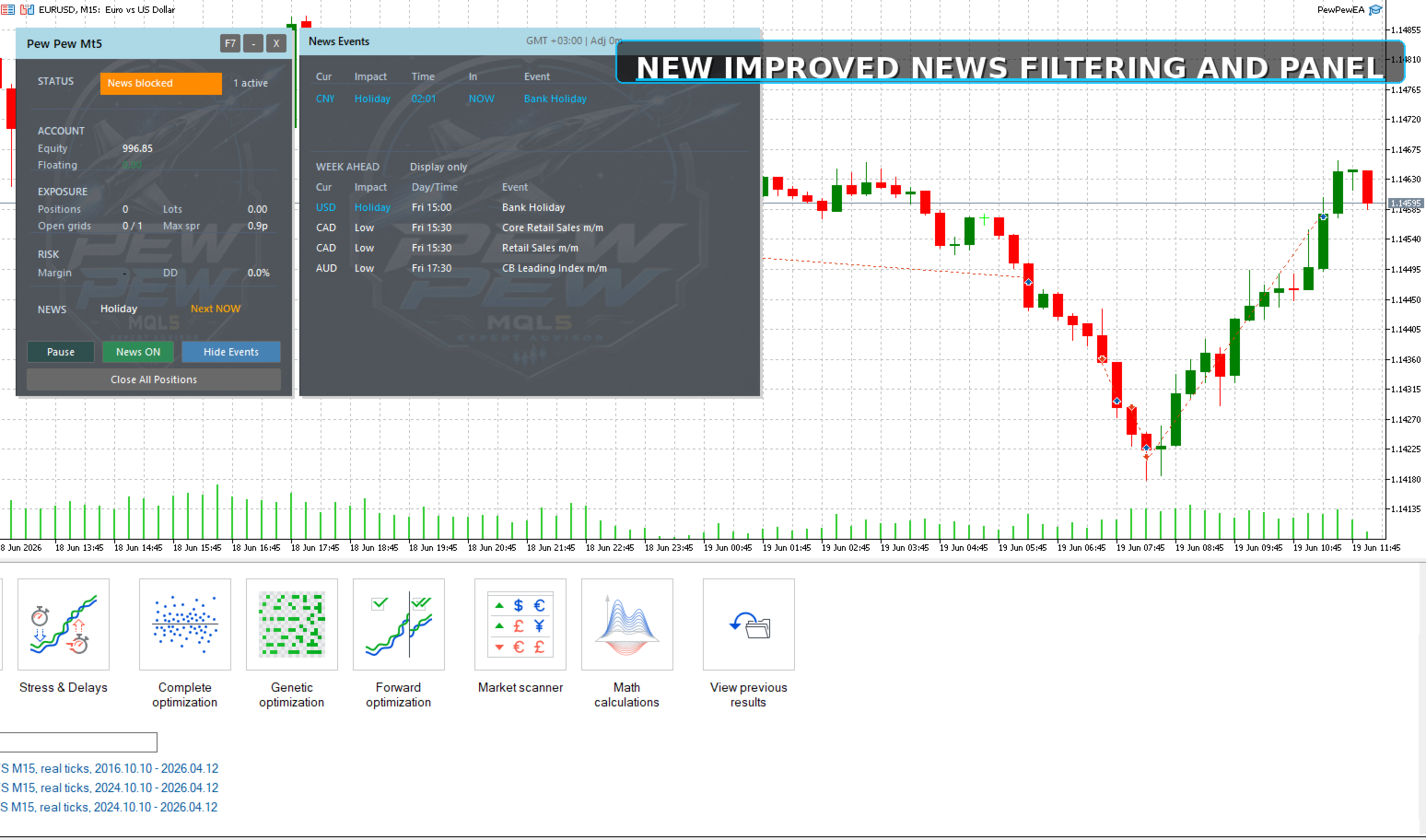
· Panneau professionnel amélioré : panneau graphique mis à jour pour une surveillance plus claire et un meilleur contrôle pendant l’exécution.
· Option SL/TP cachés : permet de gérer le Stop Loss et le Take Profit en interne, sans les envoyer directement au broker.
· Affichage des SL/TP cachés sur le graphique : les niveaux virtuels de Stop Loss et Take Profit peuvent désormais être dessinés sur le graphique pour une meilleure référence visuelle.
· Configuration simple des actualités : instructions simples incluses pour configurer le flux d’actualités.
· Ajustement automatique de l’heure des actualités : les horaires des actualités sont ajustés automatiquement, avec une option de décalage manuel par l’utilisateur.
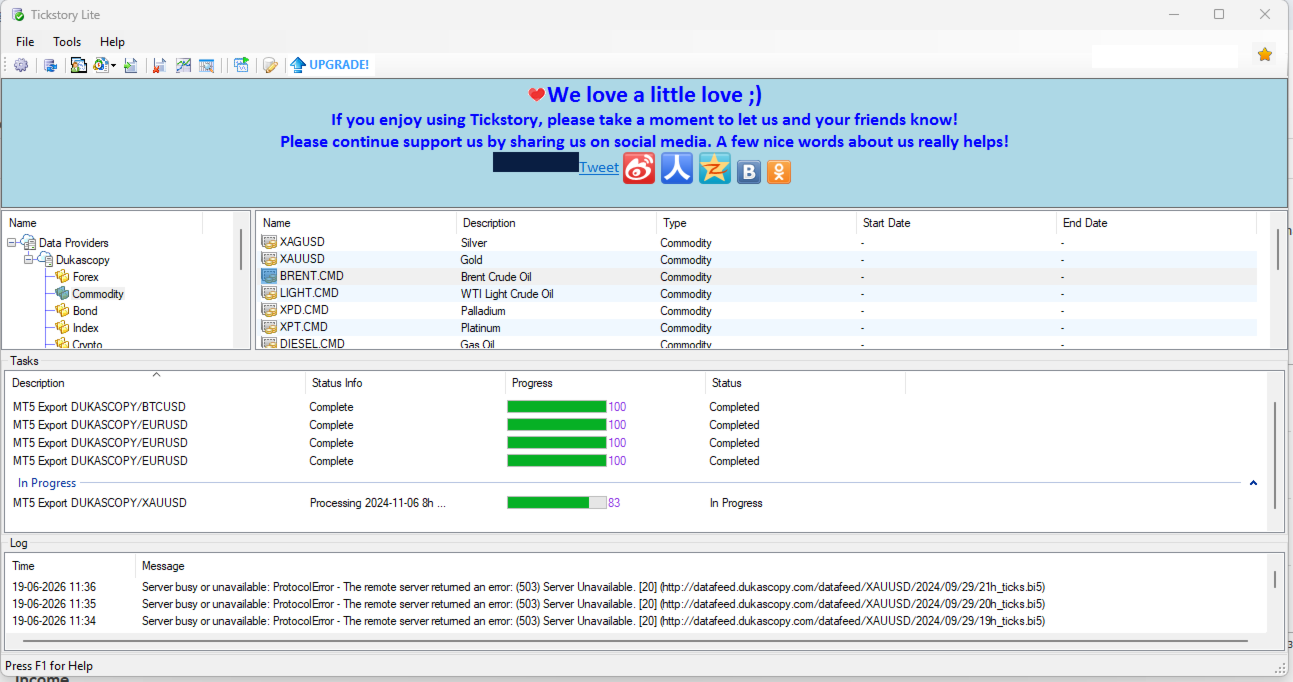
· Backtest sur 10 ans : testé avec des données tick réelles de Dukascopy.
· Prix compétitif : excellent rapport qualité-prix par rapport à des EA avancés similaires.
Installation
Attachez l’EA à un graphique M15 du symbole que vous souhaitez trader. EURUSD M15 ou AUDCAD M15 peuvent être utilisés comme point de départ.
L’EA trade le symbole du graphique sur lequel il est attaché. Si vous souhaitez tester une autre paire, attachez l’EA au graphique M15 de ce symbole et ajustez les paramètres si nécessaire.
Si votre broker utilise un suffixe de symbole, par exemple EURUSD.a ou AUDCAD.m, attachez simplement l’EA au symbole correct du broker.
Aucun fichier .set n’est requis. Les paramètres recommandés sont déjà intégrés dans l’EA, bien que les utilisateurs puissent ajuster les paramètres d’entrée selon leurs propres tests et préférences de risque.
Pour que le filtre d’actualités et la détection automatique de l’heure fonctionnent correctement, vous devez autoriser WebRequest dans MT5.
Pour ajouter l’URL des actualités dans MT5 :
Allez dans Tools → Options → Expert Advisors.
Cochez Allow WebRequest for listed URL.
Cliquez sur Add et entrez :
nfs.faireconomy.media
Cliquez sur OK et redémarrez l’EA si nécessaire.
Exigences
· Un compte hedging est requis.
· Un broker ECN fiable est recommandé pour de meilleures conditions d’exécution.
· L’EA doit fonctionner en continu sur un VPS pour une utilisation stable.
· Une marge libre suffisante est importante, surtout lors de l’utilisation du grid recovery.
· Il est recommandé, lorsque possible, de maintenir un solde de compte sain, car cela offre plus de marge de manœuvre pour la récupération et aide à réduire le risque de pression sur la marge.
· Les comptes avec un effet de levier plus faible doivent utiliser des paramètres de risque plus conservateurs, tandis que les comptes avec un effet de levier plus élevé peuvent offrir plus de flexibilité selon les conditions du broker et les préférences de risque de l’utilisateur.
Stratégie
Pew Pew utilise une logique de retour à la moyenne basée sur le RSI pour identifier les entrées potentielles de retournement. Si le prix évolue contre la position, l’EA active un système prédictif de grid recovery qui s’adapte à la volatilité, aux conditions d’actualité et au comportement du marché.
Fatigué de vous faire chasser vos stops ?
Les options SL/TP cachés sont disponibles pour les utilisateurs qui préfèrent gérer les niveaux de protection en interne. Lorsqu’elles sont activées, ces zones peuvent également être affichées sur le graphique, ce qui permet aux utilisateurs de surveiller visuellement les zones cachées de Stop Loss et Take Profit pendant que l’EA les gère en interne.
Il est recommandé d’utiliser un compte correctement capitalisé afin de maintenir une marge libre suffisante pendant la récupération.
Panneau graphique
Pew Pew inclut un nouveau panneau graphique amélioré pour une surveillance professionnelle et un contrôle pendant l’exécution.
Le panneau affiche des informations clés telles que le statut du trading, l’equity du compte, le profit/perte de l’EA, l’état de la marge, le drawdown, les actualités à venir et l’activité grid en cours.
Il propose également des contrôles pour mettre le trading en pause ou le reprendre, activer ou désactiver le filtre d’actualités, afficher les événements d’actualité, réduire le panneau et retirer l’EA.
Les utilisateurs peuvent choisir entre un arrière-plan animé de style vaisseau spatial, une couleur de fond statique ou désactiver complètement le panneau.
Avertissement
Testez toujours l’EA sur un compte démo avant de l’utiliser sur un compte réel. Le trading comporte des risques, et les résultats passés ne garantissent pas les performances futures. Utilisez des paramètres de risque responsables et assurez-vous de maintenir une marge libre suffisante à tout moment.