Propfirm Rules Manager
- ユーティリティ
-
Enechojo Victor Ayegba
 Hello, Welcome to my page
I am just your regular everyday 26year old programmer [ 7years experience ] / Day Trader [5years of Trading Experiences] with a very big heart for automation processes with python, c# and mql5 ..
Stay Tuned. - バージョン: 1.11
- アップデート済み: 27 7月 2026
- アクティベーション: 20
═══════════════════════════════════════════════════════
PROP FIRM RULES MANAGER — Complete Challenge Rule Enforcement for MT5
═══════════════════════════════════════════════════════
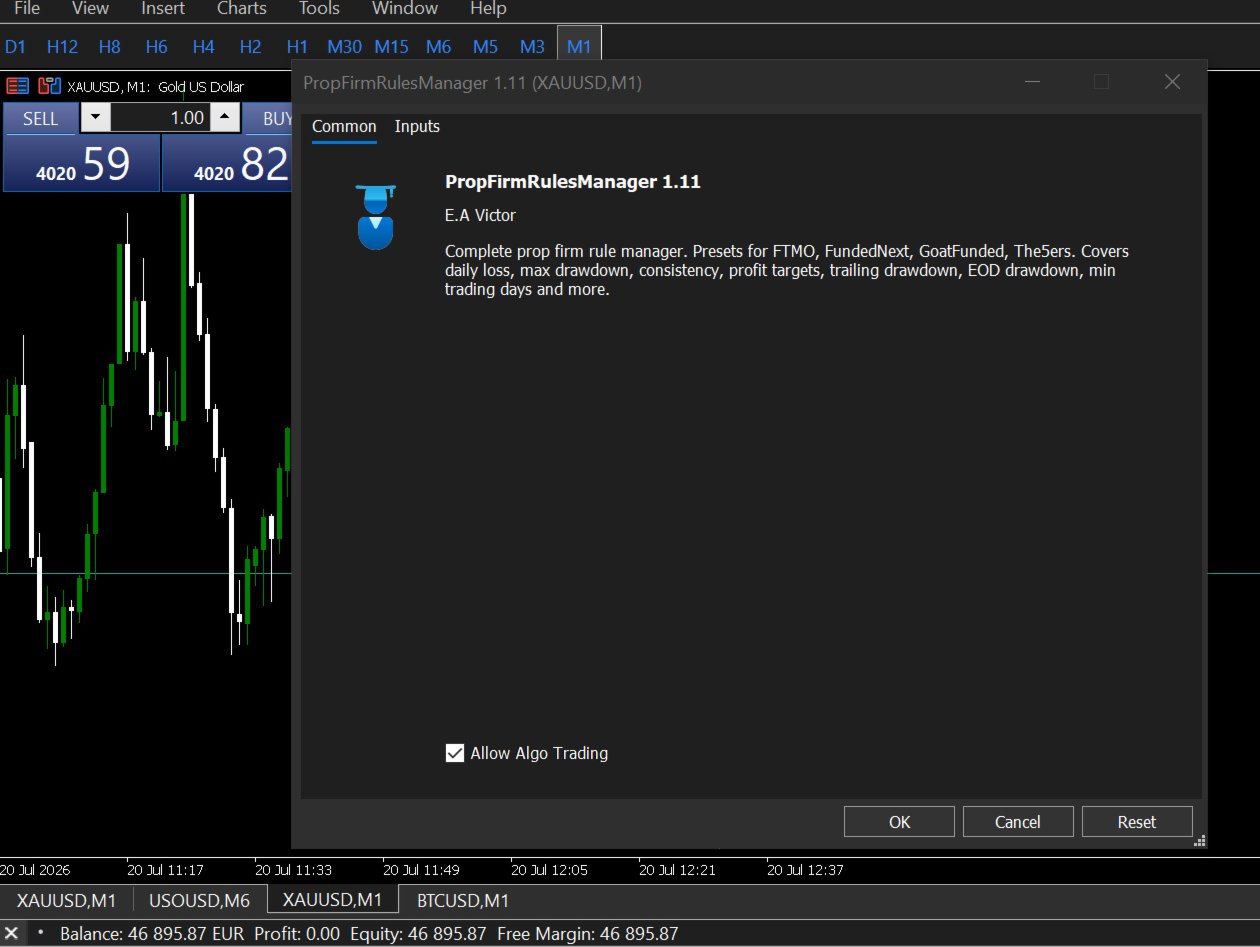
Monitors every prop firm rule in real-time. Daily loss, max drawdown, profit targets, consistency, EOD rules and more. 5 firm presets built in.
──────────────────────────────────────────────────
Try Before You Buy:
You can download and test the PROP FIRM RULES MANAGER free demo version on a demo account before purchasing.
PROP FIRM RULES MANAGER.ex5How to install the trial:
- In MetaTrader: File → Open Data Folder → MQL5/Experts
- Paste the trial file into that folder, then restart MetaTrader.
- The trial is fully functional for 12 hours per demo account.
To reset the trial period (demo accounts only):
MetaTrader → Tools → Global Variables → Ctrl+A → Delete.
Important: Only do this on a non-critical demo account. Never delete global variables on a live or prop firm challenge account — other EAs may rely on them.
The trial version will refuse to run on a live or prop account. To use PROP FIRM RULES MANAGER on a real account, please purchase the full version above.
Contact support: MQL5 || For your Comprehensive Installation & User Guide
────────────────────────────────────────────────────────
You already know how to trade.
That's not why prop firm accounts get blown. They get blown because a single session ran too long. Because you were watching the chart and not the drawdown. Because you knew the rule — you just couldn't watch both at the same time.
Prop Firm Rules Manager watches the rules so you don't have to.
It runs silently on any MT5 chart, tracks every rule your prop firm enforces, and closes everything the moment a limit is hit — whether you are at your screen or not. Not as a replacement for discipline. As a guarantee that one bad session doesn't undo weeks of work.
─────────────────────────────────────────────────────
WHAT IT COVERS
─────────────────────────────────────────────────────
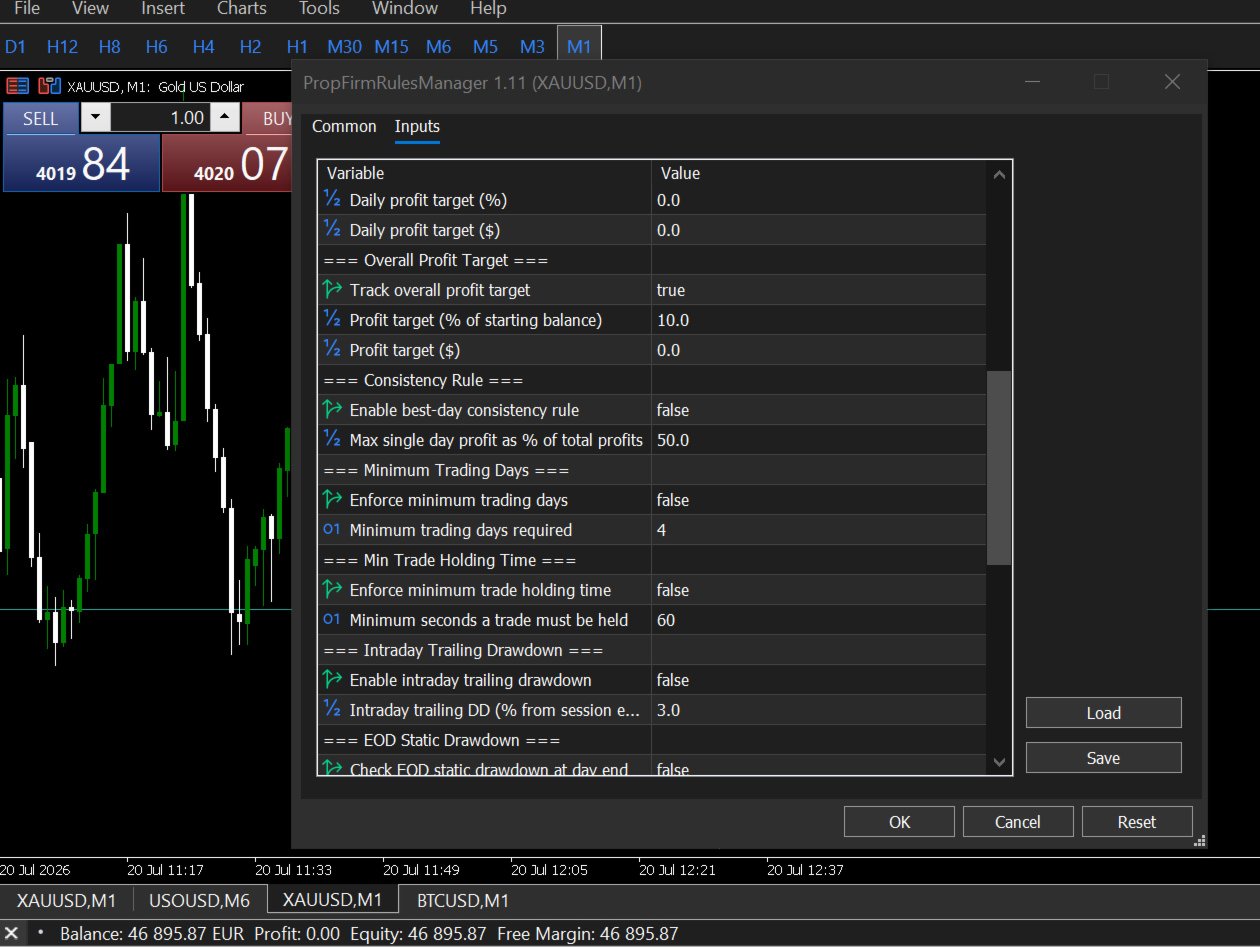
Most risk managers cover daily loss and maximum drawdown. That is the floor. The full set of rules that actually trip traders up is longer — and every rule on this list has cost someone a challenge:
Daily Loss Limit
The account's daily loss compared to your day-open balance, in real time. Realized P&L plus all open floating — exactly how your firm calculates it.
Maximum Drawdown
Static or trailing, from your exact challenge starting balance. When the limit fires, all positions are closed simultaneously — not sequentially.
Profit Target Tracking
Tracks your total P&L against the target with a live progress bar. Know exactly how far you are before requesting your payout.
Daily Profit Target Lock
Lock trading automatically once you hit your daily profit goal. Some traders run past their best day trying to add more. This stops that.
Consistency Rule
Flags when a single day's profit is becoming too large a share of your total profits — the rule that catches traders at payout who didn't track it during the challenge.
Minimum Trading Days Counter
Counts your qualifying trading days automatically. Shows current vs required so you know before submission whether you meet the minimum.
Minimum Trade Holding Time
Enforces hold time rules that some firms apply. Trades closed too quickly are detected and flagged.
Intraday Trailing Drawdown
Tracks your equity high watermark within the session and fires when the trailing drawdown from that peak exceeds your limit.
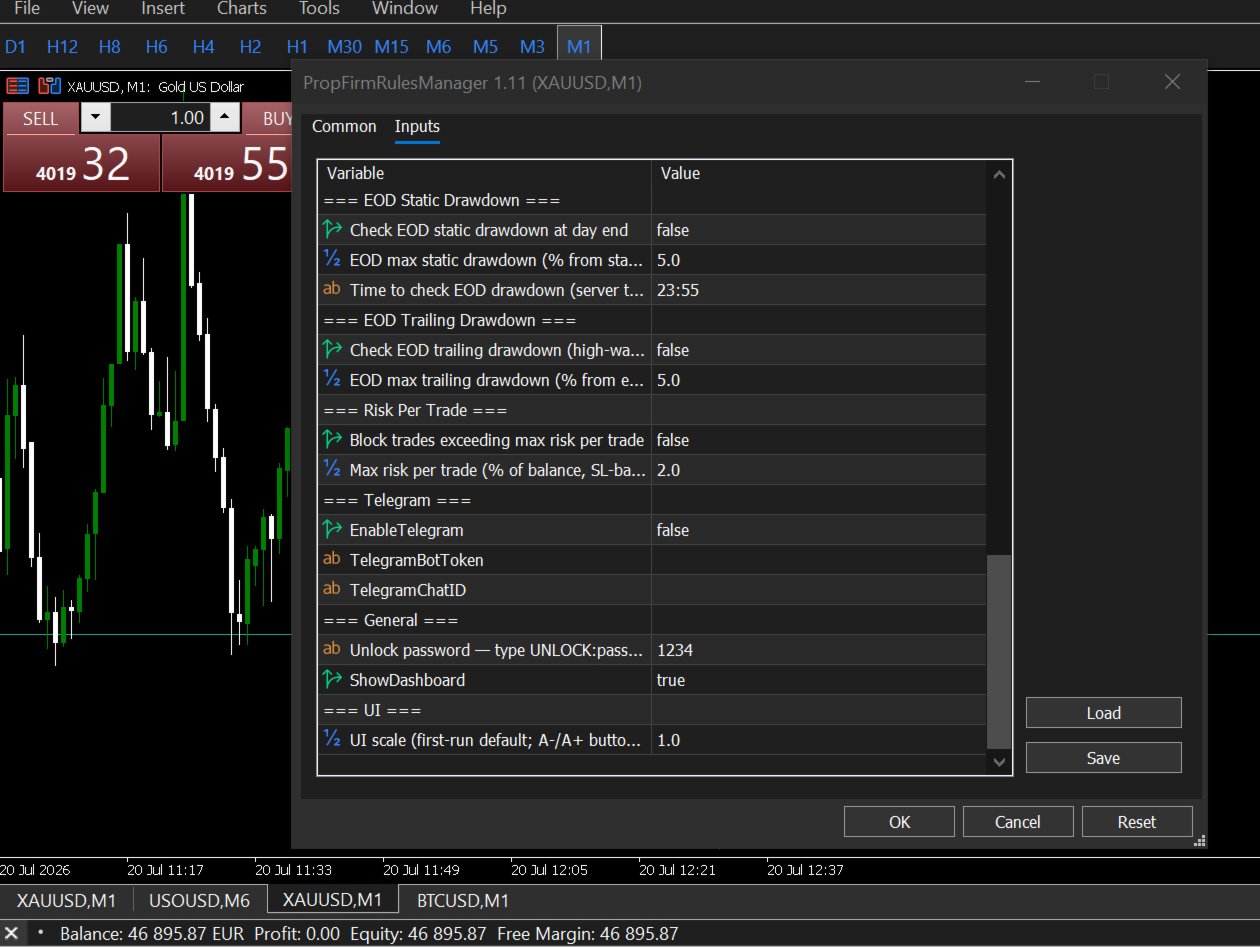
EOD Static Drawdown
Checks your drawdown at end of day against a fixed baseline — some firms run this check at 5pm EST or midnight server time. Configurable to your firm's exact time.
EOD Trailing Drawdown
End-of-day check using the trailing high watermark method. Both EOD rules can run independently or together.
Max Risk Per Trade
Calculates SL-based risk for each new trade. Closes it immediately if the risk exceeds your configured percentage of balance. Protects against oversized entries.
─────────────────────────────────────────────────────
FIVE FIRM PRESETS — ONE CLICK TO CONFIGURE
─────────────────────────────────────────────────────
Select your firm from the settings panel. Every rule value loads instantly. No manual configuration required.
FTMO 2-Step Challenge
Daily loss: 5% | Max DD: 10% static | Target: 10% | Min days: 4
FTMO 1-Step Challenge
Daily loss: 3% | Max DD: 10% trailing | Target: 10% | Consistency: 50% | Min days: 4
FundedNext Stellar 2-Step
Daily loss: 5% | Max DD: 10% static | Target: 8% | Consistency: 40% | Min days: 5
GoatFunded 2-Step
Daily loss: 5% | Max DD: 10% static | Target: 8%
The5ers Hyper
Daily loss: 4% | Max DD: 5% static | Target: 10% | Consistency: 50%
Custom
Set every value manually for any firm not listed.
Preset values apply immediately when selected. No EA reattach needed.
─────────────────────────────────────────────────────
THE DASHBOARD
─────────────────────────────────────────────────────
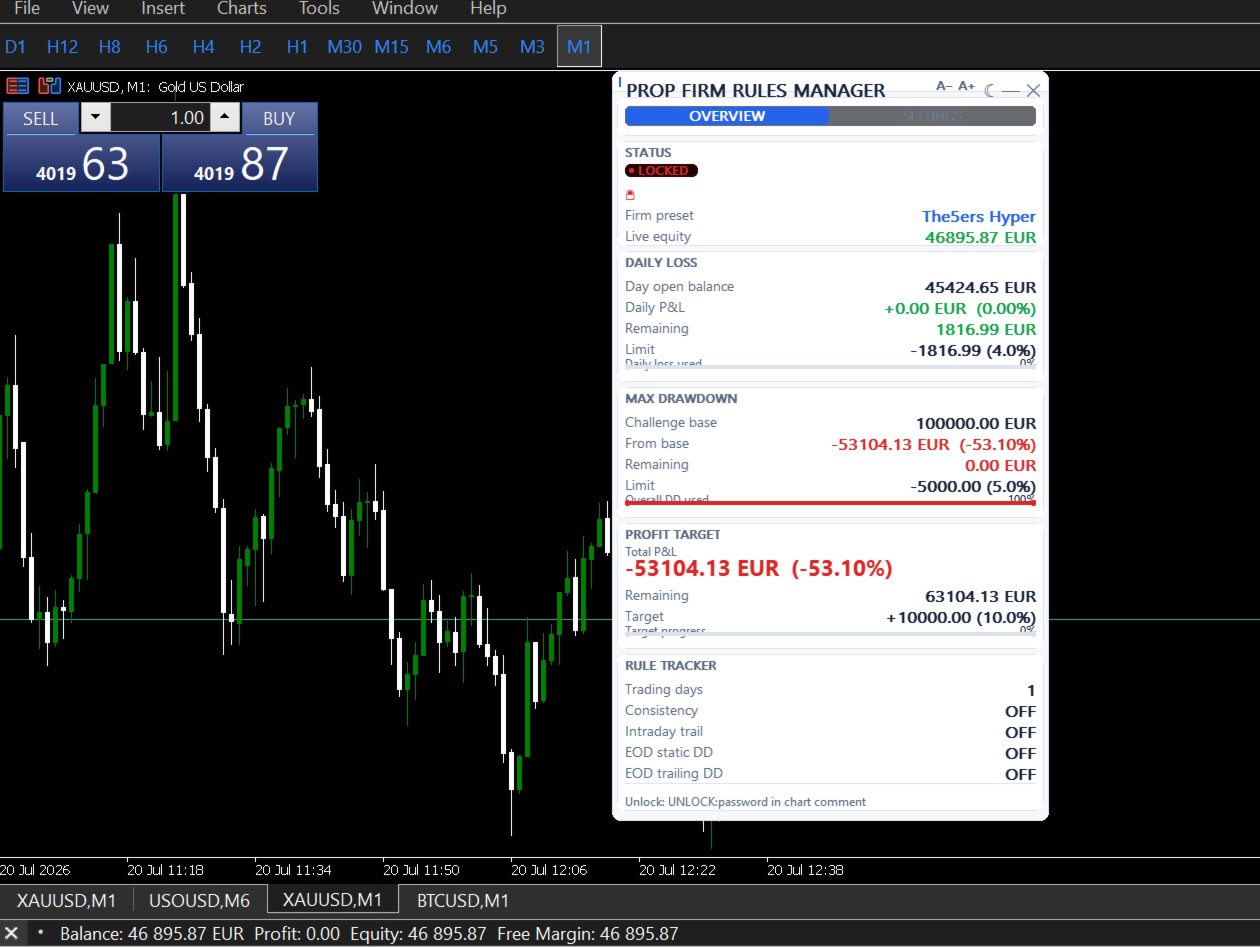
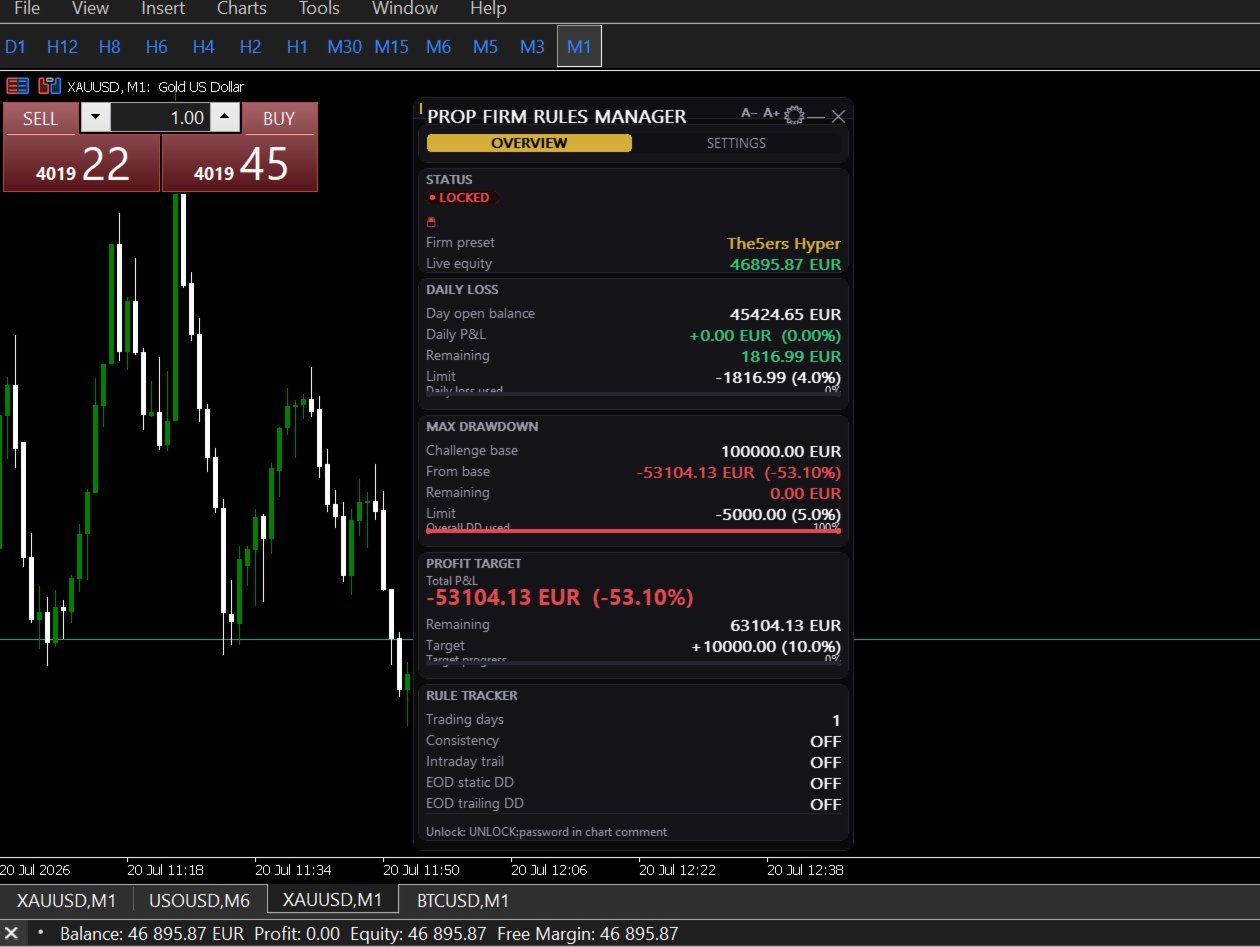
Four live cards update on every tick:
DAILY LOSS — day open balance, real-time P&L, remaining before limit, progress bar
MAX DRAWDOWN — challenge base, drawdown from base, remaining, progress bar
PROFIT TARGET — start balance, total P&L, remaining to target, progress bar
RULE TRACKER — trading days vs minimum, consistency status, live equity, intraday trail, EOD static, EOD trailing
Status bar: ACTIVE when all limits safe. LOCKED with reason when a limit fires.
Two themes. Black and gold for dark charts. White and navy for light charts. Toggle live from the dashboard.
─────────────────────────────────────────────────────
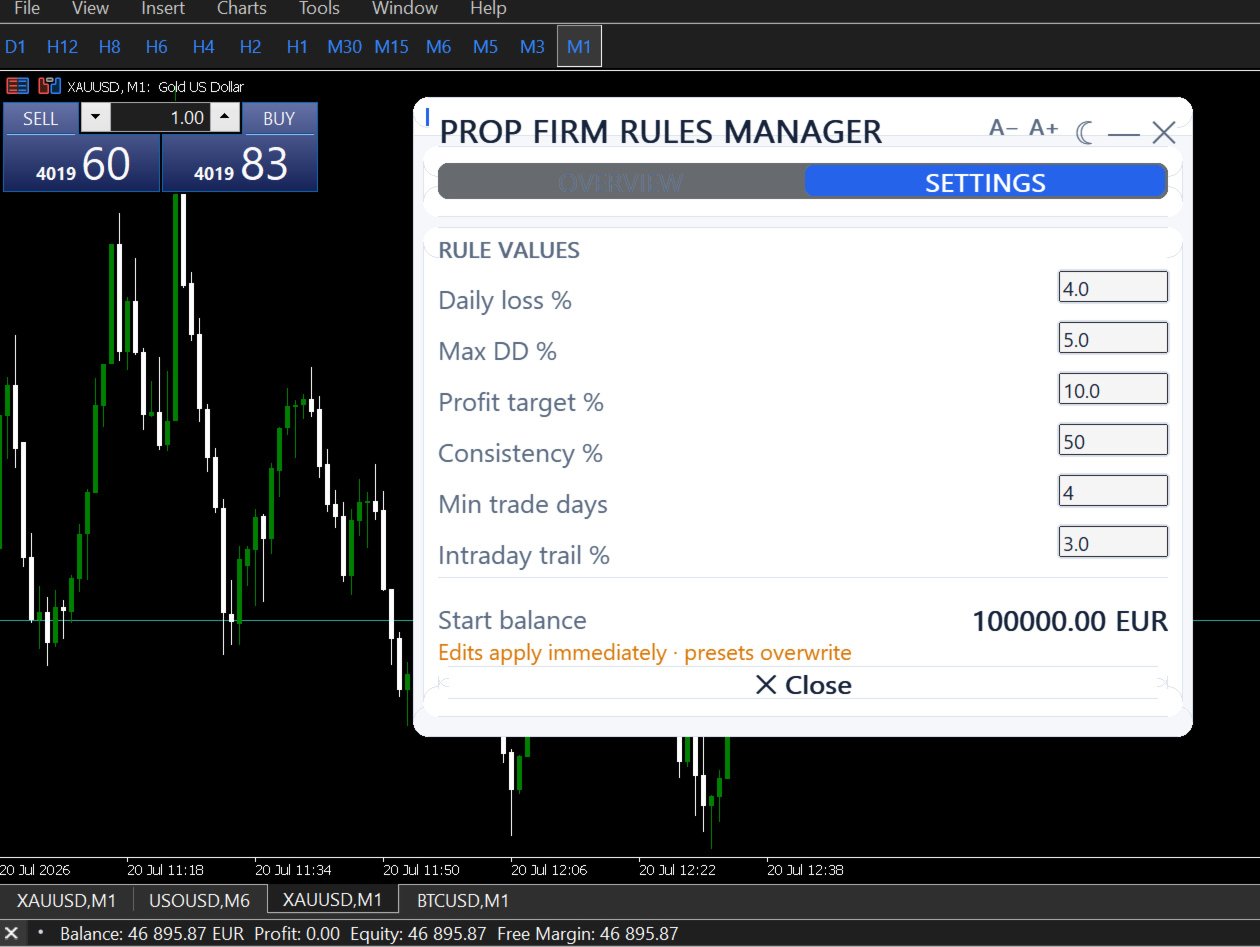
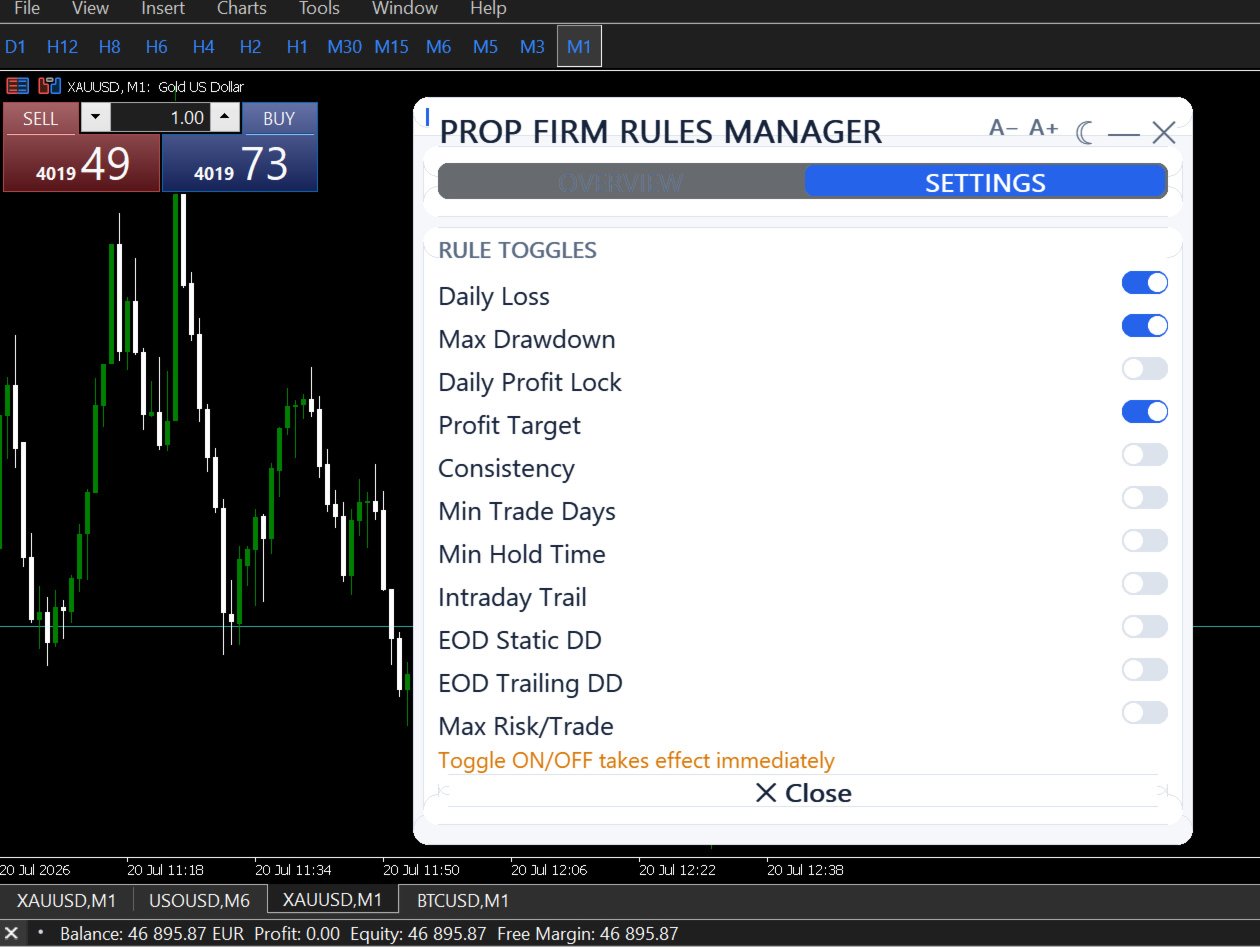
INTERACTIVE SETTINGS PANEL
─────────────────────────────────────────────────────
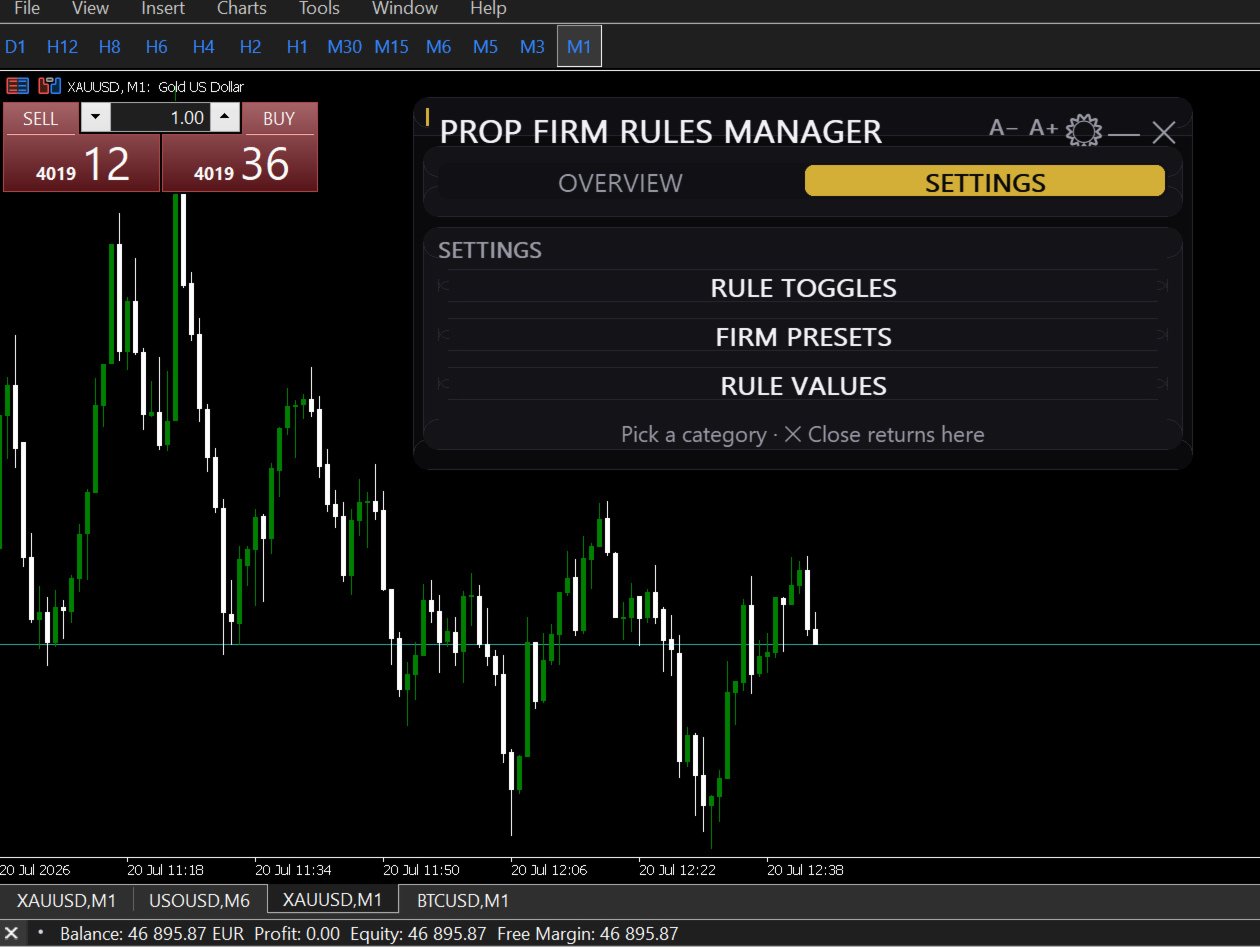
Click the settings button on the dashboard. Every rule can be turned on or off with a single click — no inputs dialog, no EA restart. Changes apply on the next tick.
The settings panel shows:
- Firm preset chips (click to switch preset)
- ON/OFF toggle for all 11 rules
- Effective values currently enforced
- Account lock status and unlock instructions
- Theme toggle
─────────────────────────────────────────────────────
ACCOUNT-WIDE PROTECTION
─────────────────────────────────────────────────────
Attach to any single chart. The EA monitors every position on the account regardless of which symbol, magic number, or EA opened it. One instance covers the entire account.
When a rule fires:
1. All positions are collected and closed in a single simultaneous pass
2. Account is locked — any new position opened within the next 10 seconds is detected and closed
3. Telegram notification sent with the rule that triggered, equity, P&L, and timestamp
4. Lock state written to GlobalVariables — survives terminal restarts
To resume trading after a lock, type UNLOCK:yourpassword in the chart comment field.
─────────────────────────────────────────────────────
TELEGRAM NOTIFICATIONS
─────────────────────────────────────────────────────
Receive an alert the moment any rule fires — including which rule triggered, your current equity, the day's P&L, and the exact time. Setup takes under 5 minutes. Full instructions in the user guide.
─────────────────────────────────────────────────────
WHO THIS IS FOR
─────────────────────────────────────────────────────
Traders on FTMO, FundedNext, GoatFunded, The5ers, or any prop firm challenge
Funded account holders who need to stay inside drawdown rules while running live trades
Manual traders who want rule enforcement without giving up control of their strategy
Traders running other EAs who want a risk layer on top
This is not a trading strategy. It does not find trades or manage entries. It exists to ensure that when everything goes wrong in a session, the damage is limited to what the rules allow — and not a dollar more.
─────────────────────────────────────────────────────
WHAT IS INCLUDED
─────────────────────────────────────────────────────
PropFirmRulesManager Ea -20 activations
Full user guide — all settings, prop firm presets, examples, FAQ
Lifetime updates
Support via MQL5 messages
─────────────────────────────────────────────────────
KNOWN LIMITATION
─────────────────────────────────────────────────────
MT5 does not allow an EA to prevent a trade from being submitted. When the account is locked, positions opened in the following 10 seconds are detected and closed — typically within 1–3 seconds. This EA is designed for manual and semi-automated trading. For very high-frequency automated systems, the latency between a new position and its forced close may not be sufficient.
─────────────────────────────────────────────────────
NOTE ON CHALLENGE RULES
─────────────────────────────────────────────────────
Prop firm rules change. The preset values in this EA were accurate at time of publication. Always verify your firm's current rules before configuring limits. The responsibility for setting the correct values rests with the user.
═══════════════════════════════════════════════════════