 MetaTrader 5
 エキスパート
 インディケータ
 ライブラリ
ライブラリ
 ユーティリティ
 ウィジェット
 ルール
ルール
YouTubeにあるマーケットチュートリアルビデオをご覧ください
ロボットや指標を購入する
仮想ホスティングで
EAを実行
EAを実行
ロボットや指標を購入前にテストする
マーケットで収入を得る
販売のためにプロダクトをプレゼンテーションする方法
MetaTrader 5のためのエキスパートアドバイザーとインディケータ - 103
 自動売買ロボットとインジケータを使用して、外国為替取引の収益性を高めます。 自動売買ロボットを使用すると、取引の開始と終了を自動化でき、インジケータは市場の行動をより正確に予測するのに役立ちます。
このページには、MetaTrader5アプリケーションのカタログが掲載されています。
自動売買ロボットとインジケータを使用して、外国為替取引の収益性を高めます。 自動売買ロボットを使用すると、取引の開始と終了を自動化でき、インジケータは市場の行動をより正確に予測するのに役立ちます。
このページには、MetaTrader5アプリケーションのカタログが掲載されています。 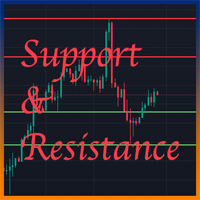
Support And Resistance indicator that can display round levels and zones . It shows them directly on the chart, providing an easy help when you want to set stop-loss or take-profit level, or when you want to see the next market target. If an asset price is moving down and bounces back up, the level is called support (think: price floor). If an asset price is moving upward and hits a level where it reverses downward, this is called resistance (think: price ceiling).
FREE

これは、現在のMT5ビルドに合わせて再構築・拡張され、積極的にメンテナンスされているリリースです。
移動平均線の雲が広がったり狭まったりする様子には、トレンドの強さやその勢いの衰えに関する重要な情報が込められています。しかし、バーごとに雲の幅や傾きを、目視だけで一貫して判断することは、信頼性を持って行うのが困難です。
Phoenix Moving Average Meterは、高速/低速MAの雲の角度と幅を読み取り、それぞれを直近の平均値と比較して分類するため、現在のトレンドが加速しているか、横ばいになっているか、あるいは伸びきっているかを一目で確認できます。
トレンドの読み取り方法
- スロープゲージ:MAの角度を-90(下降)から+90(上昇)まで表示
- 「幅ゲージ」:直近の平均値と比較して、5つのゾーン(非常に狭い~非常に広い)に分類
- 高速/低速MAの期間、計算方法、適用価格をカスタマイズ可能
- 強気/弱気のステータスを統合して表示
アラート
クロスオーバー、急激なトレンド変動、トレンドの弱まり、およびトレンドの過伸展(伸び
FREE
RSI Momentum Reversal EA (MT5) Overview RSI Momentum Reversal EA is an Expert Advisor for MetaTrader 5 designed for reversal entries on XAUUSD. Entries are based on RSI threshold crossings with additional momentum and trend filters. Trade exits can use ATR-based stop loss and take profit, with optional break-even logic. Trading logic - RSI thresholds: trades can be triggered when RSI crosses user-defined levels (separate buy/sell thresholds). - Momentum filter: optional RSI slope and “persistenc
FREE

Meridian Flow — MT5用 Smart Money Structure インジケーター Meridian Flowは、 Smart Money Concepts(SMC) および ICT Price Action を使用するトレーダー向けに設計されたMetaTrader 5インジケーターです。あらゆる銘柄・時間足でBOS(Break of Structure)とCHoCH(Change of Character)を自動検出し、各シグナルに対してEntry、Stop Loss、TP1、TP2、TP3を含む完全なリスクマップを表示します。過去のシグナルにも対応しています。 シグナルは確認済みの確定足でのみ発生します。 リペイントなし。推測なし。 Meridian Flowの特徴 多くのストラクチャー系インジケーターは、現在アクティブなトレードだけを表示します。Meridian Flowはチャート上のすべての過去シグナルに対してSLとTPレベルを描画し、それぞれを独立した将来のローソク足範囲に限定します。これにより、実資金を投入する前に、さまざまな相場環境でのインジケーターの
FREE
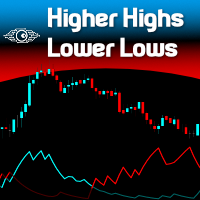
"Spotting emerging trends, defining correction periods, and anticipating reversals can benefit your trading in many ways..." So be it: Higher Highs & Lower Lows indicator. This is an indicator created by Vitali Apirine and presented to the public through the article "Time To Buy. Time to Sell - It's a Stochastic, Higher Highs & Lower Lows" in the Stocks & Commodities magazine . This is a Momentum indicator that helps determine the direction of a trend. Higher Highs and Lower Lows are two indicat
FREE

Alpha V1: Your Automated, Disciplined Trading Partner
This expert advisor relies on the hypothesis that, for a specific financial asset (like USD/JPY or the NASDAQ index), there are statistically significant patterns based on the time of day or day of the week. For example, a hypothesis might be "The NASDAQ tends to rise between 4 AM and 10 AM server time on Wednesdays and Fridays." The Alpha V1 is the tool to test and exploit such a hypothesis. Its success is entirely dependent on whether th
FREE

BarTimer v1.0 | Visualización Dinámica de Tiempo para MT5 BarTimer v1.0 es un indicador de alta precisión diseñado para traders que buscan gestionar el tiempo de cierre de sus velas sin saturar su espacio de trabajo. A diferencia de los contadores numéricos tradicionales, utiliza una barra de progreso visual que permite interpretar el ciclo del mercado de un solo vistazo. BarTimer v1.0 "La gestión del tiempo es tan crítica como la gestión del riesgo. BarTimer transforma un dato abstracto en una
FREE
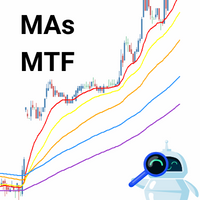
El indicador técnico propuesto es un sistema de medias móviles de múltiples marcos temporales diseñado para ayudar a los operadores del mercado financiero a seguir de cerca los movimientos tendenciales. Al combinar medias móviles de diferentes períodos, este indicador ofrece una visión más completa de la dirección de la tendencia, lo que permite a los traders identificar oportunidades de trading con mayor precisión. Al utilizar este indicador, los operadores pueden maximizar sus ganancias al tom
FREE
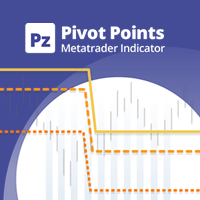
This indicator displays pivot points in the chart, including historical vales, and supports many calculation modes for Pivot Points and S/R levels. [ Installation Guide | Update Guide | Troubleshooting | FAQ | All Products | Get Help ] It plots historical levels for backtesting purposes
It allows you to select the reference timeframe It implements different Pivot Point calculation modes It implements different SR calculation modes
It implements customizable colors and sizes
Calculation Mod
FREE

Fer Goldhunter works by opening trades in favor of the trend, using three moving averages and an ADX filter. The EA has dynamic lot size, increasing based on account growth; take profit, stop loss, and trailing stop options are optimized to deliver optimal results on an M15 timeframe with XAUUSD (Gold/Dollar).
Characteristics: The bot is optimized to work with XAUUSD on M15 timeframe. It can be optimized for use with other symbols.
Recommended balance: 50 USD with a CENT account 500 US
FREE
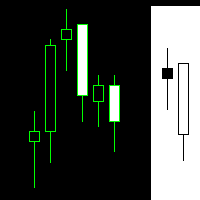
The Martinware Manual Trading Helper indicator is aimed at helping people start their lives in manual trading. It can be used to display both some generic images at the right side of the graph, where custom operational remarks may be displayed or just a blank rectangle hiding the chart while backtesting. Moreover, it can periodically play a list of sounds. To show a blank rectangle, let the first image name input field empty and select the desired color. To show one or more custom images inste
FREE

PropSizer is a free lot calculator on the chart: drag an entry line and a stop line, and one text line shows the broker normalised lot size for your risk, the money on the line and the stop distance. A session candle counter and a news line come with it. Setup takes a minute: attach it to the chart you want to trade, set your risk per trade once, and drag the two lines. It never places an order. Try it first
It is free. Attach it to any chart, drag the lines, read the number. In the strategy te
FREE

Prop News Filter is a free Expert Advisor that helps traders on prop firm and funded accounts avoid violating the 2-minute news rule that most major prop firms enforce. It uses a precise two-stage protection model: pre-block new trades 15 minutes before the restricted window, then close everything 2 minutes before the news. Most news filter tools either block trading too aggressively and kill your edge, or rely on the MQL5 native calendar which is often disabled on prop firm terminals. This EA u
FREE

製品概要 チャート上の全ポジションに対して、利確(TP)および損切(SL)を一括設定するためのツールです。 一つ一つのポジションに対する手動設定の手間を省き、迅速なリスク管理をサポートします。
より実践的な一括管理、自動決済を「One Click Pro SL TP Batch Auto Close」でお試しください。 https://www.mql5.com/ja/market/product/186278
操作手順 1. 数値入力: 「ALL POSITIONS TP/SL」エリア内にある各エディットボックスに希望の価格を入力します。 2. 実行: 「SET」ボタンをクリックすると、全ポジションへ一括で適用されます。 * 片方のみ設定する場合は、もう一方を空欄のまま実行してください。 * ストップレベル制限等により失敗したチケットは、アラートで通知されます。
ボタン機能 SET: 入力したTP/SL値を全ポジションへ一括適用します。 [ < ]: 現在の市場価格(Bid/Ask)をエディットボックスに自動入力します。 [ X ]: 入力されている数値をクリアします。
FREE

このエキスパートアドバイザーは、MACD、ストキャスティック、RSIなどの指標から得られるシグナルを精査し、市場のトレンドと転換点を把握します。 複数の戦略を組み込み、シームレスに連携させています。 アドバイザーはリアルタイムで市場状況を分析し、事前定義されたストップロスとテイクプロフィットのレベルで自動的に取引を実行します。 使いやすさも「HydraAlchemist」の大きな特長です。直感的で理解しやすい設定画面では、少ないパラメータで取引戦略を実行できます。 ゴールド(XAUUSD)の5分足で取引を行う際には、最低残高$500からスタートできます。
XAU(GOLD)USD 5分足 最低残高 : $500
FREE

The Stochastic Momentum Index (SMI), developed by William Blau and featured in the January 1993 edition of Technical Analysis of Stocks & Commodities magazine, introduces a unique perspective to trading analysis. Distinguished from the conventional Stochastic Oscillator, which evaluates the current close in relation to the recent x-period high/low range, the SMI assesses the close's position relative to the midpoint of this range. This innovation yields an oscillator with a range of +/- 100, re
FREE

Tomgoodcar Ivanka EA: User Manual Tomgoodcar Ivanka EA is an automated trading tool designed to assist with trade management. This EA utilizes a combination of Price Action analysis and a mathematical grid-based recovery system. Please note that this EA is a tool for executing your strategy and is not a guarantee of financial success. ️ Risk Warning (Please read carefully) Market Risks: Forex trading involves high volatility. The use of grid-based or Martingale strategies carries a significa
FREE

Easy to use, fully automated neural network trading robot. Works on the H1 timeframe with two currency pairs (AUDCAD, USDCAD). Limitations of the free version - only two currency pairs support (7 in the full version) and 0.01 lots max order size.
Minimal recommended deposit size: with grid enabled - $150 per symbol; with grid disabled - $100 for all symbols.
Paramutras Instruments - currency pairs to trade; Order size calc method - type of the calculation of the order size; Fixed order size -
FREE

This EA is designed to monitor the slippage of opening and closing orders, and save the records in csv file. It is useful to record the slippage and evaluate brokers. The record files are saved in the folder MT5_Data_Folder\MQL5\Files. Go to "File " --> "Open Data Folder" . Warning : Do NOT open the files directly, otherwise it will affect the exectution of EA, just copy them to another folder and open them.
Usage: Open a chart and load the EA on it, just need only one EA to run, it mo
FREE

The Custom Alert Lines.mq5 Indicator is designed to create two horizontal lines on the chart that serve as levels for alerts when the price crosses them. Key Functions and Features Two Customizable Lines (L1 and L2): The indicator allows the user to set the color, style, and thickness for each of the two lines via input parameters. Crossing Alerts: The indicator monitors when the closing price of the current bar crosses the level of one of the lines. Upon crossing, a pop-up alert is generated a
FREE

US30 Auditor Scalper
To trade the US30 (Dow Jones) index during certain market sessions, a good strategy alone isn’t enough: you need a broker that guarantees seamless execution and minimal slippage right at the point of entry. US30 Auditor Scalper is a specialized algorithmic tool designed for Live Market Validation . Unlike backtests, this "Auditor" edition allows you to bridge the gap between simulation and reality. It operates with a strictly controlled logic, executing a single trade per d
FREE
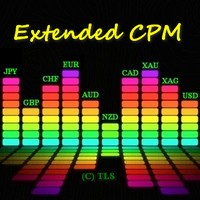
このアルゴリズムは、Currency PowerMeterインジケーターのアイデアに基づいています。このバージョンでは、表示される値の数は無制限であり、そのコードはよりコンパクトで高速であり、現在のバーの値はインジケーターバッファーを介して取得できます。 インジケーターが示すもの :細いバンドと通貨の前の上の数字は過去N時間の相対力指数を示し(Nは変数「時間」のパラメーターで設定されます)、広いバンドは日次インデックスを示します。入力パラメーターで指定するこの通貨を使用する通貨ペアが多いほど(ブローカーがペアの見積もりを提供すると仮定)、インデックスの重みが大きくなります(ただし、「非メジャー」通貨またはエキゾチック通貨のペアには注意してください。全体像を歪める)。たとえば、EURUSDのみを指定した場合、ユーロの相対インデックスはこのペアのみに基づいて計算されます。EURGBPを追加すると、ユーロインデックスは2つのペアに基づいて計算され、より重み付けされた値が取得されます。 データの使用方法 :重要なニュースがない場合、インデックス値が低い/高いほど、技術的な修正またはトレンドの継
FREE

Smart Order Block AI Pro for MetaTrader 5 Smart Order Block AI Pro is a professional MT5 custom indicator built for traders who want a clean, structured and visually advanced way to read institutional-style price action directly on the chart. It is designed to detect high-probability order block zones, market structure changes, liquidity sweep areas, mitigation zones, breaker block behavior and complete trade planning levels with Entry, Stop Loss and Take Profit targets. This indicator is not a

Key Levels S/R — Dynamic Support & Resistance Structure Key Levels S/R is a precise and reliable indicator that identifies true Support and Resistance levels based on confirmed swing structure. Instead of guessing or repainting, it waits for market validation before marking any level — giving traders clean, trustworthy zones to work with. This tool is ideal for breakout traders, pullback traders, and anyone who uses pending orders at structurally meaningful price levels. How the Logic Works The
FREE

SMART ZONES is an advanced institutional indicator for MetaTrader 5 designed for traders who want to identify real market decision zones with precision and clarity. The indicator automatically plots: Previous day high Previous day low 50% range level POC (Point of Control) based on highest traded volume Main institutional value zones SMART ZONES helps traders identify: liquidity areas institutional defense zones possible reversals true breakouts market balance levels price acceptance and rejecti
FREE

GFX Scalping AI Robot Pro MT5 Professional AI-Powered Forex and Gold Scalping Expert Advisor for MetaTrader 5 Live results: https://www.mql5.com/en/signals/2384670 Live results: https://www.mql5.com/en/signals/2390660 GFX Scalping AI Robot Pro is an advanced automated trading system developed for high-speed Forex and Gold scalping. The EA combines an intelligent signal-scoring engine, adaptive market profiles, weighted multi-timeframe confirmation, chart-pattern analysis, advanced mark

EPo-CreW Forex Super ORB-H4 インジケーターへようこそ!
本ガイドでは、市場の最初の4時間のオープニングレンジに基づいて、高確率のトレード機会を特定するためのこの強力なツールの使い方を解説します。
初心者の方から経験豊富なトレーダーまで、このシステムはより高い自信と一貫性を持って取引する手助けとなります。 これはデモ製品です。インストール日から30日後に有効期限が切れます。フルバージョンはこちら: https://www.mql5.com/en/market/product/160926?source=Site OR https://t.me/Fundamental_fx 取引:すべての通貨、金(GOLD)とBTCUSD NB: M5 タイムフレームに切り替えることを確認してください。このインジケーターを使うのに最適なタイムフレームです。
トレーディング戦略
戦略1:ブレイクアウト & リトレースメント(メイン)
SELL(売り)セットアップ:
価格が青いラインを上にブレイクする(高値ブレイク)
ゴールドの BREAKOUT 矢印が表示される
価格が再び青い
FREE

Trend Multi-Timeframe Dashboard tells you whether the market is going up or down on four timeframes at once, using a fast and a slow exponential moving average on each timeframe. Instead of guessing the direction or flipping through charts, you see the whole picture in one panel. By default it reads the M15, H1, H4 and D1 timeframes, and the settings are fully configurable. Each timeframe is shown in green when the trend is up, red when it is down and grey when it is flat, and the percentage gap
FREE

Gold Hedge Martingale Pro is a fully automated Expert Advisor for XAUUSD that combines a dual-direction hedge grid with martingale-based basket recovery. It opens buy and sell cycles independently, adds spaced recovery levels when price moves against a side, and closes each basket at a dollar profit target - with an optional profit trailer that lets winning baskets run further.
HOW IT TRADES
Each side (buy and sell) is managed as an independent basket with its own configurable grid depth. Whe

Apex Gold Momentum is an automated trading system developed for the XAUUSD (Gold) pair, specifically optimized for the 1-minute (M1) timeframe. The Expert Advisor utilizes a price momentum breakout strategy designed to identify and execute trades during periods of high market liquidity. The algorithm analyzes real-time price dynamics and velocity to determine potential entry points when major price barriers are broken, avoiding lagging standard technical indicators.
The trading logic

================================================================
ICHIMOKU CLOUD PRO — MQL5 MARKET DESCRIPTION
Compliant with MQL5 Market Rules Part IV
================================================================
PRODUCT TITLE:
Ichimoku Cloud Pro — Free Edition
SHORT TAGLINE (shown under title on MQL5):
A complete Ichimoku system with 6 strategies, MA filter, smart exits,
news filter, session control and full risk management. Free.
======================================================

Optimized Spike Detector Optimized Spike Detector is a MetaTrader 5 indicator designed to help traders monitor and identify potential spike movements in Boom and Crash markets. The indicator provides clear signals and alerts that can help traders recognize potential market movements and improve their market monitoring process. Main Features Potential spike detection Clear trading signals Fast market alerts Designed for Boom and Crash markets Simple and user-friendly interface Easy to install and
ADX RSI Orion — Smart Trend Alignment Expert Advisor
ADX RSI Orion is a precision-engineered Expert Advisor that combines two of the most respected indicators in technical trading — the Relative Strength Index (RSI) and the Average Directional Movement Index (ADX) — into one intelligent and adaptive trading system. Designed for traders who want clarity and automation, this EA identifies high-probability entries only when both momentum and trend strength agree, delivering smart, data-driven dec
FREE
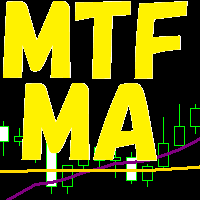
3つの時間軸を分析に使います。 3つの時間軸が、全て同じ方向になった場合、上昇方向または、下降方向になった場合 その方向にエントリーをします。 決済は、上記同様全て同じ方向になった場合、上昇方向または、下降方向になった場合 その方向に決済をかけます。
時間軸は、変数として定義されています。 移動平均も、各変数として定義されています。
基本的に、単発ポジションをもち、追加購入はしません。 途中決済は、手動で行うことも可能です。 その場合、EA内では、ポジションなしとして処理されます。
ロット数、利益確保、ストップロスも変数として設定できます。
使用する前に、最適化等を行ったほうが精度をあげてトレードできると思います。 また、100%任せきりにするのは、おすすめしません。
FREE

The Extreme Spike PRT Indicator is an effective tool for identifying sharp market fluctuations . It performs its calculations using the ATR (Average True Range) indicator and displays candles with extreme volatility in two categories: primary spikes and secondary spikes , within the Metatrader platform oscillator window. This tool assists traders in detecting intense price movements and conducting more precise analyses based on these fluctuations. Time Frame 15-minute - 1-ho

Trend Tracking Indicator An indicator based on a moving average with dynamic color changes , designed to assist in monitoring price direction and identifying potential changes in trend behavior. Initial studies were conducted on the M5 and M15 timeframes . However, the indicator can also be tested and used on other timeframes according to each user's methodology and analytical objectives. When the indicator confirms a change in the line to green , users can monitor the relevant price regions and
FREE

I’m sharing this EA here for free to support the trading community. I hope it’s helpful, and don’t hesitate to reach out if you have any questions or feedback!
Requirements
Trading pairs all trending Pairs especially USDJPY
Timeframe M1 to H6
Minimum deposit $ 100 Leverage 1:200 Brokers Hedging Pro or ECN Account
Key Features: Multi-Timeframe Capability : Profitably trades on all timeframes, from the ultra-short M1 to the longer D1, adapting to various market conditions and trading styles. Ri
FREE

Price Levels MT5 by Nic is a clean, lightweight tool designed to map institutional price levels automatically. Key Features Institutional Mapping: Automatically plots Major 100, Mid 50, and Quarter 25/75 levels. Visual Hierarchy: Three distinct tiers of lines to maintain a clean chart: Major (100): Solid, thick lines. Mid (50): Dashed lines. Quarters (25/75): Dotted lines. Fully Customizable: Easily adjust colours and line styles to suit your background or trading preference. Lightweight Perform
FREE

ONE DRAG SETS THE LOT SIZE - RISK STAYS WITHIN YOUR LIMIT Risk-first position sizing for traders who protect their capital
Introductory offer — first 30 copies at $35, then $45. Early buyers keep the lower price forever!
Also available for MT4: https://www.mql5.com/en/market/product/185979 New on version 2.1: RR box Transparency Slider
Risk Sentinel is a risk-first position sizing and risk management tool for MT5, built for prop-firm evaluation and funded traders. Drag your stop-loss and t

Killzone VWAP is an advanced analytical tool designed to pinpoint high-probability market reversal areas by combining dynamic price zones with volume-weighted data.
Rather than relying on lagging moving averages, this indicator identifies critical liquidity pockets ("Killzones") and anchors a Volume Weighted Average Price (VWAP) directly within them to validate trade entries.
Whether you are a discretionary trader looking for sniper entries or an algorithmic developer needing reliable confirmat
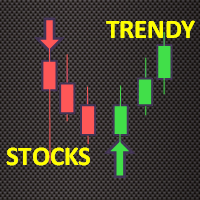
Trendy Stock is a price following indicator that uses Stochastic to show when the price is out of the oversold or overbought areas. The algorithm allows you to stay longer in a trend where the bulls or bears are in control. The indicator changes color immediately the price exits oversold/overbought state. In short, the downtrend [red] bars start to paint when the buying pressure decreases while the uptrend [green] bars form as the buy pressure kicks in. For MT4 version, follow :: https://www
FREE

Close Manager Dashboard Take Full Control of Your Trades with One Click Close Manager Dashboard is a simple and powerful MetaTrader 5 tool designed to help traders manage and close positions quickly. The clean dashboard interface gives you instant access to essential trade management functions without opening multiple windows. Key Features • Close all open positions instantly.
• Close only profitable trades.
• Close only losing trades.
• Close all pending orders with one click.
• Easy and lightw

BarionQuant MACD Color Lite displays a custom four-color MACD histogram that makes momentum shifts easy to read at a glance. DIF and DEF lines are included; divergence detection is reserved for the paid Divergence Pro edition. HOW IT WORKS DIF = Fast EMA(12) minus Slow EMA(26) DEF = Smoothed signal line of DIF Energy = (DIF − DEF) × 2, split into four histogram colors: Above zero, lengthening → red (momentum building) Above zero, shortening → aqua (momentum fading) Below zero, lengthening → gree
FREE

この無料EAはタイムフレームはM5専用になっています。
なおかつ運用通貨はJPY建て専用となっています。
USDやEUR建てでバックテスト、実運用は出来ないよう仕様になっています。
運用ロットに関しても0.01固定です。
あくまでバックテスト用EAという試験品としてご覧ください。
実際にフォワードでも使用していますのでライブシグナルもダウンロードが続いていくようでしたら公開しようと思っています。
TYO EA LABの開発思想
TYO EA LAB では、プロップファームの運用思考を取り入れたクオンツEA開発を行っています。
重視しているのは、単体EAの一時的な成績ではなく、複数戦略を組み合わせた際の安定性、分散性、そして実運用での再現性です。 開発には、長期検証データに加え、 AIによるデータマイニング を活用しています。
市場データを多角的に分析し、時間帯や月別傾向、価格変動の偏りなど、繰り返し現れる統計的優位性を抽出しながらロジックを構築しています。 また、TYO EA LABのEAは
FREE

NEXA Breakout Velocity NEXA Breakout Velocity は、チャネルブレイクアウト、価格変化率(ROC)、出来高フィルター、および ATR ベースのリスク管理を組み合わせた自動売買システムです。 本システムは、価格が一定のレンジを突破し、同時にモメンタムと出来高が増加する「ボラティリティ拡大局面」を検出することを目的としています。 すべてのシグナルは確定足のみで計算されます。
同一シンボルでは常に1ポジションのみ保有します。 戦略概要 本システムは以下の要素を組み合わせています。 チャネルブレイクアウトの検出 ROC によるモメンタムフィルター 出来高増加フィルター 下位時間足による確認(任意) ATR に基づくストップロス計算 リスクリワード比による目標設定 口座リスク率に基づくロット自動計算 動的リスク管理機能 単純なブレイクアウトではなく、モメンタムと出来高の条件を同時に満たす場合にエントリーします。 動作原理 直近の高値・安値から価格チャネルを計算します。 直前の確定足がチャネルを突破しているか確認します。 ROC 値を過去平均と比較します。
FREE
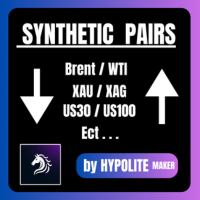
Pairs Synthetic Pro (Synthetic Pairs & Spread) Master Correlation Trading Correlation trading and statistical arbitrage are now within your reach thanks to the Pairs Synthetic Pro indicator. This tool goes beyond simple ratio analysis, acting as a specialized radar for detecting price imbalances between two assets to anticipate market corrections. For example, when Brent rises while WTI lags, the price spread widens. Our indicator, integrated with adaptive Bollinger Bands, identifies when this d

VORTEX OSCILLATOR: The Power of Volume Flow VORTEX OSCILLATOR is an advanced trading tool that transforms the classic Vortex indicator into a highly responsive precision oscillator. Designed for traders who demand absolute clarity, it merges price action and volume to reveal the true strength behind every market movement. What Makes VORTEX OSCILLATOR Unique Most indicators simply follow price, often resulting in late entries. VORTEX OSCILLATOR utilizes a mathematical approach centered on Volume-

Trend Filter By HYPOLITE MAKER (v3.00) Trend Filter is a visual indicator for MetaTrader 5 designed to clean up your charts and display the market's true trend. It eliminates market noise and visual traps to help you stay on the right side of the market, with significantly less lag than standard moving averages. Visuals & Key Features The Central Line: It changes color to give you the market direction at a glance. Green for an uptrend, Red for a downtrend, and Yellow when the market is hesitatin

Smart Entry — Precision Entry Signal Indicator Stop guessing your entries. Get clear, filtered Buy/Sell arrows only when it matters. What It Does Smart Entry is a MetaTrader 5 indicator that spots high-probability trend reversal points and marks them with simple green (Buy) and red (Sell) arrows directly on your chart. Every signal passes through a 3-layer filter before it appears: Reversal Detection — identifies the moment short-term price direction shifts Trend Confirmation — only signals that

TrueStrength Oscillator v1.00 Visual representation Thick blue line: The main TSI, which tracks market momentum. Thick red line: The signal line, which follows the main line closely to identify crossovers. Thin blue bars: Histogram bars extending from the zero line to the main blue line. Dotted gray line: The zero level, providing a clear reference for trend reversals. Operational advantages Fixed scale: The range remains constant between -0.000001 and +0.000001 for consistent reading. No repain
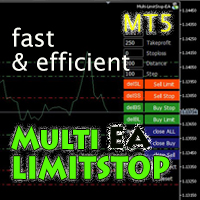
Multi LimitStop EA ( MT5 )
This EA is designed for automatic placing of pending orders (sell limit, buy limit, sell stop, buy stop) including Stop Loss & Take Profit levels (editable) with only one button click.
This EA can make order multi pending level / pending orders grid. So, with this EA placing pending orders will be faster , accurate and efficient .
Main Purposes Automation Pending orders grid style trading. Automation of the process of placing the Pending Orders: fast accurate effic

Gold Director is a fully automated expert advisor that includes several trading systems. Each trading system has its own entry point with hidden stop-loss/take-profit based on indicators, and fixed points. This trading robot works by detecting trends generated by the ADX indicator with various settings. This EA can be used on all currency pairs and all timeframes, but is specifically designed for the 1-hour timeframe for gold.
Main Features: No Grid. No Averaging. No Martingale. Settin

RSI Cross Trader is an automated Expert Advisor for MetaTrader 5 designed for traders who need consistent, controlled performance. Based on dual RSI crossover signals, it enters trades automatically at market price on the close of the signal candle and manages the full trade lifecycle including entry, stop loss, take profit, break even, and forced close. How it works A buy order is placed when the short RSI crosses above the long RSI while the long RSI is within the configured buy zone. A sell o
FREE

RUHM GOLD (TF M1) Codebase for sale: $100 Contact me. == Contains 2 mqh files and 1 mq5 file ## Test on XAU/GOLD | RAW Account (not suitable for microcent accounts), Adjust spread and level, minimum equity limit $100 ## Adjust the parameters according to your Trading Style, to get the estimated value of the strategy calculation. ## You must provide feedback in the comments column, regarding the trials you have conducted. This Expert Advisor (EA) is provided FREE OF CHARGE for testing and e
FREE

この無料EAはタイムフレームはM5専用になっています。 なおかつ運用通貨はJPY建て専用となっています。 USDやEUR建てでバックテスト、実運用は出来ないよう仕様になっています。 運用ロットに関しても0.01固定です。 あくまでバックテスト用EAという試験品としてご覧ください。 実際にフォワードでも使用していますのでライブシグナルもダウンロードが続いていくようでしたら公開しようと思っています。
TYO EA LABの開発思想
TYO EA LABでは、プロップファームの運用思考を取り入れたクオンツEA開発を行っています。 重視しているのは、単体EAの一時的な成績ではなく、複数戦略を組み合わせた際の安定性、分散性、そして実運用での再現性です。
開発には、長期検証データに加え、AIによるデータマイニングを活用しています。 市場データを多角的に分析し、時間帯や月別傾向、価格変動の偏りなど、繰り返し現れる統計的優位性を抽出しながらロジックを構築しています。
また、TYO EA LABのEAは、ク
FREE
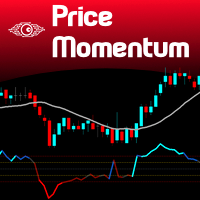
Value Chart indicator presents the Price evolution in a new form. This indicator, Price Momentum , was developed taking all the calculations presented in the book " Dynamic Trading Indicators " by Mark W. Helweg and David Stendahl (2002). The technique involves de-trended Prices from a user-defined Period of analysis and the addition of a Volatility index correction. The result is an Oscillator with 3 zones: Fair Price Value, Overbought/Oversold and Extremely Overbought/Oversold zones. Adding th
FREE

Candle Dominator 拡張設定付きフルバージョン: Candle Dominator Pro インジケーターの機能 Candle Dominator は、あらゆる取引商品・時間足において、強気・弱気のエングルフィングパターンを自動的に検出します。矢印は確定済みバーにのみ表示され、リペイントはありません。 シグナル品質フィルター EMAトレンドフィルター — トレンド方向のシグナルのみ ATRボラティリティフィルター — 弱いローソク足や異常なローソク足を除外 最小ローソク足実体サイズ — 軽微なパターンを除外 通知 サウンドアラート ポップアップウィンドウ スマートフォンへのプッシュ通知 推奨時間足 H1以上。より短い時間足では、Min body size(ポイント)パラメーターを小さく設定することを推奨します。 パラメーター パラメーター 説明 Full body overlap required 現在のローソク足の実体が前のローソク足を完全に包む Min body size (points) ポイント単位の最小実体サイズ EMA trend filter EMAトレンド
FREE

Overview Inspired by Tradingview’s falconCoin, The Market Cipher indicator is a momentum oscillator used to detect overbought/oversold conditions and potential trend reversals. Traders can also use it to spot divergences between price action and momentum for early entry or exit signals. Configuration Guide Core Indicator Settings The indicator calculates momentum using a short-term and a longer-term average. Momentum is plotted as a wave oscillating between overbought and oversold thresholds. Ov
FREE

NEXA Donchian Pro MetaTrader 5 エキスパートアドバイザー – ユーザーガイド 1. 製品概要 NEXA Donchian Pro は、ドンチャンチャネルのブレイクアウト戦略を基盤とし、MACDによる方向確認およびATRによるボラティリティフィルターを組み合わせた自動売買システムです。 本製品は、MetaTrader 5 プラットフォーム用のコンパイル済み EX5 ファイルとして提供されます。 本エキスパートアドバイザーは、トレンド相場におけるブレイクアウト条件を検出し、確定足に基づいて自動的に取引を実行するよう設計されています。 本製品は利益を保証するものではありません。金融市場での取引にはリスクが伴い、損失が発生する可能性があります。 2. 主な機能 ドンチャンチャネルによるブレイクアウトエントリー MACDによる方向確認フィルター ATRによる通常ボラティリティフィルター ADXに基づく自動トレンド判定 フラクタル構造に基づく部分決済 ブレイクイーブン自動移動機能 トレーリングストップ機能 1日の損失制限機能 最大ドローダウン保護 連続損失後のクールダ
FREE

Order Blocks Pro – Smart Money Concepts (SMC) Professional MT5 Indicator
Trade Like Institutions
Order Blocks Pro is a professional MetaTrader 5 indicator designed to automatically detect Institutional Order Blocks based on Smart Money Concepts (SMC).
It helps traders identify high-probability Supply & Demand zones where banks and l
FREE

Trend Fuzzy Analyzer Purpose and Concept
The Trend Fuzzy Analyzer indicator assesses the strength and direction of the current market trend. It is based on the principle of Fuzzy Logic , which transforms quantitative readings from several standard technical indicators into a qualitative assessment of trend strength. Unlike binary signals, the indicator outputs a final value as a confidence level (from 0 to 100%). Core Working Principle The indicator simultaneously analyzes input data from f
FREE

Unlock Market Insights: Dynamic Trend Analysis with Statistical Precision for MT5 Are you seeking a deeper understanding of market movements? Many traditional tools may not fully capture the complex, non-linear dynamics often seen in financial markets. This can sometimes lead to uncertainty in identifying subtle trend shifts. Introducing Adaptive PolyBands Optimizer – an advanced MQL5 indicator designed to enhance your market analysis. Unlike some conventional tools, Adaptive PolyBands Optimizer
FREE

Portfolio Monitor for MT5 Live Account Dashboard, Risk Guardian & Strategy Attribution Panel Portfolio Monitor is an all-in-one Expert Advisor (EA) that runs on any MT5 chart to give you complete visual control over your trading account. It aggregates every open position across all symbols and strategies into a clean, real-time dashboard. Note: Portfolio Monitor is a dedicated monitoring, risk management, and manual-mitigation tool—it does not place entry trades or run predictive signals. Five
FREE
Э ксперт создан для скальпирования на открытии торгов ММВБ ( начинает работу через несколько секунд после 10=00) и продолжает скальпировать на открытии каждого бара.. Является продолжением продукта Morgen Open https://www.mql5.com/ru/market/product/47596 Эксперту желательно работать на часовом или M30 таймфрейме. Эксперт работает на указанное пользователем целое количество лотов, проверка минимальна, мартингейл не предусмотрен!!!. Эксперт при начале работы выставляет 2 отложенных ордера
FREE

LUNOX MEGA is a fully automated trend-following Expert Advisor that combines ADX-based trend strength and a Moving Average crossover system to identify high-probability directional trades. The EA scales into confirmed trends by adding positions as the trend continues, and exits all trades immediately when the trend reverses or consolidates — keeping exposure clean and directional at all times. This EA ships with two strategies — Trend Following is the primary and recommended strategy. The Break
FREE
Multi-Period EMA is a convenient indicator that displays multiple Exponential Moving Averages (EMAs) on a single chart. It is designed to help traders easily identify market trends and key crossover points without the need to add multiple individual EMA indicators. Key Features: Multiple EMAs in one: Simplifies chart analysis by combining several EMA lines into one indicator. Fully customizable: Easily change the period (default 20, 50, 100, 200), color, and thickness of each EMA line. Clean in
FREE

Candle Timer is a lightweight, non-trading utility that shows you exactly how much time remains before the current candle closes — no more guessing, switching tabs, or checking the clock. A clean gold countdown badge with bold black text sits on your chart and updates in real time, using your broker's server time for accuracy. Whether you're scalping M1 or watching a Daily close, you always know precisely when the next candle begins. Features: Real-time countdown (mm:ss / hh:mm:ss) to the next c
FREE
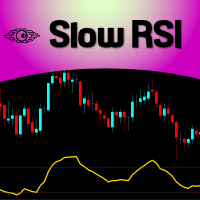
For those who feel that regular RSI is too fast and too noisy to be used on regular trades or in EAs and want to have an alternative to meter the Momentum of the Price, here is a solution presented on the great article of the Technical Analysis of Stocks & Commodities magazine (April, 2015), by Vitali Apirine, called: Slow Relative Strenght Index . Its reading is almost the same as the regular RSI, but its levels of Overbought and Oversold are 80 and 20 instead. SRSI is very powerful to show div
FREE

XAU Seasonality Filter D1 Expert Advisor for MetaTrader 5 — Gold / XAUUSD focus
Version: 1.00 What it is XAU Seasonality Filter D1 is an Expert Advisor for gold on the D1 chart. Seasonality calendar filter participation for daily gold. Built for structured automated participation — not grid , not martingale . Evaluate on your broker and risk profile before any live use. This product is a technical system . Exact thresholds and entry equations remain internal product design and are not published
FREE

What Is Market Imbalance? Market Imbalance, also known as "IPA" or Improper Price Action, is when price moves so quick in one direction with no orders on the other side of the market to mitigate the price movement. We all know Big Banks, or "Smart Money", can move the market by placing huge orders which in turn can move price significantly. They can do this because Big Banks are the top 10 Forex traders in the world . But unfortunately, the Big Banks cannot leave these orders in drawdown and mu
MetaTraderマーケットは、履歴データを使ったテストと最適化のための無料のデモ自動売買ロボットをダウンロードできる唯一のストアです。
アプリ概要と他のカスタマーからのレビューをご覧になり、ターミナルにダウンロードし、購入する前に自動売買ロボットをテストしてください。完全に無料でアプリをテストできるのはMetaTraderマーケットだけです。

取引の機会を逃しています。
- 無料取引アプリ
- 8千を超えるシグナルをコピー
- 金融ニュースで金融マーケットを探索