 MetaTrader 5
 Experts
 Indicators
 Scripts
 Libraries
 Storage
Watch how to download trading robots for free
Find us on Twitter!
Join our fan page
Join our fan page
You liked the script? Try it in the MetaTrader 5 terminal


- Views:
- 12529
- Rating:
- Published:
- Updated:
-
 You are missing trading opportunities:
- Free trading apps
- Over 8,000 signals for copying
- Economic news for exploring financial markets
Registration Log inYou agree to website policy and terms of use
If you do not have an account, please register -
 Need a robot or indicator based on this code? Order it on Freelance
Go to Freelance
The script exports history of deals (ordered by close time) from MT5 retail hedging account selected between two dates. The resulting file is CSV that can be opened/imported with any spreadsheet software.
For version 2 of the script, please go to https://www.mql5.com/en/code/25200
It supports only retail hedging accounts (Forex).
To export the entire trading history, keep Start date and End date at their default values.
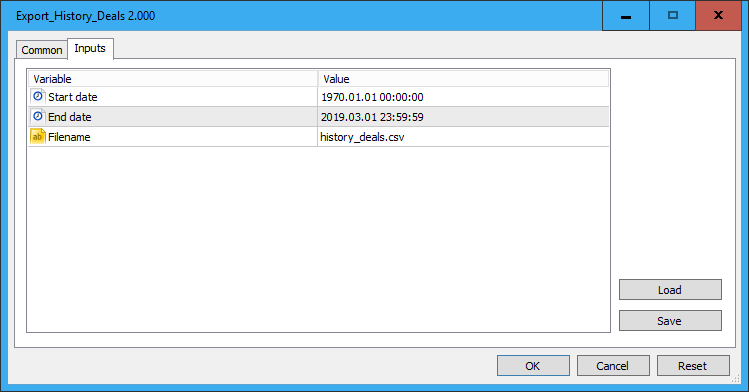
The CSV file is located at: Terminal > File > Open data folder > MQL5\Files\<Filename>
The CSV file will be auto-opened with the associated Windows program (e.g., Microsoft Excel or Ron's CSV Editor).
Following data columns are exported:
- Open Time
- Position ID
- Symbol
- Type
- Volume
- Open Price
- S/L
- T/P
- Close Time
- Close Price
- Commission
- Swap
- Profit
- Profit Points
- Balance, this includes the running sum of all profits, swaps and commissions from previous trades
- Magic Number
- Duration, this includes duration of the trade expressed in (hh:mm:ss) format
- Open Reason, this includes reason of opening the trade (client, mobile, web, expert)
- Close Reason, this includes reason of closing the trade (client, mobile, web, expert, sl, tp, so, ...)
- Open Comment
- Close Comment
- Deal In Ticket
- Deal Out Ticket
Note that the history of deals (data rows) is ordered by Close Time to calculate the running Balance, correctly.
The CSV file can be opened with Microsoft Excel or better with Ron's CSV Editor.
https://www.ronsplace.eu/Products/RonsEditor
 Bollinger bands extended
Bollinger bands - extended
Bollinger bands breakout
Bollinger bands breakout