TradingTimeControl
- Utilità
-
Nikita Belousov
 Я quantitative trader (алготрейдер), разрабатываю и тестирую торговые алгоритмы. Создал алгоритм под названием Alfa Node.
 - Versione: 1.1
- Aggiornato: 26 marzo 2025
TradingTimeControl is a utility implemented as an Expert Advisor for MetaTrader 5. It automatically closes all open positions and deletes pending orders at a specified time each day. This tool is designed for traders who need to automate position management with flexible settings.
Key Features
- Closes positions and orders at the specified time (CloseHour, CloseMinute) daily.
- Allows you to change the closing time at any moment, applying new settings immediately.
- Supports MagicNumber: 0 for all positions, or a specific number for selective closing.
- Minimizes terminal load by checking the time once per minute.
- Does not interfere with other EAs, waiting for the next closing time after completing its task.
Why Is This Utility Convenient and Useful for Traders?
- Automates position closing to reduce risks (e.g., before news or market close).
- Saves time by eliminating the need to manually close positions.
- Adapts flexibly: you can change the closing time anytime.
- Works seamlessly with other EAs without conflicts.
- Easy to use with minimal settings.
How to Use TradingTimeControl?
- Set the closing time to the end of your trading session (e.g., 17:00) to avoid overnight risks.
- Close positions before major news (e.g., at 14:30) to minimize volatility.
- Use alongside other EAs to automate strategies.
- Adjust the closing time during the day based on market conditions.
Installation and Setup
- Install the Expert Advisor.
- Drag TradingTimeControl onto a chart in MetaTrader 5.
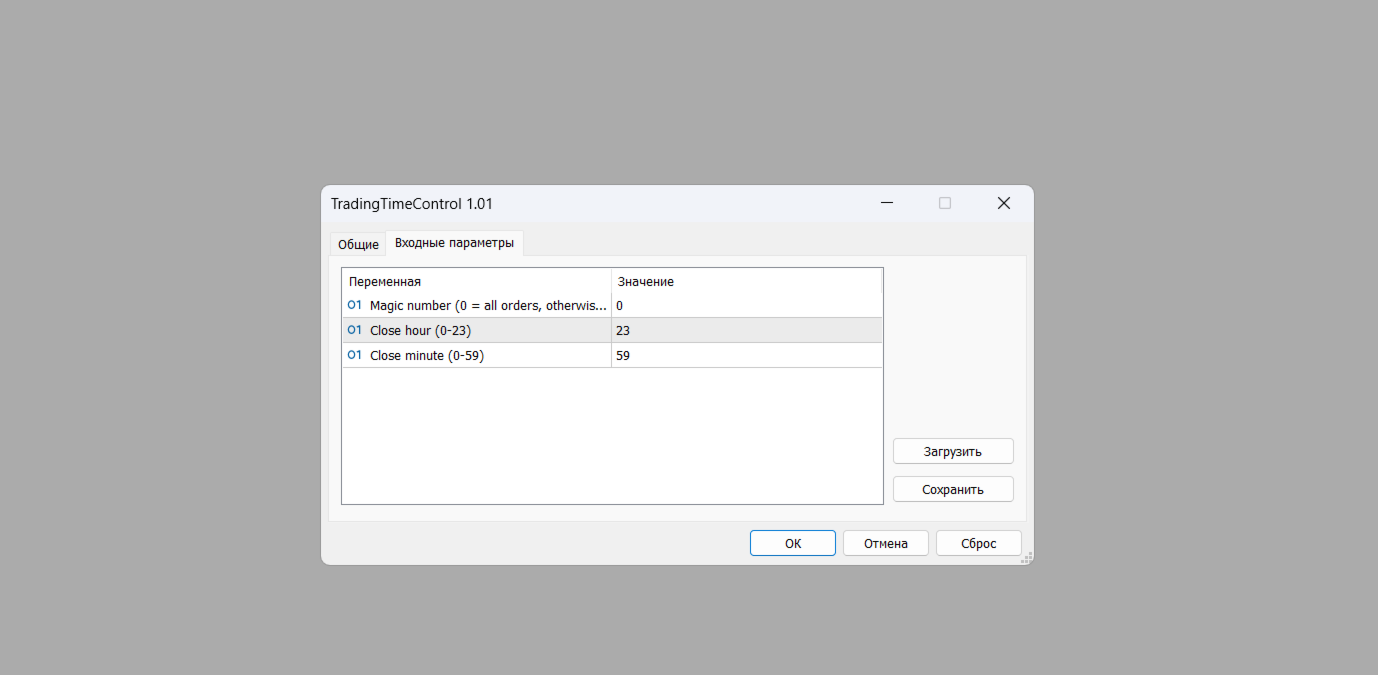
- Specify the settings:
- MagicNumber: 0 (for all positions) or a specific number.
- CloseHour: closing hour (0–23).
- CloseMinute: closing minute (0–59).
- Ensure auto-trading is enabled and click "OK".
TradingTimeControl is a convenient tool for automating position management, saving time, reducing risks, and adapting to your trading needs.