Multisymbol Gap Alert

This EA exists to watch a group of symbols (either your entire Market Watch or a custom list) and notify you the moment several of them experience a sudden price separation or gap of a size you define. It does not trade. Its only job is to detect coordinated jumps in real time, optionally compare the current hour against historical patterns, and deliver a clear alert so you can decide what to do next.

Benefits

  • Monitors many symbols at once without needing the EA on a specific chart.
  • Sends one clean alert per symbol that jumps.
  • Offers multiple delivery channels (popup, push, sound, email, Telegram).
  • Includes a simple historical scan that can warn you ahead of hours where large moves have repeatedly occurred.
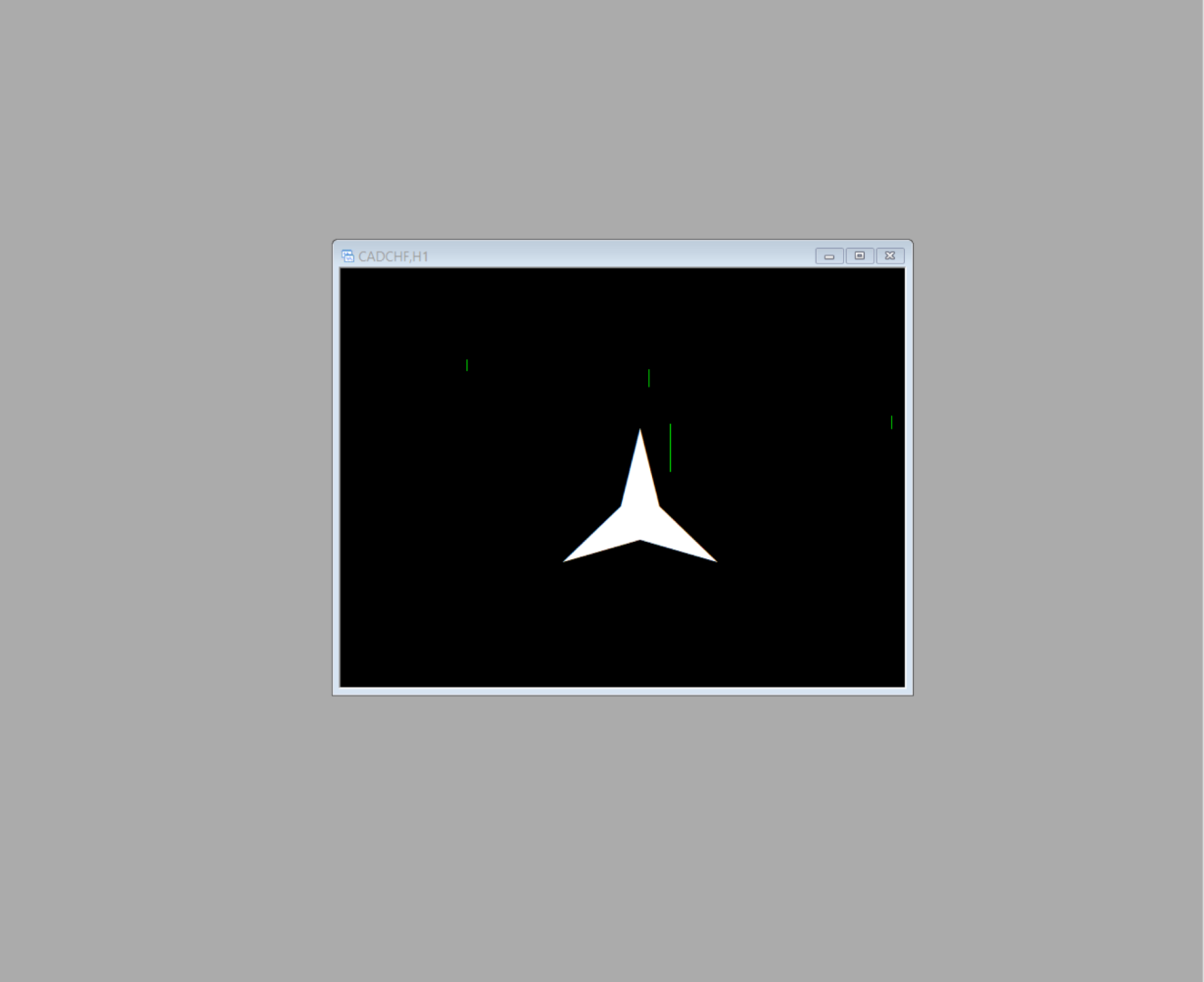
  • Optional black-chart mode with a centered logo if you want the window dedicated only to the alert task.

Limitations

  • The beforehand consensus warning is a single general message that does not name any symbol. It only appears when the current hour matches a historically significant pattern. Live jump alerts are separate and always include the specific symbol name.
  • The EA must stay attached to any chart and the terminal must remain open; it does not run in the Strategy Tester and stops monitoring the moment the terminal is closed or the EA is removed.
  • Symbols with no live quote (market closed or not subscribed) are automatically skipped. The EA only evaluates instruments that currently return a valid bid.
  • The historical scan runs once on startup (if enabled). It does not continuously re-scan during the session, so the consensus pattern reflects the data available at the time the EA was started.
  • A global cooldown applies across all symbols. If many symbols jump at once, you will still receive one alert per symbol, but they are spaced slightly apart and then the cooldown pauses further alerts for the set number of seconds.
  • Telegram and email both require the terminal to have internet access and the corresponding options correctly configured; a failure in one channel does not stop the others (Alert, Push, or Sound) from working.
    • Notification only — it never opens, modifies, or closes positions.
    • Depends on the quality and speed of the quotes your broker supplies.
    • Historical pattern detection uses M5 bars and a basic statistical check, so it is an aid, not a guarantee.
    • Telegram and email require one-time manual setup and (for Telegram) an allowed URL in MetaTrader options.
    • A short cooldown exists to prevent alert flooding.

    How to turn on Telegram

    1. Create a bot with @BotFather and copy the token.
    2. Get your numeric User ID (via @userinfobot or the getUpdates method).
    3. In MetaTrader: Tools → Options → Expert Advisors → check “Allow WebRequest for listed URL” and add https://api.telegram.org .
    4. In the EA inputs set UseTelegram = true , paste the token into TelegramBotToken , and paste your User ID into TelegramUserID .
    5. Send any message to your bot once so Telegram allows it to reply.

    How to turn on Email

    1. In MetaTrader: Tools → Options → Email → fill in your SMTP details and test the connection.
    2. In the EA inputs set UseEmail = true .
      Alerts will then also be sent as email using the same “Breaking News” text.
    Variable Default / Simple Explanation
    SymbolSource Market Watch or Manual list — where the symbols come from.
    SymbolsList Comma-separated symbols used only when SymbolSource is Manual.
    JumpPips 3.0 — Minimum size (in pips) of a sudden price move that counts as a jump/gap.
    MinSymbolsToAlert 3 — Minimum number of symbols that must jump close together before alerts are sent.
    TimeWindowSeconds 5 — How many seconds the jumps must occur within to be considered coordinated.
    CooldownSeconds 60 — Minimum seconds between alert batches.
    HistoryDays 30 — Days of history scanned for repeated large moves.
    MinRepeatCount 5 — How many times a large move must appear in history before an hour is noted.
    SignificanceLevel 0.05 — Statistical threshold used for the historical pattern.
    USEveningStartHour 16 — Start of the evening window used for the consensus warning.
    USEveningEndHour 21 — End of the evening window.
    Use24HourTime true — Show times as 17:00 (true) or 5:00 PM (false).
    UseAlert true — Show a popup Alert().
    UsePush true — Send a push notification to the mobile app.
    UseEmail false — Send email (requires email setup in MetaTrader).
    UseSound true — Play a WAV sound.
    SoundFile alert.wav — Name of the sound file to play.
    UseTelegram false — Send to Telegram (requires token, User ID, and URL whitelist).
    TelegramBotToken blank — Token from BotFather.
    TelegramUserID blank — Your numeric Telegram user ID.
    TakeOverChart true — Black out the chart and center a logo.
    CenterSymbolCode 169 — Wingdings character used as the centered logo.
    ShowComment true — Display a short status comment on the chart.
  • The beforehand consensus warning is a single general message that does not name any symbol. It only appears when the current hour matches a historically significant pattern. Live jump alerts are separate and always include the specific symbol name.
  • The EA must stay attached to any chart and the terminal must remain open; it does not run in the Strategy Tester and stops monitoring the moment the terminal is closed or the EA is removed.
  • Symbols with no live quote (market closed or not subscribed) are automatically skipped. The EA only evaluates instruments that currently return a valid bid.
  • The historical scan runs once on startup (if enabled). It does not continuously re-scan during the session, so the consensus pattern reflects the data available at the time the EA was started.
  • A global cooldown applies across all symbols. If many symbols jump at once, you will still receive one alert per symbol, but they are spaced slightly apart and then the cooldown pauses further alerts for the set number of seconds.
  • Telegram and email both require the terminal to have internet access and the corresponding options correctly configured; a failure in one channel does not stop the others (Alert, Push, or Sound) from working.

  • Prodotti consigliati
    Equity Pulse MT4 Real-time equity, drawdown, and portfolio performance tracking in one clean trading panel. Equity Pulse MT4 is a practical account-monitoring indicator for MetaTrader 4. It helps traders see exactly where they stand across today, yesterday, recent days, the current week, month, and year. Instead of checking account history manually or relying only on the terminal’s floating profit number, Equity Pulse gives you a clear performance snapshot directly on the chart. It is designed
    Algorithm Barbossa
    Alexander Pryakha
    New version 1.22. Partagas    The AG algorithm is an element of a comprehensive trading system for trading a basket of currencies across 8 major currencies across all 28 currency pairs. The algorithm serves as a signal block for determining entry/exit from a position. To collect initial values, AG uses data from the CSS Currency Slope Strength cluster indicator. This indicator was not chosen by chance - it performed very well during testing of the algorithm. A. AG determines the width of the e
    FREE
    DoIt EA Monitor MT4
    Diego Arribas Lopez
    DoIt EA Monitor - Multi EA Performance Dashboard for MT5 Your account can be profitable while one EA quietly drags down the portfolio. MetaTrader history shows the combined result, but it does not clearly show which strategy deserves more capital and which one needs attention. DoIt EA Monitor runs on one chart and separates live and historical performance by magic number, EA and symbol. It is completely read-only. It never opens, closes or modifies a trade. KNOW WHICH EA IS EARNING ITS PLACE Aut
    FREE
    Crystal CopyCat Ultimate MT4
    Muhammad Jawad Shabir
    5 (1)
    Crystal CopyCat Ultimate Ultra-Fast Master–Slave Copier with Zero-Delay Execution and Cross-Platform MT5 Compatibility Architecture: MT4 → MT4 and MT4 → MT5 Full Compatibility MT4 Pro :- https://www.mql5.com/en/market/product/165057 MT5  Free Version: https://www.mql5.com/en/market/product/144569 Complete User Setup Guide:-  https://www.mql5.com/en/blogs/post/764222   1. Overview Crystal CopyCat Ultimate 5.0 is a next-generation trade copy engine engineered for professional traders, portfo
    FREE
    Ichimoku Waves Meter vm RU
    Ichimoku sp z o.o.
    5 (1)
    The professional utilities "Ichimoku Waves Meter" to analyse graphs using the correct interpretation of Ichimoku kinkōhyō! Is a graphic program that allows traders to quickly and easily measure the proportions between the indicated points on the price graph. This time and price indicator is a basic tool for analysing the chart according to the Ichimoku strategy on the MT4 platform. Using this tool allows an insightful and complete analysis of time waves as well as price waves in a very short ti
    Market Monitor
    Rodrigo Rethka Goncalves
    Market Monitor – Smart Asset Performance Dashboard for MT4 Turn your MetaTrader 4 into a professional trading intelligence center! Market Monitor is a powerful monitoring tool that displays, in real time, the most relevant performance metrics of each symbol being traded — helping you make faster, smarter, and more strategic decisions. What Does This Indicator Do? Market Monitor scans all open and historical orders, consolidates the data by symbol, and displays everything in visual pa
    TradeWise EA is a compact yet powerful tool loaded with robust features. It offers a 30-trades compounding challenge , Risk-Management, Performance Tracking, Break-Even Calculation, Automated SR Zones, Trailing Stop-loss by ATR or PIPS, Automatic Risk-to Reward Ratio based on Stop-loss, Easy Order Adjustments, Calculates Total Stop Loss and Take Profit, Automatic buy and sell orders on manually placed SR Zones, and more. These features are designed to cater to both scalpers and long-term traders
    The professional utilities "Ichimoku Waves Meter" to analyse graphs using the correct interpretation of Ichimoku kinkōhyō! Is a graphic program that allows traders to quickly and easily measure the proportions between the indicated points on the price graph. This time and price indicator is a basic tool for analysing the chart according to the Ichimoku strategy on the MT4 platform. Using this tool allows an insightful and complete analysis of time waves as well as price waves in a very short ti
    FREE
    Indicator Values Panel
    AL MOOSAWI ABDULLAH JAFFER BAQER
    Indicator Values Panel – Your Ultimate Indicator Monitoring Solution! Are you tired of constantly switching between indicators to check values? Want a simple, elegant, and real-time solution that puts all key indicator readings in one place? Indicator Values Panel is the ultimate utility for traders who want a clear and concise display of important indicator values – directly on their chart! What is Indicator Values Panel? Indicator Values Panel is a sleek, easy-to-use utility that provides rea
    Copy Trader MT4
    Denis Luchinkin
    5 (1)
    Copy Trader is a convenient and fast order copier for MetaTrader4. The EA performs the copying of orders from the server terminal to one or several client terminals. It monitors opening/closing, StopLoss and TakeProfit, and also pending orders. It uses a magic number for its orders, which allows to open other orders in the client terminal both manually and using other experts; It has a minimum of settings. Install the Expert Advisor in two terminals: Choose MODE - SERVER on the terminal to copy
    GridProfit
    Hafis Mohamed Yacine
    Grid Profit  Grid Profit EA Working with all pairs. TimeFrame - 5-15-30-1H Minimum Deposit Recommended : $1000 USD lot 0.01  Grid Profit EA  V 1.00  would probably come about in the event the volatility to your commodity begins to diminish. In the case some sort of examine benefits are generally in the beginning to travel sideways, that ATR profit would probably figure out how to drop off of. This can trigger that trailing terminate to travel in excess since examine benefits began to be way
    THIS PRODUCT CAN NOT BE TEST IN STRATEGY TESTER. PLEASE TRY DEMO VERSION: https: //www.mql5.com/en/market/product/58082 FIRST 10 COPIES AT 30 USD, NEXT PRICE WOULD BE 50 USD RISK AND TRADE MANAGER RISK AND TRADE MANAGER   is an advanced trading panel designed for manual trading.   Utility helps to manage trades effectively and efficiently with a single click. MAIN FEATURES Convert and display Stop Loss (SL)   Pips into % and amount to view the clear picture of the trades if SL hits. Fund alloca
    importante el archivo debe llamarse tal cual sino no funciona      Radar_123_Trader_Profesional_100.ex4 Estrategia escalera inversa al 100% sirve para el probador de estrategias y combina bien los escalones necesarios para crear ganancias minimas y maximas. Se debe configurar el tamaño de los escalones dependiendo al simbolo que se necesita generar ganancias diarias. Configurar e cierre de operaciones en una ganancia minima con punto exacto de trailing stop. como se configura cuenta real https:
    FREE
    This Dashboard displays signals in grid view for the 28 major fx currency pairs. It is Mainly used for forex scalping in between 10 to 20 pips maximum and can be used on major trend market decisions. It Uses mainly Moving average and does not give false signal. All you need to note is the point in the grid where the signal occurs.  A beep sound is heard whenever there is a new signal and it will be displayedat the top of the chart.
    KFX Trade Manager
    Joe Christopher Ramirez
    Introducing the "KFX Trade Manager" expert advisor for MetaTrader 4 (MT4), a comprehensive solution for advanced trade management and risk control. This powerful tool is designed to enhance your trading experience by automating various aspects of order handling, profit optimization, and alert notifications. With the "KFX Trade Manager," you can take your trading to the next level and streamline your operations for improved efficiency and better risk management. Key Features: Trade Management Set
    Reselling the E-mini Nasdaq (ENQ) Level 1 futures dataset sourced from CQG Data Factory. This dataset covers only ENQ futures and excludes other trading instruments. The dataset spans the period from January 1, 2020, to April 30, 2026, with a total compressed file size of 37.5 GB. No data is available outside of this specific timeframe. The official price on the CQG Data Factory website is $2,081.70. This dataset contains only Level 1 tick-by-tick quote and volume information; it does not in
    FREE
    L   H E D G E R   S C A L P E R    A fully automated Expert Advisor that uses counter-trend scalping, managed semi-martingale strategy and lock hedging to execute a complete trading scheme from entry analysis to risk-calculated money management to exit analysis plan execution.         V E R Y  I M P O R T A N T    You can use only ECN type of account. Otherwise, it's a disaster. You can use only the GBPJPY currency pair. Open and attach with 1 chart only. Use a minimum of $5
    Master Pullback Mr Beast
    Luis Mariano Vazquez Marcos
    Master Pullback es un poderoso Asesor Experto (EA) diseñado por MR BEAST que implementa una estrategia de trading basada en retrocesos o "pullbacks" en el mercado de divisas. Este EA identifica oportunidades de trading cuando el precio de un activo se retrae temporalmente en la dirección opuesta a la tendencia principal, lo que permite captar movimientos de corrección antes de que el mercado reanude su tendencia original. La estrategia del Master Pullback está optimizada para operar en pares de
    The professional utilities "Ichimoku Waves Meter" to analyse graphs using the correct interpretation of Ichimoku kinkōhyō! Is a graphic program that allows traders to quickly and easily measure the proportions between the indicated points on the price graph. This time and price indicator is a basic tool for analysing the chart according to the Ichimoku strategy on the MT4 platform. Using this tool allows an insightful and complete analysis of time waves as well as price waves in a very short ti
    close all profitable orders The set contains scripts for different purposes, facilitating work in the MetaTrader 4 terminal. If necessary, a screen is provided for some scripts. Before working on a real account, check (on a demo account) whether the required script responds to your tasks (for example, there is a script for opening five orders at the same time, by default the lot is set to 10; so that you do not accidentally open five positions with a total volume of 50 lots - be attentive))) Use
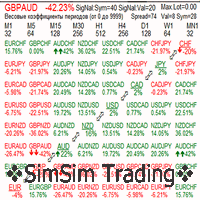
    SimSim Tournament Currency Strength Table   This is a multi-currency indicator; it shows the relative strength of the currency and 28 major currency pairs. There are many similar indicators on the market, but let there be one more. In this indicator, unlike others, you can specify weighting factors for each timeframe. Weighting factors. Why are they? Each trader prefers to work with a specific time frame, which is the main one for him, and the signals from him are most important. Examples of s
    Heaven Assistant: Simplify Your MT4 Management Simplify the management of the MetaTrader 4 (MT4) platform with the Heaven Assistant . This Expert Advisor (EA) is a robust tool that allows you to control and customize your trading environment in an efficient and user-friendly manner. Key Features: Multiple Pairs Opening: Quick access to most currency pairs, both major and minor, plus exotic pairs. The ability to open indices, metals, and cryptocurrencies with a single click. Template Change: Easi
    ️ ALBA GOLDEN PHANTOM SNIPER PRO ️ The Apex of Algorithmic Warfare | Engineered by Alba Vision Systems Redefining Gold Algorithmic Execution Welcome to the frontier of autonomous quantitative finance. Alba Golden Phantom Sniper PRO was not simply "programmed"—it was mathematically engineered from the ground up to conquer the most volatile and lucrative asset in the world: Gold (XAUUSD) . Retail indicators lag; mathematics does not. Alba Golden Phantom discards outdated lagging indicators in fa

    FOREXBOB AUTO CLOSER   is a very handsome tool for manual traders who doing :- Scalping  Correlation Hedging Those who use averaging methods etc. As this utility tool will help you by closing all your running trades when the universal floating P/L reaches a certain value that you will put in inputs. You may enable and disable the alert message on your mobile phone when auto closer close all the running deals on specified profit. You may add any message you want in notification.  This tool consid
    FREE
    Signalator Local Trade Copier MT4 is a fast local trade copier for running Master and Receiver terminals on the same computer or VPS. It supports cross-platform copying between MT4, MT5 and cTrader terminals in any direction: MT4 ↔ MT5 ↔ cTrader , and all other combinations. Copy trades locally without an external cloud relay. The Master publishes trade activity into a local bridge, and each Receiver controls what to copy, which Master accounts to accept, how to map symbols, how to size lots, an
    DailyHighLow
    Komi Eyram F Kahoho
    5 (1)
    Please remember to rate the indicator to help me with visibility. The DailyHighLow Indicator for MetaTrader 4 (MT4) provides a sophisticated tool for tracking daily price movements. Designed for traders who need clear, actionable insights into market highs and lows, this indicator automatically plots trend lines based on the highest and lowest prices over a customizable number of days. Key Features: Trend Lines Customization: Define colors, line styles, and widths for both broken and unbroken
    FREE
    Spread Control MT4
    Nikita Chernyshov
    Spread Control è un indicatore compatto per MetaTrader 4 che consente di monitorare lo spread attuale e la sua dinamica direttamente sul grafico dello strumento. Funzionalità Spread attuale in tempo reale Grafico delle variazioni dello spread con lo storico degli ultimi valori Calcolo di LOW / AVG / HIGH per il periodo visualizzato Indicazione a colori dello stato dello spread: livello normale; livello di avviso; livello critico Scala visiva del valore corrente Visualizzazione dei valori attuali
    Raiden Forex
    Ruben David Santana Rodriguez
    5 (1)
    Este indicador es muy practico ya que nos ofrece las señales directamente en el grafico en forma de linea , pero no solo eso , la misma linea nos indica el stop loss , al mismo tiempo , el indicador nos dice cuando salir del mercado con el cambio de señal pero para eso habria que monitorizar la señal por lo que se puede optar por poner un take profit minimo de 1:1. Las señales son claras , en el momento en que el indicador dibuja debajo del precio una linea azul , se abre una operacion de compra
    TickChart
    Boris Sedov
    5 (1)
    Tick Chart — full-featured chart for MetaTrader 4. A utility for creating and working with a tick chart in the MetaTrader 4 terminal. You can create a tick chart that works exactly the same as a regular chart. You can apply indicators, Expert Advisors and scripts to the tick chart. You get a fully functional tick chart on which you can work just as well as on a regular chart. You can enable the output of the Ask price data. The data are generated in the form of the upper shadow of a tick bar. Fr
    Rise or fall volumes free
    Alexander Nikolaev
    3 (1)
    This is an adviser that analyzes the volumes inside the last closed bar and trades based on these volumes. It can more accurately predict the behavior of large players in the market, as it determines the volume to buy or sell not by the bar on the current time frame, but by the bars of the lower time frames inside the bar (candle) of the current time frame. In the settings, you can make different ways to determine the volume for growth, or for falling. Unlike the pro version , the free version h
    FREE
    Gli utenti di questo prodotto hanno anche acquistato
    Forex Trade Manager MT4
    InvestSoft
    4.98 (447)
    Benvenuto a Trade Manager EA, lo strumento definitivo per la gestione del rischio , progettato per rendere il trading più intuitivo, preciso ed efficiente. Non è solo uno strumento per l'esecuzione degli ordini, ma una soluzione completa per la pianificazione delle operazioni, la gestione delle posizioni e il controllo del rischio. Che tu sia un principiante, un trader avanzato o uno scalper che necessita di esecuzioni rapide, Trade Manager EA si adatta alle tue esigenze, offrendo flessibilità s
    Exp COPYLOT CLIENT for MT4
    Vladislav Andruschenko
    4.69 (65)
    Copiatore professionale di operazioni per MetaTrader 4 Un copiatore di operazioni veloce, affidabile e professionale per MetaTrader 4 . COPYLOT consente di copiare operazioni Forex tra i terminali MetaTrader 4 e MetaTrader 5 , offrendo una sincronizzazione flessibile per diversi tipi di conto e modalità operative. La versione COPYLOT MT4 supporta: MetaTrader 4 → MetaTrader 4 MetaTrader 5 Hedge → MetaTrader 4 MetaTrader 5 Netting → MetaTrader 4   Versione MT5 Descrizione completa + DEMO + PDF Com
    Trade Assistant MT4
    Evgeniy Kravchenko
    4.43 (197)
    It helps to calculate the risk per trade, the easy installation of a new order, order management with partial closing functions, trailing stop of 7 types and other useful functions. Additional materials and instructions Installation instructions   -   Application instructions   Line function -   shows on the chart the Opening line, Stop Loss, Take Profit. With this function it is easy to set a new order and see its additional characteristics before opening.   Risk management  - The risk calcu
    Local Trade Copier EA MT4
    Juvenille Emperor Limited
    4.96 (111)
    Local Trade Copier EA MT4 è un trade copier rapido e flessibile per copiare e gestire operazioni tra più conti MetaTrader 4 sullo stesso computer Windows o Windows VPS. Combina la sincronizzazione locale delle operazioni con controlli lato Receiver per dimensione del lotto, gestione del rischio, filtraggio delle operazioni, mappatura dei simboli, gestione delle operazioni e protezione del conto. Configura i terminali Transmitter e Receiver in circa 1 minuto e copia operazioni manuali o aperte d
    Trade Dashboard MT4
    Fatemeh Ameri
    4.96 (55)
    Trade Dashboard simplifies how you open, manage, and control your trades, with built-in lot size calculation. It allows you to execute trades, manage risk, and control positions directly on the chart, with tools such as partial close, breakeven, and trailing stop. Designed to reduce manual work and help you stay focused on your trading decisions. A demo version is available for testing. Detailed explanations of features are provided within the MQL5 platform. Installation instructions are include
    Ultimate No Nonsense FX Backtester - You can Run Forward Test Simulation with this tool! Do Not Download the Demo Here, Please Read Below! Step by Step Manual Guide PDF for this backtester PDF List of Commands(Shortcuts) for this backtester Ultimate NNFX Backtester is a powerful utility tool that significantly reduces the length of backtesting process for NNFX followers.  As well as for Forex traders that operates their entries and exits at the close of a candle and manage the risk using ATR.
    The product will copy all telegram signal to MT4   ( which you are member  ) , also it can work as remote copier.  Easy to set up, copy order instant, can work with almost signal formats, image signal, s upport to translate other language to English Work with all type of channel or group, even channel have "Restrict Saving Content", work with  multi channel, multi MT5 Work as remote copier: with signal have ticket number, it will copy exactly via ticket number. Support to backtest signal. How to
    RS Trade Copier
    Boris Sedov
    5 (1)
    RS Trade Copier - il local trade copier ultra-veloce con una vera interfaccia grafica. Smetti di inserire i numeri di conto manualmente. Addio alle interminabili liste di oltre 200 parametri nelle impostazioni. Uno strumento affidabile e flessibile per copiare operazioni di trading tra multipli terminali MT4 e MT5. È adatto sia a trader esperti e servizi di segnali, sia a investitori privati. Permette di sincronizzare il trading da uno o più Fornitori a uno o più Clienti con elevata precisione e
    Simple button panel of trade on your chart with OneClick VZ . This trade panel will make it easier for you. Equipped with several functions that make it very easy for you. You can try Trial Version OneClick V1 in here . This version includes: Open Order Buy Open Order Sell Open Pending Order [Buy Limit - Buy Stop - Sell Limit-Sell Stop] Close ALL orders Close Order Buy Close Order Sell Delete Pending Order [Buy Limit - Buy Stop - Sell Limit-Sell Stop] Order Management: Stop Loss Take Profit Tra
    Trade Indicator Assistant is a powerful MT4 utility designed to turn indicators into automated trading systems. Its main feature is the ability to automatically detect an indicator’s   BUY and SELL signal buffers , without requiring you to know the buffer numbers, search through indicator settings, or modify the indicator source code. Bonus Indicator: After purchasing Trade Indicator Assistant, contact me to receive Trade Signal Pro completely free as a bonus indicator. [Download Demo Version]
    Practice Simulator è un simulatore di trading completo per backtesting, pratica di trading e trading dal vivo. Che tu sia un principiante che ha bisogno di fare pratica o un trader esperto che analizza i dati, questo strumento è adatto a tutti i livelli. Utilizzalo per il trading Forex, l'analisi del mercato o l'ottimizzazione delle strategie. Practice Simulator consente di fare pratica in qualsiasi momento, anche nei giorni festivi del mercato, con un'interfaccia semplice ma ricca di funzionali
    News Filter EA MT4
    Rashed Samir
    5 (10)
    News Filter EA: Advanced Algo Trading Assistant News Filter EA is an advanced algo trading assistant designed to enhance your trading experience. By using the   News Filter EA , you can integrate a Forex economic news filter into your existing expert advisor, even if you do not have access to its source code. In addition to the news filter, you can also specify   trading days   and   hours   for your expert. The News Filter EA also includes   risk management   and   equity protection   features
    Equity Protect Pro: Il tuo esperto di protezione del conto completo per un trading senza preoccupazioni Se stai cercando funzionalità come protezione del conto, protezione del capitale proprio, protezione del portafoglio, protezione multi-strategia, protezione dei profitti, raccolta dei profitti, sicurezza del trading, programmi di controllo del rischio, controllo automatico del rischio, liquidazione automatica, liquidazione condizionale, liquidazione programmata, liquidazione dinamica, trailin
    Trailing Stop and Breakeven Manager - Trail Architect MT4 Auto Trailing Stop and Breakeven Manager for MT4. Protect profit with automatic break even, then trail your stop loss using Classic, Step, ATR or Candle trailing - all from one professional panel. Every trader knows the pain: a winning trade turns into a loss because the stop loss was never moved. Watching the chart all day just to move your stop to break even and trail the stop loss by hand is exhausting - and one missed move can wipe o
    TradePanel MT4
    Alfiya Fazylova
    4.84 (95)
    Trade Panel è un assistente commerciale multifunzionale. L'applicazione contiene più di 50 funzioni di trading per il trading manuale e permette di automatizzare la maggior parte delle attività commerciali. Istruzioni per l'applicazione : https://www.mql5.com/it/blogs/post/762331 Versione di prova dell'applicazione per un conto demo: https://www.mql5.com/it/blogs/post/762419 Come installare l'applicazione: https://www.mql5.com/it/blogs/post/762362 Come testare l'applicazione in modalità visuale:
    Grid Manual MT4
    Alfiya Fazylova
    4.71 (17)
    Grid Manual è un pannello di trading per lavorare con una griglia di ordini. L'utilità è universale, ha impostazioni flessibili e un'interfaccia intuitiva. Funziona con una griglia di ordini non solo nella direzione delle perdite, ma anche nella direzione dell'aumento dei profitti. Il trader non ha bisogno di creare e mantenere una griglia di ordini, lo farà l'utilità. È sufficiente aprire un ordine e il manuale di Grid creerà automaticamente una griglia di ordini per esso e lo accompagnerà fino
    DoIt Trade Manager - Risk Panel and EA Position Manager for MT4 Finding an entry is only half the job. Many execution mistakes happen in position sizing, partial exits, breakeven, trailing and account protection. DoIt Trade Manager puts the complete workflow on the chart. Plan the risk before entry, execute the order and apply consistent management rules to your manual trades and selected positions opened by other EAs. Full setup guide + how the free version works and where PRO starts :  https:/
    Telegram to MT4 Multi-Channel Copier   copia automaticamente i segnali di trading dai tuoi canali Telegram e Discord direttamente su MetaTrader 4. Niente bot, niente estensioni del browser, niente copia manuale. Il segnale arriva su Telegram o Discord e l'EA apre l'operazione nel tuo terminale in pochi secondi. E prima di copiare un canale, il backtester integrato ti mostra cosa avrebbe fatto quel canale sul tuo conto. Il prodotto include due componenti: un'applicazione Windows che ascolta i tuo
    AZ Trade Recovery Assistant MT4   combines manual trading flexibility with intelligent automated management.This advanced on-chart panel isn’t just for trade execution — it’s a complete trade management assistant. You can open or close positions instantly, adjust lot size, manage trailing stops, and modify Take Profit or Stop Loss — all directly from the panel. It’s built for traders who want full control of their trades with smart automation running in the background. What truly makes this assi
    CloseIfProfitorLoss with Trailing
    Vladislav Andruschenko
    4.88 (32)
    Close If Profit or Loss with Trailing per MetaTrader 4 — chiusura automatica per profitto totale o perdita totale Un’utilità pratica per MetaTrader 4 che chiude automaticamente le posizioni quando il profitto totale o la perdita totale raggiunge il livello impostato. L’Expert Advisor monitora le operazioni aperte, calcola il risultato flottante, può usare Trailing Profit e aiuta a gestire le posizioni più rapidamente rispetto a una reazione manuale. MetaTrader 4 è ancora molto utilizzato da tra
    Serve supporto? Come configurarlo? Hai domande? Chiedi qui nella tua lingua, risposta rapida: https://www.mql5.com/en/market/product/139089/comments Scarica la versione di prova funzionante Copy Cat More (Gatto Copione) — Copiatore di Trade (Trade Copier) MT4 non è solo un semplice copiatore locale di trade; è un framework completo di gestione del rischio e di esecuzione (risk management and execution framework) progettato per le sfide di trading di oggi. Dalle challenge delle prop firm alla
    Trade copier MT4
    Alfiya Fazylova
    4.62 (37)
    Trade Copier è un'utilità professionale progettata per copiare e sincronizzare le transazioni tra conti di trading. La copiatura avviene dal conto/terminale del fornitore al conto/terminale del destinatario, che sono installati sullo stesso computer o vps. Prima di acquistare, puoi testare la versione demo su un account demo. Versione demo qui . Istruzioni complete qui . Funzionalità e vantaggi principali: Supporta la copia degli ordini: MT4> MT4, MT4> MT5, MT5> MT4, inclusi i conti di compensaz
    Telegram to MT4 Coppy
    Sergey Batudayev
    4.09 (11)
    Da Telegram a MT4: la soluzione definitiva per la copia del segnale Semplifica il tuo trading con   Telegram su MT4   , l'utility all'avanguardia progettata per copiare i segnali di trading direttamente dai canali e dalle chat di Telegram sulla tua piattaforma MetaTrader 4, senza bisogno di DLL. Questa soluzione affidabile garantisce un'esecuzione impeccabile dei segnali con una precisione e opzioni di personalizzazione senza pari, risparmiando tempo e aumentando la tua efficienza. [ Instruction
    Trading History MT4
    Siarhei Vashchylka
    5 (9)
    Trading History - A program for trading and money management on the history of quotes in stratagy tester. It can work with pending and immediate orders, and is equipped with trailing stop, breakeven and take profit functions. Very good for training and testing different strategies. Manual (Be sure to read before purchasing) Advantages 1. Allows you to test any trading strategy in the shortest possible time 2. An excellent simulator for trading training. You can gain months of trading experience
    Exit Manager
    Victor Christiaanse
    5 (2)
    Close every trade at the right moment, automatically. Most traders spend their energy on the entry and then close too early, too late, or on a feeling. Exit Manager takes the exit off your hands. Open a trade the way you always do, by hand or with any Expert Advisor, and Exit Manager watches it and closes it, fully or partly, when the indicator signal you chose appears. You can see it working on the chart. A clean panel on your chart shows, for every open trade, which rule will close it next, ho
    Forex Sentiment Trader PRO EA
    Salvador Martinez Ramos
    5 (2)
    I have created this  MT4 Tool EA to test if it is more profitable to trade in favor of the mass sentiment of traders or it is better to go against it. Remember to authorize Myfxbook url in WebRequest options in MT4 .  Features: Market Sentiment update every 30 minutes SL TP BreakEven Trail SL Daily Target Profit Max Daily DrawDown (Useful for prop firm) Max Spread Filter Time Filter Custom Trade Comments Protection in case a pair is not read correctly from the web (Prevents improper closing or o
    Livelli GEX in tempo reale da dati opzioni CBOE. ES, NQ, RTY, Gold. Aggiornamento ogni 2 minuti. Full description: GammaOrderBook — EA tutto-in-uno che scarica e visualizza dati GEX live direttamente sul grafico. Nessun indicatore separato necessario. Cosa viene visualizzato • GEX Bars — Livelli gamma Call/Put come barre orizzontali, divisi per fonte ETF/Index • Zero Gamma Line — Livello critico di cambio direzione copertura • Panorama V4 — Posizionamento gamma multi-timeframe • Supporto/Res
    Drawdown Minimizer for MetaTrader 4 - your EAs pay in, old losers get paid off. This utility runs next to your other Expert Advisors and never opens a trade. It keeps a savings book of the net realized profit of your whole account and uses it to close the oldest losing positions of the EAs you choose - slice by slice, oldest first. WHY IT EXISTS Made by traders, for traders. One of our grid EAs got stuck in drawdown for months. The old positions did not come back, and they paid swap every single
    Trade Autopilot MT4
    Sergio Marquez Uroz
    Trade Autopilot gestisce le operazioni che apri a mano, da PC o da telefono. Aggiunge uno stop loss se manca, lo porta a pareggio, chiude parte dell'operazione e segue il resto con un trailing. Tutto è misurato in R, il tuo rischio iniziale, e in ATR, così la stessa impostazione funziona su oro, indici e forex. Prezzo di lancio fino al 15 dicembre: 30 USD, 50% di sconto sul prezzo normale di 60 USD. Decidi tu quando entrare. Da lì in poi dell'operazione si occupa Trade Autopilot. Non apre operaz
    ATTENTION: The Indicator cannot be backtested, as it is generated exclusively from live intraday calculations based on options flow. GEX Level Converter – Gamma Exposure Mapping for CFD Charts NASDAQ-100 edition — for US100 · NDX · NAS100 · USTECH and every Nasdaq-100 CFD equivalent Instantly see professional options-market levels directly on your MetaTrader Nasdaq-100 CFD chart. The GEX Level Converter translates the daily Gamma Exposure (GEX) zones of the NDX options market into precise pri
    Altri dall’autore
    Matter
    Abraham Correa
    indicator draws multi-timeframe ATR grids that stay locked to the most recent price activity so you can see realistic volatility ranges at a glance on a live chart or in the strategy tester. You choose whether the main grids center on the current open candle, the last closed candle, or a candle you click to lock. Each timeframe can show its own number of lines above and below that center, and any grid whose ATR falls below your minimum pip threshold is hidden. An optional extra grid can also be
    FREE
    SyncAllCharts is a lightweight lead-chart indicator built for multi-chart traders who want every open chart to stay locked to the same symbol without constant manual switching. Purpose / Motive Attach it to any chart and that chart becomes the master. All other open charts immediately adopt its symbol (while keeping their own timeframes). You can then flip the master symbol with the center / buttons or the keyboard Up/Down arrows and every chart follows instantly. The goal is faster symbol sc
    FREE
    is a native chart-management script. When run on a chart, it opens separate charts for the same symbol at the enabled timeframes, from M1 through MN1. By default, it opens M15, M30, H1, H4, and D1. You can enable or disable each supported timeframe to create a workspace suited to your analysis. Key Benefits One-Click Multi-Timeframe Access: Open all selected timeframes without manually creating each chart. Flexible Configuration: Enable or disable individual timeframes from M1 to MN1. Cleaner W
    FREE
    is a native chart-management script. When run on a chart, it opens separate charts for the same symbol at the enabled timeframes, from M1 through MN1. By default, it opens M15, M30, H1, H4, and D1. You can enable or disable each supported timeframe to create a workspace suited to your analysis. Key Benefits One-Click Multi-Timeframe Access: Open all selected timeframes without manually creating each chart. Flexible Configuration: Enable or disable individual timeframes from M1 to MN1. Cleaner Wo
    FREE
    is a visual market-monitoring indicator that displays multiple trading instruments and timeframes within a single chart window. Developed using MQL5, the indicator transforms historical price data into a structured dashboard featuring custom candlesticks or price dots. Each row represents a symbol, while each column represents a selected timeframe. This arrangement allows traders to examine recent market behavior across several instruments and timeframes without continually opening and closing c
    FREE
    Adattandosi alla volatilità, il rischio potenziale per premiare le posizioni di trading viene mostrato in base al Range reale medio. Le caselle Rischio-Rendimento vengono visualizzate quando si fa clic sul pulsante "Acquista o vendi"! Un'utilità del calcolo ATR, gioire con una questione che non fa parte di una decisione difficile per quando chiudere un commercio. Questo problema aiuterebbe la tua decisione di gestione del rischio.  Specifica L'Average True Range è un indicatore comunemente usat
    FREE
    This indicator builds a live correlation matrix from the symbols currently selected in Market Watch . It calculates Pearson correlation on simple returns over a user-defined lookback and displays the results in a clean, auto-sized grid. Positive correlations appear in green, negative in red, and near-zero values stay neutral. An optional automatic timeframe scanner cycles through only the timeframes you enable (M1, M5, M15, M30, H1, H4, D1, W1, MN1), updating the entire matrix at a set interval.
    FREE
    MATR Matrix
    Abraham Correa
    A Market Watch multi-timeframe ATR dashboard that turns a chart into a full-screen table showing each selected symbol’s recent volatility across multiple timeframes. It calculates ATR for the symbols visible in Market Watch, then displays the result in pips, points, or raw price units. Its practical use is volatility scanning, quickly finding instruments and timeframes that are moving enough—or quietly enough—for your trading style.                                Period that is worth using Sty
    FREE
    Shut Down
    Abraham Correa
    gives you the power to close every open chart window at once — no matter the symbol, timeframe, number of indicators, Expert Advisors, or objects on them. When you attach it, a confirmation dialog appears. Only after you explicitly grant permission does the script shut down all charts, leaving you on the clean gray screen with Market Watch still fully available. From there you can rebuild your layout from scratch exactly the way you want it. Ideal for: Quickly clearing a cluttered multi-chart wo
    FREE
    indicator draws multi-timeframe ATR grids that stay locked to the most recent price activity so you can see realistic volatility ranges at a glance on a live chart or in the strategy tester. You choose whether the main grids center on the current open candle, the last closed candle, or a candle you click to lock. Each timeframe can show its own number of lines above and below that center, and any grid whose ATR falls below your minimum pip threshold is hidden. An optional extra grid can also be
    FREE
    Activation initiates the sequence from the initial symbol in the Market Watch roster, forming a perpetual loop that continues until deactivation. The system employs global terminal variables to sustain operational continuity amid symbol-induced reinitializations, thereby ensuring uninterrupted performance. This EA should not be checked off as 'Allowed live Trading' and is functional with that checkmark box, when uploading the EA. Principal advantages encompass augmented productivity in overseein
    FREE
    Automated Timeframe cycling with Symbols centered.  Force every timeframe onto one clock window, so the story you see on Daily is the same story you are slicing on H4, H1, and M1.  Traders usually flip timeframes and lose the span. A Daily chart shows a few weeks, then M15 shows a few hours, and the eye treats them as different markets. This indicator locks the window to N bars of the highest enabled timeframe — default 10 Daily — and maps every lower timeframe to that same stretch. You stay ins
    FREE
    An on-chart pre-trade planning panel that calculates and displays risk, lot size, and potential outcomes for three ATR-based targets (TP1 / TP2 / TP3) across ten risk-percentage profiles. It shows live spread, point or pip value, total cost (spread + commission + swap), stop-loss exposure, and the resulting dollar and percentage outcomes for each risk level. The panel is drawn entirely with chart objects, remains responsive to window size, and supports both points and pips mode. Benefits Gives a
    FREE
    is a multi-timeframe visual matrix that tracks the relative linear progression (log-return strength) of the eight major currencies — EUR, GBP, AUD, NZD, USD, CAD, CHF, and JPY — across selected timeframes in a single responsive panel. Motive Traders often struggle to quickly see which currencies are gaining or losing strength relative to one another across multiple timeframes. This indicator condenses that information into color-coded progression lines so you can immediately identify strong vers
    FREE
    BirdsIview
    Abraham Correa
    is a user-friendly MetaTrader 4 indicator that creates a centralized dashboard for traders to oversee market symbols simultaneously across different timeframes, presenting price movements through simple dots or miniature candlestick charts, complemented by volume indicators to facilitate quick assessments of market trends and fluctuations. It automatically resizes grid cells according to the number of bars shown per timeframe for better use of screen space, features adjustable color schemes fo
    FREE
    Displays broker-provided LONG and SHORT swap values for selected instruments in a full-chart, dynamically sized table. The Swaps Monitor Table provides a simple way to view the swap rates supplied by your broker for multiple trading instruments at once. The table can display instruments from Market Watch, all available instruments, or a manually selected list , allowing traders to monitor swap costs without opening each symbol individually. The indicator automatically adjusts the table cells an
    FREE
    Automated Timeframe cycling with Symbols centered.  Force every timeframe onto one clock window, so the story you see on Daily is the same story you are slicing on H4, H1, and M1.  Traders usually flip timeframes and lose the span. A Daily chart shows a few weeks, then M15 shows a few hours, and the eye treats them as different markets. This indicator locks the window to N bars of the highest enabled timeframe — default 10 Daily — and maps every lower timeframe to that same stretch. You stay ins
    FREE
    visual trade planner for MetaTrader 5. It draws multi-timeframe ATR reward and stop zones on the chart so you can judge distance and payoff before you place the trade yourself. It does not send, modify, or close orders. Motive A single ATR on the chart timeframe often hides the larger and smaller ranges a trade is actually working against. This EA stacks three take-profit slices, each from its own timeframe, period, and multiplier, then places an ATR stop and an optional fixed stop beside them.
    FREE
    SymbolLotSizer
    Abraham Correa
    This EA gives traders a clean, full-window view of how large a position each Market Watch symbol can support at different percentages of account balance used as margin. It helps you quickly compare sizing options across symbols and risk levels without ever placing or modifying orders. The goal is simple position-size awareness so you can decide exposure before you trade. Benefits Shows lot size potential across Market Watch symbols at up to three different % of balance margin levels side-by-sid
    FREE
    The SymbolicTimeFramingUniverse indicator for MetaTrader 4 (MT4) is designed to enhance chart navigation by displaying the current symbol and timeframe as stacked labels directly on the chart window. It provides precise alignment and customization options, including positioning in the center or corners, adjustable offsets, font styling, and layer controls for visibility (such as background placement or color flashing). This tool supports professional trading workflows by ensuring quick identific
    FREE
    A versatile on-chart tool displaying real-time ATR values across up to 10 timeframes (M1 to MN1) in numerical format, bypassing subwindow charts for cleaner analysis. Key features: Toggle per-timeframe visibility, decimal/pips mode, customizable multiplier (e.g., for scaled stops), font/size/color adjustments, and corner/center positioning. Ideal for volatility-based trading—compute position sizes or filters instantly without manual math. Free download; compatible with MT4 Build 600+. Enhances m
    FREE
    is designed to enhance the visual representation of financial charts in MetaTrader 4 by dynamically altering the colors of various chart elements, including candlesticks, bars, line charts, and volume bars. Its primary purpose is to improve trader intuition and engagement during market analysis by introducing smooth, cyclical color transitions that can highlight momentum shifts, trends, or volatility without overwhelming the display. This functionality is particularly beneficial for traders who
    FREE
    Automatically cycles through every symbol in your Market Watch at a user-defined interval, letting you scan multiple pairs hands-free without manually changing charts. Benefits Hands-free multi-pair scanning with adjustable speed and optional reverse direction Reliable play/pause button that stays on-chart and can be placed in any corner with custom colors Optional large centered Symbol + Timeframe labels (stacked, with adjustable spacing) that can sit behind or in front of price Remembers its p
    FREE
    Quote Cost Parity is  a MetaTrader 5 chart panel for forex majors and minors that share a quote currency. Pairs with the same quote have the same pip cost for a given lot. The indicator uses that correspondence directly: it calculates the cost once for the group, then shows that cost for three lot sizes. It acknowledges only these quote groups. JPY: USDJPY, EURJPY, GBPJPY, AUDJPY, NZDJPY, CADJPY, CHFJPY. Source : USDJPY. CHF: USDCHF, EURCHF, GBPCHF, AUDCHF, NZDCHF, CADCHF. Source : USDCHF. CAD:
    FREE
    Swap Monitor
    Abraham Correa
    designed to help traders monitor the long and short swap rates of available trading instruments through a clear, organized on-chart table. Its primary purpose is to make overnight financing costs and potential swap credits easier to observe across multiple symbols without repeatedly opening individual instrument specifications. By presenting swap information in a centralized display, the application helps traders incorporate holding costs into their market analysis and trade planning. Key Benef
    FREE
    This script paces itself to zoom into the deepest setting of ZOOM +     You may be in tune to know a few keyboard easter eggs. Pressing the  minus <->  button has the capability to Zoom the Chart Outward! Interesting to see the price reevaluate itself in perspective. This we could see is quite contagiously useful if we wanted to be quick with analyzing, examining through your tools, in your plans and such. So, if you ever wanted to zoom IN and OUT, here is Your play around with the chart poin
    FREE
    Omnirange
    Abraham Correa
    Omnirange is a position manager for MT5 that turns open trades into a multi-stage volatility trail while simultaneously showing the true account-risk distance of each position.  It does not open trades. On every timer cycle it reads the open positions that match its Magic Number (or all of them), calculates several volatility distances (ATR on three timeframes, Average Daily Range, Average Weekly Range, Average Monthly Range), sorts them from smallest to largest, and uses those distances as succ
    FREE
    This EA gives traders a clean, full-window view of how large a position each Market Watch symbol can support at different percentages of account balance used as margin. It helps you quickly compare sizing options across symbols and risk levels without ever placing or modifying orders. The goal is simple position-size awareness so you can decide exposure before you trade. Benefits Shows lot size potential across Market Watch symbols at up to three different % of balance margin levels side-by-sid
    FREE
    An on-chart pre-trade planning panel that calculates and displays risk, lot size, and potential outcomes for three ATR-based targets (TP1 / TP2 / TP3) across ten risk-percentage profiles. It shows live spread, point or pip value, total cost (spread + commission + swap), stop-loss exposure, and the resulting dollar and percentage outcomes for each risk level. The panel is drawn entirely with chart objects, remains responsive to window size, and supports both points and pips mode. Benefits Gives a
    FREE
    Shutdown
    Abraham Correa
    The power to close every open chart window at once — no matter the symbol, timeframe, number of indicators, Expert Advisors, or objects on them. When you attach it, a confirmation dialog appears. Only after you explicitly grant permission does the script shut down all charts, leaving you on the clean gray screen with Market Watch still fully available. From there you can rebuild your layout from scratch exactly the way you want it. Ideal for: Quickly clearing a cluttered multi-chart workspace
    FREE
    Filtro:
    Nessuna recensione
    Rispondi alla recensione