Performance Scoreboard EA
- Utilità
- Versione: 1.1
- Aggiornato: 17 novembre 2026
- Attivazioni: 10

Performance Scoreboard EA - Read-only dashboard
This tool does NOT open, close or modify any trades. It only reads your account's history and shows the results of each Expert Advisor on the chart.
If you run several EAs on one account, the account balance alone cannot tell you which EA is earning and which one is losing. Performance Scoreboard separates every closed trade by EA, so you can review each one on its own.
KEY FEATURES
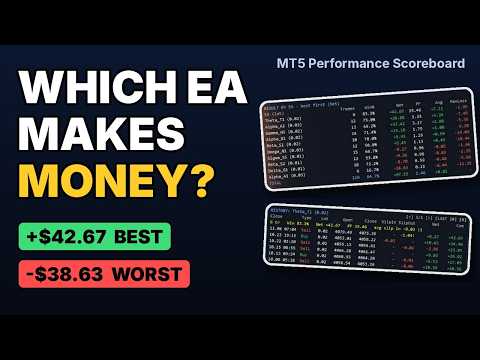
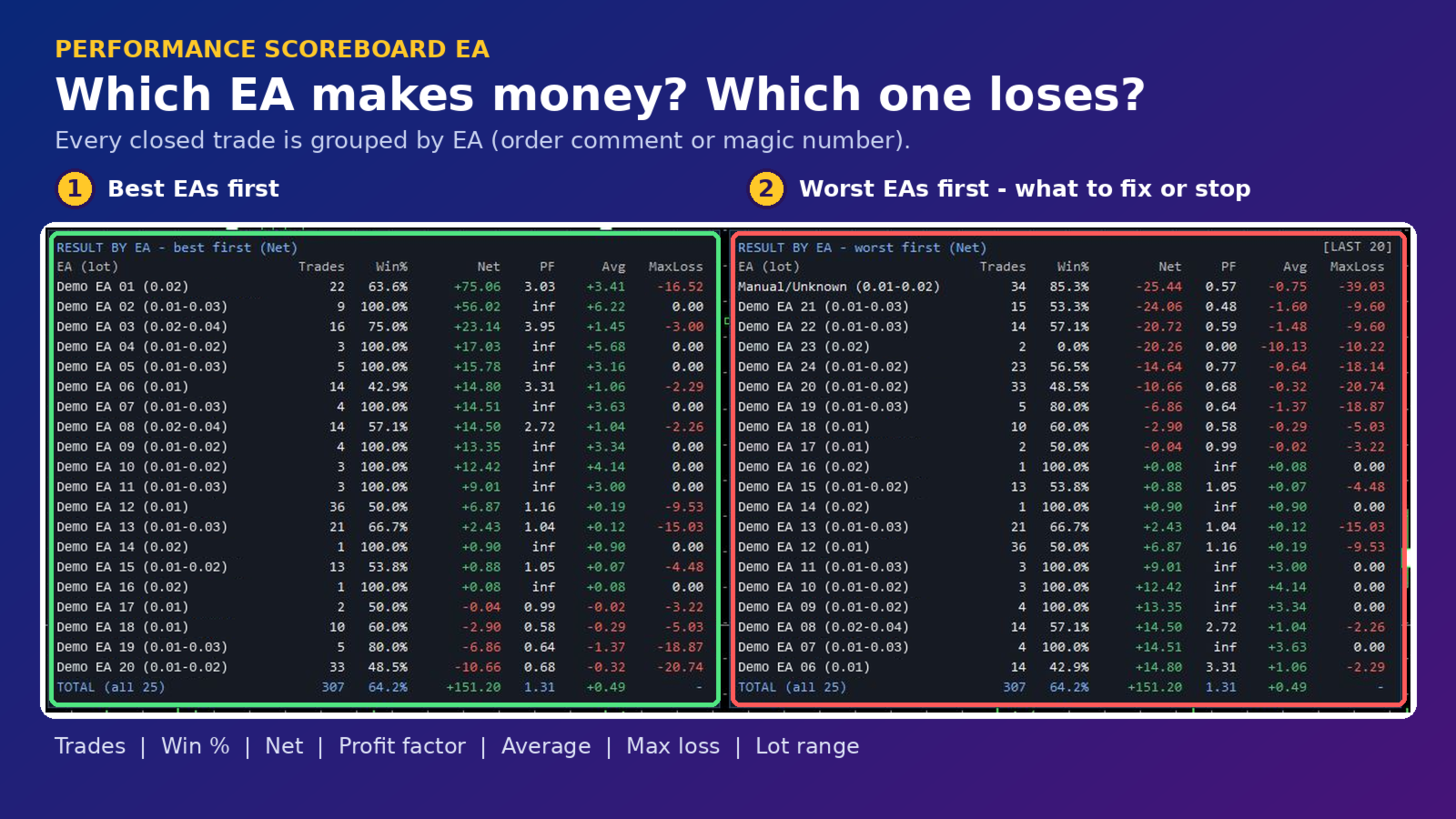
1. Best EA and Worst EA at a glance
- Two tables side by side: "Best first" and "Worst first".
- See at once which EAs are helping your account and which ones are pulling it down.
- Sort the tables by net profit or by profit factor (PF).
- Each EA shows trades, win rate, net result, profit factor, average trade, largest loss and lot range.
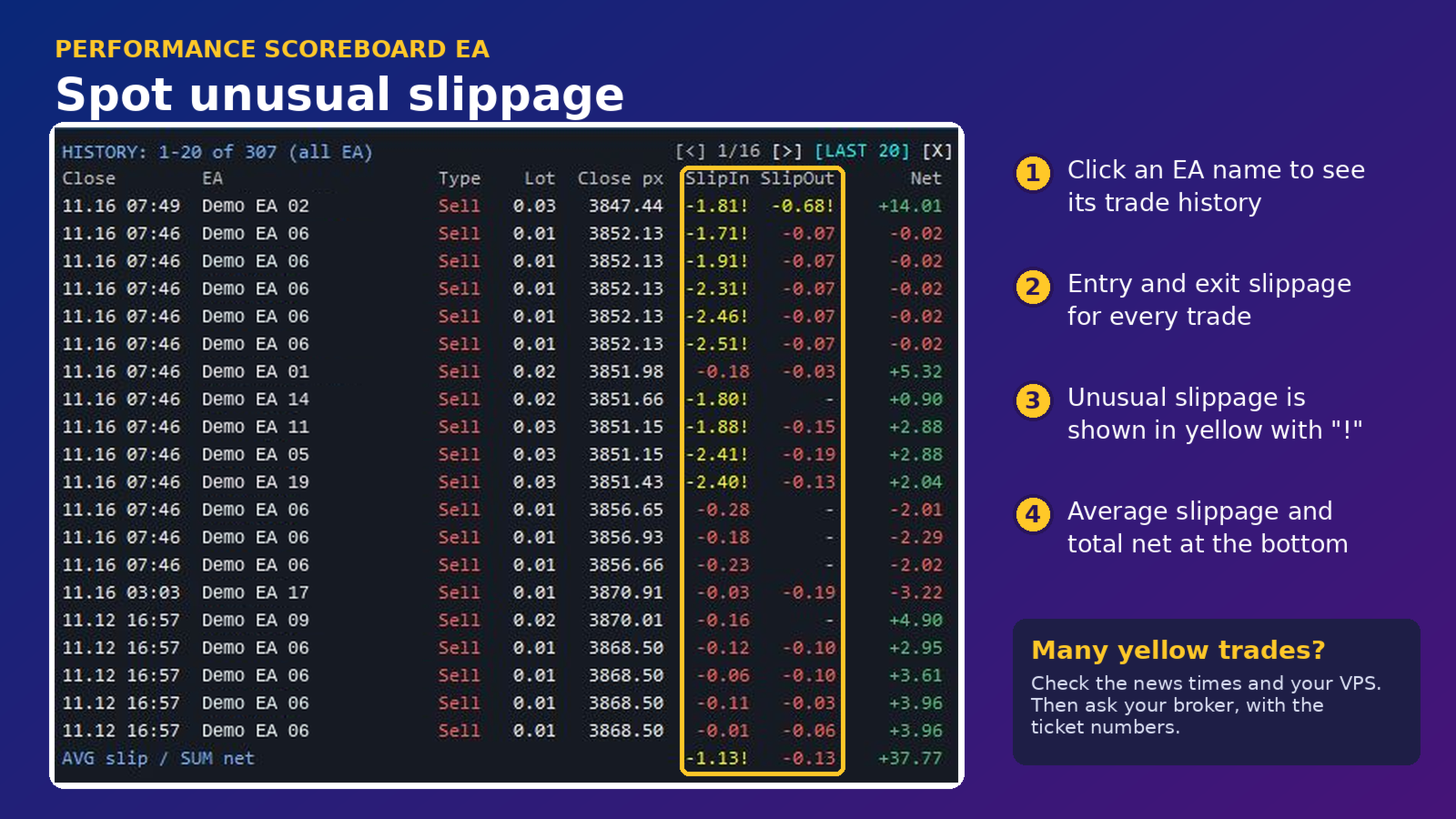
2. Slippage check for every trade
- Click any EA name to open its trade history with entry and exit slippage for each trade.
- Trades with unusual slippage are highlighted in yellow, so problems are easy to spot.
- What to do when you see many yellow trades:
* Check the time of those trades. Slippage around news releases and market open is common.
* Check your connection. A VPS close to your broker's server usually reduces slippage.
* Compare with a demo or another account running the same EA.
* If slippage keeps appearing in normal market hours, send the ticket numbers to your broker and ask for an explanation.
3. Results by EA and by week
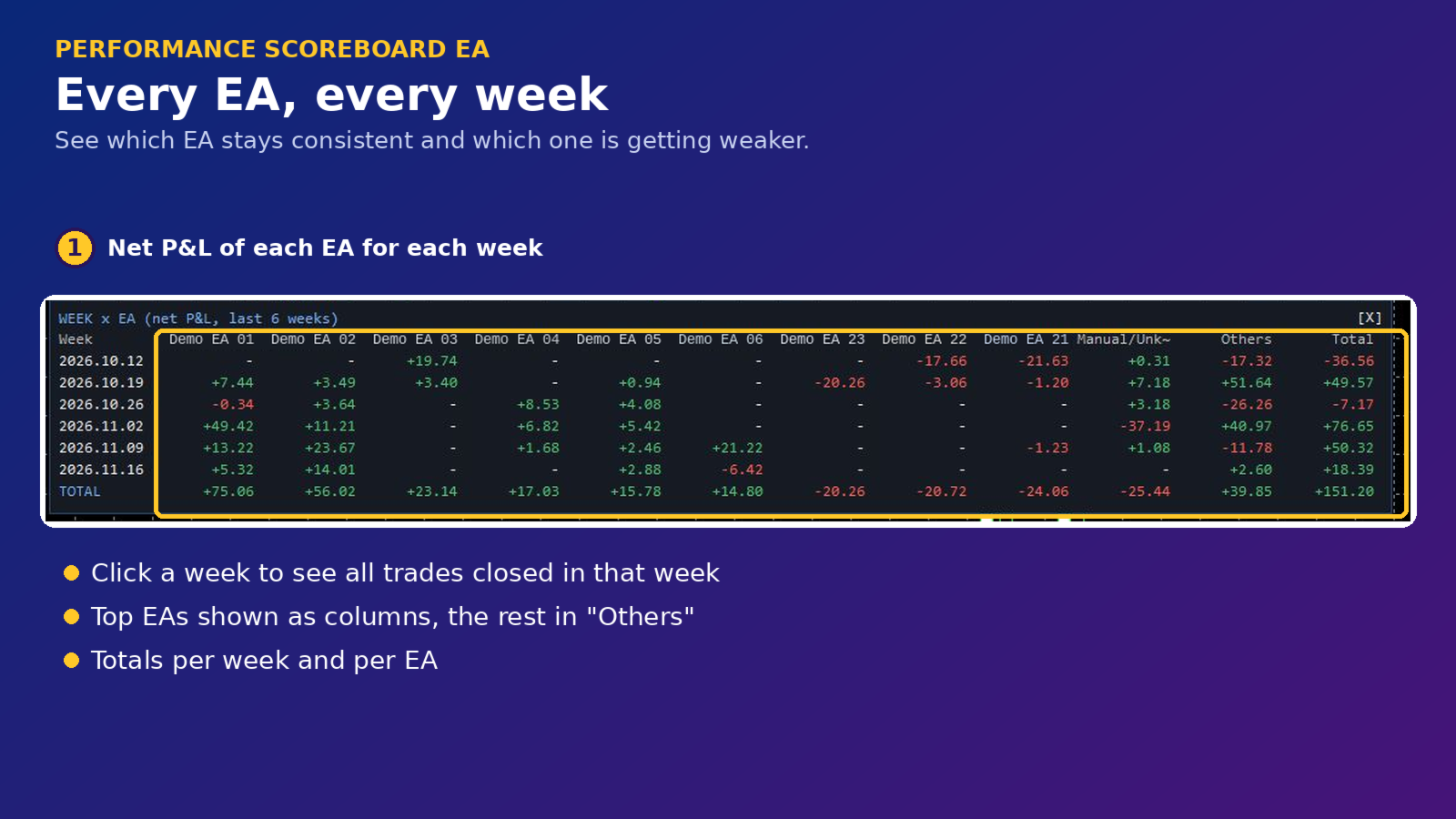
- Week x EA table: see each EA's result week by week, to find which EA is consistent and which one is getting weaker.
- Useful when deciding which EA to keep, reduce or stop.
4. Weekly trade history
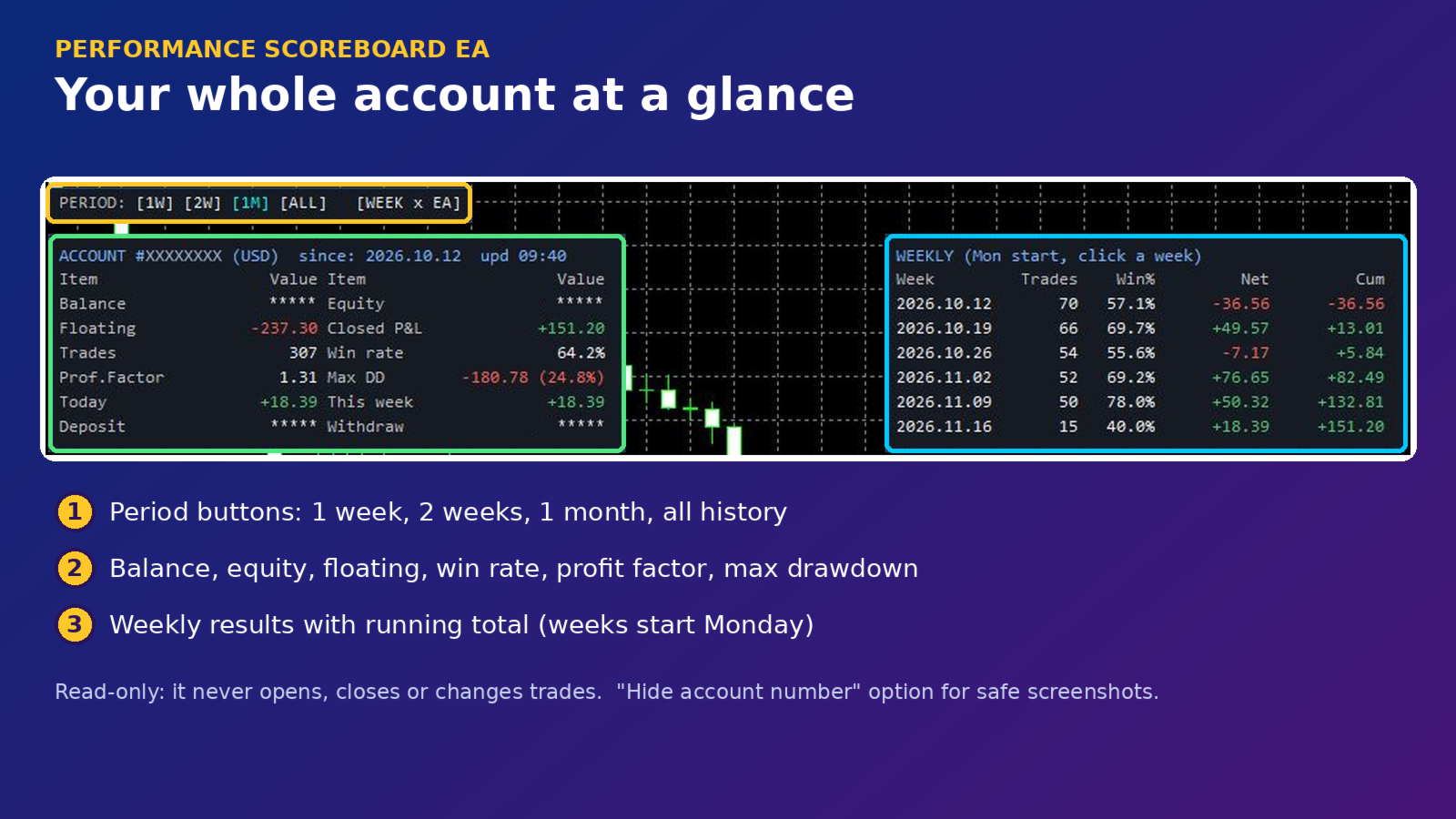
- Weekly summary (weeks start on Monday).
- Click a week to see every trade closed in that week.
- [LAST N] button shows the most recent trades.
MORE FEATURES
- Account overview: balance, equity, floating P/L, total trades, win rate, profit factor, max drawdown, deposits and withdrawals.
- Period buttons: 1 week, 2 weeks, 1 month, all history.
- EAs are identified by order comment, or by magic number when there is no comment. Manual trades are listed separately.
- Group EAs by name prefix (for example Alpha_A1 and Alpha_B2 can be combined as Alpha).
- Symbol filter to show only one symbol.
- "Hide account number" option for sharing screenshots safely.
- Adjustable colors, font size and layout.
- Refreshes automatically. No DLL, no web requests. Nothing is sent outside your terminal.
HOW TO USE
1. Attach Performance Scoreboard EA to any chart on the account you want to review.
2. Allow it to run (no trading permission is needed).
3. Use the buttons on the panel to change the period or open details.
NOTES
- All numbers come from your own account history. This product does not predict or promise any trading result.
- Trades are separated by order comment. If an EA writes no comment, it is listed by magic number.