Tidewall Timing
- Utilità
-
Evry Mikael Gibelin
 Tidewall Trading builds rule-based tools for MetaTrader 5: Expert Advisors, indicators and account-protection utilities. Our products on the MQL5 Market show what we build:
- Tidewall Guardian: prop firm daily loss and max loss protection - Versione: 1.1
- Attivazioni: 10
Tidewall Timing finds the market regime in which a trading bot performs best, then monitors the market live and tells you when to switch the bot on.
Every trading bot has market conditions that suit it and others that do not. Tidewall Timing measures this from the bot's own trade history and tells you, in real time, when the current market looks like the conditions in which the bot has historically performed better.
HOW IT WORKS
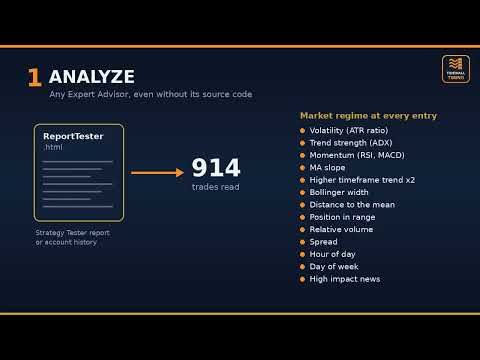
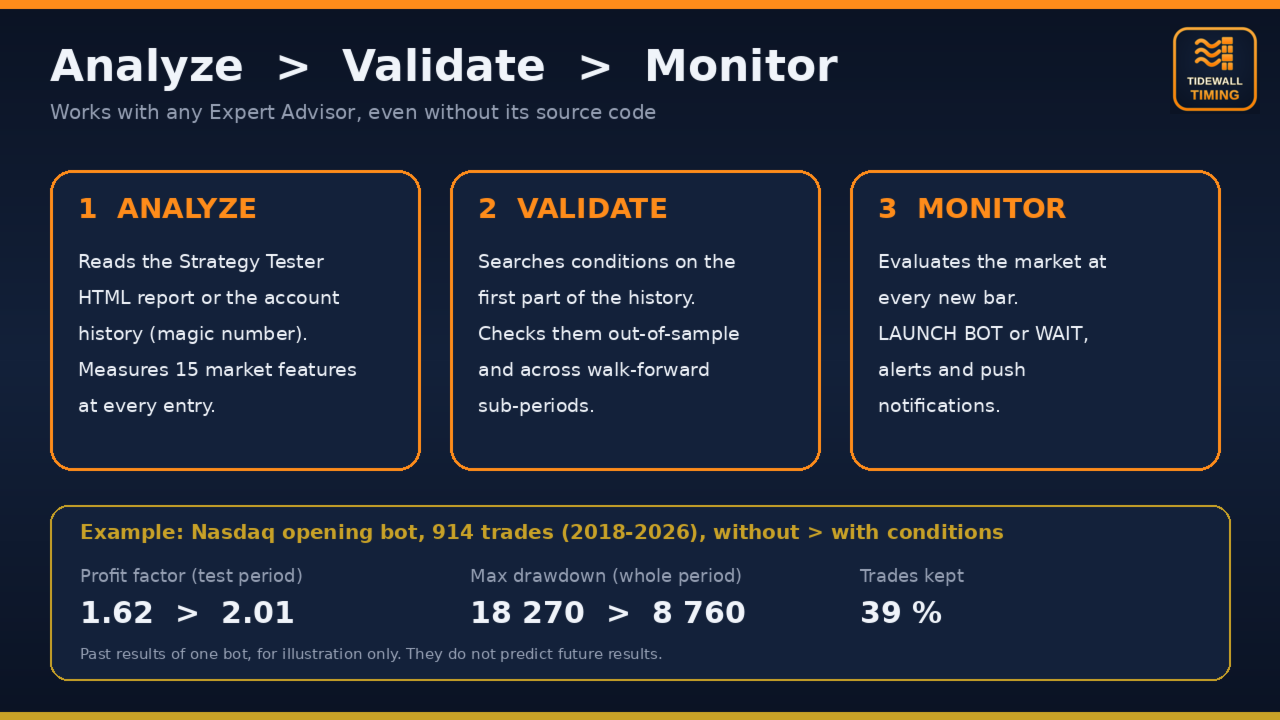
1. Analyze. Load the bot's trades from a Strategy Tester report (HTML) or from the account history (magic number). For each trade, the market regime at the entry is recorded: volatility, trend strength, momentum, higher timeframe trend, Bollinger width, distance to the mean, position in the recent range, relative volume, spread, hour, day of week and, optionally, distance to high impact news.
2. Validate. Single conditions and pairs of conditions in which the bot performed better than average are searched on the first part of the history only. Each condition is then checked on the more recent part (out-of-sample) and across several sub-periods (walk-forward stability). Conditions that do not hold are rejected.
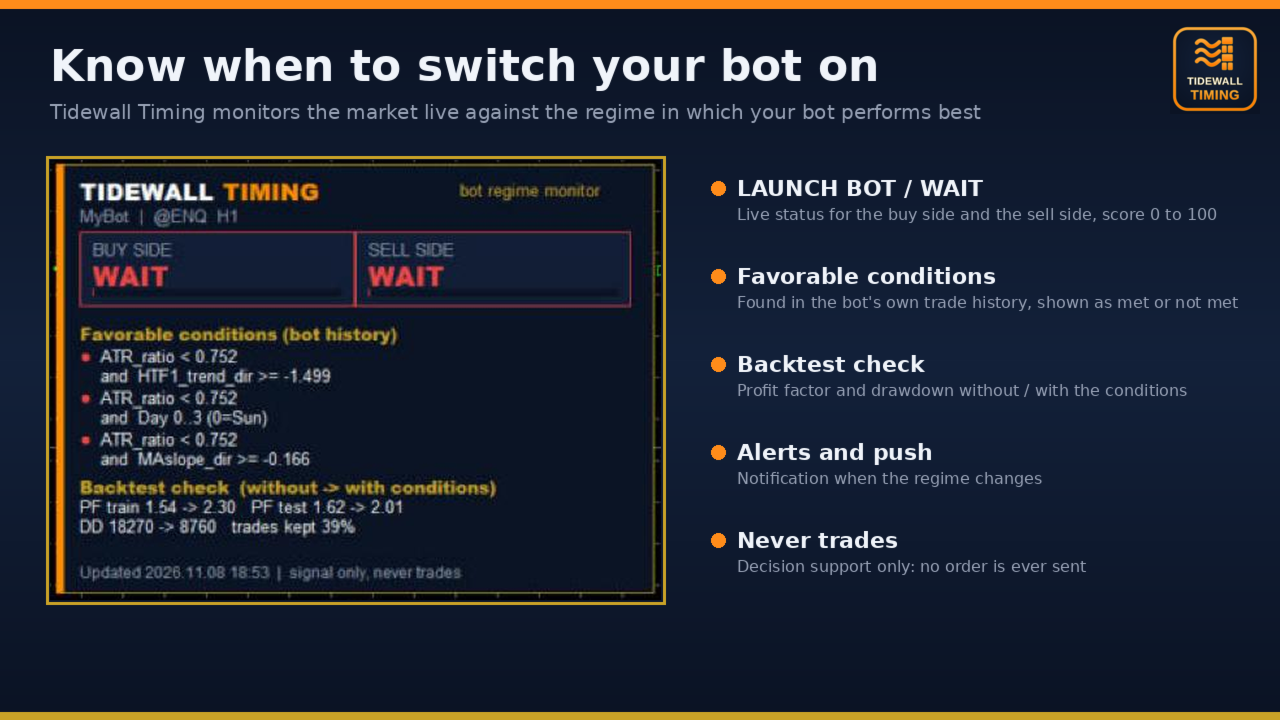
3. Monitor. At every new bar the utility evaluates the market and displays, for the buy side and the sell side: LAUNCH BOT or WAIT, with a score from 0 to 100 and the list of conditions currently met.
FEATURES
- Works with any Expert Advisor, including bots without source code (black-box analysis).
- Reads the Strategy Tester HTML report directly, no external tool needed.
- 15 market features and 6 optimization criteria (SQN, t-stat, expectancy, profit factor, net profit, win rate lower bound).
- Out-of-sample and walk-forward validation, with a backtest comparison without / with the conditions (profit factor, drawdown, share of trades kept).
- Pop-up and push notifications when the regime changes.
- State published in terminal global variables (TT_BotName_BUY, TT_BotName_SELL and scores) for your own tools.
- Optional high impact news window (MetaTrader economic calendar).
- Full text report and dataset export in the Common\Files folder.
- English and French interface.
QUICK START
1. Run your bot in the Strategy Tester. In the Backtest tab: right click, Report, HTML. Save it in the Common\Files folder of the terminal (default name ReportTester.html).
2. Attach Tidewall Timing to a chart of the bot's symbol. Set the report file name and the bot name. Mode: Analyze, then monitor.
3. The panel shows the conditions found and the live status. Keep the chart open to receive the notifications.
STRATEGY TESTER DEMO
The analysis needs the full price history of a live chart, so it does not run in the Strategy Tester. The demo uses a built-in example profile to show the live monitoring panel and signals.
IMPORTANT
- Tidewall Timing never opens, modifies or closes trades. It is a decision support tool.
- The analysis describes the past behaviour of a bot. It does not predict future results, and a condition that was favorable in the past may stop being favorable. Always confirm on a forward test or a demo account.
- At least 60 trades are required, 200 or more are recommended.
- The chart must contain enough price history to cover the period of the trades (Tools, Options, Charts, Max bars in chart).