Seconds Range Tick Chart
- Utilità
- Versione: 1.0
- Attivazioni: 10

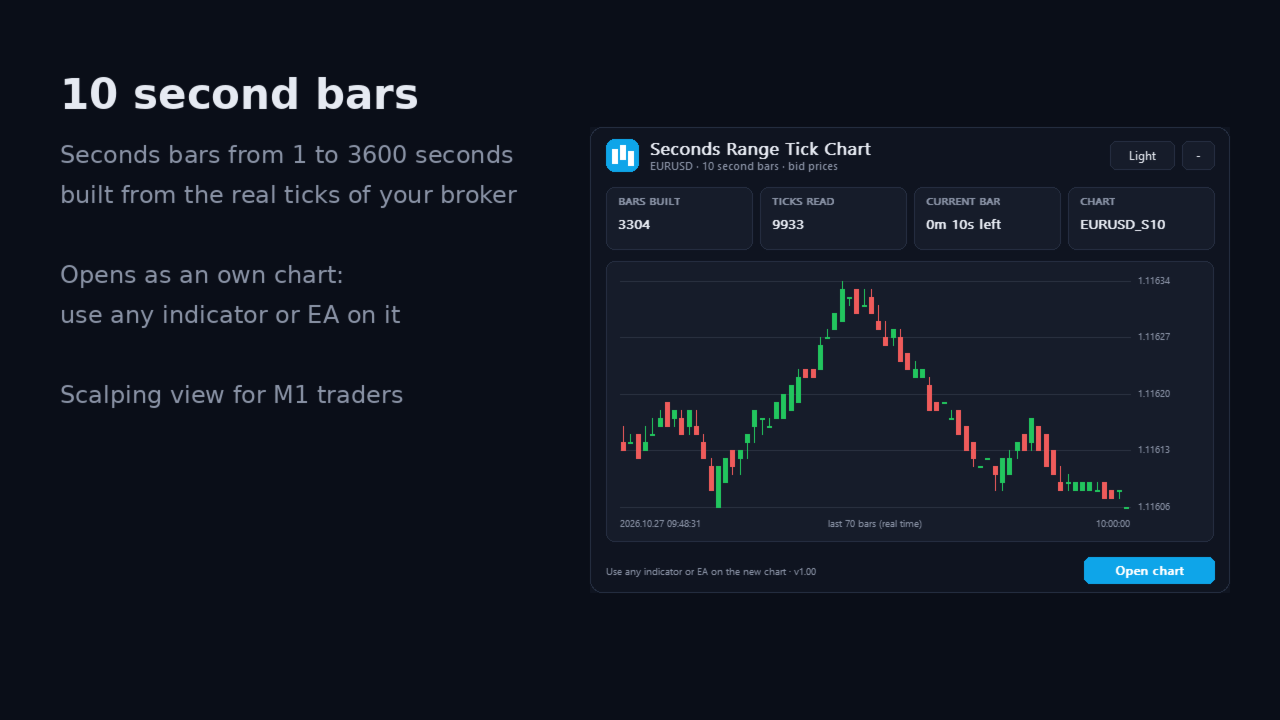
Seconds Range Tick Chart builds second bars, range bars or tick bars from the real ticks of your broker and shows them on an own chart in MetaTrader 5. You can use all your indicators and EAs on this chart, like on any other chart.
Bar types
- Seconds bars: for example 5, 10, 15 or 30 seconds (1 to 3600 seconds) - a closer look than M1 for scalping and entries
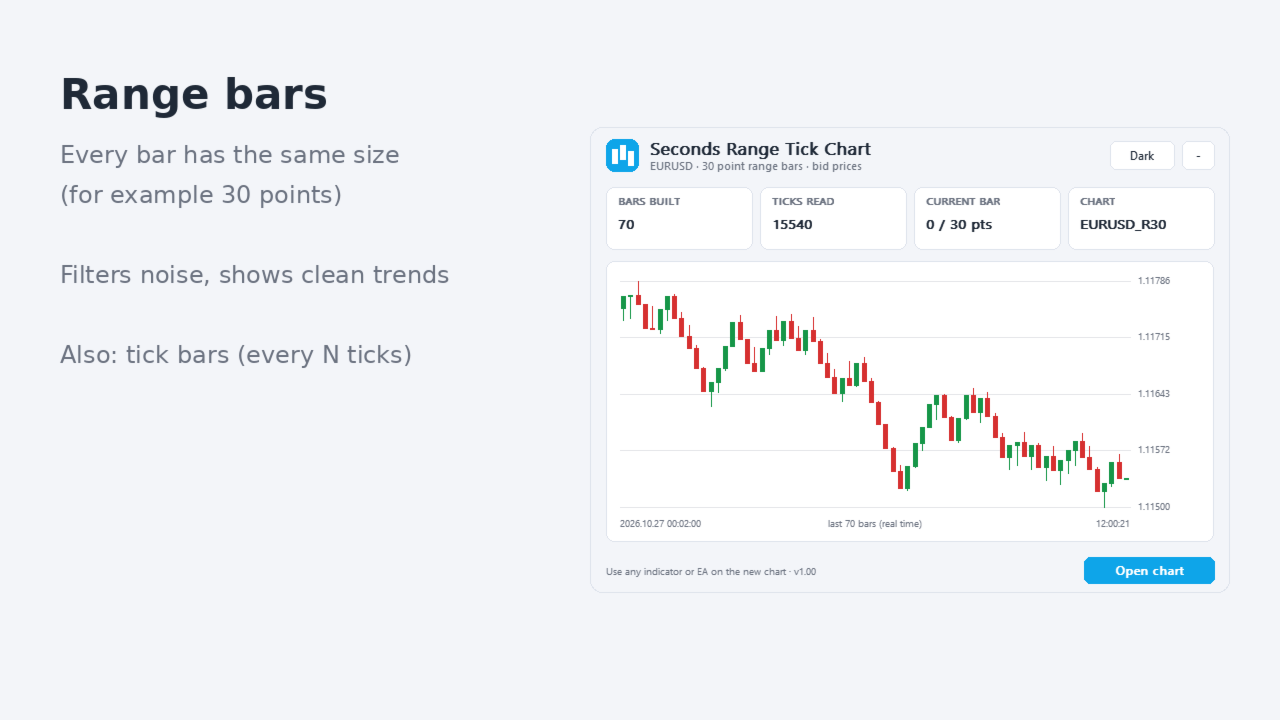
- Range bars: every bar has the same size in points - filters noise and shows clean trends
- Tick bars: a new bar after every N ticks - bars follow the market activity
How it works
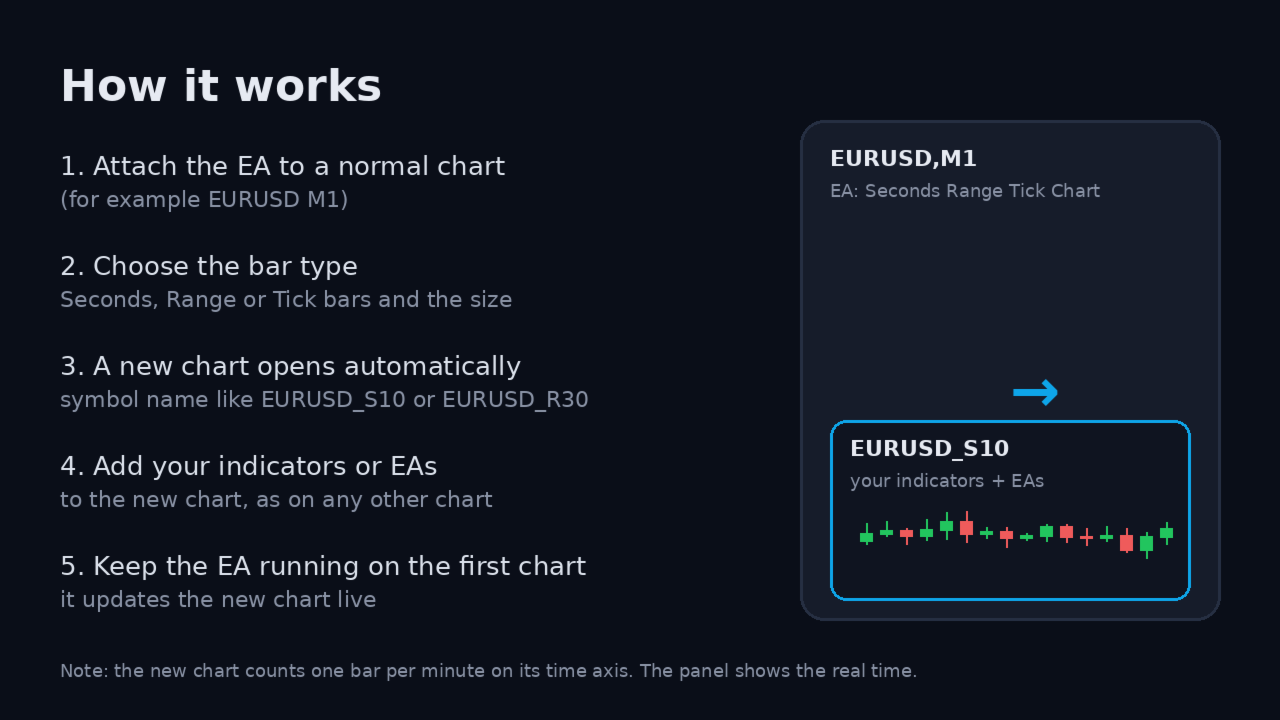
- Attach the EA to a normal chart of the symbol (for example EURUSD M1).
- Choose the bar type and size.
- A new chart opens automatically, for example EURUSD_S10 or EURUSD_R30 (a custom symbol).
- Add your indicators and EAs to the new chart.
- Keep the EA running on the first chart - it updates the new chart live.
History is built from the ticks of the last hours (you choose how many), so the chart is filled right away.
Panel
The panel shows the number of bars built, the ticks read, the time or ticks left in the current bar, and a mini chart of the last 70 bars with the real time. Button to open the chart again. Dark and light theme.
Important
- The new chart counts one bar per minute on its time axis (MetaTrader needs this for custom charts). The real start time of each bar is shown in the panel.
- The bars use bid prices.
- Custom symbols are not available in the Strategy Tester. In the tester the bars are shown in the panel only.
- The quality of the bars depends on the tick history of your broker.
Questions or ideas? Send me a private message.