Same PC Trade Copier for MT5
- Utilità
-
Themistokli Kola
 MQL4 / MQL5 and Pine Script developer.
What I do:
- Pine Script to MQL5 / MQL4 conversions (TradingView indicators and strategies into MT5/MT4 indicators or EAs)
- Fixes and changes to existing EAs and indicators: bugs, new inputs, filters, daily limits, breakeven and trailing logic - Versione: 1.0
- Attivazioni: 5
Same PC Trade Copier copies trades between MetaTrader 5 terminals running on the same computer or VPS. It is one Expert Advisor with a Role input: the source account runs it with Role = Master, and every receiving terminal runs it with Role = Slave. The copies talk through a small file in the terminals' shared Common\Files folder: no internet service, no DLL, no web requests.
Setup in 5 steps
- Install both terminals on the same computer (or VPS) and log each in to its account.
- Master: in the source terminal, attach Same PC Trade Copier with Role = Master to any one chart. Pick a channel name (for example Copier1) and press OK. Turn on Algo Trading in the toolbar.
- Slave: in each receiving terminal, attach Same PC Trade Copier with Role = Slave to any one chart, with the same channel name. Tick Allow Algo Trading in the EA settings and turn on Algo Trading in the toolbar.
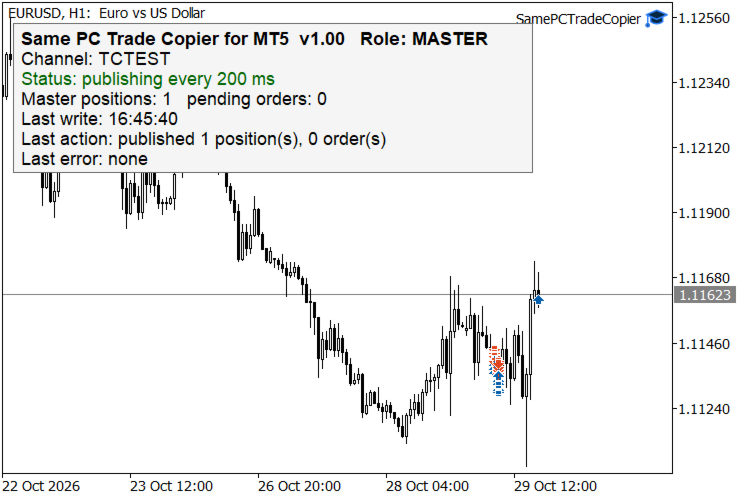
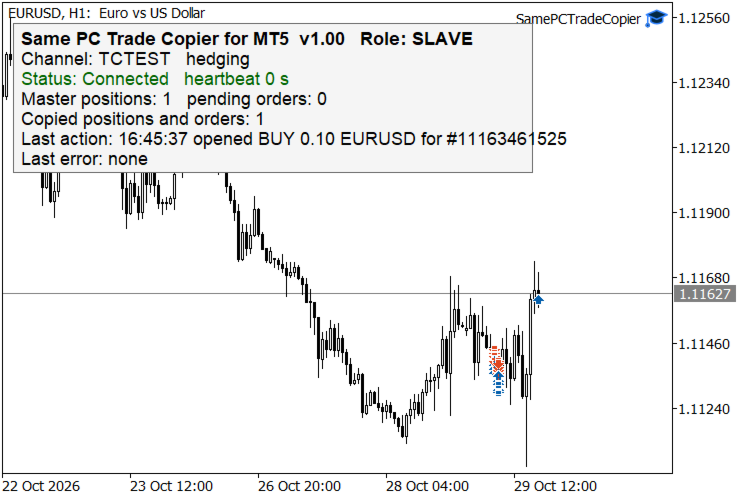
- Check the panels. The Slave panel shows Status: Connected and the heartbeat age; the Master panel shows how many positions it publishes. Open a small trade on the Master account and watch it appear on the Slave within a second.
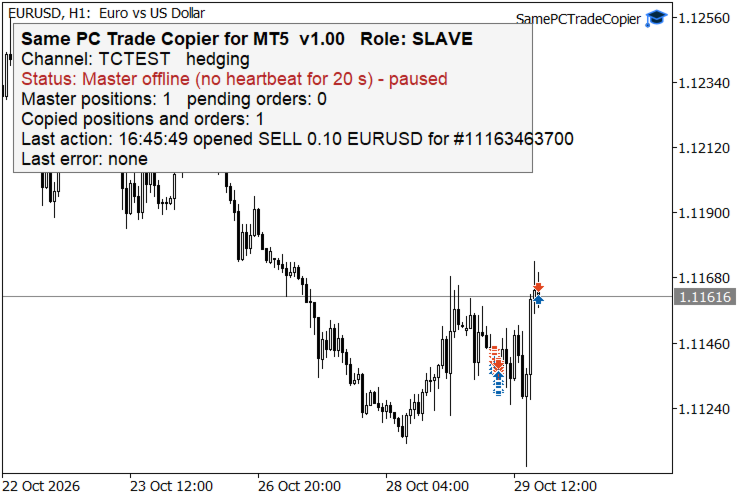
- Leave both running. If the Master terminal is closed, the Slave shows "Master offline - paused" and closes nothing; when the Master comes back, copying continues without duplicates. Restarting the Slave is also safe: copies are recognised by their TC# comment and a mapping file.
Use one Master per channel. Several Slaves may read the same channel, and several copier pairs can run side by side with different channel names.
What the Slave does
- Opens a copy for each new Master position, with the calculated lot.
- Follows stop loss and take profit changes.
- Mirrors partial closes in the same proportion and closes the copy when the Master closes.
- Places, moves and deletes pending copies; when a pending order fills, the copy follows.
- On a netting account it keeps one net position per symbol equal to the sum of the copied trades.
- Before every new trade it checks that trading is allowed, the symbol accepts that direction and there is enough free margin. Requotes and busy states are retried; every refusal is printed in the Experts log with the trade server code and shown in plain words on the panel.
- A copy that you close by hand on the Slave account is not reopened.
Role and channel
- Role - Master (default) sends this account's trades; Slave copies the Master's trades. Each role reads only its own group of settings.
- Channel name - name shared by the Master and its Slaves. Letters, digits, _ and -, up to 32 characters.
Master settings
- Copy pending orders - also publish buy and sell limit and stop orders.
- Symbols to copy - comma-separated list, e.g. EURUSD,XAUUSD. Empty = all symbols.
- Magic number to copy - copy only trades with this magic number; -1 = every Expert Advisor.
- Include manual trades - copy trades opened by hand (magic number 0).
- Publish interval - how often the Master checks the account, in milliseconds (default 200). Trades are also published at once when the account changes.
Slave settings
- Lot mode - Same as master; Master lot x multiplier; Fixed lot; Proportional to balance ratio (master lot x slave balance divided by master balance).
- Multiplier and Fixed lot - used by those lot modes.
- Max lot per trade - upper limit for any copied trade; 0 = the broker's maximum. Every volume is rounded down to the broker's volume step and kept within its minimum and maximum.
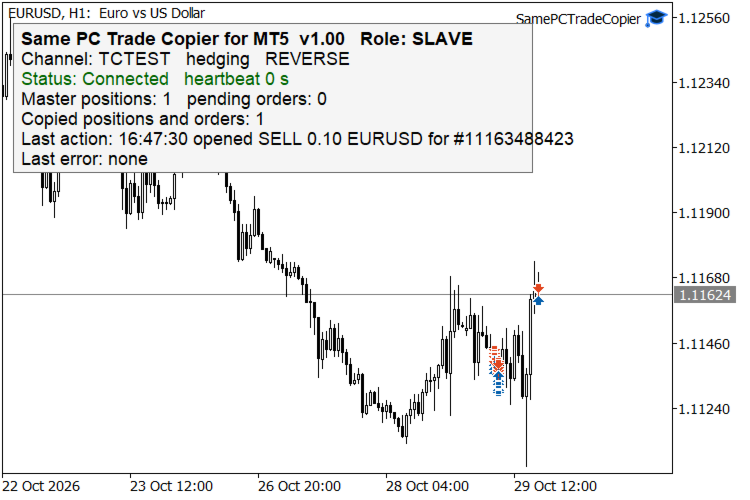
- Reverse copy - buy becomes sell and sell becomes buy; stop loss and take profit are swapped. Pending orders keep their price and flip direction.
- Prefix / suffix to remove and Prefix / suffix to add - adapt symbol names between brokers, e.g. suffix .m turns EURUSD.m into EURUSD.
- Explicit symbol map - pairs that override the prefix and suffix rules, e.g. XAUUSD=GOLD,US500=SP500.
- Copy SL and TP - copy and keep updating stop loss and take profit. A level the broker would refuse is left unset and shown on the panel.
- Max slippage - allowed price deviation for market orders, in points.
- Ignore master trades older than - when the Slave starts, trades already open on the Master for longer than this many seconds are not copied; 0 = copy them all.
- Copy only new trades - when the Slave starts, nothing already open on the Master is copied, only trades opened later.
- Magic number of copied trades - marks the Slave's copies. Use a number no other Expert Advisor on the Slave account uses.
- Master offline after - seconds without a heartbeat before the Slave pauses.
- Check interval - how often the Slave reads the channel, in milliseconds.
Panel
The EA shows a small panel: product name and role, channel, connection status and heartbeat age, number of Master positions and orders, number of copies, the last action with its time, and the last error in plain words.
Notes
- Both terminals must be on the same computer: the copier uses the shared Common\Files folder of MetaTrader 5.
- In the Strategy Tester the EA uses the tester's own folder, so a test never feeds a live copier; with Role = Slave it simply waits for a Master there.
- The copier only copies trades; it does not decide any trades itself.